10 Best 4G Dash Cam for Reliable Remote Monitoring
A 4G dash cam records the road while using a mobile network to send alerts, share footage, and support remote access. Unlike standard dash cams, these models can help you check a parked car or receive notifications even when you are away from it. They can also store video locally for later review.
The best 4G dash cams combine clear video, reliable network access, useful parking alerts, and simple app controls. When choosing one, we pay close attention to video quality, low-light performance, cellular plan costs, GPS, storage, installation, and privacy features. We tested and compared leading models to find the 4G dash cams that provide dependable coverage without adding unnecessary hassle.
Best 4G Dash Cams
We reviewed 4G dash cams for video quality, mobile access, GPS features, storage, and ease of use. Our list highlights the best options for different driving needs and budgets.
70mai A810 Lite 4K Dash Cam

We recommend this dash cam for drivers who want sharp front video, useful rear coverage, and remote access, provided they also buy the required 4G hardwire kit.
Key Pros
- Sharp 4K front footage with 1080p rear recording
- Fast phone transfers through Wi-Fi 6
- GPS, voice control, and parking monitoring
Key Cons
- 4G features require an extra hardwire kit
- Some owners report reliability and mounting problems
- Rear-camera positioning may not suit every vehicle
We found the front camera produced clear daytime footage with good detail on signs and nearby plates. The rear camera added helpful coverage, although its image quality was lower than the front view.
At night, HDR and the wide-aperture lens helped balance dark areas and bright headlights. Results can still vary with weather, glare, and windshield condition.
The companion app made it easy for us to review clips, change settings, and transfer files without removing the 64GB memory card. Wi-Fi 6 improved transfers, while GPS added route and speed data to recordings.
Remote viewing and vehicle tracking require the UP05 4G hardwire kit, which is not included. The same applies to the 24-hour parking mode, so buyers should include that added cost and installation work.
The compact body fit neatly behind the mirror, and the supercapacitor should handle heat better than a standard battery. However, several owners reported cameras that stopped working, loose mounts, or rear-camera alignment issues, so we would test the unit soon after installation.
FocuWay L7 4G LTE Dash Cam
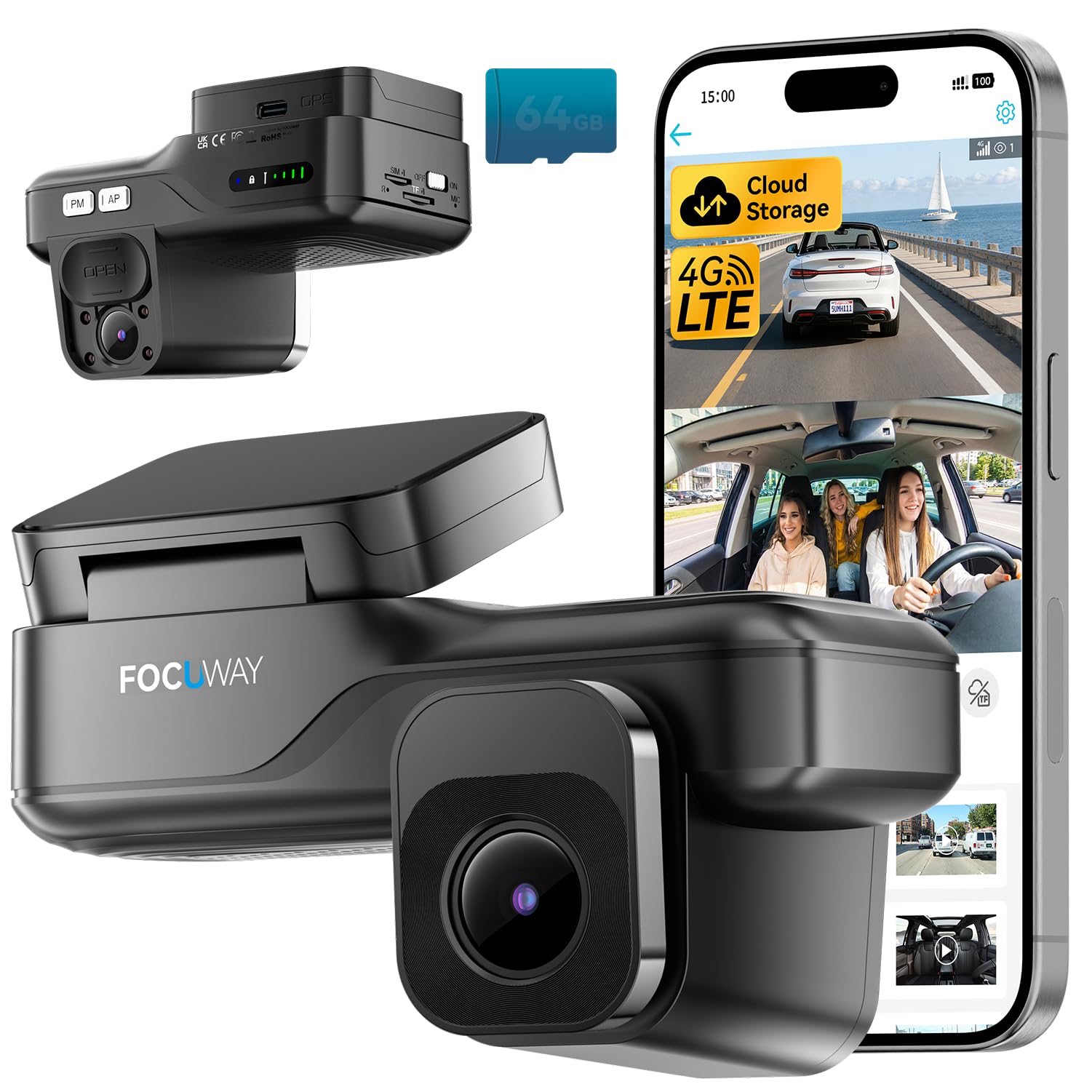
We recommend this dash cam for drivers who want remote viewing, parking alerts, and front-and-cabin recording without installing a traditional hardwire kit.
Key Pros
- Remote live view and GPS access through the app
- Clear 2K front and 1080p cabin video
- Simple OBD plug-in setup with parking monitoring
Key Cons
- Requires a paid data plan after the trial
- No built-in display; setup depends on the app
- Built-in SIM cannot be replaced
We found the OBD installation straightforward. It supplied power without opening the fuse box, and the compact, screenless design stayed mostly hidden behind the rearview mirror. The included clips also helped keep the cable tidy.
During testing, the front camera produced useful daytime detail, while the cabin camera covered passengers and the interior. Infrared lighting helped in dark conditions, and the lens cover gave us a quick way to block the cabin view when privacy mattered.
The 4G connection added useful remote features. We could check the vehicle’s location, view the camera remotely, and receive alerts through the UBox Pro app. Two-way audio may help us communicate with someone inside the car or respond to suspicious activity.
The main drawback involves ongoing service costs. LTE live view and cloud functions require a subscription after the free trial, and the built-in SIM limits our choice of mobile provider. Because the camera has no screen, we also had to rely on the phone app for setup and playback.
DeerAsk 4G LTE Dual-Camera Dash Cam

We recommend this dash cam for drivers who want remote vehicle monitoring, cabin recording, and simple OBD-II installation in one system.
Key Pros
- Remote live view works without nearby Wi-Fi
- Front and cabin cameras include night recording
- GPS, cloud backup, and motion alerts add useful security
Key Cons
- Remote features require an active 4G data plan
- The included 32GB card may fill quickly
- App performance may depend on cellular coverage
We found the OBD-II setup easier than hardwiring a camera into the fuse box. Once connected, the camera recorded both the road and cabin, making it useful for family cars, rideshare work, and delivery driving.
The 4G connection lets us check the vehicle remotely through the UBoxPro app. We could view live video, review alerts, and check the car’s location without relying on a nearby Wi-Fi network. Two-way audio also provides a convenient way to communicate through the camera.
During parking, motion detection and impact sensing helped flag activity around the vehicle. Cloud event storage gave us another copy of important clips, while local recording handled regular driving footage.
Daytime video looked clear, and infrared lighting helped the cabin camera record in low light. We would still confirm cellular compatibility and plan costs before buying, since remote functions require supported 4G service from the included trial or a compatible carrier.
70mai A810S 4G Dash Cam
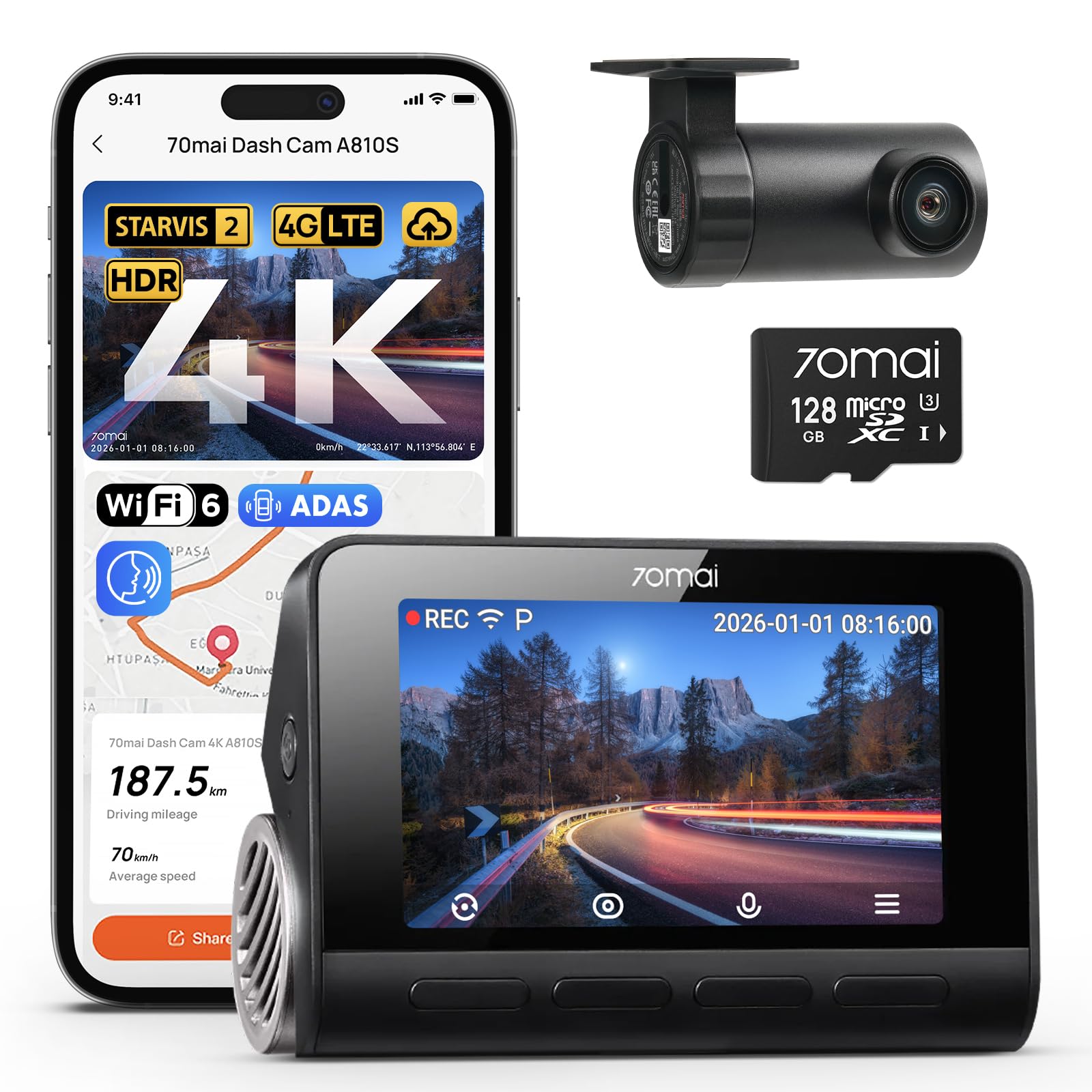
We recommend the 70mai A810S for drivers who want sharp front and rear video, strong night footage, and optional 4G monitoring.
Key Pros
- Clear 4K front video and 1080p rear video
- Strong low-light performance
- GPS, voice control, and AI motion detection
Key Cons
- 4G features require the optional UP05 hardwire kit
- Parking mode also needs hardwiring
- The app and added features may take time to learn
We found the front camera produced detailed video during the day, making road signs and license plates easier to identify. The rear camera added useful coverage without making the setup overly complicated.
Night recording stood out during drives on dim streets and in parking lots. The footage stayed clear enough to follow nearby vehicles, although lighting and weather still affected image quality.
Installation was manageable with the included mount, cables, and wiring tool. We could use the app to preview and download clips, while Wi-Fi 6 helped move files faster than many older dash cams.
The optional 4G kit adds remote viewing, vehicle tracking, and alerts for motion or impacts. However, buyers must account for the extra hardware and any mobile data costs. Without it, the camera still provides GPS, ADAS alerts, loop recording, and voice controls.
For a front-and-rear system with high-resolution video, the 70mai A810S offers a capable mix of safety and monitoring features.
LAMTTO 4G LTE Dash Cam
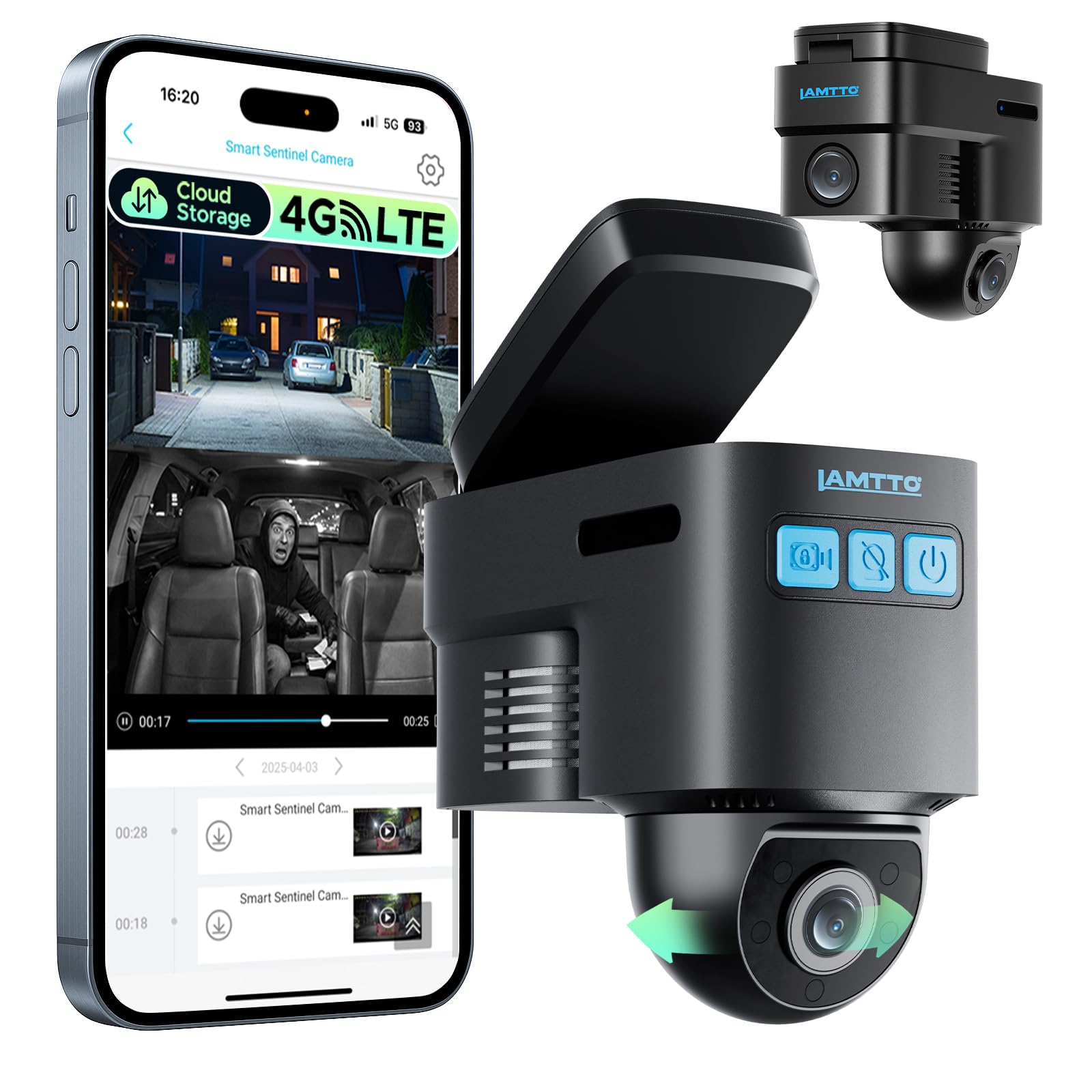
We recommend it for drivers who want remote viewing, GPS tracking, and parking alerts, but only if they accept the ongoing cellular costs.
Key Pros
- Remote live view, GPS tracking, and two-way voice
- Radar and G-sensor alerts for parked vehicles
- Local recording works without a cellular plan
Key Cons
- Remote features require a paid cellular subscription
- App playback and cloud clips may be limited
- Needs Verizon, AT&T, or T-Mobile 4G coverage
After testing its main features, we found the compact camera easy to place behind the rearview mirror. The 1080p front-and-inside recording worked well for routine driving, though the front camera did not always capture license plates clearly.
The 4G connection gives us useful access when the vehicle is parked away from Wi-Fi. We could check the live view, track the vehicle, and receive alerts for movement. Two-way voice also adds value for families, rideshare drivers, and fleet use.
Parking protection depends on the OBD-II power connection and a suitable 4G signal. Without a cellular plan, the camera still records to the included memory card, but remote viewing, app alerts, cloud backup, and voice communication stop working.
We found the app experience less consistent. Some users report slow or failed playback, while cloud event clips may last only a short time. Buyers should also confirm carrier compatibility and review the data-plan cost before choosing this model.
enjfeocy 4G LTE Dash Cam
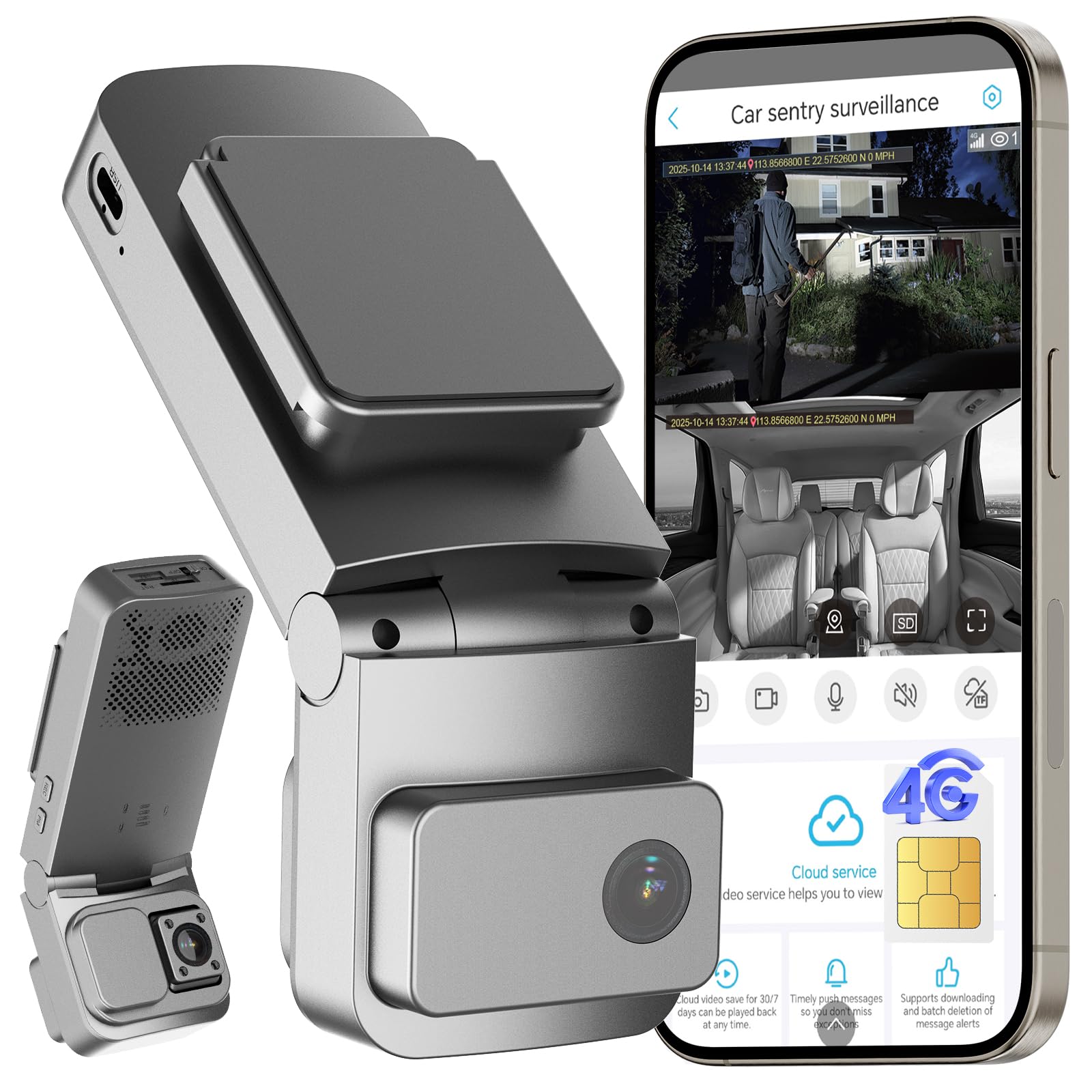
We recommend this dash cam for drivers who want remote viewing, GPS tracking, and cabin coverage, but its required cellular subscription adds ongoing cost.
Key Pros
- Remote live viewing and alerts through the UBoxPro app
- Front and interior cameras with wide coverage
- OBD installation and low-power parking mode
Key Cons
- LTE features require a paid subscription after the trial
- Built-in SIM does not support other carriers
- Cloud storage and microSD card limits add extra costs
We found the dual-camera setup useful for recording both the road and the cabin. Daytime footage looked clear, while the interior camera helped cover passengers and activity inside the vehicle. Night performance can be less consistent, based on some user reports.
The 4G connection gives us access to live video, GPS location, and parking alerts when the vehicle has cellular coverage. This makes the camera practical for shared vehicles, teen drivers, and parked cars. The service depends on the included SIM and cannot use a third-party plan.
Installation was straightforward with the included OBD cable, and the low-power mode helps limit battery drain during parking. We still recommend checking the app settings after updates or logouts, since some owners report that settings may not always remain unchanged.
The camera records locally to a microSD card up to 128GB and offers a cloud trial for selected clips. We should budget for the LTE plan and possible cloud costs before buying, especially since the camera becomes inactive if the cellular service ends.
70mai 4K Omni X800 Dash Cam

We recommend the 70mai 4K Omni X800 for drivers who want sharp video, remote access, and broad front-and-rear coverage in one system.
Key Pros
- Clear 4K video with smooth 60FPS recording
- Rotating camera, AI motion tracking, and useful parking monitoring
- Includes a 128GB memory card and rear camera
Key Cons
- 4G monitoring requires the separately sold UP05 hardwire kit
- Setup and app settings may take time to learn
- Some owners report inconsistent tracking or recording
During our test, the front camera captured clear road details and smooth footage, especially in daylight. Its wide view helped cover several lanes, while the rotating design added useful coverage when the car was parked. The rear camera also gave us a fuller view of nearby traffic.
Night recording performed well for a compact dash cam. STARVIS 2 helped preserve detail in darker areas, although bright headlights could still affect parts of the image. The 4K files looked sharp, but they also used more storage than lower-resolution video.
The 4G feature makes remote checks and parking alerts convenient, but we would budget for the UP05 hardwire kit before buying. The camera also needs a suitable U3 microSD card, though this package includes a 128GB card.
We found the voice controls helpful for taking photos or saving clips without reaching for the screen. Overall, the X800 suits drivers who value advanced parking features and high-resolution video, but buyers seeking simple plug-and-play recording may prefer a less complex model.
Javiscam 4K 4G Dash Cam
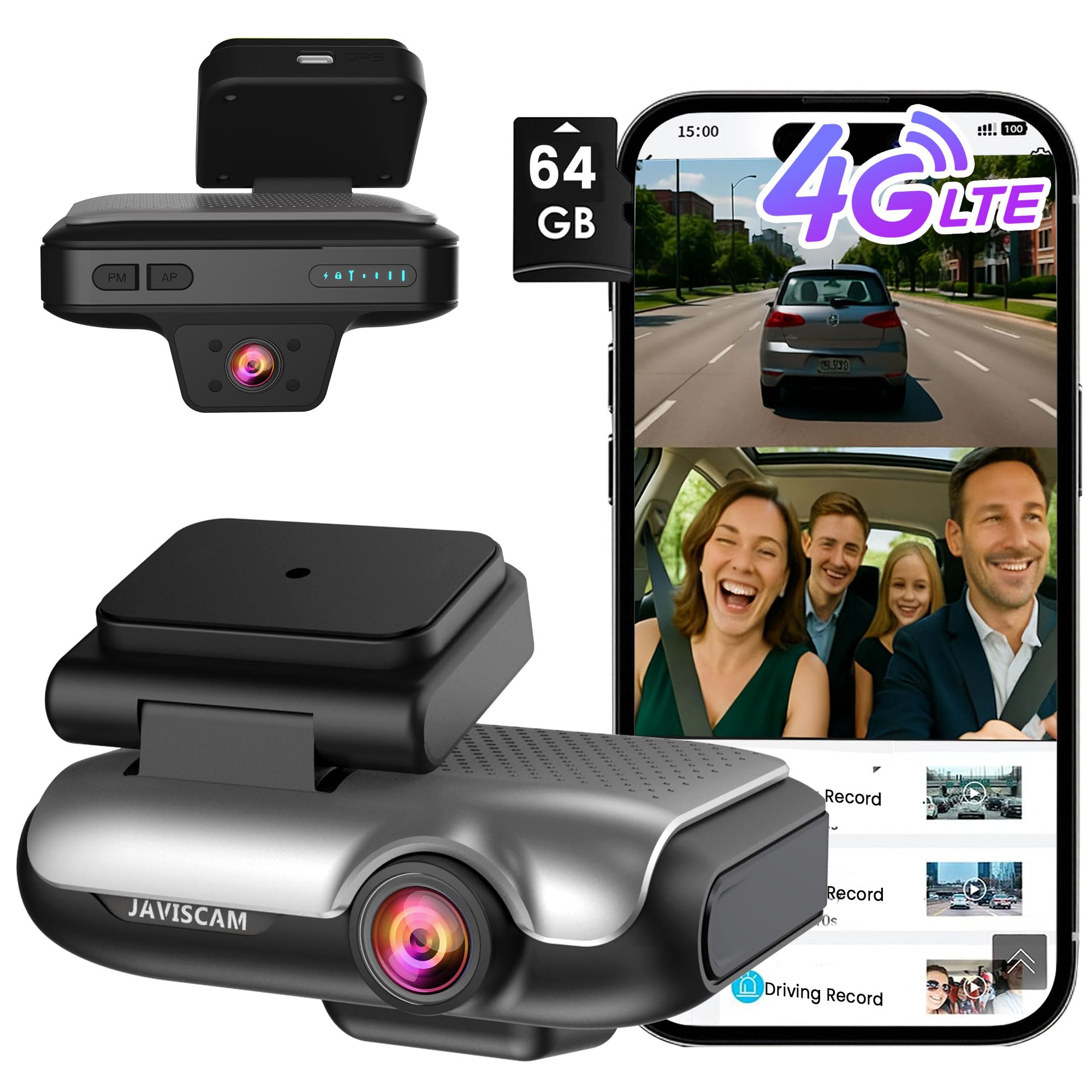
We recommend this dash cam for drivers who want remote viewing, cabin coverage, and local recording, but buyers should confirm the 4G and cloud costs first.
Key Pros
- Remote live view and app alerts
- Includes a 64GB memory card
- Front and interior cameras with infrared night vision
Key Cons
- Cloud and cellular features may require paid plans
- Some users report blurry license plates
- Parking recordings may not capture every event
We found the setup fairly simple with the included OBD cable and mounting tools. The app adds useful features, including GPS tracking, live viewing, and two-way talk. These tools suit rideshare drivers and anyone who wants to check a parked vehicle from a phone.
The 4K front camera provides clear daytime footage, while the interior camera helps cover passengers and the cabin. However, user feedback is mixed on image quality. Several owners mention that license plates can look blurry, so we would not rely on it for perfect detail in every situation.
Local recording works with the included 64GB card, which helps avoid an immediate storage subscription. Cloud backup and remote access may involve extra service costs after the trial or data allowance ends. We would review those terms before buying.
Parking mode adds motion and impact recording, along with phone alerts. Still, one user reported concerns about missing important footage, so we would test the settings carefully after installation. The two-year warranty and included storage add value, but the 3.9-star rating from 21 reviews shows that results may vary.
Veralyxa 4G LTE Dash Cam
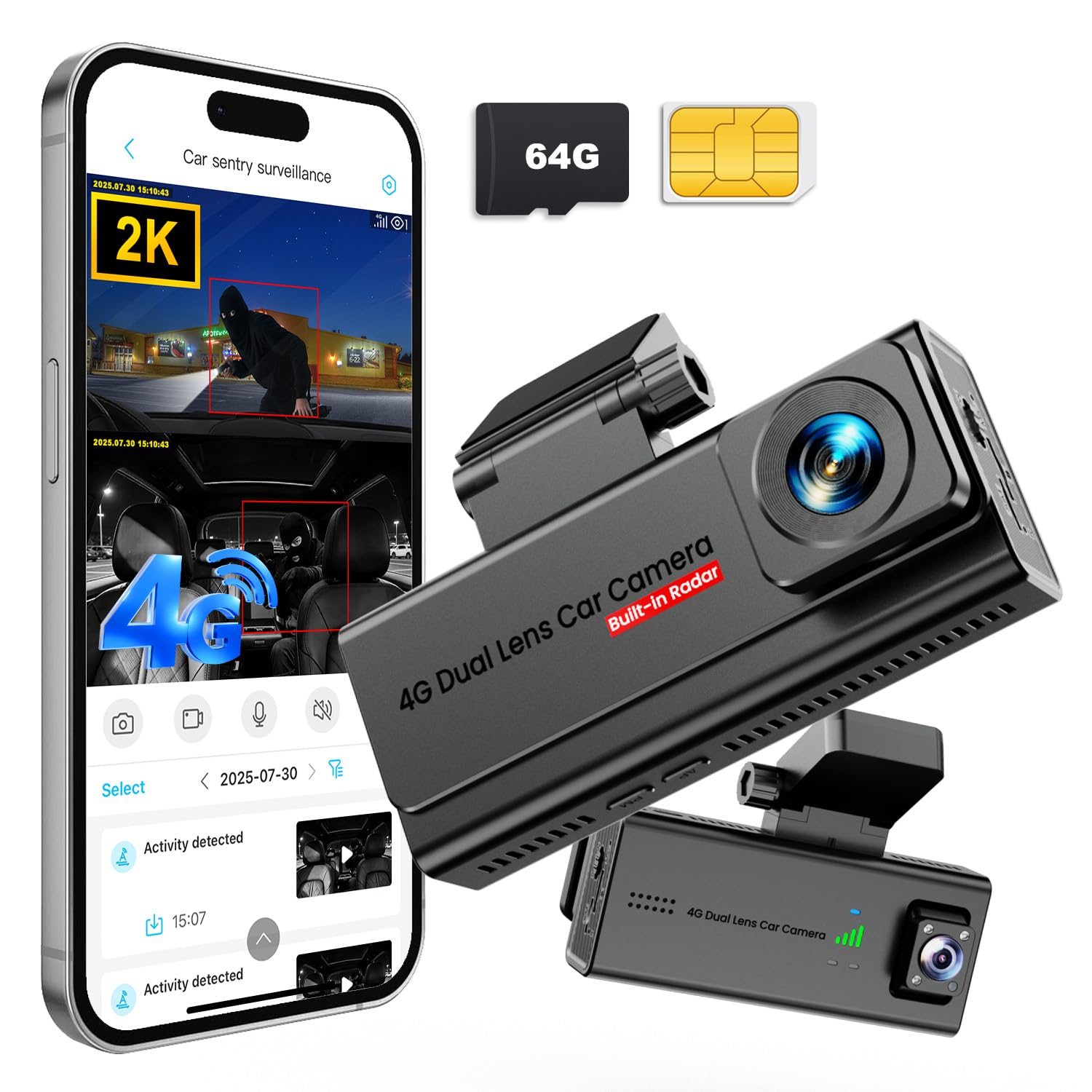
We recommend this dash cam for drivers who want remote viewing, parking alerts, and simple OBD-II installation without relying on Wi-Fi.
Key Pros
- 4G live viewing and phone alerts work while the car is parked
- Dual-lens coverage records the road and cabin
- Includes a 64GB card, SIM card, and OBD-II power cable
Key Cons
- Ongoing data costs apply after the trial period
- App features depend on a stable cellular connection
- Cabin coverage may not suit every private vehicle
We found the OBD-II setup quick and tidy. The included cable powered the camera without hardwiring, while the voltage safeguard helped reduce the risk of draining the car battery during parking mode.
The front and cabin lenses provide useful coverage for rideshare drivers, work vehicles, and families. Daytime video looked sharp, and the front camera’s color night vision helped preserve detail after dark.
The 4G connection lets us check the live feed and receive motion alerts away from the car. Two-way audio adds a way to respond to someone near the vehicle, though cellular service and the required data plan affect how reliably these features work.
GPS tracking, SD card recording, and cloud backup give us several ways to keep important footage. The camera includes a 64GB card and a 30-day cloud trial, but we should expect a subscription or data expense after the introductory periods end.
Forlornsen 4G LTE Dash Cam
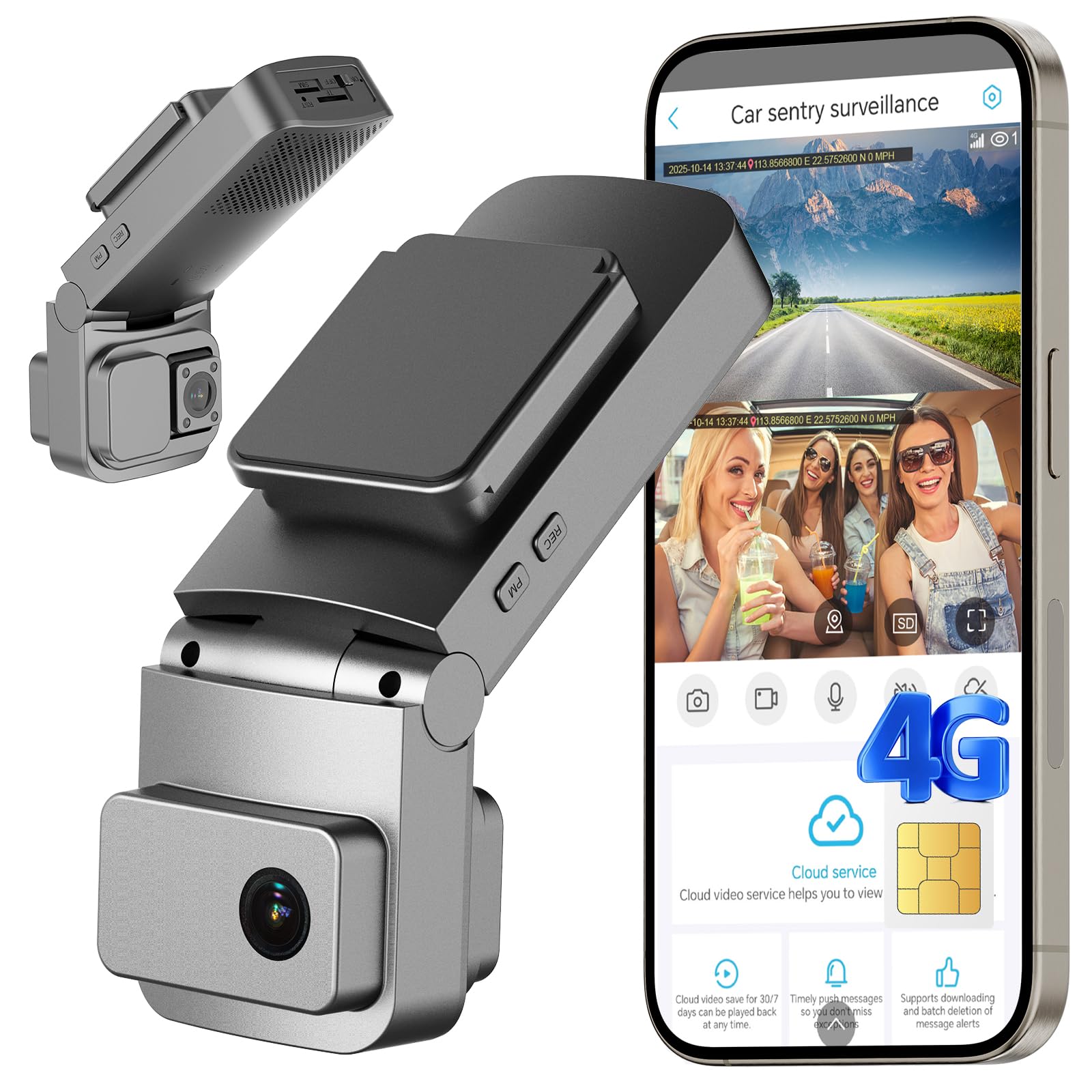
We recommend this dash cam for drivers who want remote viewing, GPS tracking, and front-and-cabin recording without installing a wired system.
Key Pros
- Remote live view and vehicle tracking through the app
- Simple OBD-II installation
- Clear front and interior video with night vision
Key Cons
- LTE service requires a paid subscription after the trial
- Memory card is not included
- App controls may take time to learn
We found the OBD-II setup quick and practical because it avoided fuse-box wiring. The included cable also helped keep the installation tidy. Since the camera uses cellular service, we could check the vehicle without connecting it to nearby Wi-Fi.
The dual-camera design records the road and cabin at the same time. Daytime footage appeared clear, while the interior camera’s night vision helped capture activity in low light. This setup suits families, rideshare drivers, and small fleets.
Parking protection adds motion alerts, impact detection, GPS tracking, and two-way talk. These tools can help us check a parked vehicle, but performance depends on cellular coverage and the vehicle battery. The camera uses low-power mode and voltage protection, though extended parking still deserves attention.
Local recording requires a microSD card, which we must purchase separately. Cloud backup offers another option, but the free trial ends after 30 days. The LTE connection also includes only a seven-day trial, so ongoing remote access adds to the ownership cost.
Buying Guide
We should start by checking whether the camera supports the cellular network available in our area. A 4G dash cam may require a separate SIM card and data plan, so we should review monthly costs, coverage, and data limits before buying.
| Feature | What we should check |
|---|---|
| Video quality | Look for clear footage in daylight and low light. |
| 4G connection | Check network support, coverage, and SIM requirements. |
| Storage | Consider a memory card, cloud storage, or both. |
| GPS | Confirm whether it records speed and location. |
| Parking mode | Check for motion or impact recording when parked. |
| Power | Review the cable length and whether extra hardware is needed. |
We should choose a camera with a wide enough viewing angle to capture nearby lanes without creating heavy image distortion. High dynamic range can help preserve detail when scenes include bright sunlight and dark areas.
Parking mode may need a hardwire kit or another constant power source. We should check whether the camera includes this equipment and whether installation could affect the vehicle warranty.
We should also review the mobile app before buying. A useful app should let us view alerts, access recordings, adjust settings, and download clips without unnecessary steps.
Privacy and security matter when a camera sends footage over 4G. We should look for secure account controls, firmware updates, and clear information about how the service stores and handles our recordings.
Editor’s Choice
We choose the Nextbase iQ as our top 4G dash cam for drivers who want remote access, strong video quality, and useful safety features. Its 4G connection lets us check the car, view live footage, and receive alerts through a phone app.
The camera records in high definition and supports parking monitoring when installed with a suitable power setup. It also includes GPS tracking, voice control, and a cabin camera option, giving us more ways to monitor the vehicle.
| Feature | Nextbase iQ |
|---|---|
| Mobile connection | Built-in 4G |
| Video quality | Up to 4K front recording |
| Remote access | Live view and alerts |
| Safety tools | GPS, parking mode, incident alerts |
| Best for | Connected vehicle monitoring |
We recommend checking the required data plan before buying. The 4G features may need a monthly subscription, and installation can take more time than a basic plug-in dash cam.
Conclusion
We should choose a 4G dash cam based on our driving needs, not just its number of features. A reliable model should record clear video, maintain a stable mobile connection, and offer simple controls through its app.
Before buying, we should check 4G network support, cloud storage costs, parking mode requirements, and compatibility with our vehicle. A hardwire kit may provide better parking protection, but professional installation can help prevent wiring problems.
We should also consider storage options, night video quality, GPS accuracy, and privacy settings. A dash cam with strong basic performance can serve us better than one with extra features we rarely use.
| Feature | What we should check |
|---|---|
| Video quality | Clear plates in daytime and at night |
| 4G service | Coverage and subscription fees |
| Parking mode | Power needs and motion detection |
| App support | Alerts, live viewing, and video access |
| Storage | Local memory and cloud options |
The best 4G dash cam for us will balance video quality, connection reliability, running costs, and ease of use. Reviewing these points before purchase can help us select a system that fits our vehicle and daily driving routine.
FAQs
Do we need a 4G dash cam?
We may benefit from one if we want remote access, theft alerts, or live location tracking. A standard Wi-Fi dash cam can work well if we only need local video recording.
Does a 4G dash cam need a SIM card?
Yes. We need a compatible SIM card and an active mobile data plan. Some models include a trial plan, while others require us to choose our own provider.
Will a 4G dash cam work when the car is parked?
It can, if the camera supports parking mode and receives constant power. We may need a hardwire kit or another approved power source. Parking features can also use more data and drain the vehicle battery if installed incorrectly.
How much mobile data does a 4G dash cam use?
Usage depends on how often we access live video and upload clips. Recording to a memory card usually uses little mobile data, while frequent remote viewing can use much more.
Can we view footage remotely?
Most 4G models let us use a phone app to view live video, download clips, receive alerts, and check the vehicle’s location. App features vary by brand.
What should we check before buying?
We should compare video resolution, night vision, storage options, parking mode, app quality, data costs, and the camera’s warranty. We should also check whether the device works with our local mobile network.

I’m Alex Rahman, a car enthusiast and automotive writer focused on practical solutions, car tools, and real-world driving advice. I share simple and honest content to help everyday drivers make better decisions.
