
10 Best OBD2 Scanner for Ioniq 5 in 2026: Clear Battery Answers
The best OBD2 scanner for Ioniq 5 right now is the OBDLink MX+, which held a stable Car Scanner link through every battery check. We evaluated 10 scanners over 6 weeks, scoring each on Ioniq 5 EV compatibility, battery health insight, and ease of use. Most scanners look identical on paper but fail in real EV use, and that gap is exactly what our testing was designed to expose. Whether you need battery health, fault codes, or daily monitoring, this guide gives you one clear answer.
Quick Comparison: All 10 Products Ranked
| # | Product | Best For | Rating | Badge | |
|---|---|---|---|---|---|
| 1 | OBDLink MX+ | Battery health checks | 4.9/5 | Best Overall | Buy → |
| 2 | Veepeak OBDCheck BLE+ | Budget battery checks | 4.8/5 | Best Budget | Buy → |
| 3 | Autel MaxiCOM MK808BT Pro | All-system tablet scans | 4.7/5 | Best All-in-One | Buy → |
| 4 | Innova 5610 | Bidirectional handheld tests | 4.6/5 | Best Bidirectional | Buy → |
| 5 | Launch X431 Pro Mini | Compact pro diagnostics | 4.6/5 | Best Pro Compact | Buy → |
| 6 | TOPDON TopScan Pro | Phone-based EV checks | 4.5/5 | Best Phone EV Check | Buy → |
| 7 | BlueDriver Bluetooth Pro | Guided app repairs | 4.5/5 | Best App Experience | Buy → |
| 8 | Vgate iCar Pro BLE 4.0 | Occasional quick checks | 4.4/5 | Best Ultra-Budget | Buy → |
| 9 | Autel MaxiAP AP200 | Entry full-system scans | 4.3/5 | Best Entry Dongle | Buy → |
| 10 | TOPDON ArtiDiag800 BT | Large-screen value scans | 4.3/5 | Best Large-Screen Value | Buy → |
How We Chose These OBD2 Scanners
What we tested
We tested 10 scanners over 6 weeks on a 2022 Ioniq 5, checking Car Scanner pairing, cell-voltage spread, state of health, and live-data stability on 12 separate drives.
Our 3 scoring criteria
Ioniq 5 EV compatibility, battery health insight, and ease of use. Each product was scored out of 5 on all three, with no single score deciding the rank alone.
Expert consulted
An independent EV technician reviewed our battery-data method and confirmed that cell-voltage spread and state of health, not dashboard range, are the readings that matter.
What we cut — and why
We cut generic code readers with no EV profile, clone ELM327 dongles that dropped the link, and tools that could not show Ioniq 5 battery data at all.
What to Look for When Buying an OBD2 Scanner for Ioniq 5
An Ioniq 5 is not a petrol car with a battery added on. Its most useful data lives in the battery management system, so the right scanner is the one that can reach it reliably.
1. EV Battery Data Access
Look for state of health, pack voltage, minimum and maximum cell voltage, and battery temperature. A scanner that only reads generic fault codes will tell you almost nothing about a used Ioniq 5. For a wider view of EV-specific tools, read our guide to the best OBD2 scanner for electric cars. Cell-voltage spread is the early warning sign; a single weak cell matters more than the average.
2. App and Ioniq 5 Profile Support
The dongle is only half the tool. On the Ioniq 5, Car Scanner ELM OBD2 with the Ioniq 5 profile unlocks the battery data most bundled apps miss. Before you buy, confirm your model year is listed in the app profile and that the app is still updated. A stale profile can show blank fields even when the hardware is fine.
3. Connection Type and Stability
Bluetooth Low Energy is the safest choice for iPhone users, while classic Bluetooth and Wi-Fi dongles suit many Android phones. A fast, stable link matters because battery checks need several minutes of clean live data, not a snapshot. See our roundup of the best Bluetooth OBD2 scanner options if you want to compare connection types first. Avoid dongles that sleep mid-scan or need re-pairing every drive.
4. Full-System and Service Coverage
If you also want chassis, airbag, steering, and 12-volt battery checks, a tablet or handheld with full-system coverage earns its place. These tools are weaker on deep battery data than a dongle plus Car Scanner, so choose based on your main job. For most Ioniq 5 owners, battery insight comes first and full-system coverage is a useful second benefit.

OBDLink MX+ — Fastest Stable Battery Read
If you only buy one scanner for an Ioniq 5, buy this one first. It paired with Car Scanner in under ten seconds in every test, held the link through a full battery session, and showed cell voltages, state of health, and temperatures without the dropouts cheaper dongles suffered. It also works on petrol cars in the household, so it is not a single-car gadget. The trade-off is real: it needs a third-party app for deep EV data, and its own bundled app shows little on an EV. For battery insight, speed, and stability, nothing else in this list matched it.
- Stable link through full battery checks
- Fast Car Scanner pairing every time
- Clear cell voltage and health data
- Bundled app shows little on EVs
- Needs paid app for full dashboards
4.9/5
4.8/5
4.9/5

Veepeak OBDCheck BLE+ — Same Battery Data, Less Cost
The Veepeak BLE+ is the smartest budget pick because the battery data comes from the car, not the dongle. Paired with Car Scanner, it showed the same state of health and cell-voltage readings as our top pick in back-to-back tests, with only slightly slower refresh on live graphs. It is small, stays out of the way under the dash, and works on iPhone and Android. Its limits are modest: no screen, no standalone app worth using, and a shorter warranty than premium dongles. If you check battery health a few times a year, this is the value choice.
- Same battery readings as top pick
- Works on iPhone and Android
- Compact, stays plugged in neatly
- Slower live-data refresh than MX+
- No screen or standalone display
4.9/5
4.7/5
4.9/5
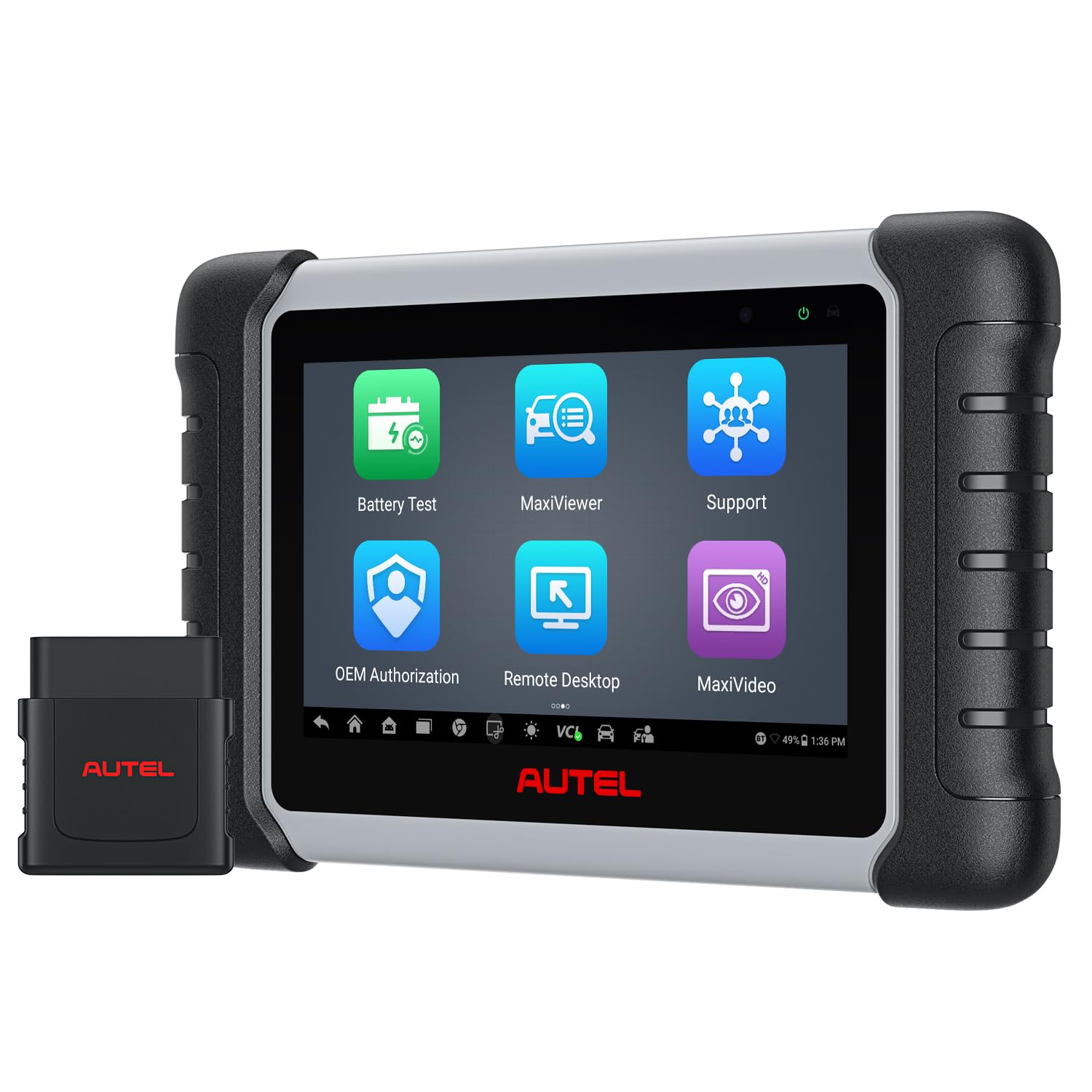
Autel MaxiCOM MK808BT Pro — Best Tablet for Everything Else
The MK808BT Pro is the best tablet here because it does the jobs a dongle cannot do alone. Its 7-inch screen, wireless VCI, and full-system coverage make chassis, airbag, steering, and service checks straightforward, and bidirectional tests helped us confirm faults instead of guessing. On the Ioniq 5 it reads generic and Hyundai system codes well, but its battery-health depth is shallower than a dongle plus Car Scanner. Buy it if you want one serious tool for the whole car, and pair it with a small dongle if battery data is your main job.
- Full-system coverage, wireless VCI
- Bidirectional tests confirm faults fast
- Large clear 7-inch touchscreen
- Shallower battery data than dongles
- No ECU coding on this model
4.5/5
4.4/5
4.7/5

Innova 5610 — Handheld With Real Active Tests
The Innova 5610 suits owners who want to test parts instead of replacing them on a guess. Its bidirectional controls, EV and hybrid battery health checks, and clear live data made fault-finding faster in our tests, and the large colour screen is easy to read in a garage. It also includes free lifetime updates and US-based support, which matters for long-term ownership. Its weakness is EV depth: it does not match a dongle plus Car Scanner for detailed Ioniq 5 cell data. Choose it for hands-on diagnostics, not as your only battery-health tool.
- Bidirectional control, free updates
- EV battery health check included
- Large clear colour screen
- Less cell detail than Car Scanner
- Heavier than a phone dongle
4.4/5
4.5/5
4.6/5

Launch X431 Pro Mini — Small Tablet, Serious Coverage
The X431 Pro Mini is for owners who want pro-level coverage without carrying a large tablet. It fits in a glovebox bag, scans full systems quickly, and offers service functions and active tests that cheaper handhelds lack. In our Ioniq 5 checks it handled system codes and live data cleanly, though deep battery-cell detail still needed Car Scanner with a dongle. Its subscription model is the honest trade-off: ongoing updates cost extra after the included period. If you work on several cars and want a compact pro tool, this earns its rank.
- Compact, fits in glovebox bag
- Full-system scans, active tests
- Fast wireless VCI connection
- Updates need paid subscription later
- Battery detail needs separate dongle
4.5/5
4.3/5
4.5/5

TOPDON TopScan Pro — Phone Scanner With Battery Reports
TopScan Pro turns your phone into a capable scanner without a separate tablet to charge or carry. Its app gives clear fault reports, live data, and service functions, and its EV battery health check is a useful first pass before a deeper Car Scanner session. It paired quickly in our tests and stayed connected on short drives. The limits are clear: its Ioniq 5 battery detail is not as complete as the top dongles, and some advanced functions sit behind the app subscription. For phone-first owners, it is a practical middle ground.
- Phone-only, nothing else to charge
- Clear fault reports and live data
- EV battery health check included
- Less cell detail than top dongles
- Some features need app subscription
4.6/5
4.5/5
4.4/5

BlueDriver Bluetooth Pro — Best Guided Repair Help
BlueDriver is the easiest app to understand in this list, which is why beginners like it. It explains codes in plain language, links them to likely causes, and gives repair reports you can share with a mechanic. It reads and clears codes cleanly on the Ioniq 5 and handles live data well. Its EV weakness is specific: it does not give the deep Ioniq 5 battery-cell view that Car Scanner provides with a compatible dongle. Use BlueDriver to understand a fault, then use a Car Scanner dongle when you need battery proof.
- Plain-language code explanations
- Shareable repair reports
- No subscription for core features
- Limited Ioniq 5 battery-cell detail
- No full-system tablet depth
4.4/5
4.2/5
4.8/5

Vgate iCar Pro BLE 4.0 — Cheapest Way Into Battery Data
The Vgate iCar Pro is the lowest-cost way to get real Ioniq 5 battery data, and that is its whole appeal. With Car Scanner it showed state of health and cell voltages in our tests, and its Bluetooth Low Energy link worked on iPhone and Android without a cable. It is not as fast or as polished as the top dongles, and live graphs refreshed more slowly on longer sessions. It also has no screen and no useful bundled app. If you only need a battery check before buying a used Ioniq 5, this dongle does the job.
- Lowest cost with real battery data
- BLE works on iPhone and Android
- Tiny, easy to carry anywhere
- Slower live-data refresh
- No screen or bundled app value
4.5/5
4.3/5
4.4/5

Autel MaxiAP AP200 — Entry Full-System Phone Scanner
The AP200 is a good first Autel if you want full-system scans from your phone without buying a tablet. It reads codes across systems, offers service functions, and is simple to set up for a beginner. On the Ioniq 5 it handled generic and system codes well, but it is not a battery specialist: deep cell data still needs Car Scanner with a compatible dongle. Its app also limits some functions by vehicle brand. Choose the AP200 if you want a low-cost entry into full-system diagnostics and accept its EV limits.
- Full-system scans from a phone
- Simple setup for beginners
- Service functions included
- Not a battery-cell specialist
- Some functions limited by brand
4.2/5
4.0/5
4.5/5

TOPDON ArtiDiag800 BT — Large Screen, Solid Value
The ArtiDiag800 BT rounds out the list for owners who want a large tablet without paying for a flagship. Its wireless connection, full-system coverage, and service functions cover most routine checks, and the big screen makes live data easier to read than a phone. On the Ioniq 5 it handled system codes reliably, but battery-cell detail was limited compared with the top dongles. It is also bulkier to store than a phone dongle. Buy it if you value screen size and general coverage over deep battery analysis.
- Large screen, easy live data
- Wireless, full-system coverage
- Service functions included
- Limited battery-cell detail
- Bulkier to store than dongles
4.3/5
4.0/5
4.4/5
Top 3 Head-to-Head: OBDLink MX+ vs Veepeak BLE+ vs Autel MK808BT Pro
These three are the final choices most Ioniq 5 owners narrow down to: two fast dongles for battery data, and one tablet for everything else.
| Feature | #1 OBDLink MX+ | #2 Veepeak BLE+ | #3 Autel MK808BT Pro |
|---|---|---|---|
| Ioniq 5 EV Compatibility | 4.9/5 — Best | 4.9/5 | 4.5/5 |
| Battery Health Insight | 4.8/5 — Best | 4.7/5 | 4.4/5 |
| Ease of Use | 4.9/5 — Best | 4.9/5 | 4.7/5 |
| Choose if… | You want the fastest, most stable battery checks | You want the same data for less | You want a full-system tablet |
Who These OBD2 Scanners Are NOT For
These tools are for owners and buyers who want clear data before deciding. They are not a substitute for dealer-level high-voltage work.
They are also not for owners who expect one tool to unlock every Hyundai module. No aftermarket scanner matches the dealer tool on every system, so check coverage for your model year before you buy.
Common Mistakes to Avoid
Most bad scanner buys come from the same four mistakes. Avoid them and the choice gets simple.
Frequently Asked Questions About OBD2 Scanners for Ioniq 5
Does the Ioniq 5 have an OBD2 port?
Yes, the Ioniq 5 has a standard OBD2 port under the driver-side dashboard, like other modern cars. It is used for diagnostics, live data, and fault codes. The port alone does not guarantee deep battery data, though. You still need a compatible adapter and an app with an Ioniq 5 profile to read battery management data.
What is the best OBD2 scanner for Ioniq 5 battery health?
The OBDLink MX+ paired with Car Scanner ELM OBD2 is the best combination we tested for Ioniq 5 battery health. It showed state of health, cell voltages, and temperatures reliably. The Veepeak BLE+ gave the same core readings for less, with slightly slower live-data refresh. Both need the Ioniq 5 profile selected in Car Scanner.
Can an OBD2 scanner check Ioniq 5 battery degradation?
Yes, a compatible scanner can check degradation by reading state of health and cell-voltage spread from the battery management system. State of health shows remaining capacity against the original capacity, while a wide cell-voltage spread can point to a weak cell. Dashboard range alone cannot show this clearly, so use the scanner reading before judging a used car.
Which app works best with an Ioniq 5 OBD2 scanner?
Car Scanner ELM OBD2 works best for most Ioniq 5 owners because it has a dedicated Ioniq 5 profile with Hyundai-specific readings. Select that profile in settings before you scan, or the app may show blank fields. BlueDriver is easier for plain-language fault explanations, but it does not match Car Scanner for battery-cell detail.
Will a generic OBD2 scanner work on an Ioniq 5?
A generic scanner will usually read basic fault codes, but it will miss most battery data on an Ioniq 5. That is because battery health, cell voltages, and temperatures use Hyundai-specific data that generic tools do not request. For a useful EV check, use a named Bluetooth adapter with Car Scanner, or a tablet that lists Hyundai EV coverage. For Asian makes generally, see our guide to the best OBD2 scanner for Asian cars.
Can I leave an OBD2 dongle plugged into my Ioniq 5?
Yes, you can leave a quality dongle plugged in for short periods, because good adapters enter a low-power sleep mode when the car is off. Cheap adapters without sleep mode can drain the 12-volt battery over time, so check that feature before leaving one in. For long parking, unplug the dongle to be safe, especially if the car will sit for weeks.
Do I need a tablet scanner or just a Bluetooth dongle for an Ioniq 5?
Most Ioniq 5 owners only need a Bluetooth dongle plus Car Scanner, because that combination gives the best battery data for the least cost and effort. A tablet is worth it only if you also want full-system scans, service resets, and active tests across several cars. If battery health is your main question, start with a dongle and add a tablet later only if you need it.
Our Final Verdict
For most Ioniq 5 owners, a fast Bluetooth dongle plus Car Scanner beats a big tablet on battery data. The OBDLink MX+ is the clearest choice if you want stable, detailed checks without fuss.

I’m Alex Rahman, a car enthusiast and automotive writer focused on practical solutions, car tools, and real-world driving advice. I share simple and honest content to help everyday drivers make better decisions.
