
Which OBD2 App Can Read DTCs? How to Choose One That Works
Quick Answer
Most OBD2 apps can read DTCs when paired with a plug-in adapter. The app asks the car for stored codes and shows each code with a short meaning. Car Scanner ELM OBD2, Torque Pro, OBD Auto Doctor, OBD Fusion, and EOBD Facile all read DTCs.
- You need a separate adapter; the phone app alone cannot reach the car.
- Most apps read engine codes; fewer read ABS, airbag, or transmission codes.
- A code points to a system, not to a part to replace.
- Check freeze frame data before you clear a code.
Your check engine light is on, and you want to know what the car found. An OBD2 app can read DTCs and turn a code into plain words. This guide shows which apps do that, what you need to connect, and how to read the result with care.
What Is a DTC and What Does an OBD2 App Read?
A DTC is a five-character code that a car stores when it finds a fault. The first letter names the system, and the digits narrow the fault to a subsystem and a fault type. An OBD2 app reads that code from the car and shows its short meaning.
DTCs are used by the OBD system to identify malfunctioning components or systems, as EPA guidance on DTCs explains. A code can point to a sensor, a circuit, a misfire, or a lost signal between modules. The code alone does not prove which part failed.
Most apps also show freeze frame data with a code. Freeze frame data is a snapshot of sensor values from the moment the fault was stored. That snapshot helps you see engine speed, load, and temperature at that moment. To choose an OBD2 app, start with the DTC features, not with extra gauges or trips.
Which OBD2 Apps Can Read DTCs?
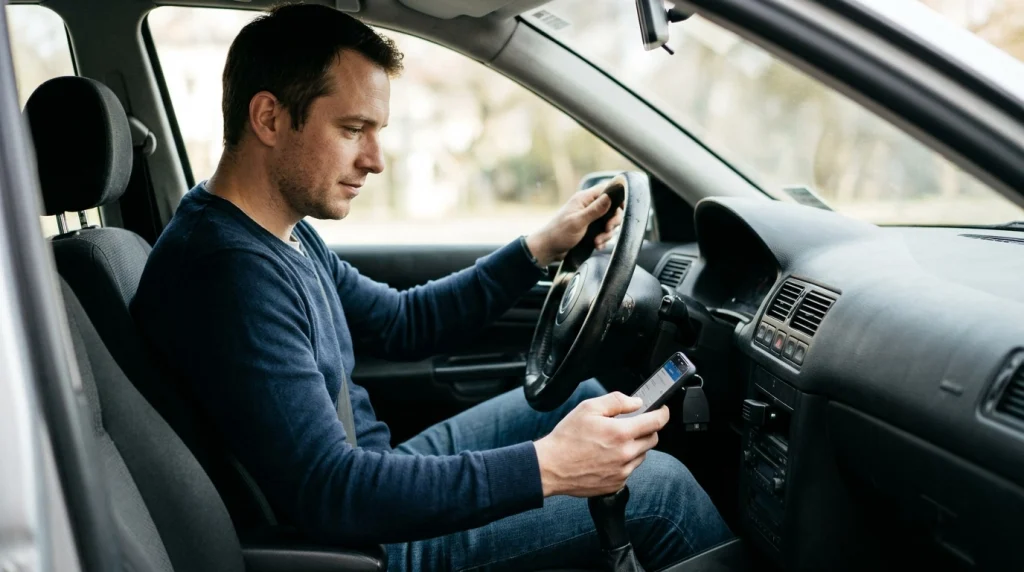
Many OBD2 apps can read DTCs, and most of them work with a plug-in ELM327 adapter. The app sends a request to the car, the car returns its stored codes, and the app shows each code with a meaning from its built-in code list. A comparison of OBD apps lists the same core DTC reading across the apps below.
The table compares five apps that read DTCs. It shows the phone system and the DTC scope for each app. Use it to narrow the choice to apps that run on your phone.
| App | Phone system | DTCs it reads |
|---|---|---|
| Car Scanner ELM OBD2 | Android and iOS | Engine codes, freeze frame data, and some maker profiles |
| Torque Pro | Android only | Engine codes and live data |
| OBD Auto Doctor | Android and iOS | Engine and transmission codes |
| OBD Fusion | Android and iOS | DTCs for OBD-II systems and a full report |
| EOBD Facile | Android and iOS | Engine and transmission codes |
The table shows a clear pattern. Every app above reads engine DTCs, while transmission coverage varies by app. The OBD Auto Doctor listing states that it reads DTCs and freeze frame data, and that it needs a separate adapter. Check the app listing for the exact DTC features before you install it.
Do All OBD2 Apps Read the Same Codes?
No, OBD2 apps do not all read the same codes. Most apps read generic engine codes, but maker-specific codes and added systems need wider support. Your car, your adapter, and your app all limit what you can see.
Generic codes share the same meaning across cars. Maker-specific codes use a meaning set by the car maker, so the same code can mean a different fault on a different make. An app with a maker code list gives a clearer meaning for those codes.
Code type also matters. Stored codes stay in memory after a fault is set. Pending codes show a fault that has failed once but has not yet set the light. Permanent codes cannot be cleared by a scan tool, and the car clears them only after it checks the repair. Learn the split in stored and pending codes before you judge a scan.
System coverage is the third limit. An app may read engine codes yet miss ABS, airbag, or transmission codes. Those systems often need a maker profile, an added pack, or a different tool. OBD2 Mode 03 is the request that pulls stored DTCs, and it covers the codes the car shares through that mode.
What Do You Need Before an App Can Read DTCs?
An OBD2 app needs three parts to read DTCs. You need a car with an OBD2 port, a plug-in adapter, and a phone app that pairs with that adapter. The app alone cannot talk to the car.
The adapter plugs into the port under the dash. Most drivers use a Bluetooth or Wi-Fi ELM327 adapter. iPhone users need an adapter that works with iOS, since classic Bluetooth pairing works in a different way on that phone. Check the adapter and app pages for the exact pairing type.
Your car must share the code through the OBD2 port. Most apps can show only the data the car provides. If the car does not share a system, the app cannot invent a reading for it. A cheap clone adapter can also drop the link or miss codes, so test the link before you trust a scan.
How to Read DTCs With an OBD2 App
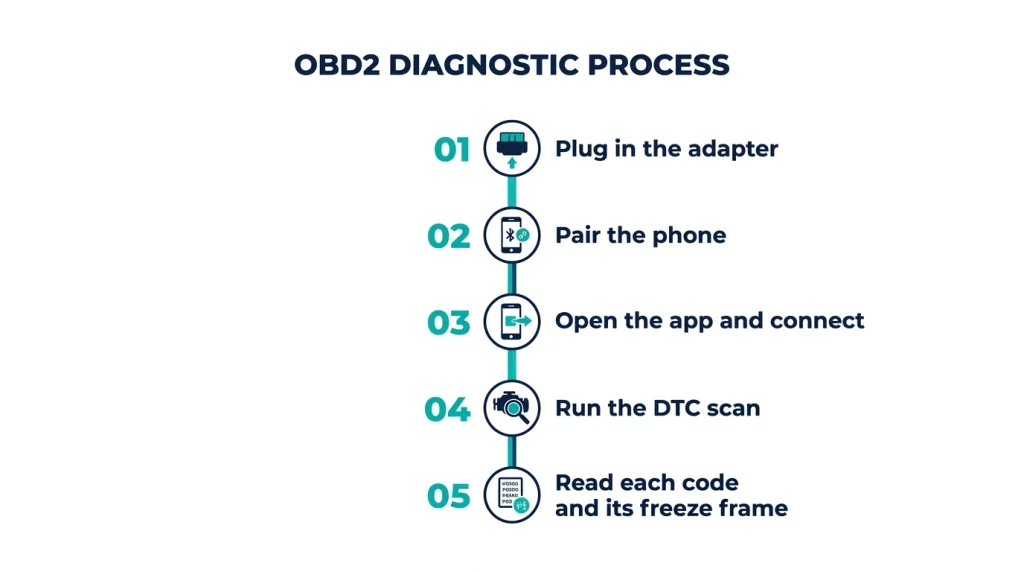
Reading DTCs with an OBD2 app takes a short scan once the adapter and phone are paired. The steps below work for most apps, and the menu names may differ by app. Keep the car in park with the parking brake set while you scan.
Step 1
Plug in the adapter
Find the OBD2 port under the dash and push the adapter in until it sits firm.
Step 2
Pair the phone
Turn the key to on, open the phone pairing menu, and pick the adapter from the list.
Step 3
Open the app and connect
Open the app, choose the adapter, and wait for the link light or status to show a link.
Step 4
Run the DTC scan
Tap the scan or DTC menu and let the app pull stored, pending, and permanent codes.
Step 5
Read each code and its freeze frame
Tap each code, read its meaning, and open freeze frame data for the first code.
If the app shows no link, check the adapter power and the pairing first. If the app links but shows no codes, check pending codes and freeze frame data as well. A code can sit in pending form before it sets the light.
Tip
Write down each code and its freeze frame data before you clear anything. A cleared code also clears the snapshot that shows what the car was doing when the fault set.
How to Choose an OBD2 App for DTC Reading
Choose an OBD2 app for DTC reading by matching it to your phone, your car, and the systems you need. Start with the DTC list, then check the adapter type and the code list. A wide gauge set does not help if the app cannot read the code you need.
Check three points before you install an app. First, confirm that it runs on your phone system. Second, confirm that it pairs with your adapter type. Third, confirm that it lists the DTC types you need, such as engine, transmission, or maker-specific codes.
If you
Use Android and want a free start
Choose Car Scanner ELM OBD2, because its core DTC reading is free and it covers many cars.
If you
Use an iPhone
Choose OBD Fusion or Car Scanner ELM OBD2, because both offer iOS versions.
If you
Need transmission codes
Choose OBD Auto Doctor or EOBD Facile, because engine-only reading will miss those codes.
A free app can be enough for a check engine light. A paid upgrade can add maker codes, added systems, or a full report. Pick the upgrade only when the free DTC list leaves out the codes you need.
What to Do After You Read a DTC
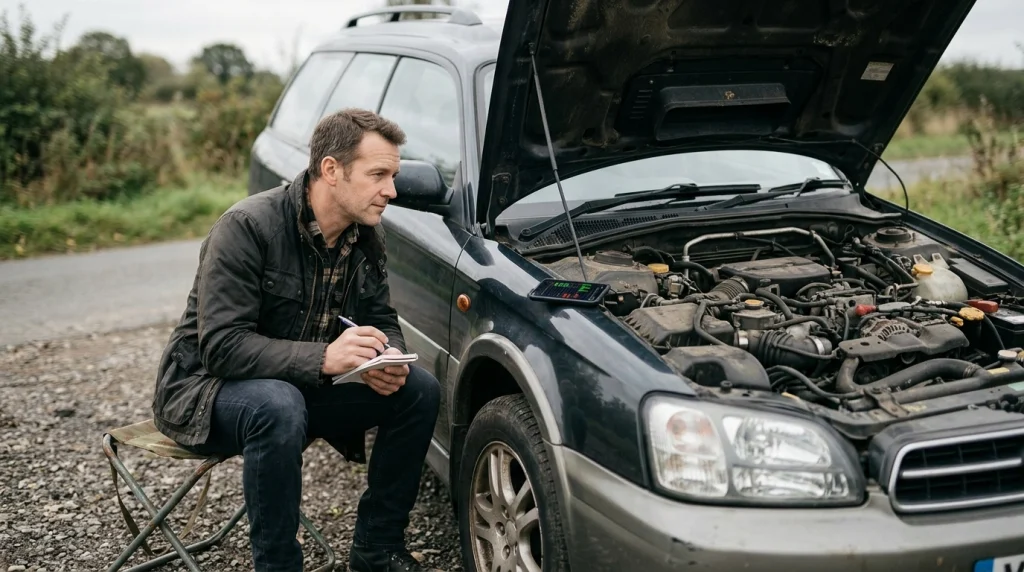
After you read a DTC, use the code as a starting point for checks, not as a repair order. Note the code, its meaning, and its freeze frame data. Then check live data and simple causes that fit that system.
A P0301 code points to a misfire in one cylinder, but it does not name the failed part. The cause can sit in a spark plug, a coil, a fuel injector, or a vacuum leak. Live data and a visual check help narrow that list.
If the app only reads engine codes, do not assume that other systems are clear. A transmission, ABS, or airbag fault may need a different app, a maker profile, or a shop tool. Get a shop check when the fault affects brakes, steering, airbags, or safe driving.
Warning
Clearing a code does not fix the fault. The light can return, and the fault can stay hidden. Fix the cause first, then clear the code.
Clear a code only after you have noted it and fixed the cause. After you clear it, drive the car and scan it again. If the code returns, the fault is still present and needs more checks.
OBD2 Bluetooth Adapter
An OBD2 Bluetooth adapter plugs into the port and lets an app read DTCs from your phone.
Frequently Asked Questions
Can a free OBD2 app read DTCs?
A free OBD2 app can read DTCs when it pairs with a compatible adapter and your car shares the code. Many free versions cover engine codes, freeze frame data, and code clearing. Some features, such as maker-specific codes or added systems, may sit behind a paid upgrade. Check the app listing for the exact DTC features before you install it.
Do I need an adapter to read DTCs with an app?
An OBD2 app needs a plug-in adapter to read DTCs from a car. The adapter plugs into the OBD2 port and sends car data to your phone by Bluetooth or Wi-Fi. The app alone cannot reach the car, and a phone cable alone cannot read the port. Pick an adapter that pairs with your phone and your app.
Why does my app show no codes when the light is on?
An app can show no codes when it reads only one system or misses a pending code. Check pending codes, freeze frame data, and the link status in the app. A weak adapter link, a wrong adapter type, or a fault in a system the app cannot read can also hide the code. Try a second scan after you check the link.
Can an OBD2 app read ABS and airbag codes?
Some OBD2 apps can read ABS and airbag codes, but most generic apps read engine codes only. ABS and airbag codes often need a maker profile, an added pack, or a shop tool. Check the app listing for ABS and airbag support for your make and model. If the app lacks that support, use a tool that lists those systems.
What does a P code mean?
A P code is a powertrain DTC that points to the engine, transmission, or related emissions system. The letter P names the powertrain system, and the digits narrow the fault to a subsystem and a fault type. A P0301 code points to a misfire in cylinder one, but it does not name the failed part. Use live data and checks to find the cause.
Should I clear a DTC after I read it?
Clear a DTC only after you note the code, its meaning, and its freeze frame data. Clearing a code wipes the stored fault and its snapshot, and it can hide the fault during a later check. Fix the cause first, then clear the code and scan again. If the code returns, the fault is still present and needs more checks.
Conclusion
An OBD2 app can read DTCs when it pairs with the right adapter and your car shares the code. Match the app to your phone, and check whether it reads the systems you need. If your light is on, run a scan, note each code, and use freeze frame data to plan the next check.

I’m Alex Rahman, a car enthusiast and automotive writer focused on practical solutions, car tools, and real-world driving advice. I share simple and honest content to help everyday drivers make better decisions.
