
What Is an OBD2 Scanner? Meaning, Types, and Uses Explained
Quick Answer
An OBD2 scanner is a diagnostic tool that plugs into the 16-pin port under your dashboard and reads data from your car computer. It shows fault codes, live sensor readings, freeze frame data, and emissions readiness. It points to the system with a fault, but it does not name the exact failed part or fix the car.
- It reads diagnostic trouble codes behind a check engine light.
- It shows live data while the engine runs.
- It checks whether emissions self-tests have finished.
- It works with handheld tools, phone apps, and shop tools.
A check engine light gives you a warning, but it gives you no detail. An OBD2 scanner turns that warning into a code, a reading, and a place to start. This guide explains the tool in plain words, so you can read a scan with more confidence and talk with a shop from a stronger position.
What Does OBD2 Mean?
OBD2 stands for On-Board Diagnostics, second generation. It is the standard system that lets a car watch its engine and emissions parts, store a fault code, and share that data through one port.
Before this standard, each maker used a different plug, a different code set, and a different way to share data. A shop then needed a different tool for each brand, and a driver had no common way to read a fault.
The EPA guidance on OBD describes software that monitors emission control parts and turns on the check engine light when a fault can affect emissions. The system watches parts that affect emissions, such as oxygen sensors, the catalyst, the fuel system, and the evaporative system.
How Does an OBD2 Scanner Work?
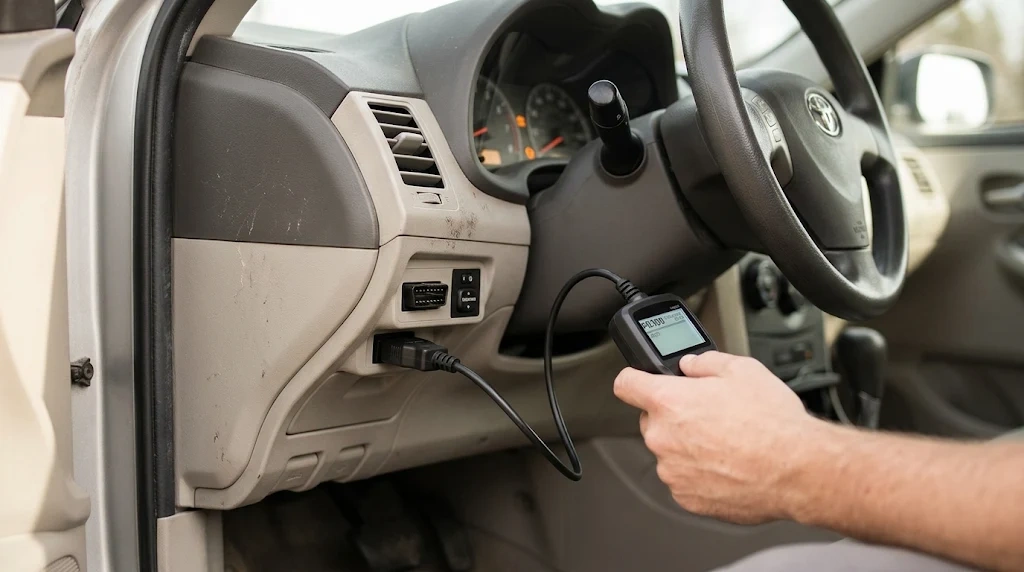
An OBD2 scanner works by asking your car computer for stored data and turning the reply into plain words. It plugs into the port, sends a request over the car network, and shows the codes and readings on a screen or in an app.
Sensors send readings to the engine control unit, which is the main computer for the engine. The computer compares each reading with an expected range. When a reading stays outside that range, the computer stores a fault code and may turn on the check engine light.
The scanner does not tap the sensor wires. It sends a request through the car network, and the computer replies with stored codes and sensor values. The scanner then turns raw data into words, numbers, and graphs that a person can read.
To see that system in full, read how OBD2 works in the companion guide.
What Can an OBD2 Scanner Read?
An OBD2 scanner can read fault codes, live sensor data, freeze frame data, and emissions readiness. Each type of data answers a different question about the fault.
- Diagnostic trouble codes: Five-character codes that name the system and the fault type.
- Live data: Engine speed, coolant temperature, fuel trim, and oxygen sensor readings while the engine runs.
- Freeze frame data: A snapshot of speed, load, and temperature from the moment a fault was set.
- Readiness monitors: Self-tests that show whether emissions systems have finished their checks.
- Vehicle data: The VIN and calibration details on some tools.
Each code starts with a letter. P means powertrain, B means body, C means chassis, and U means network communication. The second character shows whether the code is generic or set by the maker.
For a fuller list of jobs, see what a scanner does in the companion guide.
For the code structure and examples, see how trouble codes work on Engineer Fix.
What Are the Main Types of OBD2 Scanners?
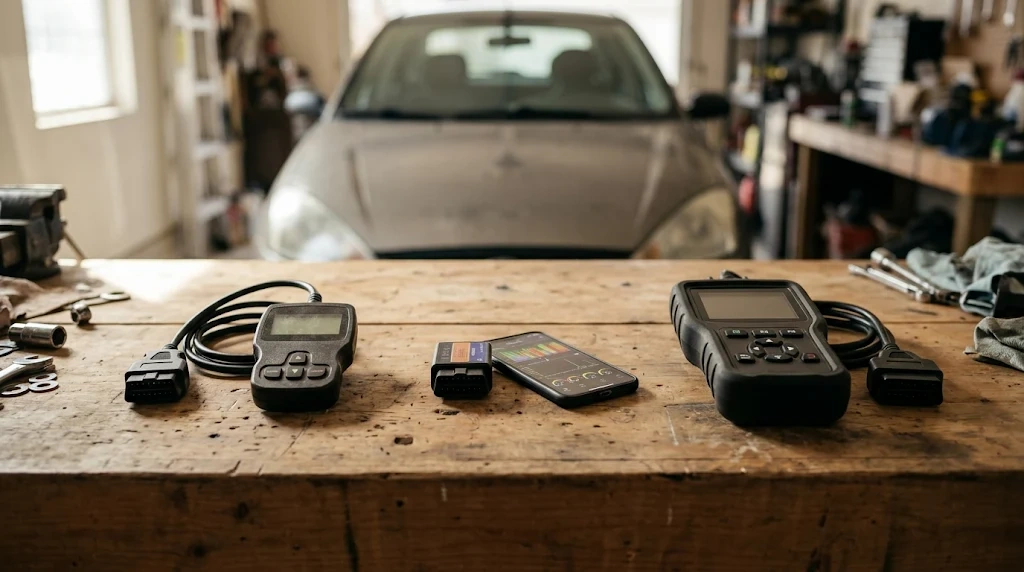
The main types of OBD2 scanners are basic code readers, Bluetooth dongles with a phone app, mid-tier scan tools, and advanced all-system tools. The right type depends on the systems you need to reach and the data you need to see.
This table compares the four main types by what they read and who they suit.
| Scanner type | What it reads | Suited for |
|---|---|---|
| Basic code reader | Engine codes, clear codes, readiness | Check engine light checks |
| Bluetooth dongle and app | Codes, live data, logs on a phone | Portable checks and live data |
| Mid-tier scan tool | Codes, live data, freeze frame, some ABS and SRS | Home diagnosis |
| Advanced all-system tool | Many modules, active tests, service resets | Deep diagnosis and shop work |
A basic reader answers a check engine light, while an advanced tool reaches more modules and more tests.
Generic codes use the same meaning on each make. Maker-specific codes can mean a different fault on a different make, so coverage for your exact car matters more than the tool label.
How Do You Use an OBD2 Scanner?
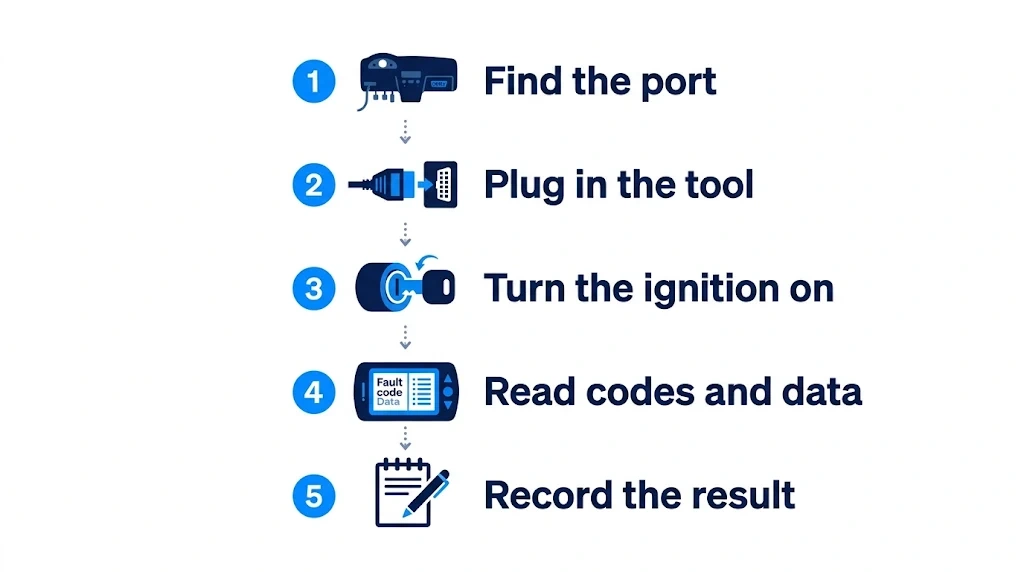
You use an OBD2 scanner by plugging it into the port, turning the ignition on, and reading the codes before you clear anything. Record the result first, because clearing codes can erase the evidence you need.
Step 1
Find the port
Look under the driver side dashboard, near the steering column. The port has a 16-pin trapezoidal shape.
Step 2
Plug in the tool
Push the plug in one way only, and do not force it. Pin 16 gives the tool power from the car battery.
Step 3
Turn the ignition on
Switch the key to the on position, with the engine off, unless the tool says otherwise. Wait for the tool to link to the car computer.
Step 4
Read codes and data
Choose Read Codes on the menu. Note stored codes, pending codes, freeze frame data, and live readings.
Step 5
Record the result
Write down each code exactly, with its status. Save the freeze frame data before you clear a code.
For the full walkthrough, open the guide to use an OBD2 scanner.
What Can an OBD2 Scanner Not Do?
An OBD2 scanner cannot fix a car, name the exact failed part, or replace hands-on testing. It gives direction, and testing must confirm the cause.
A code points to a system or a circuit, not to a root cause. A lean code can come from a vacuum leak, a weak fuel pump, a dirty mass airflow sensor, or a clogged fuel filter. Each cause needs its own test.
A scanner cannot find worn parts, low tire tread, or poor fuel quality by itself. It cannot replace a visual check, a pressure test, or a wiring test. It also cannot override safety systems or maker settings.
For a clear limit list, see what scanners cannot do on Family Handyman.
Warning
A flashing check engine light can mean a misfire that harms the catalyst. Stop driving and seek help fast if the light flashes.
Which Cars Work With an OBD2 Scanner?
An OBD2 scanner works with most light-duty gasoline cars sold in the United States, plus many cars in Canada and Europe under similar rules. The port, the code format, and the basic data are standard across makers.
Heavy-duty trucks often use a different diagnostic standard, so a car scanner may not link to them. Cars built before the standard also need a different tool or adapter. Check the make, model, and protocol before you buy or borrow a tool.
The companion guide answers whether a scanner works on any car.
How Do You Choose the Right OBD2 Scanner?
You choose the right OBD2 scanner by matching the tool to the job, not by buying the most features. Start with the systems you need to reach, then check coverage for your exact car.
If you
Only need to check a check engine light
Choose a basic code reader, because it reads and clears generic engine codes.
If you
Want live data on a phone
Choose a Bluetooth dongle and app, because it shows live readings and logs in a portable form.
If you
Need ABS, airbag, or transmission codes
Choose an all-system tool, because a basic reader often stops at engine codes.
Before you buy, check coverage for your exact make, model, and protocol. Check whether the tool reads the modules you need, and check how updates work. A tool that fits your car and your job gives better value than a tool with more features you will not use.
OBD2 Scanner
A scanner in this category lets you read fault codes, view live data, and check emissions readiness at home.
Frequently Asked Questions
Do you need a phone to use an OBD2 scanner?
An OBD2 scanner does not need a phone when it has its own screen and controls. Handheld tools work on their own, while a Bluetooth dongle needs a phone app to show codes and live data. Choose the form that fits how you want to read the result.
Can an OBD2 scanner drain your car battery?
An OBD2 scanner draws little power while you use it, and a handheld tool stops when you unplug it. A Bluetooth dongle left in the port can draw a small amount of power while the car sits unused. Unplug a dongle when you park the car for a long stretch.
Can you use an OBD2 scanner with no warning light?
An OBD2 scanner works with no warning light on the dashboard, and it can still show useful data. You can check live sensor data, readiness monitors, and pending codes before a fault turns on a light. That check helps you spot a developing fault and check a car before a trip.
Can an OBD2 scanner damage a car computer?
A standard OBD2 scanner does not damage a car computer when you use it as the maker directs. It reads data and sends only the commands the tool supports, such as a code clear. It does not change core engine settings or calibration files.
Can an OBD2 scanner work on a hybrid or electric car?
An OBD2 scanner can read generic powertrain codes on many hybrid cars, because the gasoline engine uses the same standard. It may not reach high-voltage battery, inverter, or motor control data on an electric car. Those systems often need a maker-specific tool and trained help.
How long does an OBD2 scan take?
A basic OBD2 scan takes only a few minutes from plug-in to code display in most cases. The time grows when you check live data, run more tests, or wait for a slow link. A short scan still gives you the codes you need to start diagnosis.
Conclusion
An OBD2 scanner turns a warning light into a code, a reading, and a clear place to start. It does not fix the car or name the failed part on its own. If your light is on, plug in a scanner, record the codes, and use the result to guide testing or a shop visit.

I’m Alex Rahman, a car enthusiast and automotive writer focused on practical solutions, car tools, and real-world driving advice. I share simple and honest content to help everyday drivers make better decisions.
