What iPhone App Works with ELM327? Best iOS OBD2 Apps
Quick Answer
Several popular iPhone apps work with ELM327 adapters, including Car Scanner ELM OBD2, OBD Fusion, and DashCommand. However, because iOS devices generally do not support standard Bluetooth SPP (Serial Port Profile) pairing, your ELM327 adapter must be a Wi-Fi model or a specially certified Bluetooth Low Energy (BLE) version designed specifically for iOS.
Understanding ELM327 Compatibility on iOS
The ELM327 is the standard microcontroller chip used in thousands of cheap and professional OBD2 diagnostic adapters. While finding an app for an Android phone is straightforward because Android permits open Bluetooth serial pairing, Apple’s iOS platform operates under stricter wireless communication protocols.
If you plug a standard, generic Bluetooth ELM327 adapter into your car’s OBD2 port, your iPhone will likely fail to pair with it through the standard iOS Bluetooth settings menu. This frustration leads many users to believe their hardware is broken, when in reality, the communication protocol is mismatched.
To successfully run car diagnostics on an iPhone using an ELM327-based device, you need two matching components: a compatible adapter variant (Wi-Fi or BLE) and a well-optimized iOS diagnostic application.
Top iPhone Apps That Work with ELM327 Adapters
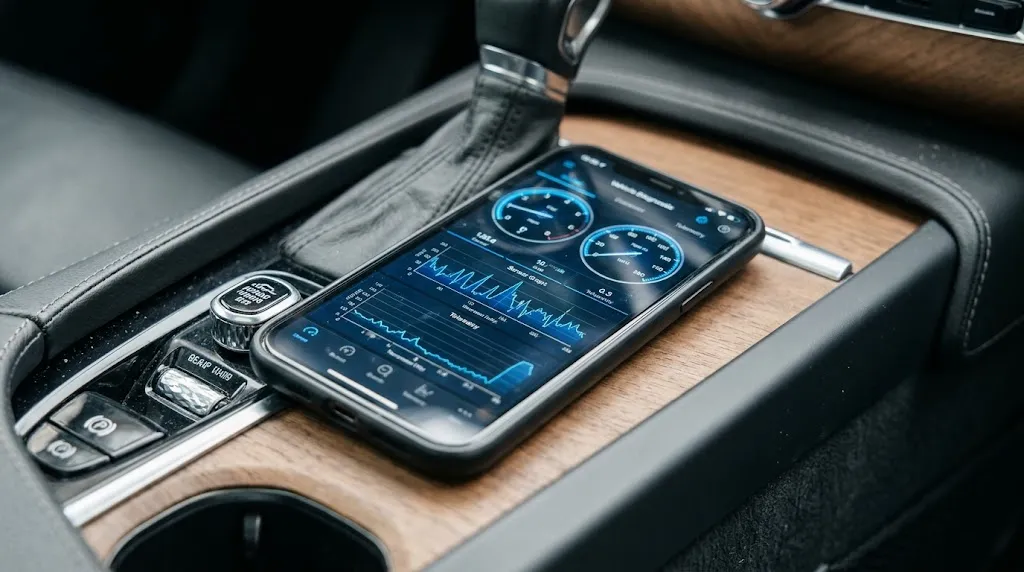
Several software options on the Apple App Store interface smoothly with ELM327 hardware, each offering distinct features ranging from basic code reading to advanced live sensor logging.
Car Scanner ELM OBD2
Car Scanner ELM OBD2 is widely considered one of the most versatile and feature-rich options available for iOS users. It supports a vast range of ELM327 Wi-Fi and BLE adapters and provides deep diagnostic capabilities.
Key features include reading and clearing generic diagnostic trouble codes (DTCs), viewing live sensor data graphs, resetting check engine lights, and even accessing manufacturer-specific modules on select vehicle makes like Toyota, Ford, and Nissan. The app is frequently updated and offers a robust free tier with minimal advertising.
OBD Fusion
OBD Fusion is a polished, paid application designed for users who want reliable, deep-dive vehicle monitoring and emission readiness testing. It provides extensive dashboard customization so you can track metrics like coolant temperature, fuel trim, and boost pressure in real-time.
This app pairs exceptionally well with high-quality Wi-Fi ELM327 adapters. It also includes built-in logging capabilities that let you export CSV log files for later analysis on a computer.
DashCommand
DashCommand transforms your iPhone into a virtual dashboard. While its user interface leans heavily toward customizable racing gauges, performance tracking, and skid pads, it also functions reliably as a standard code reader when connected to an ELM327 Wi-Fi adapter.
It is best suited for drivers who want a visually engaging cockpit display rather than pure mechanical troubleshooting.
InCarDoc
InCarDoc offers a clean, straightforward interface for quick diagnostic scans. It helps monitor fuel economy, engine parameters, and diagnostic trouble codes with minimal setup. The free version covers basic diagnostic needs, while the Pro version unlocks advanced charting and continuous tracking features.
Why Connection Type Matters for iPhone Users
Before downloading an app, you must verify that your ELM327 hardware matches what iOS allows. Apple restricts standard Bluetooth communication, meaning older ELM327 dongles built only for Android Bluetooth will not show up as connectable devices in your iPhone settings.
| Adapter Type | iOS Compatibility | Connection Method | App Integration |
|---|---|---|---|
| Classic Bluetooth ELM327 | No (Incompatible) | Standard Bluetooth SPP | Will not pair with iOS devices. |
| Wi-Fi ELM327 | Yes (Fully Compatible) | Ad-hoc Wi-Fi network | Connect via iPhone Wi-Fi settings, then configure in app. |
| BLE ELM327 (MFi / iOS Certified) | Yes (Fully Compatible) | Bluetooth Low Energy | Pair directly inside the diagnostic app settings. |
When using a Wi-Fi ELM327 adapter, your iPhone will disconnect from your home internet or cellular data while linked to the dongle’s local Wi-Fi signal. Modern iOS versions handle this smoothly by allowing cellular data fallback, but it is a factor to keep in mind if your chosen app requires internet access for database lookups.
Step-by-Step Guide to Connecting Your ELM327 to an iPhone
Getting your diagnostic setup running requires following a specific sequence to ensure the hardware and software handshake correctly.
- Plug in the Adapter: Insert your ELM327 Wi-Fi or BLE adapter into the OBD2 port, typically located underneath the driver’s side dashboard beneath the steering column.
- Turn on the Ignition: Switch your car’s ignition key to the ON position (or press the start button without holding the brake) so that power flows to the OBD2 port and the adapter lights up.
- Establish Wireless Link: For Wi-Fi models, open your iPhone’s Wi-Fi settings and connect to the adapter’s broadcasted network (often named “WiFi_OBDII” or similar). For BLE models, leave phone settings alone and open your chosen app first.
- Configure the App: Open an app like Car Scanner or OBD Fusion. Navigate to the app’s connection settings, select your adapter type (Wi-Fi or Bluetooth LE), and enter the default IP address and port if prompted (usually 192.168.0.10:35000 for Wi-Fi units).
- Test the Connection: Tap connect. Once the app registers a successful handshake with the car’s ECU, you can read trouble codes or view live sensor streams.
Warning
Never leave a cheap ELM327 adapter plugged into your car’s OBD2 port for extended periods while the vehicle is turned off. Many budget adapters lack proper power-management sleep modes and can slowly drain your car battery over a few days.
Common Troubleshooting Tips for iPhone and ELM327 Issues
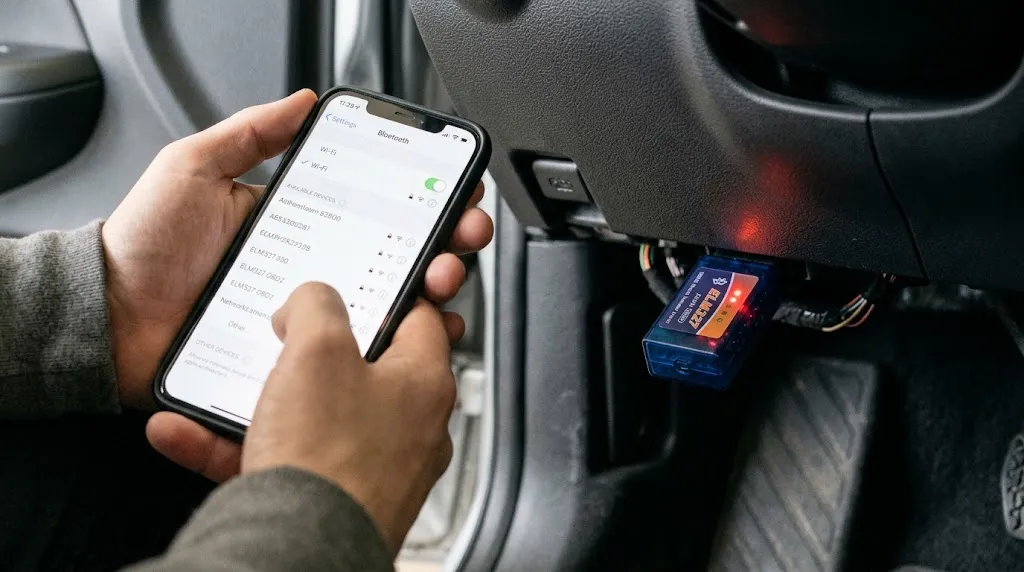
If your iPhone refuses to communicate with your diagnostic setup, several quick adjustments often resolve the underlying communication barrier.
- Disable Cellular Data Temporarily: If your Wi-Fi ELM327 adapter struggles to maintain a stable link, turn off cellular data on your iPhone so the phone stops trying to route internet traffic through unavailable cellular channels.
- Check Adapter Power: Verify that the red power LED on the ELM327 unit is lit. If no lights appear, your car’s cigarette lighter or OBD fuse may be blown.
- Verify App Permissions: Ensure your diagnostic app has permission to access local network devices (for Wi-Fi adapters) or Bluetooth peripherals (for BLE adapters) within your iOS privacy settings.
- Restart the Connection Cycle: Unplug the adapter from the car, turn off your iPhone’s Wi-Fi or Bluetooth, plug the adapter back in, and re-establish the connection from scratch.
Related Product
Wi-Fi OBD2 Code Reader Adapters
A reliable iOS-compatible Wi-Fi ELM327 scanner allows you to check engine codes and monitor live sensor data directly on your iPhone.
As an Amazon Associate, we earn from qualifying purchases.
Frequently Asked Questions
Can I use a cheap Bluetooth ELM327 adapter with an iPhone?
Generally, no. Standard cheap ELM327 adapters use classic Bluetooth protocols that iOS devices block. You must use either a Wi-Fi ELM327 adapter or a specialized Bluetooth Low Energy (BLE) adapter certified for iOS use.
Why won’t my iPhone connect to my Wi-Fi ELM327 adapter?
This usually happens because your iPhone is clinging to a known home Wi-Fi network or cellular data instead of the adapter’s local network. Turn off your cellular data and forget other Wi-Fi networks temporarily to force a stable connection.
Do these apps let me clear check engine lights?
Yes. Reputable iOS apps like Car Scanner ELM OBD2 and OBD Fusion allow you to read diagnostic trouble codes and clear them from your car’s computer once the underlying issue is resolved.
Will an ELM327 app work on all car makes and models?
ELM327 adapters work on all standard OBD2-compliant vehicles sold in the US (1996 and newer) and Europe (2001 for petrol, 2004 for diesel). They read standard emissions and powertrain codes universally, though advanced manufacturer-specific modules may require specific app configurations.
Do I need an internet connection to use an OBD2 app on my iPhone?
No. Diagnostic communication happens locally between your iPhone and your car via the ELM327 adapter’s built-in wireless signal. An internet connection is only needed if you want to look up fault code definitions online within the app.
Are paid OBD2 apps worth it compared to free apps?
Free apps like Car Scanner ELM OBD2 handle basic code reading, clearing, and live sensor monitoring exceptionally well. Paid apps or premium unlocks are only necessary if you require advanced ECU coding, specialized manufacturer diagnostics, or extended data logging features.
Conclusion
Pairing an iPhone with an ELM327 adapter requires matching your hardware capabilities with iOS-compatible software. Because Apple restricts traditional Bluetooth serial pairing, opting for a Wi-Fi or BLE adapter ensures a smooth connection. Apps like Car Scanner ELM OBD2 and OBD Fusion provide reliable diagnostic insights, allowing you to monitor live sensor streams and clear check engine codes directly from your phone without needing bulky professional equipment.

I’m Alex Rahman, a car enthusiast and automotive writer focused on practical solutions, car tools, and real-world driving advice. I share simple and honest content to help everyday drivers make better decisions.
