How OBD2 Readiness Monitors Work: Complete Guide
Quick Answer
OBD2 readiness monitors are built-in self-diagnostic routines executed by your vehicle’s powertrain control module (PCM) to evaluate the performance of emissions control systems. They continuously or periodically check components like the catalytic converter, oxygen sensors, and evaporative system. When a monitor completes its specific self-test successfully during normal driving or a designated drive cycle, it flags as “Ready,” indicating to emissions testing stations that the computer has verified the system’s operation.
Modern vehicles rely heavily on onboard computers to manage fuel economy and control exhaust emissions. Instead of requiring manual tailpipe testing every time a vehicle is inspected, state authorities rely on On-Board Diagnostics (OBD2) systems. Central to this system are readiness monitors—digital status indicators that show whether the car’s computer has finished testing its various pollution-control sub-systems.
Understanding how these monitors work, why they reset, and what causes them to stay “not ready” can save you time, money, and frustration when heading to a smog check.
What Are OBD2 Readiness Monitors?
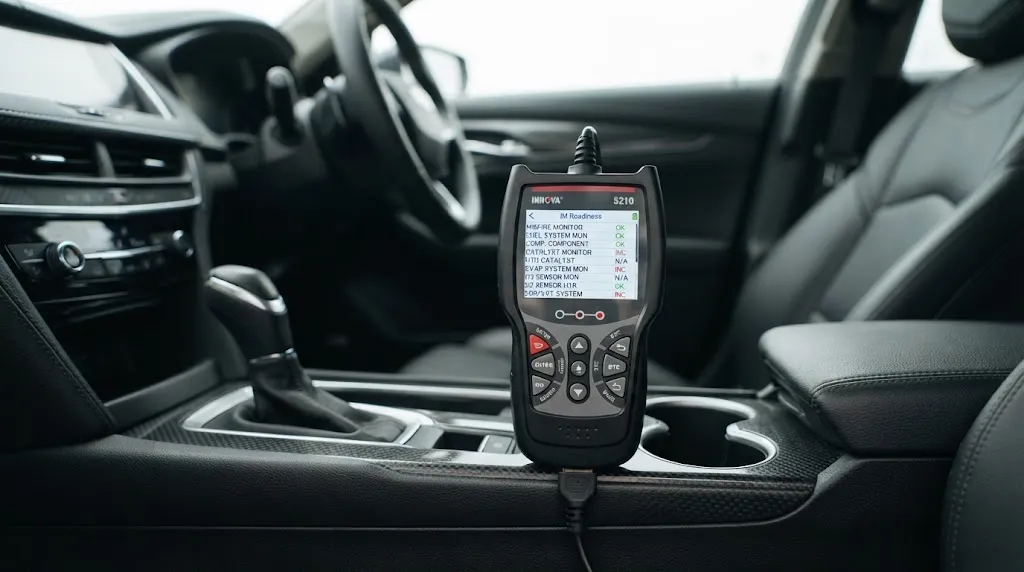
Readiness monitors are internal software routines programmed into your vehicle’s computer. As you drive, the computer constantly evaluates various sensors and actuators to ensure that the emission-reduction equipment is working correctly.
Each monitor corresponds to a specific part of the emissions system. When you plug an OBD2 scan tool into your car’s diagnostic port, you can read the status of these individual tests. Each monitor will display one of three main statuses:
- Ready (Complete): The computer has successfully run its diagnostic routine and found no faults.
- Not Ready (Incomplete): The diagnostic routine has not yet run or completed since the computer’s memory was last cleared.
- Not Supported / N/A: The vehicle’s make, model, or configuration does not include that specific emissions system.
Continuous vs. Non-Continuous Monitors
Vehicle computer systems divide readiness checks into two distinct categories based on how often they evaluate components.
Continuous Monitors
Continuous monitors operate constantly whenever the engine is running. Because they evaluate core engine functions every second the vehicle is active, they are almost always marked as “Ready” unless an active fault disables them. These monitors track:
- Misfire Monitor: Checks for irregular cylinder combustion that can dump unburned fuel into the exhaust.
- Fuel System Monitor: Evaluates short-term and long-term fuel trim corrections to ensure the air-fuel mixture is balanced.
- Comprehensive Component Monitor (CCM): Continuously checks general electronic input sensors and circuits (such as coolant temperature or throttle position sensors).
Non-Continuous Monitors
Non-continuous monitors evaluate specific emission-control devices only when exact operating conditions are met. These are the monitors that typically show up as “Not Ready” after a battery replacement or code clear. They include:
- Catalytic Converter Monitor: Compares upstream and downstream oxygen sensor signals to measure how well the catalyst reduces harmful pollutants.
- Evaporative (EVAP) System Monitor: Checks for leaks in the fuel tank, lines, and vapor canister (often responsible for triggering codes if a gas cap is loose).
- Oxygen Sensor Monitor: Tests response time and voltage behavior of oxygen sensors.
- Secondary Air System Monitor: Evaluates air injection pumps used to reduce emissions during cold starts.
- EGR (Exhaust Gas Recirculation) Monitor: Verifies that exhaust gases are properly recirculated into the intake under specific loads.
Why Do Readiness Monitors Reset to “Not Ready”?
Monitors do not stay ready forever. Certain events wipe the computer’s volatile memory and reset all non-continuous monitors back to “Not Ready”. Knowing what causes a reset helps you avoid failing an inspection due to mistimed maintenance.
Common triggers for a complete monitor reset include:
- Disconnected Battery: Replacing your car battery or unplugging the terminals cuts power to the Powertrain Control Module (PCM), erasing its memory.
- Clearing Diagnostic Trouble Codes (DTCs): Using an OBD2 scanner to clear a Check Engine Light automatically resets all emission readiness monitors.
- Low Battery Voltage: A weak battery or a severe electrical surge can cause the computer to reboot, wiping stored monitor statuses.
- Failing Computer Memory (PCM): In rare cases, a failing internal module loses memory every time the vehicle is turned off.
Warning
Simply clearing a Check Engine Light right before an emissions test will guarantee a failure. The light may be off, but the monitors will show “Not Ready,” which inspection stations treat as an automatic test rejection.
What Is an OBD2 Drive Cycle?

Because non-continuous monitors require specific environmental and operational parameters to run, normal stop-and-go commuting is often not enough to complete them. An OBD2 drive cycle is a specific sequence of driving steps—including a cold start, steady-state cruising at highway speeds, controlled deceleration, and idling periods—designed to trigger every remaining monitor.
While manufacturers publish exact factory drive cycle instructions for their vehicles, a general universal cycle often looks like this:
- Cold Start: Start the engine after the vehicle has sat overnight so coolant and ambient temperatures are aligned.
- Idle Phase: Let the car idle in drive for roughly two to three minutes with accessories like the defroster or air conditioning on.
- Moderate Acceleration: Accelerate smoothly up to highway cruising speed (around 55 mph) without aggressive throttle inputs.
- Cruise Phase: Maintain a steady speed for three to five minutes.
- Controlled Deceleration: Coast down to a lower speed or a complete stop without touching the brake pedal if possible.
Completing these steps allows the computer to test components like the catalytic converter and EVAP system under real-world operating loads.
How to Check Your Readiness Monitors Before Testing
Before driving to an official emissions inspection station, you can verify your car’s status at home using an affordable consumer OBD2 scan tool or a smartphone diagnostic app.
Tip
Most state inspection programs allow a single non-continuous monitor to remain “Not Ready” on newer vehicles (typically 2001 and newer), while older OBD2 vehicles (1996–2000) are often allowed up to two incomplete monitors. Always check local guidelines before scheduling your test.
Plug your scanner into the port located underneath the dashboard, turn the ignition key to the ON position without starting the engine, and navigate to the “I/M Readiness” or “Monitor Status” menu. Ensure that all required monitors display a green check mark or “Ready” status before paying for your inspection.
Related Product
OBD2 Code Reader and Scan Tool
A reliable diagnostic scanner allows you to check your I/M readiness status at home so you never fail a smog check due to incomplete monitors.
As an Amazon Associate, we earn from qualifying purchases.
Frequently Asked Questions
Do OBD2 readiness monitors reset if the car runs out of gas?
Running completely out of gas can trigger a stall and potential fuel system faults, but it usually does not erase permanent computer memory unless power to the PCM is cut or a related diagnostic code is stored and cleared.
Why won’t my EVAP monitor turn ready no matter how much I drive?
The evaporative emissions monitor has the strictest enabling criteria of all. It often requires the vehicle to sit completely cold overnight, fuel levels to be between one-quarter and three-quarters full, and steady highway cruising without aggressive throttle inputs.
Can I pass an emissions test with one monitor not ready?
In many jurisdictions, vehicles manufactured from 2001 onward are allowed to pass inspection with one non-continuous monitor set to “Not Ready.” However, 1996 to 2000 vehicles often allow up to two incomplete monitors, depending on local regulations.
How many miles do I need to drive to set readiness monitors?
There is no specific mileage requirement. Monitors are set based on completing precise operating conditions and sensor checks, which can happen in 20 miles of mixed driving or might take several days of normal commuting.
Will a pending fault code prevent readiness monitors from completing?
Yes. If the computer detects an intermittent issue and stores a pending trouble code, it will often suspend or prevent the affected non-continuous monitor from running until the underlying issue is resolved.
Are readiness monitors the same thing as trouble codes?
No. Trouble codes (DTCs) indicate that a specific component has failed and triggered the Check Engine Light. Readiness monitors simply report whether the self-diagnostic test for that system has successfully run to completion.
Conclusion
OBD2 readiness monitors serve as your vehicle computer’s internal report card for emissions compliance. By continuously tracking core engine functions and running specific non-continuous self-tests during designated driving conditions, they remove the need for constant tailpipe inspections. Understanding how these monitors work—and what causes them to reset—ensures you can properly prep your vehicle, avoid failed inspections, and maintain your car’s emissions equipment with confidence.

I’m Alex Rahman, a car enthusiast and automotive writer focused on practical solutions, car tools, and real-world driving advice. I share simple and honest content to help everyday drivers make better decisions.
