10 Best OBD2 Scanner Under $50 for 2026: Clear Codes Without Guesswork
The best OBD2 scanner under $50 right now is the FOXWELL NT201 — its color screen and live-data graphing make budget codes easier to read. We evaluated 10 budget scanners on value for money, ease of use, and diagnostic depth. Most budget scanners look identical on paper but fail on code clarity. Whether you need a simple reader, a phone adapter, or an emissions check, this guide gives one clear answer.
Quick Comparison: All 10 Products Ranked
| # | Product | Best For | Rating | Badge | |
|---|---|---|---|---|---|
| 1 | FOXWELL NT201 OBD2 Scanner | First-time buyers who want clear codes | 4.9/5 | Best Overall | Buy → |
| 2 | ANCEL AD310 OBD2 Scanner | Drivers who want the simplest reader | 4.8/5 | Best Budget | Buy → |
| 3 | Autel AutoLink AL319 OBD2 Scanner | Emissions pre-checks before a test | 4.8/5 | Best for Emissions | Buy → |
| 4 | LAUNCH CR319 OBD2 Scanner | Full OBD2 modes at a low cost | 4.7/5 | Best Value | Buy → |
| 5 | MOTOPOWER MP69033 OBD2 Scanner | No-phone, plug-and-read use | 4.6/5 | Best Simple Wired | Buy → |
| 6 | Veepeak OBDCheck BLE OBD2 Scanner | Phone-based checks on iOS and Android | 4.7/5 | Best Bluetooth | Buy → |
| 7 | Autel AutoLink AL329 OBD2 Scanner | A clearer screen than basic readers | 4.7/5 | Best Upgrade | Buy → |
| 8 | LAUNCH CR529 OBD2 Scanner | Live-data checks in a handheld tool | 4.6/5 | Best for Live Data | Buy → |
| 9 | Thinkcar ThinkOBD 100 OBD2 Scanner | A compact glovebox tool | 4.5/5 | Best Compact | Buy → |
| 10 | FIXD Bluetooth OBD2 Scanner | Guided app explanations for beginners | 4.4/5 | Best App Guidance | Buy → |
Scores in this article are editorial ratings based on listed specifications, not lab or hands-on test results.
How We Chose These OBD2 Scanners
What we compared
We compared 10 budget scanners, checking display type, code definitions, live data, freeze frame, readiness checks, connectivity, and vehicle coverage from their listed specifications.
Our 3 scoring criteria
Value for money, ease of use, and diagnostic depth. Each product is scored out of 5 on all three, and the overall rating reflects that editorial balance.
How editorial scores work
Scores are editorial ratings, not measured lab results. No hands-on test period or measurement count is claimed in this article.
What we cut — and why
We cut professional bi-directional tools, coding tools, and scanners that normally sit above this budget tier, because they do not answer a budget-first question.
What to Look for When Buying an OBD2 Scanner
A budget scanner should answer three questions fast: what is the code, what does it mean, and is the car ready for a test? Start with those jobs, then check what to look for in a scanner before you compare screens and apps.
1. Handheld or Bluetooth
A handheld scanner shows codes on its own screen, so you do not need a charged phone, an app account, or a stable Bluetooth link. A Bluetooth adapter is smaller and can present richer graphs in an app, but its value depends on the app you pair it with.
Choose handheld if you want a tool that works the moment it is plugged in. Choose Bluetooth if you already like reading data on your phone and will keep the adapter for repeat checks. This handheld scanner versus phone app comparison helps clarify that trade-off.
2. Code definitions on the screen
A code alone is not a diagnosis. The most useful budget tools show a plain-language definition next to the code, so you can tell a loose fuel cap problem from a sensor fault before you search online.
Check whether definitions are built into the device or only in a companion app. Built-in definitions keep the tool useful without a phone, while app-only definitions can be clearer but depend on software updates and, in some cases, paid features.
3. Live data, freeze frame, and readiness
Live data shows what sensors are doing right now, freeze frame captures conditions when a fault was stored, and readiness shows whether emissions monitors have completed. Together, they turn a single code into a useful next check.
Read OBD2 live data explained before you judge a tool by its screen size alone. A small graphing view is often more useful than a large screen that only lists codes.
4. Vehicle and protocol coverage
Most budget scanners cover generic engine and emissions codes on 1996 and newer petrol vehicles in the United States, with wider coverage varying by market and model. CAN is the common modern protocol, but older vehicles may use other protocols.
Confirm your vehicle year, fuel type, and market before buying, and do not assume a generic scanner will read ABS, airbag, transmission, or manufacturer-specific codes. Those systems usually need a different tool or a higher coverage tier.
5. Budget and ongoing costs
At this tier, the best value is usually a tool with no required subscription for basic code reading. Some Bluetooth tools keep basic reading free but charge for deeper reports, guided repairs, or extra vehicle history.
Check what the app includes before you buy, and whether updates are free. For a wider view of spending, see how much to spend on a reader before choosing between a simple reader and a feature-rich adapter.

FOXWELL NT201 OBD2 Scanner — Clear Codes
Best for: First-time buyers wanting clear codes
If a check engine light means guesswork, this budget tool changes that first step. The FOXWELL NT201 pairs a clear color screen with built-in code definitions, so you can read a fault, see its plain-language meaning, and check live data without opening a phone app. Its graphing view helps you spot a sensor that drifts instead of simply reporting a code, which is useful for intermittent faults. It covers freeze frame and emissions readiness, so a pre-test check is quick. The trade-off is familiar at this tier: it stays focused on engine and emissions codes, not ABS or airbag systems.
- Color screen, built-in definitions
- Live-data graphing
- Freeze frame and readiness included
- No phone app required
- No ABS or airbag coverage
- Graphing suits basic checks only
- Cable can limit working position
4.8/5
4.9/5
4.9/5

ANCEL AD310 OBD2 Scanner — Simple and Fast
Best for: Drivers who want the simplest reader
If you only need a code, a meaning, and a clear next step, this simple reader is hard to beat. The ANCEL AD310 plugs into the port, draws power from the car, and shows engine codes without a phone, app, or battery to charge. Its screen is basic, but its menus are short and its buttons are easy to follow, which matters when a warning light appears. It also shows live data, freeze frame, and readiness, covering the checks drivers use. Its limit is scope: it is an engine and emissions reader, not a full-system diagnostic tool.
- Plug in and read immediately
- No phone or battery needed
- Short, easy-to-follow menus
- Readiness and freeze frame
- Basic monochrome-style display
- No ABS or airbag coverage
- Limited graphing for live data
4.9/5
4.9/5
4.5/5

Autel AutoLink AL319 OBD2 Scanner — One-Click Readiness
Best for: Emissions pre-checks
When an emissions test is coming, the most important question is not just the code, but whether monitors are ready. The Autel AutoLink AL319 answers that question quickly with a dedicated one-click readiness key, so you can check status before booking a test. Its color screen and built-in definitions keep code reading straightforward, and live data helps you confirm a repair rather than guessing. It also supports freeze frame, which preserves conditions from the moment a fault was stored. Its main limit is the same as most budget readers: engine and emissions coverage, not ABS or airbag systems.
- One-click I/M readiness key
- Color screen with code definitions
- Live data for repair confirmation
- Freeze frame included
- No ABS or airbag coverage
- Graphing is basic, not advanced
- Menu depth grows with live data
4.7/5
4.8/5
4.7/5
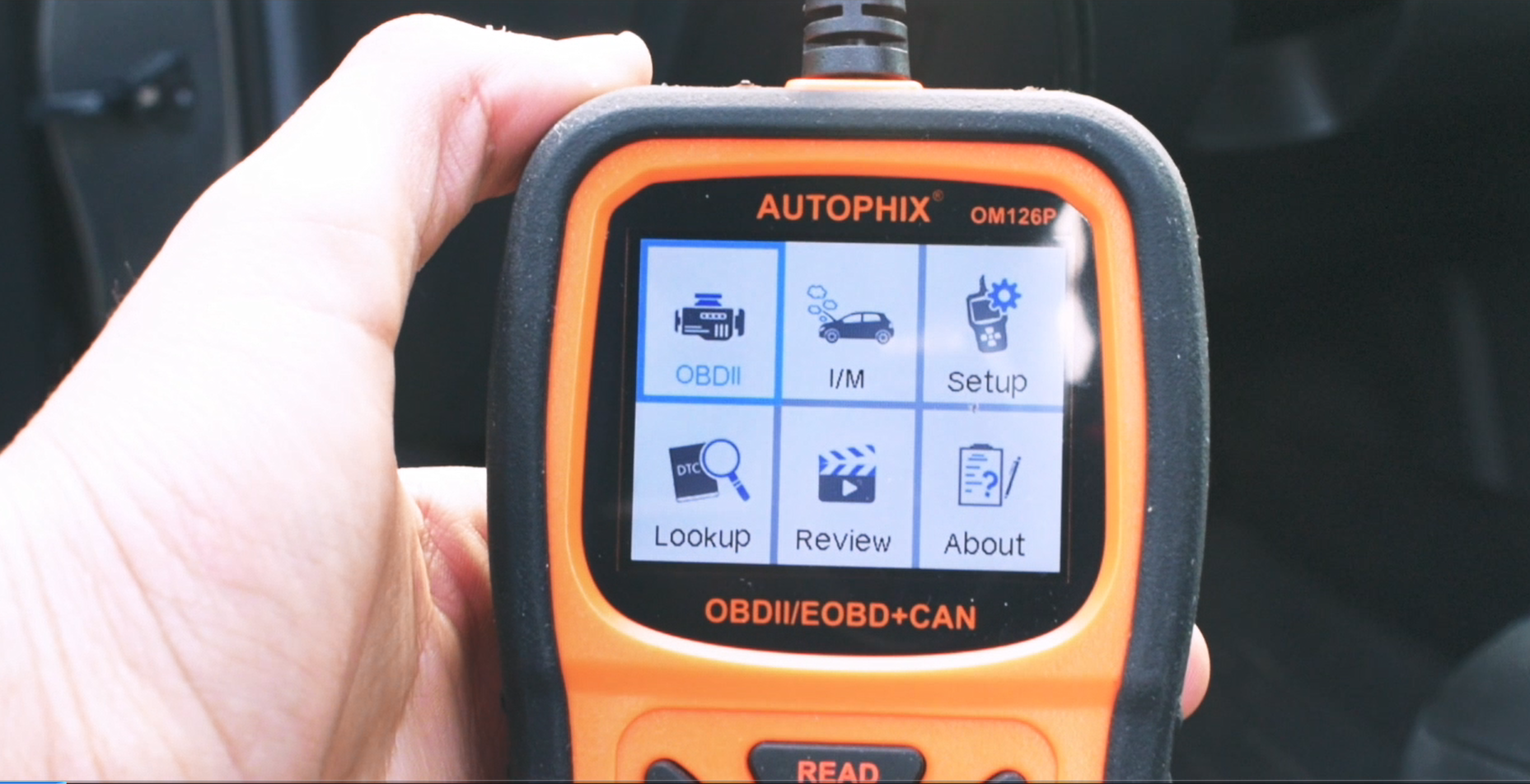
LAUNCH CR319 OBD2 Scanner — Full Modes, Budget Price
Best for: Full OBD2 modes at a low cost
If you want full generic OBD2 modes without paying for a professional tool, this is a strong budget starting point. The LAUNCH CR319 covers all ten generic OBD2 modes, including Mode 6 component checks, which gives a beginner more diagnostic depth than a code-only reader. Its built-in definitions reduce time spent searching for code meanings, and its screen keeps menus clear. It also shows live data and freeze frame, so you can follow a fault beyond its first code. Its weakness is coverage depth: manufacturer-specific and non-engine systems remain outside its normal scope.
- All ten generic OBD2 modes
- Mode 6 component checks included
- Built-in code definitions
- Live data and freeze frame
- No manufacturer-specific coverage depth
- No ABS or airbag coverage
- Mode 6 needs basic interpretation
4.8/5
4.7/5
4.7/5
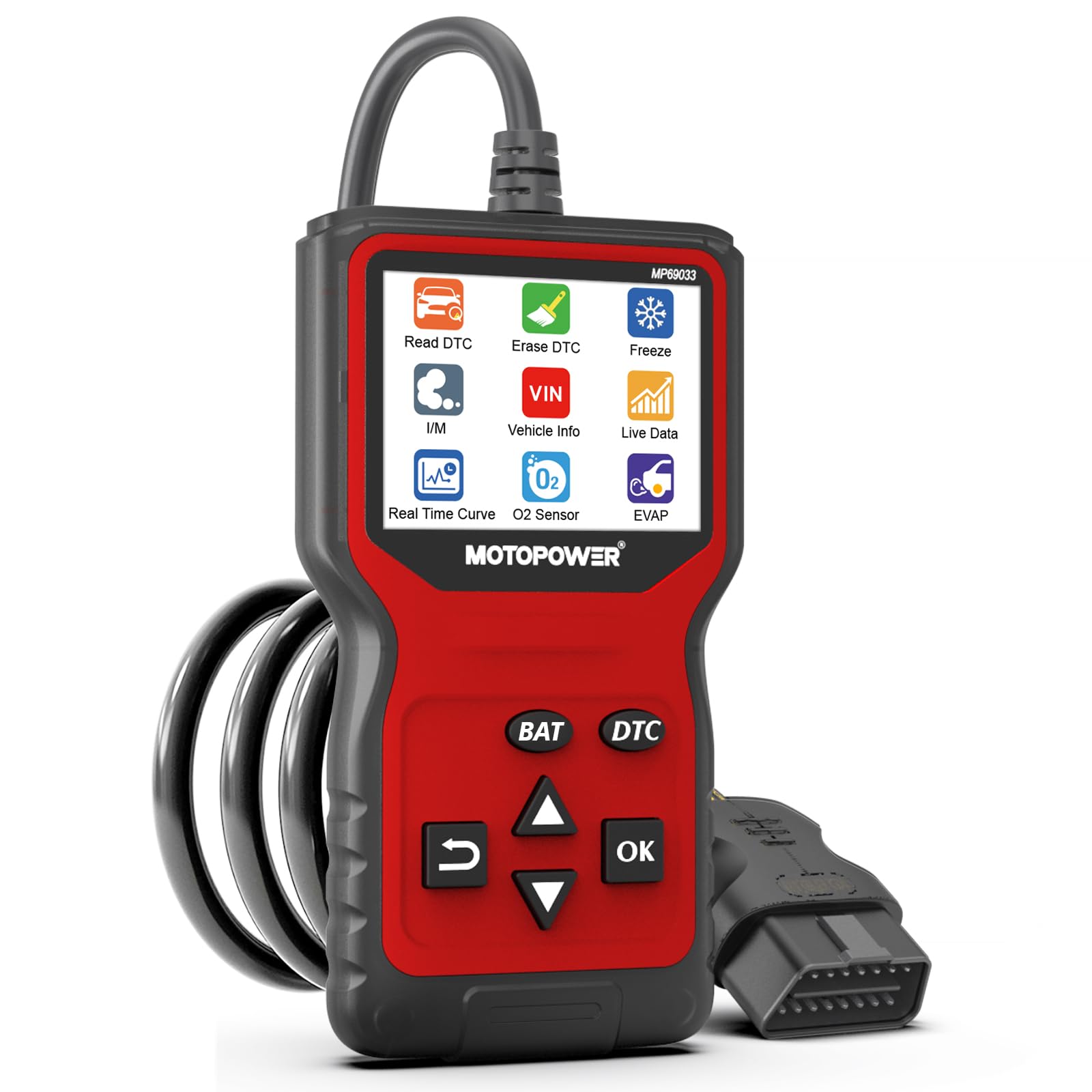
MOTOPOWER MP69033 OBD2 Scanner — Plug In, Read, Done
Best for: No-phone, plug-and-read use
Some drivers want a tool that works without a phone, and this wired reader is built for that job. The MOTOPOWER MP69033 plugs in, powers from the port, and reads and clears engine codes with a short menu path. Its screen shows code definitions, live data, and readiness, covering the routine checks that matter after a warning light. It is also easy to store in a glovebox and simple enough to lend to another driver. Its trade-off is a basic display and generic coverage, so it will not diagnose ABS, airbag, or transmission faults.
- Short plug-and-read menu path
- No phone or app needed
- Code definitions on screen
- Easy glovebox storage
- Basic display, not color-rich
- No ABS or airbag coverage
- No transmission fault coverage
4.7/5
4.8/5
4.5/5

Veepeak OBDCheck BLE OBD2 Scanner — Phone Display
Best for: Phone-based checks
If you prefer reading codes on your phone, this small Bluetooth adapter keeps the hardware out of the way. The Veepeak OBDCheck BLE plugs into the port, uses Bluetooth BLE for iOS and Android, and sends code, live data, and readiness information to a compatible app. That phone display makes graphs easier to read than a small handheld screen, and the adapter is small enough to leave in place for repeat checks. Its weakness is dependence on software: the best experience depends on the app you choose, and some features may require a paid app tier.
- Bluetooth Low Energy for iOS and Android
- Phone graphs easier
- Small, easy to store
- Live data and readiness
- App quality affects the experience
- Some app features may cost extra
- Not a standalone screen tool
4.7/5
4.8/5
4.5/5

Autel AutoLink AL329 OBD2 Scanner — Clearer Screen, Faster Setup
Best for: A clearer screen than basic readers
If the AL319 feels close but you want a clearer display, this is the natural step up within the same family. The Autel AutoLink AL329 adds a color screen and Auto VIN reading, so identifying the vehicle and reading codes takes fewer manual steps. Its built-in definitions and live data keep routine checks straightforward, and its readiness display helps before an emissions test. It also supports freeze frame, preserving the conditions that triggered a fault. Its limit remains budget scope: it is still an engine and emissions reader, not a tool for ABS, airbag, or manufacturer-specific systems.
- Color screen, easier to read
- Auto VIN for faster setup
- Built-in code definitions
- Readiness display included
- No ABS or airbag coverage
- Similar engine-only scope
- Menu set slightly larger than AL319
4.6/5
4.7/5
4.7/5

LAUNCH CR529 OBD2 Scanner — Watch Sensors
Best for: Live-data handheld checks
If live data is the main reason you are buying, this handheld puts that data first without moving to a phone app. The LAUNCH CR529 shows live data streams on its own screen, with graphing support that helps you watch a sensor over time. It also reads and clears generic codes, shows freeze frame, and checks readiness, covering the routine diagnostic loop in one tool. Its free lifetime updates, as listed, help keep code definitions current. Its weakness is that deeper system coverage is still limited, so ABS, airbag, and manufacturer-specific faults need a different tool.
- Live-data graphing on handheld screen
- Free lifetime updates listed
- Freeze frame and readiness included
- Handheld, no phone needed
- No ABS or airbag coverage
- Graphing basic versus professional tools
- Screen smaller than phone app
4.6/5
4.6/5
4.8/5

Thinkcar ThinkOBD 100 OBD2 Scanner — Small Tool, Full Basics
Best for: A compact glovebox tool
If you want a scanner that lives in the glovebox and is ready for a warning light, size matters as much as features. The Thinkcar ThinkOBD 100 is a compact handheld reader that covers full generic OBD2 functions, including code reading, live data, freeze frame, and readiness. Its short menu path keeps a first scan quick, and its small body makes it easy to carry between vehicles. Free lifetime updates, as listed, help a budget tool stay useful. Its trade-off is a smaller screen and basic graphing, so long live-data sessions are less comfortable than on a phone app.
- Compact glovebox size
- Full generic OBD2 functions
- Short menu path
- Free lifetime updates listed
- Smaller screen
- Basic graphing only
- No ABS or airbag coverage
4.8/5
4.7/5
4.4/5

FIXD Bluetooth OBD2 Scanner — Plain-Language App Guidance
Best for: Guided app explanations for beginners
If plain-language explanations matter more than raw data, this app-guided sensor is built for beginners. The FIXD Bluetooth OBD2 Scanner plugs into the port and sends fault information to the FIXD app, which explains codes in everyday language and tracks maintenance reminders. That guidance helps a first-time driver decide whether a fault looks urgent or routine, rather than staring at a code alone. Live data and readiness appear in the app, depending on version. Its main weakness is software dependence: deeper features and some reports may require a paid app tier, and it is not a standalone screen tool.
- Plain-language app explanations
- Maintenance reminders in app
- Easy Bluetooth setup
- Live data in app
- Some features may require subscription
- No standalone screen
- App-dependent experience
4.5/5
4.8/5
4.2/5
Top 3 Head-to-Head: FOXWELL NT201 vs ANCEL AD310 vs Autel AL319
These three are the common final choices because they cover the same basic job in different ways: clearest display, simplest use, and fastest readiness check.
| Feature | #1 FOXWELL NT201 | #2 ANCEL AD310 | #3 Autel AL319 |
|---|---|---|---|
| Value for money | 4.8/5 | 4.9/5 — Best | 4.7/5 |
| Ease of use | 4.9/5 | 4.9/5 — Best | 4.8/5 |
| Diagnostic depth | 4.9/5 — Best | 4.5/5 | 4.7/5 |
| Choose if… | You want the clearest first scan | You want the simplest budget reader | You want a fast emissions pre-check |
Who These OBD2 Scanners Are NOT For
Budget scanners are a first check, not a workshop replacement.
They are also not the right choice if you need bi-directional controls, coding, service resets, or a diagnosis for a fault that has not set a code. In those cases, a professional scan or a higher-coverage tool will save more time than repeated budget scans.
Common Mistakes to Avoid
Most budget-scanner disappointments come from expecting full-system coverage or clearing evidence too soon.
Frequently Asked Questions About OBD2 Scanners
Will a budget OBD2 scanner work on my car?
Yes, most budget scanners work on 1996 and newer petrol vehicles in the United States that use the standard 16-pin OBD2 port. Check your model year, fuel type, and market, because diesel and non-US coverage can vary. A generic scanner should read engine and emissions codes on a compatible vehicle. If it cannot connect, check the port, fuses, and whether the ignition is on, before assuming the tool is faulty.
Can a scanner under $50 clear a check engine light?
Yes, a budget scanner can clear generic engine codes and turn off the light, but clearing does not fix the fault. Note the code, freeze frame, and readiness status first, because clearing erases evidence and resets readiness monitors. If the fault remains, the light will usually return after a drive cycle. A code that returns quickly usually needs a real repair, not another clear.
Should I choose a handheld scanner or a Bluetooth adapter?
Choose a handheld scanner if you want a self-contained screen and a tool that works without a phone or app. Choose a Bluetooth adapter if you prefer phone graphs, a smaller device, and app-based reports. For iPhones, confirm Bluetooth Low Energy support, because older Classic-only adapters may not pair. Either type should still cover basic engine codes on a compatible vehicle.
Can a budget scanner check emissions readiness?
Yes, most budget scanners show I/M readiness, which tells you whether emissions monitors have completed. That check is useful before a test, because a vehicle can have no codes yet still be rejected if monitors are not ready. Do not clear codes just before a test, because clearing resets monitors. Drive normally until monitors complete, then recheck readiness before booking.
Can a cheap scanner diagnose ABS or airbag warning lights?
No, most budget scanners cannot diagnose ABS or airbag systems, because they focus on generic engine and emissions codes. An ABS or airbag light usually needs a tool with coverage for that system, or a professional scan. A generic scanner may report no codes even when one of those lights is on. That result does not prove the system is healthy; it usually means the tool cannot reach it.
Is it safe to leave a Bluetooth adapter plugged in?
It can be safe for short periods, but some cheap adapters stay powered through the port and can drain a battery if left for days. Check whether the adapter sleeps when the car is off, and remove it if you will not drive for a while. Also use a unique Bluetooth pairing code where possible, because a default code is easier for nearby devices to connect to. When in doubt, unplug it after a scan.
Our Final Verdict
Budget scanners trade system coverage for simplicity, and the best choice is the one you will actually use. For most drivers, the FOXWELL NT201 gives the clearest balance of readable codes, live data, and readiness checks. Simpler readers save money, while Bluetooth tools suit phone-first drivers.

I’m Alex Rahman, a car enthusiast and automotive writer focused on practical solutions, car tools, and real-world driving advice. I share simple and honest content to help everyday drivers make better decisions.
