10 Best OBD2 Mode 6 Scanners for 2026: Clear Test Results
The best 10 best obd2 mode 6 scanner is BlueDriver Bluetooth Pro, with clear Mode 6 misfire counts and catalyst thresholds.
We compared 10 scanners on Mode 6 Clarity, Diagnostic Depth, and Ease of Use, using listed specifications and maker documentation.
Most scanners list Mode 6 generically but hide the test value, limits, and pass result you actually need.
Whether you need misfire clues, catalyst checks, or a simple handheld, this guide gives you one clear answer.
Quick Comparison: All 10 Products Ranked
| # | Product | Best For | Rating | Badge | |
|---|---|---|---|---|---|
| 1 | BlueDriver Bluetooth Pro | Clear Mode 6 results on a phone | 4.9/5 | Best Overall | Buy → |
| 2 | OBDLink MX+ | Bluetooth Mode 6 with wide app support | 4.8/5 | Best Bluetooth | Buy → |
| 3 | Autel AutoLink AL519 | Simple wired Mode 6 checks | 4.7/5 | Best Budget | Buy → |
| 4 | FOXWELL NT301 | Engine-only Mode 6 and live data | 4.6/5 | Best Value | Buy → |
| 5 | Innova 5610 CarScan Pro | All-system handheld with Mode 6 | 4.6/5 | Best All-System Handheld | Buy → |
| 6 | Autel MaxiCOM MK808S | Tablet diagnostics with Mode 6 | 4.7/5 | Best Tablet | Buy → |
| 7 | LAUNCH CRP129E | Four-system checks with Mode 6 | 4.5/5 | Best 4-System | Buy → |
| 8 | TOPDON ArtiDiag800 BT | Wireless tablet with manual Mode 6 | 4.6/5 | Best Wireless Tablet | Buy → |
| 9 | Autel MaxiSys MS906 Pro | Professional all-system Mode 6 work | 4.8/5 | Best Professional | Buy → |
| 10 | Autel AutoLink AL629 | Four-system handheld with Mode 6 | 4.5/5 | Best for ABS and SRS | Buy → |
How We Chose These OBD2 Mode 6 Scanners
What we compared
10 scanners, checked against maker listings and manuals for Mode 6 support, vehicle coverage, system coverage, and display type.
Our 3 scoring criteria
Mode 6 Clarity, Diagnostic Depth, and Ease of Use. Scores are editorial ratings from listed specifications, not measured test results.
How ratings work
Each score is an editorial rating out of 5, based on the specifications and documentation listed for that model. No hands-on testing is claimed.
What we cut — and why
ThinkDiag 2 was left out of the 10 because its Mode 6 support was reported as vehicle-dependent, not universal. Basic code-only readers were left out because they do not list Mode 6.
What to Look for When Buying OBD2 Mode 6 Scanners
Mode 6 is only useful if you can read its result. A scanner that buries the test value behind raw codes will slow you down, while one that shows the value, limits, and pass result lets you spot a borderline monitor fast.
1. Mode 6 presentation
Look for a scanner that lists the monitor, the measured test value, the minimum and maximum limits, and a pass or fail result. BlueDriver and OBDLink MX+ are the clearest here, with misfire counts and catalyst thresholds described in their app material. Generic listings that only say “all 10 modes” do not tell you how readable the result will be, so check the manual or app description first. Mode 6 is a different kind of data from a fault code, and how Mode 9 differs from Mode 6 shows why each mode answers a different question.
2. Vehicle coverage and protocols
Most picks here cover 1996-and-newer OBD-II vehicles in the United States, but the monitors available still vary by make, model, year, engine, and protocol. Check your vehicle against the maker’s coverage list, especially for Ford, GM, and European models that need enhanced diagnostics. A scanner that works on a neighbour’s car may still show fewer monitors on yours. If you are new to the process, read how to use an OBD2 scanner before your first Mode 6 check.
3. Connection and display
Bluetooth adapters use your phone or tablet, wired handhelds use a built-in screen, and tablets give you the largest display for long test lists. Phone apps are easier to read and share, but they depend on your phone battery and app support. Handhelds work without a phone and are simpler at the roadside, while tablets suit longer diagnostic sessions. Pick the display you will actually read in the car, not the largest screen on paper.
4. System coverage beyond the engine
Mode 6 itself is mainly about engine and emissions monitors, such as catalyst, oxygen sensors, EVAP, and misfire. Some scanners stop there, while others also cover ABS, SRS, transmission, and TPMS. If you only need emissions clues, an engine-only handheld is enough. If you also want ABS or SRS codes, choose a four-system or all-system model, and check whether that coverage is generic or make-specific before you buy.

BlueDriver Bluetooth Pro — Clearest Mode 6 results
Best for: Drivers who want Mode 6 misfire and catalyst clues on a phone
BlueDriver Bluetooth Pro is the clearest Mode 6 pick here because its free app describes Mode 6 on-board monitoring test results, including misfire counts and catalyst monitor thresholds, in plain language rather than raw codes alone. It covers 1996-and-newer cars, SUVs, and light trucks in North America, with enhanced ABS, airbag, transmission, and TPMS coverage on 13 makes. Live data, freeze frame, and Repair Reports help you connect a borderline monitor to a likely cause. It cannot trigger a Mode 8 EVAP test, and it needs your phone, so keep that trade-off in mind.
- Mode 6 misfire counts described clearly
- Free app, no subscription required
- Repair Reports link codes to causes
- Needs a phone or tablet
- Cannot trigger Mode 8 EVAP test
4.9/5
4.8/5
4.9/5

OBDLink MX+ — Wide app support
Best for: Owners who want Mode 6 in several apps
OBDLink MX+ is the strongest Bluetooth alternative because its Mode 6 support is listed directly, with misfire counts for each cylinder described in its comparison material. It works with the OBDLink app on iOS, Android, and Windows, plus OBDwiz on Windows and third-party apps such as FORScan and BimmerCode. Ford MS-CAN and GM SW-CAN enhanced diagnostics add depth beyond generic codes, and it covers all 1996-and-newer OBD-II vehicles in the United States and Canada. The trade-off is app choice: the clearest Mode 6 view depends on the app you pair it with.
- Mode 6 misfire counts per cylinder
- Works with FORScan and BimmerCode
- Ford and GM enhanced diagnostics
- Best Mode 6 view varies by app
- Needs a phone, tablet, or computer
4.8/5
4.8/5
4.7/5

Autel AutoLink AL519 — Simple wired checks
Best for: Budget buyers who want a wired Mode 6 handheld
Autel AutoLink AL519 is the simplest budget pick for Mode 6 because it lists Enhanced OBD-II Mode 6 and the on-board monitor test on a vehicle-powered handheld, with no phone or app to set up. Its colour screen shows live data as text and graphs, plus freeze frame, DTC lookup, and O2 monitor tests. It supports all 10 OBD-II modes and covers 1996-and-newer vehicles in the United States, with later coverage in Europe and Asia. The limit is scope: retailer material describes it as engine-only, with no ABS or SRS coverage stated, so choose a four-system model if you need those systems.
- Enhanced Mode 6 on a handheld
- No phone or app needed
- Live data text and graph views
- Engine-only, no ABS or SRS stated
- Updates need a Windows PC
4.6/5
4.5/5
4.9/5

FOXWELL NT301 — Engine Mode 6 value
Best for: Engine-only Mode 6 checks on a budget
FOXWELL NT301 is a good value pick for engine Mode 6 because its listing describes the on-board monitor test as watching sensors and emissions components, and warning you before a code sets. It reads generic, manufacturer-specific, and pending codes, shows live O2 sensor and on-board monitor data, and includes a Mode 8 EVAP test and VIN retrieval. It covers all OBD-II-compliant vehicles and works without a phone. The limit is the same as other budget handhelds: it is engine-only, with no ABS or SRS coverage, so do not buy it for those systems.
- Mode 6 warning before code sets
- Mode 8 EVAP test included
- No phone needed to use it
- Engine-only, no ABS or SRS
- Screen size not verified here
4.5/5
4.4/5
4.8/5

Innova 5610 CarScan Pro — All-system handheld
Best for: Handheld buyers who also need ABS and SRS
Innova 5610 CarScan Pro is the best all-system handheld here because it pairs Mode 6 and freeze frame with engine, ABS, SRS, transmission, TPMS, and OEM-enhanced coverage. Its colour LCD and physical keypad work without a phone, and three AA batteries let you review results away from the vehicle. It also lists bidirectional and active tests, PCM only, plus six service functions including oil, battery, EPB, ABS bleed, DPF, and throttle relearn. The main limits are coverage: it is listed for the United States and Canada only, with full FCA coverage to 2017, so check your make and year first.
- Mode 6 plus all-system coverage
- Six service functions included
- Works away from vehicle on batteries
- US and Canada coverage only
- Full FCA coverage to 2017 only
4.5/5
4.7/5
4.6/5
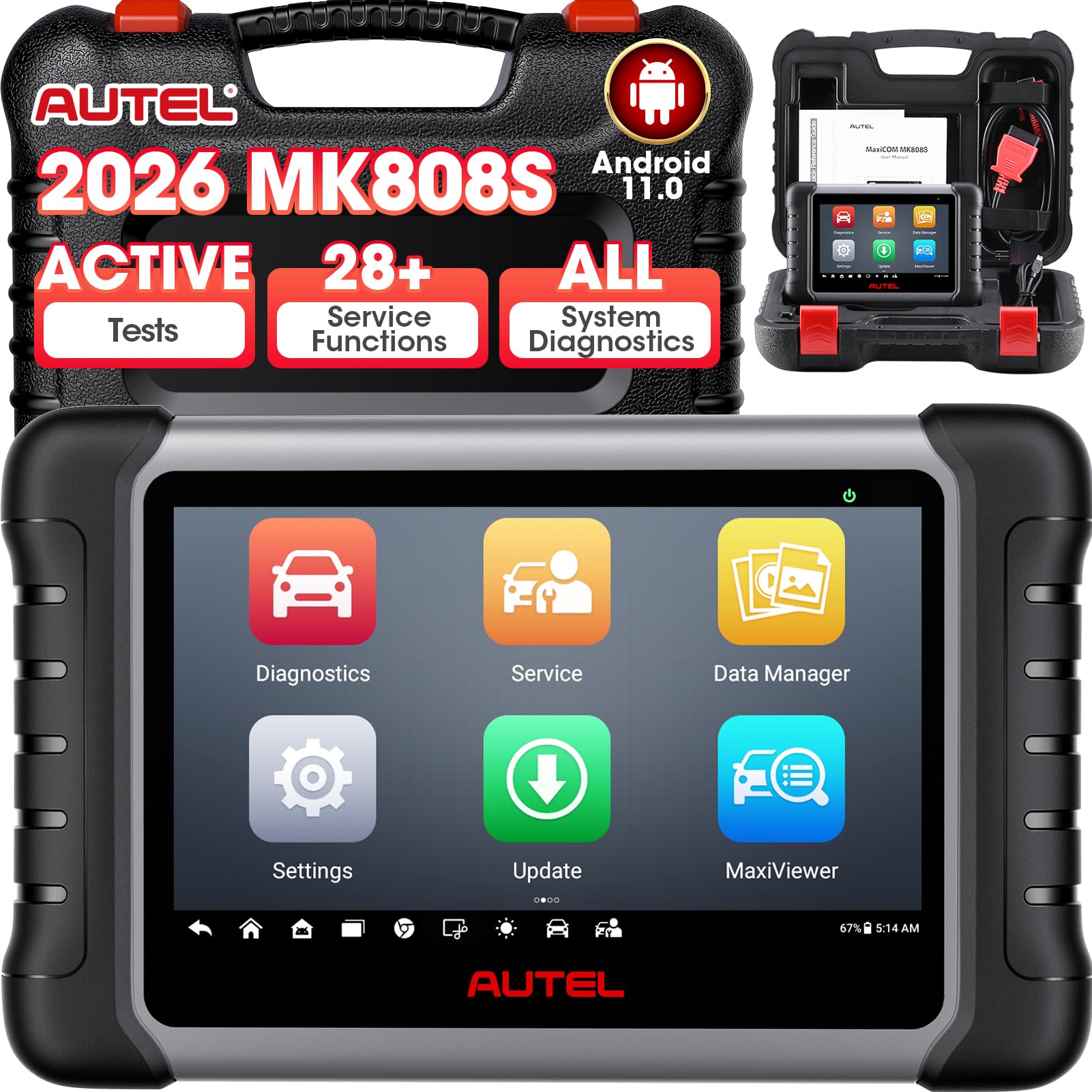
Autel MaxiCOM MK808S — Tablet diagnostics
Best for: Tablet buyers who want Mode 6 plus active tests
Autel MaxiCOM MK808S is the best tablet pick here because it combines Enhanced Mode 6 with all-system diagnostics, bidirectional active tests, and reset services on a 7-inch touchscreen. Retailer material lists support for all OBD-II protocols and 10 test modes, including freeze frame, Enhanced Mode 6, vehicle info, I/M readiness, on-board monitor, and component tests. Its Android 11 tablet and own battery make long monitor lists easier to read than a small handheld. The trade-off is size and scope: it is a larger, more capable tool than a simple Mode 6 reader, so it suits owners who will use its extra services.
- Enhanced Mode 6 on 7-inch screen
- All-system diagnostics and active tests
- 28-plus reset services listed
- Larger than a simple handheld
- Mode 6 detail is generic in listings
4.6/5
4.8/5
4.6/5
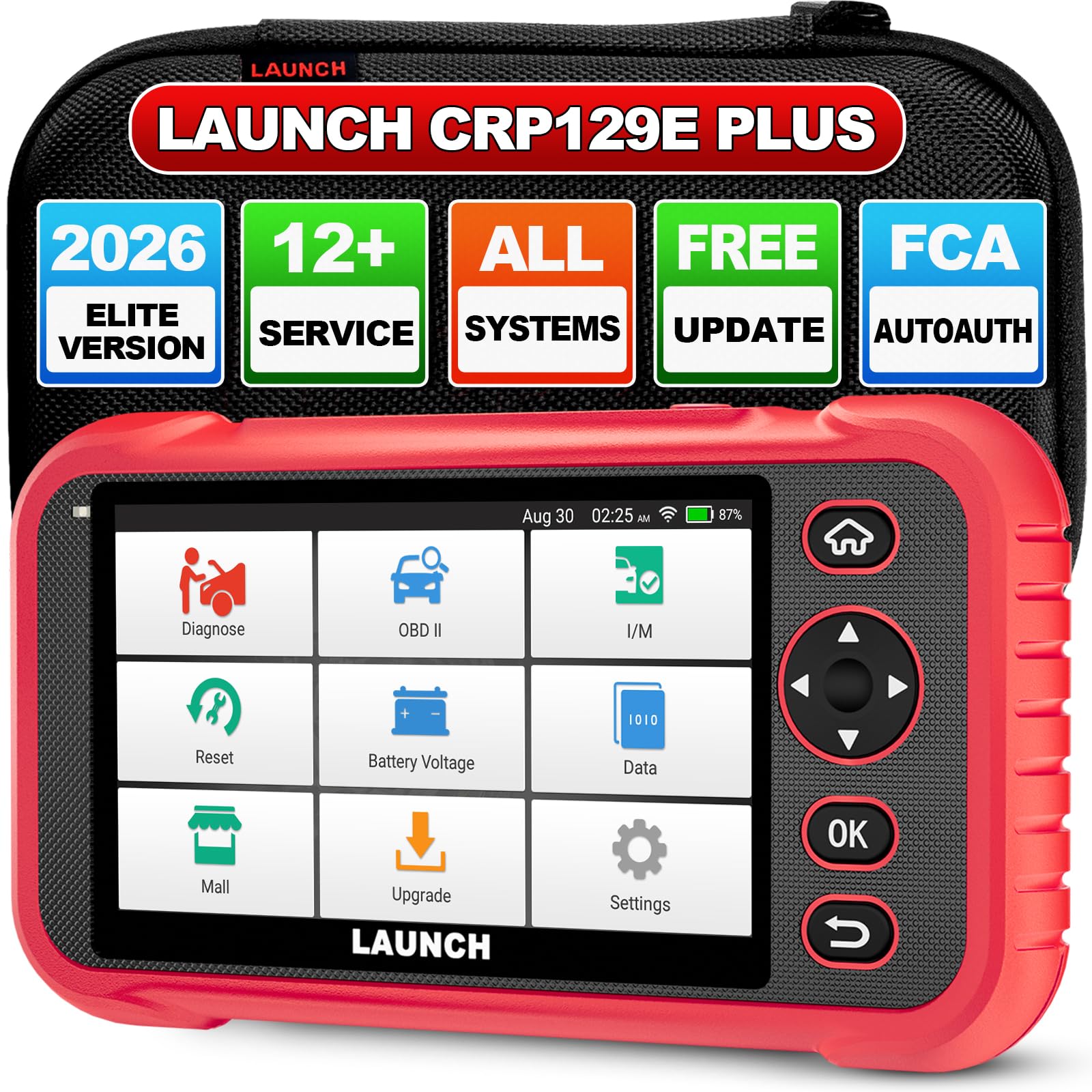
LAUNCH CRP129E — Four-system Mode 6
Best for: Four-system checks without a full tablet
LAUNCH CRP129E is a solid four-system pick because its listing includes the full 10 OBD-II functions, with on-board monitor Mode 6 and EVAP Mode 8, alongside engine, transmission, ABS, and SRS coverage. It reads and erases codes, shows live data and freeze frame, and includes DTC lookup. It covers 1996-and-newer vehicles in its listings. The main caution is version confusion: V2.0 and V3.0 listings describe different hardware, so check the exact CRP129E version before you buy, and do not assume V2.0 screen or software details apply to the original model.
- Mode 6 plus Mode 8 EVAP
- Four-system engine, ABS, SRS coverage
- Live data and freeze frame
- Version confusion with V2.0 and V3.0
- Mode 6 detail is generic only
4.4/5
4.6/5
4.5/5

TOPDON ArtiDiag800 BT — Wireless tablet
Best for: Wireless tablet use with manual Mode 6
TOPDON ArtiDiag800 BT is the best wireless tablet here because its manual lists the on-board monitoring test as Mode $06, with a dedicated section for it, rather than a generic mode count alone. Its Bluetooth VCI pairs with an Android tablet, with a range up to 10 metres, and it covers full-system diagnostics across 96 brands listed by the maker, with 28 service functions. Protocols include KWP2000, ISO9141, J1850 VPW and PWM, and CAN. The trade-off is presentation: the manual excerpt does not describe test ID or component ID display, so check a screenshot before you rely on it for detailed monitor reading.
- Mode $06 listed in manual
- Wireless VCI up to 10 metres
- 28 service functions listed
- Test ID display not described
- Tablet adds bulk versus handheld
4.5/5
4.7/5
4.6/5

Autel MaxiSys MS906 Pro — Professional Mode 6
Best for: Professional all-system work with Mode 6
Autel MaxiSys MS906 Pro is the professional pick here because it lists advanced Mode 6 support across all 10 test modes, with all-system diagnostics, bidirectional active tests, and 40-plus services. It covers United States, Asian, and European vehicles from 1996 onward, and supports all five OBD-II and EOBD protocols. Its 8-inch touchscreen, Android 7 system, octa-core processor, and 128 GB storage come from retailer listings for this model, not the Pro-TS, which uses Android 10. The trade-off is clear: this is a professional tool in size and scope, so it is more than most home owners need for Mode 6 alone.
- Advanced Mode 6 support listed
- All-system, bidirectional active tests
- 40-plus services listed
- More tool than most homes need
- Do not confuse with Pro-TS model
4.7/5
4.9/5
4.6/5

Autel AutoLink AL629 — Four-system handheld
Best for: Four-system handheld buyers who want Mode 6
Autel AutoLink AL629 rounds out the list because it pairs enhanced Mode 6 diagnostics with four-system coverage for ABS, SRS, engine, and transmission on a wired handheld. Its maker listing says it supports all 10 OBD-II test modes and presents enhanced Mode 6 data. AutoVIN works on 2006-and-newer vehicles, and live data can be graphed, recorded, and played back, with O2 monitor and on-board monitor tests included. It covers 1996-and-newer domestic, Asian, and European vehicles. The limit is depth: it is a four-system handheld, not an all-system tablet, so it will not match the MK808S or MS906 Pro on services.
- Enhanced Mode 6 diagnostics listed
- Four-system ABS, SRS, engine, transmission
- Live data graph, record, playback
- Not an all-system tablet
- Mode 6 detail is generic only
4.4/5
4.6/5
4.5/5
Top 3 Head-to-Head: BlueDriver vs OBDLink MX+ vs Autel AL519
These three are the common final choices because they cover the three ways most owners read Mode 6: a phone app, a wide-compatibility Bluetooth adapter, and a simple wired handheld.
| Feature | #1 BlueDriver | #2 OBDLink MX+ | #3 Autel AL519 |
|---|---|---|---|
| Mode 6 Clarity | Misfire counts and catalyst thresholds — Best | Misfire counts per cylinder | Enhanced Mode 6, generic display |
| Diagnostic Depth | Enhanced on 13 makes | Ford and GM enhanced, wide apps — Best | Engine only |
| Ease of Use | Free app, no subscription | Needs app choice | No phone or app needed — Best |
| Choose if… | You want the clearest Mode 6 reading | You use FORScan or BimmerCode | You want the simplest wired tool |
Who These OBD2 Mode 6 Scanners Are NOT For
Mode 6 scanners are not the right tool for every diagnostic job, and buying one for the wrong job will leave you disappointed.
These scanners are also not for owners who need factory-level coding, key programming, or heavy-duty truck diagnostics. Mode 6 cannot command a test to run, and clearing codes clears Mode 6 results as well. If your car is not OBD-II compliant, or your fault is in a system these tools do not cover, a Mode 6 scanner will not fix that gap.
Common Mistakes to Avoid
Most Mode 6 confusion comes from reading the result too early, or reading the wrong kind of data for the fault in front of you.
Frequently Asked Questions About OBD2 Mode 6 Scanners
What is OBD2 Mode 6?
Mode 6, also written Mode $06 or Service $06, is a standard OBD-II mode that retrieves the results of the vehicle’s on-board monitoring tests. It does not show live sensor readings or stored fault codes. It was originally internal data the OBD-II system used to decide whether to set a fault code, and it lets you see test results before a code matures.
What does Mode 6 show?
Mode 6 shows pass or fail results, the measured test value, and the minimum and maximum limits for non-continuous monitors. Those monitors typically cover catalyst efficiency, oxygen sensors and their heaters, EVAP, EGR, VVT, secondary air, thermostat, and misfire, depending on the vehicle. A value near a limit can show a component is degrading even when it still passes.
How is Mode 6 different from Mode 3 and live data?
Mode 1 gives current live sensor data, Mode 3 lists confirmed stored trouble codes that have set the check-engine light, and Mode 6 gives the results of the most recent completed self-test, even if it passed. Mode 6 can therefore show a failing or borderline test before a code matures, while Mode 3 only confirms a failure has already been recorded.
Do all OBD2 scanners support Mode 6?
No, not all OBD2 scanners display Mode 6, and support varies by model, adapter or app, and vehicle. Basic code readers often focus on codes and readiness only, while full-feature tools are more likely to list Service $06 or On-Board Monitor Test. Check the maker’s specification for that exact model, and check how accurate OBD2 scanners are before trusting a single reading.
How do I use Mode 6 on a scan tool?
Plug the scanner into the OBD-II port, open the generic OBD-II menu, and select Mode 6 or On-Board Monitor Test. Then read the monitor, test value, limits, and pass or fail result for each test. The monitor must first have completed, usually after a drive, and the data shown is from the last completed test, not a live reading.
Does Mode 6 work on all cars?
Mode 6 is part of the OBD-II system on 1996-and-newer vehicles in the United States, but the specific monitors and test results available vary by make, model, year, engine, and protocol. Not all vehicles support all ten modes. Some makers expose Mode 6 mainly through the generic OBD-II side, while others require the enhanced or factory side.
What are the limitations of Mode 6?
Mode 6 cannot command the vehicle to run a test, it only reports stored results from tests already run, and clearing codes also clears Mode 6 results and resets monitors to incomplete. Results can be hard to interpret, older tools show raw hexadecimal codes, and one fault can prevent another monitor from running. A borderline pass does not reliably predict when a component will fail.
Our Final Verdict
Most Mode 6 scanners list the mode, but few show it clearly. BlueDriver gives the clearest misfire and catalyst view, while Bluetooth and wired rivals suit different owners. Pick the display you will read, check your vehicle coverage, and let the monitor finish before you judge it.

I’m Alex Rahman, a car enthusiast and automotive writer focused on practical solutions, car tools, and real-world driving advice. I share simple and honest content to help everyday drivers make better decisions.
