10 Best Bidirectional Bluetooth OBD2 Scanners for 2026: Active Tests From Your Phone
The best bidirectional bluetooth obd2 scanner is Autel MaxiCOM MK808BT Pro — its Bluetooth VCI pairs active tests with a tablet display. We compared 10 bidirectional Bluetooth scanners on control depth, Bluetooth stability, and diagnostic coverage. Most Bluetooth adapters look capable on paper but fail on active tests or drop the link mid-test. Whether you need workshop tests, app-based checks, or brand-specific service work, this guide gives you one clear answer.
Quick Comparison: All 10 Products Ranked
| # | Product | Best For | Rating | Badge | |
|---|---|---|---|---|---|
| 1 | Autel MaxiCOM MK808BT Pro | Workshop-style active tests from a tablet | 4.9/5 | Best Overall | Buy → |
| 2 | Launch X431 CRP919X BT | Deep all-system checks with Bluetooth | 4.8/5 | Best All-System | Buy → |
| 3 | ThinkCar ThinkDiag 2 Bluetooth OBD2 Scanner | App-based active tests on a phone | 4.8/5 | Best App-Based | Buy → |
| 4 | Topdon ArtiDiag Pro | Service work plus active tests | 4.7/5 | Best for Service Functions | Buy → |
| 5 | Autel MaxiAP AP200 Bluetooth OBD2 Scanner | Compact Bluetooth all-system checks | 4.7/5 | Best Compact Bluetooth | Buy → |
| 6 | Foxwell NT809BT Bluetooth Diagnostic Scanner | DIY active tests on a tablet | 4.6/5 | Best DIY Value | Buy → |
| 7 | Ancel DS600 Bluetooth All-System Scanner | Straightforward all-system Bluetooth checks | 4.6/5 | Best for Beginners | Buy → |
| 8 | Carly Universal Adapter | Brand-focused checks and coding | 4.5/5 | Best for Brand Checks | Buy → |
| 9 | Topdon TopScan Pro Bluetooth Scanner | Phone-first diagnostics and tests | 4.5/5 | Best Phone Tool | Buy → |
| 10 | Kingbolen Ediag Plus Bluetooth OBD2 Scanner | Budget Bluetooth active-test entry | 4.4/5 | Best Budget Bluetooth | Buy → |
How We Chose These Bidirectional Scanners
What we compared
10 products, 3 scores, 4 buying factors and 6 FAQs. Listed specifications and app function lists were compared; no hands-on test period is claimed.
Our 3 scoring criteria
Bidirectional Control Depth, Bluetooth Stability, and Diagnostic Coverage, applied identically to every product.
Expert consulted
No single outside expert is named. Coverage was checked against manufacturer function lists and vehicle compatibility notes.
What we cut — and why
Basic Bluetooth code readers were cut because they read codes only and do not list bidirectional active tests.
What to Look for When Buying a Bidirectional Bluetooth Scanner
Bidirectional sounds like one feature, but in practice it is a bundle of vehicle-specific tests. Choose for the exact test you need, then for the phone, app and connection that will actually run it.
1. Check Active Tests for Your Exact Vehicle, Not Just the Label
A tool can advertise bidirectional control yet support only a few tests on your car. Check the manufacturer list for your make, model, year and target system, and confirm the fan, pump or injector test you need is listed. Learning what bidirectional control means helps you ask for a named test instead of a vague capability.
2. Bluetooth Type, App, and Phone Compatibility
Bluetooth alone does not guarantee a working test. Confirm the adapter type, the app, and your phone operating system together, because some adapters pair differently on Android and iPhone. A stable link matters more during an active test than during a quick code read, since a drop can interrupt the command. Our guide to how to connect a Bluetooth scanner covers the pairing steps to check first.
3. System Coverage Beyond the Engine
Most active tests live outside basic engine codes, in ABS, airbag, transmission or body systems. Verify each system separately rather than trusting a broad all-system claim, and pair the test with live data so you can see the response. Looking for scanners that handle live data well will help you judge refresh speed and graphing before you buy.
4. Updates, Subscriptions, and Everyday Use
Active-test coverage changes with software, and some app functions need a plan or update. Check what is included, what needs renewal, and whether your essential tests work without a subscription. Also weigh size: a tablet is easier to read, while a dongle is easier to carry. This guide to how to choose an OBD2 scanner sets out the same checks in a wider buying context.
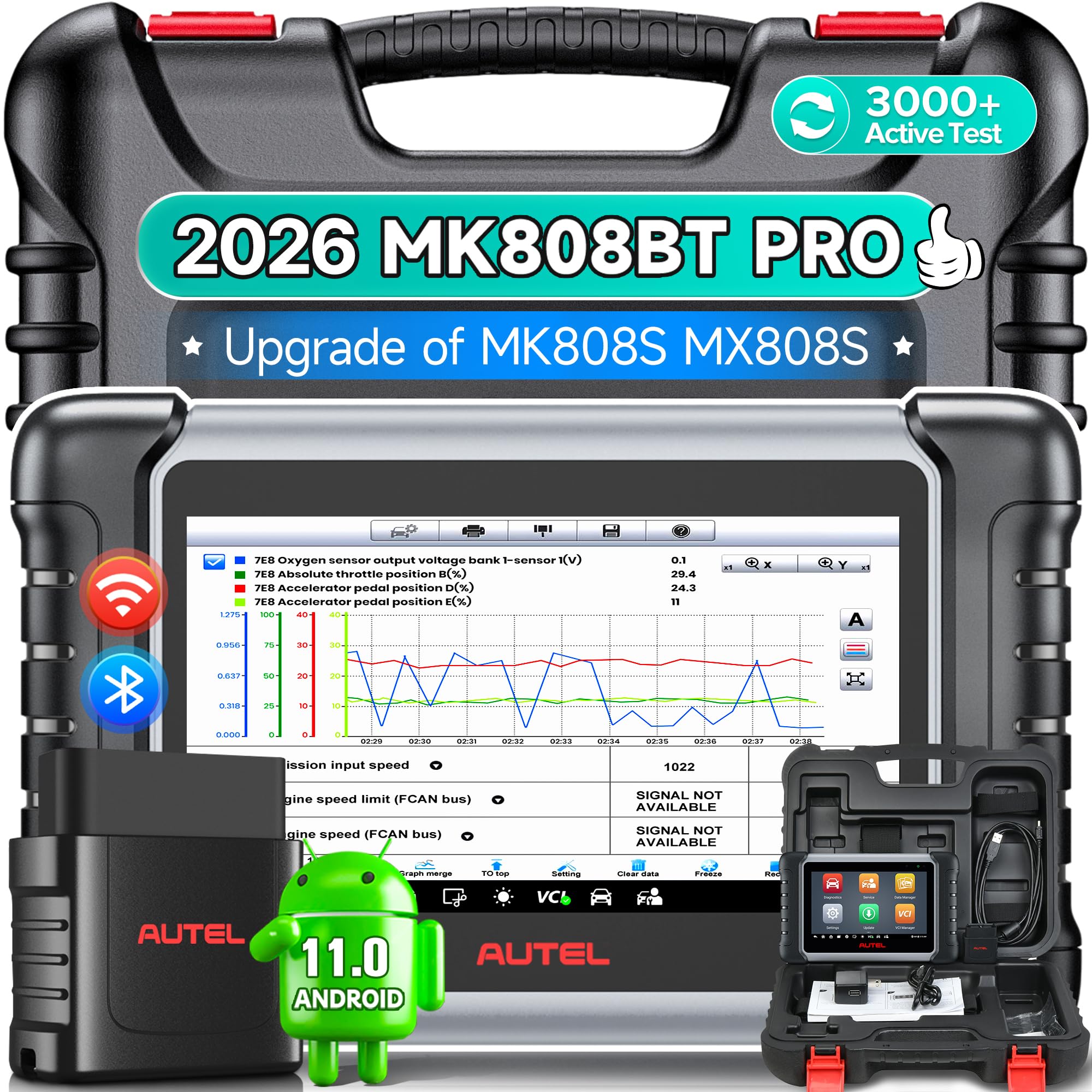
Autel MaxiCOM MK808BT Pro — Fullest Bluetooth Active-Test Kit
If you want active tests without a cable tying you to the dash, this tablet-and-VCI combination is the most complete Bluetooth option here. The wireless VCI plugs into the port while you hold the tablet, so you can watch live data and command a fan, pump or injector test from a comfortable position. All-system coverage, service functions and a large graphing screen suit home workshops and busy DIYers alike. The trade-off is size and cost: this is a kit, not a dongle you forget in the port, and a test is only useful when your exact vehicle supports it.
- Bluetooth VCI frees tablet from port
- Wide active-test menu, supported vehicles
- Large screen for live graphs
- Larger kit than pocket dongle
- Some tests need vehicle-specific access
4.9/5
4.9/5
4.8/5
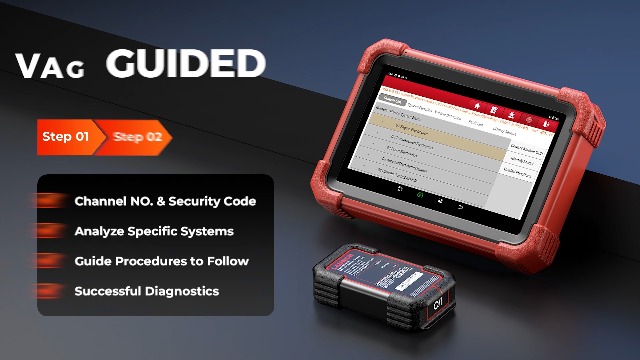
Launch X431 CRP919X BT — Strong All-System Bluetooth Tablet
This Launch tablet pairs a Bluetooth VCI with broad all-system coverage, making it a strong choice when a warning light is only the starting point. You can move from engine codes to ABS, airbag and transmission systems, then use listed active tests and service functions where your vehicle supports them. The tablet screen makes live graphs easier to read than a phone, especially during a longer diagnosis. It is heavier than a dongle and overkill for a single code check, so buy it for repeated, multi-system work rather than occasional use.
- Bluetooth VCI with tablet display
- Broad all-system coverage, listed models
- Service functions for routine maintenance
- Tablet bulk for quick code checks
- Advanced tests vary by vehicle
4.8/5
4.8/5
4.9/5

ThinkCar ThinkDiag 2 Bluetooth OBD2 Scanner — Best Phone-Based Active Tests
ThinkDiag 2 is the best fit if you prefer your phone to a separate tablet. The small Bluetooth dongle stays in the port while the app handles all-system scans, live data and active tests on supported vehicles. That keeps the hardware pocket-sized and the interface familiar, with reports you can save or share. The catch is the app: check which functions your vehicle and plan include before you buy, because not every active test is available on every model. For phone-first diagnosis, though, it is a compelling balance.
- Compact dongle, powerful phone app
- Active tests on supported vehicles
- Clear live data and reports
- Full functions depend on app plan
- Small screen for long graphs
4.8/5
4.9/5
4.7/5

Topdon ArtiDiag Pro — Service-Focused Bluetooth Diagnostic Tool
ArtiDiag Pro suits owners who do regular service work, not just fault-finding. Alongside all-system scanning and listed active tests, it covers common service functions such as oil resets and brake service where the vehicle supports them. The Bluetooth VCI lets you walk around the car while the tablet shows live data, which helps when a test needs you to watch a component move. New users should allow time to learn the menus, and always confirm a function for your make and model before relying on it.
- Bluetooth tablet for service tasks
- Active tests and service functions
- Wireless freedom around the vehicle
- Learning curve for new users
- Coverage varies by make
4.7/5
4.8/5
4.8/5

Autel MaxiAP AP200 Bluetooth OBD2 Scanner — Most Portable Autel Bluetooth Pick
AP200 brings Autel depth to a dongle you can carry in a pocket. Plug it in, open the app, and you get all-system scanning plus active tests on supported vehicles, without carrying a tablet. That makes it ideal for a second car, a glovebox tool, or a first step into deeper diagnostics. The phone screen is the limit during long graphing sessions, and some functions depend on app access for your vehicle. If portability matters more than a large display, this is the easiest Autel Bluetooth route in.
- Tiny dongle, Autel app depth
- All-system scans, supported vehicles
- Active tests on listed models
- Phone screen limits long sessions
- Some features need in-app access
4.7/5
4.9/5
4.6/5

Foxwell NT809BT Bluetooth Diagnostic Scanner — Capable DIY Bluetooth Tablet
NT809BT gives DIYers a tablet experience with a Bluetooth VCI, so you are not tethered to the port during a test. Its menus are straightforward, and all-system scanning plus listed active tests cover most home diagnostic jobs, from ABS checks to service resets. Wireless range also helps when you need to watch a component while commanding it. It is still a tablet kit, so it takes more space than a dongle, and the exact active-test list depends on your vehicle. For regular home use, that balance works well.
- Bluetooth tablet, clear menus
- Active tests on supported vehicles
- All-system scans and service functions
- Tablet heavier than dongle
- Test list varies by vehicle
4.6/5
4.8/5
4.7/5
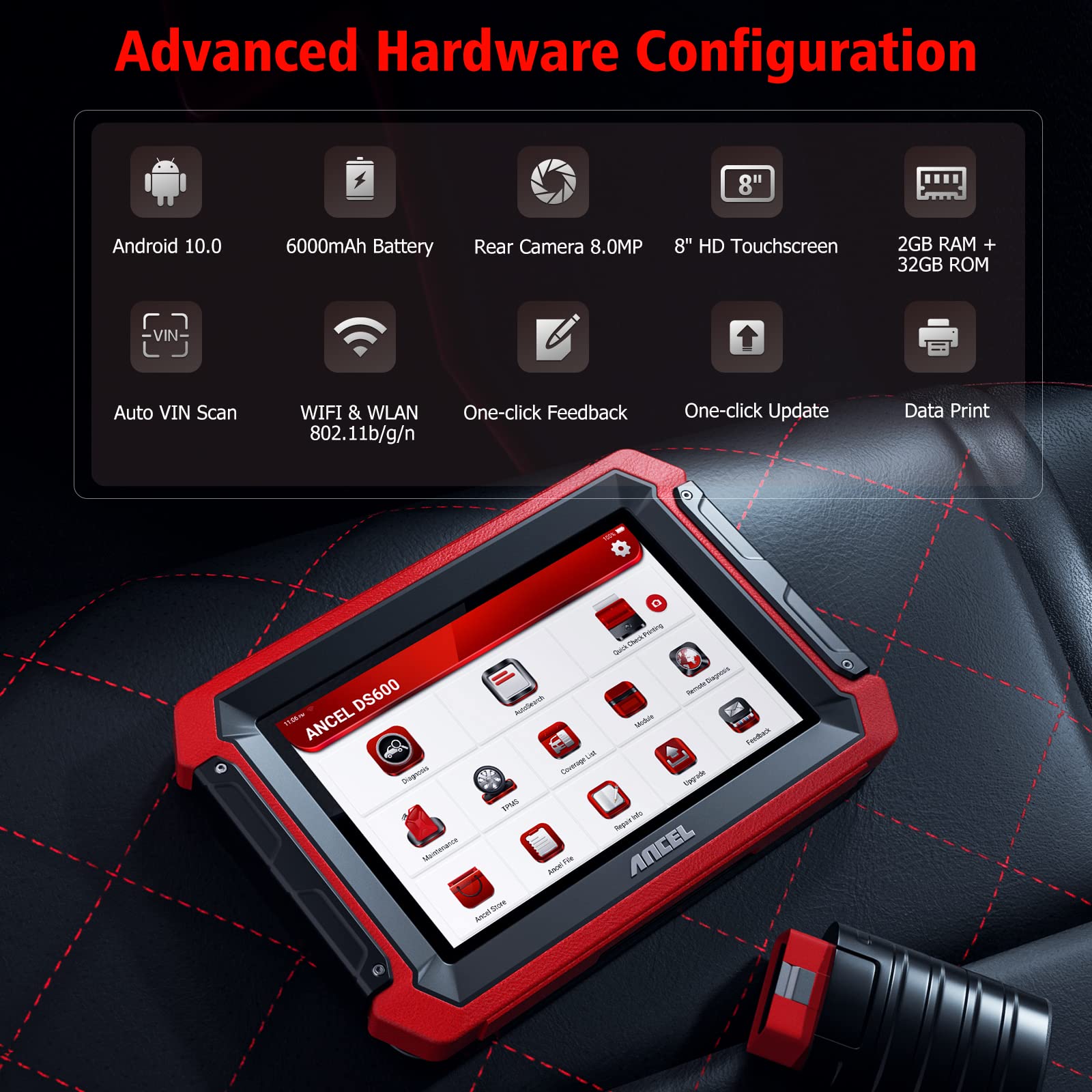
Ancel DS600 Bluetooth All-System Scanner — Simple All-System Bluetooth Tablet
DS600 is a good middle ground if a flagship tablet feels like too much. The Bluetooth tablet layout is easy to follow, all-system scanning covers the main modules on listed vehicles, and active tests are available where your car supports them. It is less intimidating than a professional tool, yet more capable than a basic code reader. Expect fewer advanced functions than the top tablets, and confirm update and function details for your vehicle. For confident DIY diagnosis without a steep learning curve, it earns its place.
- Bluetooth tablet, simple layout
- All-system scans, listed vehicles
- Active tests where supported
- Fewer advanced functions than flagships
- App and update steps need checking
4.6/5
4.8/5
4.6/5

Carly Universal Adapter — Best Brand-Focused Bluetooth Adapter
Carly is different from the tablets here: it is a small Bluetooth adapter built around a brand-focused app, with coding and service functions on supported cars. That makes it attractive if you mainly work on one make and want phone-based checks, battery registration or coding-style tasks where listed. Its active-test range is narrower than a full all-system tablet, and coverage varies sharply by brand, so it should not be bought as a universal active-test tool. Within its supported brands, however, it is unusually convenient for owners who mainly use one supported make.
- Small adapter, brand-focused app
- Coding and service on supported cars
- Easy phone-based checks
- Active tests narrower than tablets
- Brand coverage varies sharply
4.5/5
4.9/5
4.5/5

Topdon TopScan Pro Bluetooth Scanner — Strong Phone-First Bluetooth Scanner
TopScan Pro keeps everything on your phone: a pocket Bluetooth dongle, an app with all-system scanning, live data and active tests on supported vehicles, plus repair guidance to help interpret results. It is easy to carry, quick to set up, and well suited to owners who diagnose on the driveway rather than in a workshop. Long sessions will use phone battery, and the active-test list still depends on your exact vehicle. If you want a phone-first tool with more depth than a basic adapter, this is a sensible pick.
- Pocket dongle, full phone app
- Active tests on supported vehicles
- Repair guidance in app
- Phone battery during long sessions
- Test availability varies by model
4.5/5
4.9/5
4.6/5

Kingbolen Ediag Plus Bluetooth OBD2 Scanner — Budget Bluetooth Active-Test Entry
Ediag Plus is the budget entry point for Bluetooth active tests. The dongle is inexpensive and pocket-sized, the phone app covers listed systems with live data, and active tests are available where your vehicle supports them. That makes it a low-risk way to learn whether bidirectional testing helps your kind of repair work. Coverage is narrower than flagship tablets, and support and function details need careful checking before purchase. As a first active-test dongle, though, it offers useful capability without a tablet-sized commitment. That makes it a practical first step for first-time active-test users.
- Low-cost Bluetooth dongle entry
- Active tests on supported vehicles
- Phone app with live data
- Narrower coverage than flagships
- Support details need careful checking
4.4/5
4.8/5
4.5/5
Top 3 Head-to-Head: Autel MK808BT Pro vs Launch CRP919X BT vs ThinkDiag 2
These three are the most common final choices: a full tablet, another strong tablet, and a phone-based dongle. The difference is mainly form and depth, not whether Bluetooth works.
| Feature | #1 Autel MK808BT Pro | #2 Launch CRP919X BT | #3 ThinkDiag 2 |
|---|---|---|---|
| Bidirectional Control Depth | 4.9/5 — Best | 4.8/5 | 4.8/5 |
| Bluetooth Stability | 4.9/5 | 4.8/5 | 4.9/5 — Best |
| Diagnostic Coverage | 4.8/5 | 4.9/5 — Best | 4.7/5 |
| Choose if… | You want the fullest tablet kit | You want broad all-system depth | You prefer phone-based diagnosis |
Who These Bidirectional Scanners Are NOT For
These tools are more than most occasional drivers need, and they will not turn every car into a fully testable system.
They are also a poor fit if your vehicle, app plan or phone does not support the test you bought them for. A bidirectional label alone does not create coverage, and safety-critical tests need the correct procedure, not just a command.
Common Mistakes to Avoid
Most bidirectional disappointments come from coverage assumptions, not from a faulty adapter.
Frequently Asked Questions About Bidirectional Bluetooth OBD2 Scanners
Can a Bluetooth OBD2 scanner really do bidirectional tests?
Yes, some Bluetooth scanners can, but Bluetooth alone does not provide that capability. The tool and app must list active tests, and your vehicle must support the specific command. A basic adapter that only reads codes will not gain bidirectional functions from a different app, so check the function list for your make, model and target system before buying.
Do I need a subscription for active tests?
It depends on the tool and app. Some functions are included with the hardware, while others need an app plan, update or vehicle-specific access. Check what your essential tests require, how long access lasts, and whether renewal affects tests you already use. Do not assume a one-time dongle price covers every advanced function forever.
Will bidirectional control work on my car?
Not necessarily for every test. Coverage varies by make, model, year, module and software version, and some tests need specific ignition, engine or safety conditions. Use the manufacturer compatibility list for your exact vehicle and the named test, rather than a general claim that the tool works with OBD2 cars.
Is Bluetooth stable enough for active tests?
A stable Bluetooth link is usually sufficient for short active tests, but stability matters more than during a quick code read. Keep the phone close, close competing diagnostic apps, and follow the app prompts if a link drops. If a test repeatedly disconnects, check pairing, permissions, battery and whether another app is holding the adapter.
What is the difference between bidirectional and full-system scanning?
Full-system scanning means reading codes and data from many modules, while bidirectional control means sending a supported command to a module. A tool can scan many systems without commanding any actuator, and it can command one system without covering all others. Check both capabilities separately for the job you actually need.
Can bidirectional tests damage my car?
A supported test used correctly should follow the manufacturer procedure, but commands do operate real components, so preparation matters. Use only listed tests, meet ignition and safety conditions, keep people clear of moving parts, and do not run safety-critical tests without the correct service information. If a test is unsupported, do not force it.
Our Final Verdict
Bidirectional Bluetooth tools reward a specific check: confirm the named active test for your vehicle, then choose the form you will actually use. The Autel tablet below is the clearest all-round pick for workshop-style testing, while phone dongles suit simpler, portable work.

I’m Alex Rahman, a car enthusiast and automotive writer focused on practical solutions, car tools, and real-world driving advice. I share simple and honest content to help everyday drivers make better decisions.
