10 Best Android OBD2 Scanners for 2026: Clear Codes Without Guesswork
The best android obd2 scanner right now is BlueDriver Bluetooth Pro OBDII Scan Tool — its own app gives plain-English repair reports for supported vehicles. We compared 10 scanners on Android app compatibility, diagnostic depth, and ease of use. Most adapters look identical but fail on pairing, app support, or vehicle coverage. Whether you need simple code reading, live data, or deeper system checks, this guide gives you one clear answer.
Quick Comparison: All 10 Products Ranked
| # | Product | Best For | Rating | Badge | |
|---|---|---|---|---|---|
| 1 | BlueDriver Bluetooth Pro OBDII Scan Tool | Clear repair explanations | 4.9/5 | Best Overall | Buy → |
| 2 | OBDLink MX+ Bluetooth OBD2 Scanner | Fast live data | 4.8/5 | Best for Live Data | Buy → |
| 3 | Veepeak OBDCheck BLE+ Bluetooth OBD2 Scanner | Everyday Android checks | 4.7/5 | Best Value | Buy → |
| 4 | Vgate vLinker MC+ Bluetooth OBD2 Adapter | Torque Pro users | 4.7/5 | Best for Torque Pro | Buy → |
| 5 | OBDLink LX Bluetooth OBD2 Scanner | Android-only drivers | 4.6/5 | Best Android-Only Upgrade | Buy → |
| 6 | FIXD Bluetooth OBD2 Scanner | Beginners | 4.5/5 | Best for Beginners | Buy → |
| 7 | Autel MaxiAP AP200 Bluetooth OBD2 Scanner | Guided app diagnostics | 4.5/5 | Best for App-Guided Repairs | Buy → |
| 8 | Veepeak Mini Bluetooth OBD2 Scanner | Basic budget checks | 4.4/5 | Best Budget | Buy → |
| 9 | Vgate iCar Pro Bluetooth 3.0 OBD2 Adapter | Classic Bluetooth for Torque Pro | 4.4/5 | Best Classic Bluetooth Pick | Buy → |
| 10 | BAFX Products Bluetooth OBD2 Scanner | Simple Android adapters | 4.3/5 | Best Simple Android Adapter | Buy → |
How We Chose These Scanners
What we compared
10 Bluetooth and app-based scanners, checked against published specifications, app listings, and vehicle and protocol compatibility notes.
Our 3 scoring criteria
Android App Compatibility, Diagnostic Depth, and Ease of Use, applied identically to every product.
What we did not claim
No hands-on testing, test duration, sample size, laboratory work, or expert consultation is claimed. Scores are editorial judgments from published specifications.
What we cut — and why
Handheld-only scanners without Android app support, Wi-Fi-only adapters that complicate Android use, and generic clones with unclear chip or Bluetooth versions.
What to Look for When Buying an Android OBD2 Scanner
The adapter is only half the purchase. The app, the Bluetooth type, and your vehicle decide whether a code becomes a clear next step or another confusing screen.
1. Connection Type: Classic Bluetooth, BLE, or Wi-Fi
Android phones support classic Bluetooth and Bluetooth Low Energy, but individual apps do not support both equally. Torque Pro on Android works best with classic Bluetooth, while many modern apps accept BLE. Before buying, match the adapter to the app you plan to use every day, not just to your phone. This Bluetooth vs Wi-Fi OBD2 comparison explains the practical trade-offs in plain terms.
2. App Compatibility and Subscriptions
Some adapters work only in their own app, while open adapters work with Torque Pro, Car Scanner, and other third-party apps. Closed apps can be simpler, but they limit your choice later. Open adapters give flexibility, but you may need to learn the app yourself. Check whether core reports need a subscription, and whether advanced features are included or sold separately.
3. Diagnostic Depth
Every adapter here covers standard engine codes, live data, freeze frame, and readiness monitors. The real difference is wider coverage. ABS, airbag, transmission, and manufacturer-specific systems depend on the adapter, the app, and the vehicle. If you only need a check-engine explanation, a basic adapter is enough. If you want deeper checks, confirm system coverage for your exact make and model first.
4. Vehicle Compatibility and Protocol Support
Most 1996 and newer petrol vehicles sold in the United States use OBD2, but protocol support still varies. CAN is common, while older vehicles may use other protocols. Adapter listings often say all protocols, but app and vehicle support still matter. Always check your vehicle OBD2 compatibility first before ordering, especially for older, diesel, or imported vehicles.
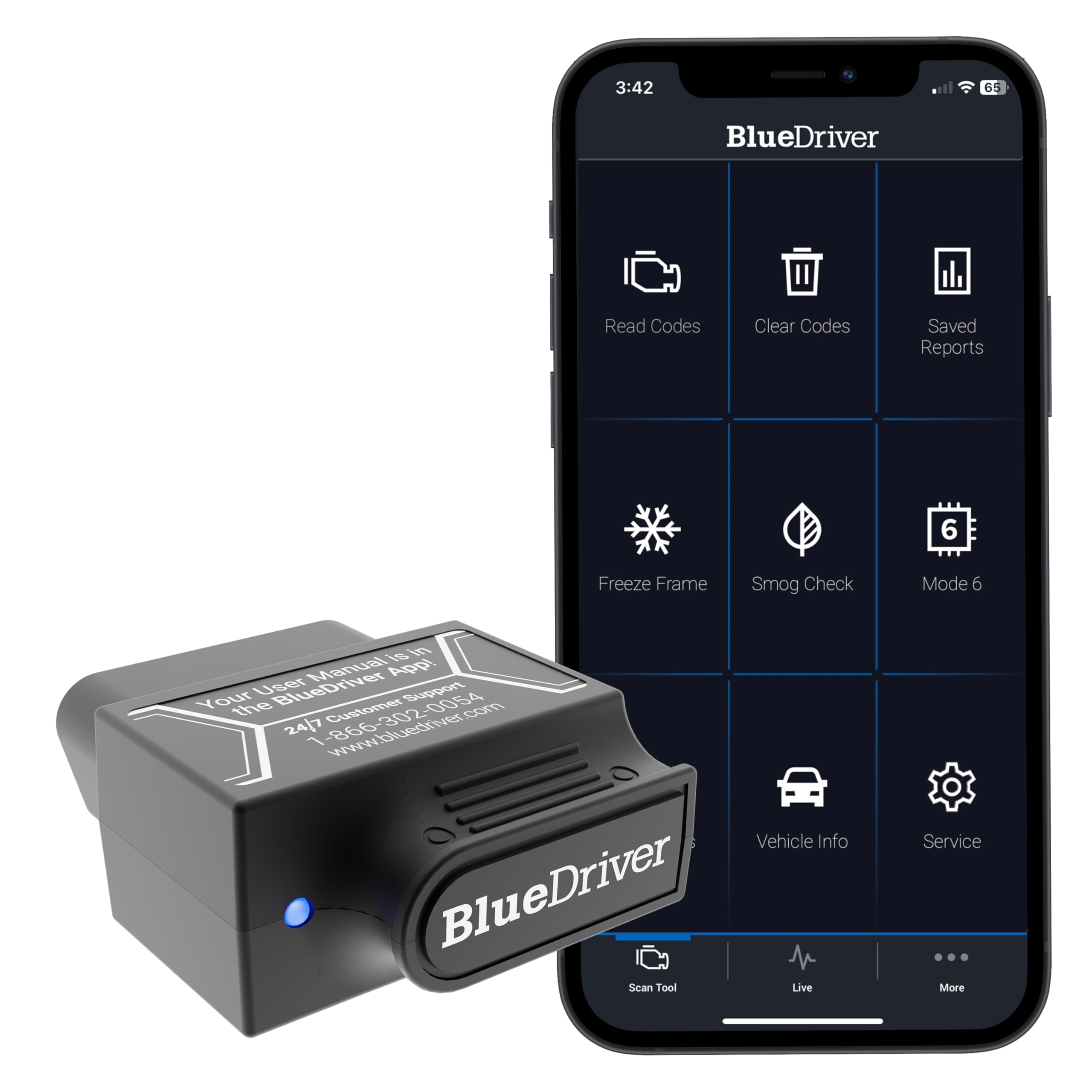
BlueDriver Bluetooth Pro OBDII Scan Tool — Clearest Everyday Answer
Best for: Clear repair explanations
BlueDriver is best for Android drivers who want a clear answer, not just a code number. Its adapter plugs into the OBD2 port, pairs with Android, and explains the fault in plain language inside its own app. You can read and clear engine codes, view live data, check freeze frame, and review readiness monitors. On many supported vehicles, it also reaches ABS and airbag systems, which many basic adapters cannot. Repair reports help you judge urgency before visiting a workshop. The trade-off is clear: it works only in the BlueDriver app, so you cannot switch to Torque Pro with this adapter.
- Plain-English repair reports in app
- ABS and airbag coverage, supported vehicles
- No subscription for core reports
- Compact adapter for easy port use
- Works only with BlueDriver app
- Advanced features vary by vehicle
- Some vehicles lack ABS coverage
| Connection | Bluetooth, Android and iOS |
| App support | BlueDriver app only |
| Core functions | Codes, live data, freeze frame, readiness |
| Wider systems | ABS and airbag, supported vehicles |
| Vehicle fit | Most 1996 and newer OBD2 vehicles |
| Standout feature | Plain-English repair reports |
4.8/5
4.9/5
4.9/5

OBDLink MX+ Bluetooth OBD2 Scanner — Fastest App Freedom
Best for: Fast live data
OBDLink MX+ is best for Android drivers who want fast live data and freedom to choose apps. It pairs over Bluetooth, works with Torque Pro, Car Scanner, FORScan Lite, and other supported apps, and handles the standard OBD2 protocols used by most 1996 and newer vehicles. You can read and clear codes, watch live data, view freeze frame, and check readiness monitors. It also supports manufacturer-specific networks on some Ford and GM vehicles, depending on app and vehicle. The trade-off is complexity: the app choice and settings can feel overwhelming for a first-time user.
- Works with many third-party apps
- Fast live data for logging
- No subscription for core use
- Sleep mode reduces battery drain
- App choice can overwhelm beginners
- Premium-tier adapter, not budget
- Wider coverage varies by vehicle
| Connection | Bluetooth, Android, iOS, Windows |
| App support | Torque Pro, Car Scanner, FORScan Lite |
| Core functions | Codes, live data, freeze frame, readiness |
| Wider systems | Some Ford and GM networks |
| Vehicle fit | Most 1996 and newer OBD2 vehicles |
| Standout feature | Broad third-party app support |
4.9/5
4.8/5
4.6/5

Veepeak OBDCheck BLE+ Bluetooth OBD2 Scanner — Compact Daily Pick
Best for: Everyday Android checks
Veepeak OBDCheck BLE+ is best for Android drivers who want a compact, low-energy adapter for everyday checks. It uses Bluetooth Low Energy, pairs with Android apps such as Car Scanner and Torque Pro where supported, and keeps your phone’s internet connection available during scanning. You can read and clear engine codes, view live data, check freeze frame, and review readiness monitors. Its small size makes it easy to leave in the port without blocking nearby controls. The trade-off is diagnostic depth: it focuses on standard OBD2 functions, not advanced manufacturer systems.
- Compact, low-energy Bluetooth adapter
- Internet stays available while scanning
- Works with many Android apps
- Easy to leave in port
- Standard OBD2 depth only
- BLE support varies by app
- No guided repair reports included
| Connection | Bluetooth Low Energy |
| App support | Car Scanner, Torque Pro where supported |
| Core functions | Codes, live data, freeze frame, readiness |
| Chip version | ELM327 v2.2, per manufacturer listing |
| Vehicle fit | Most 1996 and newer OBD2 vehicles |
| Standout feature | Compact BLE design |
4.8/5
4.5/5
4.7/5
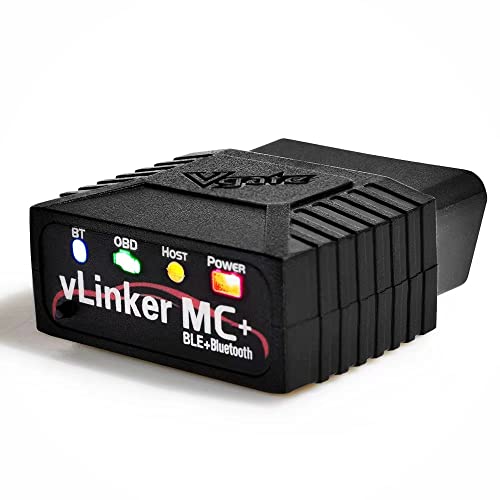
Vgate vLinker MC+ Bluetooth OBD2 Adapter — Stable Torque Pick
Best for: Torque Pro users
Vgate vLinker MC+ is best for Android drivers who use Torque Pro and want a stable, app-friendly adapter. It supports standard OBD2 protocols, pairs over Bluetooth, and works with popular Android apps including Torque Pro, Car Scanner, and FORScan Lite where supported. You can read and clear codes, view live data, check freeze frame, and review readiness monitors. Its firmware and sleep mode help reduce unwanted battery drain when the vehicle is off. The trade-off is scope: it remains a standard OBD2 adapter, not a full dealer-level scan tool.
- Strong Torque Pro compatibility
- Sleep mode reduces battery drain
- Works with several Android apps
- Stable standard OBD2 connection
- Standard OBD2 depth only
- No guided repair reports included
- App setup needs some learning
| Connection | Bluetooth, Android and iOS |
| App support | Torque Pro, Car Scanner, FORScan Lite |
| Core functions | Codes, live data, freeze frame, readiness |
| Power feature | Sleep mode for parked vehicles |
| Vehicle fit | Most 1996 and newer OBD2 vehicles |
| Standout feature | App-friendly Torque Pro pairing |
4.9/5
4.5/5
4.6/5

OBDLink LX Bluetooth OBD2 Scanner — Android-Focused Speed
Best for: Android-only drivers
OBDLink LX is best for Android-only drivers who want OBDLink speed without paying for iPhone support. It pairs over Bluetooth, works with Torque Pro, Car Scanner, and other supported Android apps, and handles standard OBD2 protocols on most 1996 and newer vehicles. You can read and clear codes, view live data, check freeze frame, and review readiness monitors. Its compact design and sleep mode suit drivers who leave the adapter in the port. The trade-off is platform: unlike MX+, it is not the pick for iPhone users.
- Strong Android app support
- Sleep mode reduces battery drain
- Compact, port-friendly design
- Fast live data for logging
- Android only, not iPhone pick
- Standard OBD2 depth only
- App choice needs some learning
| Connection | Bluetooth, Android only focus |
| App support | Torque Pro, Car Scanner, supported apps |
| Core functions | Codes, live data, freeze frame, readiness |
| Power feature | Sleep mode for parked vehicles |
| Vehicle fit | Most 1996 and newer OBD2 vehicles |
| Standout feature | Android-focused OBDLink performance |
4.7/5
4.6/5
4.5/5

FIXD Bluetooth OBD2 Scanner — Simplest First Scan
Best for: Beginners
FIXD is best for beginners who want a simple Android setup and a plain explanation of a check-engine light. Its sensor plugs into the OBD2 port, pairs with Android, and translates codes into simple maintenance guidance inside the FIXD app. You can read and clear engine codes, view basic live data, and track maintenance reminders for supported vehicles. The app-first design suits drivers who do not want to learn PID lists or custom dashboards. The trade-off is depth: it focuses on engine codes, not ABS, airbag, or advanced manufacturer systems.
- Simple app-first setup
- Plain maintenance guidance included
- Maintenance reminders for supported vehicles
- Good first scanner for beginners
- Engine codes only, mostly
- Works only with FIXD app
- Premium features need subscription
| Connection | Bluetooth, Android and iOS |
| App support | FIXD app only |
| Core functions | Engine codes, basic live data |
| Extra feature | Maintenance reminders, supported vehicles |
| Vehicle fit | Most 1996 and newer OBD2 vehicles |
| Standout feature | Plain maintenance guidance |
4.6/5
4.2/5
4.8/5

Autel MaxiAP AP200 Bluetooth OBD2 Scanner — Guided Diagnostics
Best for: Guided app diagnostics
Autel MaxiAP AP200 is best for Android drivers who want guided, app-based diagnostics with broader vehicle coverage. Its Bluetooth adapter pairs with Android, connects to the Autel app, and offers code reading, live data, freeze frame, and readiness checks. On supported vehicles, it can reach more than basic engine codes, depending on the service package and vehicle system. The guided app flow helps beginners follow a fault from code to likely cause. The trade-off is app dependence: full features may require in-app services, and coverage varies by vehicle.
- Guided app flow for beginners
- Broader coverage, supported vehicles
- Live data and readiness checks
- Compact Bluetooth adapter design
- Full features may need in-app services
- Coverage varies by vehicle
- Works only with Autel app
| Connection | Bluetooth, Android and iOS |
| App support | Autel MaxiAP app |
| Core functions | Codes, live data, freeze frame, readiness |
| Wider systems | Broader coverage, supported vehicles |
| Vehicle fit | Most 1996 and newer OBD2 vehicles |
| Standout feature | Guided diagnostic app flow |
4.7/5
4.5/5
4.3/5

Veepeak Mini Bluetooth OBD2 Scanner — Cheapest Working Pick
Best for: Basic budget checks
Veepeak Mini Bluetooth is best for Android drivers who want the cheapest working adapter for basic checks. It uses classic Bluetooth, pairs with Android apps such as Torque Pro and Car Scanner where supported, and covers standard OBD2 code reading and clearing. You can view live data, check freeze frame, and review readiness monitors on supported vehicles. Its tiny size is easy to store and carry between vehicles. The trade-off is refinement: pairing and app support need more care, and it is not built for advanced manufacturer diagnostics.
- Lowest-cost working Android adapter
- Classic Bluetooth for Torque Pro
- Tiny, easy to carry
- Covers basic code checks
- Pairing needs more care
- Standard OBD2 depth only
- No guided repair reports included
| Connection | Classic Bluetooth, Android only |
| App support | Torque Pro, Car Scanner where supported |
| Core functions | Codes, live data, freeze frame, readiness |
| Size | Mini adapter, easy to store |
| Vehicle fit | Most 1996 and newer OBD2 vehicles |
| Standout feature | Budget classic Bluetooth design |
4.5/5
4.2/5
4.4/5
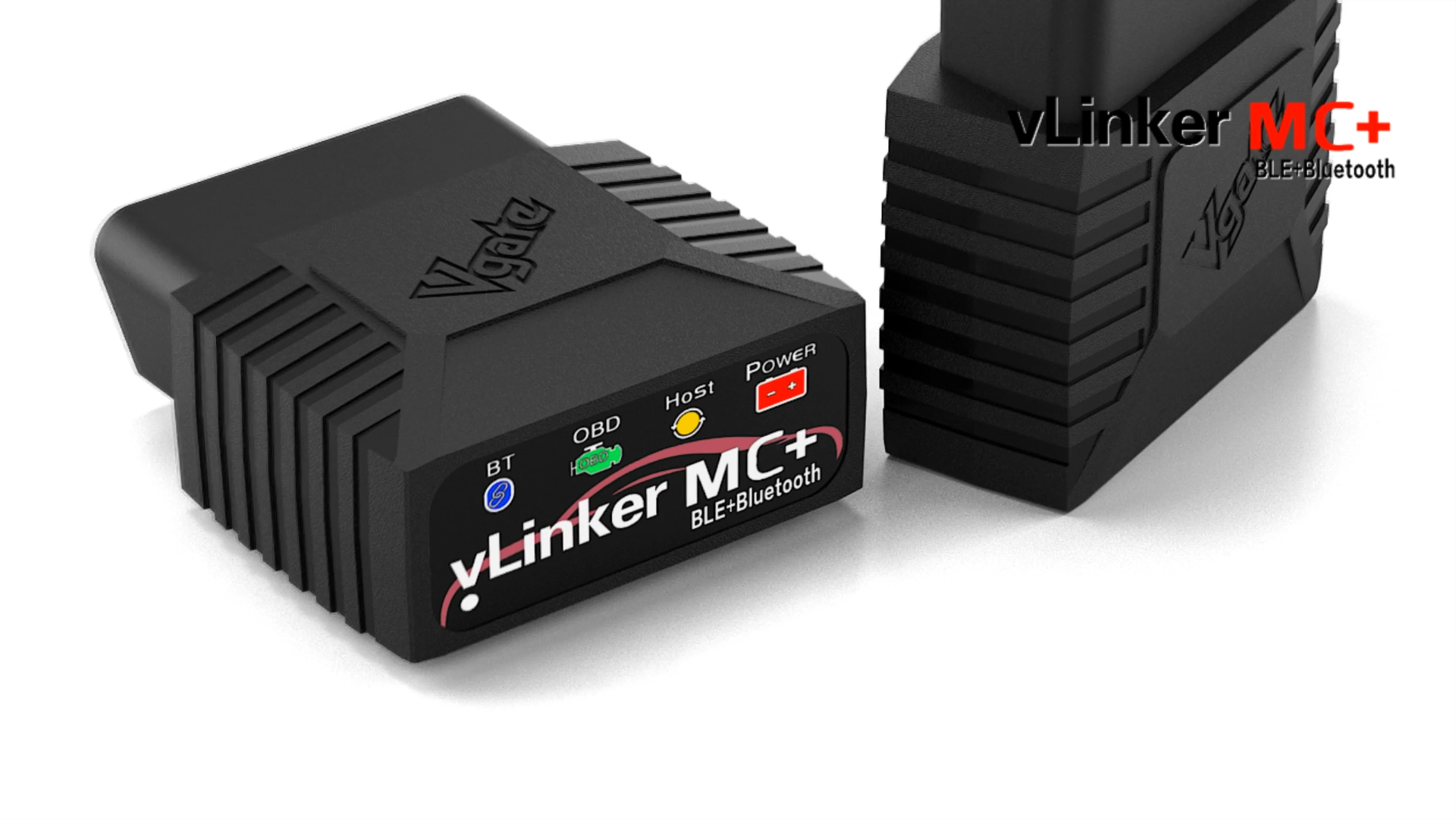
Vgate iCar Pro Bluetooth 3.0 OBD2 Adapter — Torque-Ready Classic
Best for: Classic Bluetooth for Torque Pro
Vgate iCar Pro Bluetooth 3.0 is best for Android drivers who specifically need classic Bluetooth for Torque Pro. This version matters because Torque Pro on Android works best with classic Bluetooth, not Bluetooth Low Energy, and this adapter is built for that pairing. It supports standard OBD2 protocols, reads and clears codes, views live data, and checks freeze frame and readiness monitors. Its compact size suits everyday use and storage. The trade-off is confusion risk: a similar-looking BLE version exists, so buyers must confirm Bluetooth 3.0 before ordering.
- Classic Bluetooth for Torque Pro
- Compact, everyday adapter size
- Standard OBD2 functions covered
- Good value for Torque users
- BLE version looks almost identical
- Standard OBD2 depth only
- Check Bluetooth version before ordering
| Connection | Bluetooth 3.0 classic, Android focus |
| App support | Torque Pro, Car Scanner where supported |
| Core functions | Codes, live data, freeze frame, readiness |
| Important check | Confirm Bluetooth 3.0, not BLE |
| Vehicle fit | Most 1996 and newer OBD2 vehicles |
| Standout feature | Classic Bluetooth Torque pairing |
4.6/5
4.2/5
4.3/5

BAFX Products Bluetooth OBD2 Scanner — No-Frills Android Pick
Best for: Simple Android adapters
BAFX Products Bluetooth is best for Android drivers who want a simple, no-frills adapter for Torque Pro and Car Scanner. It uses classic Bluetooth, pairs with supported Android apps, and covers standard OBD2 reading, clearing, live data, freeze frame, and readiness checks. Its straightforward design suits drivers who already know which app they want and do not need guided repair reports. The small adapter is easy to keep in a glovebox or tool bag. The trade-off is depth: it stays focused on standard OBD2 functions, not advanced manufacturer systems.
- Simple classic Bluetooth setup
- Works with Torque Pro apps
- Small, easy to store
- Covers standard OBD2 checks
- Standard OBD2 depth only
- No guided repair reports included
- App learning curve for beginners
| Connection | Classic Bluetooth, Android focus |
| App support | Torque Pro, Car Scanner where supported |
| Core functions | Codes, live data, freeze frame, readiness |
| Design | Small adapter for glovebox storage |
| Vehicle fit | Most 1996 and newer OBD2 vehicles |
| Standout feature | Simple, no-frills Android use |
4.4/5
4.1/5
4.3/5
Top 3 Head-to-Head: BlueDriver vs OBDLink MX+ vs Veepeak BLE+
These three are the common final choices because they cover clear explanations, broad app freedom, and compact everyday use without overlapping too much.
| Feature | #1 BlueDriver | #2 OBDLink MX+ | #3 Veepeak BLE+ |
|---|---|---|---|
| Android App Compatibility | 4.8/5 | 4.9/5 — Best | 4.8/5 |
| Diagnostic Depth | 4.9/5 — Best | 4.8/5 | 4.5/5 |
| Ease of Use | 4.9/5 — Best | 4.6/5 | 4.7/5 |
| Choose if… | You want clear repair explanations | You want app freedom and live data | You want a compact everyday adapter |
Who These Scanners Are NOT For
These adapters are for reading and explaining OBD2 data, not for replacing a workshop diagnosis on a complex fault.
If you are still comparing brands, read which OBD scanner brand is best before narrowing to one adapter. Drivers with pre-1996 vehicles, heavy-duty trucks, or brand-specific systems should also confirm coverage first.
Common Mistakes to Avoid
Most Android scanner problems come from a mismatch before purchase, not from a faulty adapter.
Frequently Asked Questions About Android OBD2 Scanners
Will an OBD2 scanner work with my Android phone?
Yes, if you choose an adapter that supports your Android app and Bluetooth type. Most adapters pair with Android phones, but Torque Pro needs classic Bluetooth, while other apps accept Bluetooth Low Energy. Check the adapter listing and app compatibility before ordering, and confirm your vehicle has a standard OBD2 port.
Do I need Bluetooth or Wi-Fi for Android?
Bluetooth is usually simpler for Android, because most Android diagnostic apps are built around Bluetooth pairing. Wi-Fi adapters can work, but they may interrupt mobile data and add setup steps. Choose Bluetooth unless your chosen app specifically recommends Wi-Fi, and match classic Bluetooth or BLE to that app.
Can an Android OBD2 scanner read ABS and airbag codes?
Some can, but only on supported vehicles and with the right app or service. Basic adapters cover engine codes only, while BlueDriver and some guided adapters reach ABS and airbag systems on many supported models. Never assume wider coverage from an engine-code listing, and confirm system support for your exact make, model, and year.
Why won’t my Bluetooth OBD2 scanner pair with Android?
Pairing usually fails because of a Bluetooth type mismatch, a previous pairing, or a port without power. Turn the ignition on, forget old pairings, pair inside the app when it asks, and confirm the adapter type matches the app. For step-by-step help, see Bluetooth OBD2 scanner pairing fixes.
Do OBD2 scanners work on all cars?
No, not on all cars. Most 1996 and newer petrol vehicles in the United States use OBD2, but older vehicles, some diesels, and imported models may use different systems or limited protocols. Standard adapters cover common OBD2 functions, while wider system access still depends on the vehicle, adapter, and app combination.
Which app should I use with an Android OBD2 scanner?
Torque Pro suits Android drivers who want custom dashboards and live-data logging, while Car Scanner suits drivers who want a polished free tier and simpler setup. Closed adapters such as BlueDriver and FIXD work only in their own apps, so choose the app experience first. Your adapter must support the app you actually plan to use.
Can I leave an OBD2 scanner plugged in all the time?
You can leave many adapters plugged in, especially models with sleep mode, but it is not risk-free for every adapter. Generic adapters may stay awake and drain a weak battery during long parking. Use sleep mode where available, check battery health on older vehicles, and unplug the adapter if the car will sit unused for weeks.
Our Final Verdict
Android scanners differ less on hardware than on app support, diagnostic depth, and pairing reliability. Choose the adapter that matches your app and vehicle, not the longest feature list. For most Android drivers, BlueDriver is the simplest balance of clear explanations and wider system coverage.

I’m Alex Rahman, a car enthusiast and automotive writer focused on practical solutions, car tools, and real-world driving advice. I share simple and honest content to help everyday drivers make better decisions.
