Which Brand of OBD Scanner Is Best? A Practical Guide for 2026
Quick Answer
BlueDriver is a strong choice for everyday drivers who want smartphone-based diagnostics and helpful repair information. Autel and Launch are worth considering for advanced diagnostics, bidirectional controls, and professional workshop use, while Innova offers practical handheld options for DIY maintenance. The best brand depends on your vehicle, the systems you need to scan, and your budget.
How to choose the right OBD scanner brand
- Everyday drivers: Consider BlueDriver for app-based code reading and diagnostic guidance.
- Budget buyers: Look at ANCEL for straightforward engine-code reading.
- DIY mechanics: Compare Innova and Autel models with the specific service functions you need.
- Professional workshops: Evaluate Autel and Launch for broader system coverage and active testing.
- European vehicles: Check whether the tool supports your particular make, model, and manufacturer-specific functions.
- Long-term value: Compare software subscriptions, update fees, warranty coverage, and regional restrictions.
Before you buy
- Verify compatibility with your exact vehicle and confirm support for ABS, SRS, transmission, or service resets if needed.
- Remember that reading a fault code identifies a diagnostic clue, not necessarily the failed part.
Choosing an OBD scanner gets easier when you focus on what you want to diagnose instead of chasing the most expensive brand. I’ll break down the main manufacturers, explain where their tools differ, and show you which features deserve your money.
This guide focuses on practical differences between scanner brands in 2026, including ease of use, diagnostic coverage, ongoing costs, and compatibility limitations.
What is an OBD scanner, and what makes a brand good?
An OBD scanner is a diagnostic tool that connects to a vehicle’s onboard computer to retrieve fault codes and, depending on the model, display sensor data or run supported diagnostic tests. OBD-II scanners commonly help drivers investigate check-engine lights and other vehicle problems.
A good scanner brand offers more than a long feature list. It should provide dependable vehicle communication, useful software, clear code descriptions, and support for the systems you actually need to diagnose.
- Compatibility: The scanner must support your vehicle’s year, make, model, and required diagnostic protocols.
- Diagnostic depth: Basic models read engine codes, while advanced tools may access ABS, SRS, transmission, and other modules.
- Ease of use: Clear menus and understandable descriptions make troubleshooting less frustrating.
- Software support: Regular updates can improve compatibility and maintain diagnostic functions.
- Total ownership cost: Consider the purchase price alongside subscriptions, updates, adapters, and replacement accessories.
The important distinction is between a basic code reader and a full diagnostic scanner. Both may connect to the same port, but they can offer very different levels of access.
Which OBD scanner brands are worth considering in 2026?
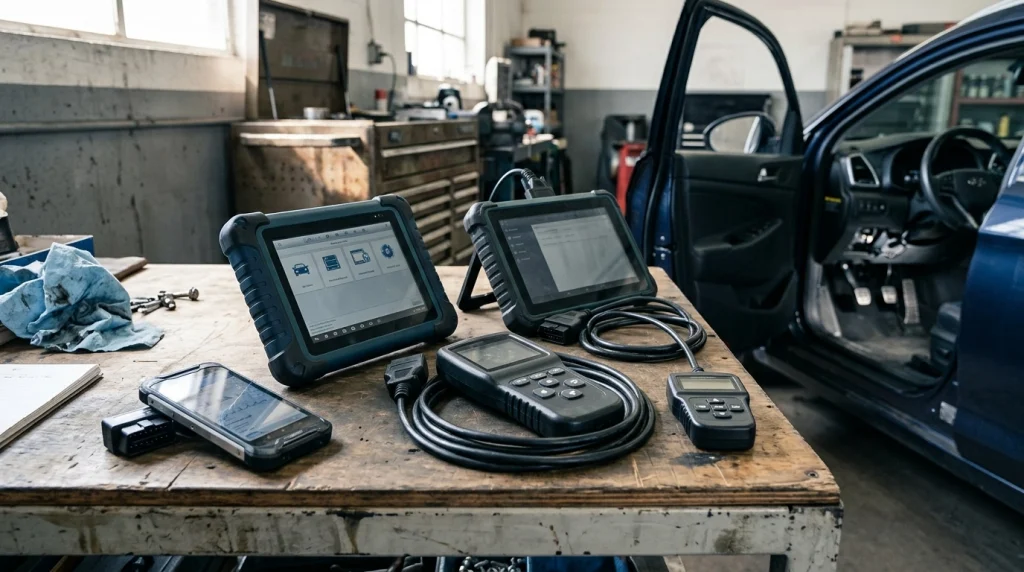
BlueDriver, Autel, Launch, Innova, and ANCEL are useful starting points for different needs. Their products overlap, but they generally target different budgets, workflows, and levels of diagnostic complexity.
| Brand | Best suited to | Main strength | Main consideration |
|---|---|---|---|
| BlueDriver | DIY drivers | Phone app and repair guidance | Requires a compatible phone; advanced coverage varies |
| Autel | Advanced DIY and workshops | Broad diagnostic and service functions on suitable models | Higher-end models can cost considerably more |
| Launch | Enthusiasts and technicians | Advanced scan tools and active tests on supported vehicles | Features and update terms differ by model |
| Innova | Home mechanics | Handheld readers and more advanced DIY tools | Regional and vehicle-specific limitations matter |
| ANCEL | Budget-conscious owners | Straightforward code readers and accessible entry-level tools | Basic models may lack advanced module access |
These are broad brand-level distinctions, not guarantees that every model performs alike. A capable midrange scanner can be more useful than an expensive flagship if it better matches your vehicle and repair needs.
Is BlueDriver the best OBD scanner brand for most drivers?
BlueDriver is a strong option for drivers who prefer connecting a compact Bluetooth adapter to a phone rather than navigating a separate handheld screen. Its app-based approach and repair information make it appealing for everyday troubleshooting.
For example, if your check-engine light appears before a long drive, you can retrieve a diagnostic trouble code, review its description, and use available repair guidance to decide what to investigate next. That can help you have a more informed conversation with a mechanic.
What are BlueDriver’s main advantages?
- Phone-based interface: View diagnostic information through a compatible smartphone.
- Repair guidance: Access diagnostic explanations and repair reports for supported vehicles and codes.
- Enhanced diagnostics: Certain models can read additional systems beyond standard engine diagnostics on supported vehicles.
- Simple setup: There is no need to carry a dedicated tablet-style scanner.
There are trade-offs. You need a compatible phone, and enhanced ABS, airbag, transmission, or other manufacturer-specific functions aren’t universal across all vehicles.
Before purchasing, check the official BlueDriver website for supported vehicles and features. Also verify the current app requirements and whether any account setup applies to the version you’re considering.
Is Autel better than Launch for advanced diagnostics?
Autel and Launch both offer advanced scanners aimed at serious DIY mechanics and professional technicians. Neither brand is automatically better for every vehicle, because diagnostic coverage, service functions, hardware, and software support vary by model.
Autel’s MaxiCOM range includes tablet-style tools with functions such as full-system scanning, bidirectional testing, and maintenance resets on supported vehicles. Launch’s X-431 range also includes advanced diagnostic platforms designed for demanding repair work.
When should you choose Autel?
Consider Autel if you want a workshop-style tool that can do more than retrieve engine codes. Depending on the model and vehicle, it may support multiple control modules, active tests, and service procedures.
Bidirectional control means a scanner can send supported commands to a vehicle system, such as activating an actuator for testing. This can help narrow down a fault, but it doesn’t mean the scanner can command every component in every car.
When does Launch make more sense?
Launch is worth considering if you regularly work on multiple vehicles and need a more extensive diagnostic workflow. Some models provide broad system coverage, active tests, and maintenance functions that basic readers don’t offer.
Compare the exact model numbers rather than relying on the brand name alone. Check whether the tool includes the functions you need, how long updates are included, and what ongoing access costs after the included period.
My practical rule: Don’t pay for bidirectional controls, coding, or dozens of service functions unless you’ll use them. The right tool is the one that supports your intended work without leaving important gaps.
Is Innova a good OBD scanner brand for home mechanics?
Innova offers options ranging from basic handheld code readers to more advanced diagnostic tools. That range makes it worth comparing if you want physical buttons and a built-in screen or prefer a scanner that doesn’t depend entirely on a phone.
For routine ownership, a straightforward handheld reader can be enough to retrieve engine fault codes and check emissions-related readiness information. More capable models may add live data, additional modules, or selected service functions.
- Basic troubleshooting: Choose a simple reader if you mainly want engine codes and their descriptions.
- Deeper diagnosis: Compare higher-tier models for live data, graphing, and access to other control modules.
- Vehicle-specific jobs: Confirm support for the exact ABS, SRS, battery, or maintenance functions you need.
One important limitation is regional compatibility. Innova documents restrictions for some products and its companion app, including limitations related to vehicles and users outside the United States and Canada.
If you live elsewhere, confirm the exact product’s regional support before ordering. A scanner that physically plugs into your vehicle isn’t necessarily guaranteed to support every diagnostic function or its companion app in your market.
Is ANCEL a good choice if you want an affordable scanner?
ANCEL is worth considering when your main goal is reading standard engine codes without paying for a workshop-level diagnostic tablet. Entry-level models can suit owners who want a simple tool for occasional check-engine-light investigations.
Before choosing a budget scanner, look for the functions you’ll genuinely use. Useful basics include reading and clearing supported engine codes, viewing their descriptions, checking freeze-frame data, and displaying emissions-readiness monitors.
Don’t assume every inexpensive model includes these functions just because it advertises OBD-II compatibility. Read the specifications for the exact model and verify that it supports your vehicle’s protocol and model year.
A basic ANCEL reader may be sufficient for an older daily driver with a check-engine light. However, if you need airbag diagnostics, ABS troubleshooting, electronic parking-brake service, or active tests, compare higher-capability models from several manufacturers.
Which OBD scanner brand offers the best value for money?
The best value depends on how often you’ll use the scanner and how much diagnostic depth you need. Spending more makes sense when the extra functions solve real problems, not simply because the tool has a larger screen or a longer feature list.
| Your situation | Brands to compare | Priority feature |
|---|---|---|
| Occasional check-engine-light checks | ANCEL, Innova | Reliable basic engine-code reading |
| Phone-based DIY troubleshooting | BlueDriver | Clear app and useful repair information |
| Home repairs across several systems | Innova, Autel, Launch | Verified ABS/SRS and service-function coverage |
| Regular workshop diagnostics | Autel, Launch | Full-system access and supported active tests |
Prices change with model, region, retailer, and promotions, so a fixed brand-wide price comparison can be misleading. Compare equivalent tools at the time of purchase rather than comparing a basic code reader with a professional diagnostic tablet.
Include recurring costs in your calculation. A more expensive scanner with the functions you need and manageable update costs can provide better long-term value than a cheaper tool that requires replacing it when your diagnostic needs grow.
What features should you check before buying an OBD scanner?
Start with compatibility, then compare the features that match your repair plans. A long list of advertised functions doesn’t help if the scanner cannot access the relevant system in your particular vehicle.
1. Vehicle compatibility
Check the year, make, model, engine, and market specification of your vehicle. Standard OBD-II engine diagnostics don’t guarantee support for manufacturer-specific systems, coding, or advanced service procedures.
Vehicles sold in different regions can also have different diagnostic requirements. This matters particularly when buying a scanner from an overseas marketplace or using a product designed primarily for North American vehicles.
2. Engine-only versus full-system scanning
Basic code readers usually focus on the engine and emissions-related powertrain system. Full-system scanners may access additional modules, including ABS, SRS, transmission, and body electronics, when the tool and vehicle support them.
If your concern is an illuminated airbag warning, an engine-only reader may not retrieve the relevant fault. Check the manufacturer’s coverage information before you purchase.
3. Live data and freeze-frame information
Live data shows current readings reported by supported vehicle sensors and control modules. Freeze-frame data stores a snapshot of certain operating conditions associated with a fault, which can help you understand when it occurred.
These features are useful for troubleshooting problems that don’t have an obvious cause. However, interpreting the readings still requires care because a sensor-related code doesn’t automatically prove that the sensor itself has failed.
4. Bidirectional controls and service functions
Advanced scanners may support actuator tests and procedures such as electronic parking-brake maintenance, steering-angle calibration, or oil-service resets. Availability varies substantially by vehicle and tool.
Only pay extra for these functions when you have a clear use for them. Some procedures require additional equipment, manufacturer security access, or specific repair knowledge.
5. Updates, subscriptions, and support
Check what’s included with the scanner and what happens when the included software period ends. Some tools offer ongoing basic functionality without a subscription, while advanced features, cloud services, or future updates may have separate terms.
Also check the warranty, update method, customer support availability, and app compatibility. These practical details can matter more than a small difference in advertised scanning speed.
How can you avoid buying the wrong OBD scanner?
The safest approach is to start with your vehicle and a specific diagnostic task rather than choosing a brand first. That keeps you from paying for features you won’t use or buying a scanner that can’t access the system you need.
- Identify the problem. Decide whether you need engine codes, ABS/SRS diagnostics, live data, or service functions.
- Check the vehicle details. Use the manufacturer’s compatibility checker with your exact year, make, model, and engine.
- Verify individual functions. Confirm that the scanner supports the relevant module and procedure, not merely the vehicle brand.
- Review total cost. Include subscriptions, updates, adapters, and any required accessories.
- Buy from a reliable seller. Check the return policy, warranty, model number, and authenticity of the product.
After connecting the scanner, record the original trouble codes and freeze-frame data before clearing anything. Clearing codes too early can remove useful clues and reset emissions-readiness monitors.
A diagnostic code is a starting point, not a final diagnosis. Confirm the likely cause with appropriate testing before replacing parts, and seek qualified help if the problem affects braking, steering, airbags, or safe vehicle operation.
Which OBD scanner models should you compare?
Once you’ve chosen a brand category, compare specific models with the features you need. The following options illustrate three different buying priorities rather than claiming that one scanner wins every test.
- BlueDriver Pro Next Gen: Consider this Bluetooth option if you prefer app-based diagnostics and repair guidance.
- Autel MaxiCOM MK808Z-BT: Compare this tablet-style tool if you need broader system diagnostics and supported bidirectional tests.
- ANCEL BD310: Consider this compact option if you want basic diagnostics with both handheld and Bluetooth functionality.
These models have different capabilities and price points, so verify current specifications, compatibility, and availability before choosing. Published product testing has also highlighted the BlueDriver Pro Next Gen’s app experience, the Autel MaxiCOM’s advanced testing functions, and the ANCEL BD310’s combination of wired and Bluetooth operation.
For official compatibility information, start with the BlueDriver website, Autel’s website, or Innova’s vehicle coverage checker. These resources help you confirm what a scanner can do before spending money.
Recommended OBD scanners for different needs
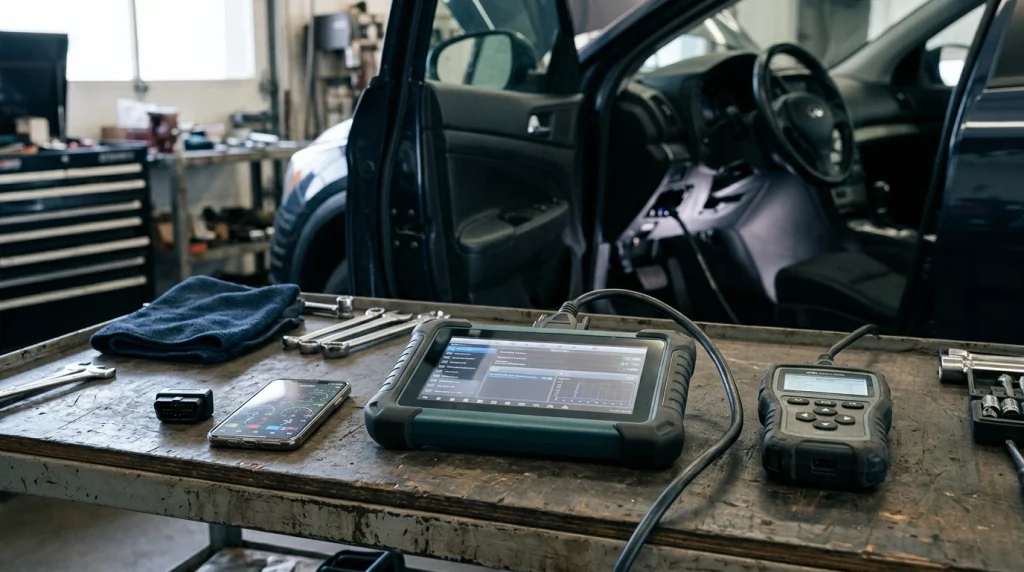
If you’re ready to narrow down your options, these three models are useful starting points for comparing budget, convenience, and advanced diagnostic capability.
📱 BEST FOR APP-BASED DIAGNOSTICS
BlueDriver Pro Next Gen
A Bluetooth OBD-II adapter designed to work with a smartphone app. Consider it for code reading and repair guidance, but verify enhanced-system coverage for your vehicle.
Best fit: Drivers who prefer an app over a dedicated scanner screen.
🛠️ BEST FOR ADVANCED DIY WORK
Autel MaxiCOM MK808Z-BT
A tablet-style diagnostic scanner with broader system access and supported active tests. It suits users who need more than basic engine codes, although its higher cost and software terms deserve attention.
Best fit: Experienced DIY mechanics and multi-vehicle troubleshooting.
💰 BEST FOR BUDGET CONVENIENCE
ANCEL BD310
A compact scanner combining a wired interface with Bluetooth functionality. It offers a practical alternative for routine checks, but it isn’t a replacement for a full-system professional diagnostic tool.
Best fit: Owners who want a relatively simple scanner for occasional troubleshooting.
Buying tip: These are model-specific suggestions, not a claim that I’ve personally tested these devices. Compare independent test results and manufacturer documentation, and check the seller’s return policy before ordering.
Frequently asked questions
Which OBD scanner brand is best for beginners?
BlueDriver is worth considering if you prefer smartphone-based diagnostics and repair guidance. Innova and ANCEL also offer straightforward readers for basic engine codes. Before buying, check whether the interface suits you and whether the scanner supports your vehicle’s required diagnostic functions.
Is an expensive OBD scanner always better?
No. A more expensive scanner may offer full-system access, bidirectional testing, and service functions, but those extras aren’t necessary for every driver. If you mainly need to investigate a check-engine light, a compatible basic reader may provide everything you need.
Can one OBD scanner work on every car brand?
No scanner guarantees every diagnostic function across every make, model, and year. Many tools read standard OBD-II engine codes on compatible vehicles, but enhanced systems, manufacturer-specific functions, and service procedures vary. Check the manufacturer’s compatibility information before purchasing.
Are Bluetooth OBD scanners as good as wired scanners?
Either type can be useful, depending on its hardware and software. Bluetooth scanners often provide a convenient phone interface, while wired handheld tools offer a self-contained display. Diagnostic coverage matters more than connection type, so compare supported systems and functions rather than assuming one format is superior.
Can an OBD scanner tell me exactly which part is faulty?
Not always. A diagnostic trouble code identifies a detected condition or system, but several faults can trigger similar codes. Use the code alongside live data, freeze-frame information, wiring checks, and appropriate diagnostic procedures before replacing a component.
Final verdict: Which OBD scanner brand should you choose?
For everyday drivers who want accessible app-based diagnostics, start by comparing BlueDriver. For advanced DIY repairs and workshop tasks, compare specific Autel and Launch models, while Innova and ANCEL are worth considering for handheld or budget-focused needs.
My recommendation is to choose based on your vehicle and the job you want to perform. Verify compatibility, compare the exact features and ongoing costs, and remember that a scanner is a diagnostic aid—not a substitute for testing the underlying fault.
If you only need to investigate a check-engine light, you probably don’t need a professional tablet. If you routinely diagnose ABS, SRS, transmission, or other modules, investing in a scanner with verified coverage for those systems can make more sense.

I’m Alex Rahman, a car enthusiast and automotive writer focused on practical solutions, car tools, and real-world driving advice. I share simple and honest content to help everyday drivers make better decisions.
