10 Best Dash Cam for Road Trips: Top Picks for Safer Travel
Road trips offer freedom, but they also bring long hours on busy roads and unfamiliar routes. A dash cam records the drive from the windshield, creating a clear record of traffic events, scenic moments, and unexpected incidents. Many models also include features such as GPS, parking monitoring, and smartphone access.
For road trips, the best dash cams balance clear video, reliable recording, simple controls, and enough storage for long drives. We pay close attention to video quality in daylight and at night, viewing angle, heat resistance, power options, and whether the camera can save footage safely during a collision. We also consider how easy each model is to install, remove, and use.
We tested and researched dash cams to find the models that provide dependable footage and useful features without making road trips more complicated.
Best Dash Cams for Road Trips
We reviewed dash cams for video quality, ease of use, storage, and useful travel features. Our list includes reliable options for recording scenic drives, unexpected events, and key moments on long road trips.
ROVE R2-4K Dual Dash Cam

We recommend this dash cam for road trips because it records both directions, handles low light well, and makes phone access simple.
Key Pros
- Clear front and rear coverage
- Fast Wi-Fi video transfers
- Includes a 128GB memory card
Key Cons
- Front video uses upscaled 4K
- Hardwire kit costs extra for parking mode
- Rear-camera wiring takes time to hide
On our road trips, the front camera captured useful detail on highways, signs, and nearby cars. The rear camera added helpful coverage when changing lanes or dealing with a rear impact. Its wide view worked well on busy roads, though the image showed some expected edge distortion.
The STARVIS 2 sensor and HDR made nighttime footage easier to view than basic dash cams. We still found that very dark scenes and bright headlights could reduce detail, so buyers should keep expectations realistic.
The ROVE app made it easy for us to preview clips and move them to a phone. Its fast Wi-Fi saved time after a long drive, while GPS added speed and route data to recordings. The included card also let us start recording without buying extra storage.
Installation was manageable with the included clips and trim tool. However, routing the rear cable neatly took patience. Parking mode requires a separate hardwire kit, so this feature adds extra cost and installation work.
REDTIGER F7N Touch Dash Cam

We recommend this dual-camera dash cam for road trips because it combines sharp front video, useful GPS data, and simple phone controls at a reasonable price.
Key Pros
- Clear 4K front video and 1080p rear video
- Touchscreen, voice control, and fast Wi-Fi
- Includes a 128GB memory card
Key Cons
- Rear camera installation requires running a long cable
- Parking mode needs a separate hardwire kit
- The small screen can feel cramped for setup
During our test, the F7N Touch gave us a wide view of the road and recorded clear details in daylight. The rear camera added helpful coverage when changing lanes or dealing with a close following vehicle. Night footage remained usable, though bright headlights still reduced some detail.
We liked having several ways to control the camera. The touchscreen made basic changes quick, while voice commands helped us keep our hands on the wheel. The REDTIGER app connected over 5GHz Wi-Fi and let us download clips without removing the memory card.
Installation felt manageable, with a suction mount, cable clips, and a long rear-camera cable included. We needed to run the cable carefully around the cabin, so the setup took more time than a front-only camera.
GPS adds location and speed data to recordings, which can help when reviewing a road incident. Loop recording and impact locking also protect important clips, while the included 128GB card gives us plenty of space for longer trips.
REDTIGER F7NP 4K Dash Cam

We recommend this dual-camera system for road trips because it records clear front and rear video, includes a memory card, and offers useful phone and GPS features.
Key Pros
- Sharp front footage with useful rear coverage
- Fast Wi-Fi transfers through the phone app
- Includes a 128GB memory card and GPS
Key Cons
- Parking mode requires a separate hardwire kit
- Rear-camera wiring takes time to hide
- App and connection issues may occur
We found the F7NP compact and fairly easy to place behind the windshield. The rear camera adds useful coverage on busy roads, while the wide view helps capture nearby lanes and traffic. The included cable is long enough for most vehicles, but routing it neatly takes some effort.
Daytime video looks sharp, and the front camera captures useful detail for signs, plates, and road conditions. Night footage remains usable, though strong headlights and dark scenes can still reduce detail, as they do with most dash cams.
The built-in Wi-Fi made it simple for us to preview and download clips without removing the card. GPS also records route and speed information, which helps when reviewing a long drive. The 128GB card lets us start recording immediately, while loop recording replaces older files when storage fills.
For parked-car protection, we would add the optional hardwire kit. The supercapacitor should handle heat better than a battery-based design, but we would still avoid leaving the camera in extreme heat for long periods. Overall, the F7NP gives road-trip drivers strong coverage and useful features at a reasonable price.
70mai A810 Lite 4K Dash Cam

We recommend this compact front-and-rear camera for road trips because it combines sharp video, GPS, and useful phone controls at a mid-range price.
Key Pros
- Clear 4K front video and 1080p rear video
- Compact design with a 64GB card included
- Fast file transfers through Wi-Fi 6
Key Cons
- Parking mode requires a separate hardwire kit
- Routing the rear-camera cable takes time
- Some app features require extra setup
On the road, the front camera gives us detailed footage of signs, traffic, and nearby vehicles. The rear camera adds helpful coverage when changing lanes or dealing with a rear-end incident. HDR and the large aperture also help balance bright headlights and darker roads at night.
The small body fits neatly behind the mirror and does not distract us while driving. Setup feels simple for the front unit, while hiding the rear cable takes more work. The included 64GB card lets us start recording without buying accessories first.
We found the app useful for checking clips and saving them to a phone. Wi-Fi 6 speeds up transfers, though connection and download times can still vary. GPS records the route and speed, while voice controls let us manage basic functions without reaching for the camera.
The 24-hour parking mode suits travelers who leave a car at hotels, airports, or trailheads. We need the optional hardwire kit to use it, so buyers should include that cost in their plans. The supercapacitor should also handle heat better than a built-in battery, which helps during long trips and hot parking lots.
TERUNSOUL 4K Three-Channel Dash Cam
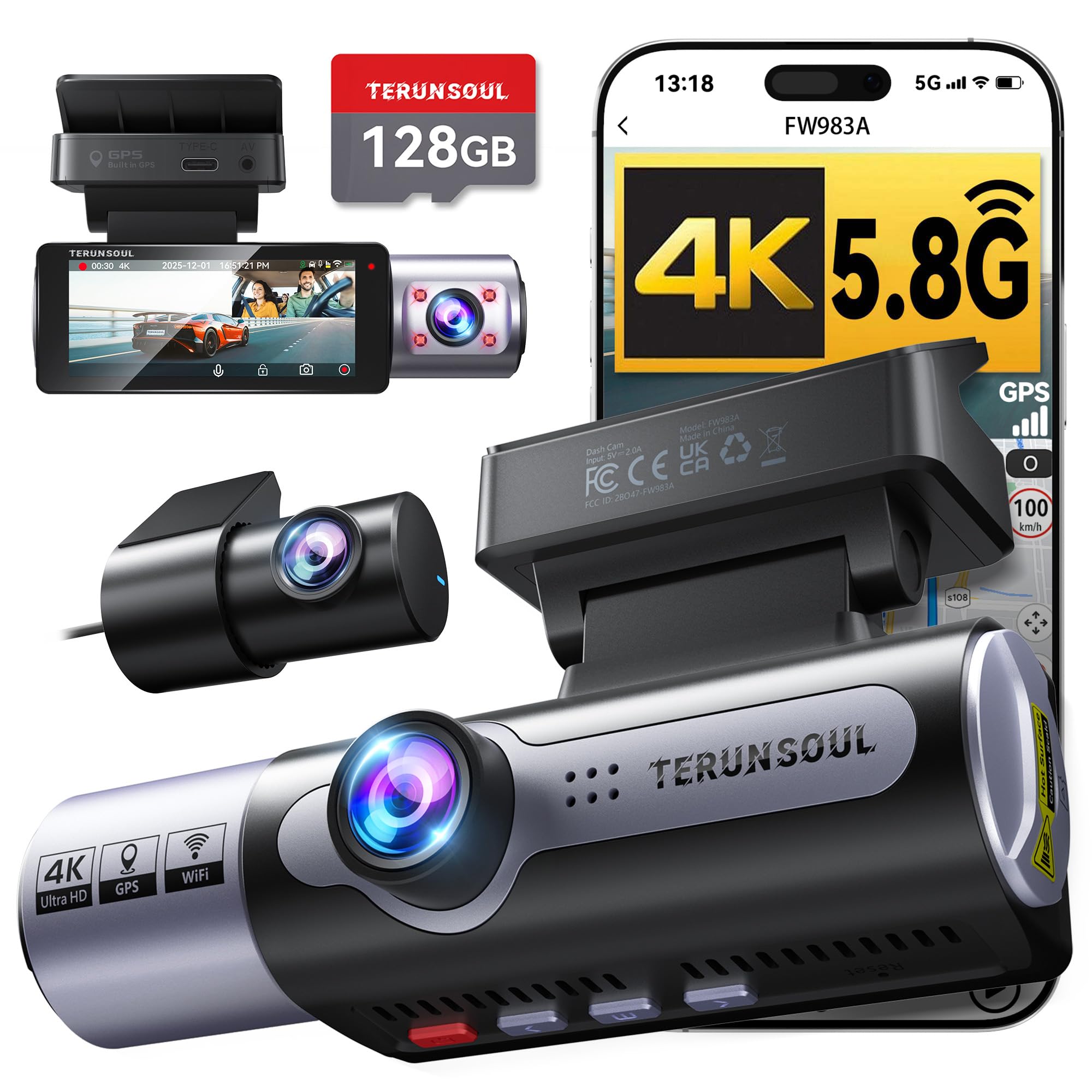
We recommend this dash cam for road trips because it records the road, rear traffic, and cabin while adding GPS, Wi-Fi, and a 128GB card.
Key Pros
- Sharp 4K front video with useful rear and cabin coverage
- Built-in GPS and fast app downloads
- Includes a 128GB memory card
Key Cons
- Parking mode needs a separate hardwire kit
- Three-camera wiring takes more installation time
- The cabin camera may not suit every driver
On a long drive, the three-channel setup gives us broader coverage than a front-only camera. The front view records in 4K, while the rear and cabin cameras help capture traffic behind us and activity inside the vehicle.
The 3.16-inch screen makes setup and quick playback simple. We also like the built-in GPS, which adds speed, location, route, and time data to recordings. That information can help provide context after an incident.
Wi-Fi connects the camera to a phone without removing the memory card. The app supports previews, downloads, sharing, and firmware updates. Low-light recording benefits from the wide aperture and HDR, though night footage can still depend on road lighting and glare.
Installation includes a long rear-camera cable, clips, mounting supplies, and a 128GB card. The extra cabin camera is useful for rideshare drivers or family trips, but it adds more cable management. Parking surveillance requires the separately sold hardwire kit.
REDTIGER F17 4K 3CH Dash Cam

We recommend the REDTIGER F17 for road trips because its front, rear, and cabin cameras provide broad coverage with clear video.
Key Pros
- Sharp front footage with useful night performance
- Three-camera coverage for passengers, traffic, and rear views
- Fast phone transfers through 5GHz Wi-Fi
Key Cons
- Rear footage can look dark in some conditions
- Parking monitoring requires a separate hardwire kit
- The app needs a direct Wi-Fi connection to the camera
During testing, the front camera produced detailed video that made road signs and nearby vehicles easy to identify. The cabin camera also helped cover conversations and activity inside the vehicle, while the rear camera added useful coverage behind us.
The F17 works well for long drives because we can review clips on its screen or move them to a phone through the REDTIGER app. GPS data adds route information to recordings, which may help when reviewing an incident.
Installation is fairly simple, though routing the rear-camera cable takes time. We also found that the rear image may need careful adjustment in low light. The included 64GB card provides a convenient starting point, but frequent travelers may want extra storage.
Parking features require the optional hardwire kit. With that added, the dash cam can monitor impacts while the vehicle is parked. Its supercapacitor should also suit drivers who face changing temperatures, and REDTIGER includes an 18-month warranty.
VIOFO A229 Plus

We recommend the VIOFO A229 Plus for road trips because it records clear front and rear video while adding useful GPS, voice control, and fast phone transfers.
Key Pros
- Clear 2K video from both cameras
- Strong low-light detail with HDR
- Fast 5GHz Wi-Fi and accurate GPS
Key Cons
- Memory card sold separately
- Parking mode needs an added hardwire kit
- Setup may take time in some vehicles
We found the A229 Plus easy to position in the windshield, and its compact cameras kept the view ahead mostly clear. The six-meter rear cable gives us useful flexibility in larger cars, trucks, and RVs.
During daytime drives, the front and rear cameras captured sharp road details and readable plates at a practical distance. HDR helped balance bright skies and darker areas, while the front camera’s higher frame rate made moving scenes look smoother.
Night footage remained useful on poorly lit roads, though image quality still depended on nearby lighting and a clean windshield. We also liked using voice commands to lock clips or take photos without reaching for the camera.
The VIOFO app made it simple for us to preview and download clips over 5GHz Wi-Fi. GPS added location and speed details during playback, which can help when reviewing a long trip.
We needed to provide our own microSD card, and buyers who want parking protection must purchase the HK4 hardwire cable separately. Overall, the A229 Plus suits drivers who want dependable two-camera coverage without paying for cloud features.
70mai T800E 4K 3-Channel Dash Cam

We recommend the 70mai T800E for road trips when we want front, rear, and cabin coverage in one setup.
Key Pros
- Sharp 4K front video
- Covers the cabin and rear
- Includes a 64GB memory card
Key Cons
- Rear camera installation takes extra time
- Parking monitoring needs a hardwire kit
- Small built-in screen
The T800E gives us a useful view of the road, the back of the vehicle, and the cabin. Front footage looks sharp in daylight, while HDR and night-vision features help preserve road details after dark.
We found the three-camera design helpful on long trips, especially when carrying passengers or luggage. The interior camera includes infrared recording for darker cabins, though users may need to adjust its setting for the best nighttime image.
Setup feels simple because the package includes the main parts, cables, mounting tools, and a 64GB card. We can review clips through the 70mai app, and Wi-Fi 6 makes file transfers faster than many older dash cams.
GPS records speed and route information, while voice controls let us save footage without reaching for the camera. The small screen handles basic checks, but the app works better for viewing and managing videos.
Parking monitoring adds value, but it requires a compatible hardwire kit. The camera also does not support 4G, so we cannot check the vehicle remotely over a mobile network.
VIOFO A229 Pro

We recommend the VIOFO A229 Pro for road trips because it records sharp front and rear video in changing light.
Key Pros
- Clear 4K front and 2K rear video
- Useful HDR and included glare-reducing filter
- Fast app transfers through 5GHz Wi-Fi
Key Cons
- Memory card sold separately
- Parking recording needs a separate hardwire kit
- Setup takes some time
On long drives, we found the front footage detailed enough to capture road signs and nearby license plates. The rear camera adds useful coverage in busy traffic, while HDR helps balance bright skies with darker areas.
The included polarizing filter reduced windshield reflections, especially on sunny roads. We also liked the voice controls because they let us lock a clip or change settings without reaching for the camera.
Reviewing clips through the VIOFO app was convenient, though transferring large 4K files still took patience. The camera includes GPS, emergency video locking, and several parking modes, but we needed to buy a compatible microSD card and hardwire kit separately for full parking protection.
The front and rear cameras require careful cable routing, but the included rear cable and trim tool made installation easier. With a 4.3-star rating from more than 1,400 customers, the A229 Pro offers strong video quality for drivers who want dependable coverage during road trips.
WOLFBOX X5 4K Dash Cam
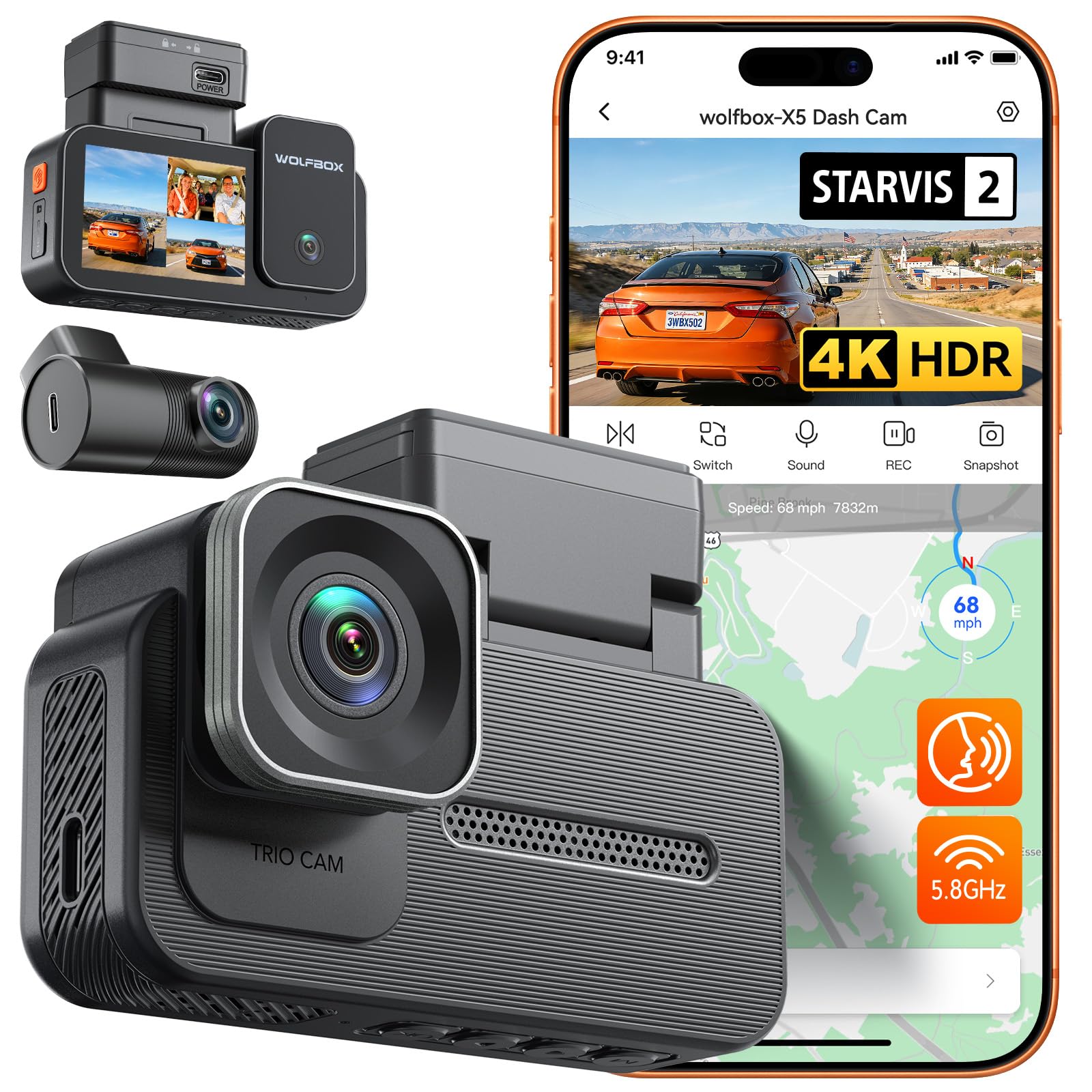
We recommend the WOLFBOX X5 for road trips because it records the road, cabin, and rear view while offering clear video and easy phone access.
Key Pros
- Sharp front video with useful rear and cabin coverage
- Fast downloads through 5.8GHz Wi-Fi
- Voice controls, GPS, and a responsive touchscreen
Key Cons
- Parking mode needs a separate hardwire kit
- MicroSD card is not included
- The unit can become warm during use
We found the three-camera setup useful on longer drives. The front camera captured clear road detail, while the rear camera helped cover following traffic. The cabin view adds another layer of coverage for passengers, luggage, or disputes inside the vehicle.
Video quality remained strong in changing light. HDR helped balance bright skies, tunnel entrances, and headlights at night. We would still avoid treating any dash cam as a guarantee of perfect license plate detail in every condition.
The touchscreen made setup and playback simple. Voice commands also helped us lock clips or switch views without reaching for the camera. When we wanted to share footage, the built-in Wi-Fi made phone transfers quicker than removing the memory card.
Installation took less than half an hour with basic cable routing. The included clips and trim tool helped keep the rear-camera wire tidy. We needed to buy a compatible microSD card, and continuous parking monitoring requires the optional hardwire kit.
GPS records the route and speed with each drive, which can support incident reviews. Loop recording handles normal storage, while the impact sensor locks important clips. Overall, the X5 suits drivers who want broad coverage and convenient controls for extended trips.
Buying Guide
We should choose a dash cam based on road-trip needs, including image quality, storage, power, and ease of use. A reliable model should record clearly in changing light and continue working during long drives.
| Feature | What we should look for |
|---|---|
| Video quality | Clear footage with enough detail to show road signs and plates |
| Viewing angle | Wide coverage without excessive image distortion |
| Storage | Support for a memory card with enough space for long drives |
| Power | A secure mount and a cable that reaches the vehicle’s power port |
| Night recording | Footage that remains visible in low-light conditions |
| Temperature range | Operation suited to the conditions we expect during travel |
| Parking mode | Useful if we want recording while the vehicle is parked |
We should check whether the camera includes loop recording, which replaces older files when storage fills. A G-sensor can protect footage after a sudden impact, while a screen or mobile app can make setup and playback easier.
Before buying, we should confirm that the camera fits our windshield, does not block our view, and uses simple controls. We should also check the warranty, return policy, memory-card requirements, and whether the package includes needed cables or mounts.
For frequent road trips, we should value dependable operation over extra features. GPS, a second camera, or wireless access may help, but each option can add cost, setup time, or power needs.
Editor’s Choice
We recommend the Garmin Dash Cam X310 for road trips because it combines clear video, useful safety features, and a compact design. Its 4K recording captures license plates and road signs with good detail in daylight.
The camera includes built-in GPS, voice control, and driver alerts. We can also connect it to the Garmin Drive app to review clips, save footage, and manage the camera from a phone.
| Feature | Details |
|---|---|
| Video quality | 4K |
| GPS | Built in |
| Voice control | Yes |
| Parking monitoring | Available with a constant power connection |
| Storage | Requires a microSD card |
We should plan for extra storage if we take long trips. A high-endurance microSD card can handle repeated recording better than a standard card.
The X310 suits drivers who want strong image quality without a large screen blocking part of the windshield. Its higher price may not fit every budget, but its features make it a practical choice for frequent road travel.
Conclusion
We should choose a dash cam that matches our road trip needs, vehicle, and budget. Video quality, a wide viewing angle, GPS, night recording, and reliable storage can make a real difference during long drives.
We also need to check how each model handles heat, power use, and continuous recording. A hardwire kit can support parking mode, while a larger memory card helps store more footage.
Before we travel, we should install the camera securely and test its settings. We should also format the memory card regularly and review local recording laws.
The best dash cam for our road trips is the one that records clear video, works reliably, and remains easy to use throughout the journey.
FAQS
What features should we look for in a road-trip dash cam?
We should look for clear video, a wide viewing angle, GPS, loop recording, and reliable night performance. Wi-Fi makes it easier for us to save clips to a phone, while parking mode helps protect a parked vehicle.
Is 4K video worth the cost?
4K video can capture sharper details, including signs and license plates. We should choose it if we want the best image quality, but a good 1080p or 1440p camera may cost less and use less storage.
Do we need a front and rear dash cam?
A front camera records the road ahead, while a rear camera adds protection behind us. We should consider a dual-camera system if we drive often, park on busy streets, or want more complete coverage.
How much storage do we need?
We should use a high-endurance microSD card made for dash cams. A 128GB card often provides several hours of footage, though recording time varies with resolution and camera settings.
Can a dash cam record while the car is parked?
Many models support parking mode, but we may need a hardwire kit or another constant power source. Professional installation can help prevent battery drain and keep the wiring neat.
Will heat damage a dash cam?
Extreme heat can shorten a camera’s life. We should choose a model with heat-resistant parts and remove it from the windshield when the vehicle sits in direct sunlight for long periods.

I’m Alex Rahman, a car enthusiast and automotive writer focused on practical solutions, car tools, and real-world driving advice. I share simple and honest content to help everyday drivers make better decisions.
