
Can an OBD2 Scanner Check Readiness Monitors?
Quick Answer
Yes. An OBD2 scanner with an I/M Readiness feature can check whether your vehicle’s emissions readiness monitors are Ready, Not Ready, or Not Applicable. Most compatible scanners display this information through an I/M Readiness or Monitor Status menu. This helps you determine whether the vehicle has completed its emissions self-tests before an inspection. However, a scanner cannot simply force incomplete monitors to become ready.
An OBD2 scanner does more than retrieve check engine light codes. One of its most useful functions is checking whether the vehicle’s onboard computer has completed the diagnostic tests used to evaluate emissions-control systems.
This matters especially after repairs, a battery replacement, or clearing diagnostic trouble codes. The check engine light might be off, but the vehicle may still have incomplete readiness monitors.
Knowing how to check these monitors can prevent an unnecessary trip to an emissions inspection station and help you recognize when the car needs additional driving or diagnosis.
What Can an OBD2 Scanner Tell You About Readiness Monitors?
A compatible OBD2 scanner reads readiness information directly from the vehicle’s engine or powertrain control system. It identifies which emissions tests the vehicle supports and whether those tests have completed.
Readiness information is often listed under I/M Readiness, short for Inspection and Maintenance Readiness.
Depending on the scanner, the information may appear as text, colored indicators, abbreviations, or a summary screen.
The three main monitor statuses are:
- Ready or Complete: The vehicle has completed the corresponding diagnostic test since the relevant reset.
- Not Ready or Incomplete: The required diagnostic test has not completed.
- N/A, Unsupported, or Not Applicable: The vehicle does not support that particular monitor.
A Ready result does not mean the component is guaranteed to be mechanically perfect. It means the onboard diagnostic test has run. You must also check for diagnostic trouble codes and the malfunction indicator light to understand whether the system detected a problem.
Similarly, a Not Ready result does not automatically mean a component is defective. It may simply mean that the vehicle has not experienced the operating conditions required to complete the test.
How to Check Readiness Monitors With an OBD2 Scanner

Checking readiness normally takes only a few minutes once you have a compatible scanner and access to the diagnostic connector.
- Park the vehicle safely. Choose a well-ventilated location, engage the parking brake, and switch the ignition off before connecting the tool.
- Find the OBD2 diagnostic port. On most compatible passenger vehicles, the 16-pin connector is located beneath the dashboard near the driver’s side.
- Connect the scanner. Insert the scanner connector securely into the diagnostic port.
- Switch the ignition on. Follow the scanner’s instructions. Many scanners can retrieve readiness information with the ignition on and engine off, although some functions or inspection procedures require the engine running.
- Establish communication. Allow the scanner to identify the vehicle’s OBD2 system and establish a connection.
- Open the readiness menu. Select I/M Readiness, Emissions Readiness, or Monitor Status, depending on the scanner.
- Review each supported monitor. Identify which monitors show Ready, Not Ready, or N/A. Also review the check engine light status and any stored or pending trouble codes.
- Record the results. Save a report or take a photograph of the display if you plan to compare the results after driving or repairs.
For more general instructions about scanner operation, see our guide on how to use an OBD2 scanner.
Practical Tip
If your scanner offers both “Since DTCs Cleared” and “This Drive Cycle,” use the since-cleared view when checking overall emissions readiness. The current-drive-cycle view answers a different question: which tests have completed during the present driving cycle.
Which Readiness Monitors Can an OBD2 Scanner Display?
OBD2 vehicles monitor several emissions-related systems. The exact monitor list depends on the vehicle’s engine, emissions equipment, model year, and applicable diagnostic requirements.
The following table explains common monitor names and their purposes.
| Monitor | What It Evaluates |
|---|---|
| Misfire | Detects combustion misfires that could affect emissions or engine operation. |
| Fuel System | Checks aspects of fuel delivery and fuel-mixture control. |
| Comprehensive Components | Evaluates monitored electronic components and circuits. |
| Catalyst | Evaluates catalytic converter performance. |
| Oxygen Sensor | Checks oxygen sensor operation and response. |
| Oxygen Sensor Heater | Checks the heating function of applicable oxygen sensors. |
| EVAP | Evaluates the evaporative emissions system, including certain vapor-control and leak checks. |
| EGR/VVT | Evaluates applicable exhaust gas recirculation or variable valve timing functions. |
| Secondary Air | Checks secondary-air injection equipment when fitted. |
Some vehicles also support heated catalyst or other applicable monitors. You should not expect every entry to be present on every vehicle.
For example, a vehicle without a secondary-air injection system may report its Secondary Air monitor as N/A. That is normal and does not mean the scanner failed.
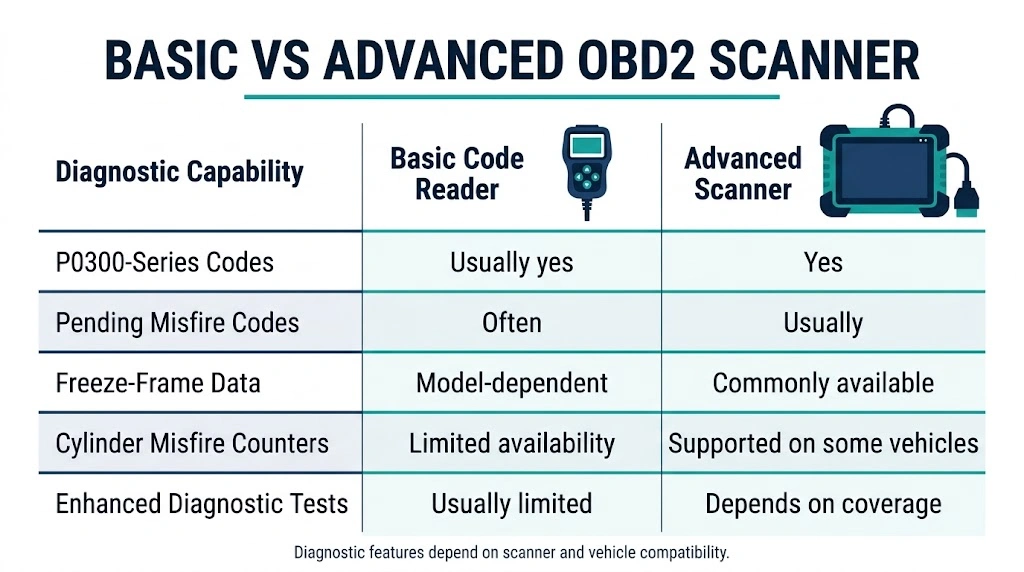
Can a Basic OBD2 Scanner Check Readiness Monitors?
Yes, many basic OBD2 scanners can display standard emissions readiness information without requiring professional diagnostic software.
The important requirement is support for the I/M Readiness function, not the scanner’s price or whether it has a touchscreen.
Common options include handheld code readers, more advanced diagnostic tablets, and Bluetooth OBD2 adapters paired with suitable software.
However, features vary between devices. Some inexpensive readers show only a combined emissions readiness indicator, while others display the individual monitor results.
Before relying on a scanner, check that its documentation specifically mentions I/M Readiness, monitor status, or emissions readiness reporting.
A Bluetooth adapter also needs an application that supports the appropriate standard OBD2 functions. The adapter alone does not determine which information appears on your phone.
If you are evaluating scanner capabilities more broadly, our OBD2 scanner buying guide explains which diagnostic features are useful for different situations.
Why Does an OBD2 Scanner Show Not Ready?
A Not Ready result means the vehicle has not completed one or more supported emissions self-tests. It does not identify a failed component by itself.
Several situations can explain an incomplete result.
Diagnostic Trouble Codes Were Recently Cleared
Clearing diagnostic trouble codes normally resets applicable readiness information. The engine computer must then perform its tests again under suitable driving conditions.
This is why clearing codes immediately before an emissions test can cause an inspection-readiness problem even when the check engine light goes out.
Our explanation of what happens when you clear OBD2 codes covers the difference between erasing fault information and repairing a malfunction.
The Battery Was Disconnected
Disconnecting or replacing the battery can reset emissions readiness information on many vehicles. After power is restored, the computer may need additional driving to complete its diagnostic checks.
The Required Driving Conditions Have Not Occurred
Some monitors need specific combinations of operating temperature, engine load, vehicle speed, fuel level, and driving duration.
For instance, an EVAP monitor may not complete during short trips if the conditions required by that particular vehicle are never satisfied.
A Fault Is Preventing the Monitor From Running
A persistent malfunction can prevent a monitor from completing, particularly when the diagnostic system needs reliable information from another sensor or subsystem.
When a monitor remains incomplete after appropriate driving, inspect stored and pending codes before assuming the vehicle simply needs more mileage.
How Do You Get Readiness Monitors to Become Ready?
Readiness monitors generally become ready when the vehicle successfully completes the applicable onboard diagnostic tests. This process happens during normal operation or a manufacturer-specified drive cycle.
A sensible approach is:
- Check for stored and pending trouble codes and address relevant faults.
- Make sure the vehicle is operating normally and is safe to drive.
- Follow the manufacturer’s readiness drive-cycle procedure when available.
- Include appropriate cold starts, warm-up periods, city driving, and steady-speed driving where required.
- Recheck I/M Readiness after the relevant driving conditions have been completed.
- If the same monitor remains incomplete, investigate its specific enabling conditions and any related faults.
The Ohio Environmental Protection Agency’s OBD readiness guidance explains how driving conditions and diagnostic resets affect readiness status.
There is no universal mileage that guarantees every monitor will complete. The process differs between vehicles and monitor types.
Important Warning
Do not repeatedly erase fault codes to make the check engine light disappear before an inspection. Erasing codes can reset readiness monitors, and an unresolved fault may return. Diagnose the underlying issue and allow the vehicle’s onboard tests to complete.
Can an OBD2 Scanner Tell You If Your Car Will Pass Emissions?
An OBD2 scanner can help assess emissions inspection readiness, but it cannot guarantee that a vehicle will pass its inspection.
The scanner may confirm that supported readiness monitors have completed and show whether the engine computer is requesting the malfunction indicator light.
However, the official outcome depends on the inspection program’s rules and any additional tests or checks it requires.
Some jurisdictions permit a limited number of incomplete non-continuous monitors under certain conditions. Others apply different requirements based on vehicle model year, fuel type, or local regulations.
The Texas Department of Public Safety’s readiness guidance illustrates why monitor status must be interpreted alongside the applicable inspection rules.
For an inspection pre-check, look at the combined picture: monitor completion, check engine light status, relevant trouble codes, and local testing requirements.
What If the Scanner Cannot Display Readiness Information?
If your scanner cannot show readiness results, first determine whether the problem is a missing feature or a communication issue.
Check the following:
- Scanner functionality: Confirm that the device or application supports I/M Readiness rather than code reading alone.
- Vehicle compatibility: Verify that the vehicle supports the standardized OBD2 information the tool is requesting.
- Ignition position: Follow the tool’s instructions for key-on or engine-running operation.
- Communication: Look for connection errors instead of assuming a blank result means all monitors are ready.
- Software: Update the scanner application or firmware when the manufacturer provides applicable updates.
- Vehicle-specific restrictions: Some configurations require a different diagnostic mode or tool to display the expected results.
A scanner showing N/A for one particular monitor is different from a scanner failing to communicate with the vehicle entirely.
If communication works for diagnostic codes but readiness is missing, the scanner’s software or menu configuration is a reasonable next place to investigate.
Why Checking Readiness Matters Before Buying a Used Car
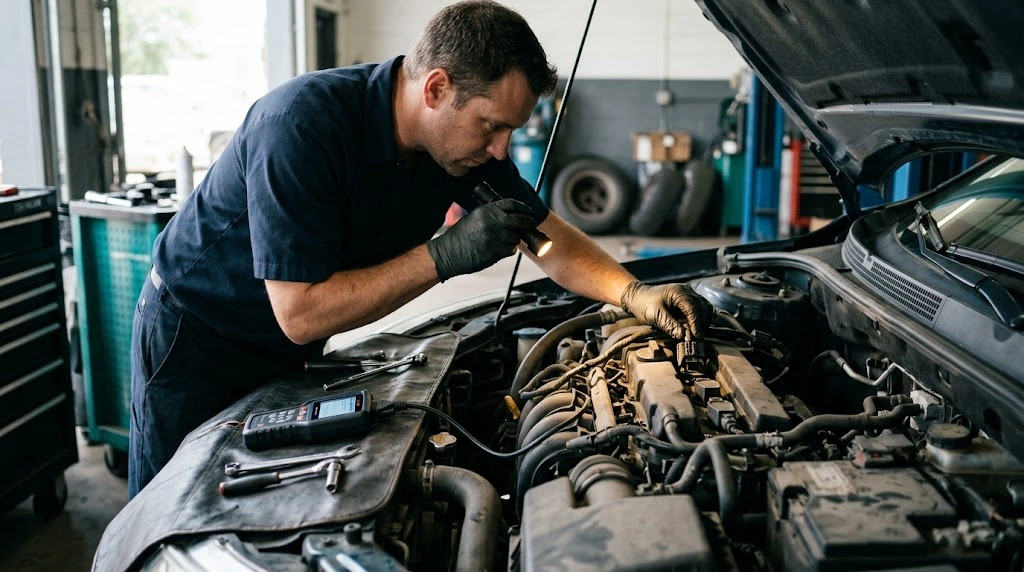
Readiness information can also be valuable during a used-car inspection.
Suppose a vehicle has no illuminated check engine light and no stored codes, but several supported emissions monitors are incomplete. That result means some onboard tests have not finished since the relevant reset.
It may indicate recent maintenance, battery disconnection, code clearing, or limited driving. The result alone cannot prove that someone attempted to conceal a fault.
However, unexplained incomplete monitors deserve attention because the vehicle’s emissions diagnostic checks have not yet provided a complete picture.
Ask about recent repairs and battery work, review any pending trouble codes, and consider a qualified pre-purchase inspection.
Our guide to using an OBD2 scanner before buying a used car explains how readiness information fits into a broader vehicle assessment.
Frequently Asked Questions
Can an OBD2 scanner check readiness without the engine running?
Yes, many scanners can retrieve readiness information with the ignition switched on and the engine off. Follow the scanner and vehicle instructions, because some diagnostic functions or official inspection procedures require the engine running.
Can a Bluetooth OBD2 scanner show readiness monitors?
Yes. A compatible Bluetooth OBD2 adapter and an application supporting I/M Readiness can display monitor status. Verify the app’s features and vehicle compatibility before relying on it.
Does Not Ready mean the emissions system has failed?
No. Not Ready means the relevant diagnostic test has not completed. The system may be functioning normally, but the required operating conditions have not occurred, or a fault may be preventing the test from completing.
Can an OBD2 scanner reset readiness monitors to Ready?
No. A normal OBD2 scanner cannot simply command incomplete monitors to become Ready. Clearing codes generally resets applicable monitors to Not Ready. The vehicle must complete the required self-tests to establish readiness again.
How long does it take for readiness monitors to become Ready?
It varies by vehicle, monitor, operating conditions, and fault history. Some monitors complete during ordinary driving, while others require specific conditions or repeated trips. There is no single guaranteed mileage or time for every vehicle.
Is an N/A readiness monitor a problem?
Usually not. N/A typically means the vehicle does not support that monitor. It should not be interpreted as an incomplete test. Check the vehicle’s supported monitor list if the result seems unexpected.
Final Thoughts
An OBD2 scanner with I/M Readiness support is a practical way to check whether your vehicle has completed its emissions diagnostic tests.
Review the individual monitor results rather than relying only on the check engine light. Ready indicates a completed self-test, Not Ready indicates an incomplete self-test, and N/A identifies a monitor the vehicle does not support.
If one or more supported monitors remain incomplete, check for relevant trouble codes, follow the appropriate drive-cycle procedure, and investigate persistent issues. This gives you a more useful picture of emissions readiness before an inspection, a repair follow-up, or a used-car purchase.

I’m Alex Rahman, a car enthusiast and automotive writer focused on practical solutions, car tools, and real-world driving advice. I share simple and honest content to help everyday drivers make better decisions.
