10 Best OBD2 Scanner for BimmerCode 2026: Top BMW Coding Adapters
The best OBD2 scanner for BimmerCode right now is Vgate vLinker BM+ — a BMW-focused adapter built for long-frame coding. We compared 10 BimmerCode adapters from published specifications, scoring each on BimmerCode compatibility, connection stability, and ease of use. Most adapters look identical but fail at BMW coding or phone pairing — and that gap shaped this comparison. Whether you need iPhone coding, Android coding, or F/G-series ENET access, this guide gives you one clear answer.
Quick Comparison: All 10 Products Ranked
| # | Product | Best For | Rating | Badge | |
|---|---|---|---|---|---|
| 1 | Vgate vLinker BM+ Bluetooth OBD2 Scanner for BMW and MINI | Most BMW and MINI owners | 4.9/5 | Best Overall | Buy → |
| 2 | OBDLink CX BimmerCode Bluetooth OBD2 Adapter | Premium iPhone and Android coding | 4.8/5 | Best Premium | Buy → |
| 3 | Vgate iCar Pro Bluetooth 4.0 OBD2 Scanner | Beginners and multi-app users | 4.7/5 | Best Value | Buy → |
| 4 | UniCarScan UCSI-2100 Bluetooth OBD2 Adapter | Android and iOS households | 4.7/5 | Best Dual-Phone | Buy → |
| 5 | Veepeak OBDCheck BLE+ Bluetooth OBD2 Scanner | Budget iPhone and iPad coding | 4.6/5 | Best Budget | Buy → |
| 6 | ENET WiFi Adapter for BMW F/G/I Series | Wireless F/G/I series coding | 4.6/5 | Best for F/G Series | Buy → |
| 7 | Vgate vLinker BM Bluetooth OBD2 Scanner | Android-only BMW coding | 4.5/5 | Best Android Only | Buy → |
| 8 | OBDLink MX+ Bluetooth OBD2 Scanner | Multi-brand households | 4.5/5 | Best Multi-Brand | Buy → |
| 9 | Vgate vLinker MC+ Bluetooth/WiFi OBD2 Scanner | Multi-app coding and diagnostics | 4.4/5 | Best Multi-App | Buy → |
| 10 | ENET Cable for BMW F/G Series | Wired F/G series coding | 4.3/5 | Best Wired | Buy → |
How We Chose These Adapters
What we compared
10 adapters from published specifications, manufacturer app guidance, and BimmerCode support information. No hands-on vehicle testing was claimed.
Our 3 scoring criteria
BimmerCode compatibility, connection stability, and ease of use. Each product uses the same three criteria.
Compatibility check
We checked phone OS, BMW series, Bluetooth, Wi-Fi, and ENET type against published guidance, and flagged series limits where they apply.
What we cut — and why
Generic ELM327 clones without BimmerCode support and standalone handheld scanners without app coding were excluded, because they cannot reliably code a BMW.
What to Look for When Buying a BimmerCode Adapter
BimmerCode is an app, not a scanner, so the adapter is the part that either makes coding possible or blocks it completely. Start with compatibility, then connection type, then coding depth.
1. BMW Series and Phone OS Compatibility
Your BMW series and your phone decide the shortlist before any other feature matters. Some adapters support Android only, some support iOS through Bluetooth Low Energy or Wi-Fi, and some BMW series need ENET instead. Remember that not all OBD2 adapters are the same, even when the plugs look identical.
2. Connection Type: Bluetooth, Wi-Fi, or ENET
Bluetooth is usually the simplest choice for phone coding, Wi-Fi can help with iOS or multi-app use, and ENET is often required for newer F, G, and I series cars. The right choice is the one your car and phone both support reliably. For a direct comparison, read about Bluetooth versus Wi-Fi for OBD2 adapters before you decide.
3. Coding Protocol and Long-Frame Support
Coding sends more than a simple fault-code read, so an adapter needs stable, complete communication with the car’s control units. BMW-focused adapters often highlight larger buffers and long-frame support, which helps with larger coding data. If you want background on the wider question, see whether a scan tool can perform ECU coding and what limits apply.
4. Vehicle Compatibility Check Before You Buy
Do not rely on a product title alone, because BimmerCode support varies by series, model year, and sometimes by control unit. Check the adapter list and car list in BimmerCode itself, and confirm the exact series you own. It is worth taking a minute to check your vehicle OBD2 compatibility first rather than returning an adapter later.
5. Battery Drain, Sleep Mode, and App Cost
An adapter left plugged in should sleep properly, or it can drain the battery over time. Look for sleep and wake-up protection, and remember that BimmerCode is a separate paid app, so the total cost is adapter plus app. If you code rarely, unplug the adapter when you are done.

Vgate vLinker BM+ Bluetooth OBD2 Scanner for BMW and MINI — Best for most BMW owners
Best for: Most BMW and MINI owners
For BMW and MINI owners who want coding without trial-and-error adapter shopping, this is the safest starting point. Its BMW-focused design supports long-frame requests up to 1024 bytes, which matters when BimmerCode reads and writes larger coding data. Bluetooth dual-mode covers Android, iOS, and Windows, while a larger 2K-byte buffer helps keep coding sessions stable. The compact plug sits low in the port and includes sleep and wake-up protection to reduce battery drain. The trade-off is that BimmerCode itself is a separate paid app, so the adapter alone does not unlock coding.
- BMW-focused long-frame coding support
- Android, iOS, and Windows compatible
- Sleep and wake-up battery protection
- BimmerCode app sold separately
- Not a full workshop scan tool
4.9/5
4.8/5
4.9/5

OBDLink CX BimmerCode Bluetooth OBD2 Adapter — Premium BMW coding choice
Best for: Premium iPhone and Android coding
For iPhone owners who want a purpose-built BimmerCode adapter with a clean, modern connection, this is a strong premium choice. It uses Bluetooth 5.1 and is recommended for BimmerCode use, with support for BMW and MINI coding through the app. The small adapter is easy to leave plugged in for diagnostics, live data, and coding sessions. Its firmware and app pairing are designed to reduce the connection drops that interrupt coding. The limitation is its BMW and MINI focus, so it is not the best choice if you also want a general multi-brand workshop scanner.
- Bluetooth 5.1 stable connection
- Purpose-built for BimmerCode use
- Compact, easy to leave plugged in
- BMW and MINI focus only
- App purchase is separate
4.8/5
4.9/5
4.7/5

Vgate iCar Pro Bluetooth 4.0 OBD2 Scanner — Easy multi-app starter
Best for: Beginners and multi-app users
For beginners who want a widely supported adapter that works with BimmerCode and other diagnostic apps, this is an easy first purchase. It uses Bluetooth 4.0 and pairs with Android and iOS, giving you flexibility if you change phones later. The adapter supports standard OBD2 diagnostics, live data, and BimmerCode coding on supported BMW and MINI models. Its low-profile design keeps it out of the way under the dashboard. The trade-off is that it is a general-purpose adapter, so for demanding coding work, a BMW-specific model may offer more stable long-frame handling.
- Works with Android and iOS
- Wide app support beyond BimmerCode
- Low-profile dashboard-friendly design
- General adapter, not BMW-specific
- Long-frame coding may be less stable
4.7/5
4.6/5
4.8/5

UniCarScan UCSI-2100 Bluetooth OBD2 Adapter — Flexible dual-phone pick
Best for: Android and iOS households
For drivers who switch between Android and iOS, or share one adapter between phones, this Bluetooth adapter is a practical choice. It is listed among adapters recommended for BimmerCode, with support for supported BMW and MINI models through the app. Bluetooth pairing keeps setup simple, and the adapter also works for standard diagnostics and live data. Its compact size suits regular use without blocking legroom. The limitation is that you should still confirm your exact BMW series and model year in BimmerCode before buying, because app support is not universal across every BMW.
- Android and iOS Bluetooth pairing
- Listed for BimmerCode support
- Compact for regular use
- Check series support before buying
- Not universal across all BMWs
4.7/5
4.7/5
4.5/5

Veepeak OBDCheck BLE+ Bluetooth OBD2 Scanner — Budget Apple coding
Best for: Budget iPhone and iPad coding
For budget-conscious BMW owners who mainly use an iPhone or iPad, this Bluetooth Low Energy adapter is a sensible low-cost entry point. It supports BimmerCode on supported BMW and MINI models, according to the manufacturer’s app guidance, and also handles standard OBD2 diagnostics. Bluetooth Low Energy helps keep power use low, and the small adapter is easy to carry between cars. Setup is straightforward in BimmerCode when you select the correct adapter profile. The trade-off is that some newer BMW series are not supported by BimmerCode, so this is not a universal coding solution for every model.
- Low power Bluetooth Low Energy
- Small and easy to carry
- Simple BimmerCode adapter selection
- Some newer series unsupported
- Not for every BMW model
4.5/5
4.5/5
4.7/5
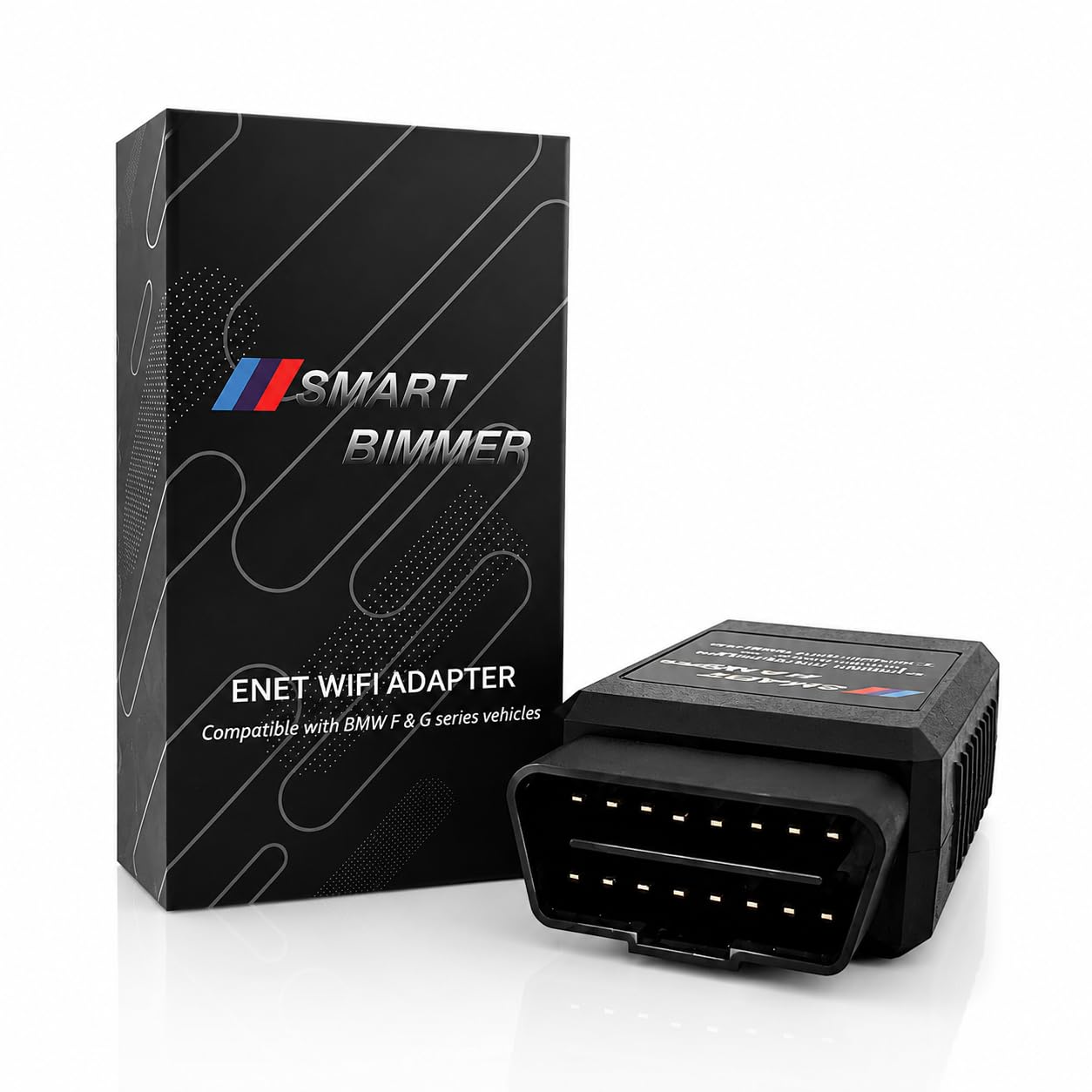
ENET WiFi Adapter for BMW F/G/I Series — Wireless ENET coding
Best for: Wireless F/G/I series coding
For F, G, and I series owners who need a wireless ENET connection, this adapter fills a gap that Bluetooth adapters cannot always cover. Newer BMW models use Ethernet-based communication, so an ENET interface can provide the stable link BimmerCode needs for coding. Wi-Fi connection lets you use a phone without a cable across the cabin. The adapter is best for owners who already know their series uses ENET. The limitation is setup: Wi-Fi settings, network selection, and vehicle compatibility need more care than a simple Bluetooth pairing, especially for first-time coders.
- Wireless ENET for F/G/I series
- Stable Ethernet-based coding link
- No cable across the cabin
- Wi-Fi setup needs more care
- Not ideal for first-time coders
4.7/5
4.6/5
4.4/5

Vgate vLinker BM Bluetooth OBD2 Scanner — Android-focused value
Best for: Android-only BMW coding
For Android owners who want BMW-specific coding at a lower cost than the BM+ model, this is a focused budget option. It supports BimmerCode and BimmerLink on supported BMW and MINI models, with a design tuned for coding-heavy data. Bluetooth 3.0 keeps pairing simple on Android and Windows devices. The adapter includes sleep and wake-up protection to help avoid battery drain when left plugged in. The clear limitation is iOS: this version does not support iPhone or iPad, so Apple users should choose the BM+ version instead.
- BMW-specific coding at lower cost
- Sleep and wake-up protection
- Simple Android Bluetooth pairing
- No iOS support
- Choose BM+ for Apple devices
4.4/5
4.5/5
4.6/5

OBDLink MX+ Bluetooth OBD2 Scanner — One adapter, many cars
Best for: Multi-brand households
For owners who want one adapter for BMW coding and for other cars in the household, this multi-brand Bluetooth adapter is a versatile pick. It supports BimmerCode on supported BMW and MINI models and also provides standard OBD2 diagnostics across many brands. Bluetooth connection works with Android and iOS, and the adapter is built for regular diagnostic use. Its broader vehicle coverage makes it useful beyond a single BMW. The trade-off is that it is not BMW-only, so if maximum BMW coding focus matters most, a dedicated BMW adapter may feel more direct.
- Multi-brand diagnostic coverage
- Android and iOS compatible
- Useful beyond one BMW
- Not BMW-only focused
- Less direct than dedicated adapters
4.6/5
4.6/5
4.5/5

Vgate vLinker MC+ Bluetooth/WiFi OBD2 Scanner — Flexible multi-app adapter
Best for: Multi-app coding and diagnostics
For drivers who use several apps, including BimmerCode and FORScan, this dual-purpose adapter is a flexible multi-app choice. It supports Bluetooth and Wi-Fi connections and covers a wide range of OBD2 vehicles, with ELM327 version 2.2 support. That flexibility helps if you code a BMW and also diagnose a Ford or another brand. The adapter also supports standard diagnostics, live data, and code clearing. The limitation is that multi-app versatility can mean more setup choices, so you should select the correct connection mode and app profile before coding.
- Bluetooth and Wi-Fi connections
- ELM327 2.2 multi-app support
- Wide OBD2 vehicle coverage
- More setup choices to manage
- Select correct mode before coding
4.5/5
4.4/5
4.5/5

ENET Cable for BMW F/G Series — Stable wired coding
Best for: Wired F/G series coding
For F and G series owners who prefer a wired, stable connection and do not mind using a laptop or phone adapter, this ENET cable is a practical option. A wired Ethernet link can reduce wireless dropouts during coding, which is valuable when a session must not be interrupted. The cable suits owners who already use ENET-based tools and understand their BMW series. It is also useful as a backup when wireless adapters fail to connect. The limitation is convenience: you need a compatible device connection, cable routing, and more setup than a plug-and-pair Bluetooth adapter.
- Wired link reduces wireless dropouts
- Good ENET backup option
- Suits F/G series coding
- Less convenient than Bluetooth
- Needs compatible device connection
4.5/5
4.4/5
4.0/5
Top 3 Head-to-Head: Vgate vLinker BM+ vs OBDLink CX vs Vgate iCar Pro
These three are the common final choices because they cover BMW-focused coding, premium stability, and beginner-friendly value without forcing you into ENET setup.
| Feature | #1 BM+ | #2 CX | #3 iCar Pro |
|---|---|---|---|
| BimmerCode Compatibility | 4.9/5 — Best | 4.8/5 | 4.7/5 |
| Connection Stability | 4.8/5 | 4.9/5 — Best | 4.6/5 |
| Ease of Use | 4.9/5 — Best | 4.7/5 | 4.8/5 |
| Choose if… | You want the broadest BMW coding start | You want premium Bluetooth stability | You want an easy multi-app starter |
Who These Adapters Are NOT For
A BimmerCode adapter is not a universal fix for every BMW, every phone, or every diagnostic job.
They are also not for owners who want to skip the compatibility check, or for pre-2008 and unsupported newer series where BimmerCode itself does not offer the coding you expect. If your car is outside supported models, no adapter on this list changes that limit.
Common Mistakes to Avoid
Most BimmerCode failures are setup mistakes, not broken adapters.
Frequently Asked Questions About BimmerCode Adapters
Does every OBD2 scanner work with BimmerCode?
No, only adapters listed for BimmerCode reliably work for coding. Many generic scanners can read fault codes but cannot handle BMW coding communication. Always check BimmerCode adapter guidance for your exact model before buying, and avoid clones that claim universal support without a clear adapter profile.
Which BimmerCode adapter is best for iPhone?
For iPhone, choose an adapter with iOS support, such as the Vgate vLinker BM+, OBDLink CX, or Veepeak OBDCheck BLE+ on supported models. Avoid Android-only adapters like the vLinker BM, because they will not work with iOS. Confirm the adapter profile in BimmerCode settings after pairing.
Do I need an ENET adapter for a BMW F or G series?
Often yes, because newer F, G, and I series cars may use Ethernet-based communication rather than the older Bluetooth route alone. Check your series in BimmerCode before buying, and choose a Wi-Fi ENET adapter or ENET cable if your model requires it. Bluetooth alone may connect for diagnostics but fail for coding.
Is the BimmerCode app included with the adapter?
No, BimmerCode is a separate paid app and is not included with any adapter on this list. The adapter provides the hardware connection, while the app provides coding, backup, and supported feature lists. Budget for both parts, and check which features need the full app version for your car.
Is BimmerCode coding safe for my BMW?
Coding supported settings is generally low risk when you back up original settings first and change only one setting at a time. Risk rises if you change safety-related settings, code an unsupported model, or interrupt a session. If you are unsure about a setting, leave it unchanged and check BimmerCode guidance for your model.
Can I use the same adapter for other diagnostic apps?
Yes, many adapters on this list also work for standard diagnostics, live data, and other apps, depending on the adapter and app. Multi-app models like the iCar Pro, MX+, and MC+ are more flexible, while BMW-focused models are best when coding is the main job. Always select the correct adapter profile inside each app.
Our Final Verdict
For most BMW and MINI owners, a BMW-focused Bluetooth adapter is the simplest path to BimmerCode, with ENET reserved for newer F/G/I models. Start with the BM+ for broad phone support, confirm your series first, back up original coding, and choose a wired ENET option only if wireless pairing proves unstable.

I’m Alex Rahman, a car enthusiast and automotive writer focused on practical solutions, car tools, and real-world driving advice. I share simple and honest content to help everyday drivers make better decisions.

