Can an OBD2 Scanner Work on Electric Vehicles? | Explained
Quick Answer
Sometimes, but not in the same way as on a petrol or diesel car. A standard OBD2 scanner may connect and read a few generic values on some electric vehicles, yet it usually cannot read the battery health, cell voltages, motor, charging, and thermal data that matter most. For useful EV data, the scanner and app must support that exact make, model, and year.
Seeing a connection does not mean the tool understands the car: much of an EV’s important information sits behind manufacturer-specific data, even when the connector looks familiar.
Why the Answer Is Conditional
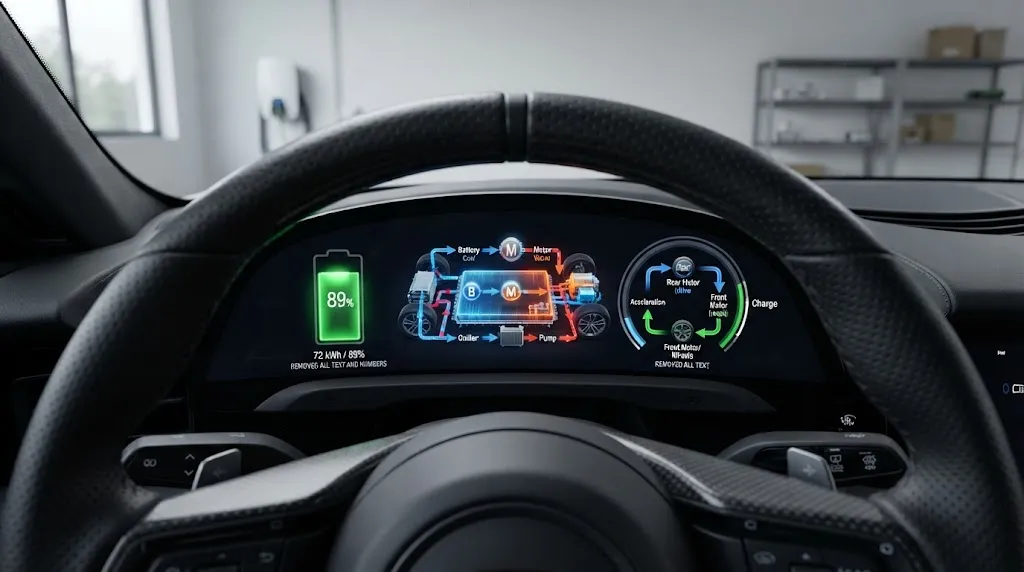
OBD2 was built around exhaust emissions, such as misfires, fuel control, and exhaust aftertreatment. A fully electric vehicle has no tailpipe, fuel system, or catalytic converter, so that original job does not apply in the same way.
That does not mean an EV has no diagnostics. It monitors its battery, power electronics, motor, charger, and thermal system extensively. The issue is access: some data may use a familiar connector, some a manufacturer-specific pathway, and some mainly the manufacturer’s own tools.
The practical question is therefore not only “does it plug in?” but “does this scanner, adapter, and app decode this EV’s battery and propulsion data?”
What a Standard Scanner May Still Read
On some EVs with a standard 16-pin connector, a generic scanner may return vehicle identification, speed, and a few generic parameters, plus some generic fault codes — but only part of the picture.
Many EV faults are manufacturer-specific codes in the battery, motor controller, charger, or thermal system. A basic reader may miss them, show them without useful meaning, or show no code while a warning remains.
That partial success can mislead. A clean generic scan should be described as incomplete, unless the tool is known to cover the relevant EV modules.
| Check | Standard scanner | EV-capable setup |
|---|---|---|
| Connection | Often possible, not always | Matched connector or adapter |
| Generic codes and values | Sometimes limited | Broader, when supported |
| Battery and cell data | Usually unavailable | Possible with the right profile |
| Motor and charging faults | Often incomplete | Depends on module coverage |
Coverage changes by brand, model, model year, and even software version, so this table is a guide to expectations, not a promise for a particular car.
What It Usually Cannot Read
The data most EV owners want is exactly what a generic scanner is least likely to provide: state of health, battery-management state of charge, cell or cell-group voltages, pack temperature spread, charging faults, isolation faults, and motor or inverter faults.
Even when a number appears, it needs interpretation. State of health is not a single universal measurement, and different manufacturers and apps may calculate or present it differently. A dashboard range estimate is also not the same as a battery health reading.
Reading a value is not the same as diagnosing a fault. A voltage imbalance may point to a weak cell group, a sensing fault, a connection issue, or a temperature effect. The reading is a clue, not a verdict.
Why EV Diagnostics Are Less Standard Than Petrol-Car Diagnostics
On a conventional car, a standard scanner can rely on a shared set of emissions-related codes and parameters. On an EV, the key systems are not emissions systems, so manufacturers have had more freedom in how they store and expose data. The connector may still use CAN communication, but the messages and definitions above that physical layer can differ.
This is why two EVs with similar connectors can behave very differently with the same scanner. One may expose useful battery data to a third-party app, while another exposes almost nothing without manufacturer-specific software. The difference is rarely the plug alone; it is the software profile.
Hybrids are closer to traditional OBD2 because they still have an engine and exhaust emissions, although their electric components can still need enhanced coverage, which helps explain why a hybrid-capable scanner may fall short on a fully electric car. See how OBD2 diagnosis works on hybrid systems. Likewise, vehicle speed is one generic parameter that may respond even when battery data does not, so one responding value does not prove full EV support.
Tesla and Other Special Cases
Tesla is the clearest exception to “just plug it in.” Many Tesla models do not provide a conventional under-dash OBD2 socket; instead, they use a manufacturer diagnostic connector, with the adapter varying by model and year.
With the correct harness, compatible Bluetooth adapter, and Tesla-specific app, owners can often see rich battery, drive-unit, and temperature data. Without that combination, a standard scanner may have nowhere useful to connect. Buying the app first is a common mistake: hardware and vehicle profile come first.
Other brands can differ in smaller ways: some expose more data through an app than a handheld reader, some need an adapter for faster CAN traffic, and some restrict deeper functions to specialist tools.
How to Check Compatibility Before You Buy or Borrow a Scanner

Check the exact vehicle, not the general category “EV”: make, model, model year, and, where relevant, trim or battery variant.
- Find the diagnostic connector. Look under the driver’s-side dashboard first, then check the owner’s manual if no standard socket is visible.
- Check the app’s vehicle list. Search for the exact model and year, not just the brand. If it is absent, treat battery coverage as unconfirmed.
- Check the adapter requirements. Confirm whether a standard Bluetooth adapter is enough, whether a model-specific harness is needed, and whether it supports the vehicle’s CAN traffic.
- Define the data you need. A basic code check, a battery-health check, and a full propulsion-system diagnosis are different jobs.
- Test with a known reading. Compare its state of charge, speed, or temperature with the dashboard. A large mismatch means rechecking compatibility.
If any check is unclear, do not assume coverage. Use the scanner maker’s EV support list, the app’s compatibility page, or a specialist who already works on that model.
Tip
For a used EV, ask what the battery reading actually represents. State of charge, estimated range, and state of health are different numbers, and a seller’s range estimate is not a substitute for a battery-specific reading from a compatible tool.
What an EV-Capable Setup Looks Like
An EV-capable setup is usually a combination, not one device: a Bluetooth or Wi-Fi adapter, a vehicle-specific app or profile, and sometimes a model-specific harness. The adapter moves the data; the app interprets it. If either lacks the vehicle profile, the useful EV data stays hidden.
Professional EV tools go further, with more modules, manufacturer-specific codes, battery-pack analysis, and service functions. A consumer setup is best for monitoring and deciding whether specialist help is needed, rather than proving a high-voltage fault is fixed. Hybrid battery readings already show how limited a generic scan can be, and the same caution applies more strongly to a fully electric pack.
When a Scanner Result Should Not Be Trusted on Its Own
Do not clear a high-voltage or battery-related fault and assume the problem is solved because the warning disappears. Some faults return under load, during charging, or after a temperature change, and clearing a code removes useful context for the next diagnosis.
Do not use a generic “no codes” result alone to approve a used EV purchase. It should sit alongside service history, charging history where available, a compatible battery-health reading, and a specialist inspection where warranted.
Do not open a high-voltage battery enclosure, disconnect orange high-voltage cables, or probe inverter terminals to “verify” a scanner reading. Those parts can remain dangerous even when the car is off, and a consumer scanner does not make high-voltage work safe.
Warning
A scanner reading never authorises high-voltage work. If a fault involves the battery pack, charging system, isolation, or damaged high-voltage wiring, stop and get specialist help rather than clearing codes and continuing as normal.
Is EV Diagnostics Becoming More Standard?
Standardisation is improving, but it is incomplete and does not retroactively fix older EVs. California’s Advanced Clean Cars II programme has pushed for standardised diagnostic data for newer zero-emission vehicles, with a phase-in described for California-certified vehicles from the 2026 model year, informed by SAE standard J1979-3.
Three cautions still apply: the rules are tied to certification, model year, and market; older EVs remain under the older system; and a standard data set is not full dealer-level access to every calibration or service function.
For the broader port question, see whether EVs use OBD2. EVs may or may not have a usable standard port, because the original mandate was emissions-driven; see the Innova guide to EV OBD2 ports. For the California direction, see the InsideEVs report on California’s EV diagnostic system.
So, Should You Buy a Standard Scanner for an EV?
If you only want a basic check and your EV is confirmed to expose generic data to that scanner, a standard tool may be enough for that narrow job. If you want battery health, cell balance, charging diagnostics, or EV-specific fault coverage, buy for the vehicle profile, not the generic “OBD2” label.
Before spending money, write down the vehicle, the data you need, and the app claiming to support both. If its list omits your exact model and year, the purchase is a gamble, not a diagnostic plan. CAN pins 6 and 14 carry the core CAN signals on a standard connector, but a familiar pin layout does not guarantee that a generic tool decodes the EV-specific messages on that bus. The plug is the doorway; the software profile is the key.
Related Product
EV-Compatible Bluetooth OBD2 Adapter
A Bluetooth adapter is useful only when paired with an app that supports your exact EV, so check the vehicle profile before buying.
As an Amazon Associate, we earn from qualifying purchases.
Frequently Asked Questions
Can a regular OBD2 scanner work on any electric car?
No. It may connect to some EVs and read a few generic values, but it will not reliably cover battery health, cell data, motor faults, or charging faults on every EV. Coverage depends on the vehicle, adapter, and app profile.
Do all electric cars have a standard OBD2 port?
No. Many EVs from established manufacturers have a familiar 16-pin socket, but some use a manufacturer-specific diagnostic connector or pathway instead. Tesla is the best-known example, and the correct adapter can vary by model and year.
Can an OBD2 scanner check EV battery health?
Only with a compatible EV setup. A generic scanner usually cannot provide state of health or cell voltages. An EV-specific app with the right vehicle profile may show reported health and cell balance, but that is not a complete laboratory battery test.
Why does my scanner connect but show no useful EV data?
Connection and decoding are different steps. The adapter may reach the vehicle’s network while the app lacks the manufacturer-specific definitions for battery, motor, charging, or thermal data.
Can I clear an EV fault code with a basic scanner?
Sometimes a generic code can be cleared, but clearing does not fix the underlying fault and may remove diagnostic context. High-voltage, battery, charging, or isolation faults should not be cleared and ignored.
Will newer EVs be easier to scan?
Standardisation is improving for newer California-certified zero-emission vehicles, with a phase-in described from the 2026 model year. That does not guarantee identical access on every older EV, every market, or every service function.
Conclusion
An OBD2 scanner can work on an electric vehicle, but only within limits set by the car and the tool. A standard scanner may show a few generic values, while battery, motor, charging, and thermal data usually need an EV-specific adapter, app, and vehicle profile. Check the exact make, model, and year before buying, treat a generic “no codes” result as incomplete, and leave high-voltage diagnosis to specialists.

I’m Alex Rahman, a car enthusiast and automotive writer focused on practical solutions, car tools, and real-world driving advice. I share simple and honest content to help everyday drivers make better decisions.
