How Much Should I Spend on an OBD2 Code Reader?
Quick Answer
Most car owners should spend $25–$60 on an OBD2 code reader for occasional check-engine-light diagnosis. Budget $60–$150 for better live-data features and more frequent DIY troubleshooting, or $150–$400 or more if you need access to additional vehicle systems and advanced service functions. Before buying, compare the scanner’s supported features with your vehicle’s needs using the EPA’s OBD inspection resources as background on onboard diagnostics.
What should your budget cover?
- $20–$40 basic reader: Suitable for reading common engine codes and checking simple faults.
- $40–$60 better reader: Look for freeze-frame data, emissions readiness, and useful on-screen code descriptions.
- $60–$150 DIY tool: Consider live data, graphing, and broader diagnostic coverage.
- $150–$400 advanced scanner: Useful for selected ABS, airbag, transmission, and maintenance functions, depending on the model.
- $400+ professional tool: Worth considering for frequent repairs, bidirectional tests, and broader system access.
Before you buy
- Verify compatibility with your vehicle’s make, model, year, and required diagnostic systems.
- Check for app subscriptions, software update fees, and limitations on advanced features.
An OBD2 code reader can help you understand a dashboard warning before you visit a repair shop. The challenge is finding one that gives you useful information without paying for functions you’ll rarely use.
In this guide, I’ll break down realistic scanner budgets for 2026, explain which features justify spending more, and compare practical options for everyday drivers and home mechanics. The goal is simple: buy enough diagnostic capability to solve your problem without overspending.
What Is an OBD2 Code Reader?
An OBD2 code reader is an electronic tool that connects to a vehicle’s onboard diagnostic system and retrieves diagnostic trouble codes (DTCs). These codes help identify which monitored system has detected a problem, although they don’t always identify the exact failed part.
Most gasoline-powered cars and light trucks sold in the United States from the 1996 model year onward support standardized OBD-II diagnostics. Coverage of other systems and special functions varies by vehicle and scanner.
For example, a code such as P0420 indicates that the vehicle’s computer has detected catalyst-system efficiency below its expected threshold. It doesn’t automatically prove that the catalytic converter needs replacement.
A reader can help you narrow down the issue before spending money on parts. However, proper diagnosis may still require live-data analysis, electrical testing, or a mechanic’s inspection.
How Much Should You Spend on an OBD2 Scanner in 2026?
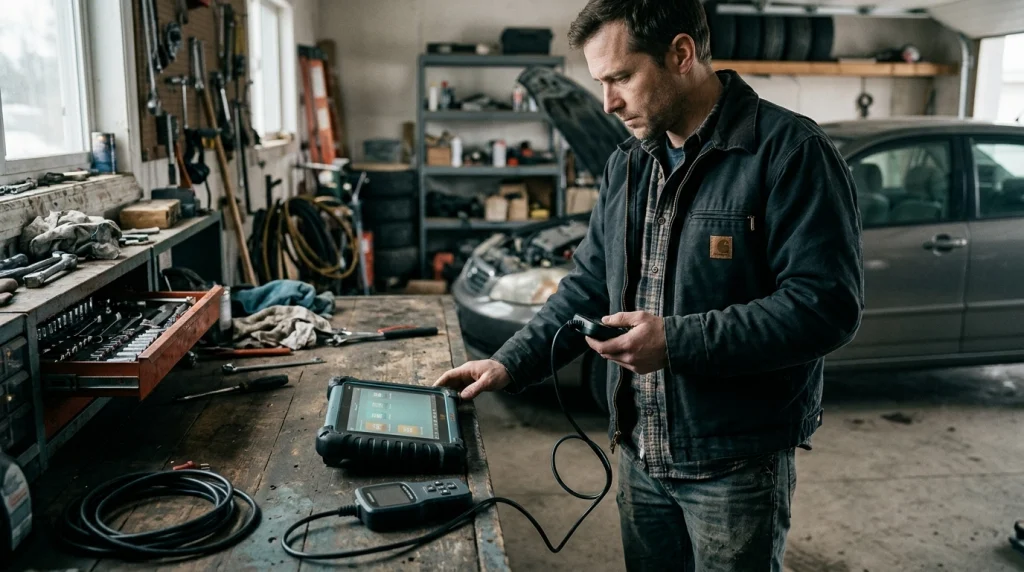
For occasional check-engine-light checks, a $25–$60 scanner is a sensible starting point. Regular DIY mechanics should consider spending $60–$150, while advanced repairs may justify a considerably larger budget.
These are approximate US-dollar retail ranges, not fixed prices or guaranteed feature levels. Brand, vehicle compatibility, included software, and retailer promotions can change the final cost.
| Scanner category | Typical budget | Best suited for |
|---|---|---|
| Basic handheld reader | $20–$40 | Occasional engine-code checks |
| Enhanced code reader | $40–$60 | Code definitions and emissions readiness |
| Bluetooth adapter and app | $20–$100+ | Phone-based monitoring and live data |
| Advanced DIY scanner | $100–$250 | Selected additional systems and service functions |
| Bidirectional scanner | $250–$500+ | Active tests and advanced troubleshooting |
| Professional diagnostic platform | $500–$2,000+ | Frequent shop work and deeper diagnostics |
Notice that price ranges overlap. A $100 scanner may offer excellent engine diagnostics but lack the ABS or airbag coverage available on another device at the same price.
Compare the actual functions, not just the product’s advertised category. That distinction matters more than a flashy screen or a long list of unsupported features.
Is a $20–$40 OBD2 Code Reader Good Enough?
Yes, a basic reader can be enough if you mainly want to retrieve generic engine trouble codes and decide what to investigate next. You don’t need a professional diagnostic tablet just to understand why the check-engine light appeared.
For example, the Autel MaxiScan MS309 is an entry-level option with on-screen code definitions, freeze-frame data, and emissions-readiness information according to its manufacturer.
At this price level, prioritize these features:
- Read and clear codes: Retrieve stored and pending diagnostic trouble codes.
- Code definitions: Understand what the code generally refers to without searching for every number.
- Freeze-frame data: Review a snapshot of operating conditions recorded when a fault occurred, when supported.
- Readiness monitoring: Check whether applicable emissions monitors have completed their self-tests.
- Vehicle compatibility: Confirm that the reader supports your vehicle’s diagnostic protocols.
There are trade-offs. A very inexpensive device may offer limited live data, no advanced system access, and little guidance beyond the code description.
Still, that limitation isn’t a reason to overspend if your only goal is basic engine diagnostics.
When Is It Worth Spending $60–$150?
The $60–$150 range becomes attractive when you want more information than a simple trouble-code number. Depending on the model, you may gain live sensor readings, data graphing, better reporting, or access to selected additional vehicle systems.
Live data shows what the vehicle’s computer reports while the engine runs. Depending on the vehicle and scanner, useful values may include engine speed, coolant temperature, fuel trims, and oxygen-sensor readings.
These readings help you investigate problems that a stored code alone cannot explain. They can also help you compare engine behavior before and after a repair.
Before paying extra, check for:
- Live data: Displays current readings from supported sensors.
- Graphing: Helps you spot changes in readings over time.
- Freeze-frame access: Preserves useful context for intermittent faults.
- Enhanced diagnostics: Provides manufacturer-specific information where supported.
- Software support: Keeps the tool useful as your diagnostic needs change.
Don’t assume every scanner in this price range includes ABS, SRS, or transmission diagnostics. Those features depend on the specific product and vehicle.
Do You Need to Spend $150–$400 or More?
Spend this much when you have a clear need for additional vehicle-system coverage, maintenance procedures, or bidirectional testing. For a driver who only checks the engine warning light twice a year, these tools are often unnecessary.
More capable scanners may cover systems such as:
- ABS: Anti-lock braking system fault codes and selected service functions.
- SRS: Supplemental restraint system and airbag diagnostics.
- Transmission: Additional transmission codes and supported live data.
- Service functions: Selected oil resets, electronic parking brake procedures, or battery registration.
- Bidirectional controls: Commands that activate supported vehicle components for testing.
Feature availability varies significantly by manufacturer, model year, and software version. Verify the exact functions for your car before purchasing an advanced tool.
For independent repair shops, a $500–$2,000+ diagnostic platform may make sense because it supports repeated jobs across multiple vehicles. Professional users should also calculate update costs, coverage renewals, and the time saved during diagnosis.
Which Features Are Worth Paying Extra For?
Pay for features that help you answer a real diagnostic question or complete a repair you regularly perform. A longer feature list has little value if most of those functions won’t work on your vehicle.
Live data and graphing
Live data is worth considering if you troubleshoot recurring engine problems. Graphing can make changing sensor readings easier to interpret than scrolling through individual values.
ABS and airbag coverage
These features matter when warning lights appear outside the engine system. A basic engine-only reader generally cannot replace a tool that explicitly supports the relevant ABS or SRS modules.
Bidirectional testing
Bidirectional control lets a compatible scanner send commands to supported vehicle systems. This can help a technician test a component without relying only on stored codes or passive sensor readings.
However, active tests can affect vehicle operation. Follow the manufacturer’s procedures and use these functions only when you understand the test and its risks.
Software updates and subscriptions
Some tools include ongoing updates, while others limit updates or charge for continued access to certain features. Review the terms before buying, especially for app-based tools and advanced diagnostic tablets.
Calculate the total cost over several years rather than comparing the initial purchase price alone. A $70 scanner with recurring fees may cost more to own than a $100 device with the features you need included.
Should You Buy a Bluetooth OBD2 Scanner or a Handheld Reader?
A handheld reader is usually the simpler option if you want a dedicated screen and a direct connection. A Bluetooth adapter can be convenient if you prefer to view data on your phone and the adapter works with your device and chosen app.
| Consideration | Handheld reader | Bluetooth adapter |
|---|---|---|
| Typical budget | $20–$150+ | $20–$100+ |
| Display | Built-in screen on most models | Phone or tablet screen |
| Live data | Depends on model | Depends on adapter and app |
| Extra software costs | Check update terms | Check app purchases and subscriptions |
| Main trade-off | Less dependent on a phone | Requires compatible hardware and software |
For iPhone users, verify that the adapter supports Bluetooth Low Energy or another connection method explicitly supported by the app. Android compatibility doesn’t guarantee iPhone compatibility.
Also check whether the app offers the functions you need without a subscription. The adapter and software work together, so evaluating the hardware alone can lead to a disappointing purchase.
Can an OBD2 Scanner Save You Money?
It can help you make more informed repair decisions, but the savings depend on how often you use it and whether you can interpret the information correctly. A scanner is a diagnostic aid, not a guarantee that you’ll avoid a repair-shop visit.
Consider a simple example. If you buy a $35 reader and use it to investigate a warning before a mechanic appointment, it may help you understand the reported fault and ask better questions.
Whether that purchase pays for itself depends on the diagnostic fee you would otherwise incur and the usefulness of the scan. Free code-reading services may also be available in your area, so compare those options before spending money.
Remember these important limits:
- A code identifies a detected fault or affected system, not necessarily the failed component.
- Clearing a code does not repair the underlying problem.
- Some faults require specialist equipment or tests that a basic scanner cannot perform.
- A scanner cannot reliably determine whether every vehicle is safe to drive.
If the check-engine light flashes, the engine runs roughly, or the vehicle loses power, treat the symptoms seriously. Stop safely when necessary and seek qualified assistance rather than relying on a code reader alone.
How Can You Avoid Overspending on an OBD2 Scanner?
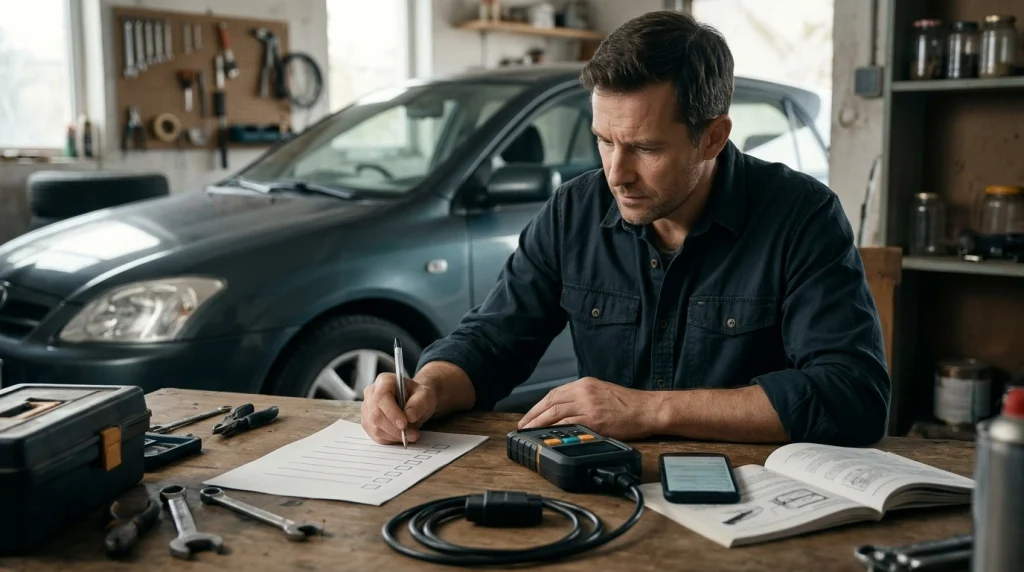
The easiest way to avoid overspending is to define the diagnostic tasks you expect to perform before comparing models. Start with your vehicle and the warning lights or maintenance jobs you need to address.
- Identify your vehicle: Record its make, model, year, engine, and relevant trim details.
- List your needs: Decide whether you need engine codes, live data, ABS/SRS access, or special service functions.
- Verify compatibility: Check the manufacturer’s coverage information for your exact vehicle.
- Calculate ownership costs: Include subscriptions, updates, and any paid app features.
- Compare support: Review the warranty, return policy, documentation, and customer support.
- Buy for your actual use: Choose the least expensive model that reliably covers your required tasks.
Don’t pay extra for advertised functions without checking their limitations. A scanner that supports a feature on one vehicle may not support it on another.
Which OBD2 Code Reader Should You Consider?
If you’re ready to choose a scanner, compare these three options according to the type of work you expect to do. The prices below are illustrative budget categories, not a claim that every retailer currently sells each model at a particular price.
Budget-friendly choice
Autel MaxiScan MS309
★★★★☆
This compact handheld reader retrieves supported diagnostic codes, displays code definitions, and provides freeze-frame and emissions-readiness information. I’d consider it for basic checks when a built-in screen matters more than advanced diagnostics.
For frequent DIY diagnosis
FOXWELL NT301
★★★★☆
This handheld OBD2 reader is worth comparing if you want a dedicated display and engine-data monitoring capabilities. I’d verify its exact live-data features and vehicle compatibility before choosing it over a simpler reader.
Advanced DIY option
Innova 5610
★★★★☆
This more advanced scanner offers bidirectional testing and additional diagnostic features, subject to vehicle coverage. I’d consider it for regular DIY work only when its supported tests and service functions justify the higher investment.
Selection note: These stars are editorial assessments of suitability for the stated use cases, not verified customer-review averages or independent laboratory test results. Check current prices, supported functions, and the affiliate tracking ID before publishing.
Frequently Asked Questions
Is a cheap OBD2 scanner worth buying?
Yes, a cheap OBD2 scanner can be worth buying if you mainly need generic engine trouble codes and basic emissions information. Choose a model that supports your vehicle and provides the specific features you need. A low-cost reader won’t replace advanced diagnostics when a fault requires more investigation.
How much should a beginner spend on an OBD2 scanner?
A beginner can usually start with a budget of $25–$60 for occasional check-engine-light checks. Look for reliable code reading, clear explanations, and useful readiness information. Spend more only if you need live-data graphing, additional vehicle-system coverage, or maintenance functions that the basic tool doesn’t provide.
Can an OBD2 scanner tell me exactly what’s wrong with my car?
No, an OBD2 scanner reports diagnostic information that helps narrow down a fault, but a trouble code doesn’t always identify the failed part. Correct diagnosis may require checking sensor readings, wiring, connectors, mechanical components, and manufacturer-specific procedures before replacing anything.
Should I buy a Bluetooth scanner or a handheld code reader?
Choose a handheld reader if you prefer a dedicated screen and straightforward operation. Choose a Bluetooth scanner if you want to view supported diagnostic information through your phone. Check smartphone compatibility, app quality, and subscription costs before buying either type.
Do I need an expensive scanner to clear the check-engine light?
No, a compatible basic OBD2 reader can often clear supported engine trouble codes. However, clearing the warning doesn’t fix the underlying fault, and the light may return if the problem remains. Record the codes and relevant data before clearing anything so you don’t lose useful diagnostic information.
Final Takeaway: Spend According to Your Diagnostic Needs
For most everyday drivers, spending $25–$60 on an OBD2 code reader is a reasonable starting point. That budget can cover common engine-code checks without the expense of professional diagnostic equipment.
If you regularly work on your own vehicle, consider $60–$150 for more useful data and potentially broader capabilities. Choose an advanced scanner only when its additional system coverage, service functions, or bidirectional controls solve a real problem for you.
The smartest purchase isn’t necessarily the cheapest or the most expensive scanner. It’s the one that supports your vehicle, provides the information you need, and costs less than paying for features you’ll never use.
Affiliate disclosure: This article contains affiliate links. If you purchase through qualifying links, the publisher may earn a commission at no additional cost to you.

I’m Alex Rahman, a car enthusiast and automotive writer focused on practical solutions, car tools, and real-world driving advice. I share simple and honest content to help everyday drivers make better decisions.
