Is Bluetooth OBD2 Better Than Wi-Fi OBD2? | Explained
Quick Answer
For most phone users, Bluetooth is better, especially Bluetooth Low Energy (BLE). It is simpler to set up, leaves your phone’s Wi-Fi free for the internet, and is fast enough for codes and normal live data. Wi-Fi is better mainly when you need to share one adapter with several devices, use laptop software, or work further from the car. Neither connection makes a scanner read more codes on its own.
Bluetooth and Wi-Fi are only the link between the adapter in your car’s port and your phone or laptop. The car, the adapter’s chip, and the app decide what data you can see. A cheap adapter does not become a professional tool because it uses Wi-Fi.
So ask which connection fits your phone, your app, and how you will use the scanner. Get one wrong, and even a good adapter may refuse to pair or block your internet access.
The Short Difference Between Bluetooth and Wi-Fi OBD2
Bluetooth adapters pair directly with one device, like wireless headphones. You plug the adapter in, open the app, and connect inside it. Your phone stays on its normal Wi-Fi or mobile network, so maps and messages keep working.
Wi-Fi adapters usually create their own small local network. Your phone joins it to talk to the adapter. That link does not need the internet: it is for diagnostics, not browsing. On many phones, joining it pauses your normal Wi-Fi internet until you switch back.
That explains most of the trade-off: Bluetooth is lower-friction for one phone, while Wi-Fi is more flexible for several devices or a computer.
How Each Connection Actually Works
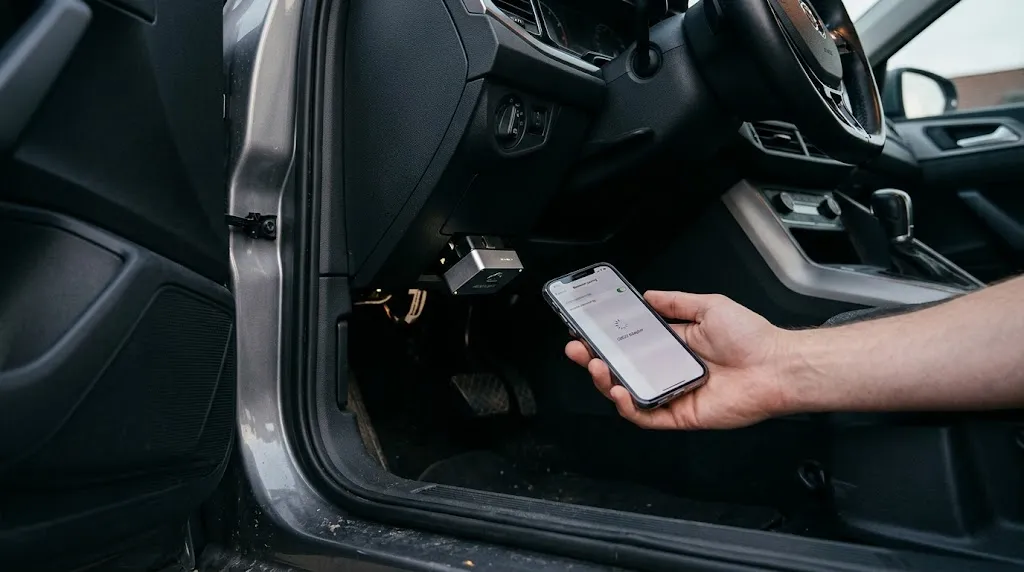
Bluetooth: Classic and BLE Are Not the Same Thing
Bluetooth OBD2 is really two different things, and confusing them is the most common buying mistake. Bluetooth Classic is the older type, widely used on Android and Windows, but ordinary iPhone diagnostic apps generally cannot use it. That is why an adapter that works on Android may not appear at all on an iPhone.
Bluetooth Low Energy (BLE) is the modern alternative, designed for short bursts of data and low power, and supported by current iOS and Android apps. The Bluetooth Low Energy primer from Bluetooth SIG describes BLE as a low-power variant for this kind of intermittent exchange. If you use an iPhone, look specifically for BLE.
Wi-Fi: A Local Network, Not Necessarily the Internet
A Wi-Fi adapter broadcasts a network name, often starting with OBD or the brand name. You join it in Wi-Fi settings, then open the diagnostic app and connect.
Because it is a network link, more than one device can often connect at once, which helps in a workshop. The extra step is switching networks, and your phone may warn that the adapter’s network has no internet access. That is also why some phones drop it and switch back to a known network.
Bluetooth vs Wi-Fi at a Glance
Real performance depends on the adapter, app, and vehicle, not only on the radio type.
| Feature | Bluetooth (especially BLE) | Wi-Fi |
|---|---|---|
| Best for | One phone, everyday checks | Several devices, laptops, workshops |
| iPhone use | Use BLE; avoid Bluetooth Classic | Usually works, if the app supports Wi-Fi |
| Setup | Pair inside the app | Join adapter network, then connect in app |
| Internet while scanning | Normal Wi-Fi or mobile data stays available | Often paused on the scanning phone |
| Range in practice | Comfortable inside and just outside the car | Can reach further in open space, but walls vary |
| Speed for normal scans | Fast enough for codes and normal live data | Higher ceiling, but rarely the bottleneck |
Wi-Fi looks stronger on range and speed in theory. In a real car, however, the vehicle sends data at a limited rate, so both links are usually waiting on the car, not on the wireless connection.
Which Is Better for Your Phone?
If you use an iPhone: choose BLE first. It works with both iOS and Android apps that support it, and it keeps your internet connection free. A Wi-Fi adapter is the next sensible option if your preferred app only supports Wi-Fi. Do not buy a Bluetooth Classic adapter for an iPhone unless the maker clearly states iOS support and names the apps it works with.
If you use Android: you have the widest choice, so decide by the app you want and whether you need to share the connection. For one phone used for occasional checks, Bluetooth is usually simplest.
If you use Windows or a laptop: Wi-Fi is often easier, because many diagnostic programs were built around a network connection. In all cases, check the app first: a connection type your app does not support is useless, however good the hardware looks.
Does Wi-Fi Give Faster Live Data?
Wi-Fi has a higher maximum data rate, so it sounds like the obvious winner for live graphs. For most drivers, that advantage does not show up usefully. How accurate OBD2 live data is depends far more on which values the car provides and how often it updates them than on the last hop to your phone.
Think of it as a narrow road feeding into a wide motorway: widening only the final wireless section does not make the car send data faster. Wi-Fi can help when logging many values at once, but a weak adapter chip or poorly written app can erase that advantage.
Key Insight
The wireless link rarely decides what your scanner can diagnose. Adapter quality, app support, and vehicle coverage decide that. Choose the connection your phone and app support cleanly, then judge the adapter on those factors.
Range, Power, and Staying Connected
Range claims are easy to overstate. In open space, Wi-Fi can reach further than Bluetooth, but inside a car, with metal, glass, and other signals in the way, usable range for both is usually much shorter than the headline figure. That rarely matters for a driver sitting in the car, but it can matter in a workshop. Power matters too: BLE was designed to sip power, while Wi-Fi adapters can draw more, so unplug any adapter when the job is done. If Bluetooth keeps dropping, our guide to why Bluetooth OBD2 disconnects covers the checks in order.
Setup and Everyday Reliability
Bluetooth setup is usually: plug in, turn the ignition on, open the app, and connect. The main failure is picking the wrong Bluetooth type for your phone.
Wi-Fi setup is usually: plug in, turn the ignition on, join the adapter’s network, open the app, and connect. The main failures are joining the wrong network and forgetting to switch back. For a quick roadside check, Bluetooth wins on friction. For a planned workshop session, Wi-Fi’s extra step matters less.
Who Should Choose Which?
- Choose Bluetooth BLE if: you scan with one iPhone or Android phone, you want the simplest setup, and you want your internet connection to stay available.
- Choose Bluetooth Classic only if: you use Android or Windows, your chosen app explicitly supports that adapter, and you have confirmed it is not an iPhone problem waiting to happen.
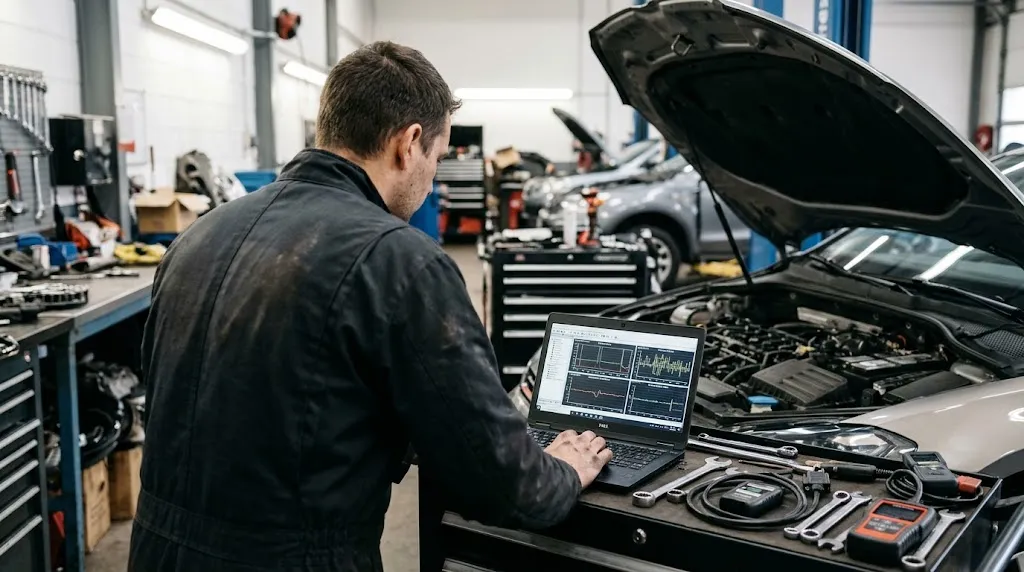
- Choose Wi-Fi if: your app or laptop software requires Wi-Fi, you need more than one device to view the same car, or you regularly work at a distance in a workshop.
- Choose a wired or handheld scanner instead if: you need the most stable link for long logging or troubleshooting that keeps failing over wireless. Our comparison of corded vs Bluetooth OBD2 scanners explains when a cable is still the better tool, and the same logic often applies against Wi-Fi too.
What a scanner can tell you does not change with this choice. What an OBD2 scanner can tell you is set by codes, live data, freeze frame, readiness, and vehicle information. If a seller promises that switching connection types unlocks airbag, ABS, or transmission data, verify that coverage for your make, model, and year first.
Mistakes That Make Either Type Look Bad
- Buying by connection type alone, without checking the app’s supported-adapter list.
- Assuming every Bluetooth adapter works with an iPhone, when Bluetooth Classic usually does not.
- Joining a Wi-Fi adapter network, then wondering why apps lose internet access.
- Leaving the ignition off, so the adapter has no stable power or the car will not respond.
- Running too many live values at once and blaming the wireless link for a slow graph.
- Using a clone adapter with weak protocol support and assuming the connection type is at fault. If the adapter will not talk to the car at all, see our guide to ELM327 not connecting to the ECU before buying a replacement.
Before replacing an adapter, change only one variable at a time: try a different app or a different phone, and note whether the problem follows the adapter, the phone, or the app.
Tip
Before you buy, write down three things: your phone type, your diagnostic app, and whether you need a second device to view the same scan. If all three point to Bluetooth BLE, buy that. If any one requires Wi-Fi, let that requirement decide.
Related Product
Bluetooth OBD2 Scanner
A BLE Bluetooth adapter is the simplest next step for most phone users in this article, because it keeps Wi-Fi free for the internet while you scan.
As an Amazon Associate, we earn from qualifying purchases.
Frequently Asked Questions
Is Bluetooth OBD2 better than Wi-Fi OBD2 for an iPhone?
Usually yes, if you choose BLE. BLE works with current iPhone diagnostic apps and leaves your Wi-Fi connection free. Standard Bluetooth Classic adapters generally do not work with ordinary iPhone apps, so check for BLE specifically rather than trusting the word Bluetooth alone.
Is Wi-Fi OBD2 faster than Bluetooth OBD2?
Wi-Fi has a higher maximum speed, but for normal code reading and a few live values, the car and adapter usually limit speed before the wireless link does. Wi-Fi can help more when logging many values at once or sharing the scan with several devices.
Can a Wi-Fi OBD2 adapter connect to more than one device?
Often yes, depending on the adapter and app. That is one of Wi-Fi’s real advantages in a workshop. Bluetooth adapters normally pair with one device at a time, so a second phone or tablet must wait or disconnect the first device.
Why does my phone lose internet when I use a Wi-Fi OBD2 adapter?
Most Wi-Fi adapters create a local network without internet access. When your phone joins it, it may pause its normal Wi-Fi internet connection. Bluetooth avoids this problem because it does not use your phone’s Wi-Fi connection at all.
Can I switch a Bluetooth adapter to Wi-Fi, or vice versa?
No, not normally. The radio is built into the adapter hardware, so a Bluetooth adapter cannot become a Wi-Fi adapter through an app setting. Some dual-mode adapters exist, but you must buy a model that explicitly lists both connection types.
Does Bluetooth or Wi-Fi affect which codes my scanner can read?
No, not by itself. Code coverage depends on the vehicle, the adapter chip and protocol support, and the app. The wireless link only carries the data after the adapter has talked to the car, so it does not add new systems or codes on its own.
Conclusion
Bluetooth is better for most everyday phone scanning, especially BLE, because it is simpler, keeps your internet free, and handles normal codes and live data well. Wi-Fi earns its place for several devices, laptop software, or more workshop range. Check your phone, app, and adapter model first, and let that match make the final choice.

I’m Alex Rahman, a car enthusiast and automotive writer focused on practical solutions, car tools, and real-world driving advice. I share simple and honest content to help everyday drivers make better decisions.
