Best Android Apps That Work with ELM327 OBD2 Adapters (2026)
Quick Answer
The best and most versatile Android app that works with an ELM327 OBD2 adapter is Torque Pro. For advanced manufacturer-specific diagnostics, Car Scanner ELM OBD2 and OBD Fusion are exceptional alternatives depending on your vehicle make.
Understanding ELM327 Compatibility on Android
The ELM327 is a widely used microcontroller protocol converter that bridges a vehicle’s onboard diagnostics port (OBD-II) with a smartphone or computer. Because it acts as a universal translator, it relies heavily on software to interpret the raw data stream.
When pairing an ELM327 Bluetooth or Wi-Fi adapter with an Android device, your choice of app dictates what you can actually see and do. Some apps focus purely on reading and clearing standard check engine codes, while others provide real-time sensor dashboards, fuel economy tracking, or advanced manufacturer diagnostics.
Before downloading an application, it helps to understand what kind of data your specific ELM327 adapter supports, as cheaper clone versions may lack support for certain extended OBD protocols used by specific car manufacturers.
Top Android Apps Designed for ELM327 Adapters
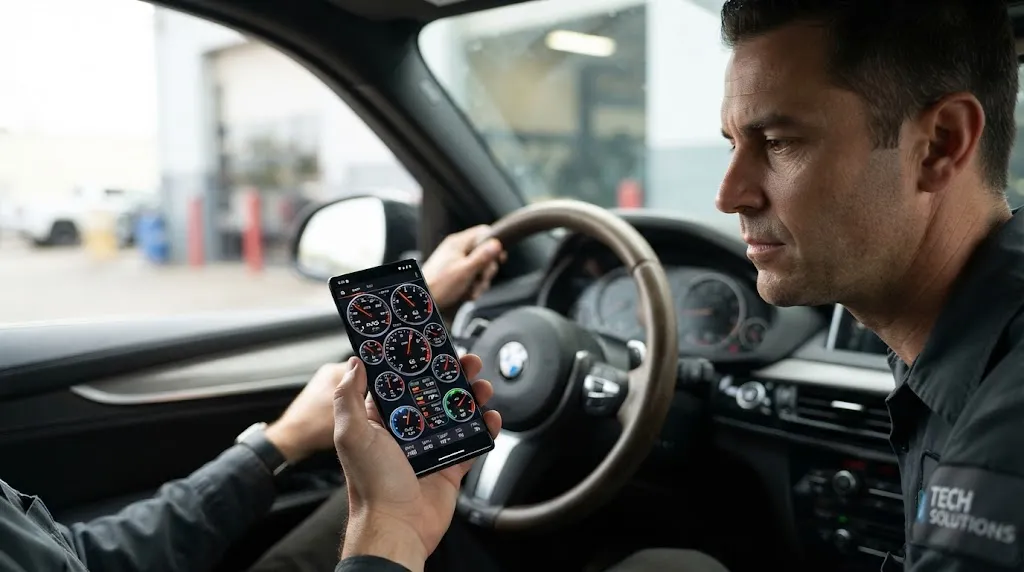
Different apps serve different driver needs. The following options represent the most reliable, actively maintained Android applications compatible with standard ELM327 hardware.
1. Torque Pro (Best Overall for Customization)
Torque Pro is arguably the most recognized OBD2 app on the Android platform. It connects seamlessly to Bluetooth ELM327 adapters and allows users to read diagnostic trouble codes (DTCs), view live sensor data, and customize digital dashboard layouts with gauges, dials, and graphs.
While the interface looks dated, its flexibility, ability to log trip data, and vast community plugin support make it a staple for DIY car owners.
2. Car Scanner ELM OBD2 (Best for Deep Diagnostics)
Car Scanner has rapidly gained popularity because it offers deep diagnostic capabilities for specific car brands (such as Toyota, Lexus, Ford, Nissan, and Volkswagen) that standard generic OBD2 apps miss. It allows you to read ABS, airbag, and transmission codes on supported vehicles, provided your ELM327 adapter supports the required multi-protocol switching.
3. OBD Fusion (Best Paid Option for Stability)
OBD Fusion is a polished, reliable application designed for monitoring vehicle performance and emissions readiness. It provides clean graphs, diagnostic reports, and fuel economy tracking. It is a paid app on the Google Play Store, but its stable connection handling makes it worth considering for frequent users.
Key Insight
Cheap ELM327 clones often lack proper PIC microcontrollers or protocol support. If an app fails to connect despite correct Bluetooth pairing, the adapter hardware itself is usually the restriction rather than the software.
How to Choose the Right App for Your Needs
Selecting the correct application depends entirely on what you intend to accomplish with your ELM327 adapter. Matching your goals to the right software prevents frustration.
- If you only want to clear a Check Engine Light: Basic free apps like Torque Lite or Car Scanner Lite are usually sufficient to read generic powertrain codes and reset the dashboard warning.
- If you want real-time gauge monitoring: Torque Pro offers unmatched dashboard customization for tracking boost pressure, coolant temperature, and RPM.
- If you need advanced manufacturer diagnostics: Car Scanner ELM OBD2 provides access to non-powertrain modules on many modern vehicles.
Troubleshooting ELM327 App Connection Issues
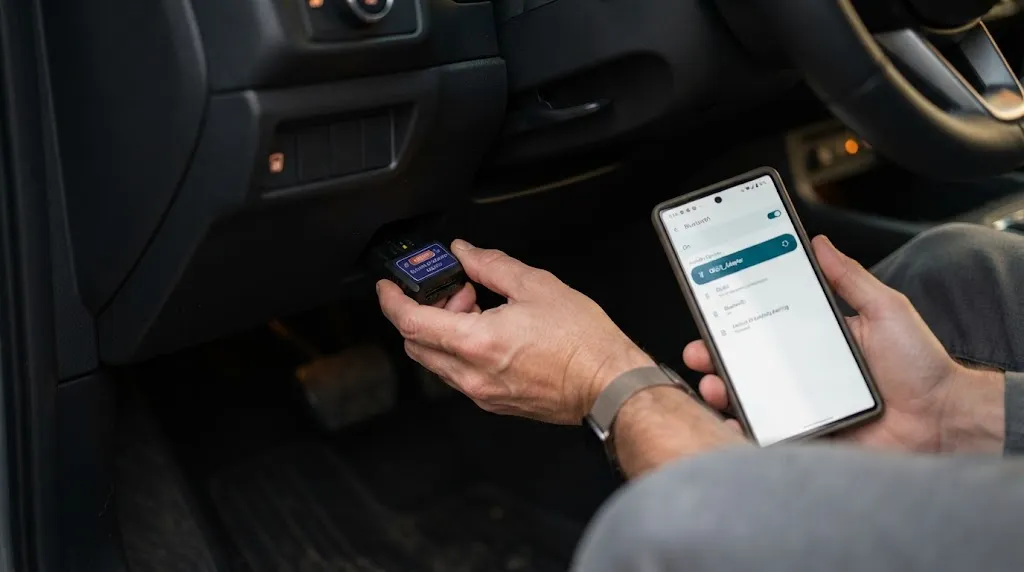
Even with compatible apps, users frequently encounter connection drops or pairing failures. Resolving these issues typically involves a systematic checklist.
- Verify Bluetooth pairing: Ensure your Android phone is paired directly to the ELM327 device through your system Bluetooth settings before opening the app.
- Check ignition status: The vehicle ignition must be turned to the “ON” position (engine off or running) to supply power to the OBD2 port.
- Configure app connection settings: Inside apps like Torque, ensure the connection type is set correctly to Bluetooth or Wi-Fi depending on your specific hardware adapter.
- Check for ELM version compatibility: Some modern vehicles require adapter firmware versions higher than standard v1.5 or v2.1 cheap clones to communicate properly.
Warning
Never attempt to read diagnostic codes or adjust live parameters while actively driving in heavy traffic. Always pull over safely or have a passenger manage the Android device.
Related Product
OBD2 Bluetooth Diagnostic Scanner Adapters
A reliable Bluetooth ELM327 adapter ensures stable data transmission when paired with your favorite Android diagnostic app.
As an Amazon Associate, we earn from qualifying purchases.
Frequently Asked Questions
Do all ELM327 adapters work with every Android app?
Most standard ELM327 adapters work universally across generic apps like Torque and Car Scanner. However, some specialized manufacturer apps require specific adapter protocols or authentic chips to function correctly.
Can an ELM327 app read ABS and airbag codes?
Standard generic OBD2 apps only read powertrain codes. To read ABS, SRS, or transmission codes, you need an app like Car Scanner ELM OBD2 paired with an adapter that supports multi-protocol switching.
Why does my ELM327 say connected but no data appears?
This usually happens when the app cannot communicate with your vehicle’s ECU. Ensure your ignition is fully turned on, check the app’s protocol settings, or try restarting both the app and your phone’s Bluetooth.
Are free ELM327 apps safe to use?
Reputable apps like Car Scanner Lite and Torque Lite are safe. However, users should download apps from official app stores and review permission requests to protect personal privacy.
Will an ELM327 adapter drain my car battery if left plugged in?
Yes. Many cheap ELM327 adapters lack an auto-sleep function. Leaving them plugged into the OBD2 port continuously can slowly drain your car battery over a few days.
Can I use an ELM327 adapter on iOS devices?
Most standard Bluetooth ELM327 adapters only work with Android and Windows. iOS devices typically require a Wi-Fi-enabled ELM327 or a specialized Bluetooth Low Energy adapter to pair correctly.
Conclusion
Pairing an ELM327 adapter with the right Android application unlocks powerful diagnostic capabilities directly from your smartphone. Whether you choose Torque Pro for custom dashboards or Car Scanner ELM OBD2 for deeper system checks, understanding your vehicle’s requirements ensures a smooth connection. Always verify your hardware compatibility and avoid leaving budget adapters plugged in when the vehicle is turned off to protect your battery.

I’m Alex Rahman, a car enthusiast and automotive writer focused on practical solutions, car tools, and real-world driving advice. I share simple and honest content to help everyday drivers make better decisions.
