How Long Does an OBD2 Scan Take? Quick Answer & Guide
Quick Answer
A basic OBD2 scan to read error codes takes only a few seconds to 2 minutes. However, a complete automotive diagnostic process—including live data monitoring, physical inspection, and verification—typically takes anywhere from 30 to 60 minutes.
Understanding the OBD2 Scanning Timeline
When a check engine light illuminates on your dashboard, plugging in an OBD2 scanner is usually the first step toward finding out what is wrong. Many drivers assume that plugging a tool into the diagnostic link connector (DLC) provides an instant, complete answer to the vehicle’s underlying mechanical or electrical problems.
In reality, the time required depends entirely on whether you are simply pulling stored diagnostic trouble codes (DTCs) or performing a comprehensive system evaluation. Recognizing the difference between plugging in a code reader and conducting true troubleshooting helps set realistic expectations for a DIY check or a professional shop visit.
Basic Code Retrieval: A Matter of Seconds
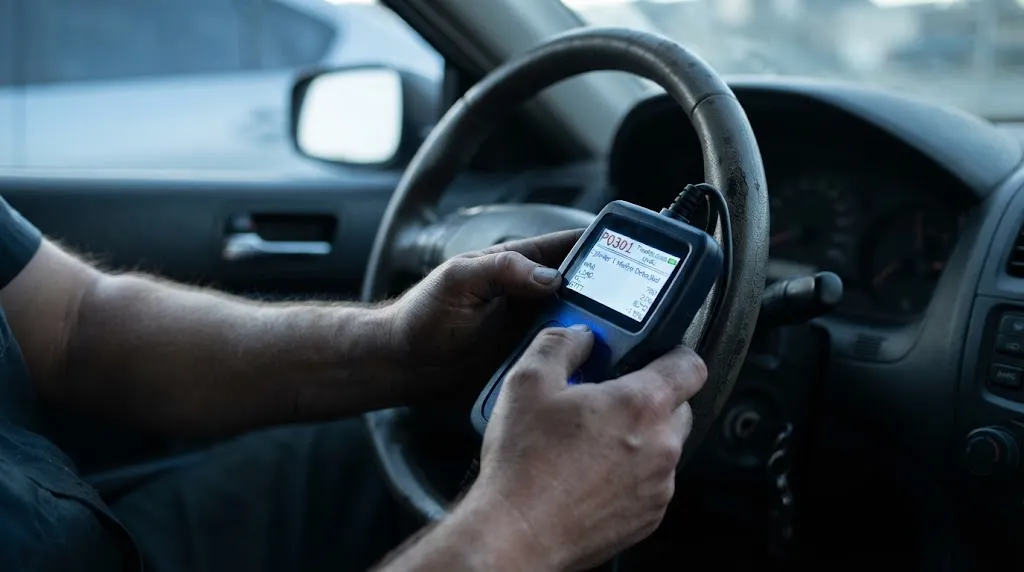
The electronic handshake between a handheld OBD2 scan tool and the vehicle’s Powertrain Control Module (PCM) happens almost instantaneously. Once the ignition is turned to the auxiliary position and the scanner establishes communication:
- The tool queries the vehicle computer for active and pending fault codes.
- The system transfers data packets containing standard P0, P1, C, B, or U codes.
- The screen populates with specific code numbers (such as P0300 for a random cylinder misfire) usually within 10 to 30 seconds.
If your goal is only to retrieve the raw code numbers to understand why a warning light triggered, the entire process takes less than two minutes. Advanced smartphone-based dongles or professional-grade tablets may take an extra minute to boot up software menus or identify the specific vehicle VIN automatically, but the actual data retrieval remains rapid.
Why a Code Is Not a Complete Diagnosis
A common misconception is that identifying a trouble code tells you precisely which part to replace. A code indicates which circuit, sensor, or system is reporting an out-of-range value, but it rarely pinpoints the root mechanical failure.
For example, an oxygen sensor code might trigger because the sensor itself has failed, or because an upstream vacuum leak is altering the air-fuel mixture, or because a faulty fuel injector is causing a rich condition. Interpreting what the code actually means in real-world driving conditions requires moving beyond basic code reading into live data analysis.
Live Data Monitoring and Parameter Identification
To move past a blind part-replacement approach, technicians and knowledgeable DIYers utilize live data streaming. This phase of the scan takes an additional 10 to 15 minutes.
During this stage, the scanner observes real-time sensor behavior while the engine runs:
- Short and long-term fuel trims: Checking whether the computer is adding or removing fuel to compensate for an imbalance.
- Coolant temperature sensors: Verifying if the reading matches actual thermal conditions to prevent chasing thermostat or wiring ghosts.
- Oxygen sensor switching speeds: Watching voltage fluctuations to see if a sensor is sluggish or completely dead.
- Mass air flow (MAF) grams per second: Confirming whether airflow metrics scale correctly as engine RPMs increase.
Key Insight
Watching live data graphs allows you to see intermittent faults that only appear under specific engine loads, temperatures, or throttle positions, turning a static code into actionable diagnostic direction.
What Happens During a Professional Diagnostic Test
When you bring a vehicle to a repair shop for a diagnostic fee, the process extends well beyond plugging in an electronic tool. A comprehensive professional diagnostic test typically takes 45 to 90 minutes from start to finish and incorporates multiple layers of verification:
- Initial Computer Scan (10–15 minutes): Retrieving all historical, pending, and permanent codes across multiple modules (engine, transmission, ABS, body control).
- Visual and Hands-On Inspection (10–20 minutes): Inspecting physical wiring harnesses, vacuum hoses, fluid conditions, and connectors for corrosion, cracks, or loose fittings that electronic scans cannot detect.
- Component Testing or Multimeter Checks (10–20 minutes): Back-probing circuits, testing fuses, or checking ground continuity to verify that the wiring supporting the sensor is intact.
- Verification Road Test (15–30 minutes): Driving the vehicle under controlled conditions to replicate the failure mode, monitor sensor trends under load, and ensure readiness monitors set properly.
Factors That Can Lengthen an OBD2 Scan Session
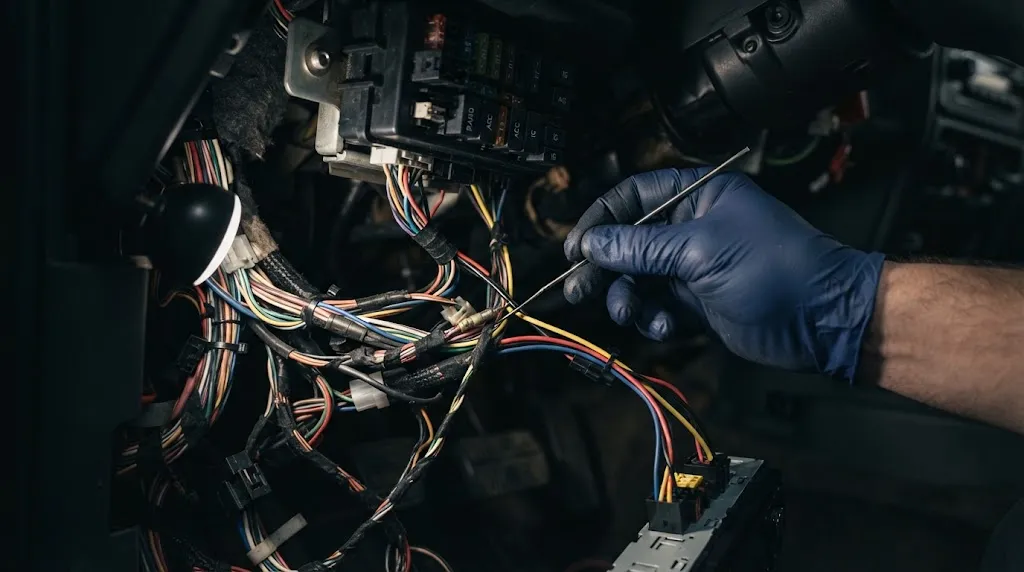
Certain situations can stretch a quick scan into a much longer troubleshooting endeavor. Recognizing these variables prevents frustration when working on complex automotive issues:
- Multiple Intermittent Faults: Vehicles reporting network communication errors or multiple unrelated codes across separate modules require deeper network topology analysis.
- Cleared Codes and Incomplete Monitors: If the battery was recently disconnected or codes were cleared right before the scan, internal emission monitors reset to “Not Ready.” Forcing the car to pass an emissions readiness check can require specific drive cycles lasting miles or days.
- Modified or Aftermarket Electronics: Aftermarket remote starts, custom radios, or spliced wiring harnesses can disrupt the vehicle communication network (CAN bus), requiring extra time to isolate signal interference.
Warning
Never replace a major component based solely on a generic code definition without checking live data or performing physical verification. Ignoring the mechanical inspection step frequently leads to wasted money on unneeded parts.
How to Speed Up Your Own OBD2 Scanning Process
If you are scanning your vehicle yourself to save time or prepare for an emissions test, a few practical steps can keep the process moving efficiently:
- Locate the Port Ahead of Time: The OBD2 port is legally required to be within reach of the driver’s seat, usually tucked beneath the dashboard near the steering column or center console. Knowing its exact location saves awkward searching.
- Keep the Engine Warm: Many closed-loop sensor readings and idle parameters require normal operating temperature to display accurate data. Scanning a stone-cold engine can throw up false anomalies or prolong warm-up monitoring.
- Note Dashboard Context: Jot down whether the check engine light is flashing (indicating an active catalyst-damaging misfire) or solid, as this dictates how aggressively you need to diagnose the vehicle.
Related Product
OBD2 Diagnostic Code Scanners
A reliable handheld code reader allows you to check engine codes, view live sensor data, and clear warning lights from home in just minutes.
As an Amazon Associate, we earn from qualifying purchases.
Frequently Asked Questions
Can an OBD2 scanner check transmission and ABS codes?
Basic, low-cost code readers usually only access powertrain (P-codes) related to the engine and emissions. To scan anti-lock braking system (ABS), supplemental restraint system (SRS), and transmission (T-codes) modules, you need a mid-tier or advanced scan tool capable of reading manufacturer-specific enhanced data streams.
Why does my scanner say “Link Error” or fail to connect?
A link error typically occurs because the ignition key is turned off, the scanner plug is not fully seated in the 16-pin DLC port, or a blown accessory fuse (often shared with the cigarette lighter circuit) is depriving the OBD2 port of operating power.
Will disconnecting the battery clear an OBD2 scan code permanently?
Disconnecting the battery or using a scanner to erase codes will turn off the check engine light and clear stored trouble codes. However, if the underlying mechanical or electrical fault has not been repaired, the computer will trigger the warning light again once the monitoring cycle runs.
Do I need the engine running to perform a basic scan?
No. For simple code retrieval, you only need the ignition turned to the “ON” position with the engine off. This powers up the vehicle’s computer modules so the tool can query stored data without requiring combustion.
What does “I/M Readiness” mean on an OBD2 scan?
Inspection and Maintenance (I/M) readiness indicators show whether all of the vehicle’s emission control self-tests have finished running. If your monitor status shows “Not Ready” during an emissions inspection, the testing station will reject the test until you complete a proper drive cycle.
Can an OBD2 scan predict parts failure before a light comes on?
Yes. Many modern scanners can display “pending codes.” These are temporary faults registered by the computer when a sensor acts up once or twice but has not yet met the strict threshold required to illuminate the permanent dashboard warning light.
Conclusion
While pulling an error code with an OBD2 scanner takes only a few seconds, true vehicle diagnosis requires a broader perspective. Understanding that a code points toward a symptom rather than an automatic fix saves time, money, and unnecessary part replacements. Whether you are running a quick code check in your driveway or waiting on a comprehensive shop evaluation, balancing quick electronic data with hands-on inspection ensures you get straight to the root of any automotive issue.

I’m Alex Rahman, a car enthusiast and automotive writer focused on practical solutions, car tools, and real-world driving advice. I share simple and honest content to help everyday drivers make better decisions.
