How Much Power Does an OBD2 Adapter Use? Battery Drain Guide
Quick Answer
An OBD2 adapter typically draws between 20 to 50 milliamps (mA) of power when the vehicle is parked and the ignition is off, and around 50 to 100+ mA when actively transmitting data. While this is a very small amount of current, a standard adapter left plugged in continuously can drain a healthy car battery over the course of 2 to 4 weeks.
Understanding OBD2 Power Consumption Basics
Every modern vehicle built since 1996 features an On-Board Diagnostics (OBD2) port, which provides a direct line to the vehicle’s computer network. Importantly, this port provides continuous electrical power even when the engine is turned off and the key is removed. Pin 16 of the standard 16-pin OBD2 connector delivers permanent 12-volt battery power directly from the vehicle’s electrical system, bypassing the ignition switch entirely.
Because the port is always live, any device plugged into it remains powered. Standard diagnostic scan tools, code readers, and basic code-clearing dongles only consume power when the screen is lit or processing commands. However, modern Bluetooth and Wi-Fi OBD2 adapters designed for continuous monitoring, fuel tracking, or insurance diagnostics remain in a standby state indefinitely unless they feature an automatic sleep mode.
For most drivers, understanding how this continuous draw interacts with a vehicle’s battery health is essential for preventing unexpected dead batteries, especially during periods when the car sits unused for several days or weeks.
How Much Current Do Different Adapters Draw?
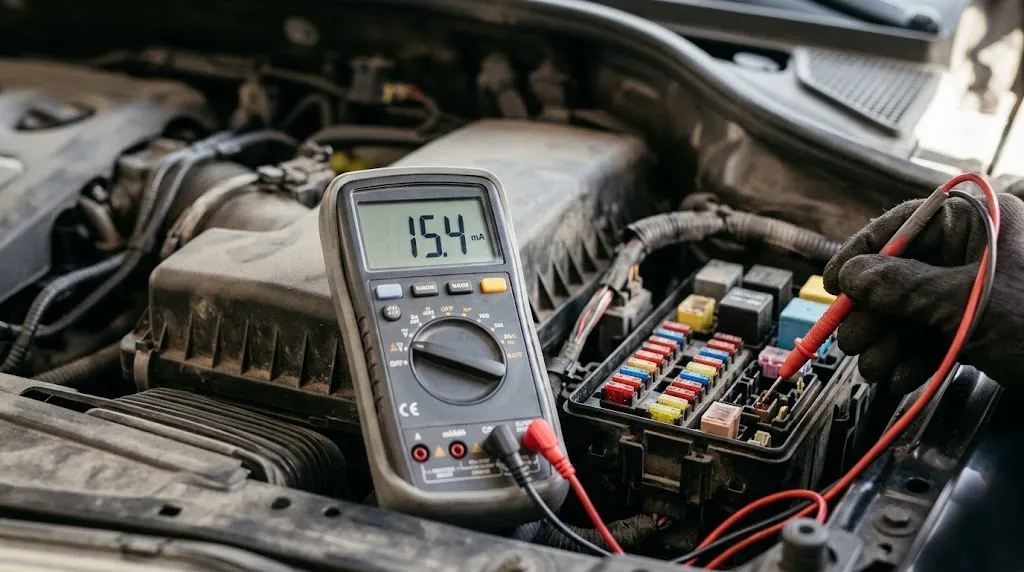
Power draw varies significantly depending on the adapter type, its internal components, and whether it is actively communicating with a smartphone or vehicle computer. Measuring current draw in milliamps (mA) helps clarify the impact on a standard 12-volt automotive battery.
| Adapter Type | Active Draw (Streaming Data) | Idle / Standby Draw | Power-Saving Mode |
|---|---|---|---|
| Basic Wired Code Reader | 100 mA – 300 mA (screen on) | 0 mA (unplugged when not in use) | N/A (Manual disconnect) |
| Standard Bluetooth / Wi-Fi Dongle | 50 mA – 100 mA | 30 mA – 50 mA | Rarely supported |
| Smart Telematics / GPS Tracker | 80 mA – 150 mA | 20 mA – 40 mA | Drops to 5 mA – 10 mA |
| High-End Diagnostic Interface | 150 mA – 400 mA | 50 mA – 80 mA | Auto-sleep after timeout |
When evaluating these numbers, it helps to look at how baseline vehicle electronics operate. A typical modern car already has a parasitic draw of 20 to 50 mA from factory systems like security alarms, keyless entry receivers, and engine control unit memory. Adding an unmanaged OBD2 adapter can double that baseline parasitic drain.
How Long Before an OBD2 Adapter Drains Your Battery?
Vehicle batteries are typically rated in amp-hours (Ah), with a standard mid-size car battery holding around 48 to 60 Ah of capacity. However, a car battery cannot be fully depleted without losing its ability to start the engine; dropping below roughly 50% state of charge often results in a slow crank or a complete failure to start.
Calculating the exact timeline depends on the total parasitic draw:
- Combined Draw of 70 mA (Vehicle Baseline + Adapter): Draws roughly 1.68 amp-hours per day. Over 15 days, it consumes about 25 amp-hours, which starts approaching the threshold where cold-cranking amps drop significantly.
- Combined Draw of 100 mA: Draws 2.4 amp-hours per day. Over 10 to 14 days of sitting idle, a standard battery can become too weak to power the starter motor.
- Low-Power Sleep Mode (Under 10 mA adapter draw): Extends safety margins significantly, allowing the vehicle to sit for a month or more without adapter-induced battery depletion.
Warning
Older vehicle batteries, vehicles parked in freezing winter temperatures, and cars with pre-existing electrical parasitic drains are far more vulnerable. An OBD2 adapter that drains a fresh battery in three weeks may cause a dead battery in under a week under cold conditions.
Features That Reduce Power Draw in Modern Adapters
Not all OBD2 adapters handle standby power the same way. Premium manufacturers incorporate hardware safeguards to minimize battery drain when the vehicle is parked.
Advanced adapters often feature automatic sleep modes triggered by specific conditions. When the device detects that the engine has stopped and vehicle network communications have ceased, it enters a low-power sleep state. Some units rely on built-in accelerometers to detect motion, waking up only when the vehicle starts moving again. Others monitor voltage fluctuations on Pin 16 to sense when the alternator stops charging the battery.
Budget-priced diagnostic dongles frequently omit these power-management circuits to reduce manufacturing costs. These lower-cost units remain fully powered and continuously broadcast their Bluetooth or Wi-Fi signal indefinitely, keeping their internal radio frequency transmitters active even when the smartphone app is closed.
Best Practices for Managing OBD2 Power Usage
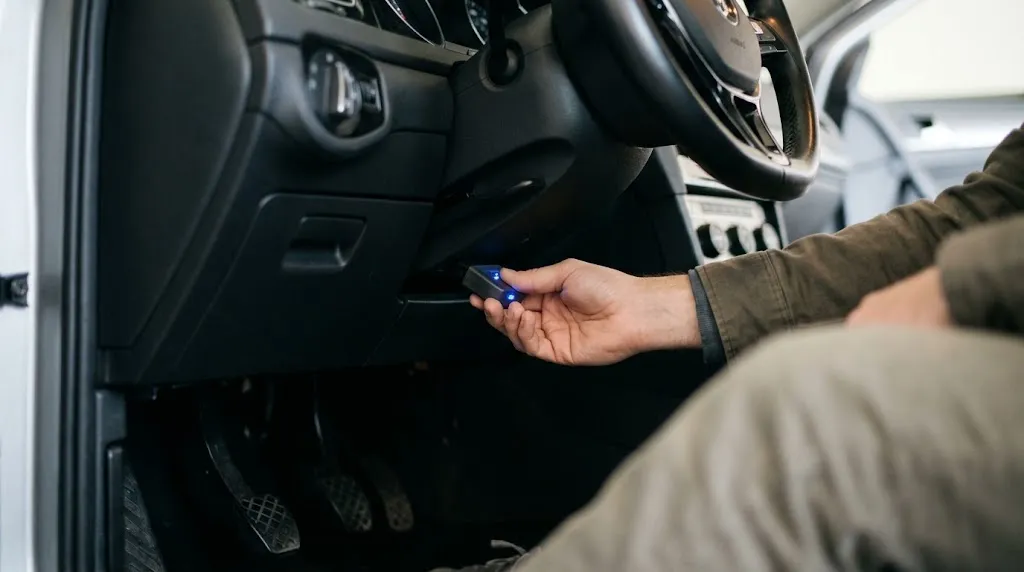
To prevent unexpected battery drain while retaining the convenience of diagnostic monitoring or telemetry tracking, follow these practical guidelines:
- Unplug When Not in Use: If you use a basic diagnostic tool or code reader only for occasional troubleshooting, unplug it immediately after finishing your diagnostic scan.
- Verify Sleep Functionality: If you use a permanent Bluetooth or insurance tracking dongle, check the manufacturer specifications to confirm it includes an automatic power-saving sleep mode.
- Monitor Battery Voltage: Many advanced adapters feature companion smartphone apps that display real-time battery voltage. Review this reading if the vehicle sits idle for several days.
- Remove During Extended Storage: If you plan to leave your vehicle parked at an airport or garage for more than a week, remove any plugged-in OBD2 device to eliminate extra parasitic draw.
Tip
If you want permanent OBD2 connectivity without constantly unplugging the device, look for aftermarket OBD2 extension cables equipped with an integrated power switch or an automatic shutoff module.
Frequently Asked Questions
Will leaving an OBD2 scanner plugged in overnight kill my car battery?
No. For a healthy car battery, an overnight drain of 30 to 50 milliamps is negligible and will consume less than 2% of total battery capacity. It typically takes two to four weeks of continuous parking for an adapter alone to drain a healthy battery.
Do Bluetooth OBD2 adapters turn off when the car is turned off?
It depends entirely on the model. Some adapters enter a low-power sleep mode after a few minutes of inactivity, while cheaper units remain fully powered and keep broadcasting their Bluetooth signal as long as they are plugged into the port.
Why does my OBD2 port have power even when the key is out?
Automobile manufacturers intentionally keep the OBD2 port powered at all times to allow diagnostic computers, emissions testing equipment, and vehicle control modules to retain permanent memory codes and diagnostic readiness monitors without resetting every time the engine turns off.
Can an OBD2 adapter cause a slow crank when starting the car?
An adapter itself does not cause a slow crank unless it has depleted the battery below optimal charge levels over several days of sitting. If your car cranks slowly immediately after regular daily driving, the underlying cause is more likely a weak battery, a failing alternator, or an unrelated electrical draw.
How can I test how much power my OBD2 adapter is drawing?
You can measure the current draw by setting a digital multimeter to measure DC milliamps, disconnecting the vehicle’s negative battery terminal, and placing the multimeter probes in series between the disconnected cable and the battery post while the adapter is plugged in.
Are OBD2 splitters or extension cables with switches safe to use?
Yes, reputable extension cables and switches designed for 12V automotive applications are generally safe, provided they maintain solid physical connections and do not introduce loose wiring that could create intermittent electrical resistance or shorts.
Related Product
OBD2 Bluetooth Scanner with Auto-Sleep Mode
An energy-efficient diagnostic dongle designed with built-in power-saving standby modes to protect your vehicle battery during extended parking.
As an Amazon Associate, we earn from qualifying purchases.
Conclusion
An OBD2 adapter consumes a minimal amount of power—typically between 20 and 50 milliamps—making it completely harmless during regular daily driving. However, because the OBD2 port remains permanently live, leaving an unmanaged adapter plugged in for weeks at a time can gradually drain your car battery. Choosing a quality adapter with an auto-sleep feature or simply unplugging the device when your vehicle will sit idle for extended periods ensures your battery remains fully charged and ready.

I’m Alex Rahman, a car enthusiast and automotive writer focused on practical solutions, car tools, and real-world driving advice. I share simple and honest content to help everyday drivers make better decisions.
