OBD2 Port Pins Layout & Functions: Complete 16-Pin Guide
Quick Answer
The standard OBD2 port features a 16-pin layout configured in two rows of eight pins (Type A or Type B) beneath the vehicle’s dashboard. Each pin serves a specific communication protocol, power supply, or ground function standardized by SAE J1962 to allow diagnostic tools to interface with the vehicle’s computer systems.
What Is the Standard OBD2 Port Layout?
The On-Board Diagnostics version 2 (OBD2) port is a standardized connector mandated for all light-duty vehicles sold in the United States starting in 1996, and later adopted globally. Located typically beneath the driver’s side dashboard near the steering column, this 16-pin receptacle provides universal access to the vehicle’s onboard computers.
The connector is built according to the SAE J1962 specification. It uses a trapezoidal shape to ensure the diagnostic scan tool or adapter plugs in correctly without upside-down insertion errors. Inside this connector, 16 distinct cavities house individual metal pins, each dedicated to a unique electrical, power, or data transmission function.
Complete OBD2 Pinout Reference and Functions
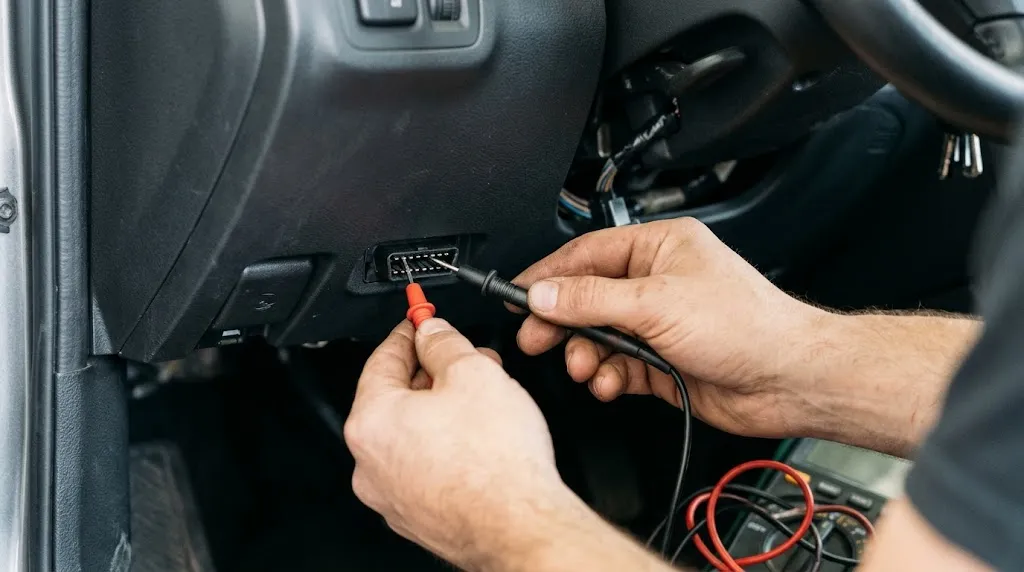
While some vehicle manufacturers leave specific pin locations blank depending on their chosen communication protocols, the standardized pin assignments remain consistent across modern automobiles. Understanding these individual connections helps technicians troubleshoot communication errors between code readers and the vehicle control modules.
The 16 pins are numbered sequentially from left to right, starting with the top row (Pins 1 through 8) and moving to the bottom row (Pins 9 through 16) when looking directly at the vehicle’s female connector.
Top Row Pins (1 to 8)
- Pin 1: Manufacturer discretion (often used for enhanced powertrain diagnostics or body control modules).
- Pin 2: J1850 Bus+ (Positive data line for SAE J1850 PWM and VPW communication protocols, common in older Ford, GM, and Chrysler vehicles).
- Pin 3: Manufacturer discretion.
- Pin 4: Chassis Ground (Provides a direct electrical ground connection to the vehicle frame).
- Pin 5: Signal Ground (Provides a clean ground reference for sensor and data circuits to minimize electrical noise).
- Pin 6: CAN High (ISO 15765-4 / SAE J2284) — The high-voltage line for the Controller Area Network bus, used in nearly all modern vehicles.
- Pin 7: ISO 9141-2 K-Line (Bidirectional communication line used for slow-speed diagnostics in many Asian and European imports).
- Pin 8: Manufacturer discretion (sometimes used for ignition status or switched power).
Bottom Row Pins (9 to 16)
- Pin 9: Manufacturer discretion.
- Pin 10: J1850 Bus- (Negative data line paired with Pin 2 for SAE J1850 PWM systems).
- Pin 11: Manufacturer discretion.
- Pin 12: Manufacturer discretion.
- Pin 13: Manufacturer discretion.
- Pin 14: CAN Low (ISO 15765-4 / SAE J2284) — The low-voltage line paired with Pin 6 for high-speed Controller Area Network communication.
- Pin 15: ISO 9141-2 L-Line (Optional line used for waking up certain control modules during initialization in older ISO protocols).
- Pin 16: Battery Power (Supplies constant unswitched 12-volt power directly from the vehicle battery, typically protected by a fuse, to power diagnostic tools).
Tip
If your code reader fails to power on when plugged in, check Pin 16 for 12V power and Pins 4 and 5 for ground continuity. A blown accessory or cigar lighter fuse frequently disables power to the OBD2 port.
How Different Communication Protocols Use OBD2 Pins
Vehicle manufacturers adopted different electronic communication standards over the decades. Because the physical 16-pin connector remains universal, the active pins inside the plug change based on the protocol your vehicle’s Powertrain Control Module (PCM) utilizes.
| Protocol Standard | Active Pins Used | Common Vehicle Applications |
|---|---|---|
| CAN Bus (ISO 15765) | Pins 6 and 14 | Virtually all modern vehicles manufactured after 2008. |
| ISO 9141-2 / ISO 14230 (KWP2000) | Pins 7 and 15 (K and L lines) | Many European and Asian imports (Chrysler as well). |
| SAE J1850 PWM | Pins 2 and 10 | Older Ford Motor Company vehicles. |
| SAE J1850 VPW | Pin 2 only | Older General Motors (GM) vehicles. |
When plugging an advanced diagnostic tool or an insurance tracking dongle into the port, the device automatically scans these designated pins to handshake with the correct network protocol.
Common Causes of OBD2 Port Failure
When a scanner fails to link with a vehicle, the issue is occasionally rooted in the physical port itself rather than the vehicle’s computer. Recognizing these failure points prevents unnecessary module replacements.
Blown fuses are the single most frequent culprit. Because Pin 16 relies on constant battery voltage, a short circuit in auxiliary electronics—such as the cigarette lighter, interior lighting, or auxiliary power outlets—often shares a circuit breaker or fuse with the diagnostic port.
Physical damage to individual terminal pins inside the connector housing can also occur. Repeated insertion of heavy diagnostic connectors or cheap Bluetooth OBD2 adapters can bend or push back fragile receptacle pins, causing intermittent or total loss of contact.
Warning
Never bridge, jump, or short-circuit Pin 16 (Battery Power) to ground pins (Pins 4 or 5). Doing so will instantly blow fuses, damage wiring harnesses, or potentially fry delicate electronic control units within the vehicle network.
How to Test and Inspect OBD2 Pins Safely
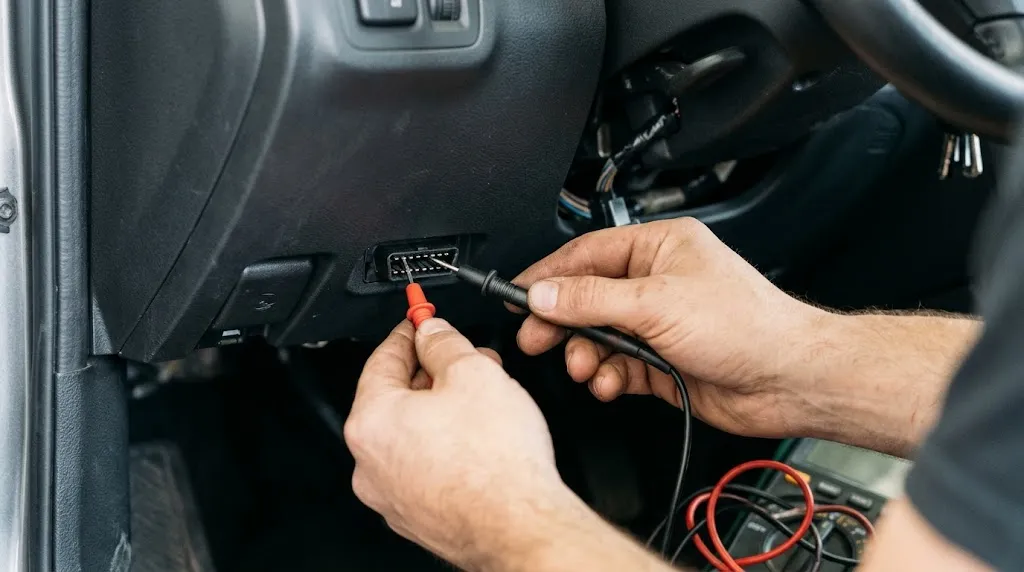
If you suspect a wiring or power delivery fault at the diagnostic port, basic diagnostic equipment can verify circuit integrity without risking permanent damage.
Set a digital multimeter to measure DC voltage. Place the black multimeter lead onto Pin 4 or Pin 5 (chassis or signal ground), and probe Pin 16 with the red lead. The meter should read steady battery voltage between 12.0 and 14.6 volts.
Next, visually inspect the interior of the plastic port using a flashlight. Check whether any metal receptacle sleeves appear widened, corroded, or pushed backward into the plastic housing. If pins are spread apart, they will fail to make proper electrical contact with the male pins of a scanner plug.
Related Product
OBD2 Code Readers and Diagnostic Scanners
A reliable diagnostic scan tool connects directly to the 16-pin port to read live sensor data, clear check engine codes, and verify network communication.
As an Amazon Associate, we earn from qualifying purchases.
Frequently Asked Questions
What voltage should be on Pin 16 of an OBD2 port?
Pin 16 should supply constant battery voltage, typically reading between 12.0 volts when the engine is off and up to 14.6 volts when the alternator is charging with the engine running.
Are all 16 pins populated on every vehicle?
No. Only the pins required for your specific vehicle’s manufacturer protocols and power needs are populated. Modern cars typically populate Pins 4, 5, 6, 14, and 16, while older vehicles utilize different protocol pins.
Where is the OBD2 port located in most vehicles?
By federal regulation, the OBD2 port must be located within 2 feet of the steering wheel, typically under the dashboard on the driver’s side near the center console or pedals.
Can a faulty OBD2 port cause a car not to start?
In rare cases, if a CAN bus communication line short-circuits directly to power or ground through a damaged port, it can pull down the data network and prevent communication with the engine computer, preventing the vehicle from starting.
What does a “No Communication” error mean when scanning codes?
A link error usually indicates that the scanner cannot establish data contact with the vehicle computer, which can stem from a blown fuse, lack of power on Pin 16, bad grounds, or an aftermarket radio interfering with the CAN bus lines.
Can I fix a loose or pushed-back OBD2 pin myself?
Minor pin displacement can sometimes be carefully nudged back into place using a non-conductive pick tool, but severely damaged or burnt connectors typically require professional repinning or replacement of the diagnostic port assembly.
Conclusion
Understanding the standard OBD2 pinout layout transforms diagnostic troubleshooting from guesswork into a systematic process. Knowing which pins control battery power, chassis ground, and network communication allows you to quickly isolate whether a scanning issue stems from a dead fuse, a loose terminal, or an underlying vehicle network fault. Keeping these physical pin assignments in mind ensures safe, accurate electrical testing whenever you interface with your car’s onboard computer systems.

I’m Alex Rahman, a car enthusiast and automotive writer focused on practical solutions, car tools, and real-world driving advice. I share simple and honest content to help everyday drivers make better decisions.
