What OBD2 Data Is Available on an EV? (Battery & PIDs)
Quick Answer
Standard OBD2 scanners plugged into an electric vehicle (EV) can only read generic emission-related trouble codes, basic VIN data, and a few high-level parameters. However, by pairing an advanced OBD2 adapter with vehicle-specific software (such as Car Scanner, LeafSpy, or Scan My Tesla), you can unlock deep high-voltage battery metrics, individual cell voltages, state of health (SoH), coolant temperatures, and inverter performance data.
Why Electric Vehicles Differ From Gas Cars on OBD2 Data
The standard On-Board Diagnostics (OBD2) protocol—specifically SAE J1979—was originally designed to monitor emissions, exhaust gases, and internal combustion engine performance. Because fully electric vehicles do not have tailpipe emissions or internal combustion engines, standard generic PIDs (Parameter IDs) provide very little insight into how an EV’s powertrain is operating.
While the physical under-dash port looks identical to a traditional gasoline car, the underlying data architecture is completely different. EV manufacturers house vital operational metrics—such as battery management system (BMS) data, thermal management limits, and motor controller stats—within proprietary networks. Accessing these requires specialized translation through manufacturer-specific PIDs and advanced diagnostic applications.
What Standard OBD2 Scanners Can Read on an EV
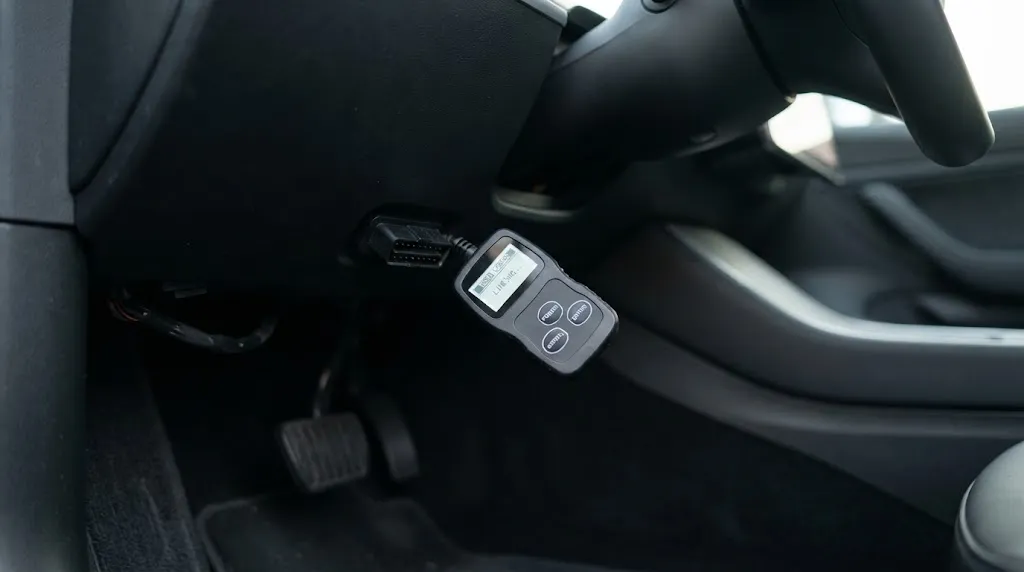
If you plug a basic, off-the-shelf code reader into an EV without any companion app or custom configuration, you will only be able to pull a limited set of universally standardized metrics.
- Generic Diagnostic Trouble Codes (DTCs): Chassis, body, and limited powertrain fault codes (such as high-voltage safety interlock failures or accessory power module warnings).
- Vehicle Identification Number (VIN): Basic module identification data stored within the gateway module.
- 12V Auxiliary Battery Voltage: The health and output of the traditional low-voltage battery that runs the car’s computers and accessories.
- Absolute Throttle or Pedal Position: Basic driver input commands transmitted through the CAN bus.
Warning
Never attempt to diagnose high-voltage battery modules or open orange service disconnect cables using standard diagnostic guesswork. High-voltage systems carry severe electrocution risks even when the vehicle is powered down.
Deep Battery and Powertrain Data Available via Enhanced Apps
To access the actual data that EV owners and used car buyers care about, you must use an advanced OBD2 dongle (like an OBDLink MX+ or Veepeak BLE+) paired with a dedicated diagnostic application. This combination queries the Vehicle Control Unit (VCU) and Battery Management System (BMS) for hidden parameters.
High-Voltage Battery State of Health (SoH)
State of Health is the single most valuable metric an EV diagnostic scan can provide. It compares the battery’s current maximum usable energy storage capacity against its factory-new baseline. A drop in SoH indicates long-term degradation caused by calendar aging, fast-charging frequency, and thermal history.
Individual Cell Voltages and Imbalance
Most modern EV battery packs are built using dozens or hundreds of individual cell groups wired in series and parallel. Advanced PIDs allow technicians to inspect the voltage of every single cell group simultaneously. A wide voltage delta (imbalance) between the highest and lowest cell groups often points to a failing cell or internal degradation that requires attention.
Thermal Management and Component Temperatures
Because thermal extremes degrade lithium-ion batteries rapidly, EVs feature complex liquid or air cooling loops. OBD2 monitoring exposes dozens of temperature sensors located across the battery pack modules, inverter, onboard charger, and drive motors. This data helps diagnose failing electric coolant pumps, blocked airflow, or localized overheating.
Charging Statistics and Resistance Metrics
Detailed scanners can track historical charging behavior, including AC vs. DC fast-charging counts, internal resistance metrics (often tracked as indices like Hx in vehicles such as the Nissan Leaf), and real-time charging speeds in kilowatts.
Key Insight
Tesla vehicles do not feature a standard open-access dashboard OBD2 port. Accessing Tesla CAN bus data requires plugging a specialized adapter harness directly into the vehicle’s proprietary factory wiring connector—typically hidden near the center console or kick panels—before connecting an OBD2 dongle.
Hardware and Software Requirements for EV Diagnostics
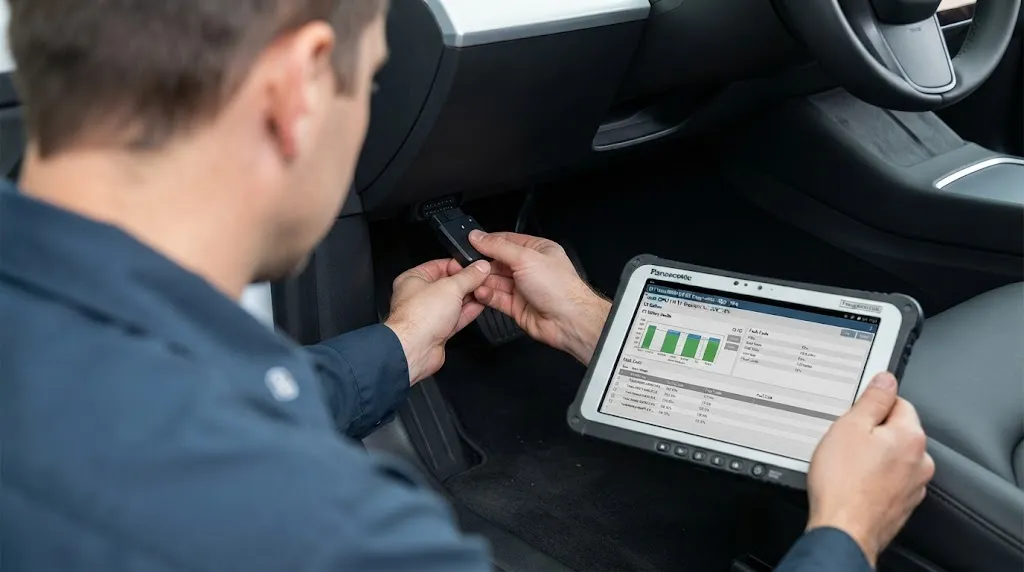
Reading advanced EV data requires matching the correct physical adapter with software designed for your specific vehicle make. Standard generic ELM327 adapters often lack the protocol speed or buffer depth required to query high-speed EV networks.
| Vehicle Brand | Recommended App | Required Hardware Setup |
|---|---|---|
| Nissan Leaf | LeafSpy Pro | LELink BLE or Vgate vLinker MC+ |
| Tesla Model 3 / Y / S / X | Scan My Tesla | OBDLink MX+ + Tesla adapter harness |
| Hyundai, Kia, Genesis | Car Scanner ELM OBD2 | OBDLink MX+ or Veepeak BLE+ |
| Chevrolet Bolt EV / EUV | OBD Fusion / Torque Pro | Veepeak BLE+ or compatible BLE adapter |
Understanding these hardware limitations ensures you do not invest in a tool that only reads surface-level trouble codes when your goal is deep battery health analysis.
Common Limitations and Pitfalls When Scanning EVs
Even with the correct adapter and software, certain constraints apply when extracting data from modern electric vehicles.
- Gateway Firewalls: Newer vehicles incorporate secure gateways to prevent unauthorized writes to safety-critical modules. Some advanced diagnostic functions require a secure gateway token or manufacturer authorization.
- Proprietary PIDs: Because manufacturers do not universally publish their custom PID lists, older or newly released EV models may lack complete software profiles until independent researchers map the data streams.
- Bus Saturation: Querying hundreds of high-frequency cell voltage PIDs simultaneously can occasionally saturate low-speed Bluetooth adapters, resulting in dropped data packets or lagging readouts.
Related Product
OBD2 Bluetooth Diagnostic Scanners for EVs
Reliable adapters like the OBDLink MX+ or Veepeak BLE+ connect your EV’s port to smartphone apps to track real-time battery health and cell voltages.
As an Amazon Associate, we earn from qualifying purchases.
Frequently Asked Questions
Can a standard code reader damage an electric vehicle?
No. Standard OBD2 scanners are electrically safe to plug into any modern EV port. They listen to the vehicle’s controller area network (CAN bus) passively or request standard parameters without causing harm to the high-voltage architecture.
Do I need an internet connection while scanning an EV?
An active internet connection is generally not required to read live PIDs or trouble codes, as communication happens entirely between the vehicle’s diagnostic modules, the physical adapter, and your smartphone app via Bluetooth or Wi-Fi.
How accurate is the battery State of Health (SoH) read from an OBD2 app?
The SoH reported by the vehicle’s Battery Management System is calculated using internal resistance, capacity learning cycles, and coulomb counting. While highly reliable for identifying severe degradation, minor fluctuations can occur based on current battery temperature and state of charge.
Why won’t my generic app show battery cell temperatures?
Generic OBD-II apps only query standardized emissions and powertrain PIDs. Cell temperatures are proprietary manufacturer parameters that require vehicle-specific software profiles or custom CSV PID files to translate properly.
Can I clear check engine or warning lights on an EV using an OBD2 scanner?
Yes. Non-critical advisory messages, auxiliary system codes, and certain non-critical diagnostic trouble codes can be cleared using compatible apps, though persistent high-voltage safety faults will return immediately if the underlying hardware issue remains unresolved.
Is a physical adapter required to check used EV battery health?
For most makes and models, yes. A physical OBD2 adapter and mobile app provide the most granular view of cell-level health. However, certain brands like Tesla also allow indirect cloud-based health estimation through API-dependent software services.
Conclusion
While standard OBD2 scanners are limited to basic generic codes on electric vehicles, pairing an advanced wireless adapter with vehicle-specific software unlocks a wealth of vital powertrain and battery data. From checking individual cell voltages and thermal management performance to verifying the true state of health before purchasing a used EV, understanding how to access and interpret these specialized parameter IDs gives owners complete transparency over their vehicle’s long-term health and performance.

I’m Alex Rahman, a car enthusiast and automotive writer focused on practical solutions, car tools, and real-world driving advice. I share simple and honest content to help everyday drivers make better decisions.
