Best Apps That Work With an ELM327 Bluetooth Adapter
Quick Answer
The best apps that work with an ELM327 Bluetooth adapter include Car Scanner ELM OBD2 (for both Android and iOS), Torque Pro or Lite (for Android), and OBD Auto Doctor. The right choice depends on your mobile operating system, whether you use classic Bluetooth or Bluetooth Low Energy (BLE), and whether you need basic code reading or advanced live data dashboards.
Understanding ELM327 Compatibility and Smartphone Requirements
An ELM327 Bluetooth adapter relies on a microchip that translates the vehicle’s onboard diagnostics data into a readable format for a smartphone, tablet, or computer. However, the adapter itself is only half the hardware equation; the software app you install acts as the interpreter that turns raw diagnostic trouble codes (DTCs) and sensor metrics into understandable insights.
Before selecting an app, you must match your phone’s operating system with the specific type of Bluetooth protocol your ELM327 dongle uses. Standard classic Bluetooth ELM327 adapters pair seamlessly with Android devices, but they often face pairing blocks on Apple iOS devices. For iPhones and iPads, an ELM327 adapter must explicitly support Bluetooth Low Energy (BLE 4.0+) or connect via Wi-Fi.
Top Universal Apps for ELM327 Adapters
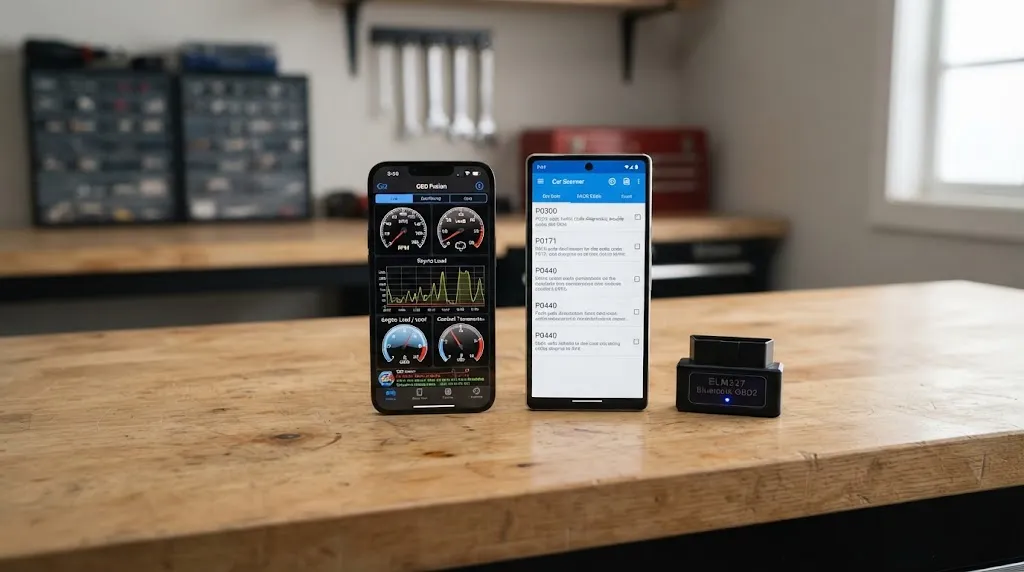
Most generic ELM327 adapters are not bound to a single proprietary brand. This means you can test multiple third-party diagnostic applications using the exact same hardware plug. The following cross-platform and platform-specific applications stand out for reliability, feature depth, and active support.
Car Scanner ELM OBD2
Car Scanner is widely considered one of the most versatile and feature-rich options available for both Android and iOS users. It provides clear fault code definitions, lets you turn off the check engine light, and streams extensive live sensor data like coolant temperature, manifold pressure, and fuel trims.
Unlike many competitors, its free tier offers robust functionality without aggressive paywalls. It also features customized dashboard views, log export options, and specific coding capabilities for various vehicle makes when paired with a reliable adapter.
Torque (Lite and Pro)
Torque is the classic gold standard for Android users wanting deep real-time engine monitoring. While Torque Lite offers a free introduction to live gauges and basic code clearing, Torque Pro unlocks customizable digital dashboards, graphical charts, zero-to-sixty acceleration timers, and extended fault databases.
Note that Torque is strictly built for Android devices paired with classic Bluetooth or Wi-Fi ELM327 adapters. It is not natively supported on Apple iOS platforms.
OBD Auto Doctor
For drivers seeking a clean interface that works seamlessly across Windows, macOS, Android, and iOS, OBD Auto Doctor is an exceptional utility. It excels at diagnostic reading, emission monitor status checks, and graphing live parameters. It helps users verify whether a vehicle is ready for state emissions testing before heading to an inspection station.
Matching Your Operating System to the Right App
| App Name | Supported Platforms | Adapter Requirement | Best Use Case |
|---|---|---|---|
| Car Scanner ELM OBD2 | Android, iOS, Windows | Bluetooth, BLE, or Wi-Fi | General diagnostics and customizable live data |
| Torque Pro / Lite | Android only | Classic Bluetooth or Wi-Fi | Custom performance dashboards on Android |
| OBD Auto Doctor | Android, iOS, PC, Mac | Bluetooth BLE, Wi-Fi, or USB | Emissions readiness checks and cross-device use |
| inCarDoc | Android, iOS | Bluetooth or Wi-Fi | Fuel economy tracking and diagnostic history logs |
Reviewing this compatibility matrix helps prevent connectivity frustrations, especially for iPhone users who purchase older Bluetooth 3.0 ELM327 adapters that Apple devices cannot natively recognize.
How to Connect Your ELM327 Adapter to a Diagnostic App
Establishing a stable connection between your car, adapter, and smartphone requires following a specific sequence. Skipping steps or pairing through phone settings incorrectly can cause connection errors.
- Plug your ELM327 Bluetooth adapter directly into your vehicle’s OBD2 port, typically located underneath the driver’s side dashboard near the steering column.
- Turn your vehicle’s ignition key to the “ON” position (or press the start button without holding the brake) to power up the car’s computer network.
- Open your phone’s settings menu, turn on Bluetooth, and scan for nearby hardware. Pair with the adapter if required, using default PIN codes such as
1234or0000. (Note: Many modern BLE adapters skip phone-level pairing and connect directly inside the app). - Launch your chosen diagnostic app, such as Car Scanner or Torque.
- Navigate to the app settings or connection menu, select “ELM327” or your adapter type as the communication device, and choose Bluetooth as the connection protocol.
- Tap connect and wait a few moments for the software to handshake with your car’s Electronic Control Unit (ECU).
Tip
If an app fails to connect on the first attempt, close out completely, turn your car ignition off and back on, and ensure no other diagnostic app is running in your phone’s background using the adapter.
Troubleshooting Common Connection Issues
Even with compatible apps and hardware, users frequently encounter minor hurdles when setting up wireless OBD2 scanners. Understanding these failure points saves time during troubleshooting.
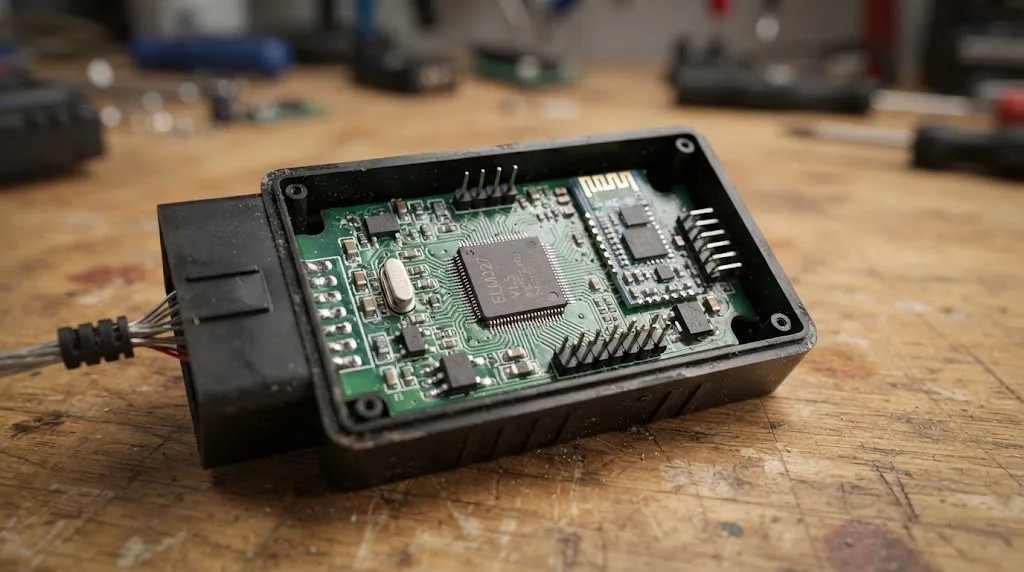
The most common issue stems from purchasing a cheap clone adapter built with outdated chip versions (such as fake v2.1 chips). These substandard units often fail to execute standard OBD2 protocol commands, causing apps to hang during initialization. Using a utility app like ELM327 Identifier on Android can verify whether your physical adapter actually supports the command set it advertises as noted by automotive diagnostic guides.
Another frequent cause of connection failure is power management. If the adapter lights up but the app cannot read data, verify that your car’s ignition is fully switched on. Simply unlocking the car doors or turning on the radio is often insufficient to power the vehicle’s data bus.
Relevant Product
Bluetooth OBD2 Diagnostic Scanners
A reliable wireless OBD2 adapter pairs seamlessly with universal apps like Car Scanner and Torque to read live engine data and clear check engine codes.
As an Amazon Associate, we earn from qualifying purchases.
Frequently Asked Questions
Can I use any ELM327 app with an iPhone?
No. Standard classic Bluetooth ELM327 adapters generally will not pair through the iOS Bluetooth settings menu. To use an iPhone, your ELM327 hardware must support Bluetooth Low Energy (BLE 4.0+) or Wi-Fi, and you must use an app designed to communicate over those protocols, such as Car Scanner or OBD Auto Doctor.
Why does my app say “Connected to adapter, but not connected to ECU”?
This error usually means your phone is talking to the Bluetooth dongle, but the dongle cannot communicate with your vehicle’s computer. Ensure your car ignition is turned to the ON position, check that the adapter is pushed securely into the OBD2 port, and verify that your vehicle is fully OBD2 compliant (generally 1996 and newer for US models).
Are free ELM327 apps safe to use?
Yes, established free apps like Car Scanner and Torque Lite are safe. However, many free apps found on app stores contain intrusive advertisements or request unnecessary location permissions. Stick to reputable, well-reviewed applications to protect your mobile privacy.
Can an ELM327 app reset my check engine light?
Yes. All major ELM327 diagnostic apps feature a built-in function to read and clear Diagnostic Trouble Codes (DTCs), which turns off the check engine light on your dashboard. Keep in mind that if the underlying mechanical or electrical issue is not repaired, the warning light will eventually return.
Do I need an internet connection while using an OBD2 app?
No. An internet connection is not required to scan live data or read diagnostic codes from your car. However, having an active data connection can be helpful if you want the app to automatically look up definitions for newly discovered error codes online.
Can I code or program keys using a generic ELM327 adapter?
Generally, no. Generic ELM327 adapters and free apps are designed for standard powertrain diagnostics and live data monitoring. Advanced module coding, key programming, or deep dealer-level service functions usually require specialized hardware adapters and manufacturer-specific software licenses.
Conclusion
Pairing your ELM327 Bluetooth adapter with the right mobile application transforms your smartphone into a powerful diagnostic tool. Universal software options like Car Scanner provide a reliable, cross-platform experience for both Android and iOS users, while Android owners can leverage the deep customization of Torque Pro. By matching your phone operating system with the correct Bluetooth protocol and following a proper connection sequence, you can effortlessly monitor vehicle health, analyze sensor streams, and clear trouble codes right from your driver seat.

I’m Alex Rahman, a car enthusiast and automotive writer focused on practical solutions, car tools, and real-world driving advice. I share simple and honest content to help everyday drivers make better decisions.
