Can OBD2 Be Used on EVs? What Actually Works (2026 Guide)
Quick Answer
It depends entirely on the specific EV and the tool. Many mainstream electric vehicles from legacy automakers (like the Nissan Leaf or Chevrolet Bolt) retain a physical OBD2 port, but a standard, inexpensive OBD2 scanner will only retrieve basic or generic data, if anything at all. Accessing meaningful EV-specific data—like battery state of health (SoH) or cell voltages—usually requires an EV-capable app or a professional-grade scan tool. Some manufacturers, notably Tesla and Rivian, restrict access or use proprietary connectors, making standard OBD2 scanning ineffective without special adapters.
Why the Standard OBD2 Rule Doesn’t Fully Apply to EVs
The OBD2 standard (specifically OBD-II) was originally mandated in the mid-1990s to monitor emissions-related components for internal combustion engine (ICE) vehicles. Because EVs have no tailpipe and produce zero emissions, they do not legally require the same emissions-driven OBD2 system that a gas car does.
However, this does not mean EVs are diagnostic black boxes. Regulators and manufacturers still need a way to access vehicle data for safety, charging, and drivetrain faults. As a result, the diagnostic landscape for EVs is fragmented. Some automakers include the familiar 16-pin port for convenience or regulatory compliance in certain markets, while others have moved toward proprietary, software-based access.
What You Can Actually Read with a Standard OBD2 Scanner
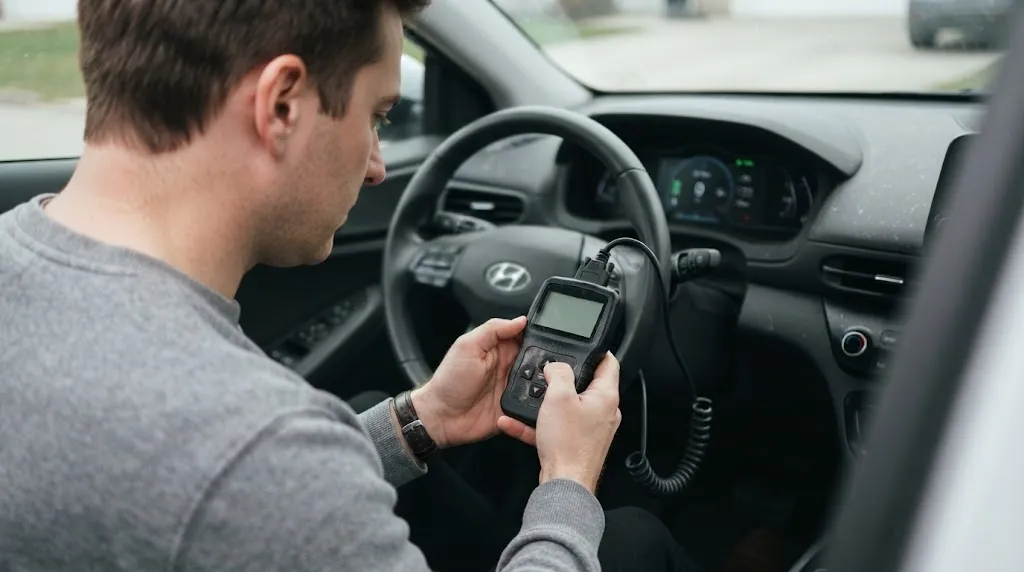
If your EV does have a standard port and you plug in a basic OBD2 code reader, you should manage your expectations. You are likely to see very little.
A basic scanner is designed to request standardized “P-codes” (powertrain codes) that were defined for engine and transmission management. On an EV, a standard scanner may occasionally pull a generic code related to a 12-volt system issue or a communication fault, but it will generally fail to access the high-voltage battery management system (BMS), the inverter, or the motor controller. The data parameters that matter on an EV—like pack voltage, module temperatures, and state of charge—are not part of the legacy OBD2 emissions-focused data set.
The Rise of “ZEVOnUDS” and Standardized EV Diagnostics
This is beginning to change. A new standard, often referred to as ZEVOnUDS (SAE J1979-3), is being phased in for model years 2026–2028 in markets like California. This standard aims to create a unified way for scan tools to request EV-specific data (like battery state of health) over the diagnostic link. While this is a positive step for independent repair shops, it means that older, generic scanners will remain incompatible with the deeper systems of most EVs currently on the road.
How to Access Real EV Data (Battery Health, Cell Voltages)
If you want to monitor your EV’s battery health or diagnose a charging issue yourself, you generally need a more specialized setup. There are two primary paths:
1. Use an EV-Specific App with a Compatible Adapter
This is the most accessible route for a DIY owner. Apps like evDash are designed specifically for EVs. When paired with a compatible Bluetooth or Wi-Fi OBD2 adapter (often the same physical adapters used on gas cars), these apps can query the vehicle for manufacturer-specific data. You can view live data such as state of charge (SoC), state of health (SoH), individual cell voltages, and battery temperatures. However, even these apps have a “vehicle support matrix”—they only work if the car’s manufacturer allows access to that data through the port.
2. Use a Professional-Grade Scan Tool
For technicians or serious enthusiasts, tools like the Autel MaxiSYS MS909EV are available. These systems are expensive (often thousands of dollars) and are designed to communicate with high-voltage systems, perform battery pack analysis, and read proprietary manufacturer codes. They often come with specialized adapters (like breakout leads) for connecting directly to battery modules, bypassing the standard port entirely if necessary.
The Tesla and Rivian Exception: Proprietary Access
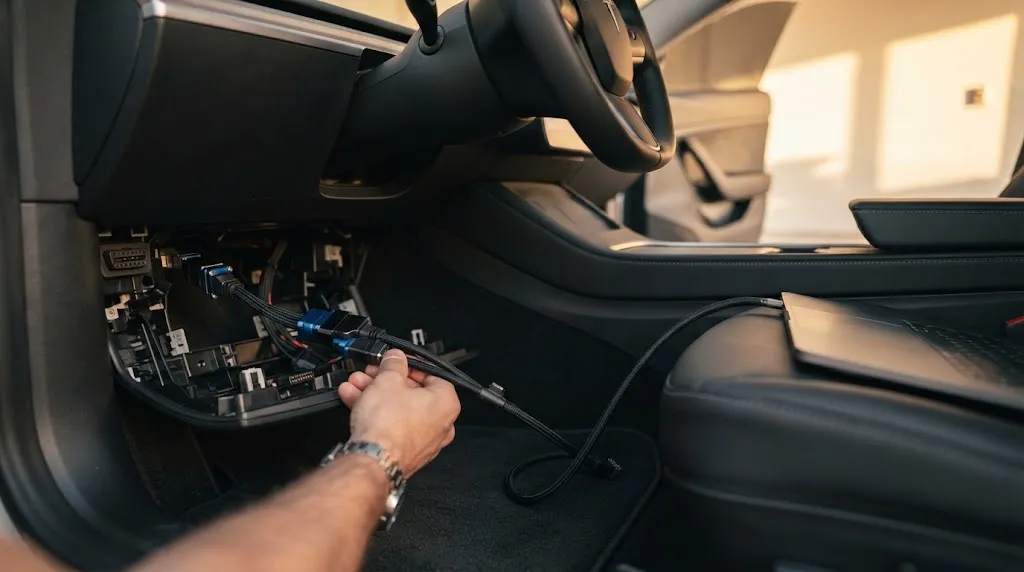
If you own a Tesla or a Rivian, the standard OBD2 conversation changes significantly. These manufacturers are known for tightly controlling access to their vehicle networks.
Tesla, for example, does not provide a standard, easily accessible OBD2 port for full diagnostics. While some older or specific models may have a connector, Tesla’s official service documentation notes that an OBD connector may not even be installed on some Model 3 and Model Y vehicles because it was not mandatory for EVs until recently. Accessing Tesla’s deeper diagnostic data typically requires proprietary software, an Ethernet connection, or a specialized “service” cable that plugs into the vehicle’s internal network, not a generic OBD2 scanner.
Rivian follows a similar philosophy, prioritizing over-the-air (OTA) updates and factory-controlled diagnostic pathways over open, plug-in access.
A Practical Decision Guide for EV Owners
| Your Situation | What to Do |
|---|---|
| You own a Nissan Leaf, Chevy Bolt, or Ford Mustang Mach-E | You likely have a standard OBD2 port. A basic scanner will only show generic codes. Use an EV-specific app (like evDash) with a quality Bluetooth adapter to see battery data. |
| You own a Tesla or Rivian | A standard OBD2 scanner will not work for deep diagnostics. Do not buy one for this purpose. Use the vehicle’s built-in service menu or contact the manufacturer for diagnostic access. |
| You see a warning light and want a quick code read | A basic OBD2 scanner might pull a generic code, but it may also show “no codes” even when a problem exists because it cannot talk to the EV’s specific modules. |
| You want to check battery health before buying a used EV | Do not rely on a generic scanner. Use an EV-specific app that supports your target vehicle model, or have a pre-purchase inspection done by a shop with EV diagnostic tools. |
Frequently Asked Questions
Do all electric cars have an OBD2 port?
No. While many legacy automakers include one for convenience or to support independent repair, it is not a universal legal requirement for EVs in the same way it is for gas cars. Tesla and Rivian are notable examples of brands that restrict or omit standard access.
Will a cheap OBD2 scanner tell me my EV’s battery health?
Generally, no. A cheap scanner will only read standard emissions-era codes. Battery state of health (SoH) is a calculated value that requires an EV-specific app or a professional scan tool to request from the battery management system.
Can I use a regular OBD2 scanner to reset a warning light on my EV?
You might be able to clear a generic code if the scanner can see it, but you cannot clear EV-specific service reminders or high-voltage system faults without a tool that explicitly supports your vehicle’s make and model.
What is ZEVOnUDS?
It is a new diagnostic standard (SAE J1979-3) being phased in for zero-emission vehicles. It aims to standardize how scan tools request EV-specific data, like battery health, making it easier for independent shops to diagnose EVs in the future.
Why does my EV have an OBD2 port if it doesn’t need emissions testing?
Manufacturers often include it to support dealership service departments, to comply with regional regulations that require diagnostic access for safety systems, or simply because it is a familiar and robust connector standard for vehicle networks.
Are there any risks to plugging a scanner into my EV?
With a reputable adapter and app, the risk is low. However, EVs have complex high-voltage and gateway systems. Using a low-quality adapter that causes a short or interferes with the CAN bus could theoretically cause communication issues. Always use a quality adapter recommended by the app developer, and never probe the port with uninsulated tools.
Conclusion
The short answer is that OBD2 on an EV is a mixed bag. You can physically plug a scanner into many electric cars, but a standard, inexpensive tool will not give you the insights you might expect from a gas-powered vehicle. For basic code reading on a mainstream EV, a generic scanner might help, but for anything meaningful—like battery health or diagnosing a charging fault—you need EV-specific software or a professional tool. If you own a Tesla or Rivian, assume that standard OBD2 access is not available for DIY diagnostics. The technology is evolving with the ZEVOnUDS standard, but for now, the tool you need depends heavily on what you drive.

I’m Alex Rahman, a car enthusiast and automotive writer focused on practical solutions, car tools, and real-world driving advice. I share simple and honest content to help everyday drivers make better decisions.
