10 Best Cloud-Connected Dash Cam Options for Reliable Remote Monitoring
A cloud-connected dash cam records the road while adding features that depend on an internet connection. Through a phone app, drivers can often view clips, receive collision alerts, check a vehicle’s location, or access recordings stored online. These features can make a dash cam more useful than a camera that saves video only to a memory card.
Cloud service plans, mobile data access, video quality, night performance, and installation all affect the daily experience. The best cloud-connected dash cam combines clear footage with reliable alerts, simple app controls, and reasonable ongoing costs. We compared the features that matter most to identify the cloud-connected dash cams that provide the strongest balance of performance, convenience, and value.
Best Cloud-Connected Dash Cams
We reviewed cloud-connected dash cams for video quality, remote access, storage options, and ease of use. Our list highlights the best models for drivers who want reliable footage and access to recordings from almost anywhere.
ROVE R2-4K Dual Dash Cam

We recommend this dash cam for drivers who want clear front and rear video, quick phone transfers, GPS data, and cloud-style app access without a monthly storage plan.
Key Pros
- Sharp front footage and reliable rear coverage
- Fast Wi-Fi transfers through the ROVE app
- Includes a 128GB memory card and GPS
Key Cons
- The front image is upscaled, not native 4K
- Parking mode needs a separate hardwire kit
- App features require a smartphone connection
During testing, we found the R2-4K Dual easy to set up. The included mounts, cables, trim tool, and memory card reduce the number of extra parts we needed. The 3-inch screen also made basic adjustments simple from the driver’s seat.
Front footage looked detailed in daylight, while the rear camera gave us useful coverage behind the vehicle. Night video benefited from the STARVIS 2 sensor and HDR, although very dark scenes still showed some limits. Since the front camera upscales QHD footage to 4K, buyers should not expect the same detail as a native 4K model.
The ROVE app was one of the strongest features. Its 5.8GHz Wi-Fi connection let us move clips to a phone quickly, change settings, and install firmware updates without removing the card. Built-in GPS added speed, direction, and route data to recordings, which can help when reviewing an incident.
Parking mode supports time-lapse, motion detection, and collision detection, but we needed a separate hardwire kit to use it continuously. The camera includes a supercapacitor for better temperature handling, and the supplied 128GB card provides useful space from the start.
FocuWay L7 4G LTE Dash Cam
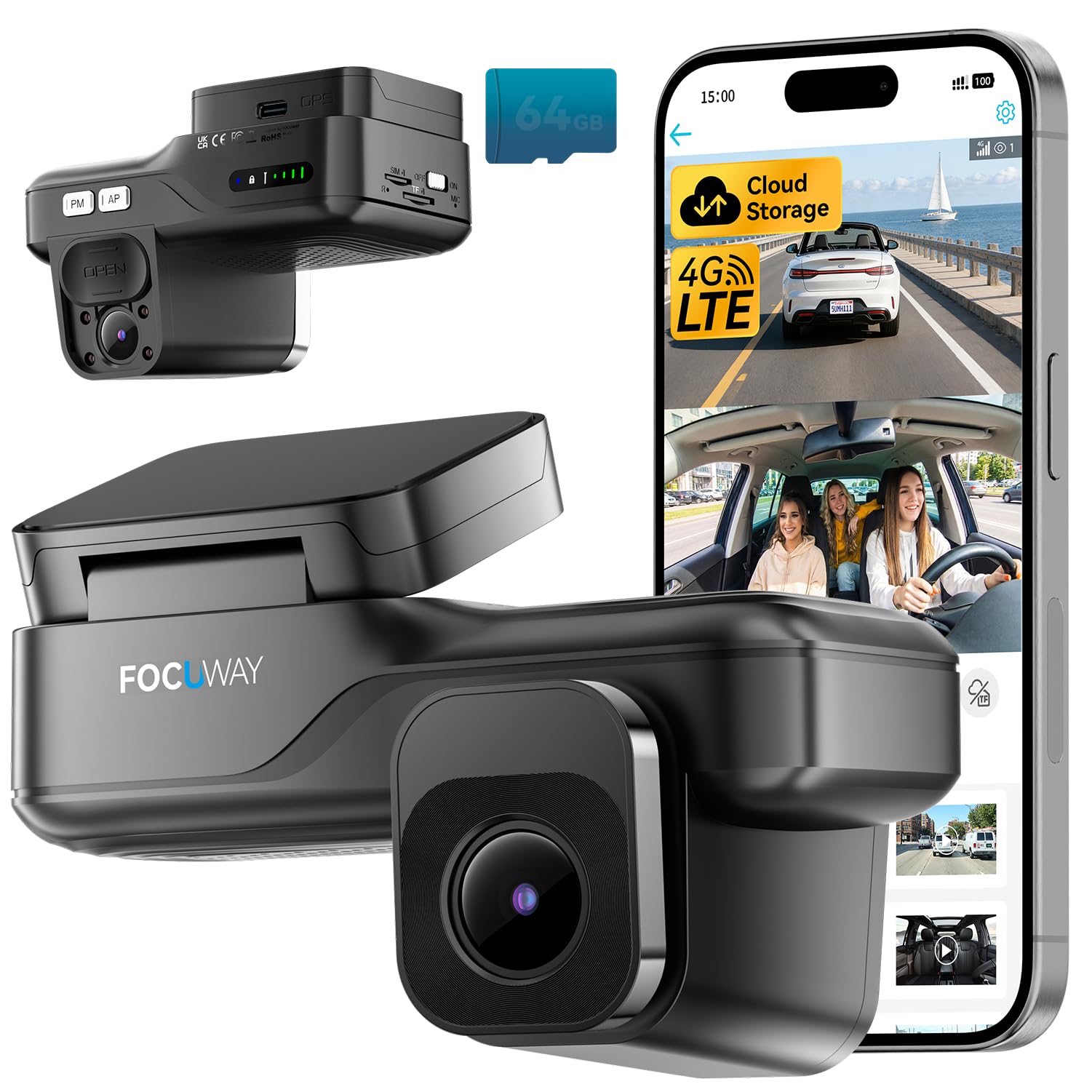
We recommend the FocuWay L7 for drivers who want remote viewing, parking alerts, and cloud backup without installing a separate rear camera.
Key Pros
- 4G access supports live viewing and remote alerts
- Front and cabin cameras record at the same time
- OBD installation simplifies setup
Key Cons
- LTE and cloud features require a paid plan after the trial
- The app controls all functions because the camera has no screen
- The built-in SIM cannot be replaced
We found the L7 useful when we wanted to check a parked vehicle from a phone. Its 4G connection works beyond normal Wi-Fi range, while GPS, motion alerts, and two-way audio add useful security features.
The front camera records in 2K, and the cabin camera records in 1080p. Infrared lighting helps capture the interior at night, and the physical lens cover gives us a simple way to block cabin recording when privacy matters.
Installation was straightforward with the included OBD cable. It provides power for parking mode without fuse-box wiring, although the separate hardwire kit may suit vehicles without a convenient OBD port.
We should note the ongoing cost before buying. After the included trial, LTE live view and cloud functions require a subscription, and the system is intended for use in the United States.
BlackVue Elite 9
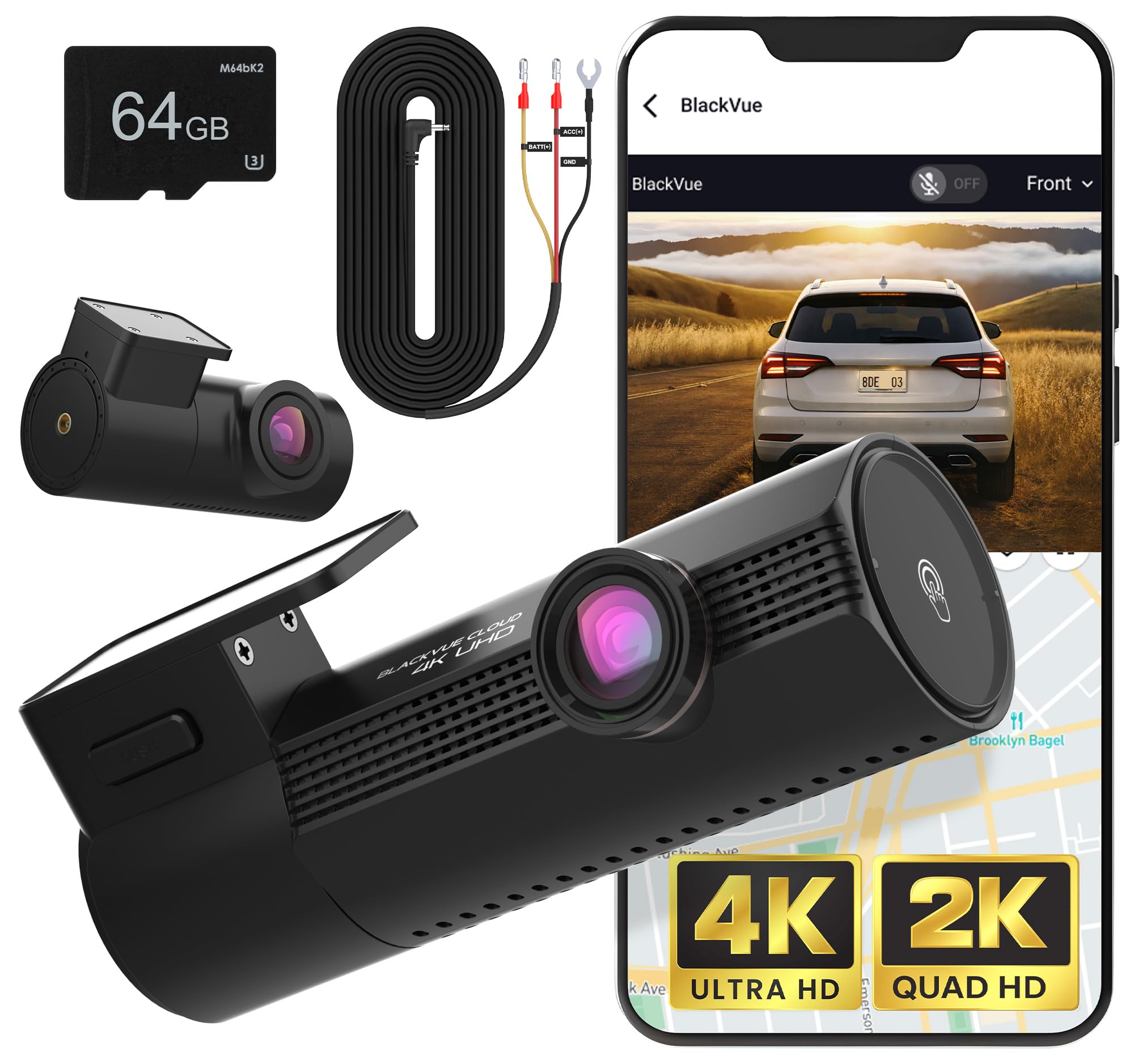
We recommend the BlackVue Elite 9 for drivers who want sharp front-and-rear video, parking protection, and cloud access, but its cloud features may require extra setup or a paid plan.
Key Pros
- Clear 4K front and 2K rear video
- Fast startup and responsive parking mode
- Includes 5GB of cloud storage and a 64GB card
Key Cons
- Rear footage looks weaker at night
- Cloud setup can be confusing
- Higher price than basic dual-camera models
After using the Elite 9, we found the front camera delivered detailed footage in daylight and good results after dark. HDR helped balance bright headlights and darker areas, while the wide view captured plenty of the road.
The rear camera added useful coverage, though its night image was less impressive than the front recording. We could still identify nearby vehicles, but the footage lacked some detail in low light.
Startup felt quick, and the camera began recording soon after the vehicle powered on. Parking mode also offered useful event recording, but installing the hardwire cable takes more effort than using the included vehicle power adapter.
The BlackVue app provided live view, settings, and video downloads over Wi-Fi. Cloud alerts and automatic backups add value, but connecting the camera to the internet was not always simple, and some owners may need a subscription for regular cloud use.
With support for large microSD cards, built-in GPS, and battery protection, the Elite 9 works well for drivers who want a feature-rich system. We would choose it for strong front video and connected safety tools, provided the buyer accepts the price and setup demands.
70mai A810 Lite 4K Dash Cam

We recommend this dash cam for drivers who want sharp front video, rear coverage, and remote access, but the required hardwire kit adds cost and setup work.
Key Pros
- Sharp 4K front video and useful 1080p rear coverage
- Fast phone transfers through Wi-Fi 6
- GPS, voice control, and parking protection
Key Cons
- 4G remote access requires a separate UP05 hardwire kit
- Parking mode also needs a compatible hardwire kit
- Some owners report power, mounting, or rear-camera issues
We found the front camera captured clear road details in daylight, while the rear camera added helpful coverage behind the car. HDR and the wide aperture also helped balance bright headlights and darker areas during night driving, though results can vary with windshield glare and installation.
The phone app made it simple for us to review clips, check GPS data, and download files without removing the 64GB memory card. Wi-Fi 6 helped speed up transfers, but remote live view and vehicle tracking require the optional 4G kit and a suitable service plan.
Installation felt compact and discreet behind the mirror. The included rear cable and tools helped, but routing the long cable took extra time. We would also check the rear-window angle carefully, since some owners found the rear camera difficult to position.
For overnight monitoring, the camera supports impact detection and time-lapse recording. We would choose the proper hardwire kit and confirm the low-voltage settings before relying on parking mode. The supercapacitor should also handle heat better than a standard battery.
REDTIGER F7N TOUCH 4K Dash Cam

We recommend this dual-camera dash cam for drivers who want sharp video, simple controls, and app access without paying for a cloud subscription.
Key Pros
- Clear 4K front and 1080p rear video
- Fast Wi-Fi transfers and built-in GPS
- Includes a 128GB memory card
Key Cons
- Parking mode requires a separate hardwire kit
- Rear-camera installation takes time
- The app is needed for wireless file access
We found the front camera captured clear road details in daylight, while the rear camera added useful coverage behind the vehicle. The wide viewing angles helped show nearby lanes, and night footage remained usable in low light.
The 3.18-inch touchscreen made common tasks quick. We could lock a clip, enable Wi-Fi, or take a still image without navigating through many menus. Voice commands also reduced the need to reach for the camera while driving.
Connecting the camera to the REDTIGER app let us view and download clips on a phone. The 5.8GHz Wi-Fi connection moved files faster than basic dash cam Wi-Fi, although transferring large 4K videos still took some time.
Installation was manageable because the package included a suction mount, cable clips, a pry tool, and a long rear-camera cable. The included 128GB card provided useful storage, while loop recording and the G-sensor helped protect important event footage.
This model does not offer true cloud storage or remote viewing over the internet. Its connected features rely on local Wi-Fi, and continuous parking monitoring needs the optional hardwire kit.
Nexar Beam 2 Pro

We recommend the Nexar Beam 2 Pro for drivers who want LTE access, incident alerts, and remote parking monitoring without relying only on a phone connection.
Key Pros
- Built-in LTE supports live viewing and remote alerts
- Simple OBD-powered setup
- Clear 2K video with night vision
Key Cons
- Full connected features require a paid plan
- Some users report recording gaps
- Customer support may be difficult to reach
We found the setup straightforward. The included OBD adapter supplied power without much wiring, and the app connected the camera to our phone with little effort. This makes the Beam 2 Pro a practical choice for drivers who want a cleaner installation.
During driving, the 2K video looked clear enough to capture road details and license plates in good conditions. Automatic incident detection also helped save clips after hard braking or a collision. The front and cabin cameras add useful coverage for rideshare and delivery drivers.
The LTE features stand out when the car is parked. With the appropriate plan, we could check the camera remotely, receive parking alerts, track the vehicle, and back up clips to the cloud. The included basic plan offers useful functions, but the most advanced connected tools require an additional subscription.
We also noticed some limits. A few owners report missed recordings or failures after about a year, while another praised the camera for recording continuously. The 3.9-star rating from 18 reviews suggests mixed long-term experiences, so we would consider the warranty and subscription cost before buying.
DeerAsk 4G LTE Dual-Camera Dash Cam

We recommend this dash cam for drivers who want remote vehicle access, cabin recording, and parking alerts without relying on nearby Wi-Fi.
Key Pros
- 4G live view and GPS tracking
- Front and cabin recording with IR night vision
- OBD-II setup and cloud event backup
Key Cons
- Remote features require a supported data plan
- Parking monitoring may use vehicle power
- The included 32GB card limits local storage
We found the OBD-II installation simple because it avoids fuse-box wiring. After connecting the camera and app, we could check the vehicle remotely through 4G, even when the car was parked away from home.
The front and inside cameras cover everyday driving well. Infrared lighting helps the cabin camera record in low light, which makes this setup useful for rideshare work, family vehicles, and monitoring a teen driver.
Parking protection is one of its strongest features. Radar motion detection, the G-sensor, and sentry mode can trigger recordings and app alerts after movement or an impact. Cloud event backup also gives us another way to review important clips.
We should note that live viewing, alerts, and cloud functions need 4G service. The camera includes a SIM trial and supports compatible AT&T, Verizon, or T-Mobile 4G SIM cards, but it does not support 2G, 3G, or 5G-only service.
BlackVue DR770X II
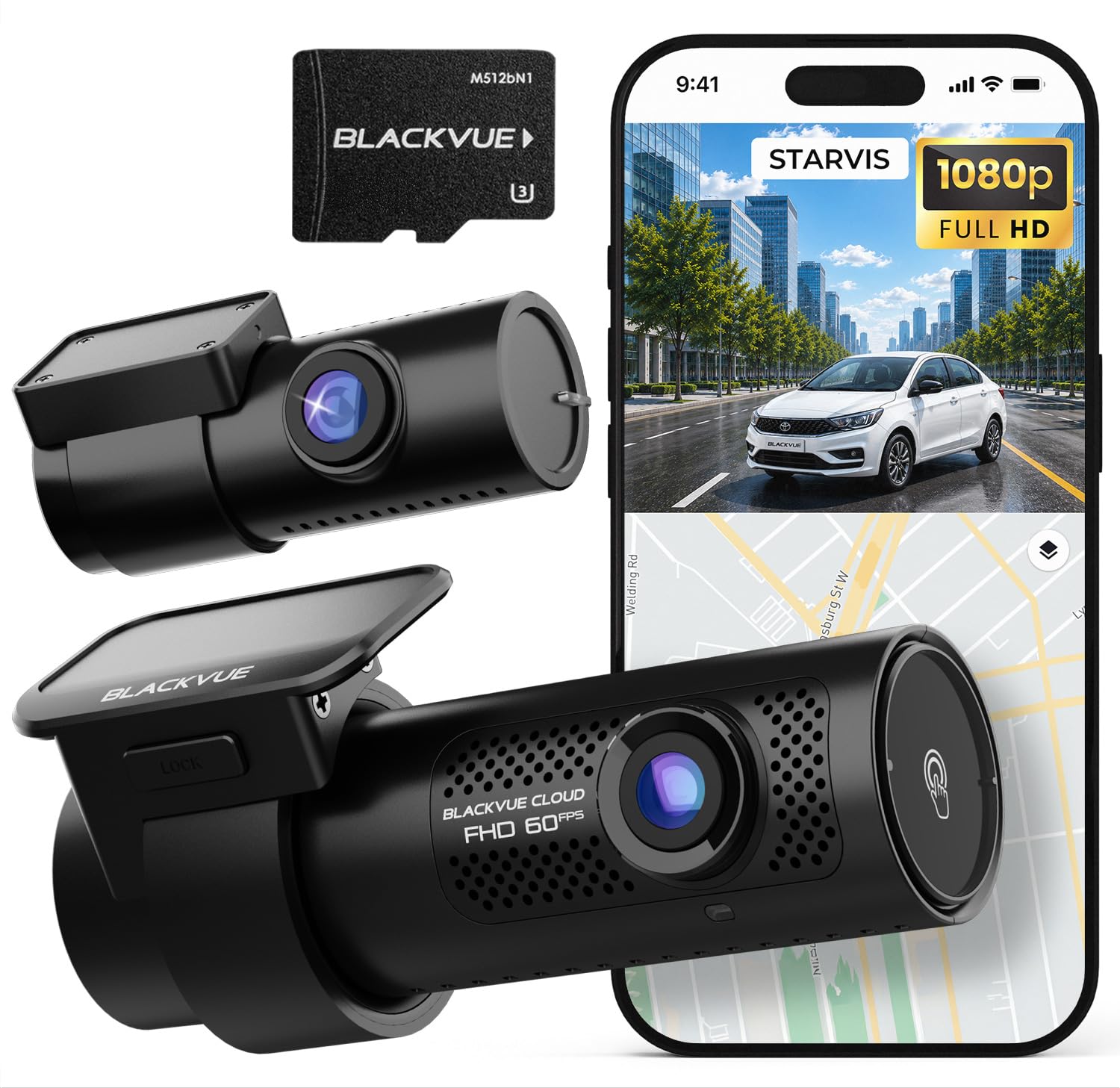
We recommend this dash cam for drivers who want dependable front-and-rear video plus useful cloud access through the BlackVue app.
Key Pros
- Clear Full HD video from both cameras
- Wi-Fi and cloud tools simplify video access
- Parking Mode and event detection add useful protection
Key Cons
- LTE cloud access requires an optional module
- Parking Mode needs hardwiring
- Some users may have trouble with Wi-Fi setup
We found the DR770X II compact and easy to place behind the mirror. The included USB-C power cable helped keep the installation tidy, and the rear camera cable fit neatly in our vehicle without special tools.
Video quality looked sharp during daytime driving, while the Sony STARVIS sensors helped preserve detail in darker scenes. The front camera records at up to 60 frames per second, which made motion look smoother when we reviewed clips.
The BlackVue app lets us check recordings over Wi-Fi instead of removing the memory card. With a compatible hotspot or optional LTE module, cloud features add Live View, remote playback, GPS tracking, automatic backups, and alerts.
Parking Mode can record motion or impacts after we turn off the vehicle, but hardwiring remains necessary. We also like the 10-second pre-event buffer, which saves useful footage before a detected incident rather than starting only after the impact.
The main drawback involves connectivity. Some owners report trouble pairing through Wi-Fi, so setup may take patience. Cloud functions also depend on a separate internet connection, and the larger 1TB storage option costs extra.
enjfeocy 4G LTE Dash Cam
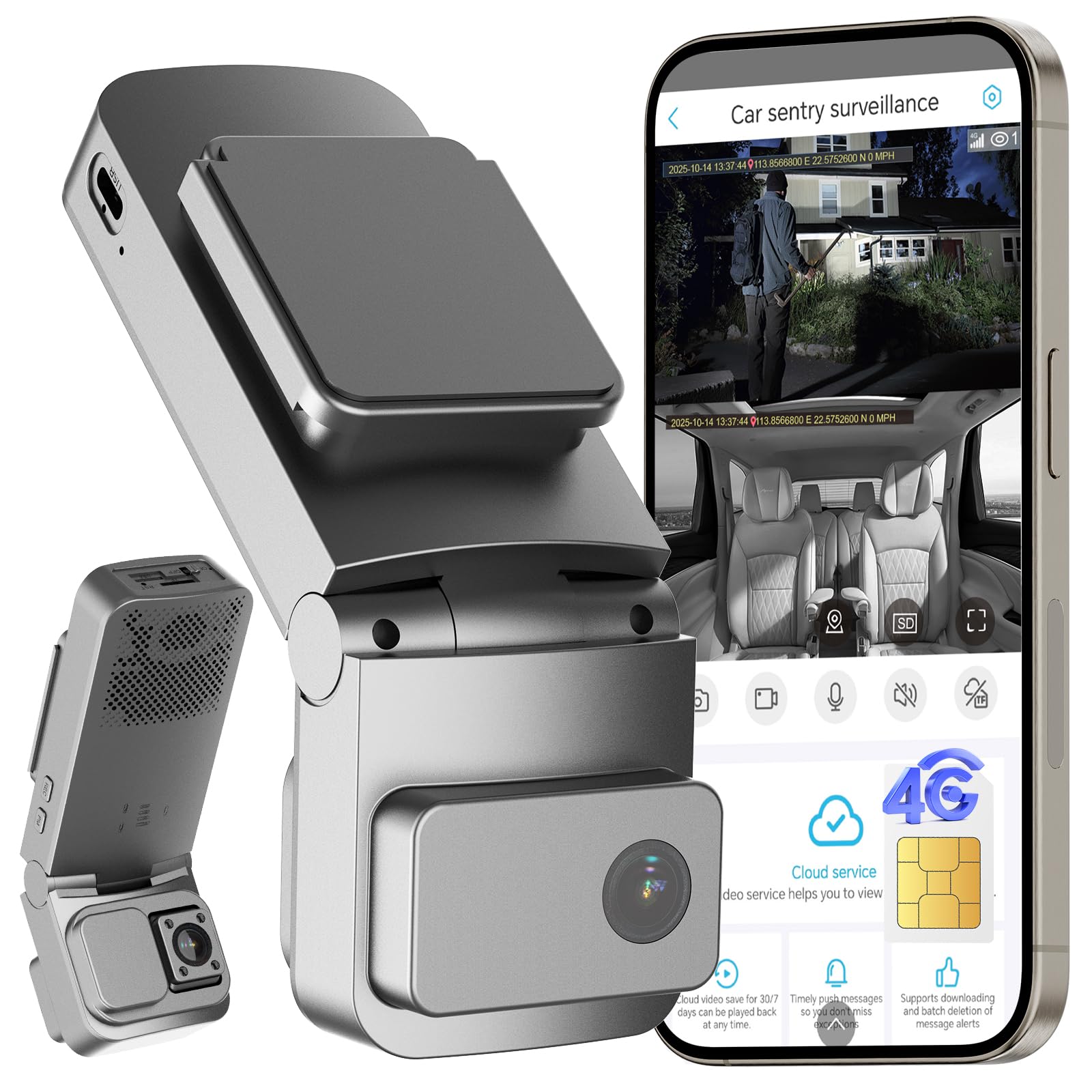
We recommend this dash cam for drivers who want remote viewing, GPS tracking, and cabin coverage, provided they accept the required cellular subscription.
Key Pros
- Remote live view works through 4G LTE coverage
- Dual cameras cover the road and vehicle interior
- OBD installation and low-power parking mode simplify setup
Key Cons
- LTE features require a built-in SIM and paid plan
- No memory card comes with the camera
- Some users report inconsistent alerts and night vision
We found the OBD installation straightforward, with no complex wiring required. The camera records front and cabin video, making it useful for rideshare drivers, families, and anyone who wants interior coverage.
The UBoxPro app lets us check the vehicle remotely, view its location, and receive motion or impact alerts. Cloud storage adds backup for important events, while regular driving footage stays on the microSD card.
The required cellular plan remains the main drawback. The included trial periods help with testing, but the camera depends on continued service for remote access and alerts. Customer feedback is generally positive, though some owners mention unreliable notifications and changing settings.
BlackVue Elite 8
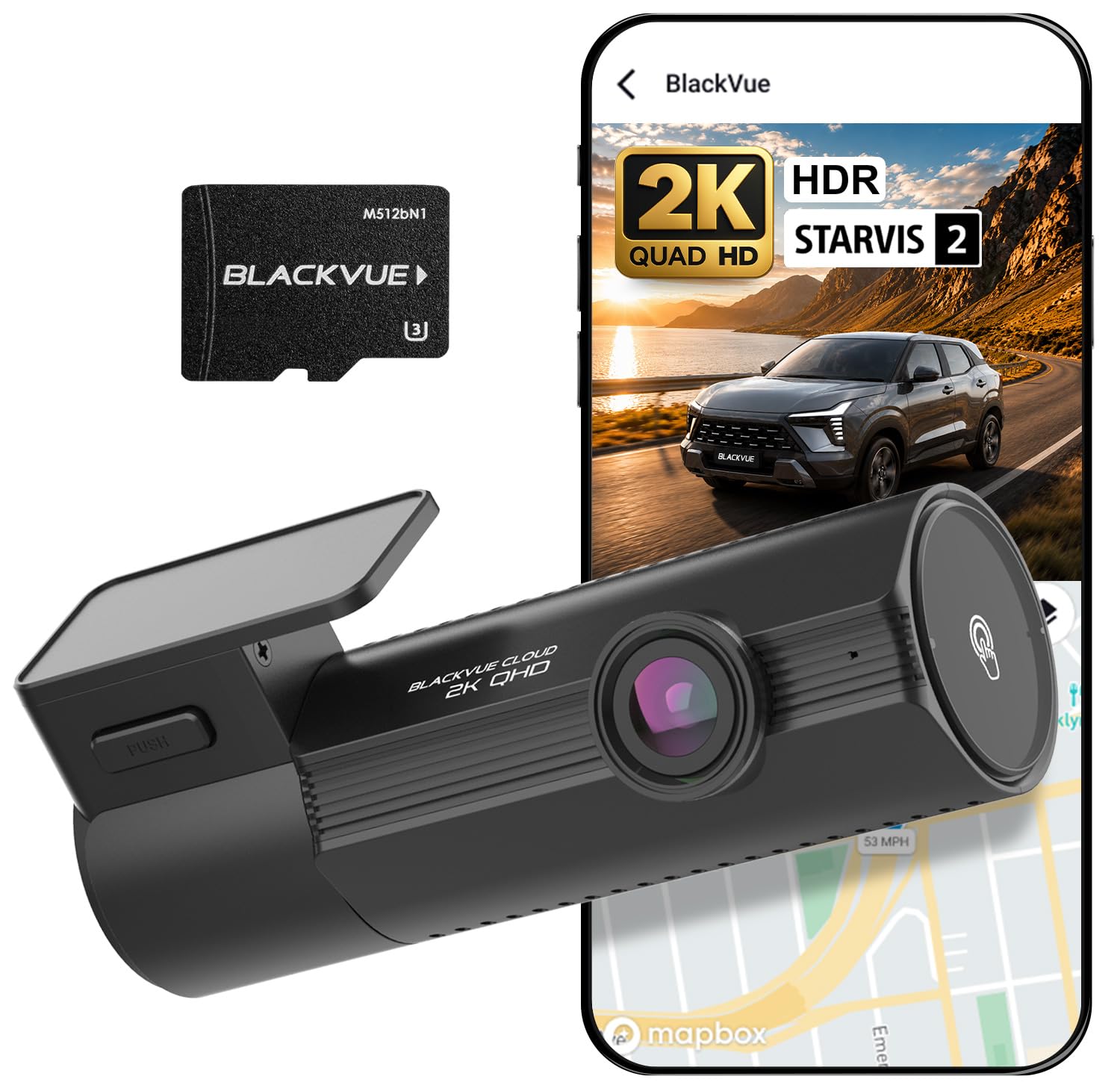
We recommend this dash cam for drivers who want sharp front footage, useful parking protection, and remote access through a phone.
Key Pros
- Clear 2K video with good daytime detail
- Cloud access, live view, and remote alerts
- Low-power parking mode with pre-event recording
Key Cons
- Hardwiring is needed for parking surveillance
- Cloud features may require a subscription
- Front-camera coverage may not suit drivers wanting a rear view
During testing, the Elite 8 produced clean video with balanced exposure in bright and dim conditions. HDR helped reduce glare, while the STARVIS 2 sensor kept nighttime footage usable. The 142-degree view covered nearby lanes without making the image look overly stretched.
We liked checking clips over Wi-Fi instead of removing the memory card. Cloud access also made it easier to review events or receive alerts when the car was parked. These features depend on a suitable internet connection and may involve extra service costs.
Parking mode worked best after hardwiring the camera. Pre-event recording captured the moments before motion or an impact, while the low-power setting helped support longer monitoring. Installation remained simple, but drivers unfamiliar with hardwiring may want professional help.
The compact design fit neatly behind our rearview mirror, although the body was slightly bulkier than some low-profile models. With a 128GB card included and a two-year warranty, the package offers a practical starting point for daily driving.
Buying Guide
We should choose a cloud-connected dash cam based on video quality, connection reliability, storage, and operating costs. We also need to check whether the camera fits our vehicle and supports the features we will use most.
| Feature | What to look for |
|---|---|
| Video quality | Sharp footage, readable plates, and good performance in low light |
| Cloud access | Reliable remote viewing, alerts, and a stable mobile app |
| Connectivity | Built-in cellular service or dependable Wi-Fi support |
| Storage | Local memory, cloud backup, and clear retention limits |
| Parking mode | Motion or impact recording when the vehicle is parked |
| Power | A suitable cable, low-voltage protection, or an optional battery |
| Installation | A secure mount, simple wiring, and a position that does not block our view |
We should review the subscription terms before buying. Some cameras require a monthly fee for cloud storage, live viewing, cellular data, or advanced alerts.
We should also check the camera’s field of view and image format. A wide view can capture more of the road, but excessive distortion may reduce detail near the edges. GPS can add location and speed data, while a microphone and cabin camera may raise privacy concerns.
Finally, we should confirm storage limits, warranty coverage, software support, and return policies. We should choose a model with clear controls and an app that works with our phones.
Editor’s Choice
We choose the Garmin Dash Cam Live for drivers who want a cloud-connected dash cam with a compact design and reliable app support. Its built-in LTE connection lets us view the parked vehicle remotely, receive theft alerts, and access saved footage without relying only on Wi-Fi.
The camera records in 1440p HD and includes GPS, voice control, and driver-assistance alerts. Garmin’s Vault cloud storage keeps selected clips available online, but the cellular features require a separate subscription.
| Feature | Details |
|---|---|
| Video quality | 1440p |
| Connection | Built-in LTE and Wi-Fi |
| Storage | microSD card and cloud storage |
| Useful tools | GPS, parking monitoring, voice control |
| Extra cost | LTE and cloud plan may apply |
We find the Live model a strong choice for everyday drivers who value remote access more than the lowest purchase price. The app provides a simple way to review clips, while the small camera takes up little space behind the rearview mirror.
Before buying, we should check cellular coverage in the areas where we park and confirm the current subscription price. Cloud access depends on an active service plan and a stable mobile connection.
Conclusion
We should choose a cloud-connected dash cam based on the features that matter most to us. Live viewing, parking alerts, GPS tracking, and automatic video uploads can help us monitor a vehicle when we are away from it.
A reliable internet connection and a simple mobile app also matter. We should check whether the camera requires a separate LTE plan, because subscription fees can affect the long-term cost.
Before buying, we can compare these key points:
- Video quality: Clear footage in daylight and at night
- Cloud access: Fast, secure video uploads and playback
- Parking mode: Alerts and recording when the vehicle is parked
- Storage: Cloud limits, local memory, and overwrite settings
- Installation: Easy setup with a suitable power connection
We should also review the brand’s privacy policy and warranty. The best choice gives us dependable recording, useful remote access, and costs that fit our budget.
FAQS
What is a cloud-connected dash cam?
A cloud-connected dash cam sends video and vehicle data to an online account through Wi-Fi or a mobile network. We can view clips, receive alerts, and check the vehicle’s location from a phone or computer.
Do we need a subscription?
Many models require a subscription for mobile data, cloud storage, or advanced alerts. Some include limited service, while others work without a subscription when we save footage to a memory card.
Can we use cloud features without a mobile data plan?
Usually, no. The dash cam needs a mobile connection to upload footage while the vehicle is away from a trusted Wi-Fi network. We should check whether the camera includes built-in data service or needs a separate plan.
Does cloud storage replace a memory card?
No. Cloud storage helps protect important clips and allows remote access, but a memory card usually stores local recordings. We should use a compatible, high-endurance card when the camera supports one.
What features should we look for?
- Live viewing from a phone app
- Impact and motion alerts
- GPS location and route tracking
- Front and rear camera support
- Encrypted video transfers
- Clear subscription terms
Is cloud-connected video secure?
Security depends on the manufacturer’s app, account controls, and data practices. We should use a strong, unique password, enable two-factor authentication when available, and review the company’s privacy policy.

I’m Alex Rahman, a car enthusiast and automotive writer focused on practical solutions, car tools, and real-world driving advice. I share simple and honest content to help everyday drivers make better decisions.
