10 Best Dash Cam With 24-Hour Parking Mode for Reliable Vehicle Protection
A dash cam records the road while you drive, but a model with 24-hour parking mode can also monitor your vehicle when it is parked. It uses motion or impact detection to save footage when something happens nearby, which can help document a collision, break-in, or other damage.
The best 24-hour parking-mode dash cams offer reliable recording, clear night video, and safe power management without draining your car’s battery. Before buying, we look closely at parking-mode settings, video quality, storage, installation, and whether the camera needs a hardwire kit. We tested and compared leading models to find the dash cams that provide useful coverage while parked and remain easy to use every day.
Best Dash Cams With 24-Hour Parking Mode
We reviewed dash cams with 24-hour parking mode to identify the best options for different needs and budgets. Our list focuses on video quality, parking protection, installation, storage, and useful safety features.
REDTIGER F7N TOUCH 4K Dash Cam

We recommend this dash cam for drivers who want sharp front video, useful parking coverage, and simple phone controls.
Key Pros
- Clear 4K front and 1080p rear video
- Touchscreen, voice control, GPS, and fast Wi-Fi
- Includes a 128GB memory card
Key Cons
- Parking mode requires a separate hardwire kit
- Rear-camera wiring takes time to hide
- The small screen can feel crowded
During testing, the F7N TOUCH felt easy to set up. The suction mount held firmly, and the included rear cable gave us enough length for a clean installation. The front camera recorded sharp daytime footage, while the rear camera added useful coverage in traffic and parking lots.
The touchscreen made common tasks quick, including locking clips, changing settings, and turning on Wi-Fi. We also liked having physical buttons and voice commands as backup controls. The phone app helped us download clips without removing the memory card, though wireless transfers still took some patience for longer videos.
At night, the STARVIS 2 sensor and HDR processing helped preserve road details under streetlights. Very dark areas still showed limits, but plates and nearby vehicles remained easier to see than with basic dash cams.
The parking features suit drivers who want monitoring while away from the car. Collision-triggered recording and time-lapse coverage require the optional hardwire kit, so buyers should include that added cost and installation step in their plans. With GPS, loop recording, a G-sensor, and an 18-month warranty, this model offers a well-rounded setup for daily driving.
ROVE R2-4K Dual Dash Cam

We recommend this dual-camera dash cam for drivers who want clear front and rear coverage with parking protection, as long as they are willing to buy a separate hardwire kit.
Key Pros
- Sharp front footage and useful 1080p rear video
- Fast phone downloads through 5.8GHz Wi-Fi
- Includes a 128GB memory card
Key Cons
- Parking mode requires a hardwire kit
- Front video uses upscaled, not native, 4K
- Rear-camera installation adds extra cable work
During our setup, the included mounts, clips, trim tool, and long rear-camera cable made installation fairly simple. The 3-inch screen also helped us position both cameras without relying only on the phone app.
The front camera produced detailed daytime footage, while the rear camera gave us helpful coverage behind the vehicle. At night, the STARVIS 2 sensor and HDR improved visibility, though lighting and license-plate distance still affected how much detail we could read.
We liked using the ROVE app to check clips and move files to a phone. The fast Wi-Fi connection reduced waiting time, and built-in GPS added speed and location data to recordings.
Parking mode offers time-lapse, motion detection, and collision detection. However, the camera does not include the required hardwire kit, so buyers must add that accessory for 24-hour monitoring. Its supercapacitor should also handle temperature changes better than a standard battery-based design.
BOTSLAB G980H 4-Channel Dash Cam
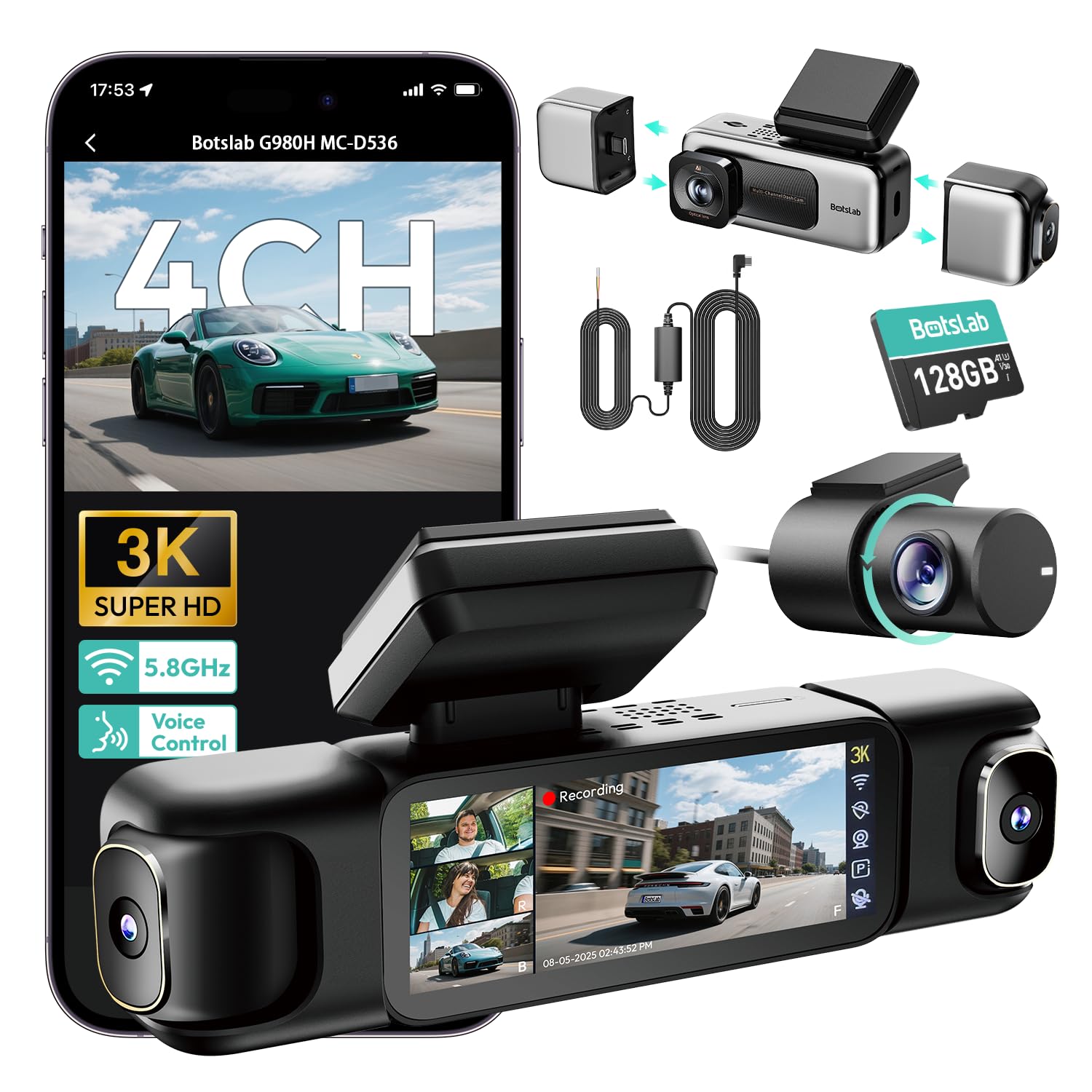
We recommend this dash cam for drivers who want broad coverage and several parking-mode options in one system.
Key Pros
- Four cameras cover the front, rear, cabin, and side areas.
- The hardwire kit and 128GB card come included.
- Touch, voice, and app controls make daily use easier.
Key Cons
- Installation takes time because several cables must be routed.
- Parking detection may not trigger reliably for every user.
- Four-camera recording can reduce image detail compared with fewer cameras.
We found the G980H useful when we wanted to monitor more than the road ahead. Its four-camera layout records the front, rear, interior, and side views at the same time. Daytime video looks clear, while the wide coverage helps capture events beside the vehicle.
The parking system offers time-lapse recording, motion-triggered clips, and impact detection. The included hardwire kit supports 24-hour monitoring, but installation requires care. Some users report battery warnings or missed motion events, so we would test the settings after installation.
The 3.18-inch touchscreen makes setup and playback simple. Voice commands also reduce the need to handle the screen while driving. Built-in GPS records speed and location, and 5.8GHz Wi-Fi helps us move clips to a phone without removing the memory card.
The system includes a 128GB card and uses a supercapacitor instead of a standard battery. That design suits hot and cold conditions, but the camera still needs proper wiring for parking mode. Overall, the G980H fits drivers who value all-around coverage more than the simplest installation.
REDTIGER F7NP 4K Dash Cam

We recommend this dual-camera system for drivers who want sharp video, app access, and 24-hour parking coverage with the added cost of a hardwire kit.
Key Pros
- Clear 4K front and 1080p rear video
- Includes a 128GB memory card
- Supercapacitor suits hot conditions
Key Cons
- Parking mode requires a separate hardwire kit
- App Wi-Fi can conflict with Android Auto
- Cable routing takes some effort
In our testing, the F7NP gives us a compact setup that stays fairly unobtrusive on the windshield and rear glass. The front camera captures useful detail, while the rear unit adds coverage that a front-only model cannot provide.
Night footage benefits from the STARVIS 2 sensor, wide aperture, and WDR processing. We still see some limits in very dark scenes, but the image remains suitable for reading nearby signs and documenting traffic events.
The built-in Wi-Fi lets us preview clips and download them to a phone without removing the memory card. Connection setup feels less convenient when we use Android Auto, since both systems compete for the phone’s Wi-Fi connection.
Parking protection works in two ways: time-lapse recording and impact-triggered clips. We need to install the optional hardwire kit for true 24-hour operation, and proper installation matters to avoid draining the vehicle battery.
REDTIGER includes the memory card, GPS mount, rear cable, and basic installation tools. The 18-month warranty and supercapacitor design add useful peace of mind, but we should keep the camera away from extreme heat when possible.
IIWEY N5 4-Channel Dash Cam

We recommend the IIWEY N5 for drivers who want broad camera coverage and parking protection, provided they can install a separate hardwire kit.
Key Pros
- Four-camera coverage records the front, rear, sides, and cabin.
- Includes a 128GB memory card and supports cards up to 256GB.
- 5GHz Wi-Fi makes app connections and video downloads fairly quick.
Key Cons
- The 24-hour parking modes require a hardwire kit sold separately.
- It has no GPS or OBD support.
- Setup takes more work because the rear camera needs a wired connection.
The N5 gives us a wide view of the vehicle from several angles. The front and rear cameras use a 170-degree view, while the side cameras cover 150 degrees. This design helps capture activity near the doors and inside the cabin, not just what happens ahead.
Video quality looks suitable for everyday driving. The front camera can record in up to 2.5K, while the other cameras record in 1080p. The included 128GB card also lets us start recording without buying extra storage.
We like the built-in Wi-Fi for checking clips without removing the card. The free app lets us preview, download, and share videos, though we must turn Wi-Fi on manually before connecting. The Wi-Fi also shuts off after several minutes without an app connection.
Parking protection works through time-lapse or impact detection. However, we need the separate IIWEY hardwire kit to use these modes when the car is parked. The included cigarette lighter charger powers the camera during normal use, but the camera cannot run from a standard USB or USB-C cable.
Installation includes the needed mounts, clips, tools, and guides. Still, routing the rear-camera cable takes time, especially in larger vehicles. The supercapacitor should also handle heat better than a standard battery, but the camera must remain connected to power while operating.
IIWEY N6 360° Dash Cam
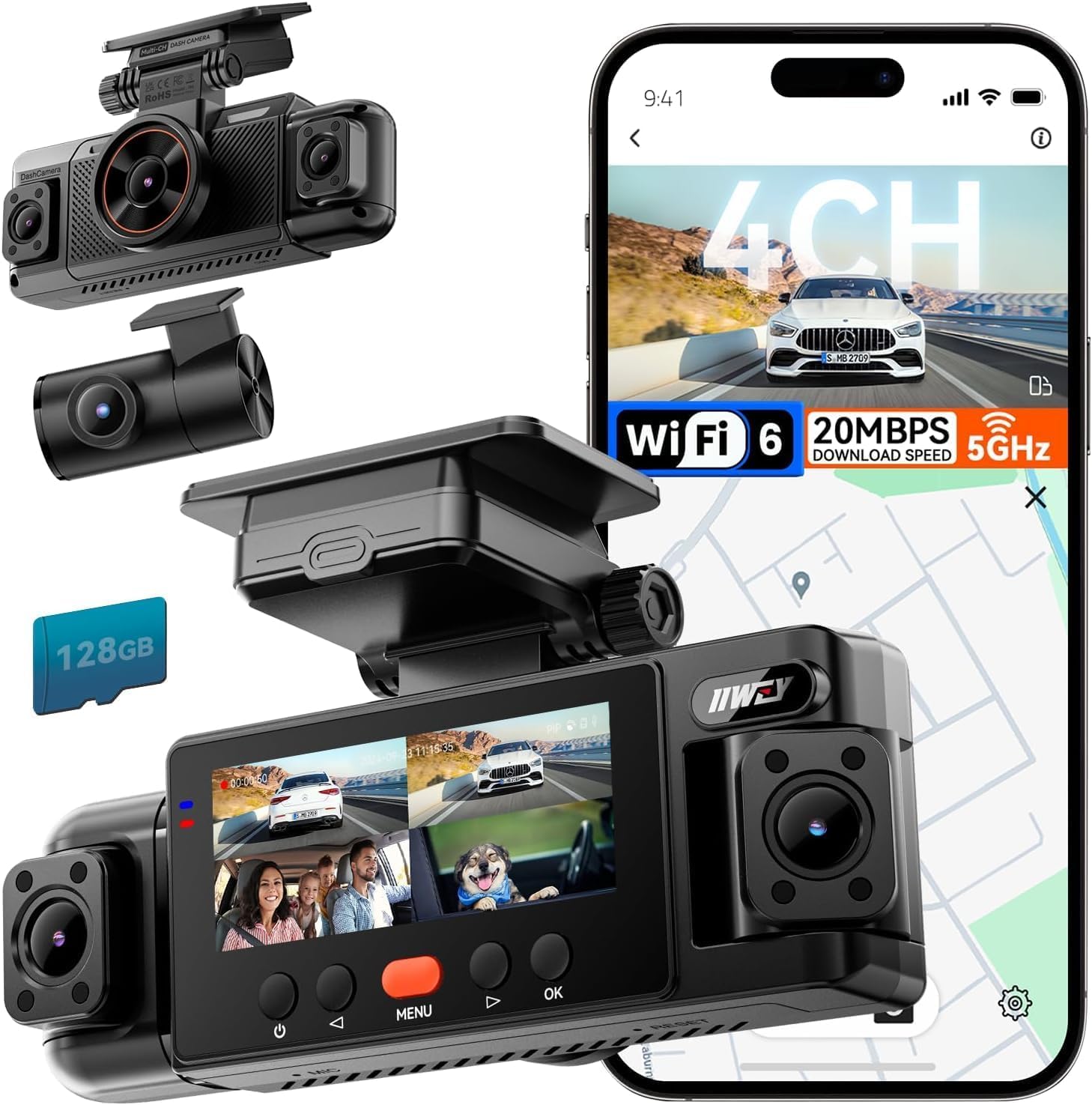
We recommend the IIWEY N6 for drivers who want wide four-camera coverage and parking protection after adding the required hardwire kit.
Key Pros
- Four cameras cover the front, rear, and both sides.
- Includes a 128GB memory card and GPS.
- Night recording and the app work well for daily use.
Key Cons
- Parking mode requires a separate hardwire kit.
- Headlight glare can affect some night footage.
- The wired setup takes more installation time than a basic dash cam.
We found the four-channel layout useful in busy parking lots and at intersections. The front and rear views provide clear daytime footage, while the side cameras reduce blind spots during lane changes and close passes.
At night, the infrared side cameras help show nearby activity. However, bright headlights can create glare, so plate details may not always remain clear. We also liked the built-in GPS and Wi-Fi, which made it easier to review and download clips through the free app.
The included 128GB card lets us start recording without buying extra storage. Loop recording keeps the camera running, and the G-sensor locks clips after a sudden impact.
For 24-hour parking coverage, we needed the separate IIWEY hardwire kit. Its time-lapse and impact-detection modes can monitor a parked vehicle for up to about 48 hours, but the included car charger only supports normal driving use.
XYGCACO D65 4-Channel Dash Cam
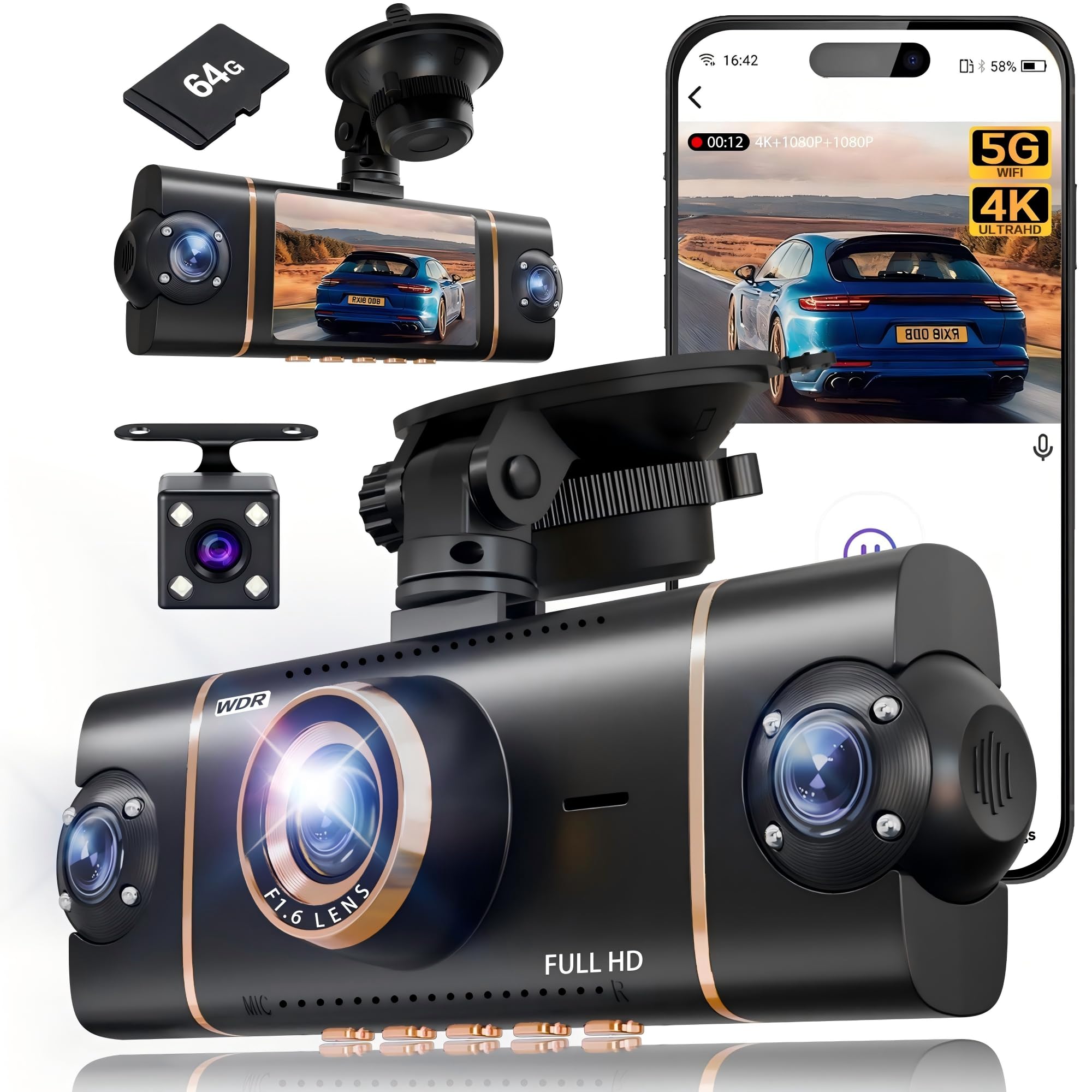
We recommend this dash cam for drivers who want wide vehicle coverage and 24-hour parking monitoring, provided they also buy the required hardwire kit.
Key Pros
- Four-camera coverage records the front, rear, and sides.
- Includes a 64GB memory card and GPS.
- Wi-Fi makes it easy to view clips on a phone.
Key Cons
- Parking mode requires a separate hardwire kit.
- Three cameras record at 1080p rather than 4K.
- Four camera angles may take more time to install and adjust.
We found the four-channel setup useful because it records more than the road ahead. The 4K front camera produces the sharpest footage, while the three 1080p cameras cover the rear and sides. The 3-inch screen lets us check all views at once, though the extra cameras add more wires to manage.
The suction mount held firmly during our test, and the included pry tool helped us hide the cables. The 64GB card allowed us to start recording without an immediate extra purchase. Loop recording and the G-sensor help protect clips when the camera detects a sudden impact.
Wi-Fi and the Viidure app made it easier for us to review and download clips than removing the card. GPS also adds location data, which can help document where an event happened. Night footage benefits from WDR and infrared lights, but image quality can still vary in very dark areas.
Parking mode supports motion-triggered recording after the car shuts off. However, we need to install the separate hardwire kit for this feature, and improper installation could drain the vehicle battery. The 18-month guarantee adds useful support for a newer brand.
Galphi 4K Dash Cam
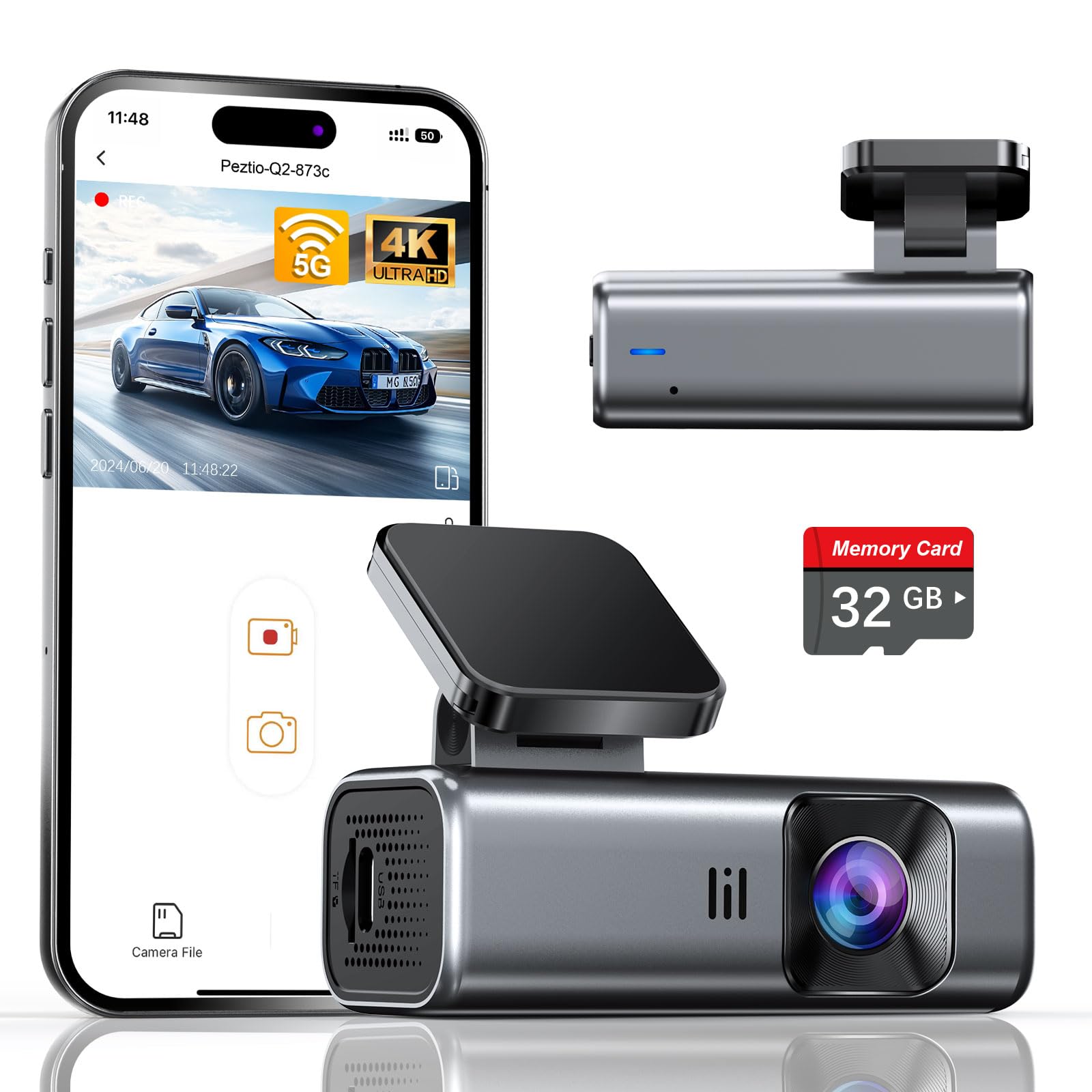
We recommend this compact front dash cam for drivers who want sharp video, fast phone transfers, and parking coverage with a separate hardwire kit.
Key Pros
- Clear 4K video with useful night performance
- Fast 5GHz Wi-Fi and a simple screen-free design
- Includes a 32GB card and easy mounting tools
Key Cons
- Hardwire kit for parking mode costs extra
- Front camera only
- The 32GB card may fill quickly with 4K footage
The Galphi Q2 stays small behind the rearview mirror, so it does not block much of our view. Setup feels straightforward, and the included adhesive pads, cable clips, and trim tool help keep the power cable tidy.
During daytime drives, the 4K footage looks sharp enough to capture road signs and nearby vehicle details. Its wide 160-degree view covers a broad section of the road. Night video remains useful, although glare from headlights can still affect some details.
We used the phone app to check clips and download video without removing the card. The built-in 5GHz Wi-Fi moves files faster than many 2.4GHz models, but we still needed to keep the phone close to the camera during transfers.
Parking mode requires the optional Type-C hardwire kit. Once connected, the camera can use time-lapse recording while the car sits parked. The G-sensor can also lock footage after a detected impact, helping prevent important clips from being overwritten.
A 32GB card comes installed, which lets us start recording immediately. Drivers who record often or keep the camera in parking mode should consider a faster, larger card, since 4K files use storage quickly.
PAPAGO! G680 4-Channel 360° Dash Cam
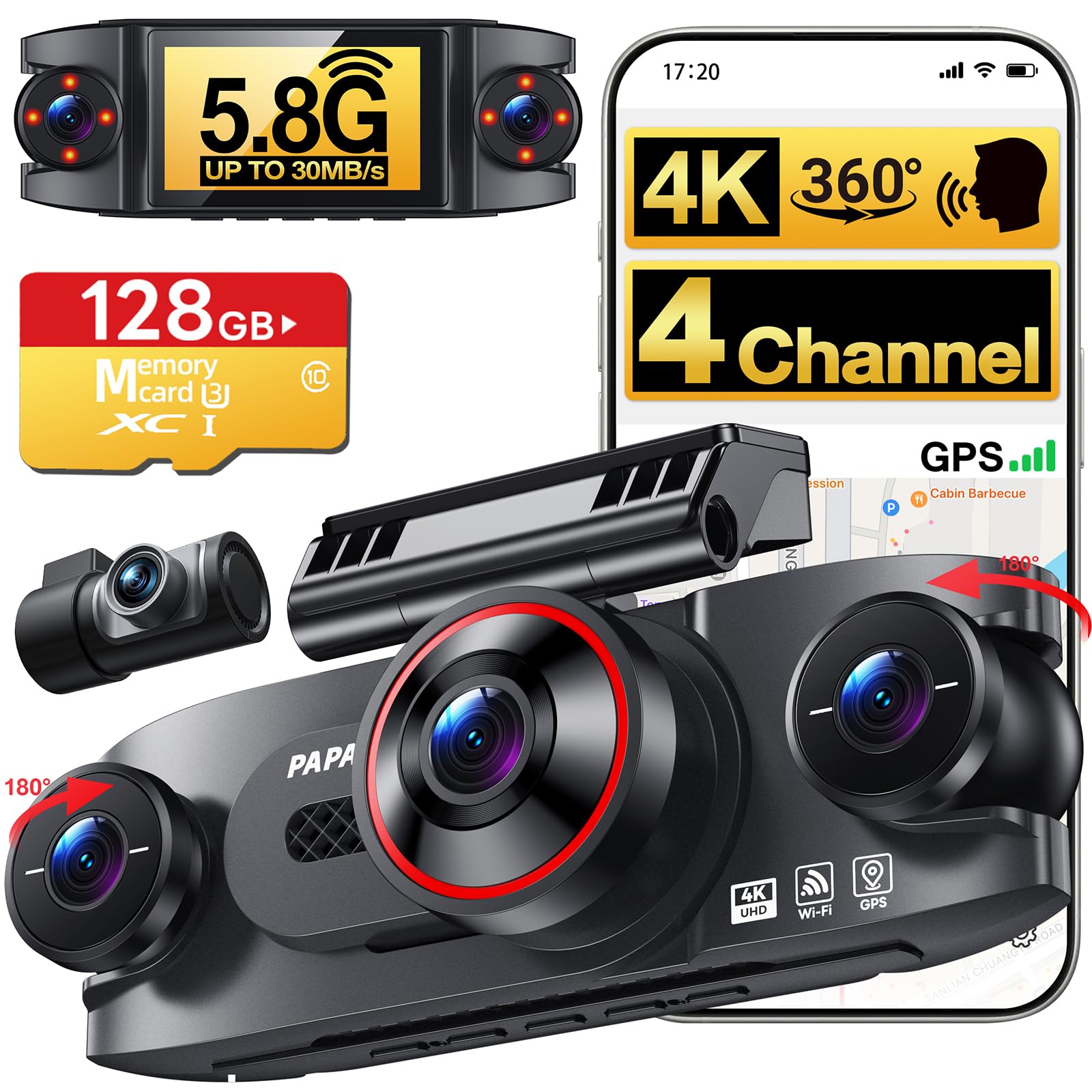
We recommend this dash cam for drivers who want broad coverage and 24-hour parking monitoring with a separate hardwire kit.
Key Pros
- Four-camera coverage records the front, rear, cabin, and sides.
- Sharp 4K front video and useful low-light features.
- Includes a 128GB memory card and offers fast app downloads.
Key Cons
- The hardwire kit for parking mode costs extra.
- Side and rear cameras record at 1080p rather than 4K.
- The 3-inch screen is not touch-enabled.
After using the G680, we found its four-channel setup more useful than a standard front-and-rear camera. The side cameras help cover blind spots and parked-car incidents, while the cabin camera adds context during a dispute or break-in.
The front footage looks sharp in daylight, and HDR helps preserve detail in mixed lighting. At night, the infrared cabin lights improve interior coverage. We would still check sample footage before relying on the side cameras in complete darkness.
Setup feels manageable because the kit includes mounting tools, cable clips, and a long rear-camera cable. The 128GB card also lets us start recording without buying storage separately. The 3-inch display makes it easy to check camera views, though the physical controls take more effort than a touchscreen.
The app connects over Wi-Fi and lets us review, save, and manage clips from a phone. GPS adds speed and route data to recordings. For 24-hour parking mode, we must purchase the compatible hardwire kit separately; the standard car charger will not provide continuous monitoring when the vehicle is off.
70mai A810 Lite 4K Dash Cam

We recommend this dash cam for drivers who want sharp front video, useful rear coverage, and 24-hour parking protection with an added hardwire kit.
Key Pros
- Sharp 4K front video and clear 1080p rear recording
- Useful app features, GPS, and fast Wi-Fi 6 transfers
- Includes a 64GB memory card and an 18-month warranty
Key Cons
- 24-hour parking mode requires a separate hardwire kit
- 4G remote access also needs the UP05 kit and service
- Some users report mounting, glare, or reliability issues
We found the front camera produced detailed footage during the day, while the rear camera added helpful coverage behind the vehicle. HDR and the wide f/1.55 aperture also helped balance darker scenes and bright headlights at night, though results can vary with weather and road lighting.
Installation felt simple, and the compact body fit neatly behind the mirror. The included 64GB card lets us start recording without buying extra storage, while the app makes it easy to preview and download clips. Its 5GHz Wi-Fi 6 connection should speed up file transfers compared with older dash cams.
The 24-hour parking mode works through impact detection or time-lapse recording, but we need the optional UP03, UP05, or UP06 hardwire kit for this feature. The low-voltage protection helps limit battery drain, yet we would still confirm the kit suits our vehicle before leaving the camera active overnight.
GPS, voice control, and a heat-resistant supercapacitor add practical value. However, customer feedback is mixed, with some owners reporting failed units, loose mounts, glare, or rear-camera alignment problems. We would inspect the installation carefully and test every camera mode soon after setup.
Buying Guide
When we choose a dash cam with 24-hour parking mode, we first check how it receives power while the vehicle is parked. A hardwire kit usually provides more reliable parking coverage than a standard cigarette-lighter adapter, but it should include low-voltage protection to help prevent battery drain.
We also compare how the camera detects activity:
- Motion detection: Records when movement enters the view
- Impact detection: Saves footage after a collision or strong vibration
- Time-lapse mode: Captures images at set intervals while parked
- Buffered recording: Saves footage from before and after an event
Video quality matters, especially at night. We look for a camera with a suitable resolution, a wide but not heavily distorted viewing angle, and strong low-light performance. A front camera may meet basic needs, while a front-and-rear system offers broader coverage.
| Feature | What we should check |
|---|---|
| Parking power | Hardwire support and low-voltage cutoff |
| Storage | Compatible microSD capacity and loop recording |
| Night video | Clear plates, useful exposure, and low glare |
| Temperature range | Safe operation in the local climate |
| Controls | Simple settings and reliable event protection |
| Installation | Secure mounting and clean cable routing |
We should confirm that the camera can save important clips separately from normal loop footage. Wi-Fi or an app can make file transfers easier, but these features should not replace dependable recording and storage. Sensor sensitivity should also be adjustable to reduce false recordings in busy areas.
Editor’s Choice
We choose the Thinkware U3000 as our top pick for a dash cam with 24-hour parking mode. It records in 4K, uses a Sony STARVIS 2 image sensor, and captures clear video in low-light conditions.
Its parking mode supports motion detection, impact detection, and time-lapse recording. The camera also includes built-in radar to help reduce power use while the vehicle is parked. We need a compatible hardwire kit for continuous parking-mode power.
| Feature | Thinkware U3000 |
|---|---|
| Video quality | 4K front |
| Parking modes | Impact, motion, time-lapse, energy saving |
| Night recording | Sony STARVIS 2 sensor |
| Storage | microSD card |
| Installation | Hardwire kit recommended |
We like the U3000 because it combines strong image quality with several parking-mode options. Its heat-resistant design also suits vehicles parked outdoors, though performance still depends on correct installation and local temperatures.
The main drawbacks include its higher price and the need to buy some accessories separately. We should also check local laws before using parking surveillance, especially when recording public areas.
Conclusion
We should choose a dash cam based on parking coverage, power needs, video quality, and ease of use. A model with buffered recording, impact detection, and a reliable parking-mode power source can help capture events when the car is unattended.
Before buying, we should check whether the camera needs a hardwire kit, whether it supports low-voltage protection, and whether its storage system suits our driving needs. Cloud access may add convenience, but it often requires a subscription.
- Best for daily parking: A camera with buffered recording and low-voltage cutoff
- Best for longer parking periods: A system with a dependable external battery pack
- Best for simple setup: A camera with a plug-in power option and clear controls
We should also use a high-endurance memory card and place the camera where it has a clear view without blocking the driver’s sightline. Regularly checking recordings and updating the firmware helps keep the system dependable.
FAQs
What is 24-hour parking mode?
24-hour parking mode lets a dash cam monitor your vehicle while it is parked. Depending on the model, it may record continuously, detect motion, or save video after an impact.
Does parking mode drain the car battery?
It can, especially when the camera runs for long periods. We recommend a hardwire kit with a low-voltage cutoff, which stops recording before the battery reaches an unsafe level.
Do we need a hardwire kit?
Most cameras need a hardwire kit for true 24-hour monitoring. A USB power bank or dedicated dash cam battery pack can also work, but each option has different capacity, cost, and installation needs.
Which parking mode should we choose?
| Mode | Best for |
|---|---|
| Impact detection | Recording possible collisions |
| Motion detection | Recording activity near the vehicle |
| Time-lapse | Saving storage while monitoring continuously |
| Buffered recording | Capturing events just before and after detection |
How much storage do we need?
We should use a high-endurance microSD card that matches the camera’s requirements. A 128GB card often provides a practical balance between recording time and cost, but higher resolutions may need more storage.
Does parking mode work in hot or cold weather?
We should choose a camera rated for the temperatures common in our area. Proper installation and a reliable power source also help reduce failures in extreme conditions.

I’m Alex Rahman, a car enthusiast and automotive writer focused on practical solutions, car tools, and real-world driving advice. I share simple and honest content to help everyday drivers make better decisions.
