10 Best Dash Cam Under $100: Top Affordable Picks for 2026
Dash cams record the road ahead and can provide useful evidence after a crash, hit-and-run, or traffic dispute. Models under $100 now commonly include features such as 1080p video, night recording, loop recording, and parking monitoring, making them a practical choice for many drivers.
The best dash cams under $100 balance clear video, reliable recording, simple controls, and a secure mount without adding unnecessary features. We pay close attention to image quality, viewing angle, storage support, GPS, parking mode, and whether the camera includes a memory card or requires one separately. We also consider setup, app quality, and long-term reliability.
We compared affordable dash cams to find the models that record clear footage and remain easy to use. Next, we’ll explain which options stood out and what to consider before buying.
Best Dash Cams Under $100
We reviewed affordable dash cams for video quality, useful features, ease of use, and value. Below, we list the best options for drivers who want reliable recording without spending more than $100.
ROVE R2-4K Dual Dash Cam

We recommend this dual-camera dash cam for drivers who want clear front and rear coverage, useful app controls, and a memory card included.
Key Pros
- Clear daytime video from both cameras
- Fast phone downloads through Wi-Fi
- Includes a 128GB microSD card
Key Cons
- Front video uses upscaling rather than native 4K
- Parking mode needs a separate hardwire kit
- Rear-camera wiring takes some effort
We found the R2-4K Dual easy to set up with the included mounts, clips, trim tool, and cables. The 3-inch screen helped us position both cameras, while the wide viewing angles covered multiple lanes without making the image feel too distorted.
Daytime footage looked sharp enough for routine driving, signs, and nearby vehicles. The rear camera added useful coverage when changing lanes or dealing with a collision behind us. At night, the front camera handled dim streets better than many basic dash cams, though plate detail still depended on distance and headlights.
The ROVE app made it simple for us to review clips and download them to a phone. Its fast Wi-Fi connection reduced waiting, and built-in GPS added speed and location data to recordings. The included 128GB card also saved us from buying storage right away.
We did spend more time routing the rear cable through the vehicle than with a front-only camera. Parking features require an optional hardwire kit, and the front image is upscaled to 4K rather than captured in native 4K. Still, this model offers strong coverage and useful features for a budget under $100.
Galphi 4K Dash Cam
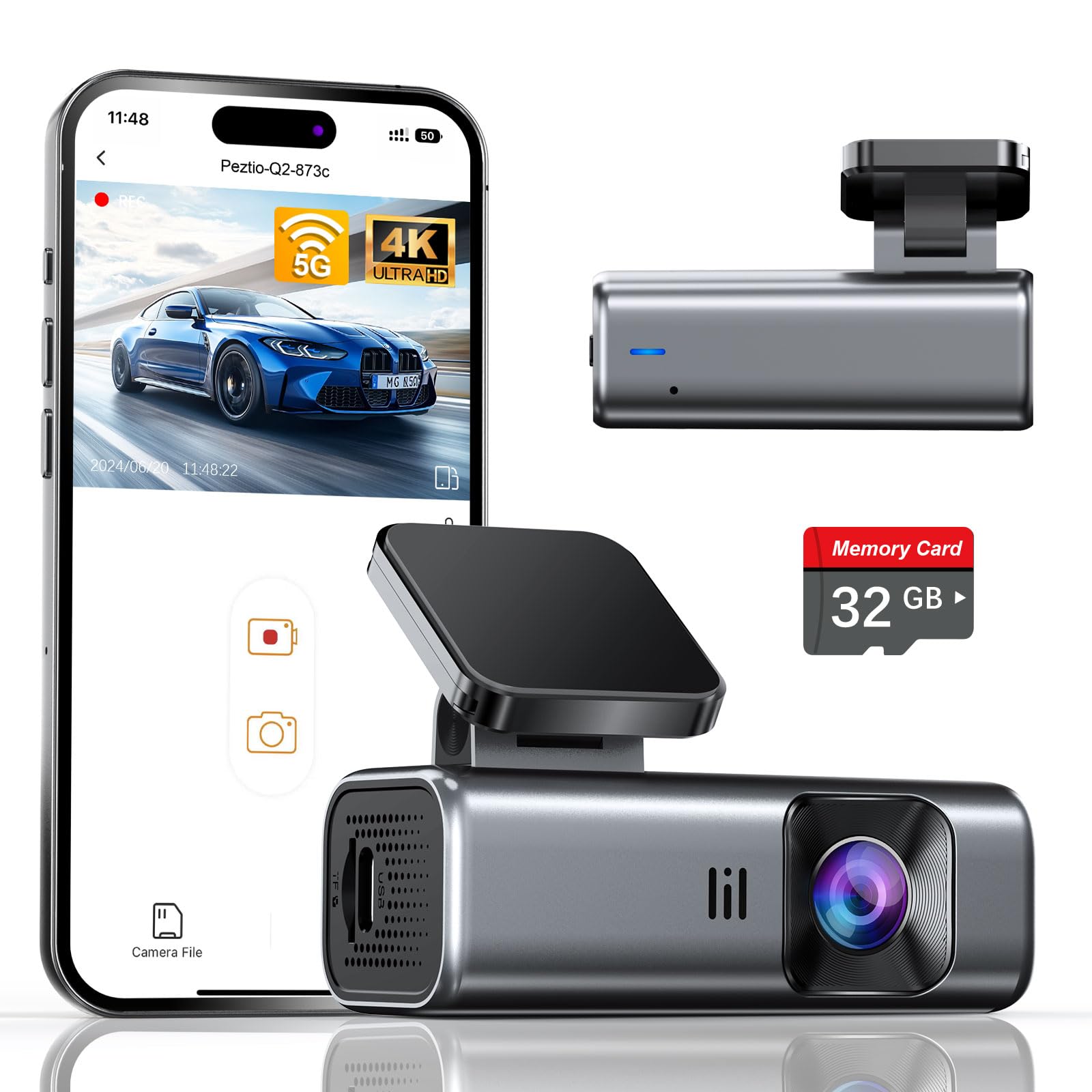
We recommend this compact front-facing camera for drivers who want sharp video, phone access, and simple setup without spending much.
Key Pros
- Clear 4K daytime video
- Fast 5GHz Wi-Fi transfers
- Includes a 32GB memory card
Key Cons
- No built-in display
- Parking mode needs a separate hardwire kit
- Night footage can lose detail in very dark areas
We found the Galphi easy to hide behind the rearview mirror. Its small body stayed out of our view, while the included adhesive pads and trim tools made installation straightforward.
The 4K recording captured useful detail during the day, including nearby signs and license plates. Its wide view covered plenty of the road, though the edges showed some expected lens distortion.
The phone app let us review and download clips without removing the memory card. The 5GHz connection felt quicker than basic Wi-Fi, but we still needed to connect to the camera’s network before using the app.
At night, the bright F/1.6 lens and WDR helped balance headlights and darker roads. The image remained usable, but very dim scenes did not look as detailed as daytime footage.
The included 32GB card lets us start recording immediately. Drivers who record long trips should consider a compatible high-speed card with more storage. Parking mode also requires the optional Type-C hardwire kit, so that feature adds to the total cost.
Veement V300 Dash Cam

We recommend the Veement V300 for drivers who want clear front-facing video, phone access, and useful safety features at a low price.
Key Pros
- Clear daytime footage with helpful night visibility
- Wi-Fi app makes clips easy to view and download
- Small design and long USB-C cable simplify installation
Key Cons
- Requires a separate microSD card
- Wi-Fi does not provide internet access
- Parking mode needs continuous power
During our testing, the V300’s compact body stayed out of the way on the windshield. Its wide view covered several lanes, while the 1296p video showed road signs and nearby traffic clearly in daylight.
At night, the wide lens and bright aperture helped capture more of the road than many basic 1080p cameras. Details can still vary with headlights, weather, and road lighting, so we would not expect perfect plate capture in every situation.
The VeeCar app made it simple for us to preview recordings and send clips to a phone without removing the memory card. The camera still needs its USB-C power cable during use, and the local Wi-Fi connection does not replace mobile internet.
Loop recording, a G-sensor, and parking monitoring add useful protection for everyday driving. We also like that the camera uses a design without a traditional lithium battery, but buyers must purchase a compatible microSD card separately.
SUVCON J06 Triple Dash Cam
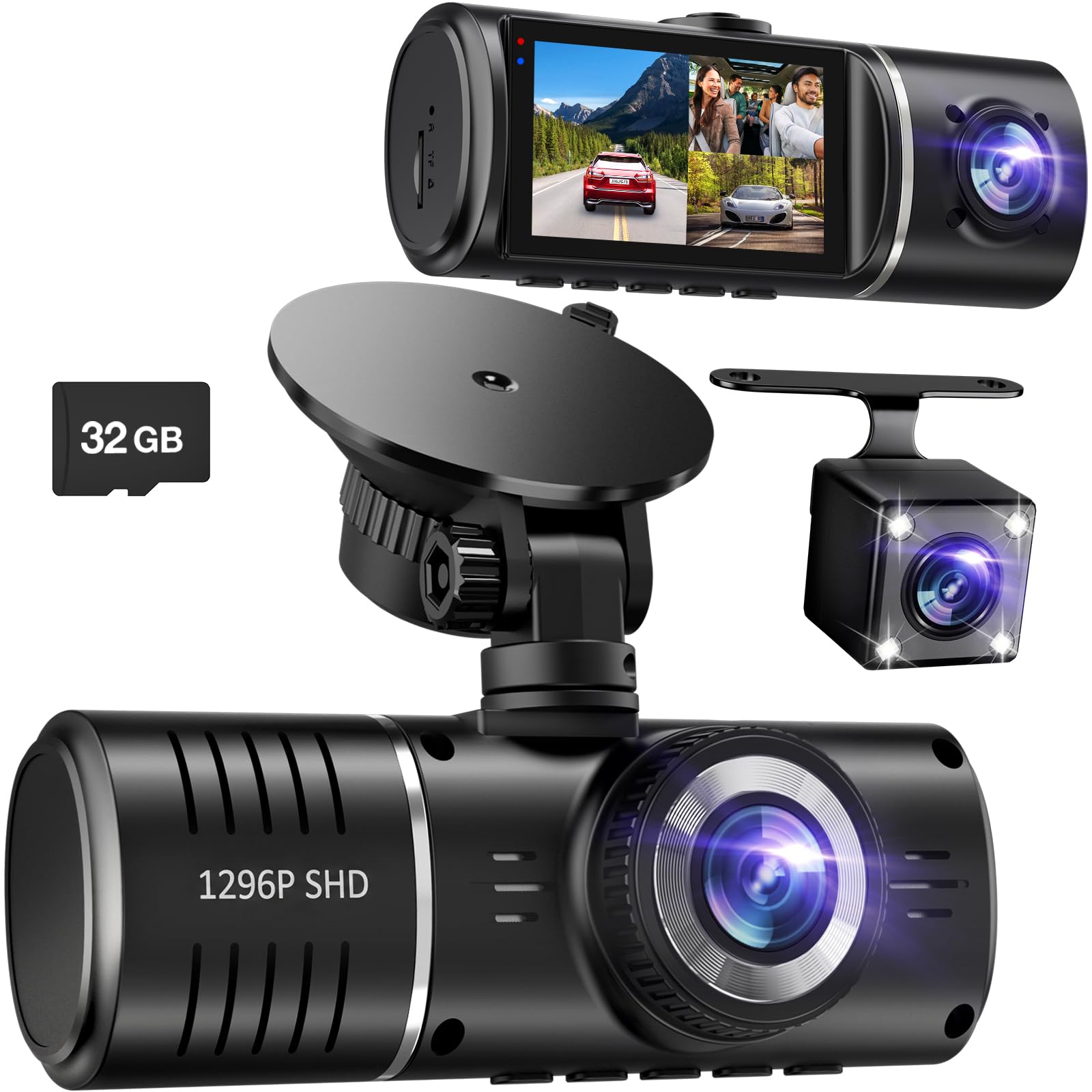
We recommend this dash cam for drivers who want front, cabin, and rear coverage without spending much.
Key Pros
- Three cameras cover the road, cabin, and rear
- Includes a 32GB memory card
- Simple setup with clear controls
Key Cons
- The rear camera needs a wired connection
- The cabin camera takes up some screen space
- Parking monitoring may require an additional power setup
We found the SUVCON J06 easy to mount and use. The front camera gives us a wide view of the road, while the cabin camera helps record activity inside the car. The rear unit adds useful coverage behind the vehicle.
The included memory card lets us start recording without buying extra storage. Loop recording also keeps the camera running by replacing older clips when the card fills up. Its G-sensor can lock footage after a sudden impact.
At night, the infrared lights help the cabin camera capture faces and movement. HDR improves detail when sunlight and shadows appear together, though image quality can still vary in very dark areas.
The rear camera uses a long cable, which gives us flexibility during installation but takes time to route neatly. Overall, this SUVCON model suits rideshare drivers, families, and everyday commuters who want broad coverage at a budget price.
E-YEEGER S60 Dash Cam
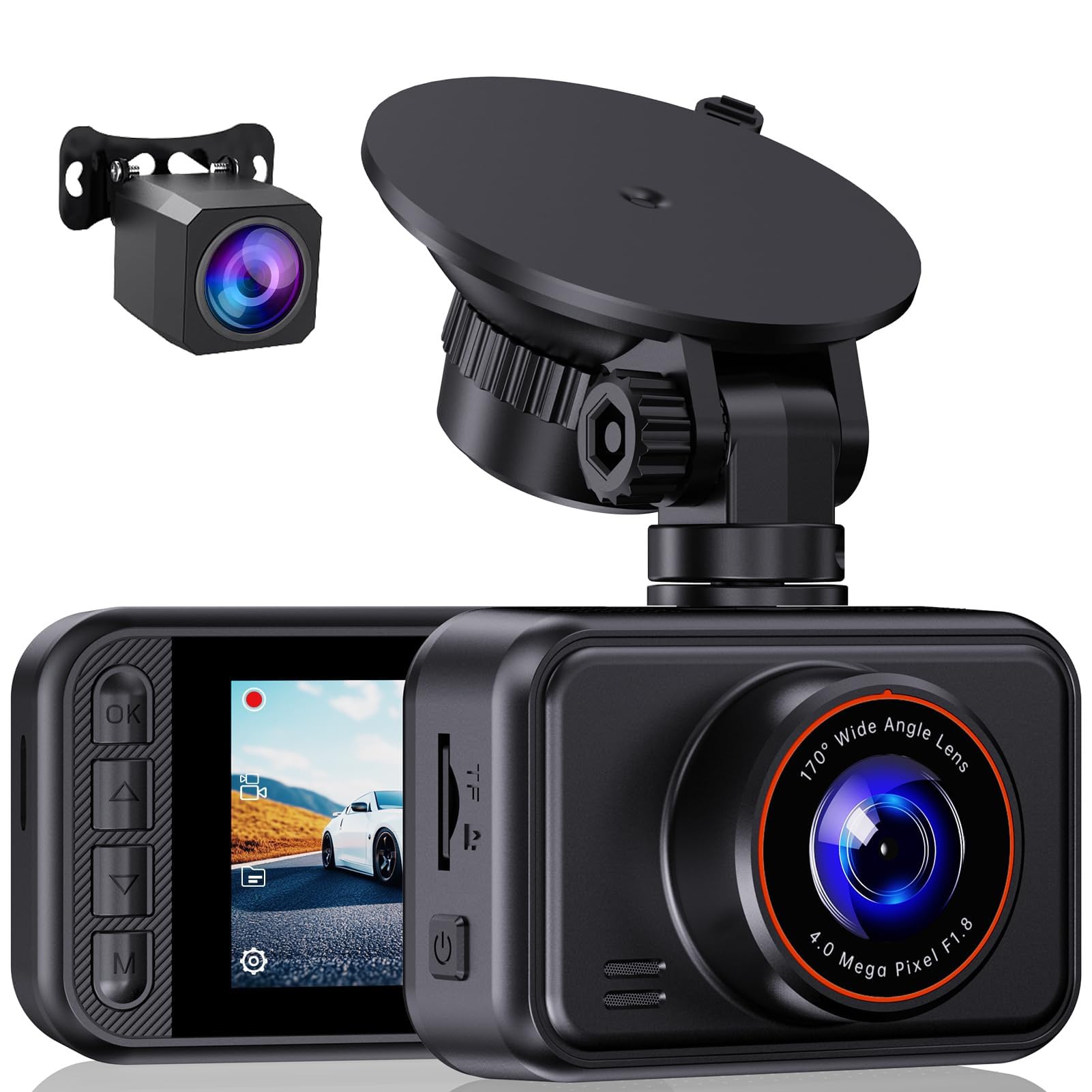
We recommend the E-YEEGER S60 for drivers who want front-and-rear recording, clear daytime video, and useful safety features at a low price.
Key Pros
- Clear front and rear footage in good lighting
- Simple setup with an adjustable suction mount
- Loop recording and impact-locked clips
Key Cons
- microSD card is not included
- Suction mount may loosen in hot weather
- Menu controls take time to learn
We found the S60 easy to install, and the included rear camera adds useful coverage without raising the cost much. The front camera captures a wide view, while the small screen helps us check the angle and change basic settings from the driver’s seat.
Video quality looked strongest during the day. At night, WDR helped balance headlights and darker areas, but bright lights could still create glare. The rear camera also worked best when we kept its lens clean and mounted it carefully.
Loop recording handled routine use without much attention. The G-sensor locked clips after sudden braking or impacts, though we needed to adjust its sensitivity to avoid saving too many clips from rough roads. The camera supports cards up to 256GB, but we had to buy one separately.
The optional parking monitor requires a compatible Type-C hardwire kit, which is not included. We also found the suction mount convenient to remove, but heat may cause it to lose its grip.
Affver A4 Dual Dash Cam
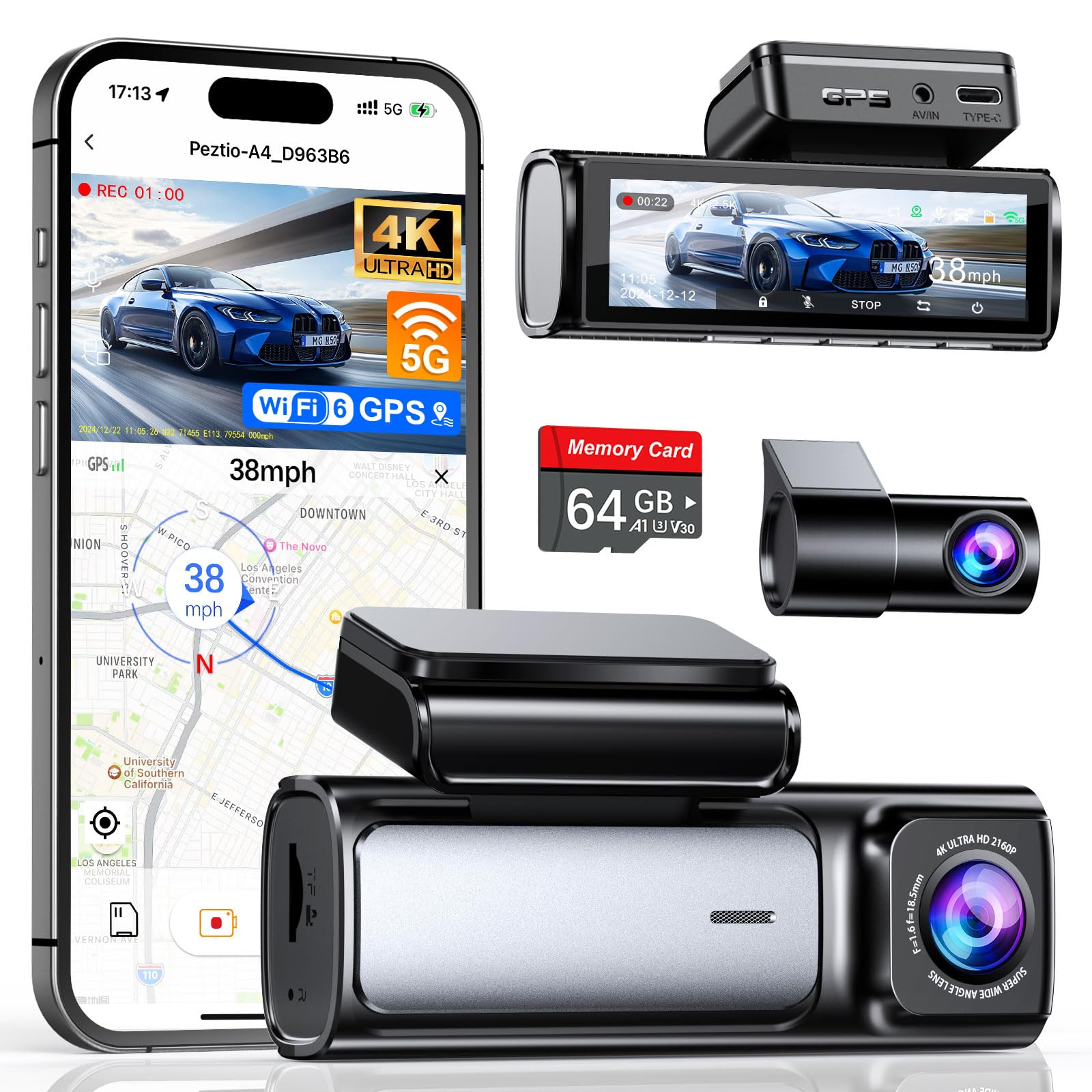
We recommend the Affver A4 for drivers who want sharp front and rear video, GPS, and phone access without paying for a premium model.
Key Pros
- Clear front and rear footage in daylight
- Built-in GPS and Wi-Fi 6 support
- Includes a 64GB memory card and installation tools
Key Cons
- Rear-camera wiring takes extra time to hide
- App features require a phone connection
- Parking monitoring may need additional wiring
We found the front camera produced detailed video during daytime drives, while the rear camera added useful coverage in traffic and parking lots. The wide viewing angles helped capture more of the road without making the image feel too distorted.
The 3.59-inch screen made setup and menu changes simple. We also liked the low-profile design, which stayed fairly unobtrusive on the windshield. The included card and cable clips helped us start recording without buying extra accessories.
Night footage remained usable, especially on roads with streetlights. However, very dark areas and bright headlights can still reduce detail, as they do with many dash cams in this price range.
Built-in GPS records route and speed information, and the phone app lets us review or download clips. Loop recording and collision-based file locking reduce the chance of losing important footage. Installing the rear camera requires some effort, but the included tools make the process more manageable.
70mai A810 Lite 4K Dash Cam

We recommend this 70mai for drivers who want sharp front video, rear coverage, and useful app features without moving far beyond a $100 budget.
Key Pros
- Clear 4K front video and solid 1080p rear footage
- Compact design with a 64GB card included
- Fast phone transfers through 5GHz Wi-Fi 6
Key Cons
- Rear-camera wiring takes extra time
- Parking mode needs a separate hardwire kit
- App setup may take some patience
We found the front camera produced detailed footage in daylight, with road signs and nearby plates staying easy to review. The rear camera added useful coverage without making the main unit feel bulky behind the mirror.
Night footage looked balanced in the available user feedback, especially with HDR and the wide aperture helping manage glare. Results can still vary with weather, headlights, and road lighting.
The compact body made installation straightforward, although routing the rear-camera cable required more work. The included 64GB card helped us start quickly, while the app made it simple to preview and download clips.
GPS records the vehicle’s route and speed, and voice controls reduce the need to reach for the camera. We would skip the optional 4G and parking features unless we also planned to buy the required hardwire kit.
A supercapacitor should handle heat better than a standard battery, which suits vehicles parked outdoors. Overall, this is a capable dual-camera package for commuters and rideshare drivers who value sharp video and easy phone access.
HKOIZBL 4K + 2.5K Dual Dash Cam
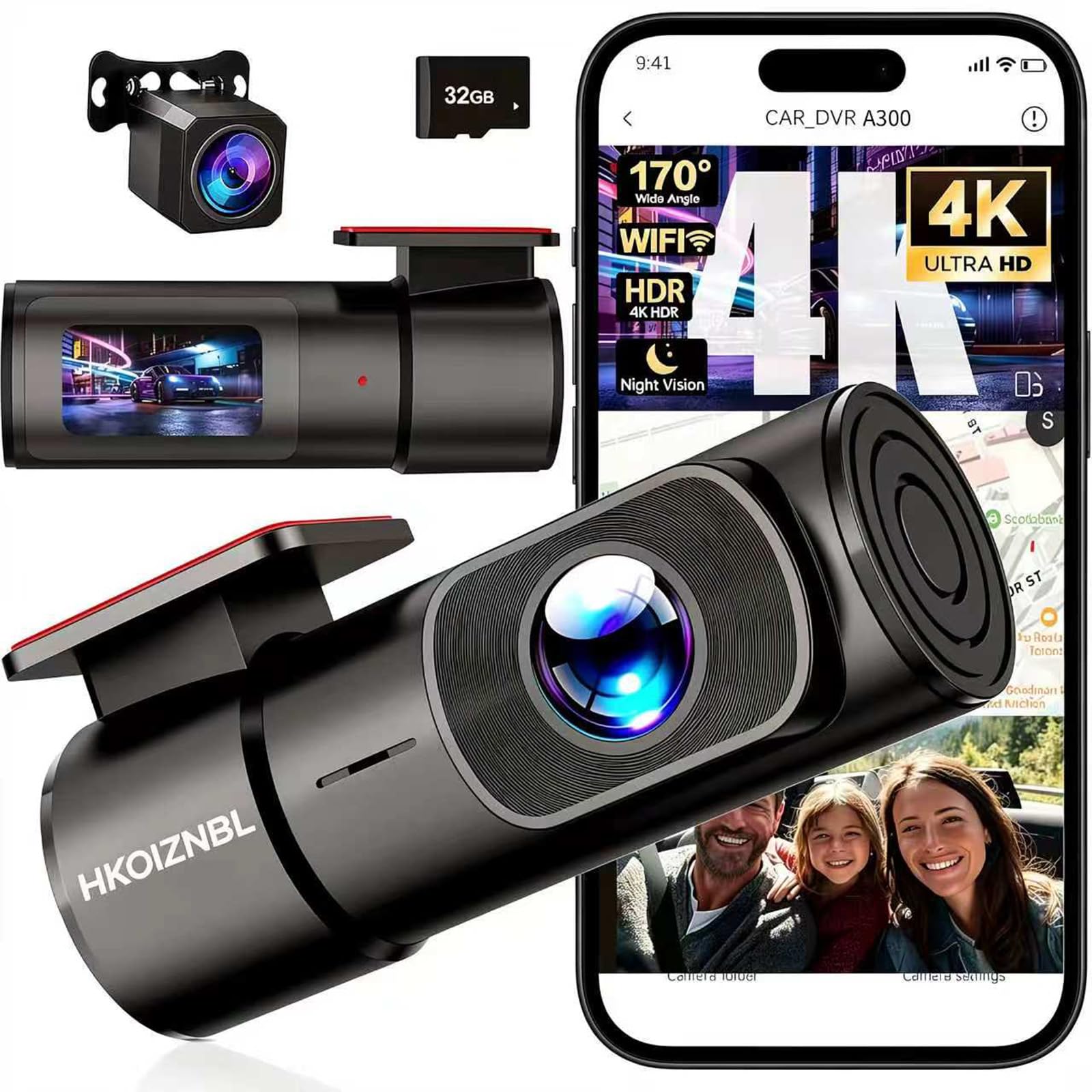
We recommend this dash cam for drivers who want front-and-rear video, phone access, and useful safety features at a low price.
Key Pros
- Clear daytime video from both cameras
- Wi-Fi app makes clips easy to view and save
- Includes a 32GB memory card
Key Cons
- Instructions may take extra time to understand
- Hiding the cables can make installation harder
- Build quality feels basic
We found the front camera produced sharp video during daytime driving, while the rear camera added helpful coverage behind the vehicle. The wide viewing angles captured several lanes, which made the system useful in busy traffic.
The Wi-Fi connection let us view recordings and adjust settings from a phone without removing the card. The app also made it simple to save clips, although the setup process may require some patience.
Loop recording handled regular use without much attention. The impact sensor locked important clips, reducing the chance that an incident would get overwritten. Parking monitoring adds protection when the vehicle sits unattended, but drivers may need an additional power setup for extended use.
The compact body did not block much windshield space, and the small screen helped us aim the camera during installation. We liked that the package included a memory card, though the short instructions were not always easy to follow.
At this price, the HKOIZBL offers strong coverage and convenient features, but buyers should expect a basic finish and spend time routing the cables neatly.
70mai M310 Dash Cam

We recommend the 70mai M310 for drivers who want clear front-facing video, app control, and useful parking features at a low price.
Key Pros
- Sharp 1296P video captures road signs and plates clearly in daylight
- Compact design and simple windshield installation
- Wi-Fi app makes saving clips easy
Key Cons
- microSD card is not included
- Parking mode needs the separate UP03 hardwire kit
- No built-in screen for checking footage
We found the M310 easy to place behind the mirror, where its small body stayed out of our view. The included mounting parts and car charger made setup straightforward, although the app required account registration before we could use all its features.
During daytime driving, the 1296P footage looked sharp enough to identify nearby plates and signs. Its wide view covered several lanes, while WDR helped balance bright skies and darker areas. Night footage remained usable, but details became less clear at greater distances.
The phone app let us review and download clips without removing the card. Wi-Fi worked well for short transfers, but connecting the camera can interrupt other phone connections, such as Android Auto.
Loop recording handled everyday use without much effort, and the G-sensor protected clips after sudden impacts. Parking monitoring and time-lapse recording add value, but both require the separately sold hardwire kit. We also needed to buy a Class 10 or faster microSD card.
Yonvim 2.5K Dual Dash Cam
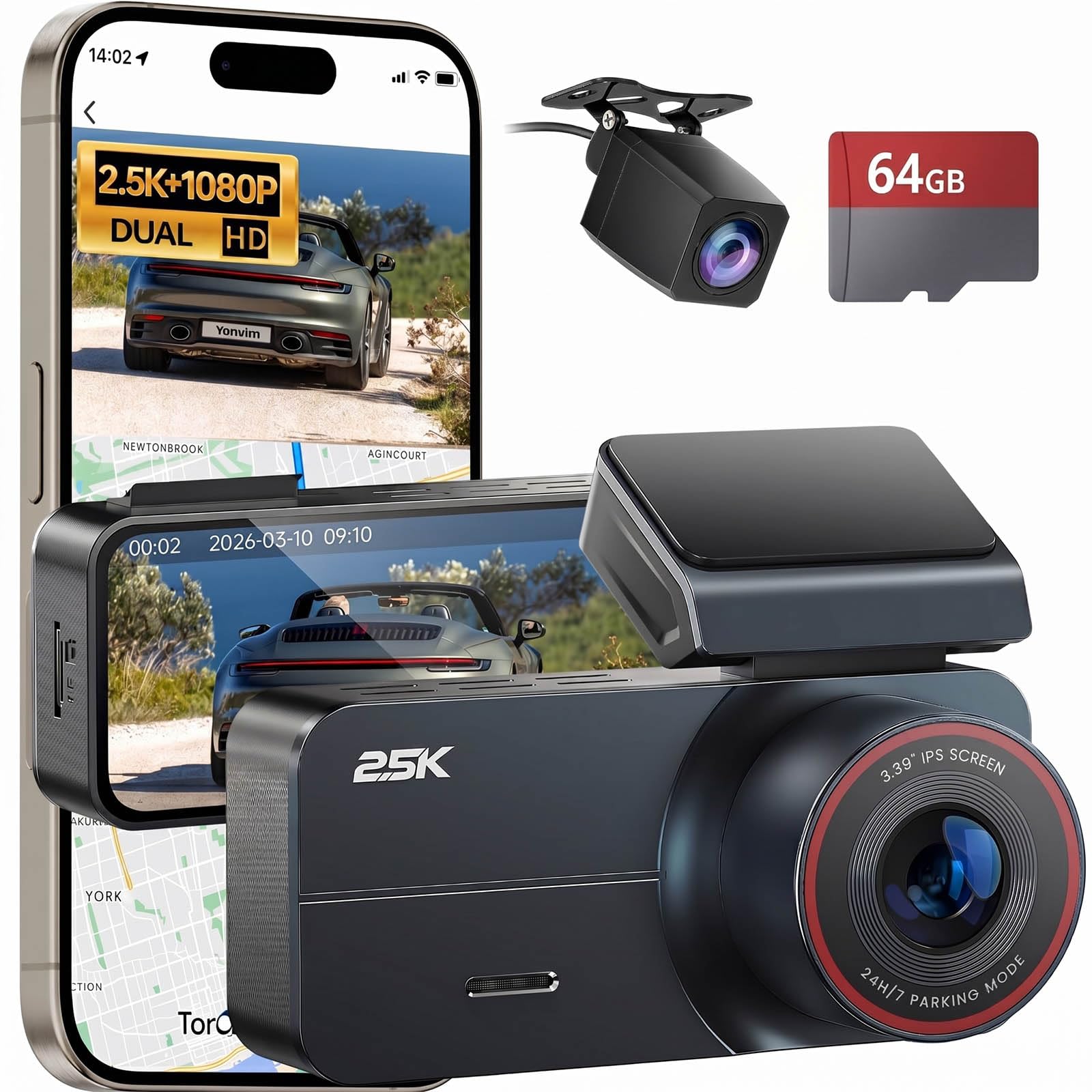
We recommend this dash cam for drivers who want clear front and rear recording, Wi-Fi, GPS, and a memory card without spending much.
Key Pros
- Sharp 2.5K front video with rear recording
- Includes a 64GB memory card
- Large screen, GPS, and Wi-Fi access
Key Cons
- Parking mode needs a separate hardwire kit
- App setup may take some trial and error
- The included card may not suit very hot climates
We found the Yonvim easy to mount and use for everyday driving. The 3.39-inch screen made setup simple, while the wide view helped cover nearby lanes and intersections. The included card also let us start recording without buying extra storage.
Daytime footage looked sharp enough to identify useful details. Night recording remained usable, although bright headlights and dark roads still reduced some detail. The rear camera added helpful coverage, but installing its cable required more effort than mounting the front unit.
Wi-Fi made it easier for us to move clips to a phone without removing the card. GPS added speed and location data to recordings, which can help after an incident. We also liked the automatic loop recording and impact protection.
The main drawback involves parking mode. We would need to buy and install a separate hardwire kit for recording while the car sits unattended. The app and instructions may also require patience, especially during the first setup.
Buying Guide
We should focus on the features that affect recording quality, reliability, and daily use. A low price should not mean accepting unclear video or difficult controls.
| Feature | What we should look for |
|---|---|
| Video quality | At least 1080p resolution with clear plates and signs in good light |
| Low-light recording | Night footage that stays visible without excessive glare or noise |
| Viewing angle | A wide view that covers the road without heavy image distortion |
| Storage | Support for a microSD card and loop recording to manage older files |
| Power | A secure car adapter and a cable long enough for neat installation |
| Mount | A firm mount that allows easy adjustment and removal |
| Parking mode | Motion or impact recording, if we also buy a compatible constant-power kit |
| Controls | Simple buttons, menus, and a screen that we can use safely while parked |
We should check whether the camera includes a memory card. If it does not, we need to add the cost of a compatible card to our budget.
Audio recording, GPS, Wi-Fi, and phone apps can add convenience, but they should not take priority over dependable video. We should also review the warranty, return policy, user manual, and replacement options for mounts or power cables.
Before buying, we should confirm that the camera fits our vehicle and that its power cable reaches the outlet. A compact design can reduce blocked visibility, while a secure mount helps prevent changes in the camera’s position.
Editor’s Choice
We chose the Garmin Dash Cam Mini 2 as our editor’s pick for drivers who want a small, reliable camera under $100. Its compact design sits behind the rearview mirror and keeps the windshield clear.
The camera records in 1080p HD and includes a wide viewing angle for a clear view of the road. It also supports voice control, Wi-Fi, and automatic video uploads when paired with a compatible Garmin service.
| Feature | Details |
|---|---|
| Video quality | 1080p |
| Size | Compact |
| Storage | microSD card |
| Key features | Voice control, Wi-Fi, parking mode |
| Best for | Simple daily recording |
We like its easy setup and low-profile shape. The main trade-off is that some features, including parking monitoring and cloud storage, may require extra accessories or a subscription.
Drivers should check whether the package includes a microSD card, since many dash cams do not include one. We also recommend using a high-endurance card made for continuous video recording.
Conclusion
We can find reliable dash cams under $100 without giving up basic safety features. The best options record clear 1080p video, use loop recording, and include a parking mode or impact sensor.
We should also check whether the camera includes a microSD card, car charger, and mounting hardware. If not, we need to add those costs to the budget.
For most drivers, a camera with good night video and simple controls offers the best value. We should choose a model that fits our car, records consistently, and lets us review footage without extra steps.
FAQs
What features should we expect from a dash cam under $100?
We should look for 1080p video, a wide viewing angle, loop recording, and a reliable parking mode. A G-sensor can save footage after a sudden impact, while night vision helps record in low-light conditions.
Do budget dash cams include a memory card?
Some models include a card, but many do not. We should check the product details and use a compatible microSD card, usually up to the capacity listed by the manufacturer.
Can we install a dash cam ourselves?
Yes. We can attach the camera to the windshield, connect the power cable, and adjust the viewing angle. A hardwire kit may provide parking mode, but installation requires more care than using the included car charger.
Are cheap dash cams reliable?
A lower price does not always mean poor performance, but we should check user reviews, warranty coverage, and brand support. We should also replace the memory card when it shows errors or stops recording properly.
Do we need a rear camera?
A rear camera can record traffic behind us and help with parking. However, a front-only model may provide better video quality within a $100 budget.

I’m Alex Rahman, a car enthusiast and automotive writer focused on practical solutions, car tools, and real-world driving advice. I share simple and honest content to help everyday drivers make better decisions.
