
Can a Generic OBD2 Scanner Read Manufacturer Data?
Quick Answer
A generic OBD2 scanner can read some manufacturer-specific data, but it cannot read most of it. It handles standard engine and emissions data well. It often misses module data, enhanced live data, and brand-specific codes in other systems. You need enhanced or brand-specific access for the rest.
- Generic access covers standard engine codes and live data.
- Manufacturer data lives in other modules and enhanced PIDs.
- Some P1xxx engine codes may appear without a clear meaning.
- Enhanced and dealer-level tools reach more modules and functions.
You plug in a generic scanner and expect a clear answer. The tool shows a code you do not know, or it shows no code while a light stays on. This guide explains what a generic OBD2 scanner can read, what stays hidden, and how to pick the next tool.
In this article
- What Is Manufacturer-Specific Data?
- What Can a Generic OBD2 Scanner Read?
- What Does a Generic Scanner Miss?
- How Do You Tell Generic Data From Manufacturer Data?
- Generic, Enhanced, and Dealer-Level Access Compared
- How to Check If Your Scanner Reads Manufacturer Data
- What Should You Use When a Generic Scanner Is Not Enough?
- Common Mistakes That Waste Time and Money
What Is Manufacturer-Specific Data?
Manufacturer-specific data is diagnostic data that a vehicle maker defines for its own systems. It covers codes, live values, and module data that the shared OBD2 standard does not define. Each maker can set its own meaning, range, and access method.
The shared standard covers a set of emissions services. SAE J1979 standard defines many generic PIDs, and makers also define extra PIDs for their vehicles. That extra layer is where most manufacturer-specific data lives.
Manufacturer-specific data can include transmission values, airbag faults, body module states, and hybrid system readings. It can also include test results, adaptations, and service data for one brand. A generic tool was not built to ask for all of that data.
What Can a Generic OBD2 Scanner Read?
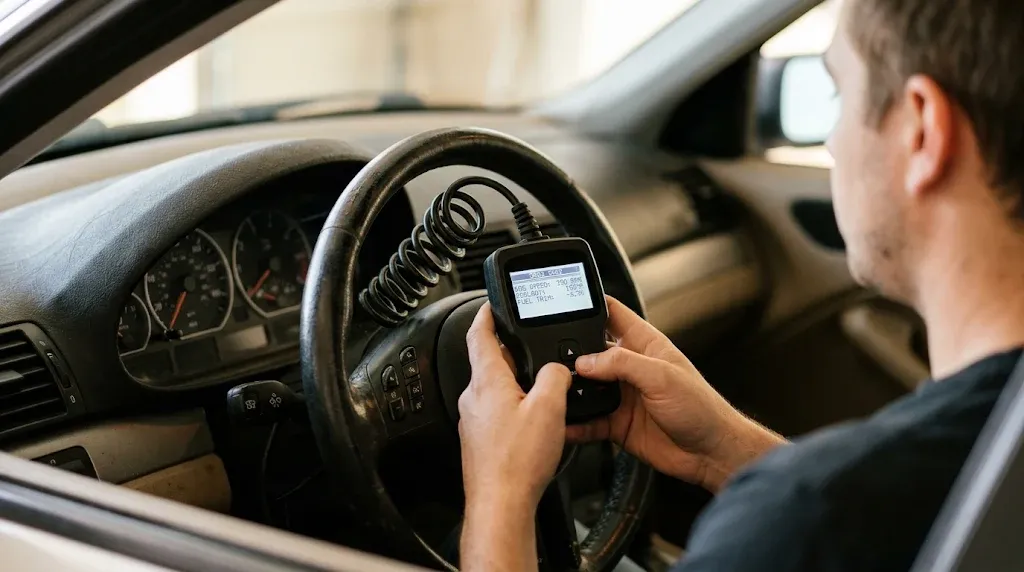
A generic OBD2 scanner can read standard engine and emissions data from the powertrain computer. It can show stored codes, pending codes, freeze frame data, and readiness monitors. It can also show common live values such as engine speed, coolant temperature, fuel trim, and oxygen sensor data.
The scanner uses the 10 diagnostic services in SAE J1979. Mode 01 shows live data, Mode 03 shows stored codes, Mode 07 shows pending codes, and Mode 09 shows vehicle data such as the VIN. Those services give a useful view of engine health.
A generic scanner may also show some P1xxx powertrain codes. The code number can appear even when the tool lacks the maker definition. That result tells you that a fault was stored, but it does not always tell you what the fault means for your brand. Learn how to use an OBD2 scanner so you can record the code, the module, and the freeze frame before you clear anything.
What Does a Generic Scanner Miss?
A generic scanner often misses data from modules outside the engine computer. It may not reach the transmission, ABS, airbag, body, or driver assistance modules. A fault in one of those modules can stay hidden while the engine scan shows no codes.
The tool also misses many enhanced live values. Examples include transmission line pressure, injector timing details, cam timing values, and module-specific sensor data. Those values use maker-defined PIDs that a generic request does not ask for.
An airbag light is a clear example. A generic engine scan can show no codes while the airbag module holds a stored fault. For that case, read about airbag codes and the tool coverage they need. A generic scanner also lacks most service functions, such as adaptations, coding, and guided tests.
Tip
Write down the exact code, the module name, and the freeze frame before you clear a code.
How Do You Tell Generic Data From Manufacturer Data?
You can tell much of the difference from the code format. Generic codes use 0 as the second character, while manufacturer-specific codes use 1. P0xxx means a generic powertrain code, and P1xxx means a manufacturer-specific powertrain code.
The first letter shows the system. P means powertrain, B means body, C means chassis, and U means network. B1xxx, C1xxx, and U1xxx often point to maker-defined body, chassis, and network faults. Generic P0 codes have the same meaning across brands, while P1xxx meanings can change by brand.
Live data follows the same split. Generic PIDs use the shared list in SAE J1979, and enhanced PIDs use maker-defined lists. A value that appears only after you pick a brand profile is often enhanced data. A value that appears in every generic menu is often standard data.
How to read a P1xxx code without guessing
A P1xxx code needs the brand, model, model year, engine, and reporting module to interpret it. The same P1xxx code can mean one fault on a Ford and a different fault on a Toyota. Check the maker definition in service data or a trusted code database for that vehicle.
Record the code status too. A stored code, a pending code, and a history code do not carry the same weight. Use Mode 03 stored codes for stored faults, and check pending codes before you decide that a fault is gone. A code alone does not prove that a part has failed.
Generic, Enhanced, and Dealer-Level Access Compared
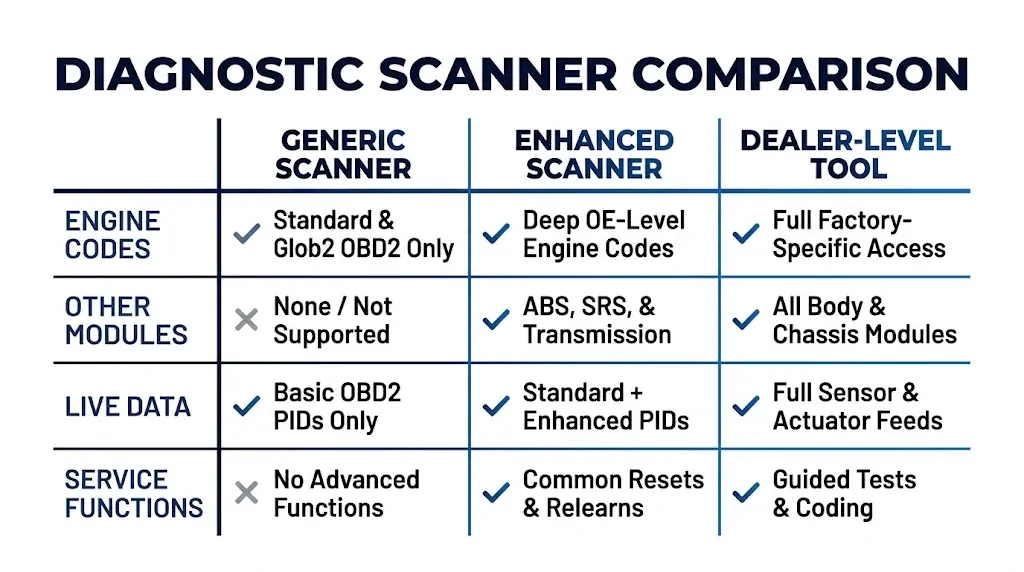
The three tool levels differ in module reach, live data depth, and service functions. A generic tool is enough for a simple check engine light. An enhanced tool adds module coverage for many brands. A dealer-level tool adds the deepest brand access and guided work.
The table below compares the three levels on the same points. Coverage still varies by vehicle, model, software, and tool package, so check the exact coverage list for your car.
| Access | Generic scanner | Enhanced scanner | Dealer-level tool |
|---|---|---|---|
| Engine codes | Standard codes, some P1xxx codes | More maker codes where covered | Full brand code set where supported |
| Other modules | Often engine only | ABS, SRS, transmission, and body where covered | Full module set where supported |
| Live data | Standard PIDs only | Standard plus enhanced PIDs where covered | Deep brand live data where supported |
| Service functions | Clear codes and readiness checks | Some resets and tests where covered | Guided tests, coding, and adaptations where supported |
The table shows the main trade-off. You pay for module reach and data depth, not for a different P0420. Pick the level that matches the system with the warning light.
How to Check If Your Scanner Reads Manufacturer Data
You can check your scanner in a few clear steps. Start with the vehicle and the tool, not with a guess. A scanner that works well on one brand may have thin coverage on another brand.
Step 1
Record the vehicle and the tool
Write down the brand, model, model year, engine, and region. Write down the scanner model and software version too.
Step 2
Read the coverage list
Look for enhanced diagnostics, maker codes, and all-system coverage for your exact vehicle. Check each module by name.
Step 3
Pick the right menu
Select the brand profile or enhanced scan when the tool offers it. A generic menu alone may skip maker modules.
Step 4
Run the full scan
Run the supported all-system scan. Note which modules respond and which modules show no data.
Step 5
Compare the result with the symptom
Match each code to its module and warning light. If the light points to a module that did not scan, the scan is not complete.
If your scanner only reads engine codes, it may lack the module access you need. Check the coverage list again before you buy a new tool. A paid brand pack or a different app may add the missing access.
What Should You Use When a Generic Scanner Is Not Enough?
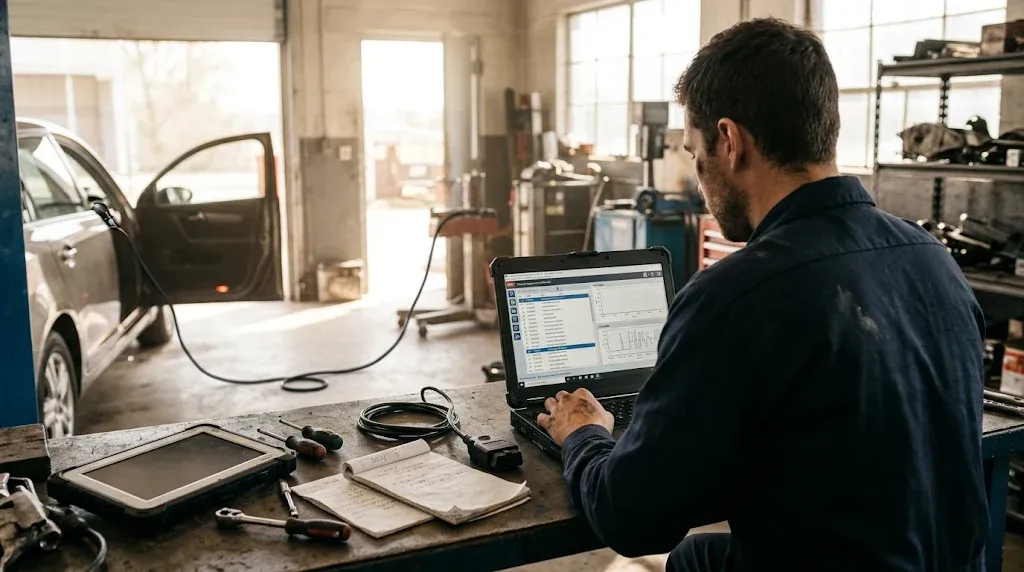
Use a tool that matches the brand and the system. Brand-focused apps and tools use maker PID lists and module addresses that generic apps do not use. They can read more codes and live data for supported vehicles.
FORScan is a strong choice for Ford and Lincoln, and it also covers some Mazda models. It can read codes from many modules, including ABS, body, transmission, and airbag systems where supported. Manufacturer-specific apps such as FORScan, BimmerLink, Carly, and Car Scanner close part of the gap for their brands.
Dealer-level tools go further. Toyota uses Techstream, BMW uses ISTA, Mercedes uses XENTRY, and VW and Audi use ODIS. VCDS is a capable aftermarket choice for VW and Audi. Those tools can run guided tests and service functions that generic tools lack.
Warning
Do not clear airbag or brake codes before you record them. Clearing can erase useful fault data and hide a safety fault.
If you
Check a check engine light only
Choose a generic scanner, because standard engine data is often enough.
If you
Have an ABS, airbag, or transmission light
Choose an enhanced scanner, because the fault may live outside the engine computer.
If you
Own one brand and need deep access
Choose a brand-specific tool, because it uses that maker data and functions.
Adapter quality matters too. Cheap ELM327 clones can work for generic modes, but they can miss enhanced frames or fail on timing commands. A quality adapter gives a brand app a better chance to reach enhanced modules.
Common Mistakes That Waste Time and Money
One mistake is to treat no codes as no fault. A generic scan can show no codes while another module holds a fault. Match the warning light to the module before you trust a clean engine scan.
Another mistake is to trust a generic code meaning for a P1xxx code. The same code can mean a different fault on a different brand. Use the maker definition and the reporting module to read it right.
A third mistake is to buy a tool for the word OBD2 alone. The word does not promise module coverage. Check the coverage list for your brand, model, model year, and the exact systems you need.
Enhanced OBD2 Scanner
An enhanced scanner can help you read manufacturer-specific codes from supported vehicle modules.
Frequently Asked Questions
Can an ELM327 adapter read manufacturer-specific data?
An ELM327 adapter can read some manufacturer-specific data when the app and adapter support enhanced access. Generic apps often read only standard engine data through the adapter. Brand apps, quality hardware, and the right vehicle profile raise the chance of reaching enhanced modules.
Can a cheap scanner show P1 codes?
A cheap scanner can show some P1xxx codes from the engine computer. It may show only the code number without the correct brand meaning. It often lacks access to ABS, airbag, transmission, and body modules, so it can miss faults in those systems.
Does a generic scanner read transmission live data?
A generic scanner reads only a small set of standard transmission data, if the vehicle supports it. Most transmission live values use maker-defined PIDs and module access. An enhanced or brand-specific tool is often needed for full transmission live data.
Can a generic scanner read ABS live data?
A generic scanner often cannot read ABS live data. ABS values live in the ABS module and use maker-defined data. You need a scanner with enhanced ABS coverage for that vehicle to see wheel speed, valve states, and ABS faults.
Will a generic scanner work the same on every brand?
A generic scanner works the same for standard engine and emissions data across compliant brands. It does not work the same for manufacturer data, because each maker defines its own codes, PIDs, and modules. Coverage varies by brand, model, model year, and tool.
Do I need a dealer tool for every manufacturer code?
You do not need a dealer tool for every manufacturer code. Many enhanced scanners and brand apps read common maker codes and module faults. A dealer tool is often needed for guided tests, coding, adaptations, and the deepest module access.
Conclusion
A generic OBD2 scanner can read manufacturer-specific data in part, but it cannot read most of it. If you have a warning outside the engine system, check the coverage list and pick an enhanced or brand-specific tool for that vehicle.

I’m Alex Rahman, a car enthusiast and automotive writer focused on practical solutions, car tools, and real-world driving advice. I share simple and honest content to help everyday drivers make better decisions.
