
Does OBD Drain a Car Battery? Causes, Signs, and Fixes
Quick Answer
Yes, an OBD2 device can drain a car battery when it stays plugged in while the car is parked. The port supplies power with the ignition off, so a device without sleep mode keeps drawing current. A device that polls the car network can also keep control modules awake and raise the draw far above normal.
- A handheld scanner unplugged after use draws no power.
- A Bluetooth or Wi-Fi adapter left in the port can draw power for days.
- Sleep mode drops the draw to a low level.
- Unplug the device if the car will sit for more than a few days.
You left a small adapter in the port, and the car was slow to start after a weekend. That pattern points to a drain from the port, not always to a bad battery. This guide explains how the port stays powered, which devices cause trouble, how long a battery can last, and what to do to stop the drain.
How Does an OBD2 Port Draw Power When the Car Is Off?
An OBD2 port draws power from the car battery through pin 16, which stays live with the ignition off on many cars. Pin 16 is the battery voltage pin in the 16-pin connector under the dashboard. It lets a scanner read stored codes with the engine off.
The same live pin gives a plugged-in device a direct path to the battery at all times. That design helps a scan tool work on a parked car, and it also lets a poor adapter draw power overnight. OBD2 Scout explains that pin 16 carries battery voltage on OBD2 cars.
Some cars switch the port off with the ignition, and some do not. A switched port cuts power to the adapter when you turn the car off. An always-on port keeps feeding the adapter until you unplug it.
Does an OBD2 Scanner Drain a Car Battery?
An OBD2 scanner drains a car battery only when it stays connected and draws power while the car is parked. A short scan with the engine on or off, followed by removal, does not drain the battery in a meaningful way. The risk starts when an adapter stays in the port between drives.
A healthy car already has a small parked draw for the clock, alarm, and key receiver. Engineer Fix puts normal parked draw at 20 to 50 milliamps. An adapter adds its own draw to that base load, and a device that keeps modules awake adds far more.
Daily driving hides a small drain because the alternator recharges the battery. Parking for days lets the same small draw add up, and a weak or old battery shows the effect first. Cold weather also cuts battery strength, so a drain that passes in warm weather can cause a slow start on a cold morning.
Which OBD2 Devices Drain a Battery Fastest?
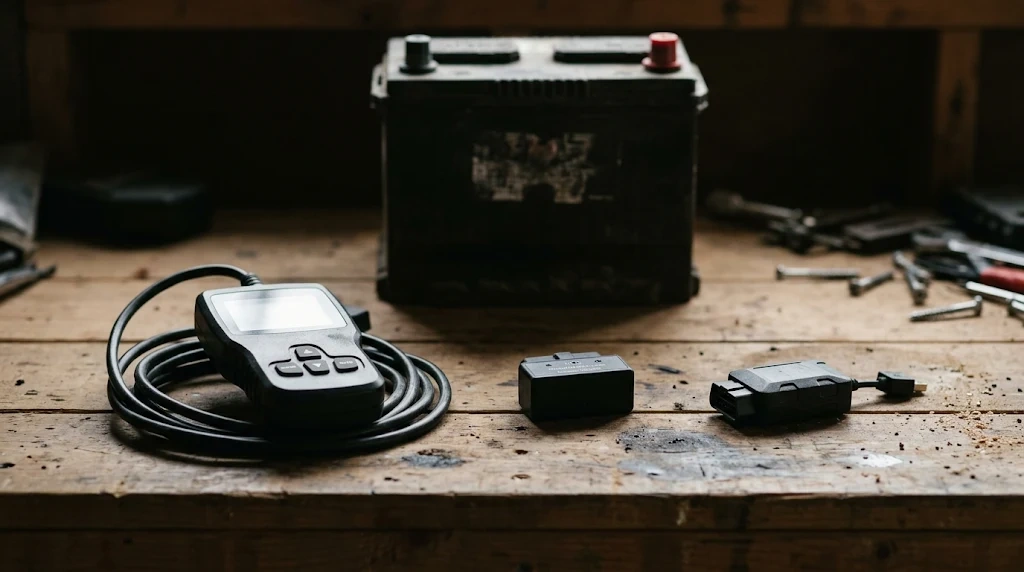
Bluetooth and Wi-Fi adapters drain a battery fastest when they stay plugged in without sleep mode. Handheld scanners pose no parked drain because you remove them after the scan. Trackers sit between those two groups because they check in on a network at set times.
The table below compares common device types by parked power use and drain risk.
| Device type | Power use when parked | Drain risk |
|---|---|---|
| Handheld wired scanner | No power after unplugging | None after removal |
| Bluetooth adapter with sleep mode | Low draw in sleep mode | Low for daily driving |
| Bluetooth adapter without sleep mode | Steady draw day and night | High after a few days |
| Insurance tracker or telematics unit | Low draw, plus network checks | Medium if the car sits for weeks |
The takeaway is simple: the device type matters more than the port itself. A cheap OBD2 adapter without sleep mode is the most common cause of a parked drain. A quality adapter with sleep mode adds little load on a car you drive each day.
How Does an Adapter Keep Car Computers Awake?
An adapter keeps car computers awake by sending requests on the CAN bus after shutdown. CAN bus is the Controller Area Network, the network that lets control units share data in the car. Polling means the adapter keeps asking modules for data.
Parked modules run a sleep handshake and shut down in stages. A stream of requests tells them that the car is still in use, so they stay awake to answer. The adapter may draw only a small current itself, while the awake modules draw far more in total.
That cascade explains an overnight dead battery with a healthy battery and charging system. The battery did not fail on its own. The adapter stopped the car from sleeping, and the parked load stayed high for hours.
Warning
Unplug the adapter before a jump start. A voltage spike during a jump start can damage the adapter and car electronics.
A phone near the car can add to the problem with a wireless adapter. The phone and adapter may keep trying to hold a Bluetooth link while the car is parked in a garage. That link stops the adapter from entering sleep mode.
How Long Can You Leave an OBD2 Scanner Plugged In?
You can leave a scanner with sleep mode plugged in for daily driving, but a device without sleep mode can weaken a battery after a few days parked. The exact time depends on the adapter draw, the battery size and age, and how often you drive.
A car driven each day gets a fresh charge from the alternator. A car left for a weekend with a poor adapter may crank slowly on Monday. A car left for weeks with any always-on device faces a higher risk, even with a good battery.
If you
Drive the car each day
Choose a sleeping adapter, because daily charging covers the small parked draw.
If you
Park the car for a weekend
Choose to unplug the adapter, because a weekend is long enough for a poor adapter to weaken the battery.
If you
Leave the car for weeks
Choose to unplug every adapter, because parked draw adds up and no sleep mode can remove it fully.
Use the LED test to learn how your own car behaves. Plug in the adapter, turn the car off, close the doors, and wait five minutes. A light that stays on shows the port still supplies power.
What Are the Signs Your OBD2 Device Is Draining the Battery?
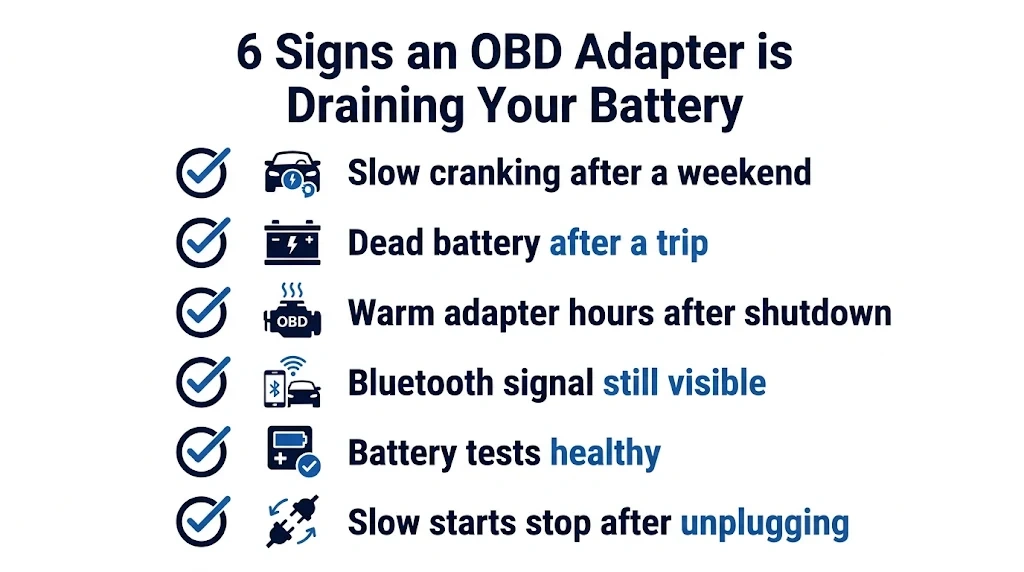
Slow cranking after parking points to OBD2 drain when the car starts well after daily driving. The pattern matters more than one slow start. A drain shows up after rest, not after a drive.
- The car starts well each day but cranks slowly after a weekend.
- The battery goes dead after a trip, with no lights left on.
- The adapter feels warm hours after the car was turned off.
- The adapter Bluetooth name still shows on a phone near the parked car.
- The battery tests healthy, and the alternator charges as it should.
- Unplugging the adapter stops the slow starts.
That last test is the clearest check you can run at home. Remove the adapter for a few days of parking and watch the starts. If the problem stops, the adapter was the cause. A scanner after a battery change can also fail to link, so check the port power and fuse if a scan stops working after a new battery.
How Can You Stop an OBD2 Scanner From Draining the Battery?
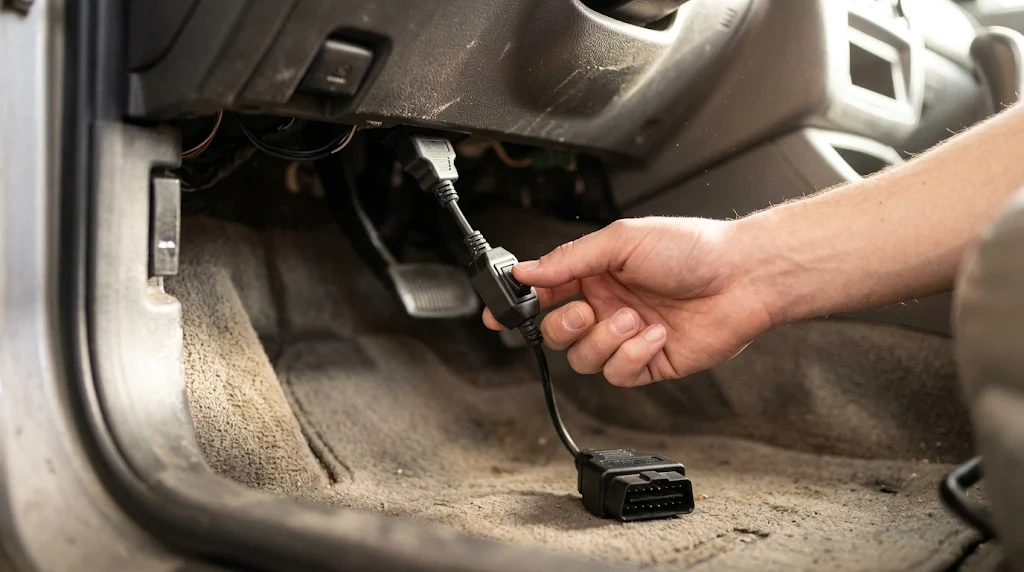
You can stop OBD2 battery drain by unplugging the device, using a switched cable, or choosing an adapter with sleep mode. The right fix depends on how often you use the adapter and how long the car sits.
Step 1
Unplug the adapter after each scan
Remove a handheld or Bluetooth adapter when the scan is done. Removal cuts the parked draw to zero.
Step 2
Use a switched extension cable
Fit a short extension cable with a power switch if the port is hard to reach. Flip the switch off to cut power without pulling the plug each time.
Step 3
Pick an adapter with sleep mode
Choose an adapter that lists auto sleep or low standby draw in its specs. Sleep mode lets the car network shut down as it should.
Step 4
Check the port with the LED test
Wait five minutes after shutdown and check the adapter light. A dark light means the port lost power, and the drain risk is low.
Step 5
Test the battery if the problem repeats
Ask a shop to test the battery and parked draw if slow starts continue with no adapter fitted. A weak battery can mimic an adapter drain.
Tip
Park the car, turn it off, wait five minutes, and check the adapter light. A light that stays on shows the port still supplies power.
Learn how to use an OBD2 scanner for a short scan, then remove it when the job is done. Engineer Fix explains when you can leave an OBD2 device plugged in and when unplugging is the safer choice.
OBD2 Extension Cable with Power Switch
A switched extension cable lets you cut power to a plugged-in adapter without pulling it from the port each time.
Frequently Asked Questions
Can an OBD2 scanner drain a battery overnight?
An OBD2 scanner can drain a battery overnight only when it keeps the car network awake or draws high current without sleep mode. A sleeping adapter adds little load in one night. A poor adapter that polls the bus can keep modules awake and flatten a weak battery by morning.
Does an OBD2 scanner drain the battery while driving?
An OBD2 scanner does not drain the battery while driving because the alternator supplies power and recharges the battery. The scan tool draws a small share of that power. Driving with a scanner fitted is safe for the battery in normal use.
Can I leave a Bluetooth OBD2 adapter plugged in all the time?
A Bluetooth OBD2 adapter can stay plugged in all the time only when it has sleep mode and the car is driven often. A device without sleep mode should come out after each drive. Unplug any adapter before the car sits for days.
Do insurance tracking devices drain a car battery?
Insurance tracking devices can drain a car battery when the car sits unused for weeks. These units use sleep mode and check in at set times, so daily driving covers the load. Long parking lets the small draw add to the car base load.
Does plugging and unplugging an OBD2 scanner damage the port?
Plugging and unplugging an OBD2 scanner does not damage a healthy port in normal use. Factory ports are made for repeat use by scan tools. A short extension cable can cut wear if you plug and unplug the adapter often.
How can I test if my OBD2 adapter drains the battery?
You can test an OBD2 adapter by unplugging it for a few days and watching the starts. If slow starts stop, the adapter was the cause. A shop can also measure parked draw with the adapter fitted and with it removed.
Conclusion
An OBD device can drain a car battery when it lacks sleep mode or keeps car modules awake while parked. If you drive daily and use a device with sleep mode, the risk stays low. If the car will sit for days, unplug the adapter or switch off the extension cable.

I’m Alex Rahman, a car enthusiast and automotive writer focused on practical solutions, car tools, and real-world driving advice. I share simple and honest content to help everyday drivers make better decisions.
