Why Does an OBD2 Scanner Fail After a Battery Change?
Quick Answer
Most often, an OBD2 scanner fails after a battery change because the diagnostic port has lost power, the new battery is not giving stable voltage, or the vehicle computer has reset its readiness monitors. A blown port fuse or a loose terminal is more likely than a suddenly broken scanner. Start with port power and voltage.
A battery change touches the one thing every scan depends on: clean, steady power. When a scanner worked before the change and not after it, the battery job is the first place to look. A fuse can blow during the swap, a terminal can look tight without making good contact, or a module can need driving before it talks normally again.
First, Work Out Which Kind of Failure You Have
Watch what the scanner does when plugged in, with the ignition in the position its instructions require. Do not start by replacing the scanner or disconnecting the battery again.
| What you see | Check first |
|---|---|
| Scanner stays dark | Port power, fuse, and terminals |
| Lights up but says no link | Ignition, data wiring, or module wake-up |
| Links but shows no codes | Whether power loss cleared codes |
| Links but monitors are not ready | Normal reset; driving is usually needed |
| Works on another car, not this one | This vehicle: port, fuse, wiring, or module |
A dark scanner is not proof the scanner has failed, and a not-ready result is not proof the scan has failed. Testing on a second vehicle with the same cable quickly separates a dead tool from a dead port.
Why a Battery Change Can Cut Power to the Scanner
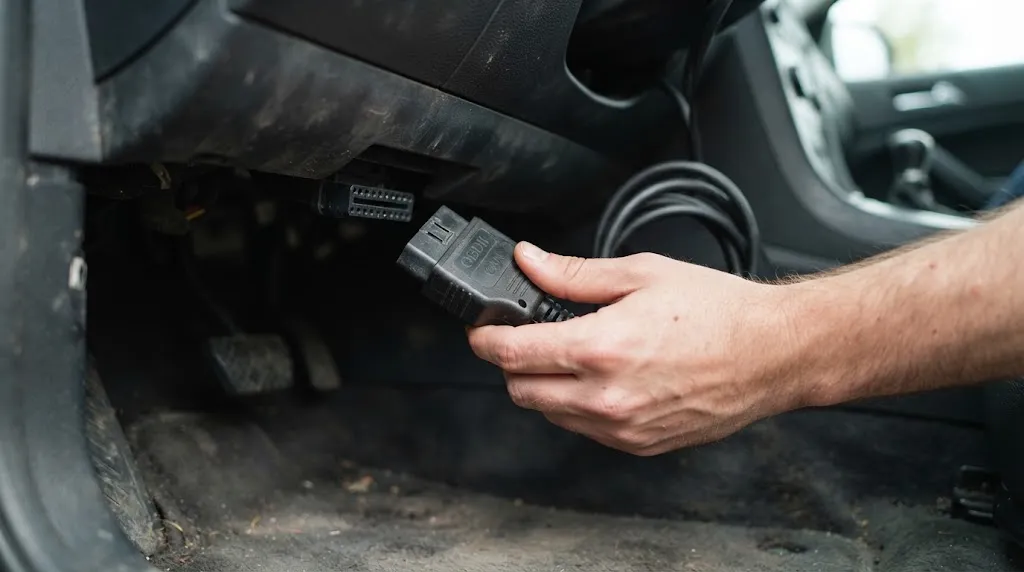
Most plug-in scanners draw power from the car. On the standard 16-pin connector, pin 16 normally supplies battery voltage, while pins 4 and 5 provide ground paths. If that power or ground path is interrupted, a wired scanner may stay dark even though the car still cranks.
A fuse protecting the port can blow if a terminal sparks, a tool briefly shorts, or a shared accessory circuit is overloaded during the work. On many vehicles that fuse is shared with a 12-volt outlet or cigarette lighter, so a dead outlet is a useful clue. Labels vary by model, so use the owner’s manual or fuse-box diagram rather than a fuse number found for another car.
Terminals cause a subtler problem. A clamp can feel tight while sitting on corrosion or a tapered post. The starter may still turn on a fresh battery while voltage at the port sags under load. Corrosion inside the clamp, a cracked clamp, or a cable bent sharply during the swap can produce the same effect.
Low voltage is another cause. A fully charged battery normally reads around 12.4 to 12.7 volts with the engine off, but a battery fitted partly discharged, or with a poor connection, may read lower. Some scanners then light up, drop out, freeze, or fail to link. That points to the supply, not necessarily to scanner software. Ground matters too: battery work can disturb a ground strap or leave a ground bolt loose, and a scanner that works only when wiggled is often reporting a contact problem.
Check in This Order After a Battery Change
Work from the simplest, most likely causes outward. Stop as soon as a check explains the failure.
- Confirm the terminals. With the ignition off, check both clamps are seated fully, clean, and tight, and neither cable is damaged. Look for corrosion or a clamp that rocks on the post.
- Check shared clues. Try the 12-volt outlet, interior lights, and horn. Several dead accessories point to a fuse or main feed; only a dead scanner points more to the port circuit.
- Find and test the port fuse. Use the manual to identify the circuit. Test the fuse rather than relying on appearance, and replace a blown fuse only with the same rating. If it blows again, find the short or overload.
- Measure port voltage if safe. Between pin 16 and a good ground, most vehicles should show battery voltage even with the ignition off. No voltage points to fuse, wiring, or battery feed; low voltage points to battery, terminals, or charging system.
- Inspect port and plug. Look for bent, spread, pushed-back, or corroded pins, debris, and a plug that does not seat fully. A badly damaged housing or terminal that will not hold tension needs repair, not force.
- Confirm ignition position. Many scanners power up with the ignition off, but communication normally needs the ignition on or engine running, depending on vehicle and scanner.
- Test on another vehicle. If it works there with the same cable, focus on this car. If it fails there too, check its cable, adapter, internal fuse where fitted, and adapter battery state.
Do not probe a data pin with battery power, or measure resistance on a live circuit. Data-line diagnosis should follow the manufacturer’s procedure.
Tip
Photograph the fuse-box diagram and battery terminals before disturbing anything, so you have the original layout and fuse rating if a fuse blows again.
When the Scanner Powers On but Will Not Link
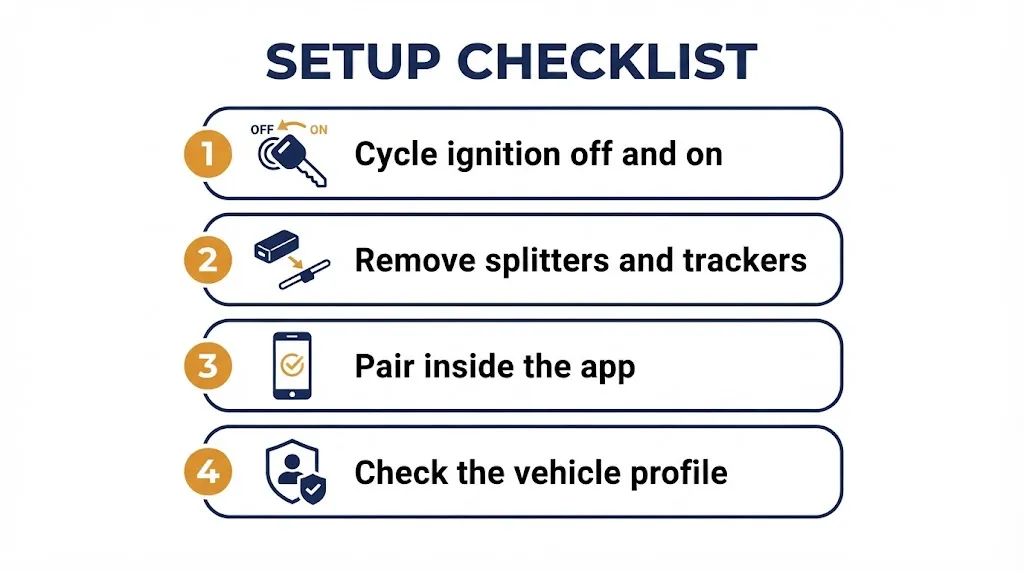
A powered scanner that cannot link is a different failure from a dark scanner. Power has arrived, but scanner and vehicle computer are not completing their conversation. After a battery change, a module may not have woken up, a network may still be settling, or the scanner may be trying the wrong protocol or vehicle profile.
Some vehicles need a short settling period after power is restored. If the car starts and drives normally but the scanner reports no link at first, try again after cycling the ignition off and on, with accessories off and no other device in the port. Remove splitters and plugged-in trackers for the test, because only one device should normally use the port at a time.
Bluetooth scanners add another layer. The adapter may have power, but the phone may hold an old pairing, try to connect through phone Bluetooth settings instead of inside the app, or wait for the adapter to advertise again after the power cycle. Follow the adapter instructions and pair inside the app where required. An outdated app or a profile for the wrong model year can also look like a vehicle fault.
Coverage can also be exposed, not created, by the change. A generic scanner may reach the engine computer but not a manufacturer-specific module. If port power and ground are good, the scanner is proven on another car, and no link is possible, data lines and modules need professional diagnosis rather than repeated plug-in attempts.
What a Battery Change Resets, and What It Does Not
Disconnecting the battery removes power from volatile memory in the powertrain control module, which holds learned adaptations, some stored codes, and readiness-monitor results. When power returns, those items start from scratch. A scanner can therefore appear to fail while correctly reporting a fresh start.
Readiness monitors are self-tests for emissions systems such as the catalyst, oxygen sensors, and evaporative system. After a battery change they commonly show as not ready until driven through the conditions each test requires. A cold start, steady cruise, deceleration, and the right fuel level or temperature can all be part of those conditions, and the sequence varies by vehicle. One short trip is often not enough, especially for the evaporative test.
Ordinary stored codes can be lost when power is removed, while permanent codes are designed to survive a disconnect and a scan-tool clear until the relevant monitor runs and passes. A missing code therefore does not prove the original fault is fixed, and a remaining permanent code does not prove the scanner is stuck. Other learned values, such as idle speed, fuel trims, and window or steering-angle calibration, can also reset; check the manual for any post-battery procedure for your model. A battery change does not rewrite vehicle software.
Mistakes That Can Cause Lasting Damage, and When to Get Help
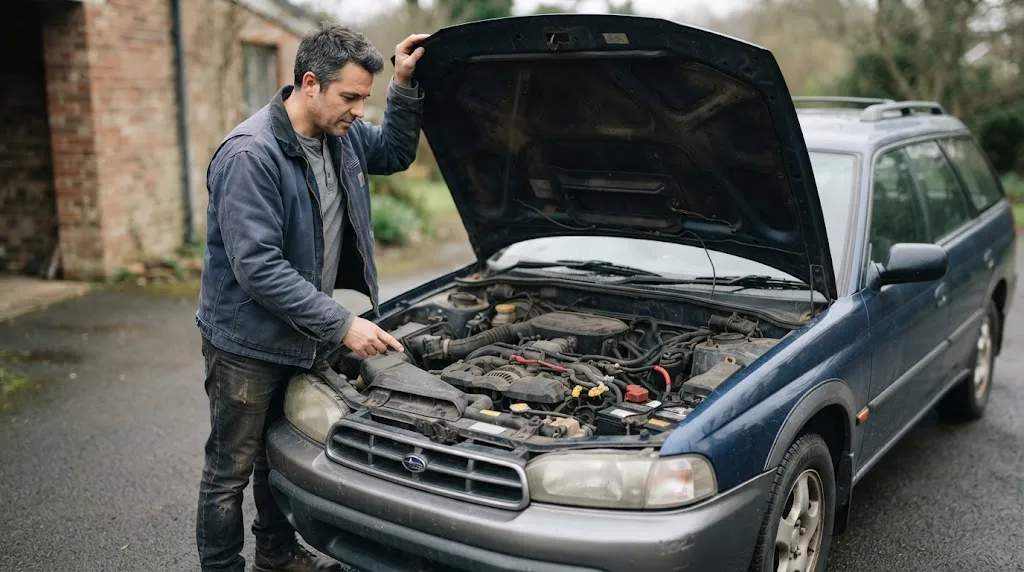
Reverse polarity is the most serious mistake. Connecting terminals the wrong way, even briefly, can blow a main fuse or fusible link, damage alternator diodes, and in some cases harm control modules. Sparks, a burning smell, smoke, or several dead systems at once are signs to stop and seek professional inspection.
A short during the swap can have a similar, smaller effect. A spanner touching the positive terminal and a grounded part, or a damaged cable, can blow fuses and disturb nearby wiring. Test a fuse that looks intact, and treat melted insulation or discoloration as a reason to stop. Loose terminals can also arc and pit the post and clamp; if a terminal keeps loosening, replace the worn part rather than forcing it.
Warning
Never fit a higher-rated fuse to stop a port fuse blowing again, and never bypass a fuse. A fuse that blows twice is reporting a fault.
Do not disconnect the battery again as a routine fix: it resets readiness monitors again and erases codes that could help diagnosis. Seek help if the replacement fuse blows again, there is smoke or melting, several unrelated systems are dead, the car will not start or stay running, or brake, airbag, or steering warnings appear. Also seek help if the scanner has power, the port has power and ground, the scanner works on another vehicle, and communication still fails.
For an emissions test, timing matters. A vehicle that has just had a battery change may need several days of varied driving before monitors are ready, and the Colorado emissions guidance notes that vehicles with a recently disconnected or replaced battery will show monitors as not ready and need normal city and highway driving before testing.
Related guides: what OBD2 pin 16 does, OBD2 ground pins, whether clearing codes resets readiness monitors, why OBD2 monitors are not ready, and the OBD2 scanner will not connect guide.
Related Product
OBD2 Scanner
A scanner that shows live battery voltage and readiness status makes it easier to tell a power problem apart from a normal post-battery reset.
As an Amazon Associate, we earn from qualifying purchases.
Frequently Asked Questions
Will an OBD2 scanner work if the new battery is fitted but the car will not start?
It may power up, but it may not link if voltage is too low or modules are not waking correctly. Check voltage and terminals first.
Does replacing the battery erase fault codes permanently?
It can erase ordinary stored codes in volatile memory, but not fix the fault. Permanent codes survive until the relevant monitor runs and passes.
Why does my scanner show all monitors as not ready after a battery change?
Power loss resets monitor results, so each self-test must run again under the right driving conditions. This is expected, not on its own a scanner failure.
Can a battery change damage the scanner itself?
It is unlikely if the scanner was unplugged and terminals were connected correctly. Damage is more likely during a short or reverse-polarity event while plugged in, or from a damaged cable or plug.
Why does my Bluetooth scanner need to reconnect after a battery change?
The adapter loses power with the battery, so phone and adapter must handshake again. Follow the adapter instructions and pair inside the app where required.
Should I disconnect the battery again to fix a scanner that will not connect?
No, not as a routine fix. It resets readiness again and erases useful codes. Record codes and readiness first, then work through power, fuse, terminals, ignition, and a second-vehicle test.
Conclusion
A scanner that fails after a battery change is usually reporting a power, connection, or reset problem, not a sudden tool failure. Check whether it is dark, unlinked, or simply showing not-ready monitors, then work through terminals, the port fuse, port voltage, and a second-vehicle test. Give the vehicle varied driving to restore readiness, avoid a second disconnect as a quick fix, and get help if a fuse blows again or communication fails with power confirmed.

I’m Alex Rahman, a car enthusiast and automotive writer focused on practical solutions, car tools, and real-world driving advice. I share simple and honest content to help everyday drivers make better decisions.
