Why Does My OBD2 Scanner Show No Data? Causes & Quick Fixes
Quick Answer
An OBD2 scanner shows no data or fails to link primarily due to a blown cigarette lighter or accessory fuse (which powers the DLC port), a poor ground connection, a loose or damaged OBD2 data link connector, a dead vehicle battery or low system voltage, or a malfunctioning scan tool incompatible with the vehicle’s communication protocol.
Understanding the OBD2 Communication Link Failure
When you plug an OBD2 scanner into your car’s port and encounter a blank screen, a “Linking Error,” or a “No Data Received” message, it means the tool and the vehicle’s computer are failing to establish a data handshake. Modern vehicles rely on standardized protocols like CAN (Controller Area Network), ISO 9141, or J1850 to transmit diagnostic trouble codes from the Powertrain Control Module (PCM) to external tools.
If that data stream is interrupted, the scanner cannot read live sensor parameters or retrieve stored diagnostic codes. Diagnosing this issue requires looking beyond the tool itself to evaluate the physical power supply, wiring integrity, and module communication pathways inside the vehicle.
The Most Common Reasons an OBD2 Scanner Shows No Data
Pinpointing the exact cause of a communication failure involves checking the most frequent failure points first. Most no-data scenarios stem from simple electrical interruptions rather than major computer failures.
1. Blown Accessory or Cigarette Lighter Fuse
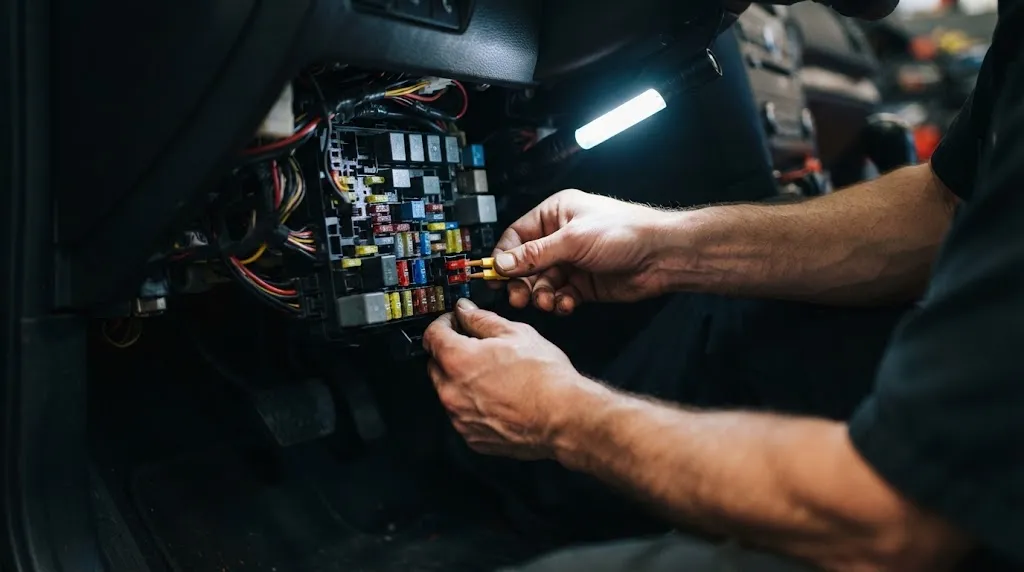
The OBD2 Data Link Connector (DLC) requires constant 12-volt battery power to operate, which is typically supplied through the same circuit that powers the cigarette lighter or auxiliary power outlet. If an accessory plugged into the dash shorted out, it often blows this fuse. When the fuse blows, the OBD2 port loses its power supply pin (Pin 16), leaving the scan tool completely unpowered or unable to boot up.
2. Loose, Recessed, or Corroded DLC Pins
Repeatedly plugging and unplugging diagnostic tools can push the metal pins inside the vehicle’s under-dash port backward or widen the socket terminals. If the scanner’s male connector pins fail to make firm physical contact with the vehicle’s female pins—especially the power, ground, or CAN data lines (Pins 6 and 14)—no data can pass through. Corrosion or dirt buildup inside the port can similarly insulate the terminals.
3. Faulty Ground Connection
A secure ground is just as vital as power for electronic communication. The DLC relies on chassis or signal grounds (typically Pins 4 and 5). If these ground wires are loose, oxidized, or disconnected behind the dashboard, the scanner will register no power or fail the initial communication handshake.
4. Aftermarket Radio or Accessory Interference
Many modern vehicles route the high-speed CAN bus communication lines through the factory radio or infotainment head unit. When owners install aftermarket stereos improperly or splice into factory wiring harnesses without maintaining proper data loop integrity, they can disrupt the entire vehicle network. This network disruption prevents the scan tool from communicating with the PCM and other modules.
5. Unpowered or Defective Powertrain Control Module (PCM)
If the vehicle’s main computer lacks power due to a faulty main relay, a blown engine bay fuse, or heavy battery voltage drop during cranking, it cannot broadcast data to the OBD2 port. In these cases, the vehicle usually exhibits other symptoms, such as a failure to start or missing dashboard indicator lights.
Warning
Never force a misaligned OBD2 plug into the data port with excessive force. Doing so can bend the delicate brass pins inside the vehicle port, creating permanent damage that requires professional dashboard disassembly to repair.
Step-by-Step Troubleshooting Guide
Resolving a no-data communication error requires a systematic diagnostic approach to rule out external tools, power delivery issues, and network faults.
- Test the Scanner on Another Vehicle: Plug your scan tool into a known working vehicle. If it links successfully, you know the tool and its cable are fully functional. If it fails there as well, the scanner or its OBD2 cable is defective.
- Check the Scanner Display Power: Turn the vehicle’s ignition key to the ON position (engine off). Look to see if the scan tool lights up or displays a boot screen. If the screen remains completely dark, the port is not receiving 12V power or ground.
- Inspect the Interior Fuses: Consult your vehicle owner’s manual to locate the cabin fuse box diagram. Find the fuse designated for the cigarette lighter, accessory power outlet, or OBD port. Pull the fuse and visually inspect the metal filament; replace it if it is burned out.
- Inspect the Physical Data Port: Shine a flashlight under the driver’s side dash. Look inside the OBD2 connector housing to verify that all metal pins are straight, clean, and pushed fully forward into the plastic housing.
- Check System Voltage: Measure the vehicle battery voltage with a multimeter. A battery dropping below 11.5 volts may lack sufficient power to keep control modules awake and communicating during diagnostic testing.
Advanced Network and Module Diagnostics
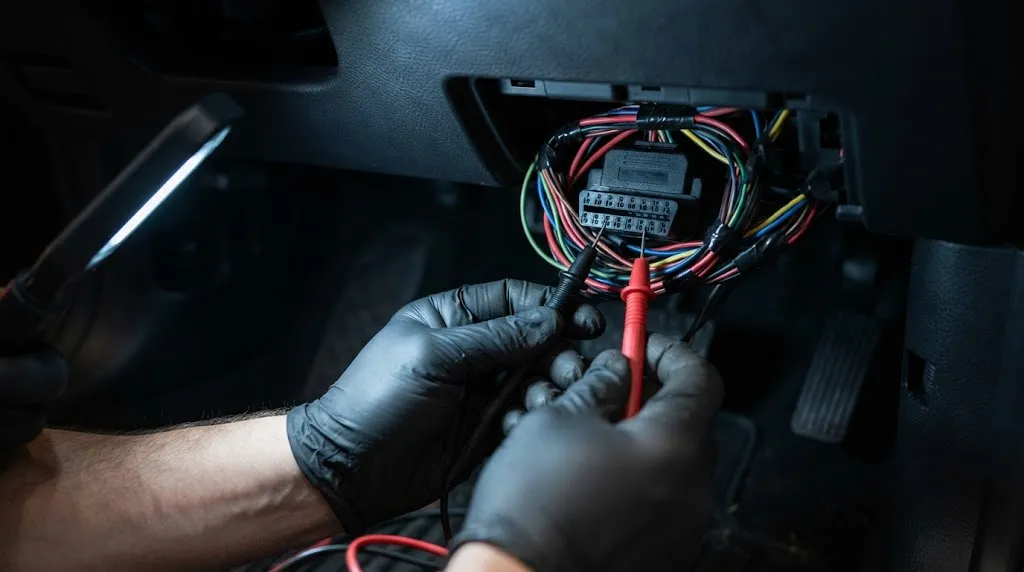
If basic power and ground checks reveal no issues, the problem likely lies within the vehicle’s internal computer network. Modern vehicles utilize twisted-pair wiring for high-speed communication between modules such as the ABS controller, transmission control module, and engine computer.
A short circuit to ground or power on the CAN-High or CAN-Low data lines will pull down the entire network voltage, causing every tool connected to the port to display a linking error. Technicians typically use a digital multimeter or an oscilloscope to measure voltage on pins 6 and 14 of the DLC. On a healthy CAN bus network with the ignition on, you should measure approximately 2.6 volts on the low line and 2.4 volts on the high line, yielding a combined baseline resistance of roughly 60 ohms when the battery is disconnected.
When an individual module internal component fails shorted out, it corrupts the data stream. Technicians isolate the fault by unplugging modules one by one—such as the instrument cluster or door modules—until communication through the OBD2 port is restored.
Tip
Always turn the vehicle ignition completely off before plugging or unplugging an OBD2 scan tool. Plugging advanced diagnostic equipment into an active data bus can occasionally trigger voltage spikes that reset module memory or corrupt sensor calibrations.
When to Seek Professional Automotive Assistance
While blown fuses and loose port connections are easily resolved in your driveway, internal computer network failures require specialized diagnostic tools. Consider taking your vehicle to an automotive repair professional if:
- Replacing the accessory fuse causes it to blow immediately again, indicating a persistent short circuit in the wiring harness.
- Multiple dashboard warning lights remain illuminated simultaneously alongside a total loss of scan tool communication.
- The vehicle cranks but refuses to start while also refusing to communicate with any diagnostic hardware.
- Probing the DLC pins reveals damaged wiring harness sections hidden deep behind the dashboard structure.
Related Product
OBD2 Diagnostic Code Readers and Multimeters
Having a reliable code reader and a digital multimeter on hand allows you to quickly verify scanner functionality and test DLC power and ground circuits.
As an Amazon Associate, we earn from qualifying purchases.
Frequently Asked Questions
Can a dead car battery cause an OBD2 scanner to show no data?
Yes. If the vehicle battery voltage is severely depleted, the control modules will not power up, and the data bus will remain inactive. The scan tool will either fail to power on or report a communication link error.
Which fuse controls the OBD2 port power?
In most vehicles, the OBD2 port shares power with the cigarette lighter or auxiliary power socket. Check your vehicle owner’s manual fuse diagram for labels like “CIG,” “PWR OUT,” “ACC,” or “OBD.”
Why does my scanner say “Linking Error” on some cars but works on others?
A linking error usually occurs when the scanner cannot match the vehicle’s specific communication protocol (such as CAN vs. older ISO or PWM standards). It can also indicate a blown fuse or lack of power on that specific vehicle’s DLC port.
Do cheap ELM327 Bluetooth scanners fail more often than professional tools?
Budget Bluetooth adapters often lack robust internal circuit protection against power surges and may use lower-quality microchips that struggle to establish connections on older or noisy vehicle data buses.
Can aftermarket remote start systems block OBD2 communication?
Improperly installed aftermarket remote starters, alarm systems, or GPS trackers can splice into or interfere with the CAN bus wires under the dash, disrupting diagnostic communication.
What pin on the OBD2 connector supplies 12-volt battery power?
Pin 16 is designated as the battery power supply pin in the standard 16-pin OBD2 connector configuration, while Pins 4 and 5 handle the vehicle chassis and signal grounds.
Conclusion
Dealing with an OBD2 scanner that shows no data can be frustrating, but the issue almost always boils down to a disruption in power, ground, or data network continuity. By systematically verifying your scanner on another vehicle, checking interior accessory fuses, and inspecting the physical data link connector under your dash, you can quickly identify whether you are facing a simple blown fuse or a complex network wiring fault.

I’m Alex Rahman, a car enthusiast and automotive writer focused on practical solutions, car tools, and real-world driving advice. I share simple and honest content to help everyday drivers make better decisions.
