How to Connect an OBD2 Scanner: Simple Step-by-Step Guide
Quick Answer
To connect an OBD2 scanner, locate your vehicle’s 16-pin diagnostic port—typically found under the driver’s side dashboard—turn the ignition to the ON position without starting the engine, and plug the scanner cable or wireless adapter directly into the port.
Diagnosing a check engine light or checking vehicle readiness starts with establishing a solid connection between your diagnostic tool and your car’s onboard computer. While modern code readers are designed to be plug-and-play, following the proper sequence ensures you do not trigger false communication errors or disrupt sensitive vehicle modules.
Where to Find Your Vehicle’s OBD2 Port
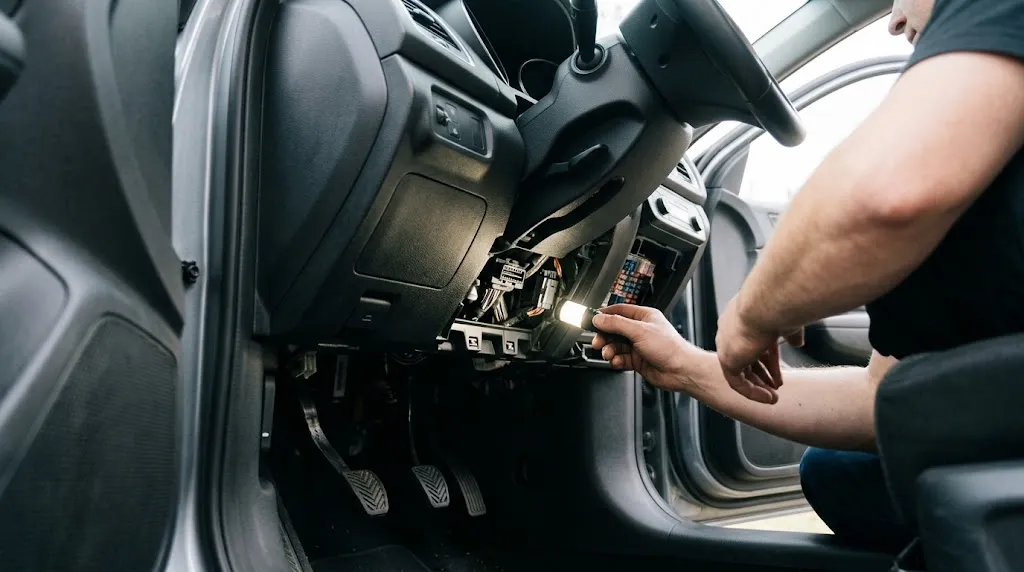
Before you can connect any scanner, you need to locate the Data Link Connector (DLC). Federal mandates require all light-duty vehicles built from 1996 onward to feature a standardized 16-pin OBD2 port inside the cabin within arm’s reach of the driver.
In most passenger cars, trucks, and SUVs, the port is situated underneath the driver’s side dashboard. You will typically find it positioned somewhere between the steering column and the center console, often near the hood release latch or fuse box panel. If it is not immediately visible, look down near your knees while sitting in the driver’s seat. Some manufacturers house the port behind a small removable plastic cover or flip-down door.
If you are struggling to find your specific layout, checking your owner’s manual or reviewing our guide to locating OBD2 ports can save you time and prevent unnecessary searching.
Step-by-Step Guide to Connecting a Handheld OBD2 Scanner
Handheld code readers draw power directly from the vehicle’s diagnostic port, meaning you rarely need external batteries or charging cables. Executing the connection in the correct order prevents power surges and ensures the scanner handshakes smoothly with the Electronic Control Unit (ECU).
- Ensure the vehicle is completely turned off: Before touching the diagnostic port, make sure the ignition is in the OFF position and the keys are out of the ignition cylinder (or push-button ignition is fully deactivated).
- Locate and inspect the 16-pin port: Look under the driver’s side dash. Visually inspect the port to ensure the interior pins are straight, clean, and free of dust, debris, or moisture.
- Align the scanner plug correctly: The standard OBD2 connector features a distinct trapezoidal shape with a wide top edge and a narrow bottom edge. Match the orientation of your scanner’s plug to the port. Never force it upside down, as mismatched alignment can bend the internal pins.
- Push the connector firmly into place: Push the plug straight into the port until it seats securely. Many connectors feature side clips or thumb latches that click into place to lock the plug securely.
- Turn the ignition to the ON position: Switch your vehicle’s ignition to the ON position (usually one click past accessories, or pressing the start button twice without holding the brake pedal). Do not start the engine yet unless your specific scanner manual instructs you to do so.
- Wait for the tool to boot and link: The screen on your code reader should illuminate automatically. The device will communicate with the vehicle computer to pull basic protocols, VIN data, and active trouble codes.
Tip
If your scanner fails to link or displays a “Linking Error” message, turn the ignition off, unplug the device, clean any debris from the pins, and reconnect it firmly before turning the ignition back on.
How to Connect a Bluetooth or Wireless OBD2 Adapter
Wireless diagnostic adapters—such as ELM327-based dongles—pair with a smartphone app or tablet via Bluetooth or Wi-Fi instead of using a physical cable. While they offer a clutter-free experience, the connection process requires an extra pairing step.
Plug the wireless adapter directly into the 16-pin port under the dashboard while the ignition is off. Next, turn the vehicle’s ignition to the ON position to supply power to the dongle’s internal transmitter. Open the settings menu on your smartphone or tablet, navigate to Bluetooth or Wi-Fi settings, and search for new devices. Select your adapter’s name from the list and enter any required default pairing PIN (usually 1234 or 0000). Finally, launch your preferred automotive diagnostic application and follow the app prompts to establish communication with the vehicle.
What to Do If the Scanner Won’t Communicate
When a diagnostic tool refuses to link with your car, it is usually caused by one of a few common issues. Systematic troubleshooting can isolate whether the problem lies with the tool, the connection, or the car itself.
First, check the vehicle’s auxiliary power or cigarette lighter fuse. On many cars, the OBD2 port shares a circuit with the interior accessory power outlet. If that fuse is blown, the diagnostic port receives no power, leaving your scanner dead or unpowered. Second, ensure the plug is pushed in all the way. A loose connection can block the data communication pins while still allowing power pins to make contact. Finally, verify that your ignition is actually in the ON position rather than the accessory position, as many ECUs do not broadcast data streams unless the main ignition circuit is fully energized.
Warning
Never force an OBD2 connector into the port upside down or at an angle. Doing so can bend or break the delicate pins inside the vehicle port, which requires costly professional wiring repair.
Safe Disconnection and Powering Down
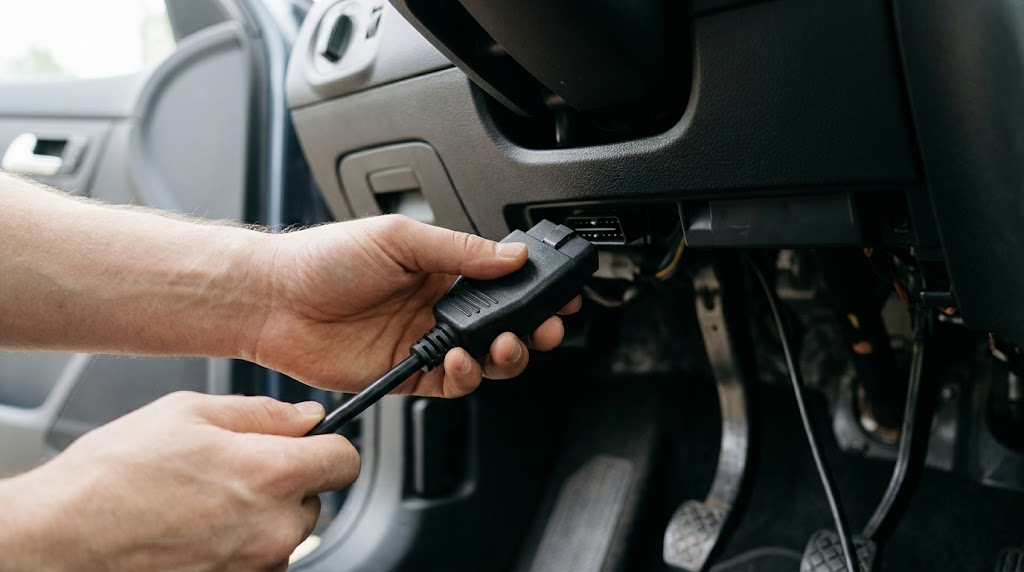
Once you finish reading codes, clearing data, or monitoring live sensor parameters, disconnect your scanner properly to avoid corrupting data streams or draining your car battery.
Turn your vehicle’s ignition off completely. If you are using a handheld corded scanner, grasp the plastic housing of the connector firmly and pull straight out—never yank the flexible cable itself, as this can weaken internal wires over time. If you are using a compact Bluetooth dongle, remove it from the port when you are finished driving; leaving certain low-cost wireless adapters plugged in continuously can draw a small parasitic electrical load and slowly drain your battery over several days of inactivity.
Related Product
OBD2 Code Reader and Diagnostic Scan Tool
An entry-level diagnostic scanner helps you read trouble codes, view live sensor streams, and check emissions readiness right from your driver seat.
As an Amazon Associate, we earn from qualifying purchases.
Frequently Asked Questions
Can I leave my OBD2 scanner plugged in while driving?
Some advanced data loggers and insurance tracking devices are designed to stay plugged in permanently. However, standard handheld code readers and generic Bluetooth adapters should be unplugged when not actively diagnosing your car to prevent knee interference or minor battery drain.
Do I need to start the engine to connect an OBD2 scanner?
No. For most basic diagnostics, turning the ignition key to the ON position (engine off) provides all necessary electrical power to the computer and diagnostic port without running the motor.
Why is my OBD2 scanner not turning on when plugged in?
If the device remains completely dark, check your vehicle’s fuses. A blown fuse on the cigarette lighter or accessory circuit frequently cuts power to the OBD2 port.
Will connecting an OBD2 scanner erase my check engine light automatically?
Simply plugging in a scanner and establishing communication will not erase codes. A trouble code remains stored in memory until you manually command the tool to clear or erase codes through the menu system.
Does every car have an OBD2 port?
All passenger vehicles, light trucks, and SUVs sold new in the United States from 1996 onward are legally required to feature a standardized OBD2 port. Older vehicles from 1995 and earlier use proprietary pre-OBD diagnostic systems.
Can an OBD2 scanner damage my car’s computer?
Using a reputable, standard OBD2 scanner correctly will not damage your vehicle computer. Damage only occurs if a connector is forced in upside down, bending the pins and causing an electrical short circuit.
Conclusion
Connecting an OBD2 scanner is a simple process once you locate your car’s 16-pin diagnostic port and follow the proper power sequence. By turning the ignition to the ON position, aligning the trapezoidal connector carefully, and launching your diagnostic software or tool correctly, you can safely interface with your vehicle computer. Keeping connections clean and unplugging wireless adapters when not in use ensures smooth troubleshooting and protects your car’s electrical systems.

I’m Alex Rahman, a car enthusiast and automotive writer focused on practical solutions, car tools, and real-world driving advice. I share simple and honest content to help everyday drivers make better decisions.
