Can an OBD2 Scanner Cause Electrical Problems?
Quick Answer
An OBD2 scanner can cause electrical problems, but the risk is low and almost always tied to one of three conditions: the device stays plugged in and never sleeps, the scanner is a low-quality clone with poor circuit protection, or it is connected in the wrong key sequence. A reputable scanner used correctly for diagnostics is extremely unlikely to damage your car’s electronics. The real danger is not the act of scanning — it is what stays plugged into the port after you are done.
The Short Answer: It Is Rare, but Not Impossible
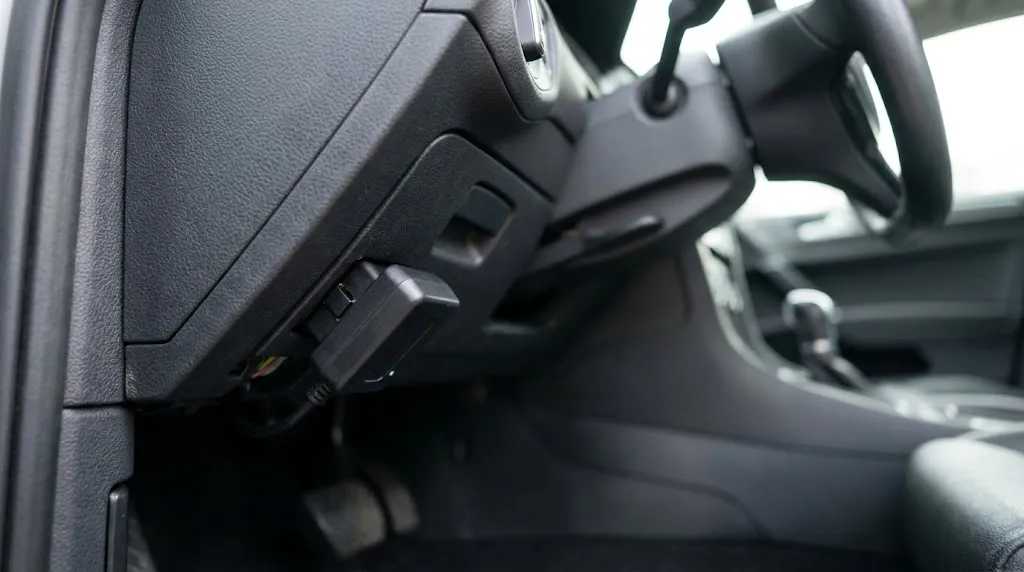
Mechanics and scan-tool manufacturers report that permanent ECU damage from a scan tool is uncommon. ScanTool.net, a manufacturer of OBD2 adapters, states that in nearly five years of selling scan tools, it had not received a single report of an ECU being damaged by a scan tool. That does not mean the risk is zero. It means the failure mode is narrow and usually preventable.
The more common electrical complaint is not a fried computer. It is a battery that keeps going dead, gauges that behave strangely, or communication codes that appear after a device has been left in the port. Those problems are real, and they are worth understanding before you plug anything into your diagnostic connector.
The Most Common Electrical Problem: Parasitic Battery Drain
Pin 16 of the OBD2 connector is wired directly to the battery. It is not switched by the ignition. The SAE J1962 standard requires this so that scan tools can communicate with the vehicle even when the engine is off[reference:1]. That design is convenient for diagnostics, but it means anything left in the port has a permanent power source.
A healthy modern car draws roughly 25 to 50 milliamps after all modules have gone to sleep[reference:2]. That is enough to keep the clock, alarm, and keyless-entry receiver alive without flattening the battery over a few weeks. A poorly behaved OBD2 device adds to that baseline. A dongle that draws 25 to 40 milliamps continuously can roughly halve the time a car can sit before it will not crank[reference:3].
The problem gets worse when the device keeps the vehicle’s network awake. Some cheap adapters transmit on the bus even when you are not using them, preventing control modules from entering their low-power state. The total draw becomes a multiple of the dongle’s own rating, and the battery can go flat in days rather than weeks[reference:4]. A Toyota technician documented exactly this: a Bluetooth dongle left in a Tacoma was drawing current around the clock, causing the owner to replace three batteries in a year[reference:5].
Warning
The risk is highest with always-on devices: Bluetooth adapters, insurance trackers, and telematics dongles that are designed to stay plugged in. If you do not drive the car for several days at a time, unplug the device or choose one with a verified sleep mode that draws under 1 milliamp.
Not every device is a drain risk. ScanTool.net notes that its OBDLink CX, for example, enters a sleep mode drawing less than 1 milliamp after ten minutes of idle time, making it safe to leave plugged in on a regularly driven vehicle. The difference between a safe device and a risky one is almost never the price tag alone — it is whether the manufacturer engineered and documented a true low-power state.
CAN Bus Disruption and Communication Codes
Modern vehicles use the CAN bus to let control modules talk to each other. The OBD2 port is a gateway into that network. A scanner that transmits at the wrong baud rate, uses an incompatible protocol, or introduces a faulty signal can interfere with communication.
The National Automotive Service Task Force and Kia have warned that third-party OBD-II plug-ins can create diagnostic failures and drivability problems on CAN-equipped vehicles. Kia service bulletins since 2011 have documented situations where aftermarket devices caused improper operation of ABS, transmission, and other systems[reference:7]. In one reported case, a scanner with the wrong interface components immediately stopped CAN communication and sent instrument-panel gauges haywire until it was unplugged[reference:8].
These events are usually temporary. Once the offending device is removed, communication often returns to normal. But they illustrate the mechanism: the OBD2 port is not a passive listening post. It is an electrical connection to the systems that control the engine, transmission, brakes, and body electronics. A device that sends corrupted signals can confuse those systems, even if it does not physically burn anything out.
Where Physical Damage Becomes Possible
The scenarios in which a scanner genuinely damages a module are narrower, but they exist. They tend to involve one of three factors.
Low-quality clones with inadequate circuit protection
Cheap ELM327 clones are widely sold online, and not all of them are built to the same standard. A scanner without proper over-current protection or voltage regulation can expose sensitive pins to conditions they were not designed for. One user on a Land Rover forum reported that a cheap eBay clone caused the car to refuse to shut off, a problem that disappeared after switching to a branded scanner[reference:9]. A melted communication chip and a subsequent CAN bus fault were reported on a Ford Crown Victoria after an adapter was left connected during a battery reconnect.
Scan-tool manufacturers themselves acknowledge the limit of guarantees. As one representative put it, no reputable scan-tool company will guarantee that its product will never cause damage, because it does not control the condition of the vehicle’s wiring or the user’s procedure. That is not a reason to avoid scanning. It is a reason to avoid unknown hardware.
Connecting or disconnecting at the wrong moment
Voltage spikes are a real concern when a scanner is plugged in while the engine is running or when the key is cycled during communication. One workshop reported that connecting a budget scanner with the engine running generated voltage spikes above 18 volts on the CAN-bus line, and that the correct sequence is key OFF, plug in, key ON (engine off), then start the session[reference:12].
This does not mean every scanner will damage every car if you plug it in at the wrong time. It means the safe procedure exists for a reason. Following it costs nothing and removes a variable that is entirely within your control.
Pre-existing wiring or voltage problems
If the OBD2 port already has a damaged pin, a blown fuse, or corroded wiring, a scanner can become the messenger rather than the cause. Technicians are advised to check the port’s power and ground before blaming the tool. A port with no power often points to a fuse or wiring issue; a port with power but no communication may point to a module or network fault that existed before the scanner arrived[reference:13].
How to Scan Without Creating a Problem
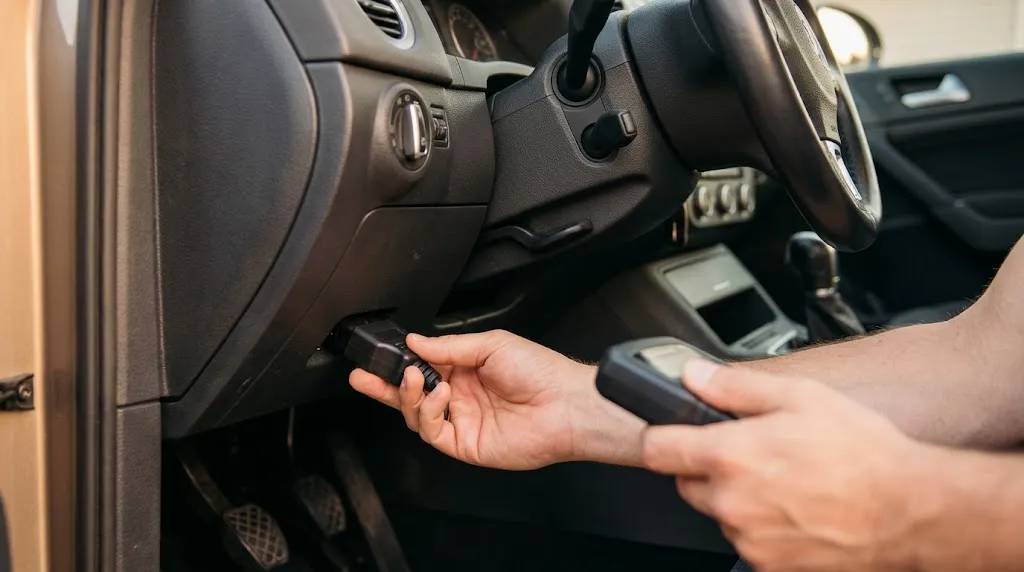
Safe OBD2 use is not complicated. It mostly comes down to three habits.
- Use the correct connection sequence. Key off, plug in the scanner, turn the key to ON with the engine off, then start the diagnostic session. Reverse the order when you finish: close the software, turn the key off, unplug the scanner[reference:14].
- Do not leave an always-on device plugged in unless you know its sleep behavior. If the manufacturer does not publish a sleep-current specification, assume it draws power continuously. On a daily driver, a small draw may never matter. On a vehicle that sits for days, it can.
- Avoid unknown clones for anything beyond basic code reading. Reading and clearing emission-related codes is a low-risk operation. Programming, adaptation resets, and bidirectional controls demand a stable voltage supply and a tool with proper circuit protection. A cheap clone is the wrong tool for those jobs.
Tip
If you want to leave a device plugged in permanently, check the manufacturer’s stated sleep current. A device that sleeps below 1 milliamp is unlikely to affect a healthy battery on a car driven regularly. A device that stays awake at 50 milliamps or more is the one that causes dead-battery complaints.
When to Suspect the Scanner Is Involved
Electrical symptoms that appear shortly after introducing a new OBD2 device are worth taking seriously. The pattern to watch for is a problem that begins after the device is plugged in, persists while it is connected, and disappears when it is removed.
Common reports include a battery that drains faster than usual, warning lights or communication codes that were not present before, gauges that flicker or drop out, and in rare cases a module that fails to shut down properly. If unplugging the scanner resolves the symptom, the device is the most likely variable. If the symptom continues with the scanner removed, the issue is elsewhere in the vehicle and the scanner is an innocent bystander.
That distinction matters because it prevents two opposite mistakes: blaming the tool for a pre-existing fault, and leaving a problematic dongle in place because “it is probably a coincidence.”
Frequently Asked Questions
Can a cheap OBD2 scanner fry my ECU?
It is uncommon but not impossible. A low-quality clone with inadequate circuit protection can introduce voltage spikes or faulty signals that stress sensitive modules. The risk is highest during programming or when the scanner is connected or disconnected at the wrong moment. For basic code reading, the risk is much lower.
Is it safe to leave a Bluetooth OBD2 scanner plugged in all the time?
It depends on the device’s sleep behavior. A scanner that drops below 1 milliamp when idle is generally safe on a regularly driven car. A device that stays awake and draws tens of milliamps can drain a battery over days or weeks, especially on a vehicle that is not driven daily.
My car started acting strangely after I used a scanner. Did the scanner cause it?
Possibly, but the scanner may also have simply revealed a problem that was already developing. If the symptoms disappear when the scanner is unplugged, the device is the likely variable. If they continue, the issue is in the vehicle’s wiring or a module and should be diagnosed independently.
Can an OBD2 scanner cause a short circuit?
A damaged connector, a bent pin, or a faulty internal circuit in a cheap adapter can create a short. This is one reason visual inspection of the plug and the port matters before connecting an unknown tool. A short in the wrong pin can affect module communication or blow a fuse.
Do I need to unplug my scanner before starting the engine?
The safer sequence is to plug in with the key off, turn the key to ON, and start the diagnostic session with the engine off. If you need live data with the engine running, connect first and then start the engine. Avoid plugging or unplugging while the engine is cranking or while a diagnostic session is active.
Can a scanner drain the battery even if the car is turned off?
Yes. Pin 16 of the OBD2 port is live at all times. Any device that does not enter a true low-power sleep state will continue to draw current from the battery whether the ignition is on or off. That is the most common mechanism behind scanner-related battery complaints.
Conclusion
An OBD2 scanner is a diagnostic tool, not a destructive one, but it is still an electrical device connected to a live circuit. The realistic risks are a battery drain from a device that never sleeps, a temporary communication fault from a scanner that transmits incorrectly, or physical damage from a low-quality clone used without basic precautions. The practical takeaway is simple: scan with the key in the right position, unplug when you are done unless the device is designed to sleep, and treat unknown hardware with caution. A scanner used sensibly is far more likely to reveal a problem than to cause one.

I’m Alex Rahman, a car enthusiast and automotive writer focused on practical solutions, car tools, and real-world driving advice. I share simple and honest content to help everyday drivers make better decisions.
