10 Best Bluetooth OBD2 Scanners No Subscription for 2026: Full Diagnostics, No Monthly Fee
The 10 best bluetooth obd2 scanner no subscription pick is BlueDriver Bluetooth Pro for iPhone and Android, because its core app needs no fee. We compared 10 Bluetooth adapters, scoring each on no-subscription value, Bluetooth stability, and diagnostic coverage. Most Bluetooth adapters look identical on paper but hide core features behind a paywall. Whether you check one car, run a small fleet, or just clear a warning light, this guide gives you one clear answer.
Quick Comparison: All 10 Products Ranked
| # | Product | Best For | Rating | Badge | |
|---|---|---|---|---|---|
| 1 | BlueDriver Bluetooth Pro OBDII Scan Tool for iPhone & Android | drivers who want full features without a fee | 4.9/5 | Best Overall | Buy → |
| 2 | OBDLink MX+ Bluetooth OBD2 Scanner | DIY owners who want fast live data without a subscription | 4.8/5 | Best for Live Data | Buy → |
| 3 | Veepeak OBDCheck BLE+ Bluetooth OBD2 Scanner | users who need BLE on both phones | 4.7/5 | Best for iPhone and Android | Buy → |
| 4 | BAFX Products Bluetooth OBD2 Scanner | Android owners who want a low-cost, subscription-free reader | 4.6/5 | Best Budget | Buy → |
| 5 | Veepeak Mini Bluetooth OBD2 Scanner | drivers who want a tiny adapter left in the port | 4.5/5 | Best Compact | Buy → |
| 6 | Kiwi 3 Bluetooth OBD2 Adapter by PLX Devices | owners who leave an adapter plugged in | 4.5/5 | Best Low Power | Buy → |
| 7 | vLinker BM+ Bluetooth OBD2 Adapter | beginners who want stable BLE pairing | 4.4/5 | Best for Beginners | Buy → |
| 8 | MOTOPOWER MP69033 Bluetooth OBD2 Scanner | Android owners who want a simple code reader | 4.4/5 | Best Simple Reader | Buy → |
| 9 | ANCEL BD300 Bluetooth OBD2 Scanner | budget buyers who still need BLE | 4.3/5 | Best BLE Budget | Buy → |
| 10 | LELink 2 Bluetooth Low Energy OBD2 Adapter | owners who already have a favourite OBD app | 4.3/5 | Best for App Choice | Buy → |
How We Chose These Bluetooth Adapters
What we compared
We compared 10 Bluetooth adapters against the same 3 criteria, checking the app free tier, Bluetooth type, and listed diagnostic scope for no-subscription use.
Our 3 scoring criteria
No-Subscription Value, Bluetooth Stability, and Diagnostic Coverage. Each score is shown out of 5.
How scores work
Scores are editorial ratings based on listed specifications and compatibility notes, not laboratory or hands-on test results. No outside expert was consulted for this shortlist.
What we cut — and why
We left out adapters whose core code reading sits behind a subscription, plus Wi-Fi-only and wired-only scanners, because they do not fit a no-subscription Bluetooth brief.
What to Look for When Buying a Bluetooth OBD2 Scanner With No Subscription
A no-subscription scanner is only a bargain if the features you need are free on day one and stay free. Check the phone, the app, and the diagnostic scope before you buy, because the adapter alone does not decide the running cost.
1. What “No Subscription” Actually Covers
“No subscription” should mean code reading, code clearing, and basic live data are included without a recurring fee. It does not automatically mean every repair guide, manufacturer system, or cloud feature is free. For a clear starting point, read how to choose an OBD2 scanner and compare its checklist with the app’s free-versus-paid list. If a listing will not state what is free, treat that gap as a warning.
2. Pick the Right Bluetooth Type for Your Phone
Bluetooth is not one route. Bluetooth Low Energy suits iPhone and Android, while Classic Bluetooth suits Android but usually fails on iPhone apps. That single choice decides whether the first connection works at all, so match the adapter type to your phone before worrying about extra features. iPhone owners should also confirm the app lists the exact adapter, not just a general iPhone claim.
3. Diagnostic Depth and Live Data Without a Paywall
Basic engine codes are the easy part; live data and deeper systems are where paywalls appear. Check whether live data, graphing, freeze-frame data, and readiness are in the free tier, and whether ABS or airbag access needs payment or a different tool. A scanner that is good for live data should show several parameters smoothly, not one reading at a time. If graphing is paid, factor that into the real cost.
4. Setup, Sleep Mode, and Everyday Use
Everyday use is where a good adapter earns its place. Check whether it connects inside the app for BLE, whether it sleeps safely when left fitted, and whether one phone at a time is a limit for your household. Our guide to how to connect a Bluetooth OBD2 scanner walks through the ignition, pairing, and app steps in order. A stable, low-draw adapter you can leave fitted is worth more than a feature list you rarely open.

BlueDriver Bluetooth Pro OBDII Scan Tool for iPhone & Android — Full diagnostics without a fee
BlueDriver suits drivers who want one adapter and app for checks, without worrying about a subscription ending mid-diagnosis. It reads and clears engine codes, shows live data, and checks emissions readiness on both iPhone and Android. The companion app explains codes in plain language, which helps a beginner decide whether a garage visit is urgent. Its compact plug stays low in the footwell, so it is less likely to catch a knee. The main trade-off is depth: manufacturer-specific systems vary by vehicle, so check coverage before expecting ABS or airbag access.
- Core app needs no monthly fee
- Reads codes and live data
- Works on iPhone and Android
- Plain-language explanations
- Coverage varies by vehicle
- No built-in screen
4.9/5
4.9/5
4.9/5

OBDLink MX+ Bluetooth OBD2 Scanner — Fast data, no monthly bill
OBDLink MX+ suits DIY owners who want a fast, stable link for live data, graphing, and code reading without paying monthly for the core app. It connects over Bluetooth to Android and iOS devices and also supports compatible third-party apps, which gives you a backup if one app layout does not suit you. Battery protection and sleep handling help when the adapter stays plugged in between checks. The adapter is larger than a mini dongle, and some enhanced manufacturer add-ons are sold separately. For core engine diagnostics, however, the standard app route stays subscription-free.
- Core OBDLink app needs no subscription
- Fast live-data streaming
- Supports third-party apps
- Sleep and battery protection
- Larger than mini adapters
- Some enhanced add-ons cost extra
4.8/5
4.9/5
4.8/5

Veepeak OBDCheck BLE+ Bluetooth OBD2 Scanner — BLE scanning, no paywall
Veepeak OBDCheck BLE+ suits phone users who need a BLE adapter that works on both iPhone and Android without a subscription for basic scanning. Because it uses Bluetooth Low Energy, iPhone owners do not need a Classic-only workaround, and Android owners can use the same adapter with a compatible app. It reads and clears codes, shows live data, and checks readiness, which covers most check-engine-light jobs. It is not a multi-system workshop tool, so deeper ABS or airbag coverage depends on the app and vehicle. For everyday, subscription-free checks, it is a straightforward fit.
- BLE works on iPhone and Android
- Core scanning needs no subscription
- Reads codes and live data
- Compact and easy to leave fitted
- Deeper system coverage varies
- App choice affects available features
4.7/5
4.7/5
4.8/5

BAFX Products Bluetooth OBD2 Scanner — Basic checks, no subscription
BAFX suits Android owners who want a low-cost reader for code checks without a monthly app fee. It pairs over Classic Bluetooth with free and low-cost Android apps, so the running cost is mainly the adapter itself. It reads and clears engine codes and shows basic live data, which is enough for many warning-light checks and pre-purchase scans. The clear limitation is iPhone support: Classic Bluetooth is not the right route for most iPhone apps, so iPhone owners should choose a BLE adapter instead. Android owners, by contrast, get a simple, dependable tool.
- Low upfront cost, no subscription
- Works with free Android apps
- Simple code reading and clearing
- Good for pre-purchase checks
- Not suitable for most iPhones
- Basic live-data depth only
4.7/5
4.5/5
4.6/5

Veepeak Mini Bluetooth OBD2 Scanner — Tiny adapter, free core checks
Veepeak Mini suits drivers who want a tiny adapter that can stay in the port without crowding the footwell. It is aimed at Android phones over Classic Bluetooth and works with compatible free apps for code reading, clearing, and basic live data. That combination keeps the ongoing cost at zero for core checks, provided you choose an app whose free tier covers what you need. Its size is also its limit: it is a basic engine-code tool, not a deep multi-system scanner. iPhone owners should check the exact variant, because Classic Bluetooth is not an iPhone-friendly route.
- Very small, stays out of the way
- Core checks need no subscription
- Simple Android pairing
- Good everyday code reader
- Not ideal for iPhone owners
- Limited to basic engine diagnostics
4.5/5
4.6/5
4.4/5

Kiwi 3 Bluetooth OBD2 Adapter by PLX Devices — Low-power scanning, no fee
Kiwi 3 suits owners who leave an adapter plugged in and want low power draw alongside subscription-free core scanning. It uses Bluetooth Low Energy, so it can work with compatible apps on iPhone and Android, and its low-power design is made for longer fitted use. It reads codes, shows live data, and supports compatible third-party apps, which lets you pick an app with a genuinely free core tier. It is not a full workshop scanner, and advanced features still depend on the chosen app. For steady, low-draw phone diagnostics, it is a practical choice.
- Low power draw for fitted use
- BLE for iPhone and Android
- Works with third-party apps
- Core scanning needs no subscription
- Advanced features depend on app
- Smaller brand support network
4.5/5
4.4/5
4.5/5

vLinker BM+ Bluetooth OBD2 Adapter — Easy BLE setup, no subscription
vLinker BM+ suits beginners who want stable BLE pairing and a clear app route without a subscription for core diagnostics. It supports Bluetooth Low Energy, so iPhone and Android owners can connect through a compatible app rather than wrestling with Classic pairing. It reads and clears codes, shows live data, and checks readiness, which covers the checks most new owners actually need. Its app list matters: choose an app whose free tier includes live data before you buy, not after. Deeper manufacturer functions are not guaranteed, and that limit should be checked for your car.
- Stable BLE pairing
- Works on iPhone and Android
- Core checks need no subscription
- Good beginner setup
- App free tier must be checked
- No guaranteed manufacturer depth
4.4/5
4.5/5
4.4/5

MOTOPOWER MP69033 Bluetooth OBD2 Scanner — Simple Android checks, no fee
MOTOPOWER MP69033 suits Android owners who want a simple, low-cost code reader with no subscription for basic checks. It pairs over Classic Bluetooth with compatible Android apps, many of which offer a free tier for reading and clearing codes. That makes it useful for a warning light, a used-car check, or a quick readiness look before an inspection. It is not the pick for iPhone owners, and it is not a deep diagnostic tool for ABS or airbag systems. Within its basic engine-code brief, it does the job without adding a monthly bill.
- Simple, low-cost Android reader
- Core checks need no subscription
- Good for warning-light checks
- Useful for used-car scans
- Not suitable for most iPhones
- Basic diagnostic depth only
4.5/5
4.3/5
4.3/5
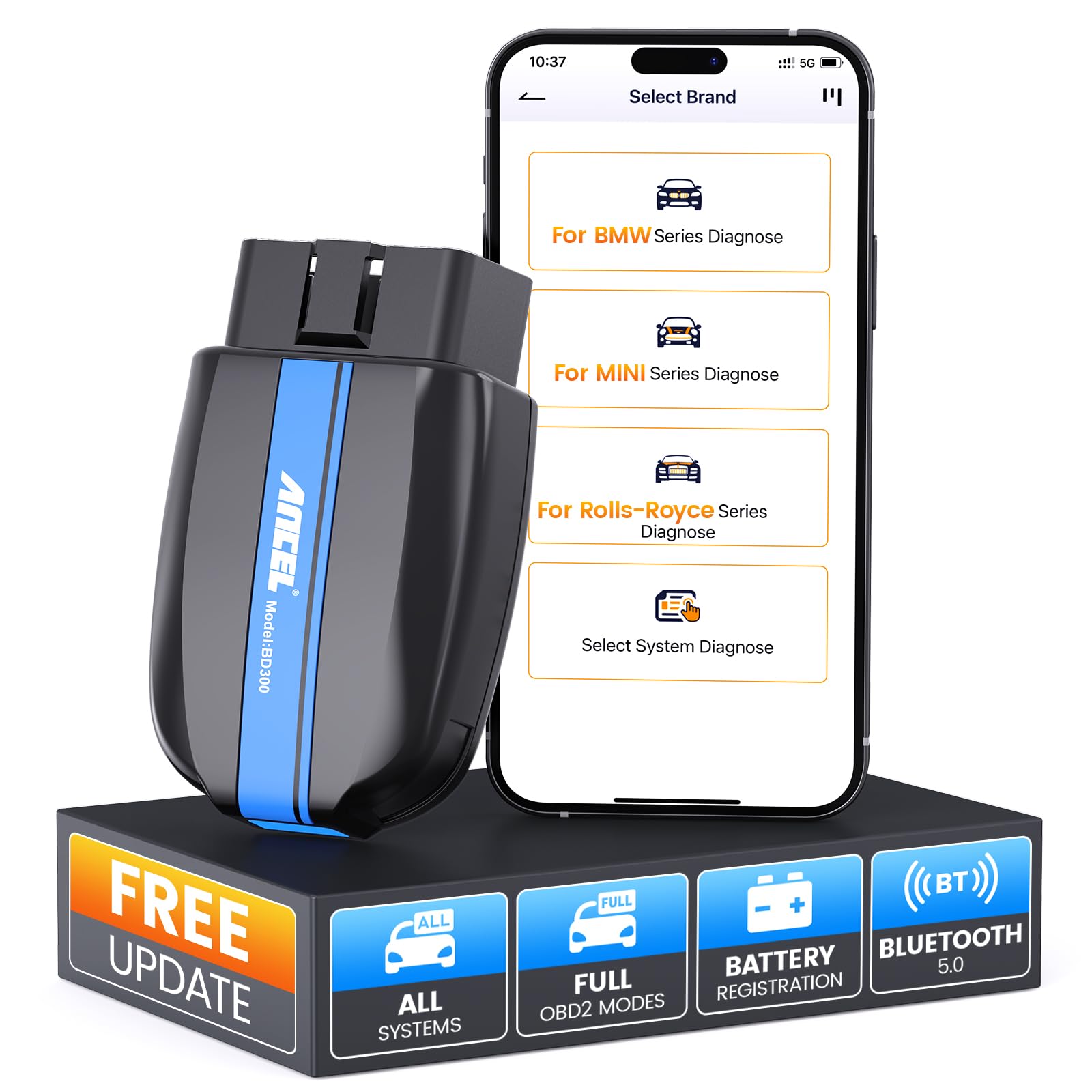
ANCEL BD300 Bluetooth OBD2 Scanner — Budget BLE, no subscription
ANCEL BD300 suits budget buyers who still need BLE, because it gives iPhone and Android owners a low-cost route to subscription-free core scanning. It connects over Bluetooth Low Energy to compatible apps, reads and clears engine codes, and shows live data for common powertrain checks. The free app tier is the key check: confirm that code reading and live data are included without payment before relying on it. It will not replace a multi-system tool, and some vehicle-specific data stays out of reach. For basic, paywall-free scanning, it is a sensible low-cost option.
- BLE at a budget level
- Works on iPhone and Android
- Core scanning needs no subscription
- Reads codes and live data
- Free app tier must be checked
- Limited manufacturer system coverage
4.3/5
4.3/5
4.4/5

LELink 2 Bluetooth Low Energy OBD2 Adapter — App-friendly BLE scanning
LELink 2 suits owners who already have a favourite OBD app and want a BLE adapter that works with it without a subscription for core scanning. It uses Bluetooth Low Energy, so it suits iPhone and Android, and it is designed to pair through compatible third-party apps rather than locking you into one paid platform. It reads codes, shows live data, and supports the basic checks most owners repeat. It has no screen of its own, so the phone and app carry the whole experience. Check your app’s adapter list first, because compatibility still decides the result.
- BLE for iPhone and Android
- Works with many third-party apps
- Core scanning needs no subscription
- Low power, compact design
- No screen or own app
- App adapter list must be checked
4.3/5
4.2/5
4.3/5
Top 3 Head-to-Head: BlueDriver vs OBDLink MX+ vs Veepeak BLE+
These three are the common final choices because they cover both phone platforms, everyday scanning, and deeper live-data use without a handheld tool.
| Feature | #1 BlueDriver | #2 OBDLink MX+ | #3 Veepeak BLE+ |
|---|---|---|---|
| No-Subscription Value | 4.9/5 — Best | 4.8/5 | 4.7/5 |
| Bluetooth Stability | 4.9/5 | 4.9/5 — Best | 4.7/5 |
| Diagnostic Coverage | 4.9/5 — Best | 4.8/5 | 4.8/5 |
| Choose if… | You want one free core app on either phone | You want fast live data and app choice | You want BLE on both phones |
Who These Bluetooth Adapters Are NOT For
Bluetooth adapters are best for everyday phone diagnostics, not for every garage job.
If you need a screen you can use without a phone, or you work in a place where phones are not practical, a handheld scanner is also a better fit. Bluetooth adapters trade a built-in display for phone convenience, and that trade does not suit every workshop.
Common Mistakes to Avoid
Most no-subscription disappointments come from the app, not the adapter hardware.
Frequently Asked Questions About Bluetooth OBD2 Scanners With No Subscription
Do Bluetooth OBD2 scanners really work without a subscription?
Yes, for core diagnostics, if you choose an adapter and app whose free tier includes code reading, code clearing, and live data. The subscription trap is not the Bluetooth link itself; it is an app that gates basic functions behind payment. Before you buy, check which features are free, and whether enhanced data or repair guides are paid extras. If core scanning is free, you can scan without a monthly bill.
What does no subscription usually not include?
No subscription usually covers the adapter hardware and the app’s basic scan functions, not every advanced feature a maker can sell. Manufacturer-specific systems, service resets, repair guides, cloud history, and multi-vehicle profiles are the features most often sold separately. That split is not a fault on its own, provided the listing is clear about it. Read the free-versus-paid list before purchase, and treat a vague promise of full diagnostics as a warning sign, not a guarantee.
Can I use a no-subscription Bluetooth scanner on an iPhone?
Yes, if the adapter uses Bluetooth Low Energy or an iPhone-approved route, and the app you choose supports that adapter on iOS. Classic-only adapters that work well on Android usually do not work reliably on an iPhone, even if they power on. Check the listing for BLE, check the app’s adapter list, and connect inside the app for BLE adapters. For the iPhone route, see whether Bluetooth OBD2 can work with an iPhone.
Will a free OBD app show live data?
Many free app tiers do show live data, but the number of parameters and graphing tools can vary a lot between apps. A good free tier should show engine speed, coolant temperature, and fuel trim, because those readings help you judge whether a code is a one-off or a running fault. If graphing needs payment, that limit matters for troubleshooting, so test the app before you rely on it.
Do I need internet to use a no-subscription Bluetooth scanner?
No, not for the core scan itself, because Bluetooth is a local link between the adapter and your phone. The car sends codes and live data to the phone over that link, without a mobile or Wi-Fi connection. Internet is usually needed only for setup, updates, code lookups, and cloud features. A one-time sign-in is not the same as a recurring fee. Our guide to whether Bluetooth OBD2 can work without internet separates local scanning from cloud features.
What should I check before buying a Bluetooth OBD2 scanner with no subscription?
Check four things in order: your phone platform, the Bluetooth type, the app’s free tier, and your vehicle’s diagnostic scope. Confirm BLE for iPhone or Classic for Android, confirm code reading and live data are free, and confirm the systems you need are listed for your car. Also check sleep mode if you plan to leave the adapter fitted.
Our Final Verdict
No-subscription Bluetooth scanning works best when the free tier, the phone route, and the diagnostic scope all line up. BlueDriver leads that balance for most owners, with OBDLink MX+ for live data and Veepeak BLE+ as the clean BLE alternative.

I’m Alex Rahman, a car enthusiast and automotive writer focused on practical solutions, car tools, and real-world driving advice. I share simple and honest content to help everyday drivers make better decisions.
