10 Best Dash Cam Under $300: Top Picks for 2026
Dash cams record the road ahead and can provide useful video after a crash, traffic dispute, or unexpected event. Models under $300 now offer clear video, wide viewing angles, automatic incident recording, and features such as GPS, parking monitoring, and smartphone access.
The best dash cam under $300 should balance video quality, reliability, ease of use, and storage needs rather than focus on one impressive feature. We also pay close attention to night recording, heat resistance, mounting systems, privacy settings, and whether the camera requires extra accessories, such as a microSD card or hardwire kit.
We compared dash cams priced below $300 to find the models that provide dependable recording and useful features without unnecessary cost.
Best Dash Cams Under $300
We reviewed key features, video quality, reliability, and ease of use to find the best dash cams under $300. Our list includes options for drivers who want clear footage, useful safety features, and simple installation.
ROVE R2-4K Dual Dash Cam

We recommend this dash cam for drivers who want front and rear coverage, useful phone controls, and strong low-light video under $300.
Key Pros
- Clear front video with a 1080p rear camera
- Fast Wi-Fi transfers and built-in GPS
- Includes a 128GB memory card
Key Cons
- Front video uses upscaling rather than native 4K
- Parking mode requires a separate hardwire kit
- Rear-camera wiring takes time to hide neatly
During testing, we found the ROVE R2-4K Dual easy to set up with the included mounts, clips, and trim tool. The 3-inch screen made alignment simple, while the front and rear cameras gave us broad coverage on busy roads and in parking lots.
The front footage looked sharp in daylight, and the STARVIS 2 sensor helped preserve detail after sunset. The rear camera produced useful 1080p video, although it did not match the front camera’s detail in darker areas.
The ROVE app made it easy for us to review and download clips without removing the memory card. Its fast Wi-Fi connection saved time, and the built-in GPS added speed and route data to recordings.
We liked that the package includes a 128GB card, but the parking features need extra hardware. Drivers who want continuous parking protection must buy and install a compatible hardwire kit.
REDTIGER F7N TOUCH Dash Cam

We recommend this dash cam for drivers who want sharp front video, useful controls, and a rear camera without spending more than $300.
Key Pros
- Clear front and rear recordings
- Touchscreen, voice control, GPS, and Wi-Fi
- Includes a 128GB memory card
Key Cons
- Parking mode needs a separate hardwire kit
- The rear camera takes more work to install
- The app may require some setup
The REDTIGER F7N TOUCH gives us a clear view of the road, especially during the day. The front camera captures detailed 4K video, while the rear camera adds helpful coverage behind the vehicle. Its wide view also captures more of nearby traffic.
We like having several ways to control the camera. The touchscreen makes common tasks simple, and voice commands let us save clips without reaching for the unit. The phone app connects through 5.8GHz Wi-Fi, which helps move videos to a phone faster than many basic dash cams.
Installation feels manageable for most vehicles. The front mount goes on the windshield, and the included long rear-camera cable gives us enough room to route the wire neatly. The included 128GB card also lets us start recording without buying storage separately.
Night footage remains useful, though results can vary with glare, weather, and very dark roads. The camera includes GPS and a G-sensor, so it can record location details and protect clips after a sudden impact.
Parking monitoring adds value, but we need the optional hardwire kit to use it. Without that accessory, the camera works well as a driving recorder but cannot provide full-time parked-car protection.
REDTIGER F7NP 4K Dash Cam

We recommend the REDTIGER F7NP for drivers who want clear front and rear video, built-in GPS, and useful features without spending more than $300.
Key Pros
- Sharp front video with dependable rear coverage
- Fast Wi-Fi transfers and a helpful phone app
- Includes a 128GB memory card
Key Cons
- Parking mode requires a separate hardwire kit
- Rear camera installation takes time
- App connection may need occasional troubleshooting
The front camera captures clear footage in daylight, while the rear camera adds useful coverage behind the vehicle. We found the wide view helpful in traffic and parking lots, though the rear cable requires careful routing through the cabin.
Night footage remains usable, especially around streetlights and other cars. Very dark areas can still lose detail, so we would not expect perfect plate visibility in every situation.
The built-in Wi-Fi lets us review and download clips without removing the memory card. The app also displays GPS details, including the route and speed. The included card makes setup easier, but the camera still needs a stable power connection for reliable daily use.
Installation is straightforward with the included mount, clips, and long rear-camera cable. Drivers who want recording while parked should budget for the optional hardwire kit. The supercapacitor also makes this model better suited to warm conditions than cameras that use a small internal battery.
Affver A4 Dual Dash Cam
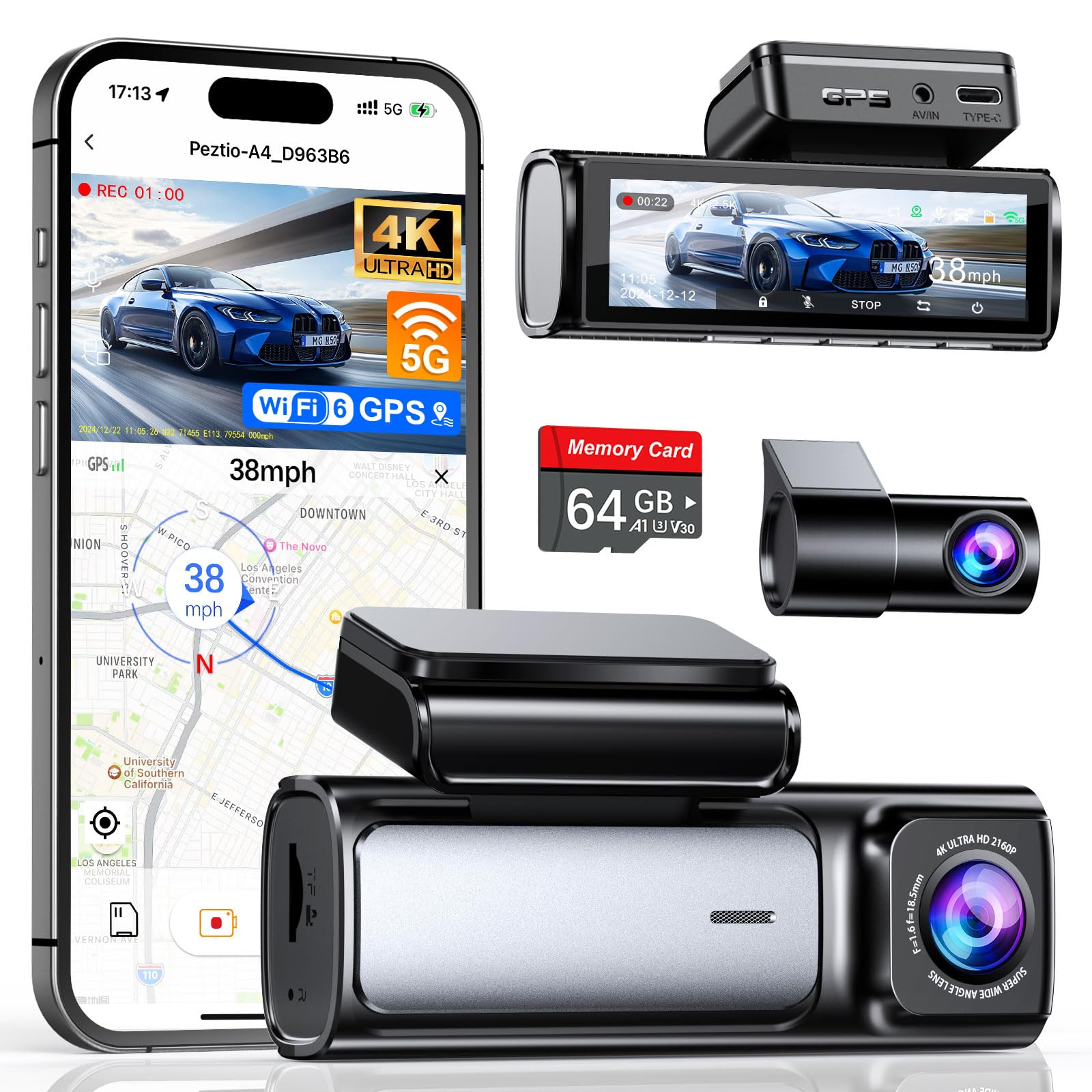
We recommend the Affver A4 for drivers who want sharp front and rear video, GPS, and simple phone transfers without exceeding a $300 budget.
Key Pros
- Clear 4K front and 2.5K rear video
- Includes a 64GB memory card
- Built-in GPS and Wi-Fi 6
Key Cons
- Rear-camera wiring takes extra time
- Parking monitoring may require additional wiring
- The app is needed for convenient video transfers
We found the front footage clear enough to capture signs, plates, and road details in daylight. The rear camera also gives useful coverage, which makes this setup more practical than a front-only model.
Night recordings remain usable, especially under streetlights and headlights. They can still lose some detail in very dark areas, so we would not expect the same clarity in every low-light scene.
The 3.59-inch screen makes setup and menu changes easy from the driver’s seat. GPS adds speed and route data, while Wi-Fi 6 helps us move clips to a phone without removing the memory card.
Installation feels manageable because the package includes a memory card, cable clips, trim tools, and adhesive mounts. Routing the rear cable takes patience, and the included card may fill quickly if we record often in both channels.
Loop recording and the impact sensor protect important clips from routine overwriting. We also like the extra USB port on the car charger, which lets us charge another device while the camera runs.
XYGCACO D65 4-Channel Dash Cam
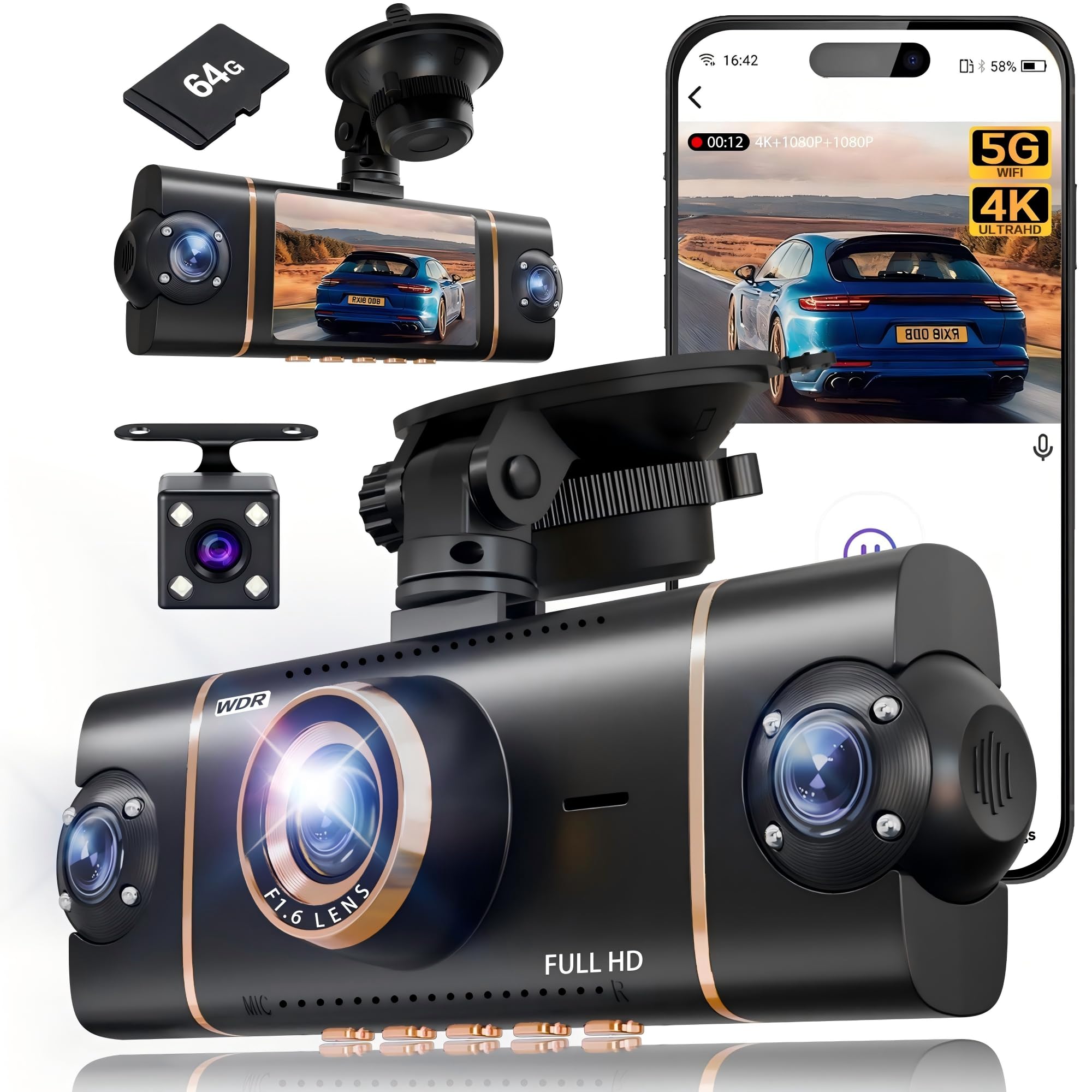
We recommend this dash cam for drivers who want broad vehicle coverage, easy phone access, and a 4K front view without spending over $300.
Key Pros
- Four-camera coverage reduces blind spots.
- Includes a 64GB memory card.
- Wi-Fi, GPS, and app controls simplify video access.
Key Cons
- Parking mode requires a separate hardwire kit.
- Four camera angles may take longer to install neatly.
- Side camera quality is lower than the front camera.
We found the setup straightforward. The suction mount held firmly to the windshield, and the included tool helped us tuck the cables along the trim. Adding three extra cameras took more work than installing a basic front-and-rear model, but it gave us a wider view around the car.
The 4K front camera produced sharp daytime footage, while the three 1080P cameras covered the rear and sides. The 3-inch screen let us check all four views at once, although the smaller side views made distant details harder to read.
Wi-Fi and the Viidure app made it simple for us to review clips and save them to a phone. GPS added location data, which can help document where an incident occurred. The included 64GB card also allowed us to start recording without an immediate extra purchase.
Night footage benefited from the infrared lights and WDR, though headlights and dark roads still affected detail. Parking mode offers useful monitoring, but we would budget for the separate hardwire kit if continuous protection matters.
Galphi 4K Dash Cam
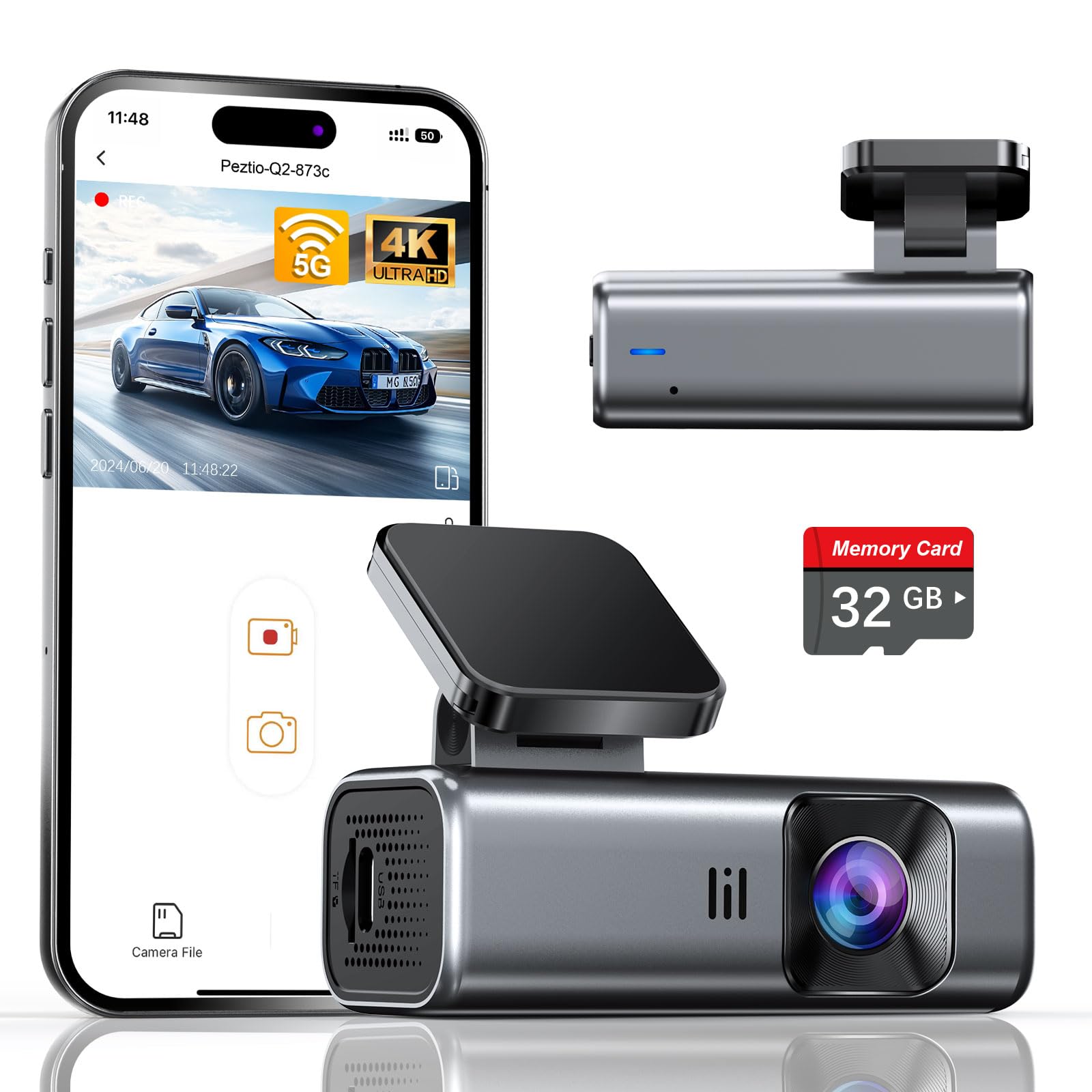
We recommend this compact Galphi dash cam for drivers who want sharp 4K front video, fast phone transfers, and simple installation without spending much.
Key Pros
- Clear daytime video with useful night performance
- Fast 5GHz Wi-Fi app transfers
- Includes a 32GB memory card and installation tools
Key Cons
- No built-in screen for reviewing footage
- Hardwire kit needed for parking mode
- The included card may fill quickly with 4K recording
The small, screen-free design sits neatly behind the rearview mirror and keeps the windshield clear. We found the adhesive mount and included cable clips helpful during setup, especially when hiding the long power cable along the trim.
Daytime footage looks sharp, and the wide view covers plenty of the road. Night recordings remain usable in low light, although bright headlights can still affect fine detail. The camera records at 4K and uses loop recording, while its G-sensor locks clips after a sudden impact.
The 5GHz Wi-Fi connection makes it easier to move videos to a phone than many basic dash cams. We still needed the app for playback and downloads because the camera has no display. The included 32GB card helps us start recording immediately, but frequent 4K drivers may prefer a larger compatible card.
Parking mode requires a separate Type-C hardwire kit. With that added, the camera can record time-lapse footage while parked. A one-year warranty also provides basic coverage for new owners.
Aputeta 4K + 4K Dual Dash Cam
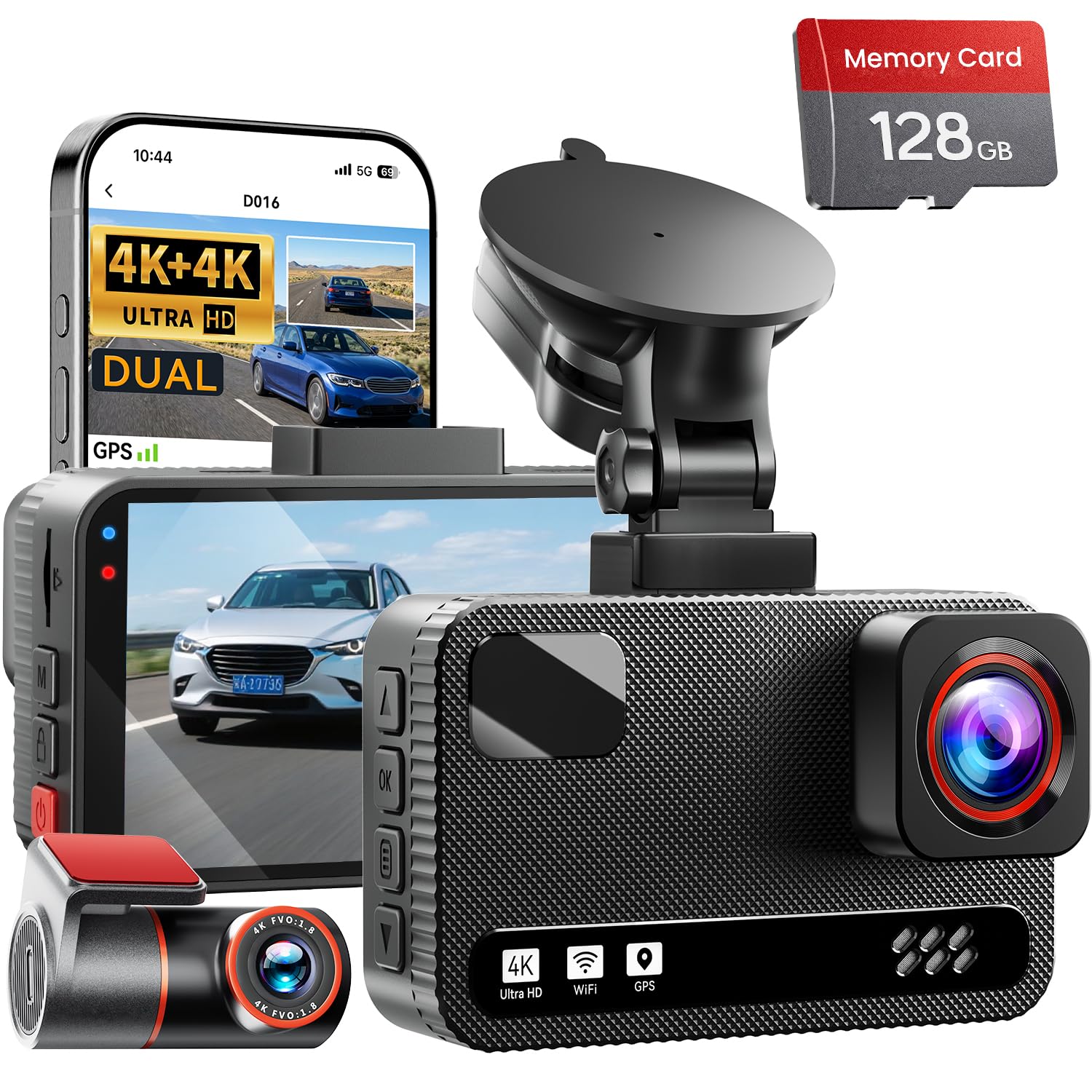
We recommend this dash cam for drivers who want clear front-and-rear coverage, GPS, and phone access without spending more than $300.
Key Pros
- Sharp 4K video from both cameras
- Includes a 128GB memory card
- Fast Wi-Fi transfers and GPS tracking
Key Cons
- Rear camera installation requires routing a long cable
- Parking mode needs a separate hardwire kit
- The app may take time to learn
We found the Aputeta easy to install for a dual-camera system. The front unit fits neatly near the rearview mirror, while the included clips and pry tool helped us hide the rear cable along the vehicle’s trim.
Both cameras produced detailed footage during our testing. The wide views covered nearby lanes well, and the front camera retained useful detail when we reviewed road signs and passing vehicles. Night footage also looked balanced, although very dark scenes still showed some noise.
The three-inch screen made it simple for us to check recordings without using a phone. When we wanted to save or share clips, the app connected over Wi-Fi and transferred files faster than a basic 2.4GHz connection.
GPS added route and speed information to recorded clips, which can help when reviewing an incident. We also liked the emergency lock feature, since it protects important videos from being overwritten by loop recording.
Parking monitoring requires the separate hard-wiring kit, so buyers should include that extra cost if they want continuous protection while parked. The included 128GB card gives us a useful starting point, and the camera supports larger cards for drivers who record often.
E-YEEGER S60 Dash Cam
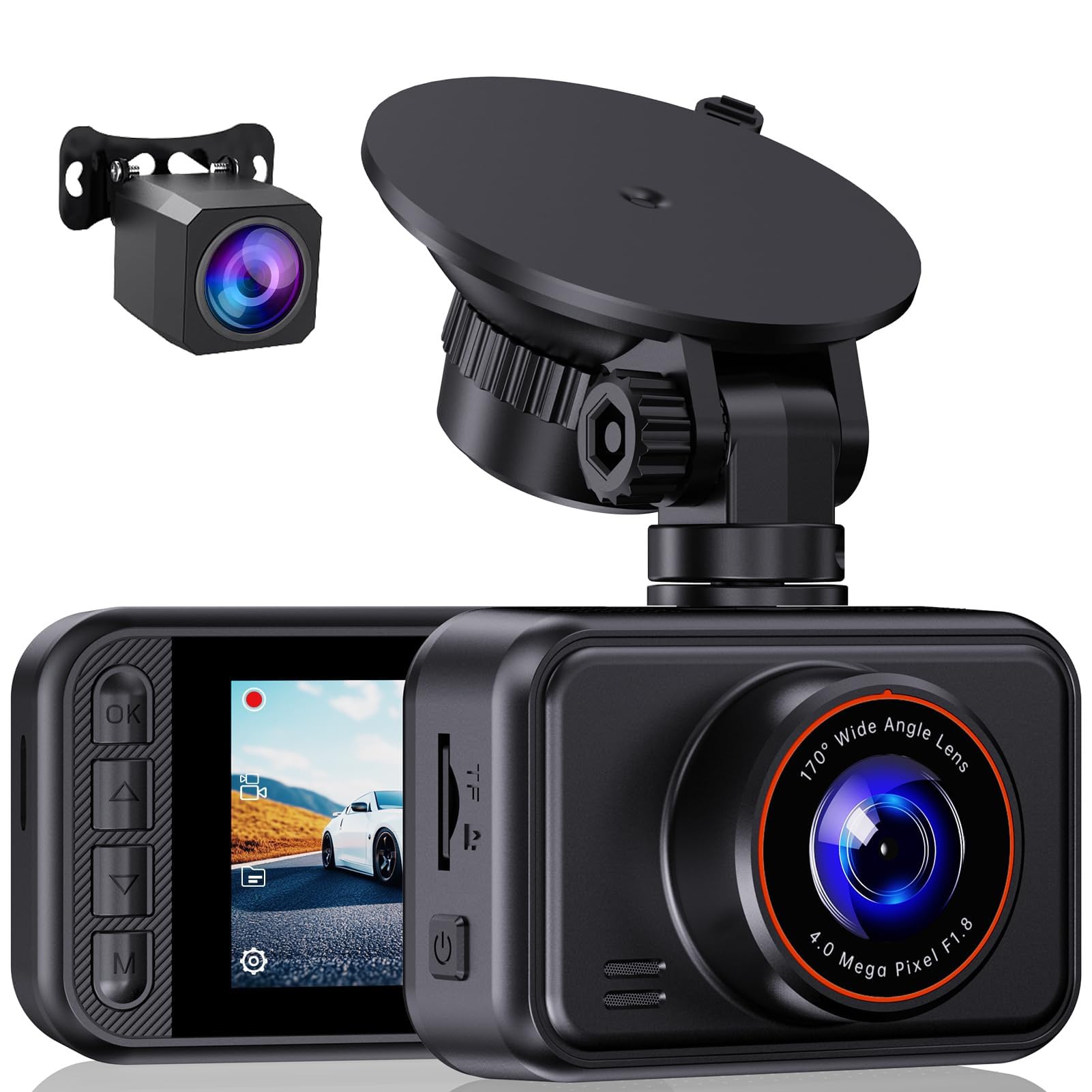
We recommend the E-YEEGER S60 for drivers who want clear front-and-rear recording, simple controls, and useful safety features without spending $300.
Key Pros
- Clear 2.5K front and 1080P rear video
- Wide front view and helpful night recording
- Easy-to-adjust suction mount and compact screen
Key Cons
- microSD card is not included
- Parking mode needs a separate hardwire kit
- Suction mount may loosen in high heat
We found the S60 straightforward to install and use. Its small screen makes it easy to check the camera angle, while the 360-degree mount helps us position it without much effort. The rear camera adds useful coverage for traffic behind us.
Daytime footage looks clear enough to read many road details, and the wide front view captures more of the lane. At night, WDR helps balance headlights with darker areas, although bright lights can still cause glare in some conditions.
Loop recording handles storage automatically, while the G-sensor protects clips after impacts or hard braking. We also like that the camera supports cards up to 256GB, but buyers must purchase the microSD card separately.
The optional parking monitor can record while the car sits unattended, but it requires a compatible Type-C hardwire kit. We also found the menu less intuitive than the basic setup, and some owners report that the suction mount can fall during very hot weather.
SUVCON Triple-Channel Dash Cam
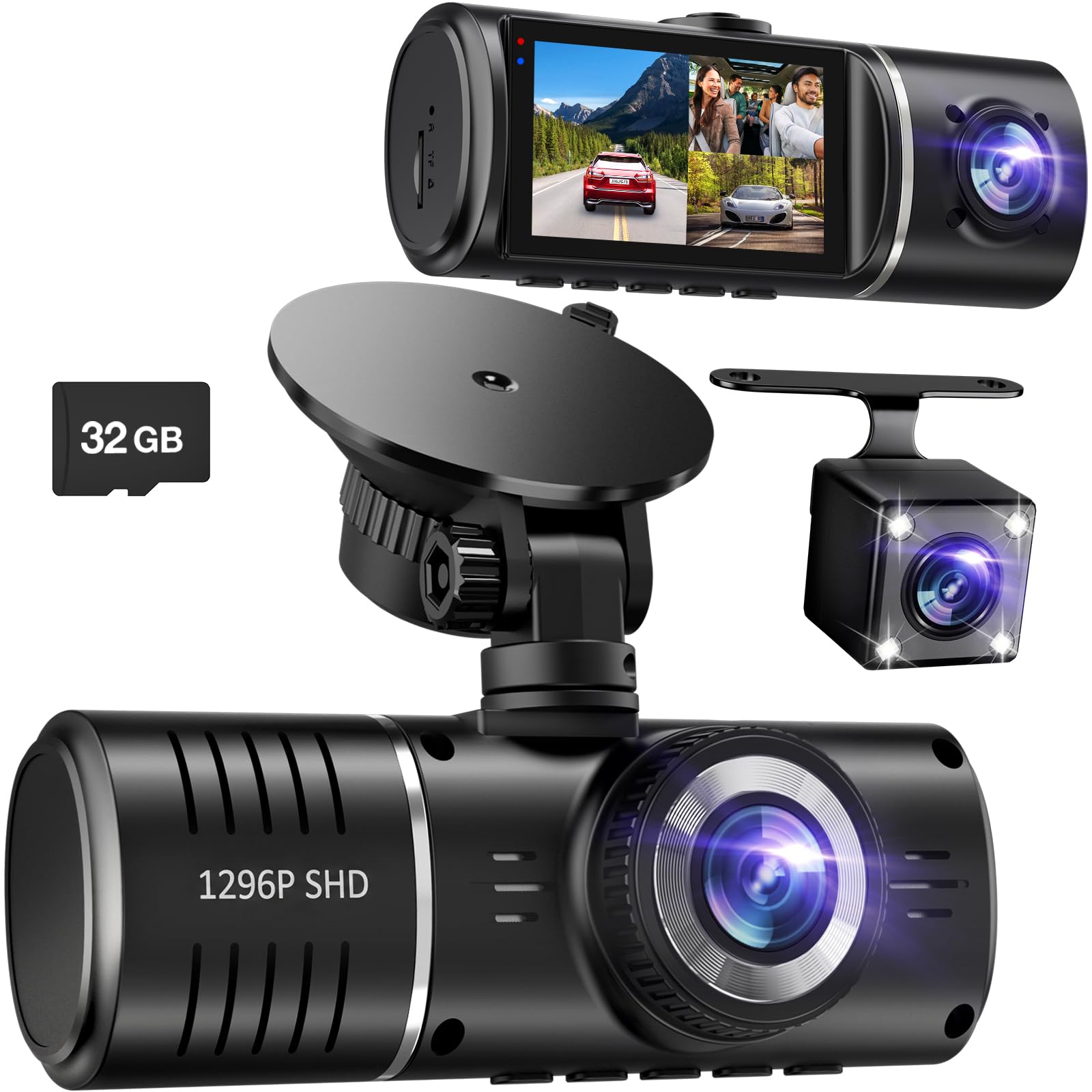
We recommend this dash cam for drivers who want front, rear, and cabin coverage at a low price, but who can manage video files without a phone app.
Key Pros
- Covers three camera views
- Includes a 32GB memory card
- Simple setup with useful parking features
Key Cons
- No Wi-Fi or companion app
- Rear and cabin video may look weak in some conditions
- Parking monitoring may require extra wiring equipment
During setup, we found the plug-and-play design easy to handle. The included rear camera cable gives us enough length for most cars, while the suction mount makes placement simple. The front camera provides a wide view, and the cabin camera helps record activity inside the vehicle.
Daytime footage from the front camera looks suitable for recording traffic and road events. Night recording benefits from HDR and infrared lights, though customer feedback suggests that the rear and interior cameras may produce less detailed images, especially in poor lighting.
The three-channel layout gives us broader coverage than a basic front-only camera. Loop recording helps manage the card, and the G-sensor can lock clips after an impact. We would still check the card regularly because some owners report storage or formatting issues.
There is no Wi-Fi or mobile app, so we must remove the memory card to transfer video. That adds time when we need to share a clip quickly. The camera remains a practical budget choice for drivers who value coverage more than wireless access.
70mai A810 Lite 4K Dash Cam

We recommend this dash cam for drivers who want sharp 4K front video, a useful rear camera, and strong app features without spending more than $300.
Key Pros
- Clear 4K front footage and 1080p rear video
- Fast phone transfers through Wi-Fi 6
- GPS, voice control, and parking mode
Key Cons
- Parking mode requires a separate hardwire kit
- Rear-camera wiring takes extra time
- The app may take some practice
We found the A810 Lite compact enough to sit neatly behind the rearview mirror. Setup felt simple for the front unit, while routing the rear-camera cable required more time and careful placement.
During daytime drives, the front camera produced detailed footage that made road signs and nearby license plates easier to see. The rear camera added useful coverage behind the vehicle, though its 1080p video lacks the sharpness of the front camera.
Night recording performed well in our testing, especially with HDR and the wide F1.55 aperture. Headlights still created some glare, but the camera preserved more detail in dark areas than many basic dash cams.
The 70mai app made it easy for us to preview and download clips without removing the memory card. Wi-Fi 6 helped speed up transfers, while GPS added route and speed information to saved footage.
We like the included 64GB card and the supercapacitor design, which should handle heat better than a battery-based camera. However, 24-hour parking recording and 4G remote access both require an optional hardwire kit, adding to the total cost.
Buying Guide
We should focus on the features that affect recording quality, reliability, and daily use. A lower price should not mean giving up clear video or dependable operation.
| Feature | What to look for |
|---|---|
| Video quality | At least 1080p resolution, with clear images in daylight and at night |
| Field of view | A wide view that captures nearby lanes without excessive distortion |
| Low-light recording | Night vision or a quality sensor for darker roads |
| Parking mode | Motion or impact recording while the vehicle is parked |
| Storage | Support for a compatible, high-endurance memory card |
| Power | A secure power cable and an optional hardwire kit if needed |
| Installation | A compact mount and simple setup that does not block the driver’s view |
We should check whether the camera includes a memory card. If it does not, we need to budget for a high-endurance card, since standard cards may wear out faster with continuous recording.
GPS can add location and speed data to recorded files. Wi-Fi or an app can make it easier to view and save clips, but these features should not replace strong video quality and stable recording.
We should also review the warranty, return policy, and user instructions before buying. A camera with clear controls, reliable loop recording, and automatic file protection can make everyday use easier.
Editor’s Choice
We choose the Viofo A119 Mini 2 as our top dash cam under $300. It records sharp 2K video, uses a Sony STARVIS 2 sensor, and captures clear details in both daylight and low-light conditions.
Its compact design sits behind the rearview mirror without blocking much of the windshield. Built-in GPS logs speed and location, while HDR helps balance bright and dark areas in the same scene.
| Feature | Details |
|---|---|
| Video quality | 2K at up to 60 frames per second |
| Low-light recording | Sony STARVIS 2 sensor |
| Viewing angle | 140 degrees |
| GPS | Built in |
| Parking mode | Available with hardwire kit |
| Storage | microSD card, sold separately |
We like the A119 Mini 2 because it focuses on the features that matter most: reliable recording, strong image quality, and a simple setup. Its front-only design also keeps the price below many dual-camera systems.
We should note that the camera does not include a rear camera or memory card. We also need a hardwire kit to use parking mode continuously.
Conclusion
We can find strong dash cams under $300 without giving up key features. The Viofo A229 Plus suits drivers who want clear video, reliable GPS, and optional parking recording. The Garmin Dash Cam X310 offers a compact design and sharp footage, while the Vantrue N4 Pro works well for drivers who need front, rear, and cabin coverage.
Before we buy, we should check the camera’s video quality, viewing angle, storage support, and power options. A wide angle helps capture more of the road, but clear license plates still depend on lighting and distance.
| Our priority | Feature to choose |
|---|---|
| Clear daytime video | 2K or 4K recording |
| Night driving | HDR or strong low-light performance |
| Parking protection | Parking mode and a hardwire kit |
| More coverage | Front-and-rear or three-channel recording |
| Easy use | A reliable app and simple controls |
We should also budget for a high-endurance microSD card, since regular cards may wear out under continuous recording. Checking the warranty and return policy can help us avoid problems if the camera fails or does not fit our vehicle.
FAQS
What features should we expect from a dash cam under $300?
We can usually find 4K or sharp 1440p video, a wide-angle lens, night recording, GPS, and a parking mode. We should also check whether the package includes a memory card, rear camera, or hardwire kit.
Do we need a front and rear dash cam?
A dual-camera system gives us better coverage than a front-only model. It can record incidents behind our vehicle, but installation takes more time and may require routing a cable through the cabin.
Does every dash cam include a memory card?
No. Some models include a card, while others require us to buy one separately. We should choose a high-endurance microSD card that matches the camera’s recommended capacity.
Can dash cams record while our car is parked?
Many models support parking mode, but we may need a hardwire kit or an external battery. We should confirm that the camera has low-voltage protection to help prevent battery drain.
Do we need Wi-Fi or GPS?
Wi-Fi lets us transfer videos to a phone without removing the card. GPS can record speed and location, which may help us review an incident, though we should check local laws before sharing that data.
How often should we replace the memory card?
We should check the card regularly and replace it when the camera reports errors or recordings become unreliable. High-endurance cards generally handle repeated recording better than standard cards.

I’m Alex Rahman, a car enthusiast and automotive writer focused on practical solutions, car tools, and real-world driving advice. I share simple and honest content to help everyday drivers make better decisions.
