Why Is My OBD2 Port Not Working? Causes & Fixes | Leadfoot
Quick Answer
An OBD2 port usually stops working because it has no power, a pin is bent, loose or corroded, or the scanner cannot talk to the vehicle computer. Start with the ignition on, a firmly seated plug, and the cigarette lighter test: if the lighter socket is also dead, check the fuse for the port first. If the scanner powers up but will not connect, the fault is more likely in the data pins, the protocol, an aftermarket device, or the vehicle wiring.
A dead diagnostic port is frustrating because it blocks the tool that should tell you what is wrong. The port needs battery power, two ground paths, clean contacts, and a working data bus. When any part of that chain breaks, the result looks the same: nothing happens, or the scanner lights up and then gives up.
Split the problem in two. First find out whether the port has power. Then find out whether it can communicate. A power fault and a communication fault have different causes and different tests, and mixing them up can lead to replacing a good scanner when a fuse has blown.
First, Work Out Which Kind of “Not Working” You Have
The words “not working” cover several different symptoms. Naming yours narrows the search before you touch a fuse or a multimeter.
| Symptom | Most likely area | First check |
|---|---|---|
| Scanner stays completely dark | Power or ground | Fuse, pin 16 voltage, ground |
| Scanner powers up, then shows a link error | Data pins, protocol, or vehicle computer | Pin condition, protocol, other scanner |
| Scanner works only when you hold the plug | Loose or spread terminals | Visual pin inspection, seating, cable |
| Scanner connects, then drops out | Low voltage or corroded contact | Battery voltage, aftermarket devices |
Check the Simple Things First
Turn the ignition to the on position, without starting the engine, and plug the scanner in again. Some vehicles keep the data lines quiet until the ignition is on, even though pin 16 often carries battery power with the key off. With push-button start, press the button without your foot on the brake so the electronics wake up without cranking.
Push the plug fully home until it sits square in the socket. A plug that is partly in can power a scanner and still fail to touch the data pins. Test the scanner on another vehicle if you can. If it works there, the scanner, cable, and app are probably fine, and the fault is in your car. If it stays dead on a second car, try another scanner on your car before you blame the port.
No Power at the Port: Start With the Fuse
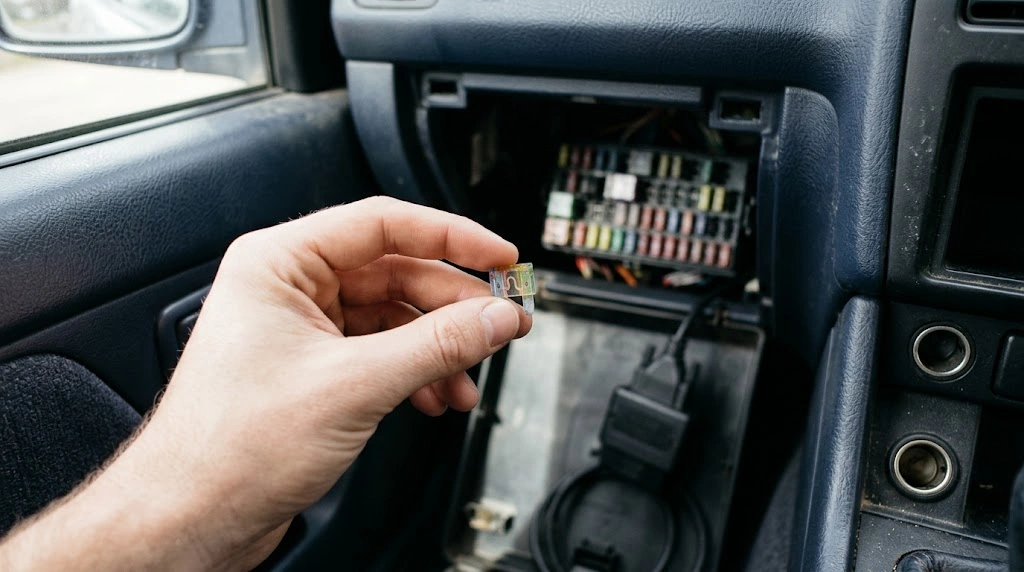
A blown fuse is the most common reason a scanner stays dark. The port draws power from pin 16, and on many cars that circuit is shared with the cigarette lighter or 12-volt accessory socket. That gives you a free clue: if the lighter socket is also dead, the fuse is a strong suspect. If the socket works, the fuse may still be at fault on cars where the port has its own fuse.
Find the fuse box diagram in the owner manual. Look for labels such as OBD, OBD II, DLC, Data Link, Cigar, ACC, or Aux Power. Pull the fuse and look at the thin metal strip inside: a broken or blackened strip means it has blown.
If the new fuse blows straight away, stop replacing it. Something on that circuit is drawing too much current or shorting to ground. A damaged phone charger, a faulty accessory in the lighter socket, or chafed wiring are common causes. Unplug accessories from the shared socket and try again. For a deeper walk through this one fault, see the guide to whether an OBD2 port can have no power.
Damaged, Loose, or Corroded Pins
The port sits low under the dashboard, near the driver feet, where it gets kicked and filled with dust. Over time the terminals inside can bend, spread apart, corrode, or get pushed back into the housing. A spread terminal may touch the plug on one attempt and miss it on the next, which is why the fault can look intermittent.
Shine a torch into the socket with the scanner unplugged. The OBD2 port pin layout shows which pin does what: pin 16 is battery power, pin 4 is chassis ground, and pin 5 is signal ground, while pins 6 and 14 carry CAN data. Look for a pin that sits lower than its neighbours, one leaning to the side, corrosion, or a terminal that looks wider than the rest.
Warning
Do not bridge pins with a paperclip or wire, and do not push a fat meter probe into the front of a terminal. Front-probing spreads the terminal and can create the loose connection you are trying to diagnose. Back-probe from behind the connector, or use a breakout box, when you need a voltage reading.
How to Test the Port With a Multimeter
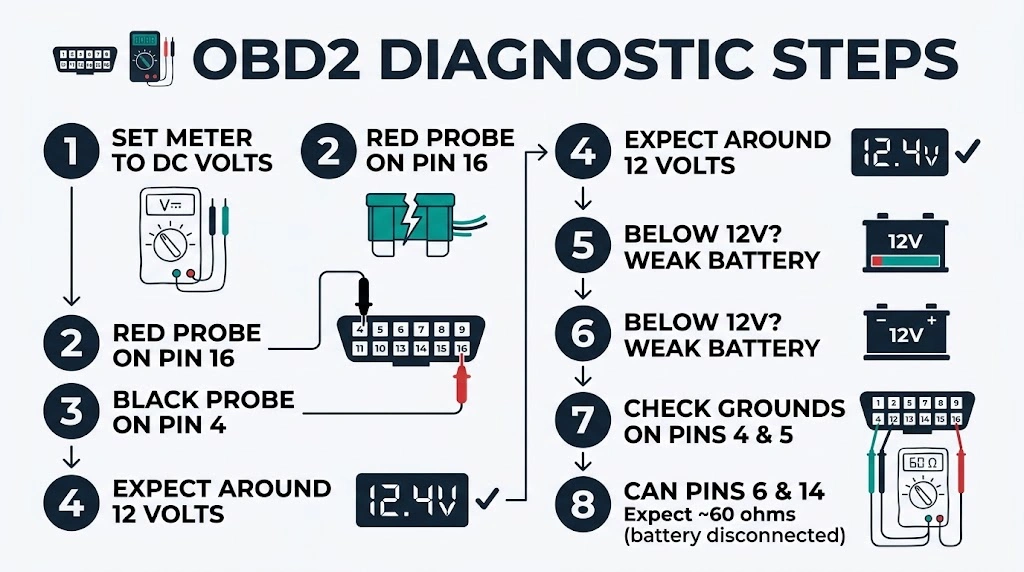
Set a multimeter to DC volts, put the red probe on pin 16 and the black probe on pin 4, and expect roughly battery voltage, usually around 12 volts with the engine off. A reading near zero points to the fuse or the power wire, while a reading well below 12 volts points to a weak battery or voltage drop.
Test the grounds next: check pin 4 and pin 5 to a clean, unpainted body bolt. Both should show a good, low-resistance path. A ground that reads open can leave a scanner dim or dead, and it can corrupt data even when the scanner lights up.
The guide to what OBD2 pin 16 does explains why it stays live on most cars. A technician may also check CAN resistance between pins 6 and 14, which the YOUCANIC glossary entry for the OBD2 port puts near 60 ohms.
Power Is Fine, but the Scanner Will Not Talk
When the scanner lights up and then reports a link error, no communication, or no data, power is probably not the problem. The scanner and the vehicle computer are failing to agree on a language, or the data bus is not reaching the port.
Check the protocol setting first. Most modern scanners select it automatically, but some older tools need a manual choice. The main families are CAN, ISO 9141, KWP2000, and the older SAE J1850 variants. The guide to which OBD2 protocols are used explains how the pin layout hints at the protocol: CAN cars carry pins 6 and 14, ISO cars carry pin 7, and J1850 cars carry pin 2.
Remove anything else plugged into the port, including splitters, GPS trackers, and insurance dongles. A second device can hold a data line at the wrong level or flood the bus with messages. Test with only the scanner connected.
Some newer cars add a security gateway that blocks generic access beyond the engine computer. The same applies to cars that are not standard OBD2 cars: OBD2 has been required on new US passenger vehicles since model year 1996, as the U.S. Environmental Protection Agency notes, so older cars may have a similar socket with a different system behind it.
Battery, Wiring, and Module Faults
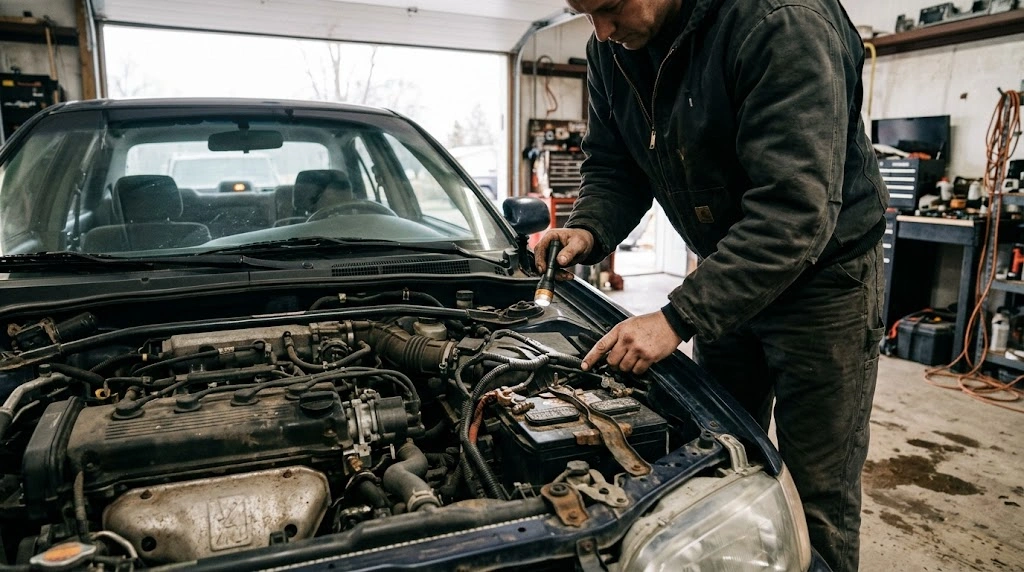
A weak battery can cause a port fault that looks like a scanner fault. Low voltage makes the data bus lose sync, so the scanner connects and then drops. Check the battery voltage at rest and while cranking.
Wiring faults are harder to see. A wire can chafe through where the harness passes a sharp edge, or a connector behind the dashboard can work loose. If power reaches pin 16 but the data pins show no activity, and a second scanner also fails, the wiring between the port and the vehicle computer is a real suspect.
A faulty module can drag the whole bus down, holding the data lines so no unit can talk. The symptom is often a scanner that cannot connect, plus warning lights or systems that stop responding. Unplugging modules is a workshop test, because it needs a wiring diagram and care with airbag and immobiliser circuits.
When to Get Professional Help
Get help if the fuse blows again after replacement, if pin 16 has no power with a good fuse, if a ground reads open, if pins are pushed back or badly corroded, or if two scanners fail on your car but work on another. Those results point to wiring, a connector repair, or a module fault, and they need a wiring diagram and safe access behind the dashboard. See also why an OBD2 scanner will not connect.
Related Product
Digital Multimeter for Car Diagnostics
A basic digital multimeter lets you test pin 16 voltage and pin 4 and 5 ground at the port, which is the fastest way to separate a power fault from a communication fault.
As an Amazon Associate, we earn from qualifying purchases.
Frequently Asked Questions
Why is my OBD2 port not working all of a sudden?
A sudden failure is often a blown fuse, a loose terminal that finally lost contact, or a weak battery. Check the fuse and the cigarette lighter socket first, then look at the pins.
Can a blown fuse stop the OBD2 port from working?
Yes. Pin 16 gets battery power through a fuse, and on many cars that fuse is shared with the cigarette lighter or accessory socket. If that fuse blows, the scanner gets no power and stays dark. Replace it with a fuse of the same rating, and find the cause if it blows again.
How do I know if my OBD2 port has power?
With a multimeter set to DC volts, measure between pin 16 and pin 4. You should see roughly battery voltage, usually around 12 volts with the engine off. No voltage points to the fuse or power wire, while a low reading points to a weak battery or a poor connection.
Why does my scanner turn on but not connect to the car?
Power and communication are separate. If the scanner lights up, the power and ground paths are probably working, so the fault is more likely in the data pins, the protocol setting, an aftermarket device on the port, a security gateway, or the vehicle wiring and modules.
Can a bad car battery cause the OBD2 port to stop working?
Yes. Low voltage can stop the scanner from powering up cleanly, or it can make the data bus lose sync so the scanner connects and then drops out. A battery that is old or partly discharged is worth checking before you blame the port or the scanner.
Is it safe to drive if my OBD2 port is not working?
A dead port on its own does not stop the car from driving, but it does stop you reading codes and live data. If the car also has warning lights, poor running, or other electrical faults, get it checked promptly rather than relying on the port being the only problem.
Conclusion
Start by naming the symptom, then test power before communication. A dead lighter socket, a blown fuse, or no voltage at pin 16 points to power. A scanner that lights up but cannot talk points to pins, protocol, an aftermarket device, or the vehicle bus. Check the simple items first, and test with a second scanner or a second car when you can. If the fuse blows again, the ground is open, or two scanners fail on the same car, a workshop with a wiring diagram is the sensible next step.

I’m Alex Rahman, a car enthusiast and automotive writer focused on practical solutions, car tools, and real-world driving advice. I share simple and honest content to help everyday drivers make better decisions.
