Why Does an OBD2 Scanner Work Intermittently? Causes & Fixes
Quick Answer
An OBD2 scanner usually works intermittently because the connection is breaking somewhere in a chain, not because the fault code has gone away. The most common breaks are a loose or worn port, unstable power or ground, a disturbed CAN bus, or a dropped wireless link to a phone. Note exactly when it drops, because the pattern often points to the cause.
A scanner that connects, reads a few values, then freezes is frustrating because it looks like it should work. That on-and-off behaviour is useful evidence: a completely dead scanner and an intermittent scanner are different problems, with different fixes.
Think of the link as four parts in a row: the port and plug, the car’s power and ground, the vehicle network, and, for wireless adapters, the phone and app. If any one part drops out for a moment, the whole session can stop. Change one part at a time and watch whether the pattern changes.
The Pattern Often Points to the Cause
Before replacing anything, note when the drop happens: when you move the plug, start the engine, switch on the air conditioning, after warming up, or only when the phone screen locks. A random-looking fault often stops looking random once the trigger is clear.
| Pattern | Most likely area to check first |
|---|---|
| Drops when the plug is touched or bumped | Worn port, bent pin, loose bracket, or damaged plug |
| Drops at engine start or when a large load switches on | Battery voltage, port fuse, or a poor ground |
| Works cold, fails after warming up or over bumps | Wiring, a connector, or a vehicle-side network fault |
| Car link stays up, but the phone app disconnects | Bluetooth or Wi-Fi, phone sleep settings, app, or adapter |
| Fails on one car but works on another | That car’s port, wiring, protocol, or module, rather than the scanner alone |
This table is a starting point, not a diagnosis, but it stops the common mistake of buying a new scanner before checking a five-minute port problem.
Start With the Port and Plug
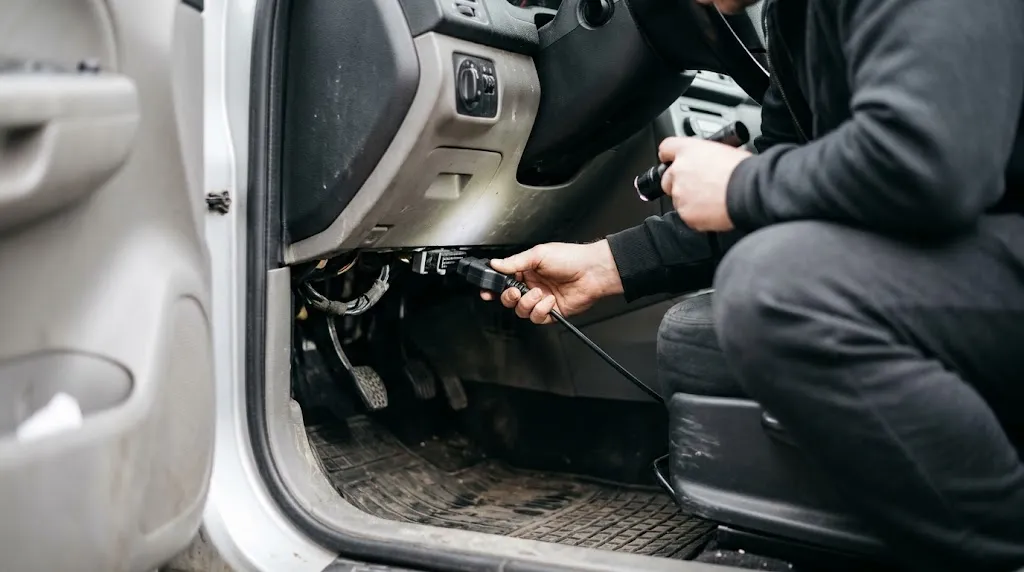
The diagnostic port under the dash is a wear item, knocked by knees and feet and exposed to dust and moisture. Over time, pins can bend, push back into the housing, corrode, or lose spring tension. The scanner may still receive power while a data pin makes only occasional contact, which is why a lit screen does not prove a good connection.
Unplug the scanner and look into the port with a torch for a pin sitting lower than the others, a bent pin, corrosion, or a housing moving in its bracket. Check the scanner plug the same way. Push the plug straight in until fully seated, then give it a very gentle wiggle. If the connection drops with light movement, the port, plug, or wiring just behind it is a strong suspect.
A short OBD2 extension cable can isolate the fault. If the scanner is steady through the extension but drops when plugged directly into the car, the car’s port is more likely at fault. Do not force a plug or jam a pin straight with a sharp tool.
Power, Ground, and the Ignition Position
Many intermittent faults are power faults in disguise. The scanner needs stable voltage and a clean ground, not just enough power to light up. A weak battery, loose terminal, blown or loose port fuse, or corroded ground can let it start and then drop out when voltage dips or a module resets.
The standard 16-pin connector gives a useful map. Pin 16 supplies battery power, pins 4 and 5 are ground references, and pins 6 and 14 carry CAN data on modern cars. The OBD-II port pinout guide sets out those roles and the connector standard behind them. If the scanner has no power at all, that is a different fault, and our guide to when an OBD2 port has no power covers the first checks in that case.
Ignition position matters too. Some vehicles need the ignition fully on, not just in accessory mode, for modules to stay awake. Turn the ignition on, wait a few seconds, then start the scan. If the link drops every time the engine cranks, suspect voltage dip during cranking rather than a faulty app.
Aftermarket wiring is another quiet cause. Alarms, remote starters, and poorly tapped accessories can share the port circuit or add electrical noise. If the problem started after an accessory was fitted, that change belongs near the top of the list. See also whether an OBD2 scanner can detect a bad battery.
When the Vehicle Network Itself Drops Out
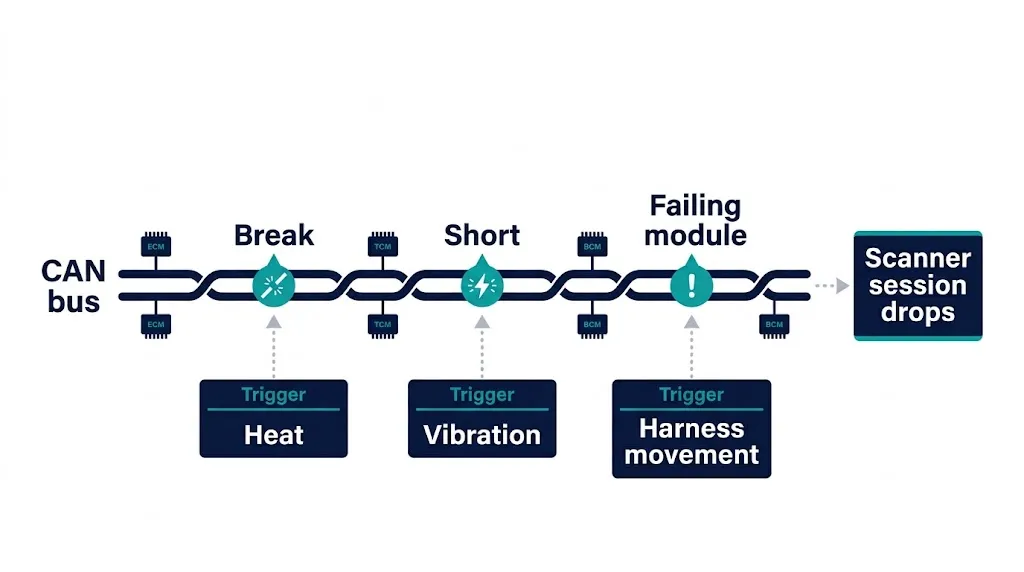
On most cars built since 2008 in the United States, the scanner talks over the CAN bus, a shared network linking control modules. A break, short, or failing module on that network can interrupt diagnostic traffic without stopping the car outright, so the scanner may start reading live data and then lose the session.
Heat and vibration can expose this fault: a connector that opens slightly as parts expand may work cold and fail after a drive, and a harness pulled when steering moves can break contact for a moment. These clues do not prove a network fault alone, but they make a port-only explanation less likely.
Our guide to how CAN bus works with OBD2 explains the two-wire design. The key home distinction is scope: if several systems act strangely together, or more than one good scanner drops out on the same car, check the vehicle side before buying another adapter. Advanced CAN checks are best left to a workshop.
Warning
Do not probe the diagnostic port with a test light or a metal tool while guessing at pins. A short between power and a data line can damage a module. If you are not sure which pin is which, stop and use the vehicle manual or a professional check.
Wireless Drops Are Often a Phone Problem, Not a Car Problem
With a Bluetooth or Wi-Fi adapter, there are two links: adapter to car, and adapter to phone. The app can lose the second while the first is fine, which is why the scanner light may stay on while the app spins or asks to reconnect.
Common phone-side causes include the app being closed by battery optimisation, the screen locking, or another device taking the Bluetooth channel. On Android, location or nearby-device permission is often needed for Bluetooth scanning. On iPhone, the Bluetooth type matters, as explained in our guide to Bluetooth OBD2 with an iPhone.
Adapter quality matters too. Low-cost ELM327 clones can struggle with protocol auto-detection or drop under heavy live-data traffic. After an update, try a fresh pairing, a lower live-data rate if offered, close other Bluetooth audio devices, and keep the phone close to the adapter.
Check in This Order, Changing One Thing at a Time
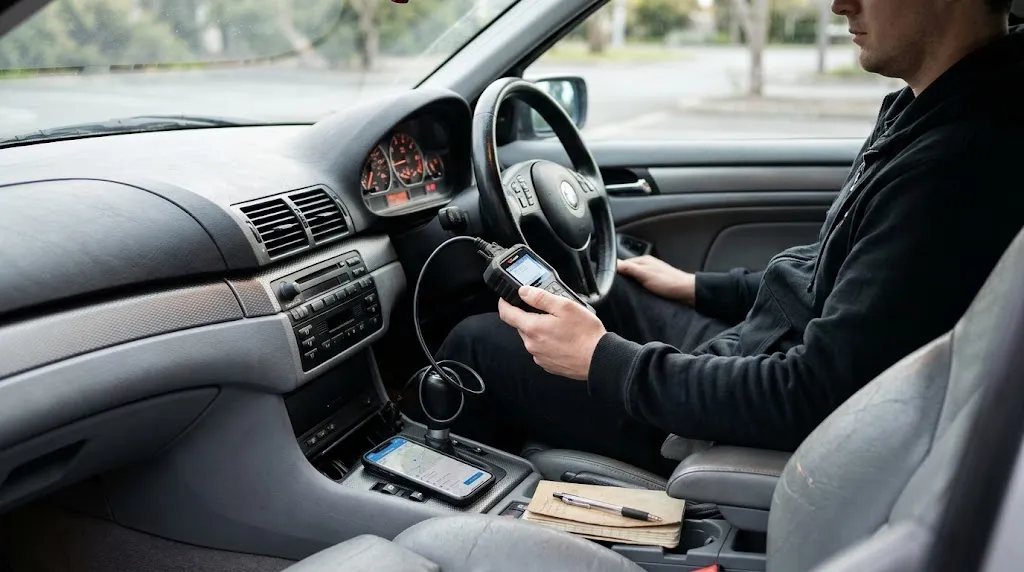
A short, ordered check finds which part of the chain changes the result.
- Reseat and retest. With the ignition on, unplug the scanner, inspect the pins, plug it straight in, and run a short scan without touching the cable.
- Try the same scanner on another car, if you safely can. Steady on a second car points back to the first car. Dropping on both points to the scanner, cable, or app.
- Try a different scanner or connection type on the problem car. If a wired scanner stays connected while a wireless adapter drops, the wireless link or app is the likely break.
- Check power and ground basics. Look for a blown port fuse, loose battery terminals, and any accessory fitted recently. Note whether drops follow cranking or large electrical loads.
- Simplify the phone side. Forget and re-pair the adapter through the app where the app expects that, grant the permissions it asks for, disable battery optimisation for that app during the test, and keep the phone nearby and awake.
- Update, then retest. Update the app and, only through the maker’s own process, the adapter firmware. Retest before changing anything else.
- Stop and escalate if the fault is vehicle-wide. If multiple scanners fail, warning lights and other systems misbehave together, or the port or wiring looks damaged, a workshop check is the sensible next step.
Our guide to how to use an OBD2 scanner covers ignition sequence and seating, both easy to rule out. Keep notes on what you changed and when the drop happened.
Tip
Record three things for each drop: ignition state, what just changed in the car, and whether the scanner light stayed on. That one line often separates a port fault from a phone fault.
Related Product
Wired OBD2 Scanner
A wired scanner removes the phone wireless link from the test, so it can help show whether drops come from Bluetooth or Wi-Fi rather than the car.
As an Amazon Associate, we earn from qualifying purchases.
Frequently Asked Questions
Can a loose OBD2 port cause an intermittent connection?
Yes. A worn, bent, or corroded pin can make contact some of the time and lose it when the plug moves, vibrates, or warms up. The scanner may still light up because power is present while a data pin is not making a reliable connection.
Why does my scanner disconnect when I start the engine?
Cranking can pull battery voltage down briefly, and a weak battery, loose terminal, or poor ground makes that dip larger. If modules reset or the adapter restarts during cranking, the session can drop even though the same setup worked with the ignition on and the engine off.
Why does a Bluetooth scanner disconnect while a wired scanner works?
That pattern points to the wireless link or app rather than the car’s diagnostic bus. Phone sleep settings, battery optimisation, competing Bluetooth devices, missing permissions, or an unstable adapter can break the phone link while the adapter stays powered.
Can a low car battery cause intermittent OBD2 problems?
Yes, because control modules need stable voltage to stay awake and answer diagnostic requests. A battery that is low, or a charging system that cannot hold voltage under load, can cause sessions to start and then fail without a clear error from the scanner itself.
Is the scanner faulty if it works on another car?
Not necessarily. Working on a second car shows the scanner can function, but it does not clear the first car’s port, wiring, fuse, protocol, or module fault. The difference between the two cars is often the clue, so compare ignition state, plug fit, and whether other scanners also fail on the problem car.
When should I stop troubleshooting and get professional help?
Get a workshop check if several scanners fail on the same car, the port or wiring is damaged, multiple warning systems misbehave together, or the fault involves safety systems. A professional can test CAN wiring, module communication, and power and ground circuits without risking damage from guessing at pins.
Conclusion
An intermittent OBD2 scanner is usually telling you where to look, not that diagnosis is impossible. Start with the plug and port, check power and ground, and separate a wireless phone drop from a vehicle-side network drop. Change one thing at a time, note when each drop happens, and test the same scanner on another car where you safely can. If the fault stays tied to one car, affects several systems, or involves damaged wiring, a professional diagnosis is the next sensible step rather than another adapter.

I’m Alex Rahman, a car enthusiast and automotive writer focused on practical solutions, car tools, and real-world driving advice. I share simple and honest content to help everyday drivers make better decisions.
