Can an OBD2 Scanner Damage an ECU? Safety Guide
Quick Answer
A compatible, properly functioning OBD2 scanner is very unlikely to damage your car’s ECU when used for routine code reading and live-data checks. Problems are more likely when equipment is defective or incompatible, electrical connections are mishandled, or advanced functions such as ECU programming are performed incorrectly.
An OBD2 scanner communicates with your vehicle’s onboard diagnostic system through the diagnostic port, allowing you to read trouble codes and, depending on the tool, monitor sensor data. Ordinary diagnostic reading is different from changing a control module’s settings or rewriting its software.
If you are worried about damaging the engine control unit (ECU), the safest approach is to use a compatible scanner, follow the vehicle and scanner instructions, and avoid functions you do not understand.
Can an OBD2 Scanner Actually Damage an ECU?
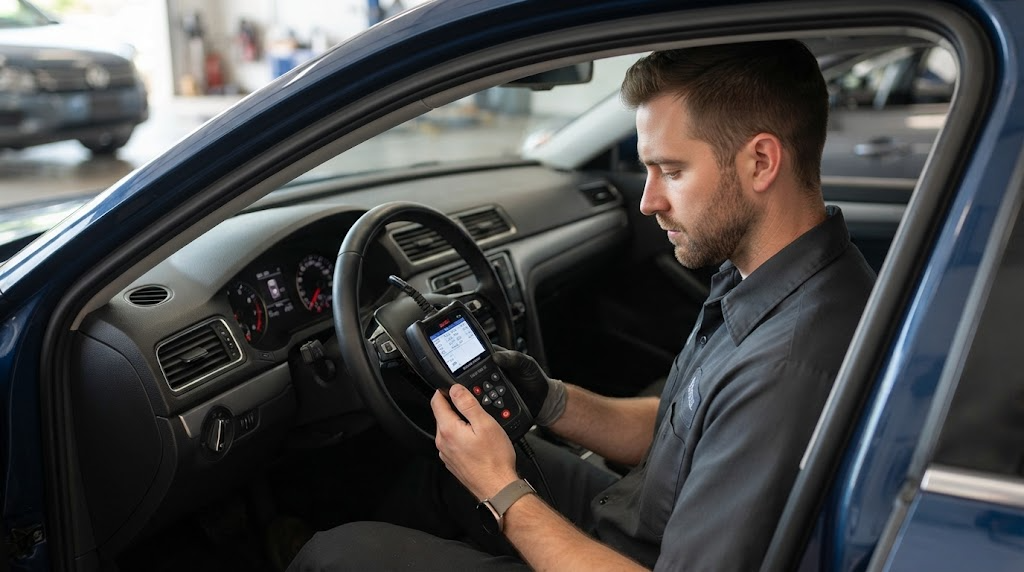
Yes, damage is possible under certain circumstances, but connecting a suitable scanner to read diagnostic trouble codes is not normally a cause of ECU failure. Standardized diagnostic tools are designed to communicate with vehicle electronics using defined protocols.
SAE International’s J1978 OBD-II scan tool standard describes the communication and diagnostic functions expected of compliant tools. It also makes clear that additional capabilities must be designed so they do not adversely affect the vehicle or the scan tool.
The important distinction is what the scanner does after it connects. Reading stored codes is generally low risk, while writing software, changing module configurations, running certain active tests, or making electrical measurements introduces different risks.
- Reading codes: Retrieves diagnostic information and is normally low risk with compatible equipment.
- Viewing live data: Displays information reported by supported vehicle systems and is generally low risk.
- Clearing codes: Requests that diagnostic information be erased; this can remove useful evidence and reset readiness monitors, but it is not the same as programming an ECU.
- Coding or programming: Changes supported configurations or writes software, so incorrect procedures can cause operational problems or leave a module unable to communicate.
A scanner displaying an error or failing to connect does not automatically mean the ECU is damaged. The cause may be a weak vehicle battery, an incorrect ignition setting, a poor connection, an incompatible tool, or a fault elsewhere in the diagnostic circuit.
What Can Cause ECU Damage When Using a Scanner?
Most routine scans do not involve changing ECU software. The greater concerns involve electrical faults, unsuitable equipment, incorrect procedures, and advanced diagnostic operations.
1. A defective or poorly designed scanner
A damaged connector, internal electrical fault, or poorly manufactured interface may create communication or electrical problems. A low price alone does not prove that a scanner is unsafe, but an unknown device with no credible documentation or compatibility information deserves caution.
Inspect the plug and cable before connecting the tool. Do not use equipment with bent pins, exposed wiring, signs of overheating, liquid damage, or a connector that fits improperly.
2. Incorrect electrical connections
The diagnostic connector supplies power and provides communication paths to vehicle electronics. Forcing a connector into the port, bridging pins with metal objects, or probing terminals incorrectly can create electrical faults.
Never assume that a pin is safe to test because it is inside the OBD2 socket. Use the correct wiring diagram and an appropriate test instrument for any electrical measurements beyond normal scanner operation.
3. Incorrect ECU programming or coding
Some advanced diagnostic equipment can perform functions beyond reading and clearing codes. Depending on the vehicle and tool, these may include module coding, adaptations, configuration changes, or software reprogramming.
Entering the wrong configuration or interrupting a programming session can cause a module to malfunction or stop communicating. Programming can require a stable power supply, the correct software and calibration, a compatible interface, and vehicle-specific procedures.
For that reason, do not start an ECU update or reflash simply to investigate a check-engine warning. Diagnose the fault first and follow the manufacturer’s instructions for the exact vehicle.
4. Low battery voltage or an unstable power supply
A weak battery can cause communication failures and unreliable diagnostic sessions. This becomes particularly important when a procedure writes data to a control module, because an interruption during programming may prevent the module from operating normally.
For routine code reading, check that the battery is in reasonable condition and follow the scanner’s power requirements. For programming, use the manufacturer-specified power-support procedure rather than relying on a weak battery.
5. Using the wrong tool for the vehicle or task
Not every scanner supports every vehicle, model year, control module, or diagnostic function. A generic code reader may support engine-related OBD2 information without supporting manufacturer-specific ABS, airbag, transmission, or body-control functions.
Confirm compatibility before attempting advanced operations. If a scanner reports that a function is unsupported, do not try to force the operation through a different menu or an unverified software application.
How to Connect and Use an OBD2 Scanner Safely
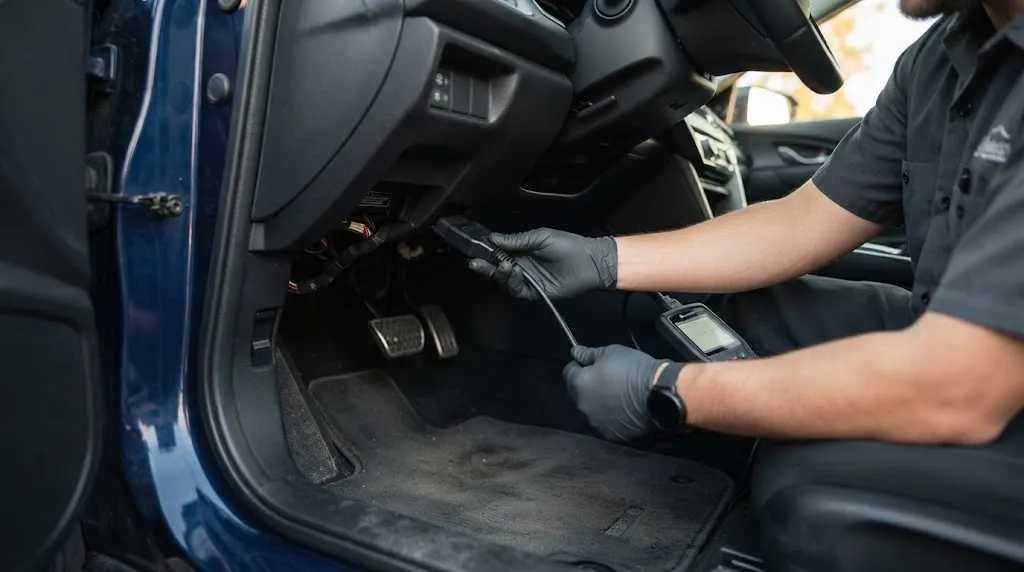
For ordinary diagnostics, the following procedure reduces avoidable connection and handling mistakes. Your vehicle or scanner manual takes priority if it specifies a different procedure.
- Confirm compatibility. Check the vehicle’s make, model, year, and the functions supported by your scanner. Do not assume that every diagnostic port uses the same supported functions.
- Inspect the equipment. Check the scanner, cable, plug, and diagnostic socket for visible damage, contamination, or bent terminals. Stop if anything appears damaged.
- Switch the ignition off before connecting. Many tool manuals recommend connecting or disconnecting with the ignition off to reduce the risk of electrical or equipment problems. Follow the instructions supplied for your specific tool and vehicle.
- Insert the connector gently. Align the plug with the diagnostic port and make sure it seats correctly. Never force it or attempt to change the pin arrangement.
- Turn the ignition to the specified position. Many routine scans use ignition on, engine off (KOEO). Some live-data checks require the engine to run, so follow the procedure for the operation you are performing.
- Read and save the diagnostic information. Record the trouble codes and available freeze-frame information before clearing anything. This preserves clues that may help identify the original fault.
- Disconnect as instructed. Finish the scan, exit any active procedure, switch the ignition off when required, and remove the connector without pulling on the cable.
Keep the vehicle stationary with the parking brake applied during stationary tests. If the engine must run, work in a well-ventilated area and keep clear of hot engine components and moving parts.
Tip
Read the codes before clearing them. Save the code numbers and any available freeze-frame data so you can investigate the original fault instead of losing useful diagnostic information.
For a fuller walkthrough, see our guide on how to use an OBD2 scanner correctly.
Is Reading Codes Safer Than Clearing Them?
Yes, reading codes is generally the more conservative first step because it retrieves information without asking the control unit to erase diagnostic records. Clearing codes is also a routine function on compatible scanners, but it has consequences that are easy to overlook.
When you clear diagnostic trouble codes, you may erase stored fault information and reset emissions readiness monitors. If the underlying problem remains, the vehicle may detect it again and switch the warning light back on.
Clearing a code does not normally repair a defective sensor, damaged wire, vacuum leak, or other underlying problem. It also should not be confused with resetting adaptations, coding modules, or programming ECU software.
If you need to clear codes after a repair, first record the original results, confirm that the repair is complete, and follow the vehicle’s recommended procedure. If you are unsure why a code appeared, investigate it before erasing the evidence. Our guide to whether clearing OBD2 codes fixes the problem explains this distinction in more detail.
What Should You Do If the Scanner Will Not Connect?
A failed connection is not proof of ECU damage. Check the simple causes first instead of repeatedly reconnecting the device or attempting advanced resets.
- Check the connector. Confirm that the scanner is fully seated and that the diagnostic port has no visible damage.
- Verify the ignition setting. The ignition may need to be on for communication, even when the engine is not running.
- Check vehicle power. A weak battery or a problem with the diagnostic-port power supply can prevent normal operation.
- Confirm tool compatibility. Check that the scanner supports the vehicle and the particular module or protocol you are trying to access.
- Stop if the problem persists. Follow the scanner manual’s troubleshooting instructions. If it still cannot communicate, seek appropriate diagnostic help rather than repeatedly forcing connections.
If the scanner suddenly shuts down, becomes unusually hot, produces smoke, or gives off an unusual smell, disconnect it only if you can do so safely and stop using it. A damaged tool should be inspected or replaced before further use.
If several vehicle modules stop communicating after a scan, warning lights appear unexpectedly, or the car develops new starting or operating problems, the cause needs to be diagnosed. Do not assume that the ECU itself has failed until power, grounds, fuses, wiring, network communication, and other plausible causes have been checked.
Can You Leave a Bluetooth OBD2 Adapter Plugged In?
Leaving an adapter connected is not usually an immediate ECU-damage risk, but it can create other concerns. Many adapters receive power from the diagnostic port even when the ignition is off, so an adapter without suitable sleep behavior may drain the battery while the vehicle is parked.
A permanently connected wireless adapter can also introduce an unnecessary access point to the vehicle’s diagnostic interface. Use a reputable device, understand its wireless security settings, and remove it when it is not needed, especially if the vehicle will remain parked for an extended period.
For a short diagnostic session, unplugging the adapter after use is a sensible precaution unless the vehicle and device documentation specifically supports continuous connection.
When Should You Avoid DIY ECU Functions?
Basic code reading is suitable for many vehicle owners, but advanced functions require more care. Avoid proceeding if you cannot verify the exact procedure or understand what the scanner is about to change.
- ECU flashing or software updates: Use the correct manufacturer procedure and stable power support.
- Module coding or configuration: Verify the vehicle-specific instructions and the original configuration before making changes.
- Bidirectional tests: Understand what component will be activated and ensure the vehicle is safely positioned.
- Electrical probing: Use an appropriate meter, correct wiring information, and the specified testing method.
- Persistent communication faults: Stop experimenting when multiple modules or vehicle functions are affected and seek systematic diagnosis.
The practical rule is simple: use a compatible scanner for routine reading, but treat any function that writes data, changes settings, or actively operates vehicle components as a separate diagnostic task.
Warning
Do not begin ECU programming or reprogramming just to see whether a warning light disappears. An interrupted or incorrect programming procedure can create problems far more serious than a stored diagnostic code.
Frequently Asked Questions
1. Can a cheap OBD2 scanner fry an ECU?
A low-cost scanner does not automatically pose a danger, and price alone cannot establish whether a device is safe. The relevant factors are its build quality, electrical condition, compatibility, and how it is used. Avoid damaged or poorly documented devices.
2. Can plugging in an OBD2 scanner while the car is running damage the ECU?
It does not automatically cause damage, but the safest connection procedure depends on the vehicle and scanner instructions. Many manuals recommend switching the ignition off before connecting or disconnecting equipment. Follow the specified procedure instead of assuming every tool works the same way.
3. Can clearing trouble codes damage the ECU?
Clearing codes through a compatible scanner is a routine diagnostic function and is not the same as rewriting ECU software. However, it can erase useful fault information and reset readiness monitors. Record the codes first and address the underlying fault.
4. Can an OBD2 scanner reset or reprogram an ECU accidentally?
A basic code reader generally does not offer ECU reprogramming. Advanced tools may provide coding, reset, or programming functions, so check the selected menu and the tool’s capabilities before confirming an operation. Do not start unfamiliar functions casually.
5. What if the check-engine light appears after using a scanner?
Record the new trouble codes and compare them with any information saved before the scan. The light may reflect an existing fault, a condition detected during testing, or a problem that needs further diagnosis. A light appearing afterward does not, by itself, prove the scanner caused ECU damage.
6. Is it safe to use an OBD2 scanner on every car?
No single scanner supports every vehicle and every function. Confirm compatibility with the vehicle’s make, model, year, and diagnostic system. A tool that supports generic engine codes may not support manufacturer-specific modules or advanced procedures.
Conclusion
A compatible OBD2 scanner used for routine code reading is very unlikely to damage your ECU. The main risks come from faulty equipment, incorrect electrical handling, incompatible functions, and mistakes during coding or programming. Inspect your tool, follow the vehicle-specific instructions, save diagnostic information before clearing codes, and leave unfamiliar ECU programming procedures to someone equipped to perform them correctly.

I’m Alex Rahman, a car enthusiast and automotive writer focused on practical solutions, car tools, and real-world driving advice. I share simple and honest content to help everyday drivers make better decisions.
