OBD2 Readiness Monitors Explained: Ready vs Not Ready
Quick Answer
OBD2 readiness monitors are built-in checks that show whether your vehicle’s computer has finished testing its emissions-control systems since the last reset. Ready means a required test has run; Not Ready means it has not finished; and Not Supported means that test does not apply to the vehicle. A clear check engine light alone does not mean the car is ready for an emissions inspection.
What Do Readiness Monitors Actually Check?
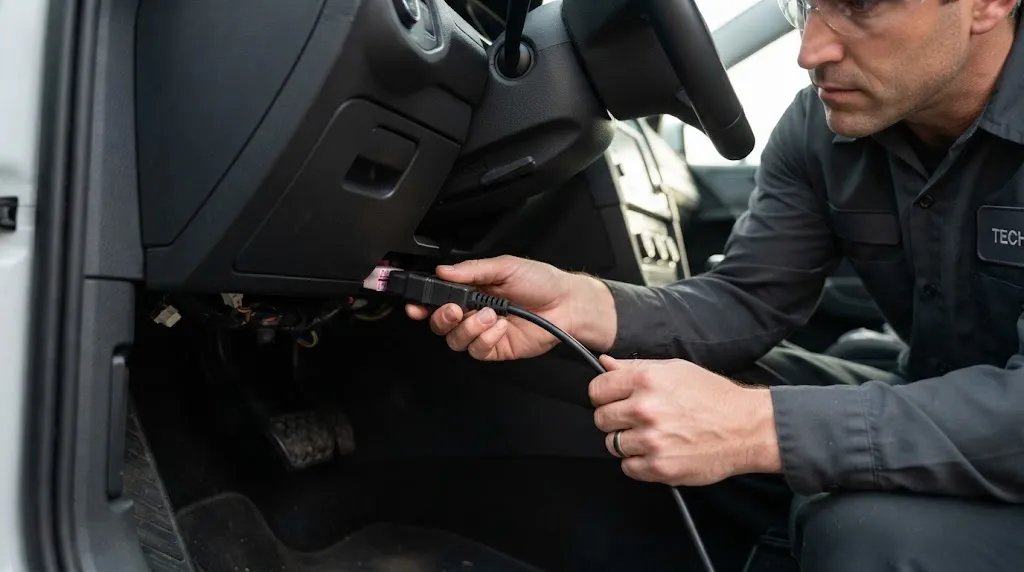
Your car’s on-board diagnostics system, often called OBD2 or OBD-II, checks whether emissions-related equipment behaves as expected. Some checks happen while the engine is operating; others require a particular combination of driving conditions before the computer can complete them.
Readiness monitors are the status flags for those self-tests. They are not sensors you replace or separate devices plugged into the engine. They are computer-managed diagnostic routines covering systems such as the catalytic converter, oxygen sensors and evaporative emissions controls.
Here is the distinction that prevents most confusion: a completed readiness monitor means the computer had enough information to finish its test. It does not certify that every part is perfect. If a completed test detects a qualifying fault, the car may store a diagnostic trouble code and eventually illuminate the check engine light. Readiness and fault status therefore answer two different questions.
What Do Ready, Not Ready and Not Supported Mean?
| Scanner status | Meaning | What to do |
|---|---|---|
| Ready / Complete | The applicable self-test has completed. | Check for trouble codes and other inspection requirements. |
| Not Ready / Incomplete | The self-test has not finished since its last reset. | Drive under the required conditions or diagnose why it cannot complete. |
| Not Supported / N/A | That monitor is not applicable to this vehicle or reported as unsupported. | Usually no action; compare with vehicle-specific information if the result seems wrong. |
For example, a vehicle without a particular emissions system may show its related monitor as Not Supported. That is different from a supported catalytic-converter monitor that still says Not Ready after the battery was disconnected.
Some scanners abbreviate these states as INC, OK or N/A, and their colored icons can vary. Read the status words or scanner manual instead of assuming every green or red symbol means the same thing.
Which OBD2 Monitors Are Continuous and Non-Continuous?
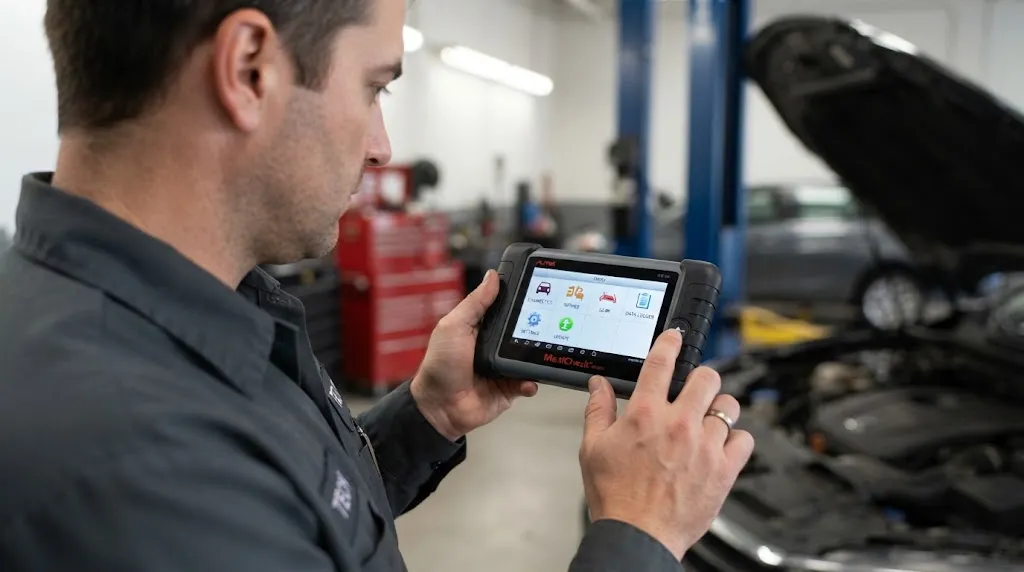
Traditional OBD-II guidance describes up to 11 emissions-related monitor categories. Three are continuous, while the other eight run only when their enabling conditions are met. Your car does not necessarily support all 11. Diesel vehicles and newer control systems may display different or additional manufacturer- and standard-specific monitor names.
Continuous monitors
- Misfire: checks for combustion problems that may increase emissions or damage the catalytic converter.
- Fuel system: watches fuel-control operation, including the computer’s ability to adjust the fuel mixture.
- Comprehensive components: checks relevant electrical components and signals used by engine and emissions controls.
These checks operate frequently during normal engine operation rather than waiting for one specialized drive pattern. Their readiness is generally treated differently from non-continuous monitors during inspection; anomalous status readings can sometimes reflect vehicle/scanner compatibility issues.
Non-continuous monitors
- Catalyst: evaluates catalytic-converter effectiveness.
- Oxygen sensor: checks oxygen-sensor performance.
- Oxygen sensor heater: checks the heater circuit used to bring certain sensors to operating temperature.
- EVAP: checks evaporative fuel-vapor control, including certain leak-detection functions.
- EGR/VVT: monitors applicable exhaust gas recirculation or variable valve timing functions.
- Secondary air: checks an equipped secondary-air injection system.
- Heated catalyst: applies to vehicles equipped with that technology.
- A/C refrigerant: a legacy monitor category not applicable to most vehicles.
A non-continuous monitor may need an engine warm-up, a cold start, steady cruising, particular fuel level, acceptable ambient temperature or a combination of conditions. The exact recipe comes from the vehicle manufacturer, not from one universal mileage rule.
Why Are My Readiness Monitors Not Ready?
The most common reason is that the computer’s diagnostic information was recently reset. Clearing trouble codes with a scan tool or interrupting battery power can erase completed readiness status, even when the original repair was successful.
Another ordinary reason is that the car has not been driven in the pattern required for one or more tests. A short commute through stop-and-go traffic might never create the steady-speed or cold-start conditions a particular monitor needs.
Sometimes incomplete status is more than a timing issue. An active or pending emissions fault, a sensor reading outside the required operating range, insufficient fuel, unusually hot or cold conditions, or a vehicle-specific software problem may prevent a test from finishing.
Key Insight
Not Ready is not a diagnostic trouble code. It tells you a test is unfinished, not why. The next useful step is to identify the exact monitor and whether any stored or pending codes exist.
How Do You Check Readiness Monitors With an OBD2 Scanner?
Most scan tools with emissions-readiness support can show these results without erasing anything. You can check the status even if the check engine light is off.
- Park safely. Put the transmission in Park or Neutral as appropriate, set the parking brake and follow the scanner’s instructions for ignition position.
- Connect to the diagnostic port. The standard OBD2 connector is normally inside the cabin near the driver’s side dashboard.
- Open the readiness function. Look for “I/M Readiness,” “Emissions,” “Monitor Status” or a similar menu name.
- Read every supported monitor. Write down which ones say Ready, Not Ready or Not Supported. Also check the MIL/check engine status.
- Read trouble codes separately. Check stored and pending codes before deciding that more driving is the only necessary step.
Some tools offer both “since DTCs cleared” and “this drive cycle” readiness screens. For preparation for an emissions inspection, the since codes cleared results are generally the relevant snapshot; a monitor incomplete on the current trip may already be complete in the longer-term readiness record.
A basic code reader may show only summary icons. A fuller live-data-capable scanner may show monitor names and supporting information, but neither type can reliably force every self-test to finish on command.
How Can You Get Readiness Monitors to Set?
Usually, complete the vehicle’s specified drive cycle after addressing any actual fault. Driving is what allows the car’s computer to observe the required operating conditions and run its emissions tests.
- Check for codes first. If an active fault remains, diagnose and repair it rather than repeatedly clearing the computer.
- Confirm the basics. Ensure the car reaches normal operating temperature, the battery is healthy and the fuel level satisfies any vehicle-specific EVAP requirements.
- Find the manufacturer drive cycle. Use service information for your exact year, make, model and engine. Generic advice cannot cover every calibration.
- Drive safely and legally. Follow appropriate cold-start, city-driving, steady-cruise and deceleration instructions where specified. Never attempt an unsafe speed or maneuver to make a monitor complete.
- Rescan without clearing. Check which monitors changed to Ready and which still need attention.
If manufacturer instructions are unavailable, several days of ordinary mixed driving may be a sensible initial attempt. California’s Air Resources Board suggests roughly a week of normal use after readiness has been reset. That is a practical starting point, not a guarantee or a fixed mileage requirement for every car.
The EVAP monitor is a common source of delay because its self-check may require specific fuel level and temperature conditions. Filling the tank completely just before a test is not a universal solution and may keep certain EVAP tests from running.
Warning
Do not clear codes or disconnect the battery just before an emissions test to turn off the check engine light. This typically resets readiness and may cause the vehicle to be rejected or fail inspection. Diagnose the fault, complete repairs and allow the monitors to run.
Can You Pass an Emissions Test With a Monitor Not Ready?
Possibly, but the answer depends on the inspection jurisdiction, vehicle model year, fuel type and which monitor is incomplete. There is no reliable nationwide rule that one incomplete monitor is always acceptable.
In California, the Bureau of Automotive Repair publishes specific OBD test criteria and a vehicle-exception reference. Its published reference has allowed one unspecified non-continuous monitor on 1996–1999 gasoline vehicles, the EVAP monitor on 2000-and-newer gasoline vehicles, no incomplete monitors on certain older diesel vehicles, and only specified diesel-related monitors on 2007-and-newer diesels.
However, California adopted tighter regulations effective October 1, 2025, with a phased, data-driven implementation. The agency says its earlier practical pass/fail criteria remain in place until particular updates are implemented, and some vehicles may receive exceptions. Because these rules can change, confirm the requirements for your vehicle using the California BAR OBD test reference or your own state’s inspection authority instead of relying on an old online chart.
There is also more to passing than monitor status. A commanded-on malfunction indicator lamp, inspection communication problems or other failed test checks can prevent a pass even when all supported readiness monitors show complete.
When Does an Incomplete Monitor Need Diagnosis?
If a specific monitor never finishes after the proper drive cycle and enough normal use, stop treating the issue as a simple mileage problem. Repeatedly driving aimlessly can waste time without changing the reason the test cannot begin.
First, compare actual conditions with the vehicle’s enable criteria. For example, a cooling-system issue that keeps the engine too cold may prevent certain checks. An EVAP test might wait for a narrower fuel or ambient-temperature window. A relevant pending trouble code may also help explain the pattern.
Next, look for model-specific technical service information. Some vehicles have documented monitor-readiness anomalies requiring a particular procedure or software update. California BAR maintains a list of vehicles with known OBD test difficulties; the EPA also discusses readiness-related software and testability problems in its inspection and maintenance guidance.
A qualified technician can check freeze-frame data, fuel trims, sensor behavior and factory monitor prerequisites when a basic reader shows only the final incomplete status. This becomes especially useful when an inspection deadline is close or when the same monitor remains unset through repeated correct drive cycles.
Related Product
OBD2 Scanner With I/M Readiness Display
A compatible code reader with a dedicated I/M readiness menu lets you check incomplete monitors before visiting an emissions-test station.
As an Amazon Associate, we earn from qualifying purchases.
Frequently Asked Questions
Can readiness monitors reset on their own?
Completed monitors usually remain ready until diagnostic information is cleared or interrupted by certain power, repair or computer-reset events. A vehicle-specific fault or software issue can produce unusual behavior.
Does a Not Supported monitor count as a failure?
Normally, no. Not Supported means the car does not report that test as applicable. If a monitor seems unexpectedly unsupported, compare the result with the manufacturer’s specifications or another compatible scanner.
Can a readiness monitor be ready while a trouble code is stored?
Yes. Readiness shows whether a self-test completed, while trouble codes report detected faults. Both need to be checked separately.
Will idling in the driveway complete all the monitors?
No. Some tests require road speed, load, temperature changes or driving transitions that stationary idling cannot provide.
Do diesel vehicles use the same monitor list as gasoline vehicles?
Not always. Diesel emissions-control systems can have different applicable monitors, including checks associated with particulate filtration and exhaust aftertreatment. Use the vehicle-specific scanner results and inspection rules.
Should I clear a pending code to make readiness complete faster?
No. Clearing codes can reset completed monitor status and erase useful diagnostic clues. Identify the cause of a pending code before taking action.
The Bottom Line
OBD2 readiness monitors tell you whether the vehicle has completed its emissions self-checks, not simply whether the dashboard looks clear. Scan the readiness results, check stored and pending codes, then follow the correct drive cycle for any incomplete supported monitor. Verify your local inspection rules before heading to the test station.

I’m Alex Rahman, a car enthusiast and automotive writer focused on practical solutions, car tools, and real-world driving advice. I share simple and honest content to help everyday drivers make better decisions.
