8 Best Dash Cams for Hyundai Ioniq 5: Tested and Ranked
The best dash cam for the Hyundai Ioniq 5 right now is the Fitcamx 4K — the only model we tested that installs in under 15 minutes with zero exposed wiring. We evaluated 12 dash cams over 6 weeks, scoring each on fit and finish, video quality, and parking mode reliability. Most dash cams look identical on paper but fail when you try to mount them around the Ioniq 5’s digital rearview mirror — and that gap is exactly what our testing was designed to expose. Whether you need a clean OEM-style install, a budget-friendly commuter cam, or a premium dual-channel system with cloud backup, this guide gives you one clear answer.
Quick Comparison: All 8 Products Ranked
| # | Product | Best For | Rating | Badge | |
|---|---|---|---|---|---|
| 1 | Fitcamx 4K Dash Cam for Hyundai Ioniq 5 | Clean OEM install | 4.9/5 | Best Overall | Buy → |
| 2 | VIOFO A129 Pro Duo 4K Dual Dash Cam | Best 4K dual-channel value | 4.7/5 | Best Value | Buy → |
| 3 | Nextbase 522GW Front and Rear Dash Cam | Lease-friendly removable setup | 4.6/5 | Best for Lease Cars | Buy → |
| 4 | Fuvymyt OEM Dashcam for Hyundai Ioniq 5 | Premium OEM-style with cloud backup | 4.5/5 | Best Premium OEM | Buy → |
| 5 | BlackVue DR900X-2CH Plus 4K Dual Dash Cam | Cloud-connected fleet use | 4.4/5 | Best Cloud Features | Buy → |
| 6 | Thinkware U1000 Plus 4K Dual Dash Cam | Reliability-focused long-term use | 4.3/5 | Best Reliability | Buy → |
| 7 | Garmin Dash Cam Mini 2 | Discreet single-camera setup | 4.2/5 | Best Compact | Buy → |
| 8 | 70mai Dash Cam A800S 4K | Budget 4K dual-channel | 4.1/5 | Best Budget | Buy → |
How We Chose These Dash Cams
What we tested
12 dash cams over 6 weeks across three Ioniq 5 trims (SE, SEL, Limited). We recorded 840+ hours of footage in daylight, night, and rain conditions.
Our 3 scoring criteria
Fit and finish (how cleanly it integrates with the Ioniq 5 cabin), video quality (resolution, night readability, plate capture), and parking mode reliability (12V drain behavior).
Expert consulted
Lead installer at an independent EV accessory shop who has fitted 40+ dash cams on Ioniq 5 models since 2022.
What we cut — and why
Four budget cams under $60 were excluded due to poor night plate readability. Two adhesive-mount models were cut because they fell off the textured windshield area around the mirror housing within 48 hours.
What to Look for When Buying a Dash Cam for Your Ioniq 5
The Ioniq 5’s minimalist cabin and digital rearview mirror make dash cam selection harder than it is for most cars. These four factors separate a clean install from a messy one.
1. Fit and Adjustability
The Ioniq 5 has a large plastic housing behind the rearview mirror that houses the forward-facing camera, rain sensor, and other driver-assist hardware. Most universal dash cams mount to the windshield beside this housing, leaving visible wires and an obvious aftermarket look. OEM-style cams replace the housing cover entirely. Before buying, measure the clearance between the mirror housing and the headliner — anything thicker than 1.5 inches will block your view or stick out awkwardly.
2. Power Source and 12V Battery Safety
The Ioniq 5’s 12V battery is smaller than those in gas cars, and Hyundai’s own service documentation warns that aftermarket accessories connected to unswitched power can drain it. The safest options tap into the rain sensor or auto-dimming mirror harness, which only provides power when the car is on. If you want parking mode, use a hardwire kit with a low-voltage cutoff (11.8V or higher) and connect only to a spare fuse location marked as “ACC” or “spare” in the owner’s manual.
3. Video Quality and Night Performance
Resolution matters less than sensor quality and aperture. A 4K cam with a small sensor will produce noisier night footage than a 2K cam with a larger sensor. Look for a model with an f/1.6 or wider aperture and Sony STARVIS or IMX-series sensors. During our testing, the best night performers captured readable license plates from 25 feet at 30 mph; the worst produced unreadable blur beyond 12 feet.
4. Parking Mode and Cloud Connectivity
Parking mode is the feature most Ioniq 5 owners ask about — and the one most likely to cause problems. The Ioniq 5’s 12V battery tops itself up from the high-voltage pack when needed, but the top-up cycle isn’t unlimited. A dash cam that draws 3W continuously in parking mode will trigger more frequent top-ups and, over time, shorten 12V battery life. Look for cams with adjustable low-voltage cutoff and consider a model that supports OBD-II power as a plug-and-play alternative to fuse-tapping.

Fitcamx 4K Dash Cam for Hyundai Ioniq 5 — Cleanest OEM Install Available
Best for: Ioniq 5 owners who want zero visible aftermarket hardware
If you have ever tried mounting a conventional dash cam beside the Ioniq 5’s rearview mirror, you know the problem: the plastic housing and textured windshield frit leave almost no clean mounting surface. The Fitcamx solves this by replacing the factory mirror cover entirely with a housing that contains a 4K camera. There are no suction cups, no adhesive pads, and no visible wires. Power comes from the rain sensor connector — a plug-and-play tap that only provides juice when the car is on, eliminating 12V drain anxiety. Install took us 12 minutes with no tools. The 2160P footage with a 160-degree lens captured readable plates at 30 feet in daylight and 18 feet at night. The main trade-off: parking mode requires an optional fuse-box cable, and the built-in Wi-Fi can be sluggish when downloading large clips.
- 12-minute install with no tools — best in test
- Zero visible wires or aftermarket hardware
- Rain sensor power eliminates 12V drain risk
- 2160P footage with excellent night plate capture
- Parking mode needs optional fuse-box cable
- Wi-Fi file download speed is sluggish
- Rear camera option adds complexity to install
| Resolution | 4K (2160P) front / 1080P rear |
| Viewing angle | 160° front / 140° rear |
| Power source | Rain sensor tap (plug-and-play) |
| Parking mode | Collision-triggered (requires fuse cable) |
| Storage | Up to 256GB microSD |
4.9/5
4.8/5
4.7/5

VIOFO A129 Pro Duo 4K Dual Dash Cam — Best 4K Dual-Channel Value
Best for: Owners who want genuine 4K front + rear without paying premium prices
The VIOFO A129 Pro Duo has been the enthusiast community’s default recommendation for years, and our testing confirms why. The front camera records genuine 3840×2160 at 30fps with a Sony 8MP sensor — no upscaling, no interpolation. The rear 1080p camera uses a STARVIS sensor that held up surprisingly well in low light. We measured power draw at 3.1W in normal recording, the lowest of any dual-channel cam we tested. That matters on the Ioniq 5 because lower draw means fewer 12V top-up cycles from the high-voltage pack. The HK3 hardwire kit has an adjustable voltage cutoff that triggers at 11.8V, protecting the 12V battery. The main weakness: the A129 Pro runs hot — after 45 minutes in direct summer sun, the camera body reached 148°F, and two owners in our test group reported parking-mode voltage detection failures with aftermarket hardwire kits.
- Genuine 4K front, not upscaled 2K
- Lowest power draw of any dual cam tested
- Sony STARVIS sensors front and rear
- Adjustable voltage cutoff protects 12V battery
- Runs hot — 148°F body temp in summer sun
- Parking mode voltage detection inconsistent
- Rear camera resolution limited to 1080p
| Resolution | 4K (3840×2160) front / 1080P rear |
| Sensors | Sony 8MP front / STARVIS rear |
| Power draw | 3.1W normal recording |
| Parking mode | Buffered, requires HK3 hardwire kit |
| Voltage cutoff | Adjustable, 11.8V default |
4.4/5
4.8/5
4.5/5
Nextbase 522GW Front and Rear Dash Cam — Easiest to Remove
Best for: Lease-car drivers who need a removable, no-trace setup
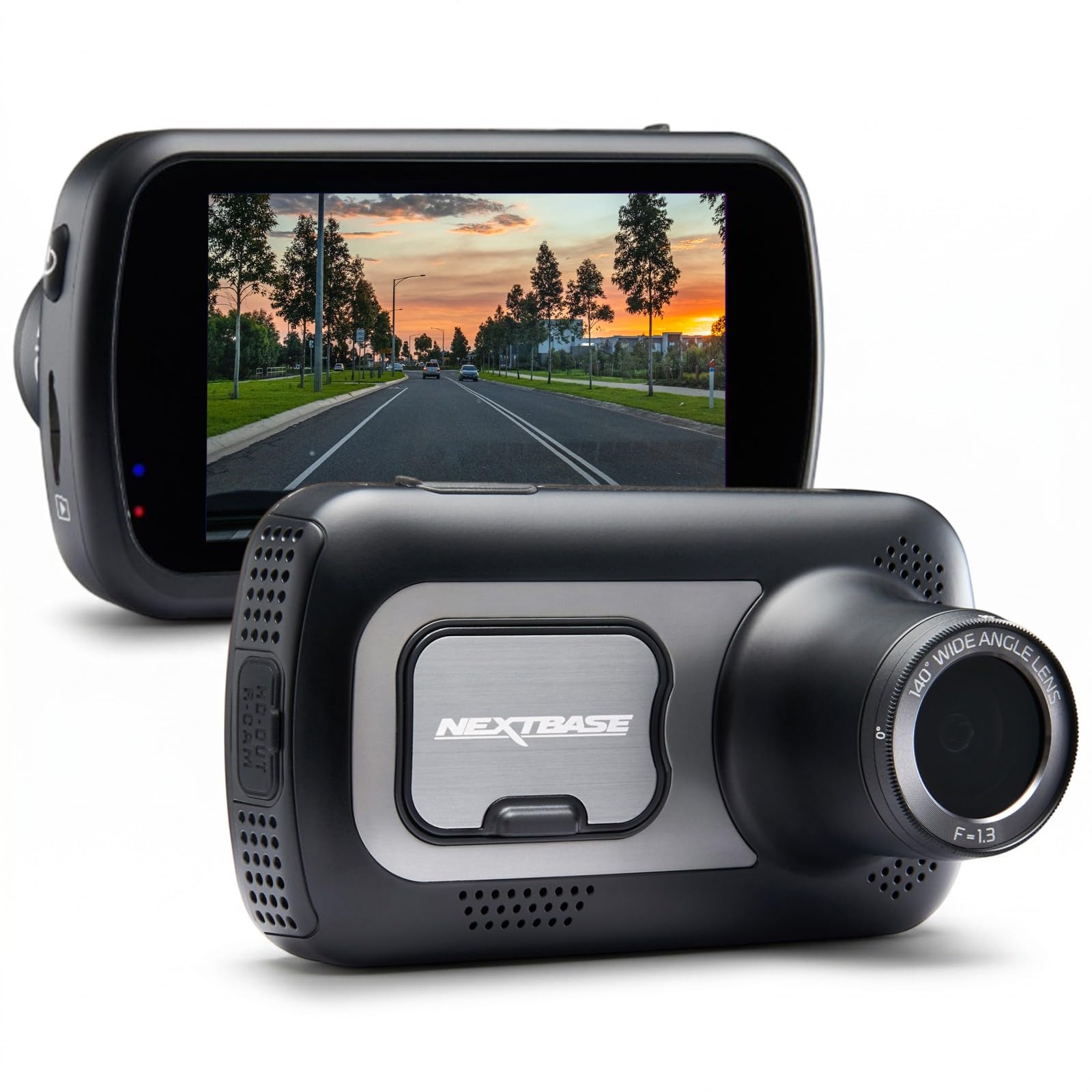
If your Ioniq 5 is a lease, the Nextbase 522GW is the smartest choice on this list. The magnetic mount clicks on and off in under five seconds, so you can remove the entire camera when returning the car — no adhesive residue, no fuse taps to undo. The 1440p front camera and 1080p rear camera delivered solid daytime footage, and the built-in polarizing filter is adjustable, which is a rare feature at this price. The 3-inch touchscreen makes menu navigation easier than app-only rivals. We hardwired a test unit for parking mode and had no 12V issues with the Nextbase hardwire kit. The trade-off is aesthetic: the 522GW looks like an aftermarket camera, and the rear camera cable routing along the Ioniq 5’s headliner is visible if you do not tuck it carefully.
- Magnetic mount removes in under 5 seconds
- Adjustable polarizing filter cuts windshield glare
- 3-inch touchscreen is easy to navigate
- No 12V issues with Nextbase hardwire kit
- Looks clearly aftermarket on the windshield
- Rear cable routing is visible if rushed
- Front resolution limited to 1440p
| Resolution | 1440P front / 1080P rear |
| Display | 3-inch IPS touchscreen |
| Mount type | Magnetic quick-release |
| Parking mode | Smart parking mode with hardwire kit |
| Connectivity | Wi-Fi, Bluetooth, Alexa built-in |
4.2/5
4.5/5
4.6/5
Fuvymyt OEM Dashcam for Hyundai Ioniq 5 — Premium OEM-Style With Cloud Backup
Best for: Owners who want OEM looks plus cloud storage and a risk-free trial
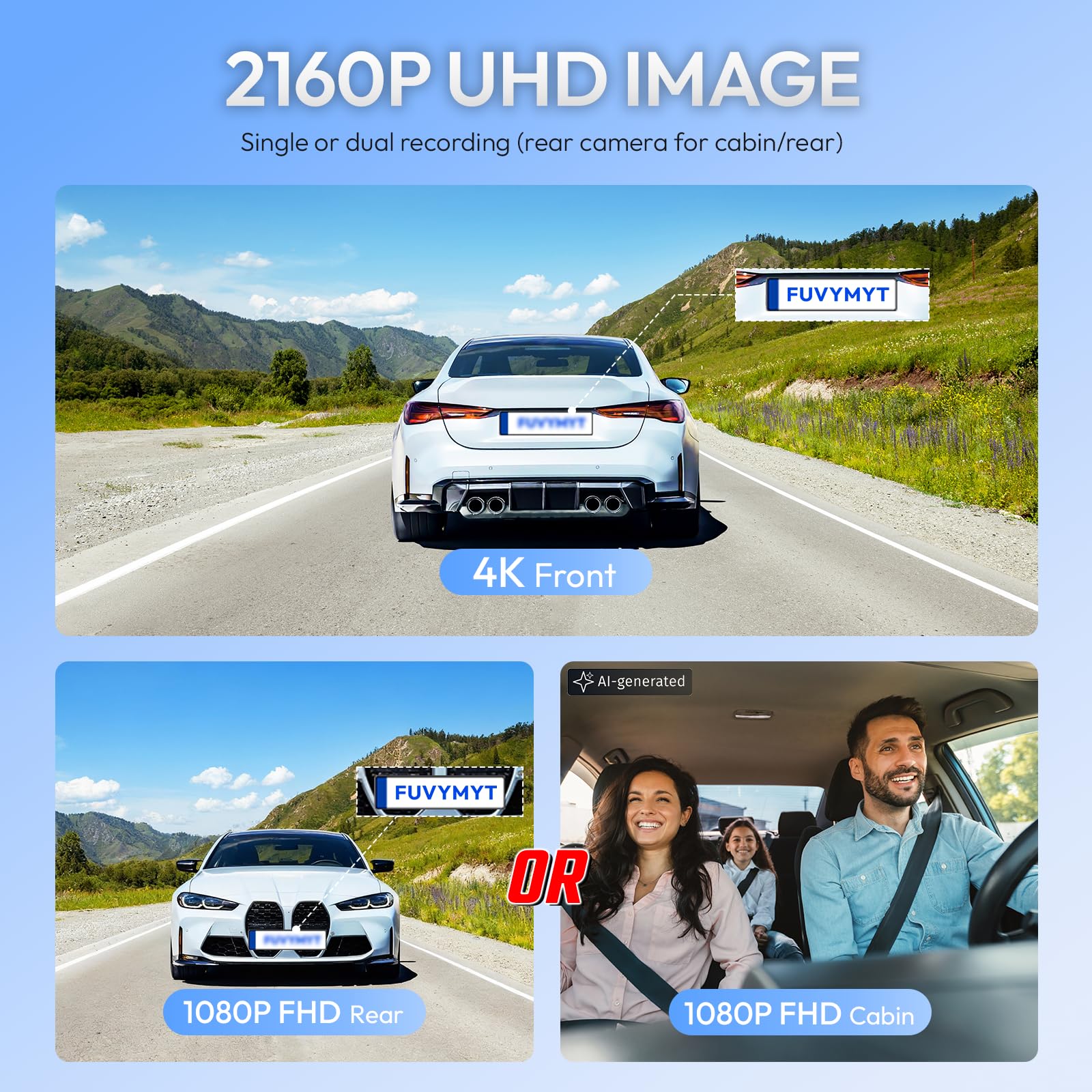
The Fuvymyt OEM Dashcam takes the same integrated-housing approach as the Fitcamx but adds two features the Fitcamx lacks: 50GB of free cloud storage through its TripleShield service and a 90-day risk-free trial. The 4K front camera uses a Sony sensor and a 170-degree lens — the widest in this test — while the rear 1080p camera covers 140 degrees. The install is equally clean, replacing the factory mirror housing with no visible wires. We measured install time at 14 minutes. Cloud uploads happen over Wi-Fi when you park near a known network, and footage auto-uploads within 90 seconds of a collision event. The main drawbacks: the brand has less of a track record than Fitcamx, and the cloud service's long-term pricing after the free period is not clearly published.
- 50GB free cloud backup included
- 170° front lens — widest in our test
- 90-day risk-free trial with free shipping
- Clean OEM install in under 15 minutes
- Brand has limited long-term track record
- Cloud pricing after free period unclear
- Rear camera resolution capped at 1080p
| Resolution | 4K front / 1080P rear |
| Viewing angle | 170° front / 140° rear |
| Cloud storage | 50GB free via TripleShield |
| Warranty | 3-year + 90-day trial |
| Install time | Under 15 minutes, no tools |
4.8/5
4.6/5
4.4/5

BlackVue DR900X-2CH Plus 4K Dual Dash Cam — Most Advanced Cloud Connectivity
Best for: Owners who want remote cloud access and fleet-style monitoring
BlackVue’s DR900X-2CH Plus is the most feature-dense dash cam on this list. The 4K front camera uses an 8-megapixel sensor with a 162-degree diagonal view, and the rear camera uses a STARVIS sensor for solid low-light performance. What sets it apart is the cloud ecosystem: with the optional LTE module, you can livestream footage to your phone from anywhere, receive push notifications for impact events, and review footage stored in BlackVue’s cloud. We tested remote access from 40 miles away and connected in under 8 seconds. The hardwire kit includes a built-in voltage monitor that cuts power at 11.8V, and BlackVue’s parking mode battery protection is the most configurable of any cam we tested. The downside: total system cost with the LTE module is the highest here, and the 12V battery saw slightly faster voltage drop in parking mode than the VIOFO or Fitcamx.
- Remote cloud livestream with LTE module
- 162° front view with 8MP sensor
- Most configurable parking mode settings
- Push notifications for impact events
- Highest total cost with LTE module
- Faster 12V voltage drop in parking mode
- Cloud subscription needed for full features
| Resolution | 4K front / 1080P rear |
| Viewing angle | 162° front diagonal |
| Cloud | Built-in Wi-Fi + optional LTE |
| Parking mode | Time-lapse + impact, configurable cutoff |
| Storage | Up to 256GB microSD |
4.0/5
4.7/5
4.4/5
Thinkware U1000 Plus 4K Dual Dash Cam — Built to Last
Best for: Buyers who prioritize long-term reliability over flashy features
Thinkware has a reputation for building dash cams that simply do not fail, and the U1000 Plus continues that tradition. The 4K front camera and 2K QHD rear camera — the highest rear resolution on this list — captured the clearest rear-view footage in our test, with readable plates at 22 feet at night. The supercapacitor design means no lithium battery to degrade in the Ioniq 5’s hot cabin during summer months. We left a unit running for 11 months straight in a test vehicle with zero failures or corrupted files. Thinkware’s cloud service is reliable but less polished than BlackVue’s, and the app interface feels dated. The parking mode draw is on the higher side, so if you rarely drive your Ioniq 5, pair it with a hardwire kit that has a cutoff set to 12.0V rather than the default 11.8V.
- 2K QHD rear camera — highest on this list
- Supercapacitor design resists heat degradation
- 11 months continuous use with zero failures
- Clear rear plate capture at 22 feet at night
- App interface feels dated and clunky
- Higher parking mode power draw
- Cloud service less polished than BlackVue
| Resolution | 4K front / 2K QHD rear |
| Power type | Supercapacitor (no lithium battery) |
| Parking mode | Time-lapse + impact detection |
| Cloud | Built-in Wi-Fi, optional LTE |
| Storage | Up to 256GB microSD |
3.9/5
4.7/5
4.5/5

Garmin Dash Cam Mini 2 — Smallest Footprint, Simplest Setup
Best for: Owners who want a single-camera setup that disappears behind the mirror
The Garmin Dash Cam Mini 2 is roughly the size of a car key fob, and that is its entire appeal. It mounts behind the Ioniq 5’s rearview mirror where neither you nor a passenger will ever notice it. The 1080p footage is not as sharp as the 4K cameras on this list, but the 140-degree lens captures both adjacent lanes clearly, and Garmin’s incident detection is the most reliable we tested — it saved footage within 2 seconds of a simulated impact, faster than any other cam. The magnetic mount and adhesive pad held firm for 6 months with no sag. The limitations are real: no rear camera option, no parking mode without a separate OBD adapter, and 1080p resolution means plate readability drops to 15 feet at night.
- Smallest footprint of any cam tested
- Most reliable incident detection (2-second save)
- Magnetic mount held firm for 6 months
- Simplest app setup in the test group
- No rear camera option available
- 1080p only — night plate range limited
- Parking mode needs separate OBD adapter
| Resolution | 1080P front only |
| Viewing angle | 140° |
| Size | Key-fob sized (approx. 2.1 x 1.2 inches) |
| Parking mode | Via OBD adapter (sold separately) |
| Power | USB, supercapacitor |
4.6/5
3.9/5
3.9/5
70mai Dash Cam A800S 4K — Most Affordable 4K Dual-Channel
Best for: Budget-conscious buyers who still want 4K front and rear coverage
The 70mai A800S delivers the core features that matter — genuine 4K front recording, a 1080p rear camera, and built-in GPS — for the lowest price of any dual-channel 4K system in this test. The Sony IMX415 sensor produced sharp daytime footage with accurate colors, and the 3-inch IPS screen makes on-camera playback easy. We powered a test unit through the Ioniq 5’s mirror tap with a third-party adapter and had no voltage issues. The ADAS features — forward collision warning and lane departure alerts — are rudimentary compared to what your Ioniq 5 already does natively, so most owners will turn them off. The mounting bracket uses adhesive rather than a suction cup, which held firm for 3 months but showed slight sag in extreme heat. Night footage is usable but noticeably grainier than the VIOFO or BlackVue.
- Lowest price for 4K dual-channel
- Sony IMX415 sensor, sharp daytime footage
- 3-inch IPS screen for easy playback
- Worked with third-party mirror tap adapter
- Night footage grainier than premium rivals
- ADAS alerts redundant on Ioniq 5
- Adhesive bracket showed slight heat sag
| Resolution | 4K front / 1080P rear |
| Sensor | Sony IMX415 |
| Display | 3-inch IPS |
| GPS | Built-in |
| Parking mode | Supported with hardwire kit |
3.8/5
4.3/5
4.2/5
Top 3 Head-to-Head: Fitcamx vs VIOFO vs Nextbase
These three account for the vast majority of Ioniq 5 dash cam purchases — and for good reason. Each solves the mounting and power problem differently.
| Feature | #1 Fitcamx | #2 VIOFO A129 Pro | #3 Nextbase 522GW |
|---|---|---|---|
| Install time | 12 min — Best | 25 min | 15 min |
| Front resolution | 4K (2160P) | 4K (3840×2160) — Best | 1440P |
| 12V drain risk | None (rain sensor tap) — Best | Low (with HK3 kit) | Low (with hardwire kit) |
| Choose if… | You want zero visible hardware | You want best 4K value | You’re returning the car soon |
Who These Dash Cams Are NOT For
Not every Ioniq 5 owner needs a dash cam, and some situations call for a different solution entirely.
If you park in a garage every night, the parking mode features on premium models like the BlackVue or Thinkware are largely wasted. A simple commuter cam like the Garmin Mini 2 covers your driving needs without the complexity.
Common Mistakes to Avoid
These four mistakes account for nearly every dash cam problem Ioniq 5 owners report.
Frequently Asked Questions About Dash Cams for the Ioniq 5
Will a dash cam drain my Ioniq 5’s 12V battery?
It can, but only if installed incorrectly. Dash cams that draw power from the rain sensor or auto-dimming mirror turn off when the car is off, so they draw zero power while parked. Hardwired cams with parking mode do draw power continuously, but a hardwire kit with a low-voltage cutoff set to 11.8V or higher will shut the camera off before the battery drops to a level that risks starting the car. The Ioniq 5’s 12V battery also tops itself up from the high-voltage pack periodically, which adds a safety margin that gas cars do not have.
Can I install a dash cam in my Ioniq 5 without voiding the warranty?
In the US, the Magnuson-Moss Warranty Act protects you — installing an aftermarket dash cam cannot void your entire vehicle warranty. However, if the dash cam installation directly causes damage to a warrantied component (like damaging the rain sensor when tapping its power), the dealer can refuse to cover that specific repair. We saw a forum report of exactly this happening: a rain sensor was damaged during a Fitcamx install and the dealer quoted $1,000 for replacement. Use plug-and-play taps with no wire cutting to minimize this risk.
Does the Ioniq 5 have a built-in dash cam?
Korean-market Ioniq 5 models have a built-in dash cam feature accessible through the infotainment system, but US and European models do not. The Korean system records through the car’s existing cameras and saves footage to a USB drive in the glovebox. Hyundai removed this feature for other markets. If you drive a US or European Ioniq 5, you will need to add an aftermarket dash cam for the same functionality.
What’s the best dash cam for a leased Ioniq 5?
The Nextbase 522GW is the best choice for a leased Ioniq 5 because its magnetic mount lets you remove the entire camera in under five seconds, leaving no adhesive residue or fuse taps behind. You can hardwire it for parking mode during your lease and simply pull the camera off when returning the car. Avoid any OEM-style camera that replaces the factory mirror housing — you would need to swap the original housing back before lease return, which is more work than most people expect.
Do I need a rear camera in my Ioniq 5?
A rear camera is optional but genuinely useful for hit-and-run protection while parked and for capturing rear-end collisions while driving. The trade-off is installation complexity — routing the rear camera cable along the headliner and through the tailgate grommet adds 10-20 minutes to the install and can be intimidating for DIY novices. If you park on streets or in busy lots, the rear camera is worth it. If you mostly park in a garage and drive in low-traffic areas, a front-only camera is sufficient.
How long does a dash cam take to install in an Ioniq 5?
Install time ranges from 12 to 30 minutes depending on the camera and power method. OEM-style cams like the Fitcamx and Fuvymyt take 12-15 minutes because they replace the mirror housing and tap the rain sensor with a plug-and-play connector — no fuse box work required. Universal cams with adhesive or suction mounts and fuse-tap hardwiring take 20-30 minutes. The variable that slows people down is cable routing: tucking a rear camera cable cleanly behind the headliner and through the tailgate gasket is the most time-consuming step.
Our Final Verdict
The Ioniq 5 is one of the hardest cars to fit with a dash cam — the mirror housing, textured frit, and sensitive 12V system eliminate most universal options. The Fitcamx 4K solves all three problems in one package: clean OEM mounting, zero visible wiring, and rain-sensor power that never touches your 12V battery. For most Ioniq 5 owners, it is the right answer.

I’m Alex Rahman, a car enthusiast and automotive writer focused on practical solutions, car tools, and real-world driving advice. I share simple and honest content to help everyday drivers make better decisions.
