10 Best Dash Cam for Parking Surveillance: Top Features to Consider
A dash cam records video from your vehicle and can provide useful evidence after a crash, break-in, or parking dispute. Models with parking surveillance add protection while the engine is off by using motion detection, impact sensors, or time-lapse recording.
For reliable parking surveillance, prioritize a dash cam with a parking mode, clear night vision, a wide viewing angle, and a stable power setup. We also look for front and rear coverage, loop recording, heat resistance, and simple controls. Some models need a hardwire kit or an external battery to monitor the car for long periods without draining its battery.
We tested and compared dash cams to find the options that offer dependable parking protection, useful video quality, and practical everyday operation.
Best Dash Cams for Parking Surveillance
We selected the best dash cams for parking surveillance based on video quality, motion detection, night vision, and parking mode features. Our list includes reliable options for monitoring your vehicle while it is parked.
ROVE R2-4K Dual Dash Cam

We recommend this dual-camera system for drivers who want useful parking coverage, clear front footage, and a simple phone app.
Key Pros
- Front and rear recording
- Custom parking modes
- Fast Wi-Fi video transfers
Key Cons
- Hardwire kit costs extra
- Front video uses upscaled 4K
- Rear-camera installation takes time
The ROVE R2-4K Dual gave us broad coverage from both ends of the vehicle. Front footage looked sharp in daylight, while the rear camera provided a helpful view of impacts or movement behind us. Night footage remained usable, though bright headlights could still reduce detail.
Its parking mode offers motion detection, collision detection, and one-frame-per-second time-lapse recording. We like that the camera locks event clips and alerts us when we start the car. However, full-time parking surveillance requires a separate hardwire kit, which adds installation work and cost.
The built-in 5.8GHz Wi-Fi made it quick to review and download clips on a phone. GPS data adds speed and location details, and the included 128GB card lets us begin recording without buying storage immediately.
The front camera records native 1440p and upscales it to 4K, so buyers should not expect the same detail as a native 4K camera. Still, this model offers a strong balance of coverage, parking features, storage, and easy video access.
REDTIGER F7N TOUCH Dash Cam

We recommend the REDTIGER F7N TOUCH for drivers who want sharp front video, rear coverage, and parking alerts with the added cost of a hardwire kit.
Key Pros
- Clear 4K front video and useful 1080p rear coverage
- Touchscreen, voice control, GPS, and fast Wi-Fi
- Includes a 128GB memory card
Key Cons
- Parking mode requires a separate hardwire kit
- Rear camera installation takes some cable routing
- The small screen limits on-device viewing
The front camera gives us detailed daytime footage, while the rear camera adds helpful coverage in traffic and parking lots. Night recordings remain usable, though lighting and glare still affect how clearly we can read distant plates.
During setup, the suction mount made positioning simple, and the included cable gave us enough length to reach the rear of the vehicle. The touchscreen and physical buttons make basic controls easy, while the app helps us download clips without removing the card.
For parking surveillance, the G-sensor mode can save footage after an impact or sudden movement. Time-lapse recording offers broader coverage, but we need the optional hardwire kit for these features to work while the vehicle remains parked.
The included 128GB card provides useful storage, and loop recording replaces older files when space runs low. GPS also adds location and speed data to recordings, which can help when reviewing an incident.
IIWEY N6 360° Dash Cam
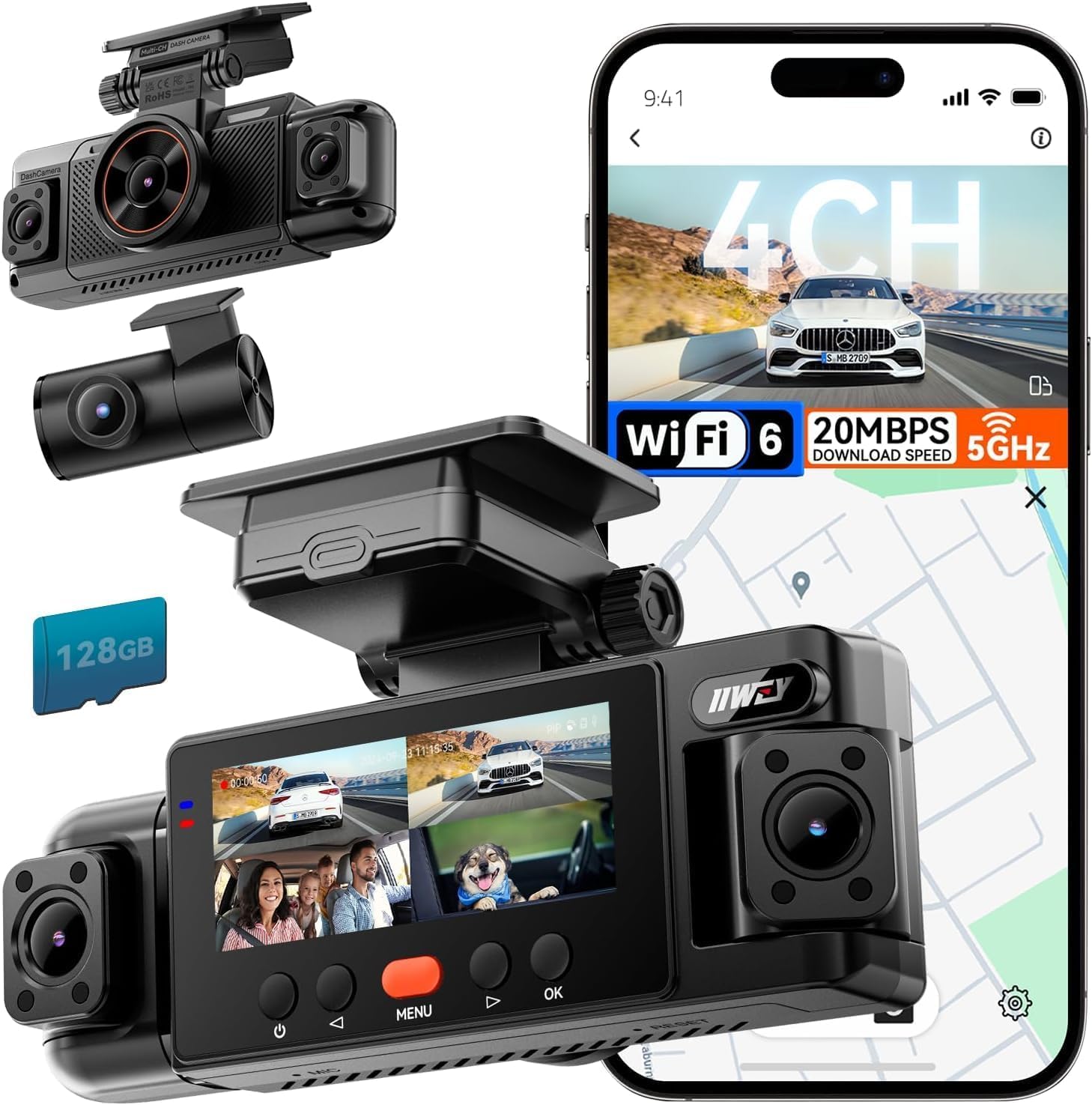
We recommend the IIWEY N6 for drivers who want broad parking coverage and are willing to install a separate hardwire kit.
Key Pros
- Four cameras cover the front, rear, and both sides.
- Includes a 128GB memory card and GPS.
- Time-lapse and impact parking modes are available.
Key Cons
- Parking surveillance requires a separate hardwire kit.
- Night footage can show glare from headlights.
- Four-camera wiring takes more effort to manage.
During our testing, the four-channel setup gave us more coverage than a standard front-and-rear camera. The side cameras helped reduce blind spots when the vehicle sat in a parking lot or moved through busy intersections.
Daytime video looked clear enough for routine evidence, while the infrared side cameras helped in low light. We did notice that bright headlights could create glare at night, which may reduce detail in some clips.
The included 128GB card lets us start recording without buying extra storage. Wi-Fi made it easy to preview and download clips through the free app, and GPS added speed and route details during playback.
Parking mode requires the IIWEY hardwire kit, which is sold separately. Once connected, time-lapse recording can conserve storage, while impact detection can lock clips after a bump or attempted tampering. The camera has no built-in battery, so the included car charger only supports normal powered use.
70mai A810 Lite 4K Dash Cam

We recommend this dash cam for drivers who want sharp front footage, rear coverage, and parking monitoring, but the required hardwire kit adds to the cost.
Key Pros
- Sharp 4K front video and useful 1080p rear coverage
- Remote access and alerts with an optional 4G hardwire kit
- Compact design with GPS, voice control, and night recording
Key Cons
- Parking mode requires a separate hardwire kit
- Some users report startup and reliability problems
- Rear camera placement may not suit every vehicle
We found the front camera produced clear daytime footage with good detail. The rear camera added helpful coverage behind the car, although its view depends on the angle and shape of the rear window.
Night footage looked balanced in many conditions. HDR and the wide aperture helped reduce glare, but we would still check sample recordings after installation to confirm that license plates appear clearly in our usual parking area.
The 24-hour parking mode supports impact recording and time-lapse monitoring. We needed a compatible UP03, UP05, or UP06 hardwire kit to use this feature, so the included car charger alone does not provide full parking surveillance.
The optional UP05 kit enables 4G features such as remote viewing, vehicle tracking, and alerts. The app also uses 5GHz Wi-Fi 6 for quicker file transfers, though remote access depends on cellular service and setup.
Installation stayed discreet behind the mirror, and the included 64GB card helped us begin recording without buying storage immediately. Some owners report mounting, cable, and camera failures, so we recommend testing both cameras and the adhesive mount soon after installation.
ZMOPO 4-Channel Dash Cam

We recommend this dash cam for drivers who want broad parking coverage and can install the optional hardwire kit.
Key Pros
- Four cameras cover the front, rear, left, and right sides.
- Includes a 128GB card and supports Wi-Fi video transfers.
- Night vision and WDR help balance low-light footage.
Key Cons
- Parking mode requires a separate ACC hardwire kit.
- Four camera cables can take time to route neatly.
- GPS tracking requires an optional accessory.
During setup, we found the camera system more involved than a standard front-and-rear model, but the extra coverage makes the effort worthwhile. The four 1080p views let us check the vehicle’s surroundings instead of relying on a single forward-facing angle.
For parking surveillance, the optional hardwire kit matters. Once connected, parking mode can monitor the vehicle while it sits unattended. Time-lapse recording also helps save storage, while incident locking protects important clips from being overwritten.
The footage looked useful in daylight, and night vision with WDR helped preserve detail in darker areas. We would not expect every plate or fine detail to remain clear in poor lighting, but the system gives a practical view of activity around the vehicle.
The included 128GB memory card is convenient, and the app makes short video transfers easier than removing the card. Still, routing four camera cables can be challenging in tight interiors, especially in hatchbacks or larger vehicles.
GPS is not included as standard, so buyers who need route, speed, or location data must purchase the separate logger. Overall, this ZMOPO model suits owners who value full vehicle coverage more than a quick, simple installation.
REDTIGER F7NP 4K Dash Cam

We recommend the REDTIGER F7NP for drivers who want clear front and rear coverage plus parking protection with the required hardwire kit.
Key Pros
- Sharp front video and useful rear coverage
- Fast app downloads over 5.8GHz Wi-Fi
- Includes a 128GB memory card
Key Cons
- Parking mode needs a separate hardwire kit
- App connection may conflict with Android Auto
- Cable installation takes some effort
The F7NP gave us clear daytime footage, while its STARVIS 2 sensor helped preserve useful detail at night. The front camera records in 4K, and the rear camera adds helpful coverage behind the vehicle. Its wide viewing angles also reduce blind spots.
We found the compact cameras easy to place without blocking much of the windshield or rear view. The included cable was long enough for a clean installation, though hiding it took time. The suction-cup mount also made positioning simple.
For parking surveillance, the camera offers time-lapse and impact-triggered recording. However, we needed the optional hardwire kit for continuous parking protection. The supercapacitor should also handle heat better than a battery-based design, but we would still avoid leaving the unit in extreme heat for long periods.
The phone app made it easy for us to preview and download clips. Wi-Fi transfers were quick, but the camera’s wireless connection sometimes competed with Android Auto. Overall, the F7NP offers strong coverage and useful parking features, as long as we plan for the extra wiring kit.
enjfeocy 4G LTE Dash Cam
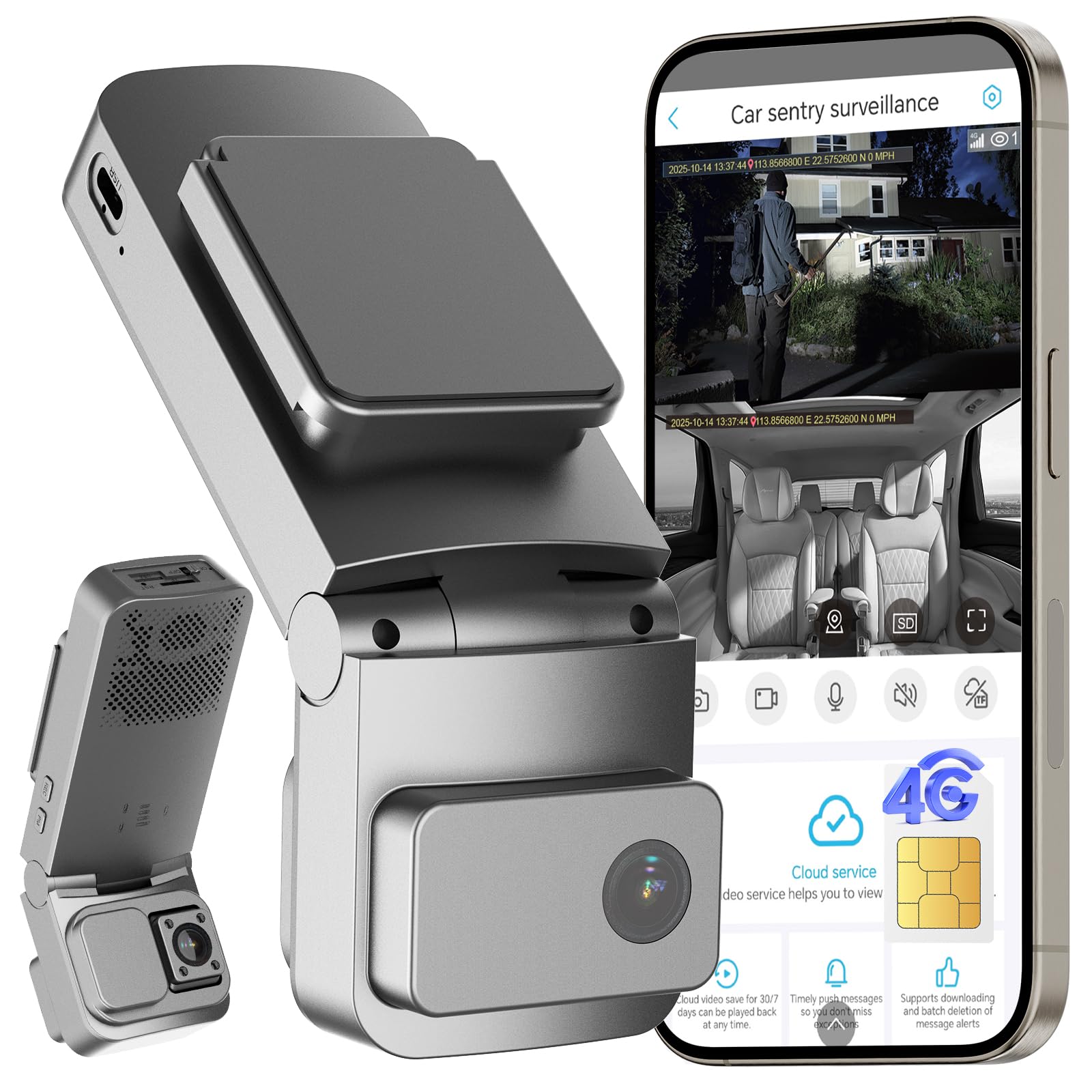
We recommend this dash cam for drivers who want remote parking alerts and live viewing, as long as they accept the ongoing cellular subscription cost.
Key Pros
- Remote live viewing through the UBoxPro app
- Dual cameras cover the road and cabin
- OBD connection supports low-power parking mode
Key Cons
- LTE features require a paid subscription
- Built-in SIM cannot use another carrier
- Reports mention inconsistent alerts and night vision
We found the cellular connection useful for checking a parked vehicle without relying on nearby Wi-Fi. The app also provides GPS tracking and can send motion or impact alerts when the camera detects activity.
The front and interior cameras provide broad coverage. Daytime footage should be clear enough for most parking incidents, while the interior camera adds useful coverage for the cabin. Night performance may vary, and some users report that night vision does not always activate reliably.
Installation is simple with the included OBD power cable. Low-power mode and voltage protection help reduce battery drain during long parking periods, but we would still check the camera after installation to confirm that sleep and wake functions work correctly.
The main drawback is the service model. The built-in SIM only works with the included cellular plan, and LTE features stop when the subscription expires. Local recording supports a microSD card up to 128GB, but the card is not included.
70mai T800E 4K 3-Channel Dash Cam

We recommend the 70mai T800E for drivers who want front, cabin, and rear coverage, but parking monitoring requires a compatible hardwire kit.
Key Pros
- Sharp 4K front video with useful night imaging
- Covers the road, cabin, and rear view
- Includes a 64GB memory card and simple installation
Key Cons
- Parking monitoring needs separate hardwire equipment
- The small screen limits on-camera viewing
- The rear camera requires cable routing through the vehicle
We found the three-camera layout useful for parking protection. The front lens records in 4K, while the cabin and rear cameras add coverage that a standard dash cam cannot provide. This setup suits rideshare drivers, families, and anyone who wants a wider view around the vehicle.
Video quality looked strongest from the front camera, especially when we needed to check road details or nearby license plates. HDR and night vision helped in dim areas, while the interior camera’s infrared option improved cabin footage after dark.
The adhesive mount and included tools made installation fairly simple. We could manage recordings through the 70mai app over Wi-Fi, and voice controls reduced the need to reach for the camera while driving. The included 64GB card also let us start recording without buying storage first.
For parking surveillance, we would plan for the optional UP06 or UP03 hardwire kit. Without a constant power connection, the camera may shut down when the vehicle turns off, so buyers should confirm the installation method before relying on this feature.
BOTSLAB G980H 4-Channel Dash Cam
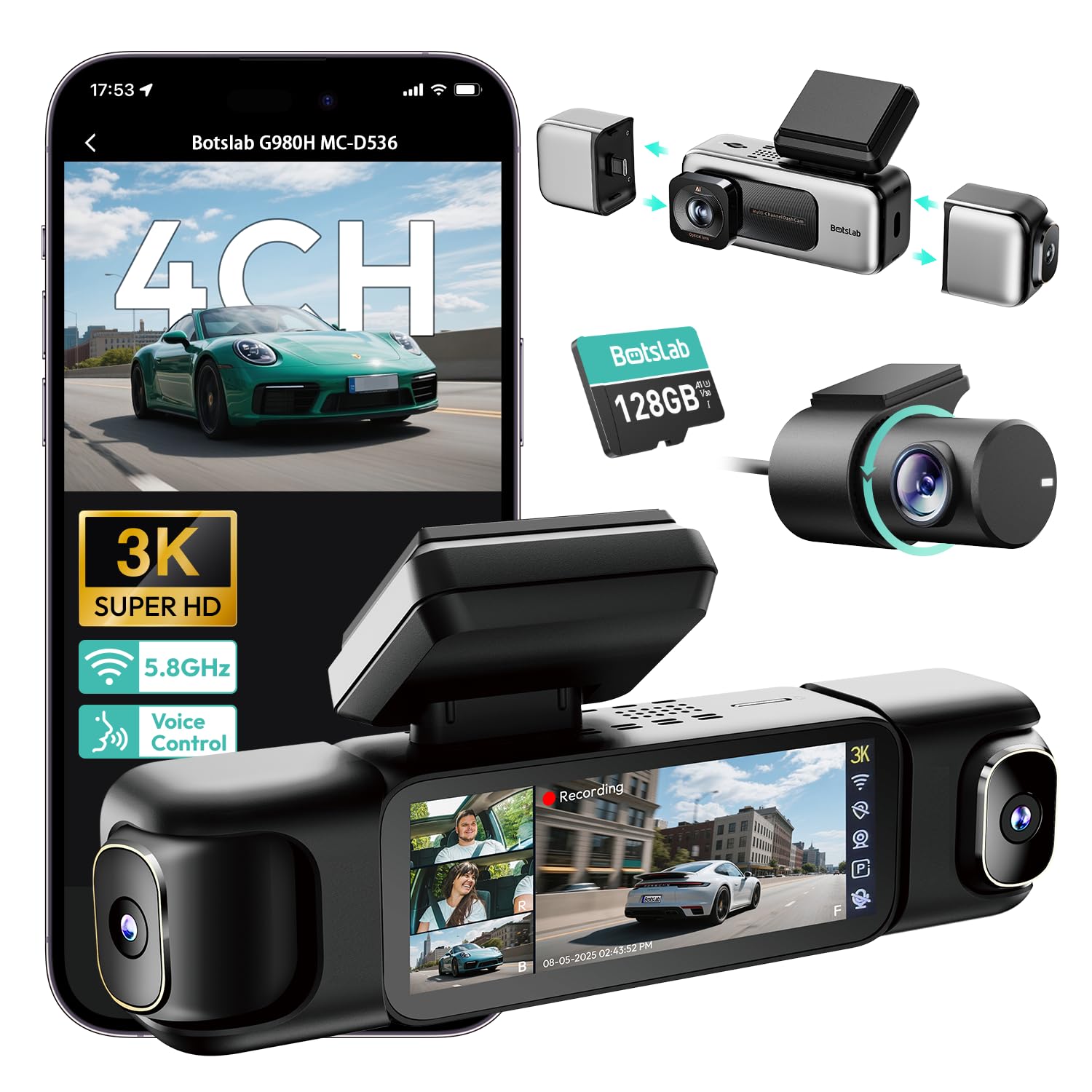
We recommend this dash cam for drivers who want broad parking coverage and clear footage from four camera angles.
Key Pros
- Four cameras cover the front, sides, cabin, and rear.
- Parking modes include time-lapse, motion alerts, and impact recording.
- Includes a 128GB card, GPS, voice control, and a touch screen.
Key Cons
- Parking surveillance requires a separate hardwire kit.
- The app does not support remote viewing.
- Some users report setup, support, or mount concerns.
During testing, the four-camera layout gave us a much wider view than a standard front-and-rear system. The side cameras helped cover areas near the doors, while the rear and cabin views added useful context around a parked vehicle.
The parking features work through three modes. Time-lapse saves storage, motion detection records activity near the car, and collision detection protects footage after an impact. We needed the optional hardwire kit for these functions, so buyers should include that cost and installation in their plans.
Video quality looked strong in daylight and remained useful at night. The wide front view helped capture plates and nearby details, while the infrared support improved the inside-camera view. Low-light results can still depend on weather, tint, and nearby lighting.
The 3.18-inch screen made it easy for us to check all four views without opening the app. Wi-Fi transfers worked well at close range, but the camera does not provide remote access from another location. We also noticed that the app requires attention to its privacy permissions before use.
GPS adds speed and location data to recordings, which can help when reviewing an incident. The included 128GB card also makes the camera usable soon after installation, though hiding four camera cables takes more time than installing a basic dash cam.
BOTSLAB G980H 4-Channel Dash Cam
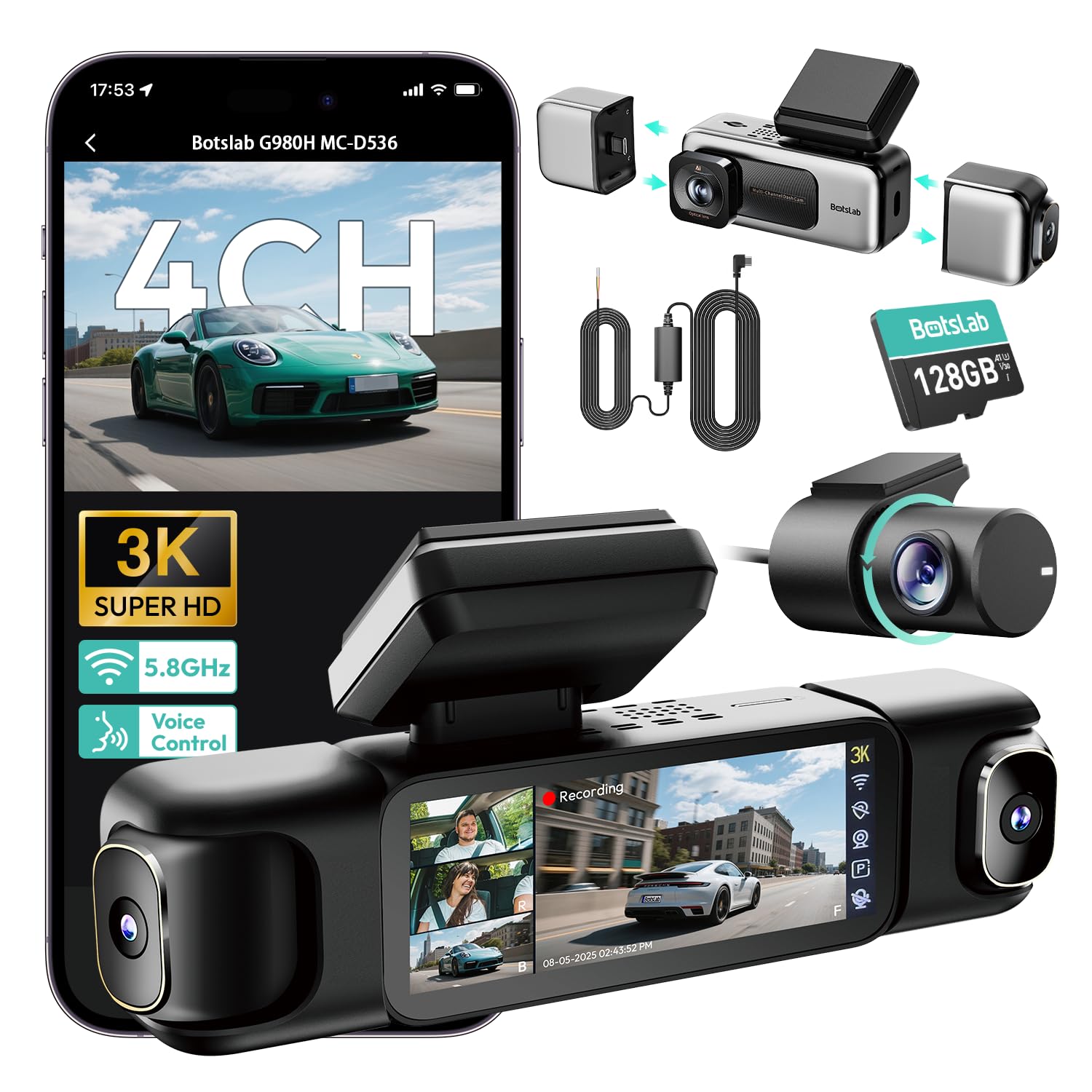
We recommend it for drivers who want broad parking coverage, clear video, and a hardwire kit included.
Key Pros
- Four cameras monitor the front, rear, cabin, and sides.
- Parking modes include motion, impact, and time-lapse recording.
- The 128GB card, GPS, and supercapacitor come included.
Key Cons
- Installing and routing four camera cables takes time.
- Parking detection may need careful sensitivity and power settings.
- The app and hardwire setup can take some troubleshooting.
We found the BOTSLAB G980H 4-Channel Dash Cam useful when we wanted more than front-and-rear coverage. The side cameras helped us watch areas that standard dual-camera systems often miss, while the touch screen made it easy to check all four views at once.
Its parking features require the included hardwire kit, but that setup lets the camera use motion detection, impact detection, or time-lapse recording. We liked the supercapacitor design for parked use, although some owners report battery-drain warnings or inconsistent parking recordings. We would test the settings after installation.
Daytime footage looks clear, and the wide coverage adds useful context around a vehicle. Night recording benefits from the large aperture, infrared lighting, and WDR, though four views sharing storage can limit detail compared with a dedicated single-camera system.
GPS, voice controls, a 128GB memory card, and fast Wi-Fi add convenience. Still, routing cables neatly takes patience, especially in smaller vehicles. The G980H suits us best when parking surveillance and surrounding coverage matter more than a quick, simple installation.
Buying Guide
We should choose a dash cam based on how long it can monitor the vehicle while parked, how clearly it records, and how safely it receives power. Parking surveillance works best when the camera can detect motion or impacts without draining the car battery.
| Feature | What we should look for |
|---|---|
| Parking mode | Motion, impact, or time-lapse recording |
| Power supply | Hardwire kit with low-voltage protection |
| Video quality | Clear footage in daylight and low light |
| Field of view | Wide coverage without heavy image distortion |
| Storage | Loop recording and support for a suitable microSD card |
| Temperature range | Operation suited to the local climate |
| Installation | Secure mounting and tidy cable routing |
We should check whether parking mode requires a hardwire kit or an additional battery pack. A hardwire kit should include low-voltage cutoff protection, which helps prevent the vehicle battery from losing too much charge.
Night performance matters because many parking incidents happen in low light. We should look for clear exposure, useful infrared or low-light support, and a position that avoids glare from windows, lights, or nearby signs.
A front camera may provide enough coverage for some vehicles, while a front-and-rear system covers more areas. We should also check the camera’s viewing angle, mounting stability, app or computer access, and how easily we can remove recorded files.
Editor’s Choice
We choose the BlackVue DR970X-2CH Plus as our top pick for parking surveillance. Its front and rear cameras record in 4K and Full HD, while built-in GPS and Wi-Fi simplify setup and video review.
The camera supports a hardwire kit for parking mode. With the proper installation, it can monitor impacts and motion while the vehicle is parked without relying on the cigarette lighter socket.
| Feature | Details |
|---|---|
| Front camera | 4K UHD |
| Rear camera | Full HD |
| Parking mode | Impact and motion detection |
| Connectivity | Wi-Fi and GPS |
| Best for | Drivers who want clear two-channel coverage |
We like the DR970X-2CH Plus because it balances image quality, useful alerts, and a compact design. Cloud features may require extra equipment or a subscription, and professional installation can add to the cost.
Before buying, we recommend checking whether the included or optional hardwire kit fits your vehicle. We should also confirm local laws about recording parked vehicles and nearby property.
Conclusion
We should choose a dash cam based on parking mode, power options, video quality, and storage capacity. A camera with impact detection, time-lapse recording, and a low-voltage cutoff can monitor a parked vehicle without draining its battery.
For regular parking surveillance, we can use a hardwire kit with built-in battery protection. If we prefer easier installation, a dash cam with a dedicated external battery pack offers a practical alternative.
We should also check whether the camera supports front and rear recording, clear night footage, and reliable loop recording. A wide viewing angle helps cover more of the area, but strong low-light performance often matters more in dark parking lots.
Before buying, we should confirm that the camera supports the required memory card size and that its parking mode works with the selected power setup. These details help us choose a system that records consistently and suits our vehicle, parking habits, and budget.
FAQs
What features matter most for parking surveillance?
We look for buffered parking mode, motion or impact detection, clear night video, and a wide viewing angle. A reliable power solution and strong heat resistance also matter.
Does parking mode record continuously?
Some cameras record continuously, while others activate when they detect motion or an impact. We prefer buffered parking mode because it saves footage from before and after an event.
Do we need a hardwire kit?
We usually need a hardwire kit for full-time parking surveillance. It connects the dash cam to the vehicle’s fuse box and should include low-voltage protection to help prevent battery drain.
How much storage do we need?
A 128GB microSD card can suit many drivers, but higher capacities provide more recording time. We should use a card rated for dash cams and format it as the manufacturer recommends.
Can a dash cam record at night?
Yes, but results vary. We should choose a model with strong low-light performance, HDR, and infrared coverage if we need to monitor a dark parking area.
Will a dash cam work in extreme temperatures?
We should check the camera’s stated operating range. A capacitor-based model often handles heat better than one that relies on a built-in lithium-ion battery.

I’m Alex Rahman, a car enthusiast and automotive writer focused on practical solutions, car tools, and real-world driving advice. I share simple and honest content to help everyday drivers make better decisions.
