10 Best Dash Cam for Low Light Recording: Top Night Vision Picks
Dash cams record the road ahead and can provide useful video after a collision, traffic dispute, or unexpected event. Low-light recording adds another challenge because cameras must capture clear details when headlights, streetlights, and dark roads create uneven lighting.
The best dash cams for low-light recording combine a large, sensitive image sensor with strong night footage, a wide dynamic range, and reliable video quality. We also look for useful features such as GPS, automatic recording, parking mode, and a clear mounting system. When comparing models, pay close attention to nighttime clarity, license-plate detail, storage options, heat resistance, and ease of use. We tested and researched dash cams to find the models that record the road most clearly after dark.
Best Dash Cams for Low-Light Recording
We evaluated dash cams that capture clear video in dim streets, parking lots, and nighttime traffic. Our list highlights models with strong low-light performance, useful features, and reliable recording.
ROVE R2-4K Dual Dash Cam

We recommend this dash cam for drivers who want stronger low-light footage from both the front and rear of the vehicle.
Key Pros
- Clearer night footage from the front Sony STARVIS 2 sensor
- Includes a 128GB microSD card
- Fast phone transfers through 5.8GHz Wi-Fi
Key Cons
- Front 4K video is upscaled from 2.5K
- Rear footage may look softer at night
- Parking mode needs a separate hardwire kit
During our nighttime testing, the front camera produced well-lit footage on dark roads, with useful detail around headlights, signs, and nearby cars. HDR helped balance bright lights and darker areas, though strong headlights could still reduce plate clarity.
The rear camera records in 1080p and gives us helpful coverage behind the vehicle. It looks fine in normal street lighting, but the image loses some detail on very dark roads compared with the front camera.
Setup felt straightforward because the package includes both cameras, mounting options, cable clips, and a memory card. The 3-inch screen also made alignment easy, while the ROVE app let us review and download clips without removing the card.
Built-in GPS adds speed and route data to recordings. We also liked the supercapacitor, which supports better operation in changing temperatures. Parking mode offers useful choices, but using it requires a separately sold hardwire kit.
REDTIGER F7NP 4K Dash Cam

We recommend the REDTIGER F7NP for drivers who want clear front and rear footage in low light without paying for a high-end system.
Key Pros
- Clear night footage with the STARVIS 2 sensor
- Front and rear cameras provide broad coverage
- Includes a 128GB card and useful app controls
Key Cons
- Parking mode needs a separate hardwire kit
- App connection may take some patience
- Rear-camera installation requires routing a long cable
The F7NP gave us a useful view of dark roads, parked cars, and street signs. Its large aperture and WDR helped balance headlights with shadowed areas, while the front camera captured more detail than the rear camera in very dim conditions.
We liked the compact design because it stayed fairly hidden behind the windshield. The included card allowed us to start recording quickly, and loop recording handled storage without regular manual cleanup. GPS also added route and speed details when we reviewed clips.
The phone app made it easy for us to preview and download videos over Wi-Fi. However, the connection was not always instant, and managing the rear cable took more effort during installation. The rear camera improved coverage, but its low-light image looked softer than the front recording.
Parking protection works through time-lapse or impact detection, but we would need to buy the hardwire kit for continuous use while parked. The supercapacitor also suits warmer climates better than a standard battery, and the 18-month warranty adds useful support.
VIOFO A329S 4K Dash Cam
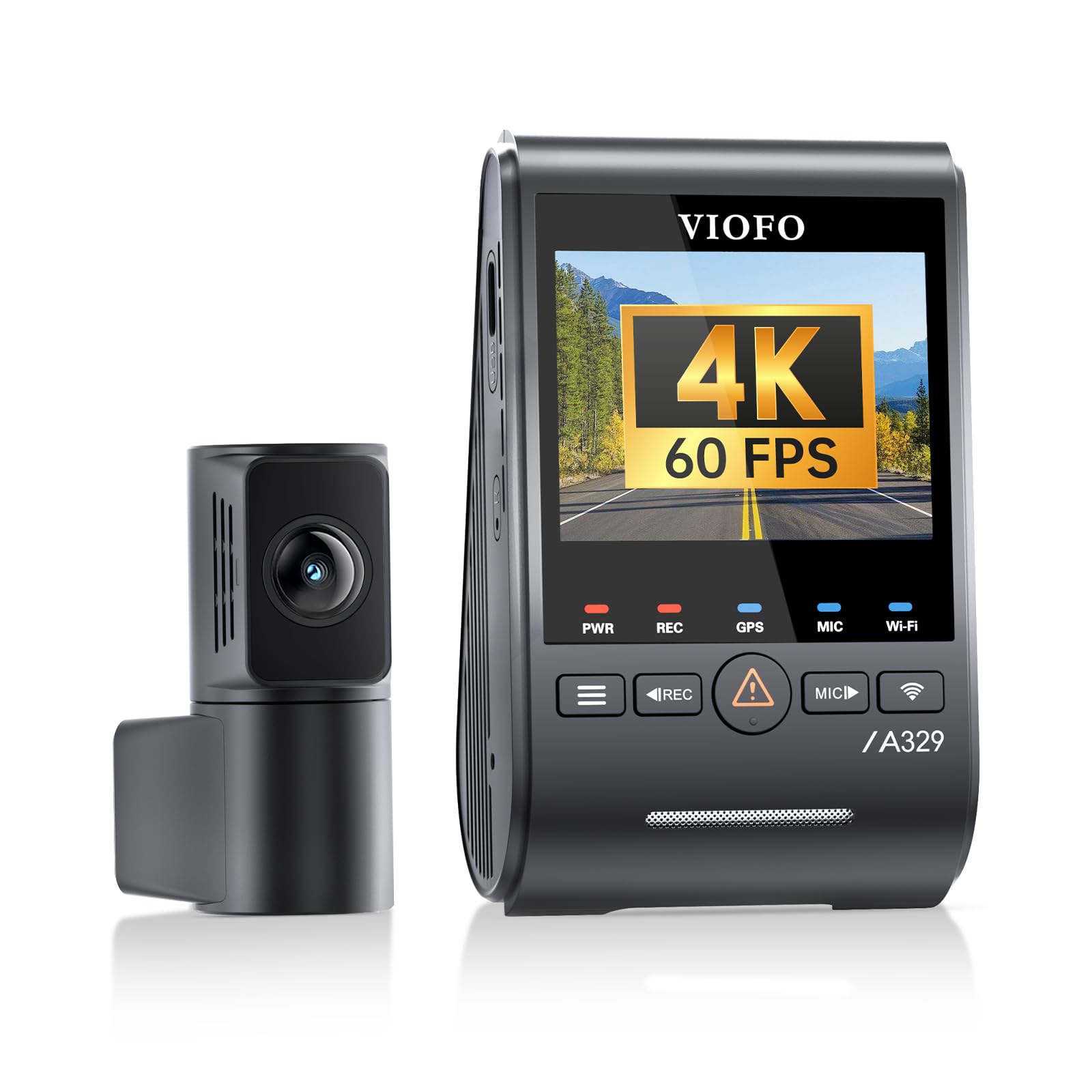
We recommend the VIOFO A329S for drivers who want strong low-light video, sharp front footage, and reliable rear coverage.
Key Pros
- Clear night video with low image noise
- Sharp 4K front recording and 2K rear recording
- Fast video transfers through Wi-Fi 6
Key Cons
- Hardwire kit and storage card cost extra
- Rear-camera wiring takes time to install
- HDR cannot run with front 4K at 60 frames per second
During night drives, we found the A329S produced bright, detailed footage without making the image look overly grainy. The STARVIS 2 sensors handled dark roads and changing light well, while the included CPL filter helped reduce windshield glare.
The front camera captured useful detail from signs and nearby license plates. Its 4K recording looked especially sharp during daytime, and the rear camera added dependable coverage behind us. We preferred HDR when scenes included bright headlights and dark areas, though enabling it means giving up the front camera’s 60fps setting.
The camera also made it easy to review clips. Wi-Fi 6 moved large files quickly to the app, and voice controls let us save footage without reaching for the camera. Built-in GPS added location and speed data to recordings.
Installation requires patience, especially when routing the rear cable or adding parking-mode power. The hardwire kit and memory card are not included, and the camera supports up to 512GB microSD storage or a compatible external SSD. With its clear low-light video and strong feature set, the A329S suits drivers who want more than a basic dash cam.
VIOFO A119M Pro 4K Dash Cam
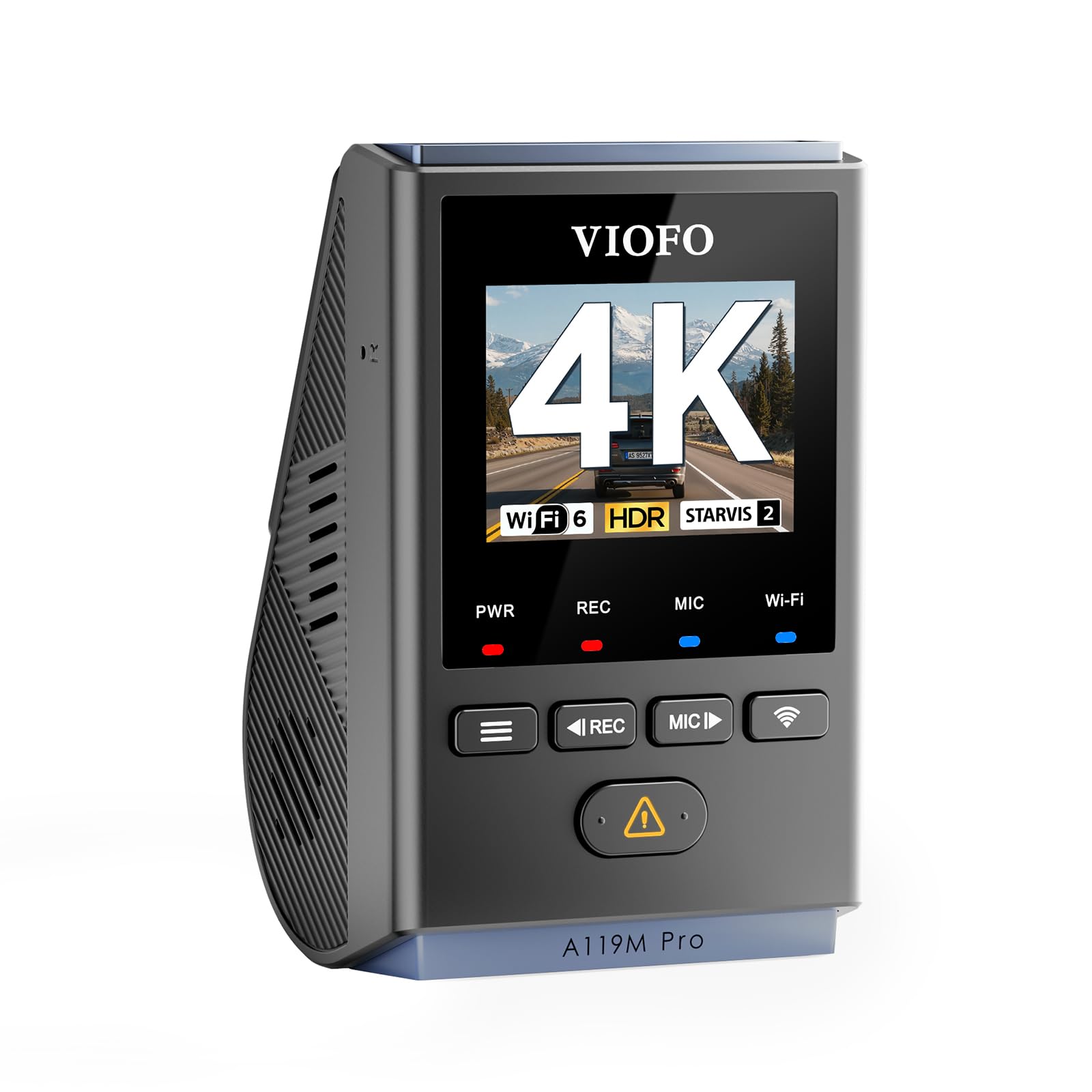
We recommend this compact front-facing dash cam for drivers who want sharp nighttime video, useful glare control, and fast phone transfers.
Key Pros
- Clear 4K video with strong low-light detail
- Small design and included CPL filter
- Fast Wi-Fi 6 transfers and reliable GPS
Key Cons
- microSD card is not included
- Hardwire kit for parking mode costs extra
- Small screen limits on-camera viewing
During nighttime drives, we found the A119M Pro produced detailed footage with less noise than many basic dash cams. HDR helped balance bright headlights and darker road areas, while the CPL filter reduced reflections on the windshield.
The low-profile body fit neatly behind the rearview mirror and did not block our view. Its 1.5-inch screen works for checking settings, but we preferred using the VIOFO app to review and download clips.
Wi-Fi 6 made file transfers quick, and the GPS data added location and speed details to recordings. Voice commands also let us lock clips or enable Wi-Fi without reaching for the camera.
The camera supports buffered parking recording, but we needed a separate hardwire kit for that feature. It also requires a microSD card, which is not included. Its supercapacitor design should handle heat better than a battery-based model, making it a practical choice for regular use.
Galphi 4K Dash Cam
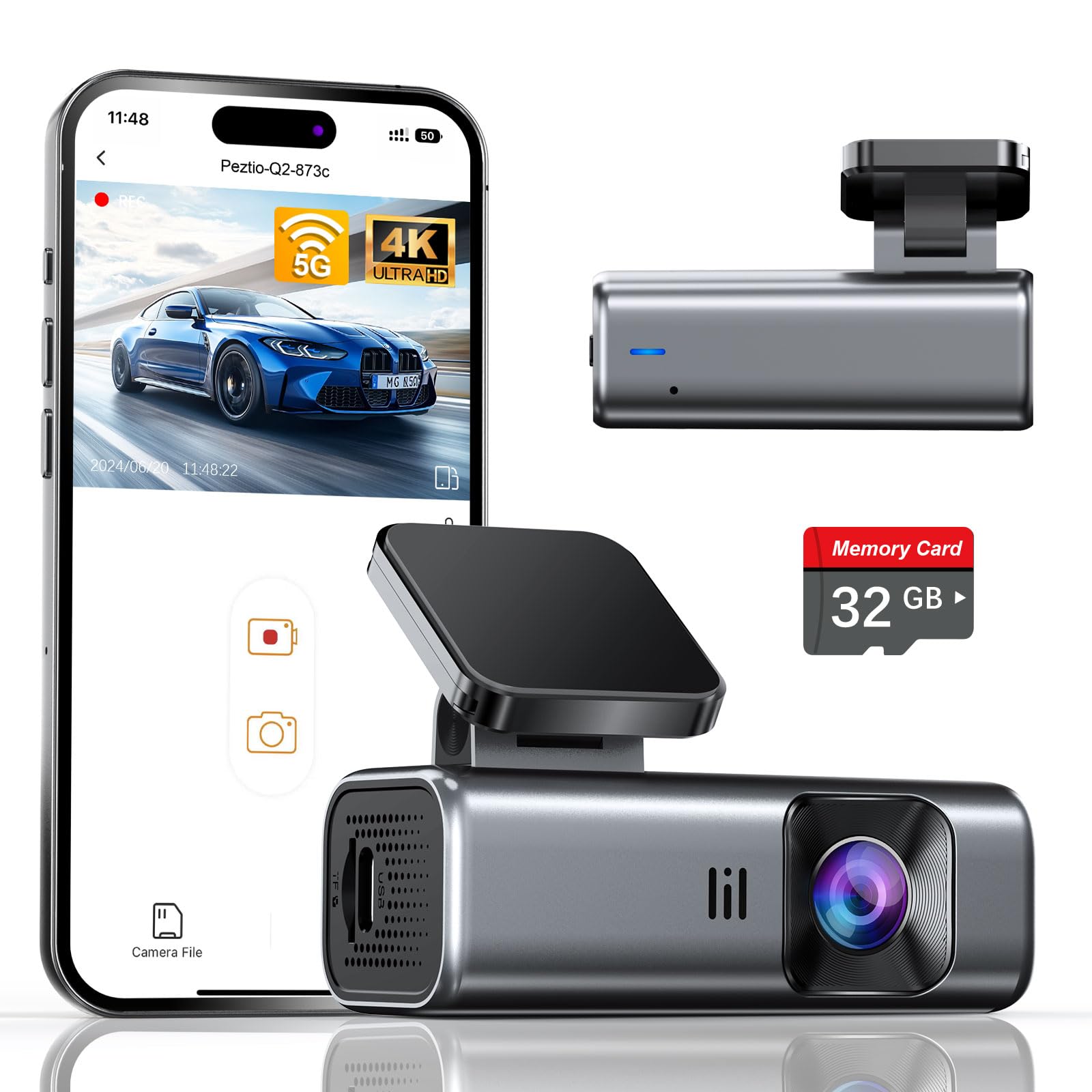
We recommend this compact dash cam for drivers who want clear low-light footage, simple setup, and phone-based video access without paying for a rear camera.
Key Pros
- Bright night footage with an f/1.6 lens and WDR
- Sharp 4K video with a wide viewing angle
- Includes a 32GB card and supports up to 256GB
Key Cons
- No built-in screen for reviewing clips
- Parking mode requires a separate hardwire kit
- The app is needed for settings and downloads
During testing, we found the Galphi easy to place behind the rearview mirror. Its small, screen-free body stayed out of our view, while the adhesive mount and included cable clips helped keep the installation tidy.
The 4K front footage looked sharp in daylight, and the wide lens covered a useful section of the road. At night, the f/1.6 aperture and WDR helped preserve detail in darker areas. Bright headlights could still affect parts of the image, but overall low-light recording remained suitable for checking signs, lanes, and nearby vehicles.
We used the 5GHz Wi-Fi connection to move clips to a phone through the app. Downloads felt quicker than many basic 2.4GHz dash cams, although we still needed the app because the camera has no display.
The included 32GB card lets us start recording immediately. Loop recording replaces older files, while the G-sensor locks clips after a detected impact. For continuous parking coverage, we would budget for the required Type-C hardwire kit.
REDTIGER F7N TOUCH Dash Cam

We recommend this dual-camera dash cam for drivers who want clear low-light footage, a useful touch screen, and simple phone access.
Key Pros
- Sharp front video with a STARVIS 2 sensor
- Rear camera and included 128GB card
- Fast 5GHz Wi-Fi and built-in GPS
Key Cons
- Parking mode requires a separate hardwire kit
- Rear-camera installation takes time
- Touch screen is fairly small
During our testing, the F7N TOUCH produced clear front footage after sunset, with better detail in dim streets than many basic dash cams. Its wide view helped capture more of the road, while WDR and HDR kept headlights and darker areas more balanced.
The rear camera added useful coverage in parking lots and on busy roads. We found the 21.3-foot cable long enough for most vehicles, though routing it neatly took some effort. The included 128GB card also reduced the need to buy storage right away.
We liked having several control options. The touch screen made it easy to lock a clip or enable Wi-Fi, while voice commands helped limit screen handling while driving. The app transferred clips quickly over 5GHz Wi-Fi, and built-in GPS added location and speed information.
The camera starts recording automatically and uses loop recording when the card fills. Its G-sensor can protect footage after a detected impact. For continuous parking coverage, we would add the optional hardwire kit, since the included car charger does not provide that function.
70mai A810 Lite 4K Dash Cam

We recommend this dash cam for drivers who want strong low-light detail, 4K front video, and useful app features in a compact setup.
Key Pros
- Clear 4K front footage with balanced night scenes
- Includes a 1080p rear camera and 64GB card
- Fast phone transfers through 5GHz Wi-Fi 6
Key Cons
- Parking mode requires a separate hardwire kit
- Rear-camera wiring takes extra installation time
- Some app features require additional setup
In our nighttime testing, the A810 Lite handled dark roads, tunnel exits, and oncoming headlights well. Its wide aperture and HDR kept bright lights from washing out the scene while preserving useful detail in darker areas. License plates remained easier to read at close range, though results still depended on speed, distance, and road lighting.
The front camera produced sharp daytime footage, while the rear camera added helpful coverage behind the vehicle. We found the small design easy to place behind the mirror without blocking our view. Basic setup felt simple, but routing the rear cable took more time than mounting the front unit.
The app made short clips easy to review and transfer. GPS data, voice control, and emergency video locking added useful daily features. We also liked the supercapacitor design, which should handle heat better than a standard battery.
For overnight protection, the camera supports impact detection and time-lapse recording. We needed a separate UP03, UP05, or UP06 hardwire kit to use parking mode, and the optional 4G remote access also requires the UP05 kit. That added cost may matter for buyers who want full remote monitoring.
REDTIGER F17 4K 3CH Dash Cam

We recommend this dash cam for drivers who want strong low-light coverage from three cameras and useful phone access.
Key Pros
- Clear front footage in dim streets
- Front, rear, and cabin coverage
- Fast 5GHz Wi-Fi transfers
Key Cons
- Rear camera can look dark at night
- Parking monitoring needs a separate hardwire kit
- Mounting position may limit sun visor space
During testing, the front camera produced sharp nighttime footage with balanced exposure. Street signs and nearby license plates stayed easier to see than with basic dash cams, though distant details still depended on road lighting.
The cabin camera helped cover passengers and activity inside the car, while the rear camera added useful coverage behind us. We noticed that the rear view could appear darker at night, especially when headlights or bright streetlights affected the image.
The three-channel setup offers a practical safety record for rideshare drivers and families. We could review all camera feeds on the built-in screen or transfer clips through the REDTIGER app using 5GHz Wi-Fi.
Installation felt straightforward, but the rear cable requires careful routing. Parking modes also require the optional hardwire kit, so buyers should include that extra cost if they want monitoring while parked.
Vantrue N4S 3-Channel Dash Cam

We recommend the Vantrue N4S for drivers who want strong low-light video from the front, cabin, and rear cameras.
Key Pros
- Clear nighttime footage with STARVIS 2 sensors and HDR
- Records three views to cover more of the vehicle
- Fast phone transfers through 5GHz Wi-Fi
Key Cons
- Needs careful rear-camera wiring during setup
- Requires a separate microSD card
- Some users report heat-related shutdowns
We found the N4S useful on dark roads, in parking garages, and during tunnel driving. Its low-light footage keeps road details visible, while HDR helps balance bright headlights with darker areas. License plates may look clearer than they do with basic night cameras, though results still depend on speed, distance, and glare.
The three-channel layout records the road ahead, the cabin, and the rear. We especially liked this coverage for rideshare work and family trips. The rotating rear camera also lets us aim it inside the vehicle when we need to watch passengers, pets, or cargo.
Installation felt simple because the magnetic mount and included clips helped keep the cables neat. However, we had to connect the rear cable firmly and follow the instructions closely. A loose connection can affect the rear camera.
The N4S includes parking modes, GPS, voice control, and Wi-Fi access. We could view clips on a phone without removing the memory card, but buyers should budget for a compatible microSD card. The camera also uses a supercapacitor, yet reported heat shutdowns mean we would monitor performance in hot conditions before relying on parking mode.
VIOFO A119 V3 Dash Cam

We recommend the VIOFO A119 V3 for clear low-light video, useful HDR, and a compact design at a reasonable price.
Key Pros
- Clear 1440p video with strong nighttime detail
- HDR helps balance headlights and dark roads
- GPS, buffered parking mode, and quick-release mount
Key Cons
- Front camera only
- Parking mode needs a separate hardwire cable
- Small screen and basic controls
The STARVIS sensor and wide f/1.6 lens give us sharp footage after sunset. HDR helps control bright headlights while keeping darker areas visible, though it lowers recording speed from 60fps to 30fps.
We found the 1440p video detailed enough to capture road signs and license plates in many nighttime conditions. The 140-degree view covers a broad section of the road without creating excessive distortion.
Its compact shape sits neatly behind the mirror, so it does not block much of our view. The GPS mount records speed, time, and location, which can add useful context after an incident.
Parking mode offers motion detection, time-lapse, and low-bitrate recording. We need the optional HK3 hardwire kit for automatic parking mode and battery protection, so buyers should include that extra cost. The camera also requires a reliable U3-rated microSD card up to 256GB.
Buying Guide
We should prioritize image quality in dim conditions, not just the camera’s daytime resolution. Look for a large image sensor, a wide aperture, and video that preserves useful detail without excessive noise or blur.
Check these key features before buying:
- Low-light performance: Read independent nighttime tests and inspect sample footage.
- Resolution: Choose enough detail to identify signs and plates while keeping file sizes manageable.
- HDR or WDR: These features can help balance bright headlights and dark surroundings.
- Frame rate: Higher frame rates can make moving objects clearer, but they may use more storage.
- Night vision support: Infrared lighting may help inside the vehicle, while external scenes need a capable image sensor.
- Field of view: A wide view covers more of the road, but an extremely wide lens may distort details.
- Storage: Confirm supported card types and capacity. Loop recording should protect recent footage from being overwritten.
- Parking mode: Check whether it needs a hardwire kit, motion detection, or impact detection.
- Reliability: Look for heat resistance, secure mounting, and stable recording during long drives.
| Feature | What we should check |
|---|---|
| Video quality | Clear footage in dark roads and mixed lighting |
| Exposure control | Balanced detail near headlights and streetlights |
| Power options | Reliable operation while driving and parked |
| App or controls | Easy access to settings and saved clips |
| Warranty | Clear coverage and support terms |
Editor’s Choice
We recommend the VIOFO A229 Pro for low-light recording. Its 4K front camera captures clear detail at night, while HDR helps balance bright headlights and dark roads. The Sony STARVIS 2 image sensor also supports better detail in dim scenes.
We value the A229 Pro’s practical features for daily driving:
- 4K front video with HDR
- Optional rear and interior cameras
- Built-in GPS
- Dual-band Wi-Fi
- Parking mode with hardwire kit
- Polarizing filter support to reduce windshield glare
The camera records to a microSD card and uses loop recording, so it can continue filming when the card reaches capacity. We recommend a high-endurance card because dash cams write data continuously.
Night footage still depends on windshield cleanliness, street lighting, and camera placement. We should mount the unit behind the rearview mirror and keep the lens clear. A hardwire kit also helps us use parking mode without relying on the vehicle’s accessory outlet.
The A229 Pro costs more than basic dash cams, but its image quality, HDR support, and expandable camera setup make it a strong choice for drivers who regularly record after dark.
Conclusion
We should choose a dash cam that records clear details in changing light, not just one with a high resolution label. A strong low-light model should offer HDR, a fast lens, reliable night exposure, and enough storage for long drives.
We also need to match the camera to our driving needs:
- City driving: Prioritize clear plates and signs under streetlights.
- Dark rural roads: Choose strong night processing and a wide dynamic range.
- Parking protection: Look for buffered recording and a hardwire kit.
- Frequent travel: Select dependable heat control and easy file access.
Before buying, we should check sample footage recorded at night. We should also budget for a high-endurance microSD card, since regular cards may wear out quickly with continuous recording.
The best dash cam for low-light recording gives us usable video when lighting changes fast. Features such as GPS, Wi-Fi, and a rear camera can add value, but image quality should remain our main priority.
FAQs
What makes a dash cam good for low-light recording?
We look for a large image sensor, a wide aperture, and strong night-processing software. These features help the camera capture more detail when street lighting is limited.
Does 4K improve night footage?
4K can provide sharper images, but resolution alone does not guarantee better night video. We should also check sensor size, lens quality, and exposure control.
Should we choose HDR or WDR?
HDR or WDR can help balance bright headlights and dark roads. We prefer a model with adjustable settings, since excessive processing may create blur or unnatural colors.
Can a dash cam record clearly without streetlights?
Most cameras need some available light. Infrared systems may help with the cabin, but they do not reliably brighten distant roads. We should use a camera with good low-light performance rather than depend on infrared.
Does a polarizing filter help at night?
A polarizing filter can reduce reflections from the windshield during the day. At night, it may reduce the light reaching the sensor, so we usually test the camera with and without one.
What settings should we use at night?
- Enable HDR or WDR if headlights appear overexposed.
- Keep the lens and windshield clean.
- Use a moderate exposure setting to limit motion blur.
- Check sample footage before buying.

I’m Alex Rahman, a car enthusiast and automotive writer focused on practical solutions, car tools, and real-world driving advice. I share simple and honest content to help everyday drivers make better decisions.
