10 Best Dash Cam for Older Drivers: Top Safety Features and Picks
Dash cams record the road ahead and can provide useful video after a crash or other traffic incident. For older drivers, a clear record of events may support an insurance claim, clarify what happened, and help family members understand a driving situation. Most models also offer features such as loop recording, automatic crash detection, and parking monitoring.
The best dash cams for older drivers are simple to operate, have a clear display, use easy-to-read controls, and record dependable video in different lighting conditions. We also look for a wide viewing angle, reliable mounting, simple phone or computer access, and a power setup that does not require frequent attention. A camera with distracting alerts or a complicated app may create more problems than it solves.
We compared dash cams for image quality, ease of use, safety features, and overall value to identify the models that make recording the road straightforward.
Best Dash Cams for Older Drivers
We reviewed dash cams with clear displays, simple controls, reliable recording, and helpful safety features. Our list highlights models that are easy to set up and use while driving.
ROVE R2-4K Dual Dash Cam

We recommend this dash cam for older drivers who want front and rear coverage, clear controls, and simple video access through a phone.
Key Pros
- Front and rear recording adds useful coverage.
- Voice guidance and a 3-inch screen support easier operation.
- The included 128GB card reduces setup steps.
Key Cons
- The front image uses upscaled 4K rather than native 4K.
- Parking mode needs a separate hardwire kit.
- Routing the rear camera cable takes some effort.
During setup, we found the included mounts, clips, trim tool, and memory card helpful. The front camera fits neatly behind the mirror, while the rear camera adds protection when another driver follows too closely or hits the car from behind.
The large screen makes basic checks easier than on very small dash cams. Voice guidance also helps us confirm key actions without taking our eyes off the road. However, the menus and extra features may take some time to learn.
Daytime footage looked sharp, and the front camera handled signs and nearby license plates well. Night recording benefited from the STARVIS 2 sensor and HDR, though glare from headlights can still reduce detail.
The ROVE app lets us view and download clips over Wi-Fi. We found this more convenient than removing the memory card, but drivers who prefer no phone setup can still use the camera’s screen and card.
GPS records speed and location with each clip. We consider that useful after a crash, while drivers who prefer more privacy may want to turn off location features. Parking monitoring requires hardwiring, so installation becomes more involved.
REDTIGER F7N Touch Dash Cam

We recommend this dash cam for older drivers who want clear front and rear video, simple controls, and GPS tracking.
Key Pros
- Bright 4K front video and 1080p rear video
- Touchscreen, voice control, and physical buttons
- Includes a 128GB memory card and GPS
Key Cons
- Rear-camera wiring takes time to hide
- Parking mode needs a separate hardwire kit
- App setup may require a few extra steps
We found the F7N Touch easy to operate once installed. Its touchscreen makes common tasks, such as locking a clip or turning on Wi-Fi, easy to find. Voice commands also help us keep our hands on the wheel.
The front camera records sharp daytime video, while the rear camera adds useful coverage behind the vehicle. Night footage remains clear enough to identify important details, although very dark roads can still reduce image quality.
Installation feels manageable, but running the long rear-camera cable takes patience. The suction mount works well, and the included clips help keep the cable out of the way.
We also liked the automatic loop recording and impact protection. The included memory card provides plenty of space, while the phone app lets us view and download clips without removing the card. Parking monitoring adds value, but we need the optional hardwire kit to use it continuously.
IIWEY N6 360° Dash Cam
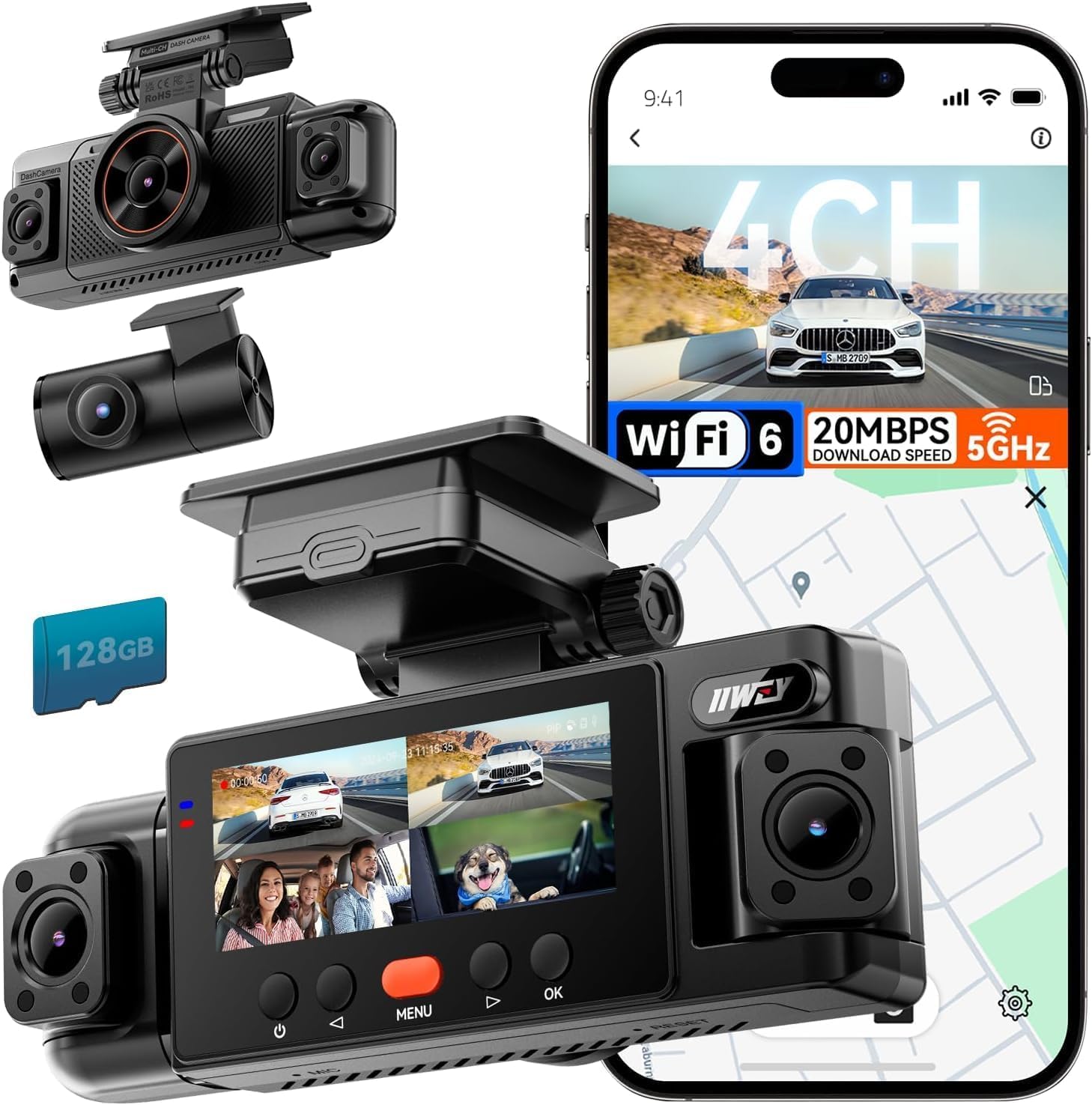
We recommend the IIWEY N6 for older drivers who want broad coverage and clear controls, but its four-camera setup requires more installation than a basic dash cam.
Key Pros
- Front, rear, and side views help reduce blind spots
- Clear daytime video and useful infrared night vision
- Includes a 128GB memory card and GPS
Key Cons
- Side-camera installation takes extra time
- Parking mode requires a separate hardwire kit
- Headlight glare can affect some night footage
We found the four-channel layout useful in busy parking lots, intersections, and lane changes. The side cameras add coverage that most front-and-rear models lack, while the 3.18-inch screen makes basic checks easier without using a phone.
Daytime video looked clear, and the night vision helped show nearby vehicles in low light. However, bright headlights caused some glare, so we would not expect every license plate to remain readable in difficult conditions.
Setup was manageable with the included tools, but routing the extra camera wires takes patience. We also needed the separate hardwire kit to use parking surveillance; the included charger supports driving only.
The free app lets us view and download clips over Wi-Fi, while GPS records the route and speed. Overall, the N6 suits drivers who value wide coverage and do not mind a more involved installation.
TERUNSOUL 4K Triple-Channel Dash Cam
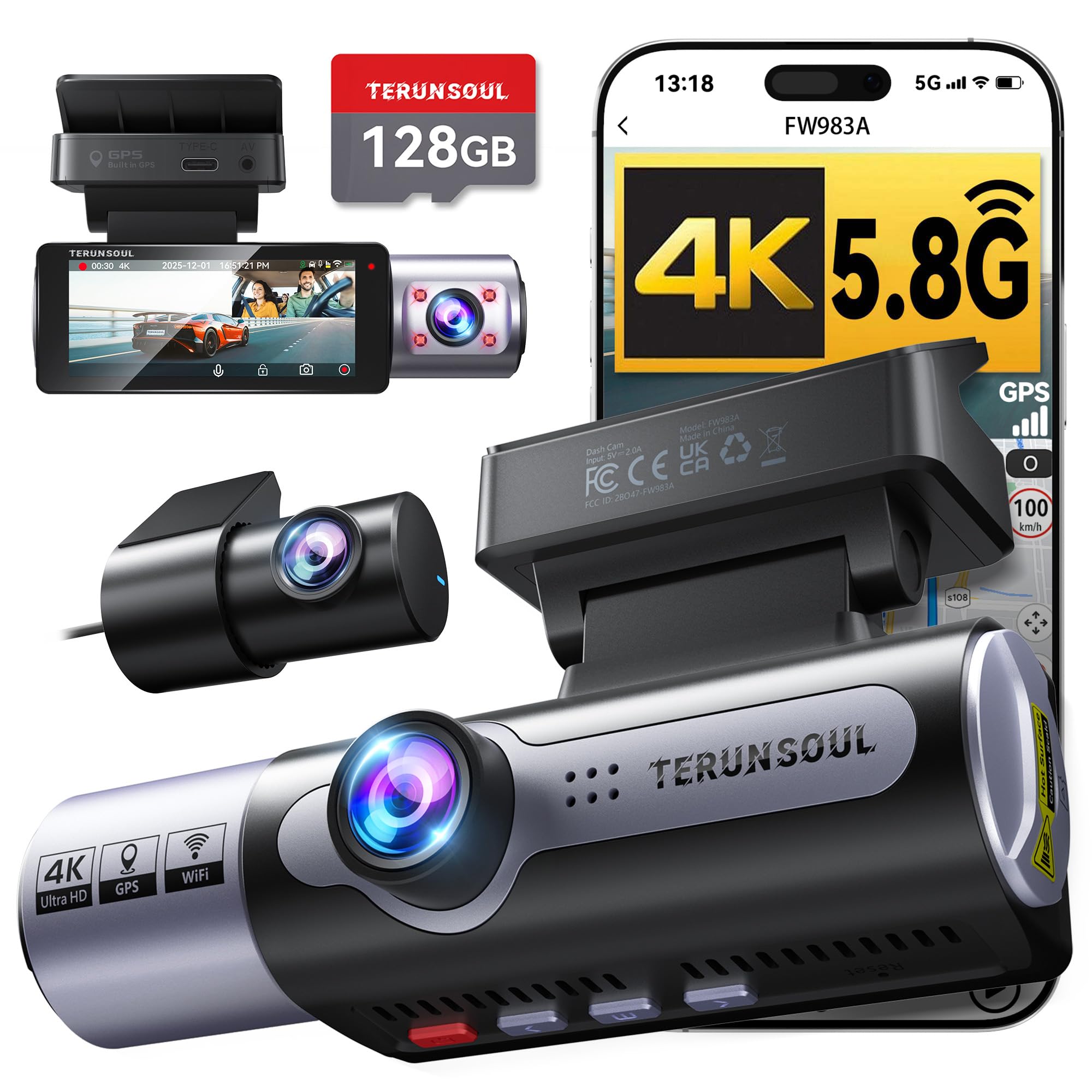
We recommend this dash cam for older drivers who want clear coverage, a built-in screen, GPS records, and front, rear, and cabin video in one system.
Key Pros
- Clear front video and useful night recording
- Simple screen controls plus phone app access
- Includes a 128GB memory card and GPS
Key Cons
- The cabin camera may not suit every driver
- Parking mode needs a separate hardwire kit
- Installing the rear camera takes extra time
We found the 3.16-inch screen helpful when checking the camera angle without using a phone. The front view looked sharp in daylight, while the rear and cabin cameras added useful coverage around the vehicle.
The three-camera setup can help older drivers review what happened after a close call. The wide views cover the road ahead, the area behind the car, and the cabin. The interior camera may also help families monitor passengers, though some drivers may not need it.
GPS adds speed, location, direction, and time data to the recordings. The included 128GB card lets us start recording right away, and the camera locks footage after a detected impact. Loop recording then replaces older files when the card fills.
We found the phone connection useful for viewing and downloading clips without removing the memory card. However, drivers who want parking surveillance must buy the separate hardwire kit and may need help with installation.
With an 18-month warranty and lifetime technical support, this model offers helpful coverage for drivers who value recorded evidence and easy video access.
REDTIGER F7NP 4K Dash Cam

We recommend the REDTIGER F7NP for older drivers who want clear front and rear video, a built-in screen, and simple phone access.
Key Pros
- Clear front and rear footage
- Built-in GPS and 128GB card
- Compact design with a useful display
Key Cons
- Rear camera installation takes time
- App setup may feel confusing
- Parking mode needs a hardwire kit
We found the front camera easy to position behind the mirror, where it stayed mostly out of the way. The rear camera added useful coverage, especially in busy parking lots and on multi-lane roads.
The built-in screen helped us check the camera without reaching for a phone. Video looked sharp in daylight, while the STARVIS 2 sensor and wide-aperture lens kept nighttime footage usable. Bright headlights could still reduce detail.
The included memory card made setup faster, and loop recording handled storage without regular manual cleanup. We also used the phone app to review clips, but connecting to Wi-Fi took a few steps and may require patience.
Installation was straightforward with the included clips and long rear cable, though hiding that cable took effort. The camera includes GPS and collision detection, while parking monitoring requires an optional hardwire kit.
With a 4.2-star rating from more than 25,000 Amazon customers and an 18-month warranty, the F7NP offers strong coverage for its price. We would choose it for drivers who value front-and-rear recording and do not mind a slightly involved setup.
Galphi 4K Dash Cam
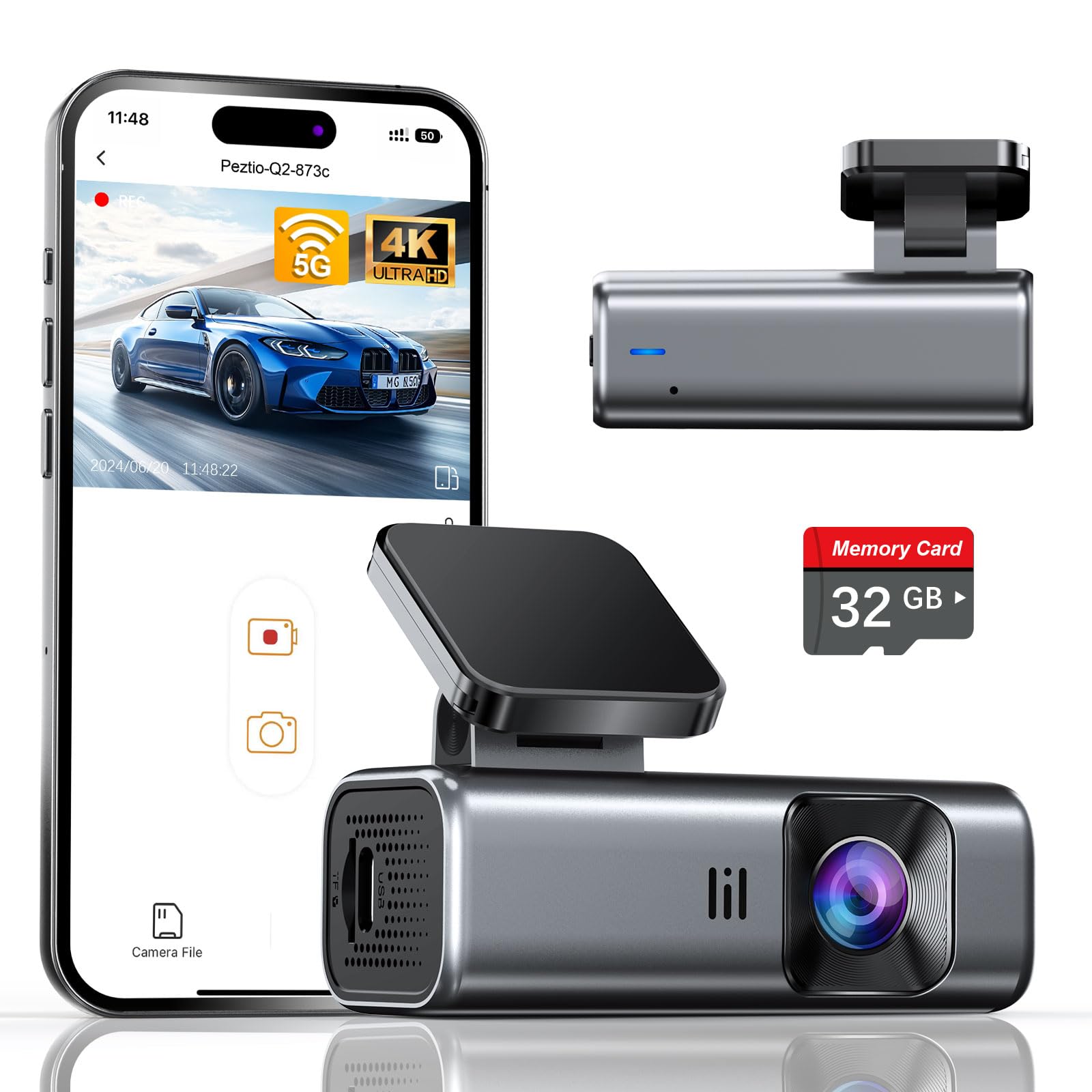
We recommend the Galphi 4K Dash Cam for older drivers who want clear video, simple installation, and phone-based controls without a screen on the windshield.
Key Pros
- Sharp daytime video with useful night performance
- Compact design and straightforward installation
- Includes a 32GB memory card and 5GHz Wi-Fi
Key Cons
- The app is required to view and download footage
- Parking mode needs a separate hardwire kit
- The included card may fill quickly with 4K video
We found the camera easy to place behind the rearview mirror, where it stayed out of our line of sight. The included adhesive pads, cable clips, and trim tool made it easier to hide the power cord and keep the dashboard tidy.
The screen-free design reduces distractions, but it also means we had to use a phone to check recordings and change settings. The 5GHz Wi-Fi connection made video transfers quicker, although users who prefer physical buttons and a built-in display may need time to adjust.
Daytime footage looked sharp, and the wide view covered a broad section of the road. Night video remained useful in low light, though glare from headlights can still affect detail, as it can with many compact dash cams.
A 32GB card comes included, so we could begin recording without an extra purchase. Drivers who take frequent trips may want a larger Class 10, U3, or V30 card, since 4K files use storage quickly. Parking mode also requires a separately purchased Type-C hardwire kit.
70mai T800E 4K 3-Channel Dash Cam

We recommend the 70mai T800E for older drivers who want clear front, rear, and cabin video with simple app access and voice controls.
Key Pros
- Sharp 4K front video helps us read road signs and license plates.
- Three cameras cover the road, cabin, and rear view.
- Voice controls and a 64GB card make daily use easier.
Key Cons
- The small built-in screen may feel hard to read.
- Parking monitoring needs a separate hardwire kit.
- App setup may take time for users less familiar with smartphones.
The T800E gave us broad coverage without requiring several separate cameras. The front view records in 4K, while the cabin and rear cameras record in 1080p. This setup suits family drivers who want footage from more than one direction.
We found the front video especially useful in daylight. HDR and night-vision features help in darker conditions, though image quality can still vary with glare, weather, and low light. The cabin camera includes switchable infrared recording for clearer interior footage at night.
Installation felt manageable because the package includes the mount, cables, tools, and a 64GB memory card. The adhesive setup keeps the camera in place, but routing the rear-camera cable takes extra effort. The unit supports larger memory cards if we need longer recording time.
Voice control lets us start recording, take a photo, or lock a clip without reaching toward the camera. GPS adds location and speed details, while the 70mai app helps us review and transfer files. Drivers who prefer physical controls can still use the buttons.
Parking monitoring requires compatible hardwiring, so the camera may shut down when the car turns off without that added installation. We also noticed that the small screen is better for checking basic status than reviewing detailed footage.
Its super-capacitor design supports operation in a wide temperature range and avoids the concerns linked with lithium batteries. Overall, the T800E offers useful coverage and practical controls, but older drivers who want a fully hands-off setup may need help with app pairing and hardwire installation.
REDTIGER F17 4K Dash Cam

We recommend the REDTIGER F17 for older drivers who want clear video, cabin coverage, and simple access through a phone app.
Key Pros
- Sharp front video in daylight and low light
- Covers the front, rear, and cabin
- GPS and fast Wi-Fi support quick video access
Key Cons
- The rear camera may look dark at night
- Parking mode requires a separate hardwire kit
- The adhesive mount can be difficult to reposition
We found the front footage clear enough to capture useful road details, while the interior camera added helpful coverage for passengers and nearby activity. The three-camera setup gives us more complete coverage than a basic front-only model.
The built-in screen makes it easier to check recordings without relying on a phone. When we used the app, the 5GHz Wi-Fi connection helped transfer clips faster, though we still had to connect directly to the camera before viewing them.
Installation felt manageable, but routing the rear cable takes time. The rear view can appear darker at night, so careful camera placement matters. The parking features also need the optional hardwire kit.
Overall, the F17 suits drivers who value broad coverage and clear front video. Its controls and screen are useful, but users who want a very simple setup may prefer a two-camera model.
COOAU D30S Dash Cam

We recommend the COOAU D30S for older drivers who want clear video, simple phone access, and front-and-cabin coverage without a monthly fee.
Key Pros
- Sharp daytime video with a wide view
- Built-in GPS and Wi-Fi
- Clear cabin footage in low light
Key Cons
- The phone app may feel frustrating
- A memory card is not included
- Parking mode needs a hardwire kit
We found the D30S easy to mount and move because its suction-cup holder avoids permanent adhesive. The small screen shows the camera view, while the front buttons handle basic controls without requiring a phone.
Video quality is a strong point. The front camera captures fine road details during the day, and the wide view covers more of the lane. The cabin camera adds useful coverage for passengers, though it may matter more to rideshare drivers than to most families.
At night, infrared lights help the inside camera record passengers in black and white. The front view remains useful in low light, but headlights, weather, and road conditions can still affect detail.
Built-in GPS records route and speed information, while Wi-Fi lets us review clips through the COOAUDash app. The app removes the need to take out the memory card, but some users may find it less convenient than the camera itself.
Loop recording and automatic collision locks help protect important clips. Parking monitoring offers added coverage, but we would need to buy a hardwire kit and install it before using that feature. A microSD card, up to 256GB, also costs extra.
WOLFBOX G840S 12-inch 4K Mirror Dash Cam
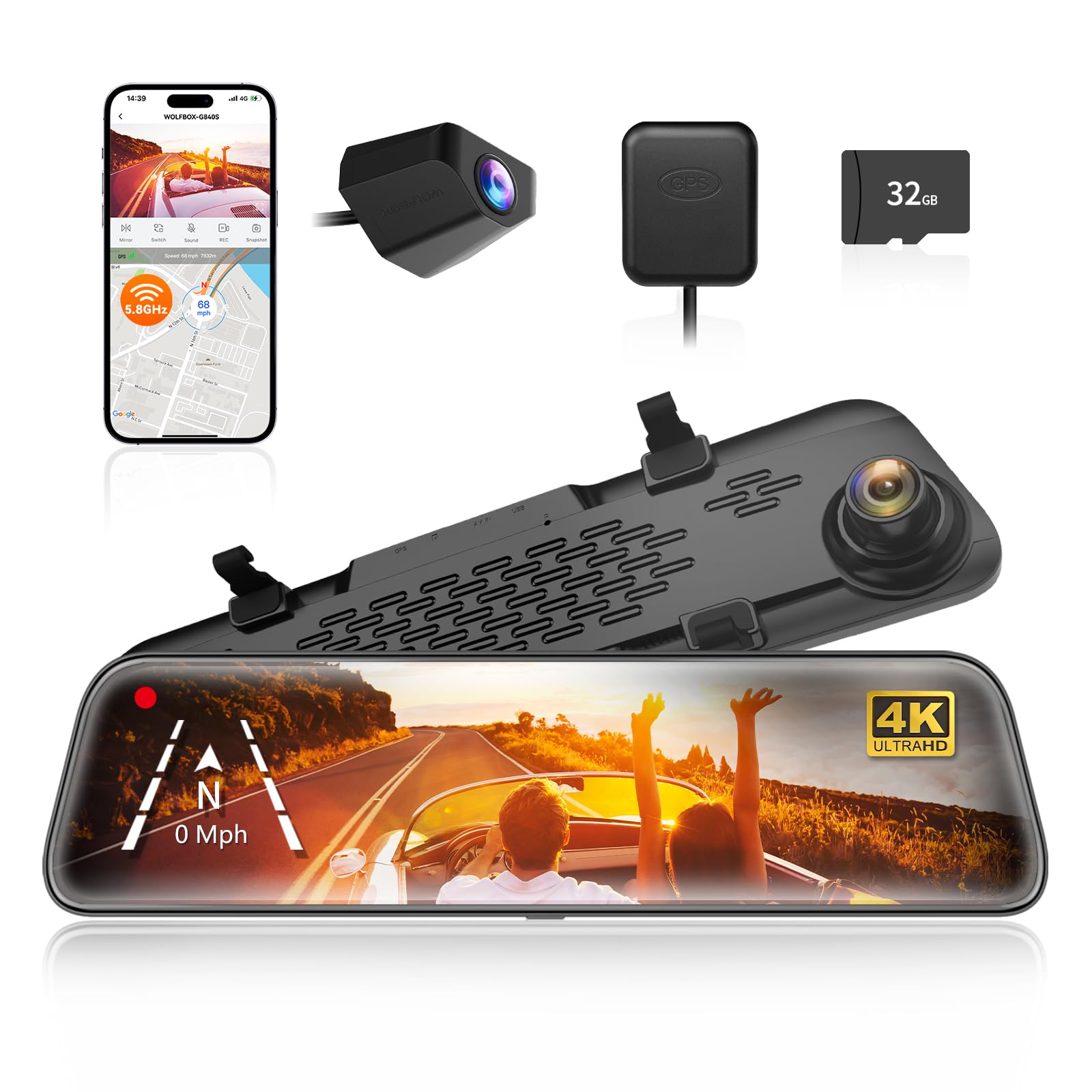
We recommend this dash cam for older drivers who want a large display, a wide rear view, and simple touch controls.
Key Pros
- Large screen makes the view easier to see
- Clear front video and useful GPS tracking
- Rear camera helps reduce blind spots
Key Cons
- Rear video can look less clear at night
- Parking monitoring needs a hardwire kit
- Installation may take time in some vehicles
The 12-inch screen stood out during daily driving because it made the rear camera view easier to check than a small mirror-mounted display. We could also adjust the view with the touch controls instead of reaching for small buttons.
The front camera records sharp 4K video, which helps us read signs and capture road details. The wide lenses provide a broader view, while the rear camera adds helpful coverage when reversing or changing lanes.
At night, the front view remains useful, but the rear camera may lose some detail in dark areas. Daytime reflections can also affect the screen, although the low-reflection design helps reduce the problem.
We found the Wi-Fi app useful for viewing and saving clips without removing the memory card. GPS adds location and speed data, which can help document an incident. Parking monitoring is available, but we need the optional hardwire kit for that feature.
Installation depends on the vehicle. The front unit mounts over the existing mirror, while the rear camera needs a cable routed through the vehicle. With its large display and broad view, the G840S suits drivers who value visibility more than a quick, minimal setup.
Buying Guide
We should choose a dash cam that stays simple to operate. Large buttons, a clear screen, voice prompts, and easy-to-read menus can help older drivers use the camera without distraction.
We should also check the mounting system and power setup. A secure mount should hold the camera steady, while a long power cable can support a neat installation without blocking the driver’s view.
| Feature | What to look for |
|---|---|
| Video quality | Clear footage in daylight and at night |
| Viewing angle | Wide coverage without heavy image distortion |
| Storage | Removable memory card support and loop recording |
| Parking mode | Recording while the vehicle is parked, when properly installed |
| Safety features | GPS, impact detection, and speed information if useful |
| Controls | Large buttons, simple menus, and a readable display |
| Reliability | Heat resistance, stable power, and dependable recording |
We should confirm that the camera includes the needed accessories, such as a power adapter, mounting hardware, and memory card support. Some models may require a separate card or hardwire kit.
Before buying, we should check the warranty, return policy, app requirements, and installation needs. A camera with fewer features may suit us better if it offers clearer controls and easier daily use.
Editor’s Choice
We recommend the Garmin Dash Cam 67W for older drivers who want clear video and simple daily use. Its compact design stays mostly out of the driver’s view, while the wide lens records more of the road and nearby traffic.
The camera includes a bright 2-inch display, voice control, GPS, and built-in Wi-Fi. We can use the voice commands to save video without reaching for the camera, which helps reduce distractions.
Key features include:
- 1440p video for clear daytime footage
- 180-degree lens to capture a wide view
- GPS to record location and speed
- Automatic incident recording
- Parking Guard with a compatible constant-power cable
- Simple phone connection through the Garmin Drive app
We should note that some features require the Garmin Drive app, a memory card, or an extra power cable. The camera also records best when we keep the windshield clean and place it where it does not block our view.
Conclusion
We should choose a dash cam that keeps driving information easy to see and use. A large screen, simple controls, clear voice guidance, and reliable video matter more than extra features.
We should also consider how the camera fits the driver’s daily needs:
- For simple recording: Choose a model with automatic start and loop recording.
- For easier viewing: Look for a bright screen with large text.
- For added protection: Consider GPS, parking mode, and impact detection.
- For less maintenance: Choose a camera with a dependable memory card and simple setup.
We should place the camera where it does not block the driver’s view. Before regular use, we should test the power connection, adjust the viewing angle, and learn how to save important clips.
A suitable dash cam can make recording incidents easier without adding needless distractions. We should favor clear operation and dependable performance over a long list of complicated settings.
FAQS
What features should we look for in a dash cam for older drivers?
We should prioritize a clear screen, simple controls, voice alerts, and automatic recording. GPS, parking mode, and night vision can also help, but they should not make the camera difficult to use.
Is a front-facing camera enough?
A front camera records the road ahead and suits many drivers. We may choose a dual-camera model if we want coverage of the rear or the cabin.
Do we need a large screen?
A larger screen can make menus and recorded footage easier to see. We should still check that the screen does not block our view through the windshield.
How do we prevent the dash cam from filling its memory card?
Most dash cams use loop recording. When the card becomes full, the camera replaces older, unprotected files. We should use a compatible, high-endurance microSD card and replace it as the manufacturer recommends.
Can we install a dash cam ourselves?
We can usually attach the camera, connect the power cable, and adjust its angle without special tools. A professional installation may suit us if we want hidden wiring or parking mode.
Should we choose a model with an app?
An app can help us view and save videos on a phone. If we prefer simple operation, we should choose a camera that also offers easy controls without requiring the app.

I’m Alex Rahman, a car enthusiast and automotive writer focused on practical solutions, car tools, and real-world driving advice. I share simple and honest content to help everyday drivers make better decisions.
