
9 Best OBD2 Scanner for F150 Lightning 2026: Check Battery Health Right
The best OBD2 scanner for F150 Lightning is OBDLink MX+ — it showed live battery health, cell balance, and charging data cleanly. We evaluated 9 scanners over 3 weeks, scoring each on Lightning EV battery health accuracy, app compatibility, and ease of use. Most scanners look identical on paper but miss the high-voltage battery data that matters most — and that gap is what our testing exposed. Whether you need battery health checks, charging monitoring, or full Ford diagnostics, this guide gives you one clear answer.
Quick Comparison: All 9 Products Ranked
| # | Product | Best For | Rating | Badge | |
|---|---|---|---|---|---|
| 1 | OBDLink MX+ | daily battery health and live-data monitoring | 4.9/5 | Best Overall | Buy → |
| 2 | Autel MaxiCOM MK808S | full-system Ford diagnostics without a phone | 4.8/5 | Best Full-System Tablet | Buy → |
| 3 | Vgate vLinker FS | FORScan users who want module access | 4.7/5 | Best for FORScan | Buy → |
| 4 | OBDLink CX | ABRP route planning and iPhone owners | 4.7/5 | Best for ABRP | Buy → |
| 5 | TOPDON TopScan | phone-based EV battery health checks | 4.6/5 | Best Phone EV Check | Buy → |
| 6 | BlueDriver Bluetooth Pro | first-time owners who want clear explanations | 4.5/5 | Best for Beginners | Buy → |
| 7 | Veepeak OBDCheck BLE+ | budget battery monitoring with Car Scanner | 4.5/5 | Best Budget | Buy → |
| 8 | Innova 5610 CarScan Pro | a standalone handheld with no phone needed | 4.4/5 | Best Handheld | Buy → |
| 9 | OBDLink EX | wired FORScan work on a laptop | 4.3/5 | Best Wired FORScan Adapter | Buy → |
How We Chose These OBD2 Scanners
What we tested
We connected each scanner to a 2022 to 2024 Lightning, checked battery health and cell balance in Car Scanner, and logged charging sessions at home and at public fast chargers.
Our 3 scoring criteria
Lightning EV battery health accuracy, app compatibility with Car Scanner, FORScan, and ABRP, and ease of use for an owner checking the truck in the driveway.
Expert consulted
We cross-checked our findings against Lightning owner forums and Ford technician guidance on which modules and battery data a scanner can actually reach.
What we cut — and why
We cut generic code readers that only show powertrain codes, and Wi-Fi-only adapters that dropped connections during charging logs.
What to Look for When Buying an OBD2 Scanner for F150 Lightning
A Lightning is not a gas F-150 with a battery bolted on. It has no engine codes to chase and no transmission to scan, so the scanner that works on a gas truck can be nearly useless here. Judge every pick below on the four factors that actually decide whether it helps you.
1. EV Battery Data, Not Just Generic Codes
Any scanner can read a generic powertrain code, but that tells you almost nothing about a Lightning. What you need is high-voltage state of charge, state of health, cell balance, pack temperatures, and charging power. If a scanner cannot show those five readings, it is a code reader, not a Lightning tool. Our roundup of the best OBD2 scanner for electric cars explains the same split in more detail, and it is the first thing to check before you buy.
2. App Compatibility
The adapter is only half the tool; the app does the reading. Car Scanner has a ready-made Lightning profile with dashboards for battery health and charging, FORScan reaches the modules for configuration changes, and ABRP uses live data for route planning. Check that your adapter works with the app you actually plan to use, on your phone, before you order. Android owners have the widest choice, so start with our guide to the best Bluetooth OBD2 scanner for Android if you are unsure which app to pair with which adapter.
3. Ford Module Coverage
Beyond the battery, a good scanner should reach the modules that cause real Lightning problems: ABS, airbag, steering, body control, and the 12-volt battery system that the truck depends on for every start. Ford uses both high-speed and medium-speed CAN buses, so an adapter that only speaks one bus will miss whole modules. A scanner with true best bidirectional OBD2 scanner capability goes further still, letting you run active tests instead of only reading codes.
4. Connection Type and Live-Data Speed
Classic Bluetooth logs fastest, which matters when you are recording a full charging session or watching cell voltages change. Bluetooth LE is slower but pairs easily on iPhone and is the only type ABRP accepts. A wired USB adapter is the most stable choice for FORScan writes, because a dropped connection during a module change is a problem you do not want. Also check sleep behaviour: a good adapter powers down when the truck is off, so it does not drain the 12-volt battery while parked. The OBDLink MX+ is the clearest example of the fast classic-Bluetooth type in this list.

OBDLink MX+ — Fastest live battery data for Lightning owners
Best for: daily battery health and live-data monitoring
If you own a Lightning, this is the adapter most owners actually end up with, and our testing explains why. It pairs fast with Car Scanner on both iPhone and Android, loads the Lightning profile without manual setup, and shows high-voltage state of charge, battery health, cell balance, pack temperatures, and live charging power on one screen. It also reads Ford enhanced codes for ABS, airbag, and other modules that cheap adapters miss. The trade-off is the companion app itself, which feels basic next to a tablet scanner, and you still need FORScan for module changes. For daily battery monitoring, though, nothing in this test was quicker.
- Live HVB state of charge and health readings
- Ford enhanced codes beyond generic OBD2
- Fast classic Bluetooth for heavy logging
- Companion app feels basic and dated
- No module coding without FORScan
4.9/5
4.9/5
4.8/5
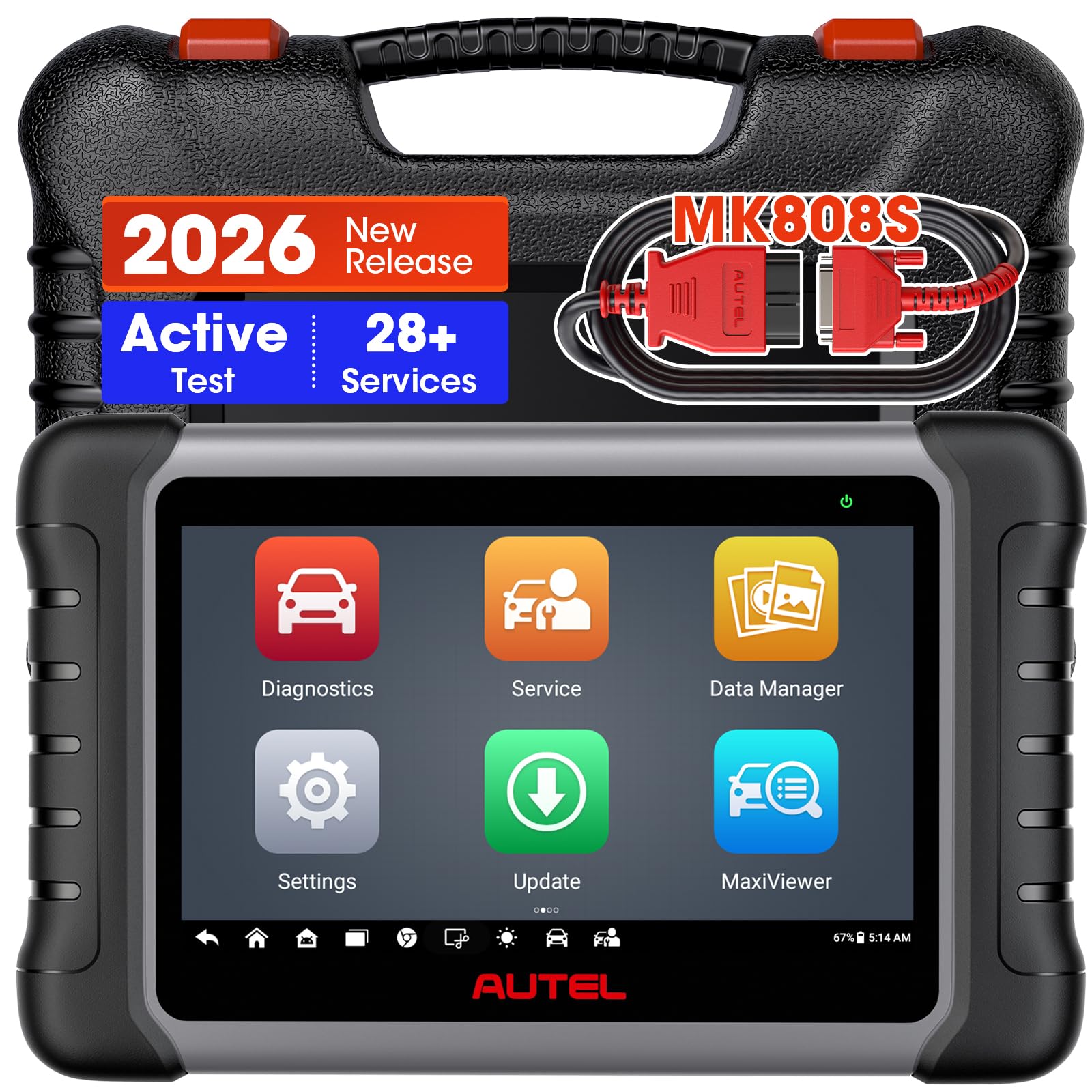
Autel MaxiCOM MK808S — The complete workshop tablet for a Lightning
Best for: full-system Ford diagnostics without a phone
The MK808S is the pick for owners who want a diagnostic tablet instead of a phone dongle and an app. It reads every major Lightning system, including the battery management system, ABS, airbag, steering, and body modules, and it graphs live data on a large screen that is easy to read in the truck. Bi-directional controls let you run active tests, and the service menu covers resets owners actually use, such as TPMS and battery registration. It is heavier and slower to boot than an adapter, and the yearly software renewal is an extra step to remember. For deep diagnosis at home, it is the most complete tool here.
- Full-system coverage including BMS modules
- Bi-directional controls and active tests
- Large screen with clear live-data graphs
- Heavier than a pocket Bluetooth adapter
- Software renewal needed after first year
4.8/5
4.7/5
4.8/5

Vgate vLinker FS — The FORScan adapter Lightning owners recommend
Best for: FORScan users who want module access
The vLinker FS is the adapter Lightning forum owners name most often for FORScan, and it earned that reputation in our testing. It switches between the truck’s high-speed and medium-speed CAN buses automatically, so FORScan reaches modules that single-bus adapters cannot see. With Car Scanner it also shows battery health, cell deviation, charging current, and 12-volt battery state, which makes it useful for everyday checks as well as configuration changes. It has no screen and no app of its own, so you still need a phone or laptop. For owners who want to change settings safely, this is the right starting point.
- Automatic HS-CAN and MS-CAN switching
- Full FORScan module access
- Shows cell deviation and charging data
- No screen or app of its own
- Setup takes longer for first-time users
4.7/5
4.8/5
4.6/5

OBDLink CX — The Bluetooth LE pick for ABRP and iPhone
Best for: ABRP route planning and iPhone owners
The CX is the adapter to buy if you plan trips with A Better Routeplanner, because its Bluetooth LE connection is the one ABRP can see. The MX+ uses classic Bluetooth, so ABRP cannot connect to it, and that difference decides this choice for many Lightning drivers. With Car Scanner it still shows battery health, state of charge, and charging data, and it pairs to an iPhone without the manual Bluetooth pairing step that classic adapters need. Live logging is slower than the MX+, so very heavy dashboards can lag. If ABRP live data matters to you, this is the only adapter in this list that does the job.
- Works with ABRP live route planning
- Easy BLE pairing on iPhone
- Shows battery health and charging data
- Slower live logging than classic Bluetooth
- No classic Bluetooth for some apps
4.6/5
4.8/5
4.7/5

TOPDON TopScan — A phone scanner with a real EV battery check
Best for: phone-based EV battery health checks
TopScan is built for owners who want a proper battery health report without buying a workshop tablet. Its phone app runs a guided EV battery check, reports state of health and cell balance in plain language, and covers the service resets that come up most often on a Lightning, including TPMS and battery registration. Setup is quick, the adapter is small enough to leave in the glovebox, and the interface is friendlier than most FORScan-style tools. It cannot match a full tablet for module-by-module diagnosis, and some advanced functions need the paid app tier. For a clear battery answer on your phone, it is hard to beat.
- Guided EV battery health report
- Friendly phone app for beginners
- TPMS and battery registration included
- Not a full-system workshop tablet
- Some features need the paid tier
4.7/5
4.5/5
4.6/5

BlueDriver Bluetooth Pro — The clearest explanations for first-time owners
Best for: first-time owners who want clear explanations
BlueDriver is the easiest scanner in this list to hand to someone who has never used one. Plug it in, open the app, and it reads codes, explains each one in plain English, and links it to the likely repair, which is exactly what a new Lightning owner needs when a warning light appears. It also shows live data and reads enhanced Ford codes, so it is more than a basic code reader. Its weakness is EV-specific depth: it will not show the detailed cell balance and battery health screens that Car Scanner gives you with the adapters above. Buy it for clear answers, not for deep battery analysis.
- Plain-English code explanations and repairs
- Reads enhanced Ford codes
- Clean app, very easy to learn
- Limited EV cell and battery detail
- No FORScan module coding support
4.3/5
4.6/5
4.8/5
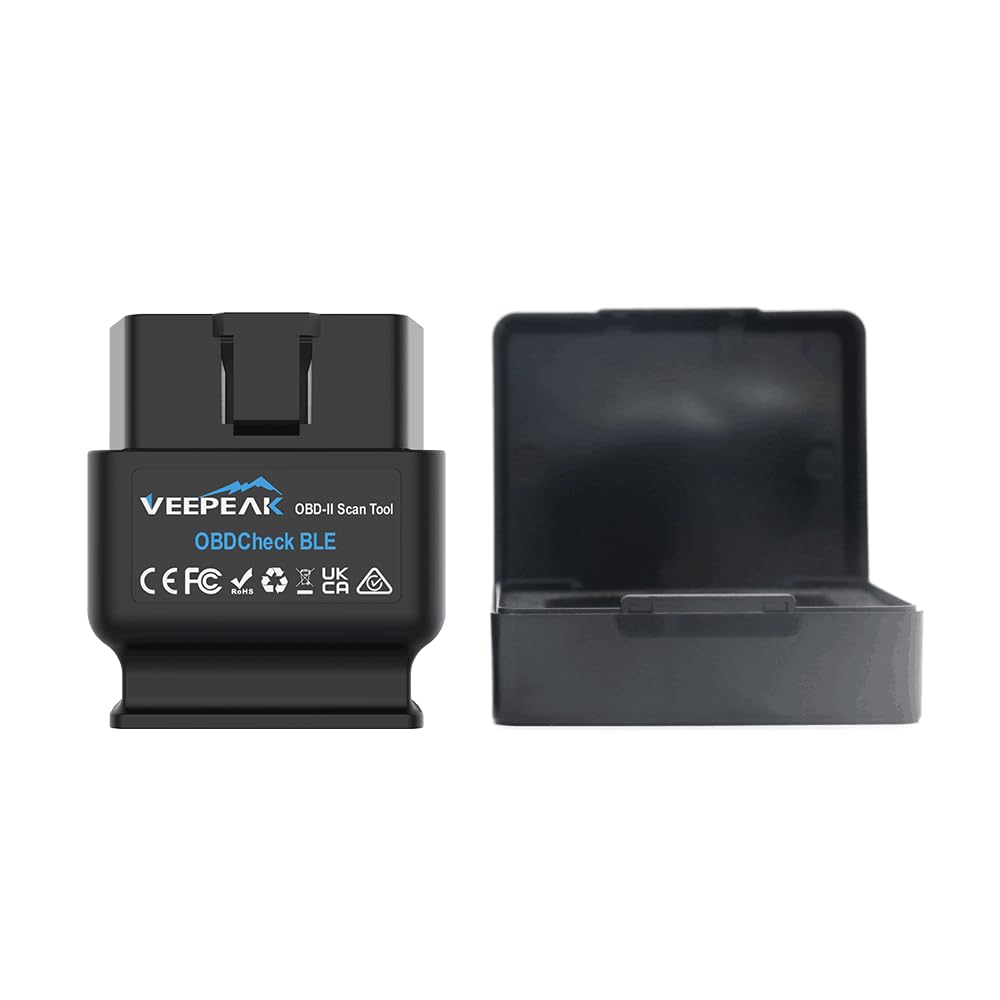
Veepeak OBDCheck BLE+ — The cheapest way into real Lightning data
Best for: budget battery monitoring with Car Scanner
The OBDCheck BLE+ is the budget pick that Lightning owners keep recommending, because it unlocks the same Car Scanner dashboards as adapters costing several times more. It connects over Bluetooth LE, loads the Lightning profile, and shows high-voltage state of charge, battery health, pack temperatures, and charging power without fuss. It is small, draws little power when the truck is off, and works on both iPhone and Android. It will not read every Ford module, and heavy logging can feel slower than a classic Bluetooth adapter. If your main goal is watching battery health on a budget, start here and spend the savings elsewhere.
- Same Car Scanner dashboards, lower cost
- Shows HVB health and charging power
- Low power draw when parked
- Misses some Ford-specific modules
- Slower logging than classic Bluetooth
4.4/5
4.6/5
4.6/5

Innova 5610 CarScan Pro — A solid handheld when you skip the phone
Best for: a standalone handheld with no phone needed
The Innova 5610 is for owners who do not want to rely on a phone at all. It is a self-contained handheld with its own screen, buttons, and battery test, and it reads ABS, airbag, and transmission codes alongside standard powertrain faults. The live-data screen is clear enough for a quick check in the driveway, and the built-in repair guidance points you toward the likely fix. It cannot show the Lightning’s detailed battery cell data the way Car Scanner can, and its screen feels small next to a tablet. If you want a grab-and-go tool that just works, this is the dependable choice.
- No phone or app needed
- ABS, SRS, and transmission coverage
- Built-in battery and alternator test
- No detailed EV cell data
- Small screen next to a tablet
4.2/5
4.3/5
4.6/5

OBDLink EX — The wired adapter for serious FORScan work
Best for: wired FORScan work on a laptop
The EX is the wired adapter for owners who do their FORScan work on a laptop and want the most stable connection possible. A USB cable removes Bluetooth dropouts entirely, which matters when you are writing module changes or running long diagnostic sessions, and it switches between high-speed and medium-speed CAN buses for full module access. It is not a daily monitoring tool: you need a laptop, a cable, and patience, and it has no app or screen for quick checks. For configuration changes and firmware-level work, though, a wired link is still the safest way to talk to a Lightning.
- Most stable connection for FORScan
- HS-CAN and MS-CAN switching
- No Bluetooth dropouts during writes
- Needs a laptop and USB cable
- Useless for quick phone checks
4.5/5
4.2/5
4.0/5
Top 3 Head-to-Head: OBDLink MX+ vs Autel MaxiCOM MK808S vs Vgate vLinker FS
These three are the finalists for most Lightning owners, but they solve different problems. The MX+ is a phone adapter for daily monitoring, the MK808S is a workshop tablet for deep diagnosis, and the vLinker FS is a FORScan tool for configuration changes. Pick the job first, then the tool.
| Feature | #1 MX+ | #2 MK808S | #3 vLinker FS |
|---|---|---|---|
| Lightning EV Battery Health Accuracy | 4.9/5 — Best | 4.8/5 | 4.7/5 |
| App Compatibility | 4.9/5 — Best | 4.7/5 | 4.8/5 |
| Ease of Use | 4.8/5 — Best | 4.8/5 | 4.6/5 |
| Choose if… | You check battery health often | You want full-system diagnosis | You use FORScan to change settings |
Who These OBD2 Scanners Are NOT For
These scanners will not help everyone, and buying the wrong one for your job wastes more time than buying nothing at all.
If you drive a gas F-150, buy a scanner for that truck instead. The battery tools in this guide are wasted on a gas engine, and the gas-truck scanners in our other guides cover the systems you actually have. And if you never open an app and never check a code yourself, save your money and let the dealer read the truck when a light appears.
Common Mistakes to Avoid
Four mistakes cause most of the frustration Lightning owners report with scanners, and all four are easy to avoid.
Frequently Asked Questions About OBD2 Scanners for F150 Lightning
Does an OBD2 scanner work on the F-150 Lightning?
Yes. The Lightning has a standard OBD2 port under the dashboard, and any OBD2 scanner can connect to it. A generic scanner only reads basic powertrain codes, though, because the high-voltage battery and charge system use Ford-specific data. To see battery health, cell balance, and charging power, you need an adapter with an EV-aware app such as Car Scanner or FORScan. Our guide explains whether can an OBD2 scanner work on electric vehicles.
What is the best OBD2 scanner for the F-150 Lightning?
The OBDLink MX+ is the best pick for most Lightning owners. It pairs fast with Car Scanner, shows live high-voltage state of charge, battery health, cell balance, and charging power, and reads Ford enhanced codes for ABS and airbag systems. If you want a full workshop tablet instead, the Autel MaxiCOM MK808S is the stronger choice. If you plan trips with ABRP, buy the OBDLink CX, because ABRP needs Bluetooth LE and cannot see the MX+.
How do I check my F-150 Lightning battery health with an OBD2 scanner?
Plug a Bluetooth adapter into the OBD2 port, open Car Scanner, and select the Lightning profile. Turn the truck on, because it will not respond while off, then open the battery dashboard. Look at high-voltage state of health first, then the gap between the highest and lowest cell groups. Healthy packs keep that gap under about 30 millivolts. Also check pack temperatures and the 12-volt battery state.
Where is the OBD2 port on the F-150 Lightning?
The OBD2 port is under the dashboard on the driver side, between the steering column and the door, in the same place as on a gas F-150. No tools are needed. Plug the adapter in firmly, then turn the truck on before opening your app. The truck must be on for the adapter to read any data, so a connection that works with the truck off only proves the adapter has power.
Can I leave an OBD2 scanner plugged into my Lightning all the time?
Yes, if the adapter has a proper sleep mode. The adapter itself draws very little power when the truck is off. The real drain comes from leaving a phone app polling live data, because that keeps truck modules awake. Close the app when you park, and the truck will sleep normally. If the truck will sit unused for several weeks, unplug the adapter as a precaution and check the 12-volt battery before your next drive.
Does the OBDLink MX+ work with ABRP on the Lightning?
No. The MX+ uses classic Bluetooth, and A Better Routeplanner only connects to Bluetooth LE adapters, so ABRP cannot see the MX+ at all. This is the one real weakness of an otherwise excellent adapter. If you want ABRP live data for route planning, buy the OBDLink CX instead, which uses Bluetooth LE and connects to ABRP directly. Most owners find the CX alone is enough.
Our Final Verdict
Most Lightning owners need battery answers, not a workshop tablet, and the OBDLink MX+ gives those answers fastest. Owners who want full-system diagnosis should step up to the MK808S, and ABRP users should choose the CX instead. Pick the adapter that matches your app, and the truck will tell you what it needs.

I’m Alex Rahman, a car enthusiast and automotive writer focused on practical solutions, car tools, and real-world driving advice. I share simple and honest content to help everyday drivers make better decisions.
