
OBD2 Car Scanner Apps for iPhone: Pick the Right App
Quick Answer
An OBD2 scanner app for iPhone works only with a Bluetooth Low Energy, Wi-Fi, or Apple MFi adapter, plus the app that matches that adapter. The app reads engine codes and live data from the car computer. It cannot reach every system on every car. Pick the app by the job, the adapter, and the systems you need to check.
- An iPhone cannot use a classic Bluetooth OBD2 adapter for most apps.
- The app is the screen, and the adapter is the link to the car.
- Free apps can cover basic codes and live data.
- ABS, airbag, and transmission access needs enhanced coverage for your make.
You own an iPhone, and you want to read a check engine light without a trip to a shop. This guide explains how iPhone OBD2 apps work, which adapter each type needs, and how to pick one for your car and your job.
How does an OBD2 scanner app work on iPhone?
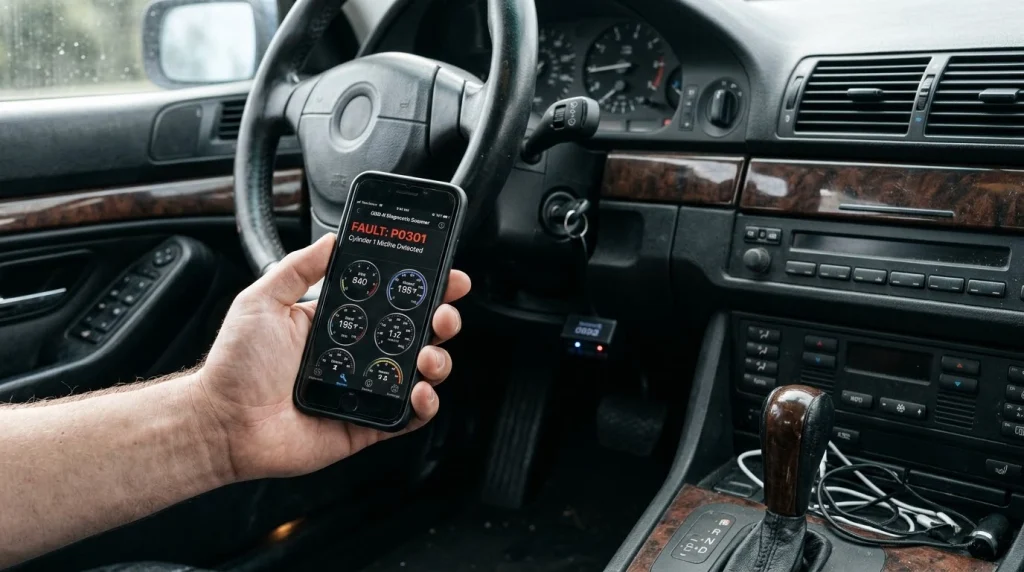
An OBD2 scanner app on iPhone shows data from the car computer through a small adapter in the diagnostic port. The adapter plugs into the port under the dashboard, and the app talks to the adapter by radio or Wi-Fi. The phone alone cannot reach the car computer.
The app sends a request for codes, and the car computer sends back the stored result. A code points to a system that reported a fault, such as a misfire or a sensor reading out of range. The app then shows the code, a short description, and live readings where the car supports them.
Learning what an OBD2 scanner does helps you read those results with care. A code is a clue, not a part name. You still need to check the cause before you replace a part.
Why does an iPhone need a Bluetooth LE or Wi-Fi adapter?
An iPhone needs a Bluetooth Low Energy, Wi-Fi, or Apple MFi adapter because iOS does not allow most apps to use classic Bluetooth for OBD2 links. Bluetooth Low Energy is a low power form of Bluetooth that iOS supports for this use. Wi-Fi adapters use a wireless network link, and MFi adapters carry Apple certification for iPhone use.
Many low cost adapters use classic Bluetooth, and those adapters work on Android but fail on iPhone. The plug fits, and the light may turn on, but the app cannot pair with the adapter. Check the listing for Bluetooth Low Energy, Wi-Fi, or MFi support before you buy.
WrenchTime notes that an iPhone OBD2 app can use Bluetooth Low Energy, Wi-Fi, or Apple MFi, or the app maker own sensor. OBD Fusion lists Bluetooth LE, Wi-Fi, and MFi adapters for iOS, and it states that generic classic Bluetooth adapters do not work with its iPhone app. Pair inside the app, not through iOS Settings, unless the app tells you to use Settings.
What can an iPhone OBD2 app read?
An iPhone OBD2 app can read generic engine codes, pending codes, live sensor data, freeze frame data, and readiness monitors on most cars. Live data can include engine speed, coolant temperature, load, fuel trim, and vehicle speed where the car reports them. Freeze frame data shows the conditions at the moment a fault was stored.
Readiness monitors show whether the car has finished its own self tests for emissions systems. A monitor marked Not Ready means the test has not finished, so a lack of codes proves nothing for that system. Mode 06 shows raw on board test results, and it can show a value moving toward a limit before a code sets.
Generic access does not reach every module. ABS, airbag, transmission, and body modules often need make specific commands, and those commands vary by car brand, model, and model year. Learning about manufacturer codes helps you see why one app can read a module on one car and miss it on another.
Which OBD2 app type for iPhone fits your job?
OBD2 apps for iPhone fall into four types, and the type matters more than the name on the icon. A free all round app suits basic checks. A guided sensor app suits plain repair reports. An enhanced data app suits deeper work on one make. A brand coding app suits settings and service tasks for supported brands.
The table below compares the four types on the same points, so you can match the type to your job before you look at a name.
| App type | Works with | Good for | Watch for |
|---|---|---|---|
| Free all round app | Bluetooth LE or Wi-Fi ELM327 adapter | Code reading and live data | Paid features vary by app |
| Guided sensor app | Maker sensor only | Plain repair reports | No third party adapter choice |
| Enhanced data app | Listed Bluetooth LE or Wi-Fi adapter | Deeper modules on one make | Extra packs per make |
| Brand coding app | Maker device only | Brand settings and service tasks | Coding needs care |
Car Scanner ELM OBD2 is a common free all round app, and it works with Bluetooth LE or Wi-Fi ELM327 adapters. BlueDriver is a guided sensor app, and it works only with its own sensor. OBD Fusion is an enhanced data app, and it offers paid packs for selected makes such as Ford, Toyota, and Nissan. OBDeleven and Carly are brand coding apps, and they need their own device for coding and brand tasks.
Pick by the job, not by the icon. If you only need to read a check engine light, a free all round app plus a compatible adapter is enough. If you need ABS or transmission codes on one make, check the enhanced pack list for that make first. If you want to change a setting, use a brand app that lists your car and the exact function.
How do you connect an OBD2 app to your iPhone?
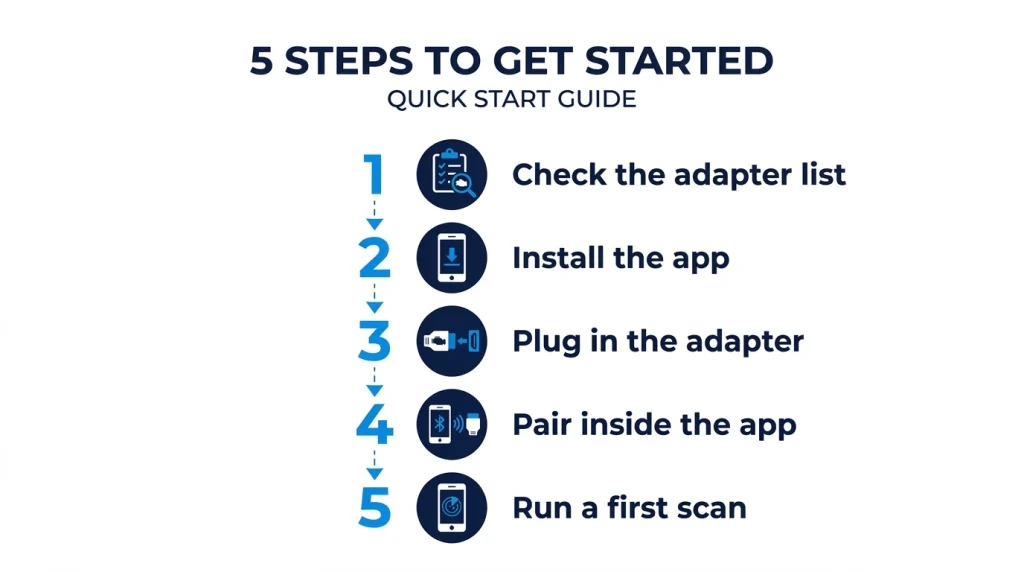
Connecting an OBD2 app to your iPhone takes five steps, and the order matters. Install the app first, then plug in the adapter, then pair inside the app. A rushed first pair is the most common cause of a failed first scan.
Step 1
Check the adapter list
Open the app page or the maker site, and check that your adapter is listed for iPhone. Look for Bluetooth Low Energy, Wi-Fi, or MFi support.
Step 2
Install the app
Install the app from the App Store, and grant the Bluetooth and local network access it asks for. Denied access can block the link.
Step 3
Plug in the adapter
Find the diagnostic port under the dashboard, and push the adapter in until it sits firm. Turn the ignition on so the port has power.
Step 4
Pair inside the app
Open the app, choose the adapter type, and let the app find the adapter. Do not pair a Bluetooth LE adapter through iOS Settings first.
Step 5
Run a first scan
Run a code scan, then check live data for one or two readings. If the scan fails, close the app, unplug the adapter, and repeat the steps in order.
Learning how to use an OBD2 scanner helps you read the first scan with care. Note the codes, the freeze frame, and the readiness state before you clear anything. Clearing a code erases the clue that helps you find the cause.
What should you check before you pay?
Paying for an app or an adapter before you check coverage can waste money. The app price is only one part of the cost. The adapter, the paid packs, and the subscription for the feature you need can add up fast.
Tip
Check your exact make, model, and model year in the app compatibility list before you pay for a pack or a sensor.
Check four points in order: phone, adapter, car, and cost. The phone point is the iOS version and the link type. The adapter point is the exact model and its iPhone support. The car point is the make, model, and the systems you need. The cost point is the full setup, not the app download alone.
If you
Need only a check engine light check
Choose a free all round app, because it covers codes and live data with a low cost adapter.
If you
Need ABS, airbag, or transmission codes
Choose an enhanced data app, because generic access alone will not reach those modules.
If you
Own a VW Group or BMW car and want coding
Choose a brand coding app, because it lists the exact functions for your car.
Free does not mean the same in every app. One free app may read and clear codes, while another free app may read codes but lock clearing, freeze frame, or readiness behind a paid tier. Read the App Store page for the exact free tier before you install.
Common mistakes with iPhone OBD2 apps
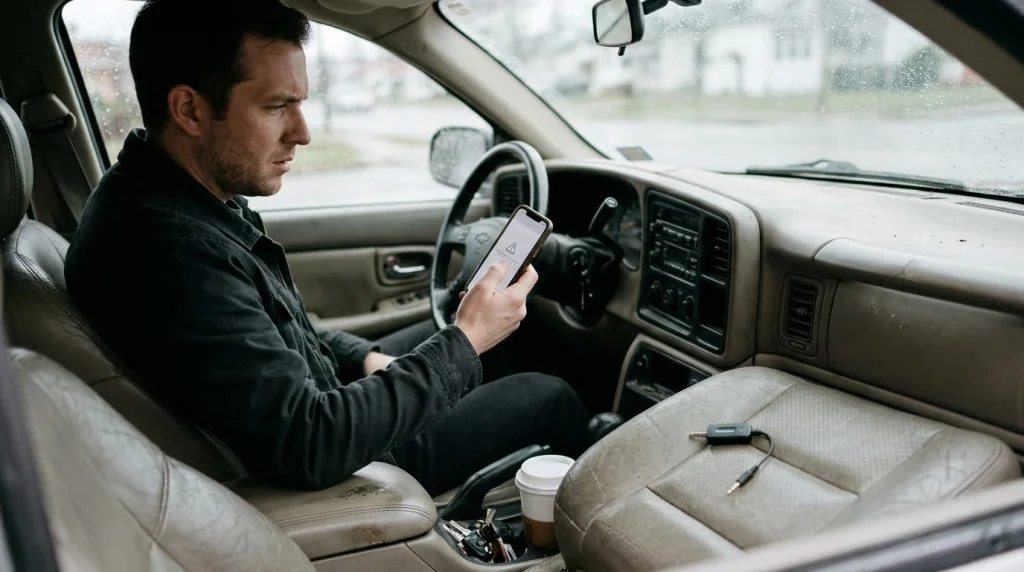
Most iPhone OBD2 failures come from the adapter, not the app. A classic Bluetooth adapter is the first mistake, and it fails before the app can read a single code. A second mistake is pairing through iOS Settings, which can block the app link for a Bluetooth LE adapter.
A third mistake is clearing a code before you note it. Clearing turns the light off, but the fault can return if the cause is still there. A fourth mistake is buying a paid pack for the wrong make or model year, which can leave the module you need still out of reach.
A fifth mistake is leaving an adapter plugged in without checking its sleep mode. Some adapters draw power when the car is off, and a weak battery can suffer. If the link drops often, read about why Bluetooth OBD2 disconnects before you buy a new adapter.
OBD2 Bluetooth Adapter
A Bluetooth LE adapter links your iPhone to the car port, so an OBD2 app can read codes and live data.
Frequently Asked Questions
Is there a free OBD2 app for iPhone?
A free OBD2 app for iPhone can read codes and show live data when it pairs with a compatible adapter. Car Scanner ELM OBD2 offers a free tier, and the BlueDriver app is free with its own sensor. The free tier varies by app, so check what it includes before you rely on it.
Does Torque Pro work on iPhone?
Torque Pro does not work on iPhone as the Android app of the same name. Torque Pro is an Android app, and App Store apps with Torque in the name come from other developers. Car Scanner ELM OBD2 and OBD Fusion cover the same basic jobs on iPhone.
Can an iPhone OBD2 app read ABS and airbag codes?
An iPhone OBD2 app can read ABS and airbag codes only when it has enhanced coverage for your car make and model. Generic OBD2 access reaches engine and emissions systems, not those modules. Check the app pack list for your make before you pay.
Do I need the internet to use an OBD2 app on iPhone?
An iPhone OBD2 app does not need the internet to read codes from the car through a local adapter link. The scan runs between the phone, the adapter, and the car computer. Internet access may help for code lookup, updates, or cloud sync, but it is not needed for a basic scan.
Can I leave the adapter plugged in all the time?
An OBD2 adapter can stay plugged in when it has a low power sleep mode and your battery is healthy. Some adapters keep drawing power after the car is off, and a weak battery can drain. Unplug the adapter if you park for a long time or notice slow starts.
Will an OBD2 app drain my car battery?
An OBD2 app can drain a car battery only through the adapter that stays powered in the port. The app on the phone does not draw power from the car battery. Choose an adapter with sleep mode, and unplug it when you do not need a scan.
Conclusion
Best OBD2 car scanner apps for iPhone share one rule: the adapter must match iOS, and the app must match your job. If you need only basic codes, choose a free all round app with a Bluetooth LE adapter.

I’m Alex Rahman, a car enthusiast and automotive writer focused on practical solutions, car tools, and real-world driving advice. I share simple and honest content to help everyday drivers make better decisions.
