
Can You Use OBD2 Bluetooth With a Tablet? Yes, With Limits
Quick Answer
Yes. Plug the adapter into the car’s OBD2 port, install a compatible diagnostic app, and connect through Bluetooth. Most Android tablets work with classic Bluetooth and Bluetooth Low Energy, while an iPad needs a Bluetooth Low Energy adapter or an Apple-certified classic Bluetooth adapter.
A tablet is often the most comfortable screen for car diagnostics, with larger gauges and several readings side by side. That only helps when the adapter, tablet, and app agree on Bluetooth type. If one differs, the tablet may see the adapter and still refuse to talk to it.
What a Tablet Actually Does in This Setup
A Bluetooth OBD2 adapter does not turn a tablet into a scan tool by itself. The adapter plugs into the car’s 16-pin OBD2 port, usually under the dashboard on the driver’s side, reads data from the car’s computer, and sends it wirelessly. The tablet is the display and control panel: the app asks for fault codes or live sensor values and turns the replies into gauges and code descriptions.
That split explains most tablet problems. A limited adapter can restrict what the app shows, even on a fast tablet. Most cars and light trucks sold in the United States since 1996 have an OBD2 port, and a generic adapter can usually read basic engine codes and live data from it. Deeper functions, such as ABS or manufacturer-specific codes, depend on the adapter and the app, not on screen size.
Android Tablets vs iPads: The Bluetooth Difference That Decides It
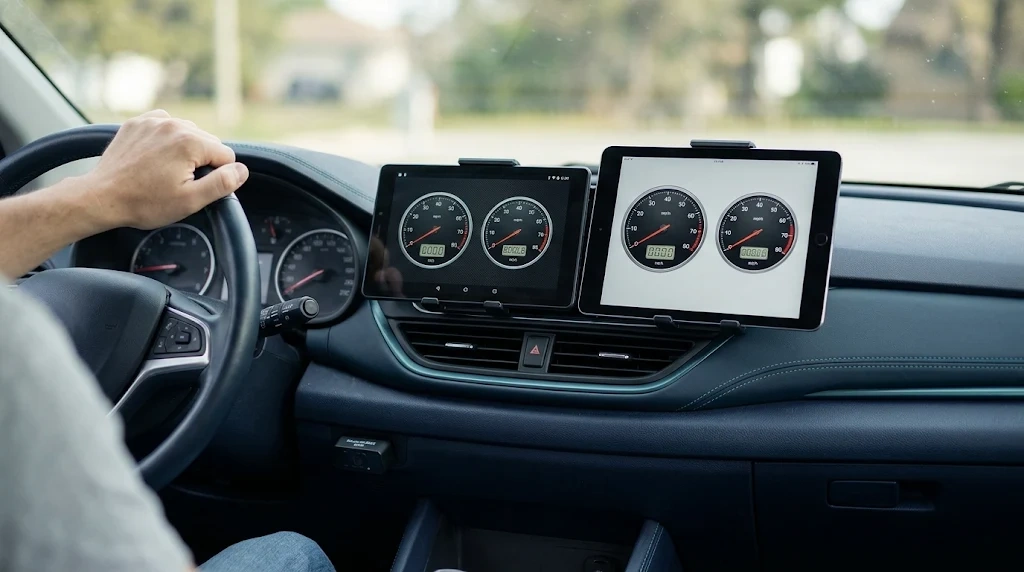
The operating system matters more than the tablet brand, because Android and iPadOS handle Bluetooth differently.
Android tablets are the more flexible option. Android supports classic Bluetooth, used by many inexpensive ELM327 adapters, and Bluetooth Low Energy, often written as BLE or Bluetooth 4.0 and later. An Android tablet can usually connect to either type, provided the app supports it.
An iPad is stricter. iPadOS apps generally cannot use a plain classic Bluetooth adapter unless it is certified through Apple’s accessory program. The reliable path is a Bluetooth Low Energy adapter, a dual-mode adapter that includes BLE, or an Apple-certified adapter such as the OBDLink MX+. The OBDLink MX+ page describes it as an adapter that can turn a phone, tablet, laptop, or netbook into a diagnostic scan tool, and lists iPad among the supported devices.
Do not judge an adapter by the word Bluetooth alone. A listing that says only Bluetooth, Bluetooth 2.0, or Bluetooth 3.0 usually means classic Bluetooth. One that says BLE, Bluetooth 4.0, or Bluetooth 5.0 usually means the low-energy type. For an iPad, look for BLE or an explicit iOS or iPad mention before buying.
| Tablet | Classic Bluetooth | Bluetooth Low Energy |
|---|---|---|
| Android tablet | Usually works, if the app supports it | Usually works |
| iPad | Usually does not work, unless Apple-certified | Usually works, when the app supports BLE |
| Windows tablet | Often works, if the software supports it | Works only with BLE-aware software |
That table is a starting point, not a guarantee for every model. When a listing is vague about the Bluetooth type, treat that as a warning sign. For the iPad side in more detail, see the guide to whether Bluetooth OBD2 works with an iPhone. The iPad rules follow the same iOS pattern.
What to Check Before You Buy an Adapter for a Tablet
Buying the adapter first and checking compatibility later is the most common mistake. A short check before ordering saves a return.
- Tablet version. Check the tablet’s Android or iPadOS version, then the app’s minimum version in its store listing. An app that needs a newer version will not install on an old tablet.
- Bluetooth type. Confirm whether the adapter is classic Bluetooth, BLE, or dual-mode. For an iPad, BLE or Apple certification is the deciding detail.
- App support. Some apps list supported adapters by name; others support any ELM327-compatible adapter. The OBDLink adapter comparison shows how one manufacturer separates models by connection type and operating system.
- Vehicle coverage. Generic functions cover engine codes and basic live data. Manufacturer-specific systems need an adapter and app that list them for that make and model.
- Permissions. On Android, many apps need location permission to scan for Bluetooth devices. On iPadOS, BLE apps usually connect inside the app.
- Mounting. A loose tablet is a hazard in a sudden stop, so plan a stable mount before driving with live data on screen.
Install the app first, before the adapter arrives, and check its connection settings. If the app offers only BLE and the adapter in the cart is classic Bluetooth only, the mismatch is visible before any money is spent.
How to Connect a Bluetooth OBD2 Adapter to a Tablet
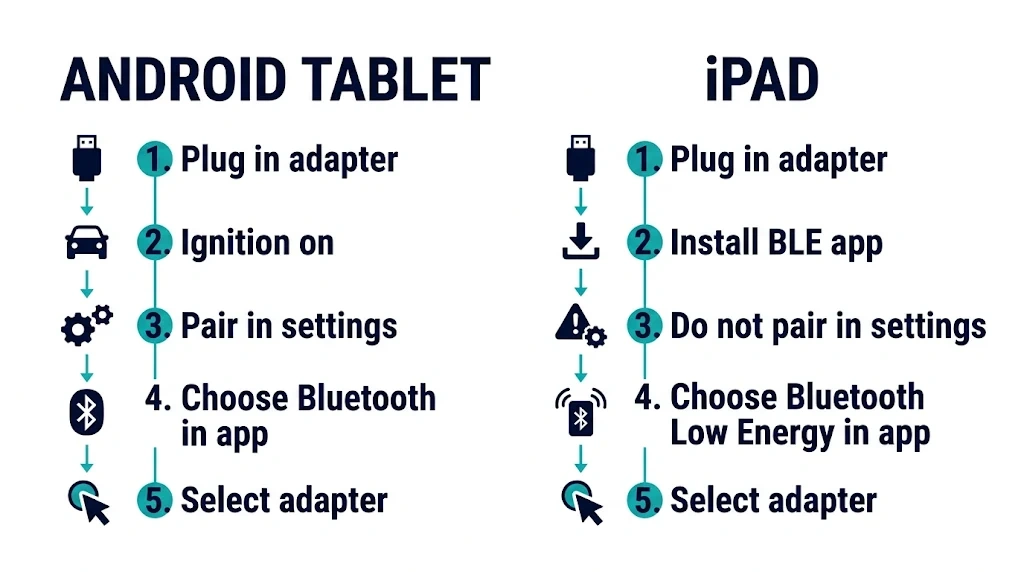
The steps are short, but the order matters. Connecting in the wrong place, especially on an iPad, is the reason many first attempts fail. The walkthrough for how to connect a Bluetooth OBD2 scanner covers the same process.
Park the car, apply the parking brake, and find the OBD2 port. Charge the tablet, turn on Bluetooth, and install the diagnostic app. Many adapters power up with the ignition on.
Connect on an Android tablet
- Plug the adapter firmly into the OBD2 port until it seats fully.
- Turn the ignition to the on or accessory position so the adapter powers up.
- Pair with the adapter in the tablet’s Bluetooth settings. For classic Bluetooth, the code is often 1234 or 0000; see the ELM327 Bluetooth pairing code if the usual code is rejected.
- Open the diagnostic app, choose Bluetooth as the connection type, and select the adapter name inside the app.
- Wait for the app to connect. A successful connection usually shows the vehicle protocol, battery voltage, or a first live reading.
If the adapter pairs in Android settings but the app shows no connection, check the Bluetooth type in the app, close other diagnostic apps, and check location permission.
Connect on an iPad
- Plug the adapter into the OBD2 port and turn the ignition on.
- Install a diagnostic app that supports BLE and lists iPad or iOS support.
- Do not pair a BLE adapter from the iPad’s Bluetooth settings. BLE adapters often appear there, but tapping them can produce a not supported message.
- Open the app, choose Bluetooth Low Energy as the connection type, and select the adapter name inside the app.
- Wait for the app to connect, and allow Bluetooth permission if it asks.
For an Apple-certified classic Bluetooth adapter, pair in system settings first, then select the adapter inside the app. When the adapter instructions and the app disagree, follow the app’s connection screen.
What You Can and Cannot Do on a Tablet
A tablet changes how much you can see, not what the car will share. A large screen does not add ABS, airbag, or manufacturer-specific access the adapter and app do not already support.
On a typical generic setup, a tablet can read and clear engine fault codes, show live data such as coolant temperature, engine speed, and fuel trim, display freeze frame data when available, and show readiness monitors for an emissions check.
A tablet setup usually cannot do dealer-level programming, key coding, or module configuration, and it cannot reliably diagnose a system the adapter and app do not list. Clearing a code also does not repair the fault that caused it; the code will return if the problem is still present.
Internet access is separate from Bluetooth. The Bluetooth link does not need mobile data or Wi-Fi, and reading a code and showing live data can work offline once the app is installed. See whether Bluetooth OBD2 works without internet for which parts stay available offline.
Why a Tablet Can Be Better Than a Phone, and When It Is Not
The clearest advantage is screen space. A 10-inch tablet can show four or six gauges at a readable size, while a phone forces a choice between fewer gauges or smaller text. A tablet is also easier to share and to use for longer sessions, logging, and notes.
A phone wins for a quick check. It is always in a pocket, it connects faster, and it is easier to hold while reaching under a dashboard. Most adapters also work only within a few metres, so the tablet still needs to stay in or near the car.
Wi-Fi adapters are sometimes suggested for iPads, but a Wi-Fi adapter can take over the tablet’s Wi-Fi connection, which may block maps and other online apps while it is connected. Bluetooth avoids that trade-off; see whether Bluetooth OBD2 is better than Wi-Fi OBD2.
When the Tablet Will Not Connect
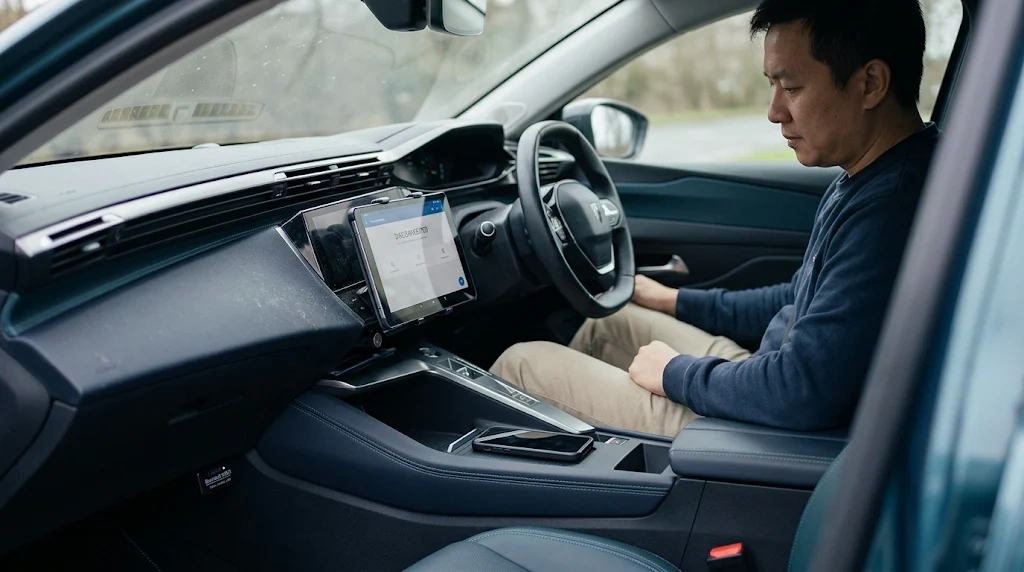
Connection failures usually fall into a small set of causes. Check them in order.
- No power. Check that the adapter is fully seated and the ignition is on.
- Wrong Bluetooth type. In the app, check whether the connection type is classic Bluetooth or BLE, and change it to match the adapter.
- Another device is holding the connection. An adapter usually connects to one device at a time. Disconnect the other device and close other diagnostic apps.
- Paired in the wrong place on an iPad. For BLE adapters, forget the adapter in the iPad’s Bluetooth settings, then connect only inside the app.
- The app does not support the adapter. Try a second app that lists the adapter or the ELM327 command set. If the second app connects, the first app is the limit.
- Too far away. Keep the tablet in the car, within a few metres of the adapter.
If live data freezes, close background apps and reduce the number of gauges on screen.
Related Product
Bluetooth OBD2 Adapter for Tablets
A Bluetooth OBD2 adapter that lists BLE or dual-mode support and names your tablet system is the part that makes this setup work.
As an Amazon Associate, we earn from qualifying purchases.
Frequently Asked Questions
Can I use any Bluetooth OBD2 adapter with a tablet?
No. The adapter must match the tablet’s operating system and the app’s Bluetooth type. Most Android tablets accept classic Bluetooth and BLE, while an iPad usually needs BLE or an Apple-certified adapter.
Does an iPad need a special OBD2 adapter?
Yes, in practice. An iPad needs an adapter made for iOS, usually BLE or an Apple-certified model. A cheap classic Bluetooth adapter that works on Android may pair in the iPad’s settings and still fail inside the app.
Can I use a Bluetooth OBD2 adapter with a Samsung tablet?
Yes. A Samsung tablet running Android can usually use one, because Android supports both classic Bluetooth and BLE. Install a compatible app and select the matching Bluetooth type in its settings.
Do I need Wi-Fi or mobile data to use OBD2 Bluetooth on a tablet?
No. The Bluetooth link does not need Wi-Fi or mobile data, and reading codes and live data can usually work offline once the app is installed.
Why does my tablet see the adapter but the app will not connect?
Check the Bluetooth type in the app settings first. Other likely causes are a BLE adapter paired in the iPad’s system settings instead of inside the app, another device holding the connection, or an app that does not support that adapter.
Is a tablet better than a phone for OBD2 diagnostics?
For viewing live data, yes, because the larger screen shows more gauges at a readable size. For a quick code check, a phone is usually faster and easier to carry.
Conclusion
Yes, a Bluetooth OBD2 adapter works with a tablet, and the larger screen makes live data easier to use. The setup succeeds when the adapter type matches the tablet: Android tablets accept classic Bluetooth and BLE, while an iPad needs BLE or an Apple-certified adapter. Install a compatible app, connect in the right place for that tablet type, and test it while parked.

I’m Alex Rahman, a car enthusiast and automotive writer focused on practical solutions, car tools, and real-world driving advice. I share simple and honest content to help everyday drivers make better decisions.
