10 Best Dash Cam for Front Side Recording: Top Picks and Buying Guide
Dash cams record the road while you drive and can provide useful video after a crash, traffic dispute, or other incident. Front-facing models are common, but cameras that also capture the sides can show vehicles, cyclists, and events that happen outside the main view.
The best dash cam for front side recording should offer a wide viewing angle without creating a distorted image. We also look for clear video at night, reliable parking protection, a secure mount, easy controls, and enough storage for important clips. For front and side coverage, choose a dash cam with multiple cameras or a wide-angle design that records clear footage in different lighting conditions.
We tested and compared dash cams to find the models that provide useful front and side coverage, dependable recording, and simple everyday operation.
Best Dash Cams for Front and Side Recording
We reviewed dash cams that capture clear video from the front and sides of your vehicle. Our list highlights models with useful features such as wide viewing angles, reliable recording, and simple installation.
ROVE R2-4K Dual Dash Cam

We recommend the ROVE R2-4K Dual for drivers who want front and rear coverage, clear low-light video, and simple phone access.
Key Pros
- Sharp front footage with useful rear coverage
- Fast Wi-Fi transfers through the ROVE app
- Includes a 128GB memory card and GPS
Key Cons
- Front video uses upscaling rather than native 4K
- Parking mode needs a separate hardwire kit
- Rear-camera installation takes extra cable work
The front camera gave us detailed footage during the day, while the rear camera added helpful coverage behind the vehicle. Its wide view also captured nearby lanes and intersections without making the image look overly distorted.
At night, the STARVIS 2 sensor and HDR helped preserve road details in dim areas. We still saw some limits with glare from headlights, but the footage remained useful for normal driving conditions.
The included 128GB card made setup easier, and the camera offered several mounting parts and cable clips. We liked the 3-inch screen for checking alignment, although routing the rear cable took more time than installing a front-only camera.
The ROVE app made it easy for us to review and download clips over 5.8GHz Wi-Fi. Built-in GPS added speed and route data, which can help provide context after an incident.
Parking mode supports time-lapse, motion detection, and collision detection, but we would need to buy and install the optional hardwire kit. Overall, this dash cam offers a strong balance of front detail, rear coverage, useful features, and easy file access.
Galphi Q2 4K Front Dash Cam
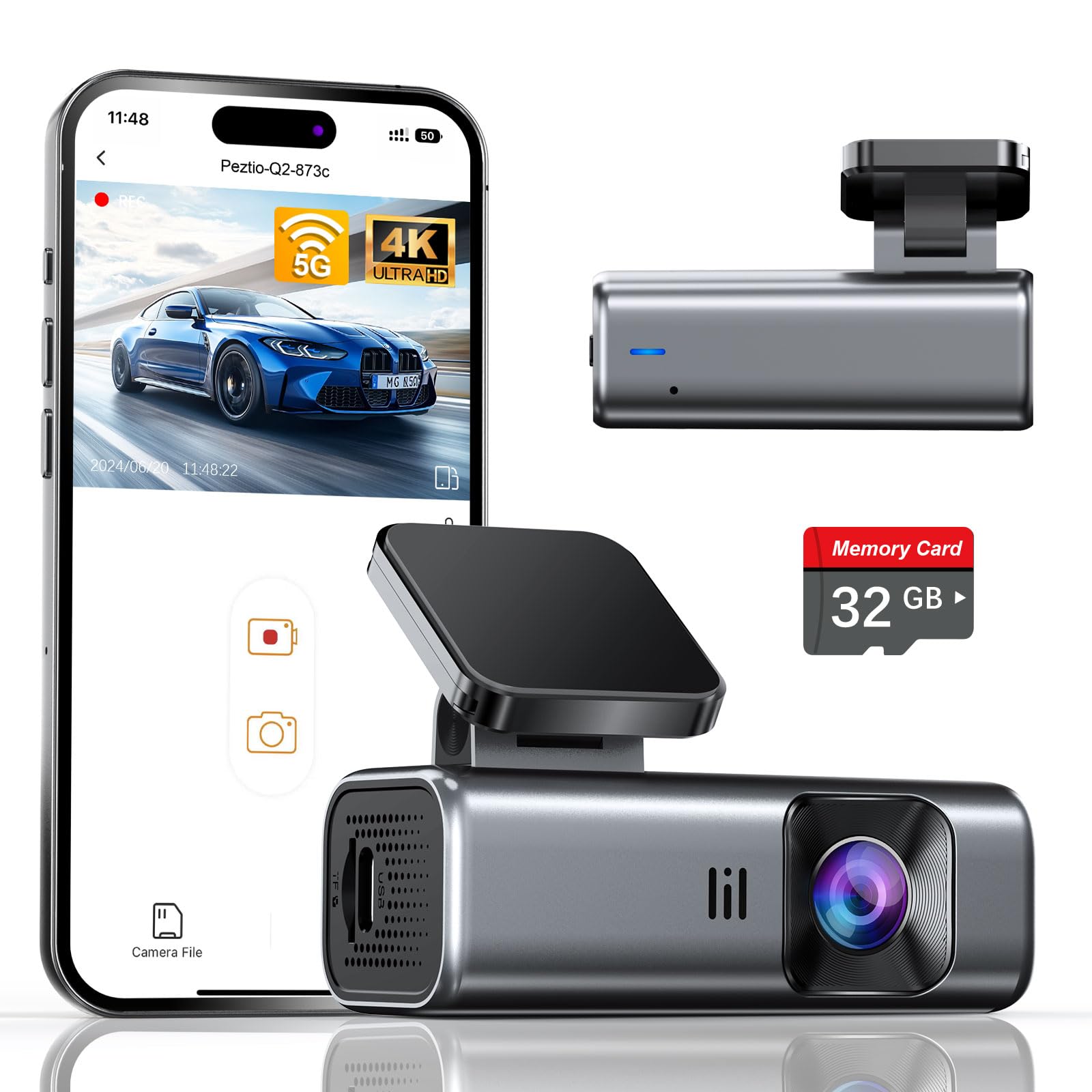
We recommend this compact front-facing dash cam for drivers who want sharp video, fast phone transfers, and simple installation at a reasonable price.
Key Pros
- Clear 4K video with a wide 160-degree view
- Fast 5GHz Wi-Fi app connection
- Includes a 32GB memory card and mounting tools
Key Cons
- No built-in screen for viewing footage
- Hardwire kit is required for parking mode
- The included card may fill quickly with 4K recording
We found the Galphi Q2 easy to position behind the rearview mirror because its small body stayed out of our line of sight. The adhesive mount, static films, cable clips, and trim tool helped us keep the power cable tidy.
Daytime footage looked sharp, with enough detail to review nearby cars and road signs. Its 160-degree lens also covered a broad area in front of the vehicle, which helps when an incident happens near the edge of the frame.
The screen-free design reduced distractions, but we had to use the phone app to change settings or review clips. The built-in 5GHz Wi-Fi transferred videos faster than older 2.4GHz connections, although our phone still needed to connect to the camera’s network before opening the app.
At night, the F/1.6 aperture and WDR helped balance bright headlights and darker areas. Parking mode requires a separate Type-C hardwire kit, and its time-lapse recording may not provide the same detail as normal driving footage.
The included 32GB card lets us start recording without another purchase, while the camera supports cards up to 256GB. With 4K video, we would choose a high-quality Class 10, U3, or V30 card for longer storage and reliable recording.
AZDOME M660 360° Dash Cam
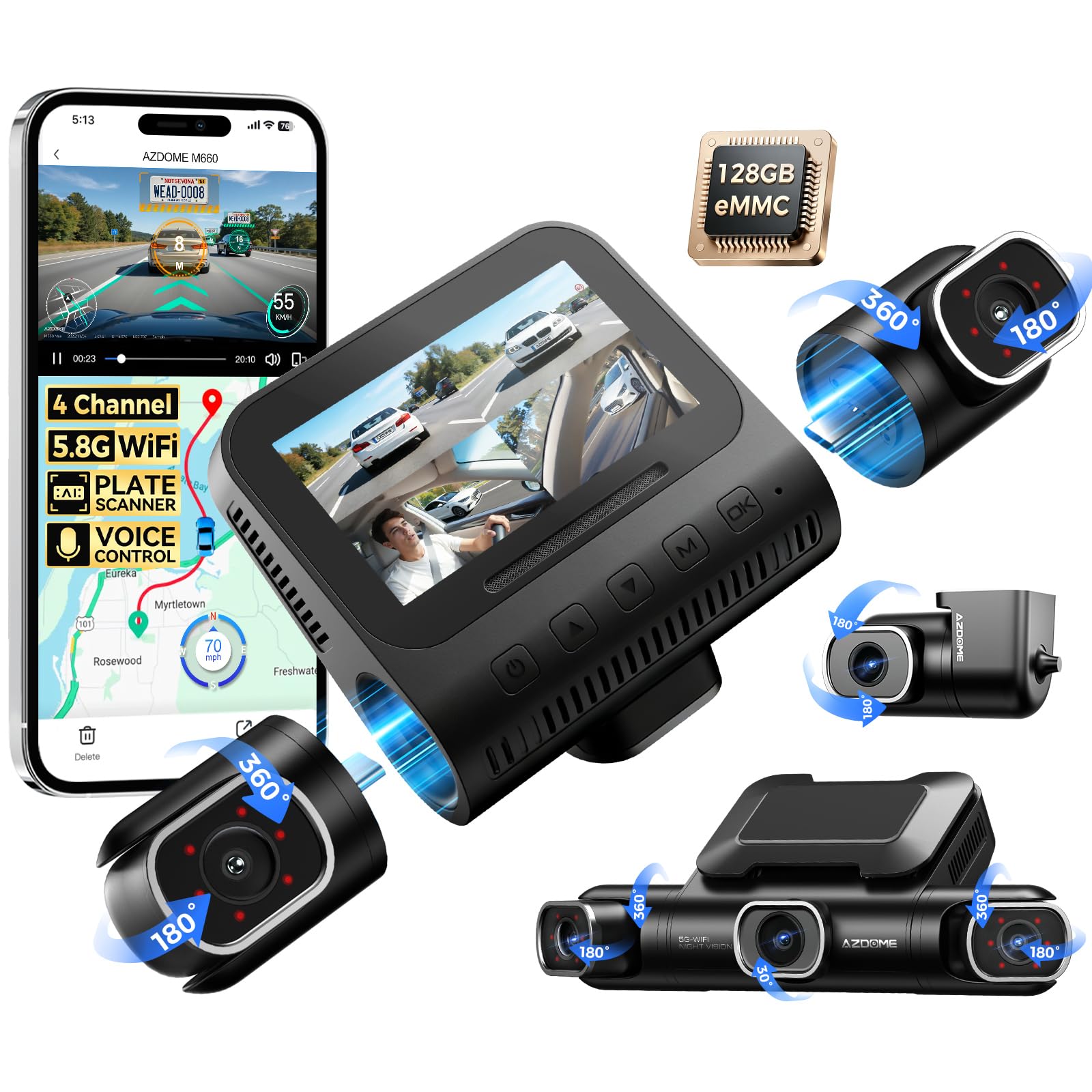
We recommend the AZDOME M660 for drivers who want front, side, rear, and cabin recording without buying a separate memory card.
Key Pros
- Four adjustable cameras cover the vehicle’s main angles
- Built-in 128GB storage makes setup simple
- Clear cabin footage with infrared night lighting
Key Cons
- Storage cannot expand beyond 128GB
- App connection works only at short range
- Hardwiring is needed for full parking mode
We found the four-camera layout useful for front-side recording. Each lens can be aimed separately, which helps cover blind spots around the doors and front corners. The front camera records at 2.5K, while the other cameras record at 1080p.
The built-in 128GB eMMC storage makes installation easier because we did not need to buy or format a memory card. Still, the fixed capacity may feel limiting for drivers who record many hours across all four channels.
The 5.8GHz Wi-Fi connection lets us review clips in the AZDOME app, though we needed to keep the phone close to the camera. GPS adds route and speed data, while voice controls and the 3-inch screen make basic adjustments convenient.
At night, the infrared lights helped keep the cabin visible. Parking mode can monitor motion and impacts, but it requires a hardwire setup. Overall, the M660 suits rideshare drivers and anyone who wants broad coverage, though its app range and fixed storage require some trade-offs.
VANTRUE N2X Dash Cam
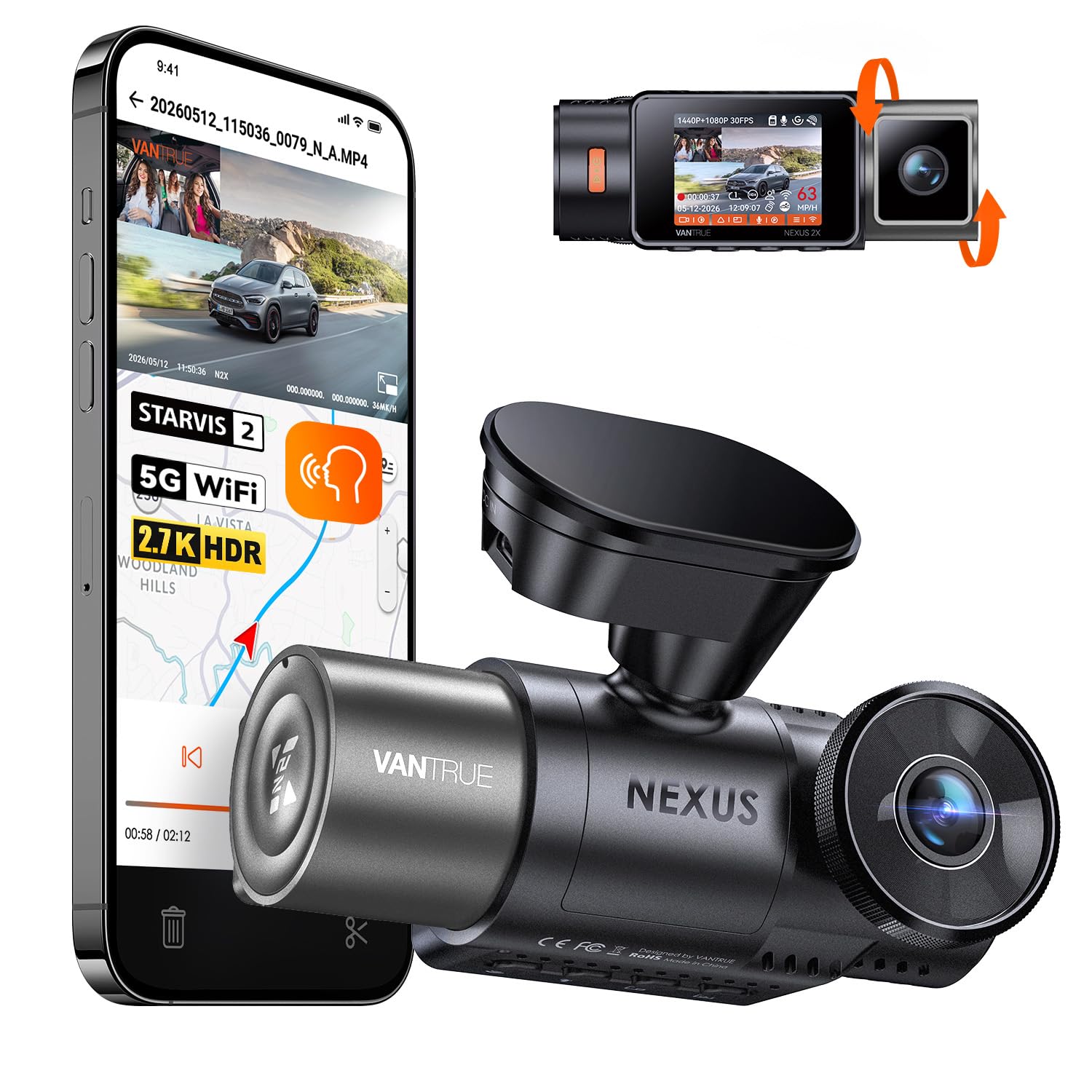
We recommend the VANTRUE N2X for drivers who want clear front footage plus useful cabin coverage in one compact camera.
Key Pros
- Sharp front video with up to 1440p at 60fps
- Infrared cabin recording works well at night
- Built-in GPS, Wi-Fi, and voice controls
Key Cons
- Parking mode requires a separate hardwire kit
- Memory card and emergency button cost extra
- The camera does not stay powered after shutdown without added wiring
During testing, the front camera produced clear footage with good detail on signs, plates, and nearby vehicles. The wide view also helped cover more of the road and side areas, making it a practical choice for front-side incident recording.
The inside camera added useful coverage for rideshare, taxi, and family driving. Its infrared lights kept the cabin visible after dark, while the adjustable lens made it easier to aim at passengers. We could also turn off the cabin camera and audio when privacy mattered.
The Vantrue app made it simple to preview and download clips over Wi-Fi. GPS added speed and location data to recordings, which can help when reviewing an incident. Voice commands were useful for saving footage without reaching toward the camera.
The magnetic mount made installation and removal quick. However, buyers should plan for a compatible microSD card, and the optional hardwire kit is needed for full-time parking protection. Vantrue also advises using the included power cable rather than PD fast-charging accessories.
REDTIGER F7N TOUCH Dash Cam

We recommend this dash cam for drivers who want sharp front footage, useful rear coverage, and simple phone access in one kit.
Key Pros
- Clear 4K front video with strong daytime detail
- Includes a 1080p rear camera and 128GB card
- Touch controls, voice commands, GPS, and fast Wi-Fi
Key Cons
- Parking mode needs a separate hardwire kit
- Rear-camera wiring takes time to hide neatly
- The small screen can feel cramped during playback
We found the front footage detailed enough to capture road signs and license plates in good light. The wide view also covered nearby lanes well, while the rear camera added helpful coverage behind the vehicle.
The touch screen made basic tasks quick, such as locking a clip or turning on Wi-Fi. We also liked having physical buttons and voice commands, since they reduced the need to handle the camera while driving.
The REDTIGER app let us download clips without removing the memory card. GPS data added location and speed details to recordings, which can help when reviewing an incident.
Installation was straightforward, but routing the long rear-camera cable required patience. The suction mount worked well in testing, although drivers who want parking monitoring must buy the optional hardwire kit.
ZMOPO D435 4-Channel Dash Cam

We recommend this dash cam for drivers who want front, rear, side, and cabin coverage from one system.
Key Pros
- Four cameras record around the vehicle
- Includes a 128GB memory card
- Wi-Fi makes clip transfers simple
Key Cons
- GPS requires a separate logger
- Parking mode needs an optional hardwire kit
- Routing wires to all cameras takes time
After setting up the D435, we found its four-channel layout useful for front-side recording. The adjustable front cameras let us fine-tune the view, while the side cameras cover areas that a standard front-and-rear dash cam can miss.
Daytime video looks clear enough for routine driving and incident documentation. Night vision and WDR help balance darker scenes, though side-camera footage may still lose detail in very low light or when headlights shine directly into the lens.
The included 128GB card gives us a useful starting point, and loop recording removes older unlocked clips automatically. Incident locking helps protect important footage, while the app lets us download videos without removing the card.
Installation feels manageable, but four cameras create more cables to route. We also need to buy the GPS accessory separately, and the parking mode requires an optional ACC hardwire kit. For drivers who value broad coverage more than a quick setup, the ZMOPO D435 offers a practical front-side recording system.
IIWEY N6 360° Dash Cam
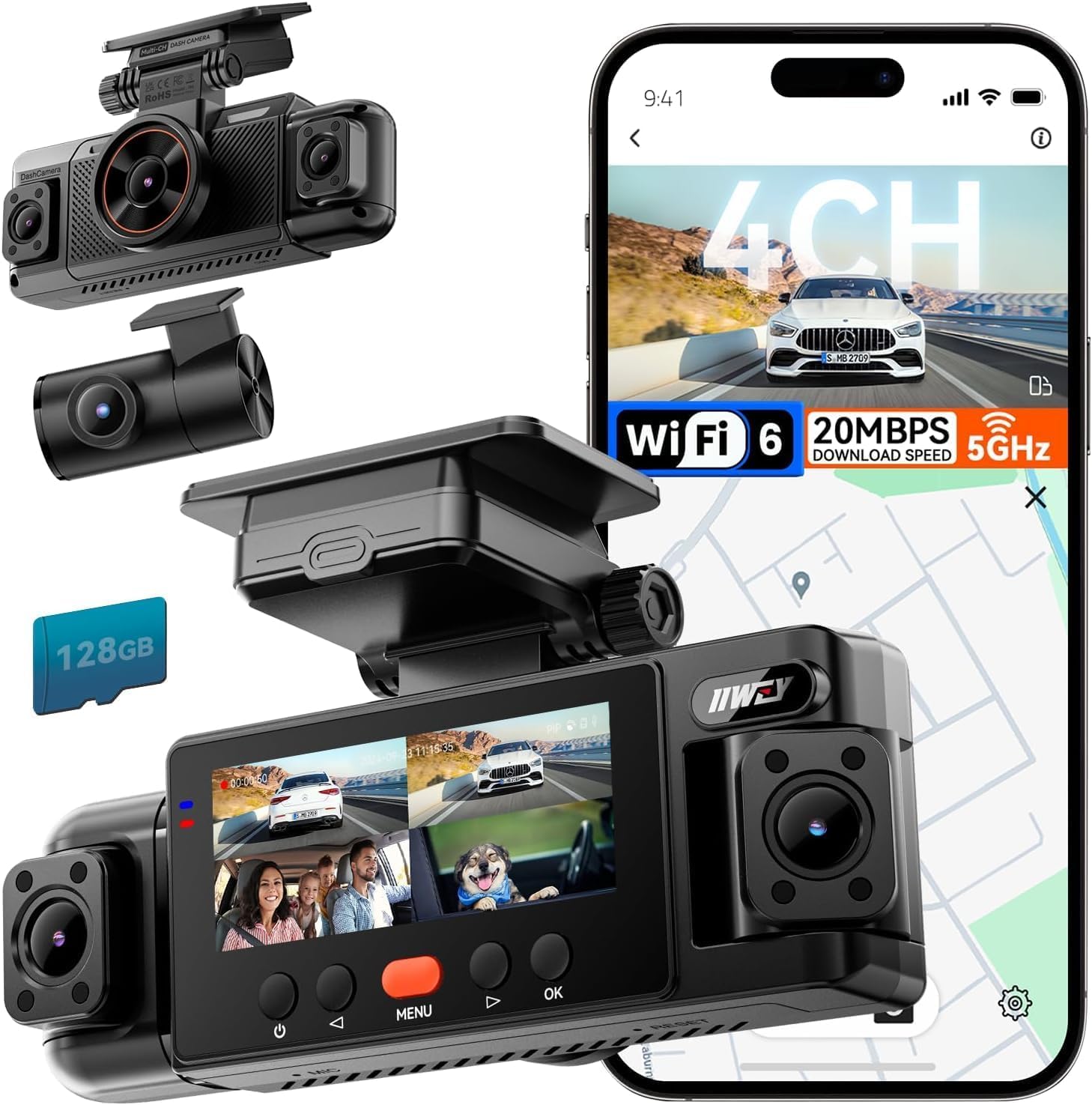
We recommend the IIWEY N6 for drivers who want front, rear, and side recording in one system, though its wired setup takes more work than a basic dash cam.
Key Pros
- Four-camera coverage helps reduce side blind spots
- Includes a 128GB memory card
- GPS, Wi-Fi, and night vision support easier evidence sharing
Key Cons
- Parking mode requires a separate hardwire kit
- Side-camera installation may take extra time
- Headlight glare can affect some night footage
We found the N6 useful when we wanted more than front-and-rear coverage. Its adjustable side cameras record alongside the front and rear views, which gives us a wider view during lane changes, turns, and parking lot incidents.
Daytime video looked clear enough for routine driving evidence. The 170-degree front and rear views cover a broad area, while the side cameras add useful context around the vehicle. The system records at 1080p, so we should not expect the same fine detail as higher-resolution models.
Night recording worked well under streetlights, and the infrared side cameras helped maintain visibility in darker areas. Bright headlights can create glare, however, so plate details may vary with distance, weather, and lighting.
Setup includes the main camera, rear camera, side cameras, cables, mounting tools, and a 128GB card. The included car charger supports normal driving use, but parking surveillance requires IIWEY’s separate hardwire kit. GPS logs routes and speed, while Wi-Fi lets us preview or download clips through the free app.
Icesky S03 4K 4-Channel Dash Cam
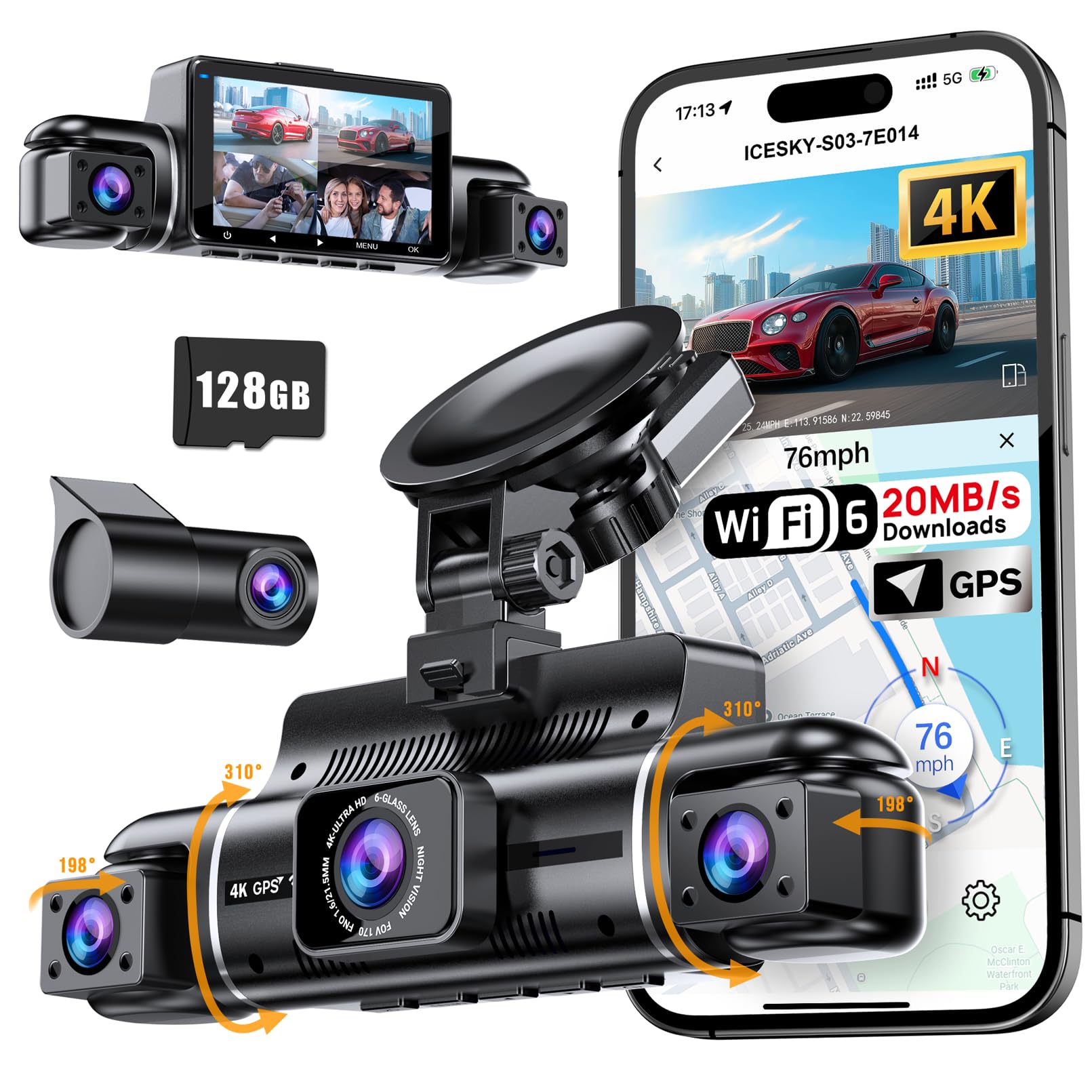
We recommend the Icesky S03 for drivers who want front, rear, and side recording in one system, plus GPS and simple app access.
Key Pros
- Records four camera views at once
- Sharp 4K front video and useful side coverage
- Includes a 128GB card and built-in GPS
Key Cons
- Parking mode requires a separate hardwire kit
- Side cameras need careful positioning
- The app is required for convenient video downloads
After mounting the S03, we found its four-camera layout more useful than a standard front-and-rear setup. The side lenses help capture nearby traffic, lane changes, and events that a forward-facing camera could miss. The front view records in 4K, while the other cameras record in 1080p.
The small display lets us check all four views without opening the phone app. For everyday use, the 5.8GHz Wi-Fi connection makes it easier to preview and download clips. GPS also adds route, speed, and location data, which can help when reviewing an incident.
Night recording is reasonable, and the infrared lights improve the side views in dark areas. Still, we would take time to adjust each camera because poor placement can limit coverage. The included 128GB card is convenient, but drivers who record often may want more storage.
Parking monitoring adds value, but it does not work as a complete setup without the separate hardwire kit. Overall, the S03 suits drivers who want broad coverage and do not mind installing several cameras.
BOTSLAB G980H 4-Channel Dash Cam
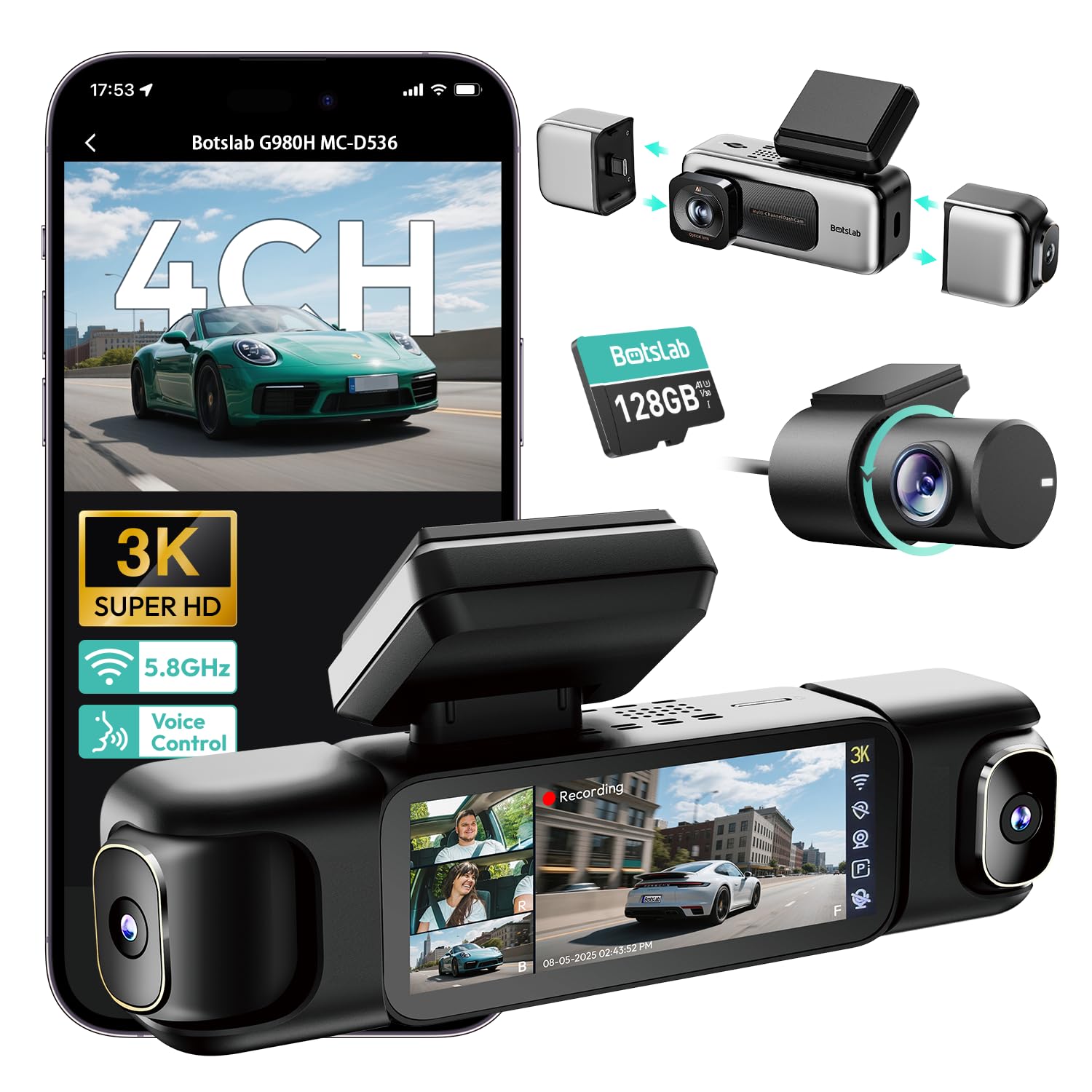
We recommend this dash cam for drivers who want front, side, rear, and interior coverage in one system.
Key Pros
- Records four camera views at once
- Includes a 128GB memory card
- Offers touch, voice, app, and GPS controls
Key Cons
- Parking mode needs a separate hardwire kit
- Installation requires routing several cables
- The app may require extensive personal information
The G980H gives us broad coverage for busy roads, parking lots, and side-impact concerns. Its front camera records in 3K, while the three other cameras record in 1080p. The side cameras use magnetic mounts, which makes repositioning them easier than fixed units.
During use, the 3.18-inch screen helps us check all four views without switching between camera feeds. Voice commands can also start recordings or take photos, which reduces the need to touch the screen while driving.
The footage should remain useful in mixed lighting. Its wide aperture, infrared lights, and WDR help balance dark areas and bright headlights. We would still check sample footage before relying on it for plate reading at night.
The included 128GB card adds convenience, and the camera supports cards up to 512GB. Built-in GPS records speed and location, while 5.8GHz Wi-Fi helps us move clips to a phone without removing the card.
Installation takes more time than a basic front-and-rear dash cam because we must position and route wires for four cameras. Parking features also require BOTSLAB’s separate hardwire kit. We should note that the supercapacitor supports heat and cold better than a standard battery, but it does not provide power by itself when the vehicle is off.
The product has a 4.3-star rating from 661 customer reviews, though some buyers report app privacy concerns, rear-camera problems, or a mount that loses firmness over time.
PRUVEEO 360° 4-Channel Dash Cam

We recommend this dash cam for drivers who want front, side, rear, and interior coverage from one system.
Key Pros
- Records four views at the same time
- Includes GPS, Wi-Fi, and a 128GB memory card
- Provides useful night and parking coverage
Key Cons
- Parking mode needs a separate hardwire kit
- Phone app access may feel less smooth
- Installing several camera cables takes time
The four-camera setup gave us much better side coverage than a standard front-and-rear dash cam. We could check the front, rear, left, and right views together, which helps document lane changes, parking damage, and close traffic encounters.
Video quality looked clear in daylight and remained useful at night. The infrared cabin lights helped show activity inside the vehicle, while the adjustable camera lenses let us fine-tune the viewing angles.
Setup was fairly simple, but routing wires around the cabin required patience. The included 128GB card helped us start recording right away, and loop recording managed storage without much effort.
Built-in GPS added speed and route information to the recordings. Wi-Fi made it possible to view and download clips on a phone, although the app experience may not satisfy users who expect very fast or polished controls.
Parking recording worked only after adding the optional hardwire kit. With that extra purchase and the included two-year warranty, this PRUVEEO model offers broad coverage for drivers who want more than a forward-facing camera.
Buying Guide
We should first check whether the dash cam records both the road ahead and the vehicle’s sides. Some models use separate side cameras, while others rely on wide-angle lenses. Confirm the camera layout, viewing angles, and whether side footage records at the same time as front footage.
Key features to compare include:
| Feature | What to look for |
|---|---|
| Video quality | At least 1080p for clear plates and road details |
| Night recording | Strong low-light performance and controlled glare |
| Viewing angle | Wide coverage without excessive image distortion |
| Storage | Loop recording and support for a high-endurance memory card |
| Parking mode | Motion or impact recording while the vehicle is parked |
| Power | A stable adapter or hardwire kit with suitable protection |
| GPS | Optional location and speed data for recorded clips |
| Controls | Simple buttons or an easy-to-use mobile app |
We should make sure the side cameras fit the vehicle and do not block mirrors, windows, or other controls. Check cable lengths, mounting options, and installation requirements before buying.
A capacitor-based design may handle heat and cold better than a standard battery, but we should still review the stated operating temperature. We should also check warranty terms, replacement parts, memory-card limits, and whether the camera saves files after a sudden power loss.
For frequent driving at night, we should prioritize image quality and glare control over features we will rarely use. For parking protection, we should confirm whether the required hardwire kit comes included or costs extra.
Editor’s Choice
We choose the Vantrue N4 Pro for drivers who want strong front and side coverage from one dash cam system. Its three-camera design records the road ahead, the cabin, and the area behind the vehicle.
The front camera records in 4K, which helps capture license plates and road signs in good lighting. The cabin and rear cameras use lower resolutions but add useful coverage near the doors and around the vehicle.
| Feature | Details |
|---|---|
| Front video | 4K resolution |
| Camera coverage | Front, cabin, and rear |
| Night recording | Infrared cabin view |
| Parking mode | Available with hardwire kit |
| Storage | microSD card support |
We value the infrared cabin camera for rideshare drivers and anyone who wants a clear view inside the vehicle at night. The rear camera also helps reduce blind spots, although it requires careful installation and cable routing.
The N4 Pro includes GPS, Wi-Fi, loop recording, and a parking mode when connected to constant power. We recommend using a high-endurance microSD card and installing the optional hardwire kit for reliable parking recording.
Conclusion
We should choose a dash cam based on how well it records the road ahead and the vehicle’s sides. A wide viewing angle, clear night video, reliable storage, and strong mounting options matter most for front-side coverage.
For better side recording, we should consider a dual- or multi-camera system with adjustable lenses. Parking mode, GPS, and impact detection can also add useful evidence after a collision or while the vehicle is parked.
Before buying, we should check the camera’s side coverage, video quality, storage limits, and power needs. A well-placed system can provide clearer footage without blocking our view or creating distractions.
FAQS
Can a dash cam record the front and sides?
Most standard dash cams record only the road ahead. For front-side coverage, we should choose a model with extra side cameras, a cabin camera, or support for add-on cameras.
What camera angle should we look for?
We should look for a front lens with a viewing angle of about 140 to 170 degrees. A wider angle can capture more beside the vehicle, but extreme wide-angle lenses may distort the image.
Do we need a separate side camera?
A separate side camera provides better coverage of nearby lanes and blind spots. We should confirm that the camera supports side recording before buying, since many models cannot connect to extra lenses.
Does parking mode record the sides?
Parking mode records only the areas covered by the installed cameras. For side coverage, we need cameras aimed at both sides and a suitable hardwire kit or battery pack.
What storage capacity should we use?
We should use a high-endurance microSD card, usually between 64GB and 256GB. Higher resolution and multiple cameras use more storage, so we should check the manufacturer’s capacity limit.
Is 4K necessary for front-side recording?
4K can capture clearer details from the front, especially license plates at a distance. Side cameras often use lower resolution, so camera placement and lighting remain important.

I’m Alex Rahman, a car enthusiast and automotive writer focused on practical solutions, car tools, and real-world driving advice. I share simple and honest content to help everyday drivers make better decisions.
