Can OBD2 Calculate Vehicle Speed? How It Works
Quick Answer
Yes, in practice. Your car calculates speed from wheel or transmission sensors, and OBD2 reports that result as PID 0D in km/h. OBD2 itself does not measure the road passing by; it is the delivery route for a speed value the vehicle has already worked out.
“Calculate” can mean three different things here. The vehicle calculates speed from rotation. OBD2 reports it in a standard form. A scanner or app can then calculate further values from it, such as distance or average speed.
Does OBD2 Itself Calculate Speed?
No, not in the sense of a standalone speedometer. OBD2 is a diagnostic interface and a set of standard messages, not a sensor. It does not watch the wheels, count pulses, or measure distance over the ground by itself.
The calculation happens before OBD2 gets involved. A control unit turns sensor pulses into a speed value, using a stored calibration for tyre size and gearing, and OBD2 then makes that value available to a scan tool through a standard request.
Some apps and tools do their own calculation after reading OBD2 data, combining speed with time to estimate distance or acceleration. Those are app calculations, not values the car reported directly, and their accuracy depends on sampling rate and on the original speed value.
Where the Speed Number Actually Comes From
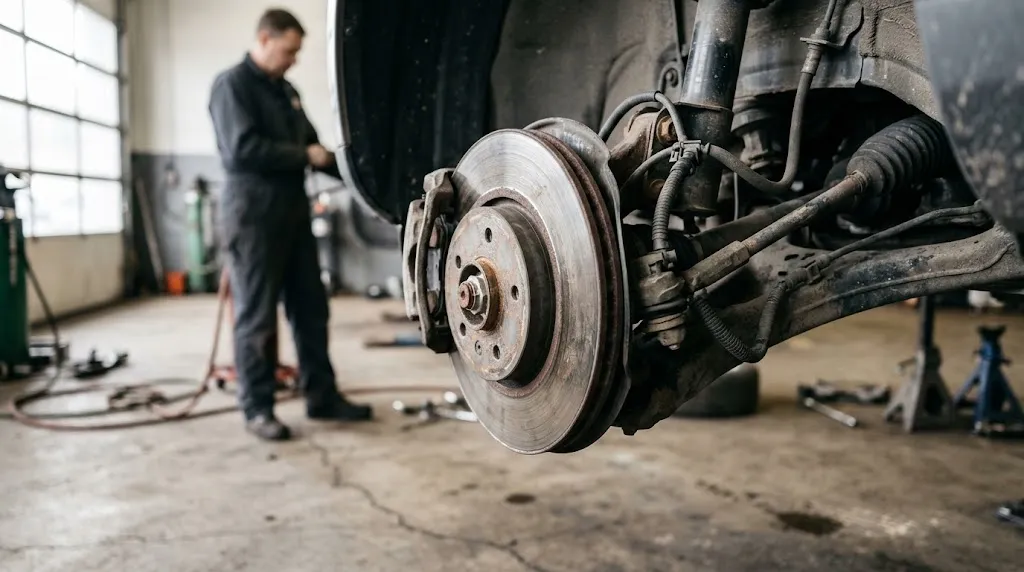
Most vehicles derive speed from rotation, not from a direct measurement of forward motion. A sensor counts how fast something is turning, and the control unit converts that rotation into road speed.
The sensor may sit on the transmission output shaft, where it is often called a vehicle speed sensor, or the vehicle may reuse wheel-speed sensors fitted for anti-lock braking and stability control. A toothed ring passes a sensor, each tooth produces a pulse, and counting pulses over time gives a rotation rate.
Rotation alone is not road speed. The control unit also needs the distance travelled in one wheel revolution, the tyre circumference, built into the factory calibration. Multiply rotation rate by circumference, with the right unit conversion, and the result is speed.
This is also why wheel-speed sensor problems can affect more than one system. A faulty wheel-speed signal can disturb anti-lock braking, stability control, and the speed value at the same time, even when the engine itself is running normally.
How PID 0D Works in Plain Terms
For generic OBD2 live data, the key value is Mode 01, PID 0D: current data, vehicle speed. A scanner asks for that PID, and the vehicle replies with one byte.
The rule for that byte is unusually simple: its decimal value is the speed in km/h, with no scaling or offset. A byte of 60 means 60 km/h, and a byte of 100 means 100 km/h. The CSS Electronics OBD2 PID table lists PID 0D with a scale of 1, an offset of 0, and a range of 0 to 255 km/h, matching SAE J1979.
| Item | What it means |
|---|---|
| Mode 01, PID 0D | Current vehicle speed, in the generic OBD2 set |
| Reply size | One byte |
| Formula | Speed (km/h) = byte value |
| Range | 0 to 255 km/h |
| Resolution | 1 km/h steps, so small changes below 1 km/h are not shown |
That simplicity has two consequences. A scanner mainly needs to display the byte correctly, converting km/h to mph if needed. The format is also limited: it cannot show 256 km/h or higher, or fractions of a km/h, through generic PID 0D.
The Leadfoot guide to what the vehicle speed PID actually shows covers the PID itself in more detail. This article focuses on who calculates the value, and what can be calculated from it afterwards.
What a Scanner or App Can Calculate From Speed
Once a tool has speed readings over time, several derived values become possible. They are not separate OBD2 PIDs like PID 0D; they are results worked out from the speed stream, plus time.
- Distance travelled: add up speed multiplied by time for each sample. At a steady 60 km/h for half an hour, that is about 30 km. Gaps or slow updates introduce error.
- Average speed: divide total distance by total driving time. The time window matters: an average over a whole trip, including stops, is lower than an average while moving.
- Acceleration timing: measure how long speed takes to rise from one value to another, such as 0 to 100 km/h. This needs fast, regular samples, or the exact crossing point can be missed.
- Speed changes: compare successive readings to spot rapid braking or sharp acceleration. A coarse log can make a smooth slowdown look abrupt, or miss a brief event.
None of these proves that OBD2 measures distance or acceleration directly. They show what becomes possible when speed and a clock are combined. If an app does not say how often it samples, treat its distance and timing figures as estimates, especially on short trips.
Why OBD2 Speed, Dashboard Speed, and GPS Speed Can Differ
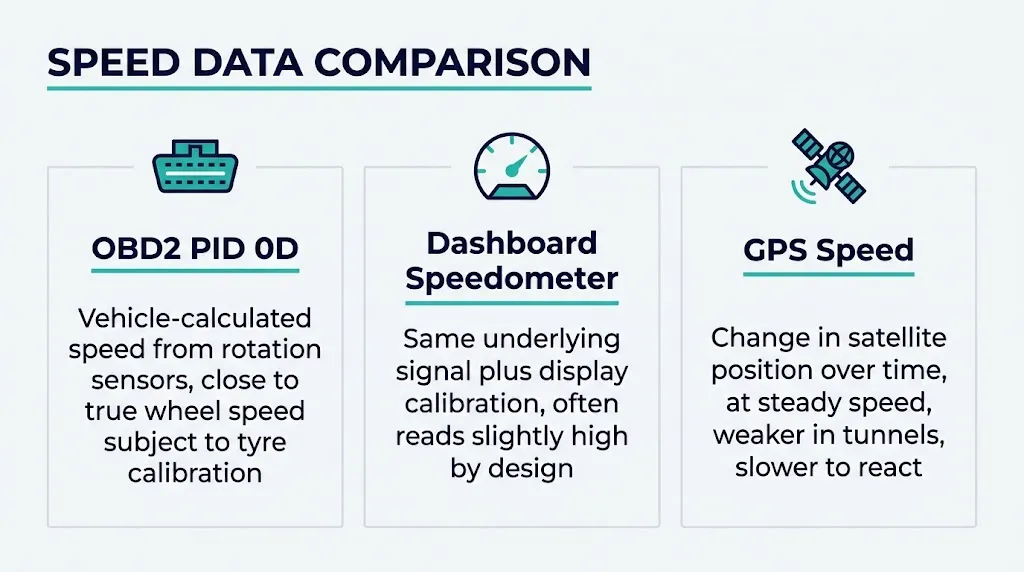
Seeing three different numbers at once does not automatically mean one tool is broken. Each source starts from different input, with its own calibration and delay.
| Source | What it uses | Typical difference |
|---|---|---|
| OBD2 PID 0D | Vehicle-calculated speed from rotation sensors | Often close to true wheel speed, subject to tyre calibration |
| Dashboard speedometer | Same underlying signal, plus display calibration | Often reads slightly high by design, so it rarely understates speed |
| GPS speed | Change in satellite position over time | Good at steady speed in open sky, weaker in tunnels, and slower to react to sharp changes |
Many speedometers are deliberately calibrated to read a little high, within legal tolerance, so a driver is less likely to exceed a limit unknowingly. OBD2 speed can therefore look lower than the dashboard even when both come from the same vehicle signal, usually by only a few km/h at motorway speed.
GPS has the opposite weakness. It measures ground movement independently of wheels and tyres, which helps when tyre size has changed, but it needs a clear satellite view and time to average position changes, so it can lag during hard acceleration or in built-up areas. Accuracy therefore depends on sensor, calibration, and tool, not on OBD2 alone, as explained in how accurate OBD2 scanners are.
When the Calculation Goes Wrong
Because speed is calculated from rotation and a stored tyre size, anything that changes either input changes the result. The most common cause is overall tyre diameter: larger tyres cover more ground per revolution, so reported speed reads low, while smaller tyres make it read high.
Tyre pressure and tread wear shift the result the same way, but usually by less. A badly underinflated tyre rolls on a smaller effective radius, while worn tread slightly reduces diameter.
Sensor faults are a different category. A damaged speed sensor, a faulty wheel-speed sensor, or a wiring fault can make the reading drop out, stick, or jump. Wheelspin is another edge case: if a driven wheel spins while the car is barely moving, a wheel-based calculation can overstate ground speed.
Finally, generic PID 0D does not explain direction. It reports a speed magnitude from 0 to 255 km/h, not a signed value for forward or reverse.
How to Check a Speed Reading Sensibly
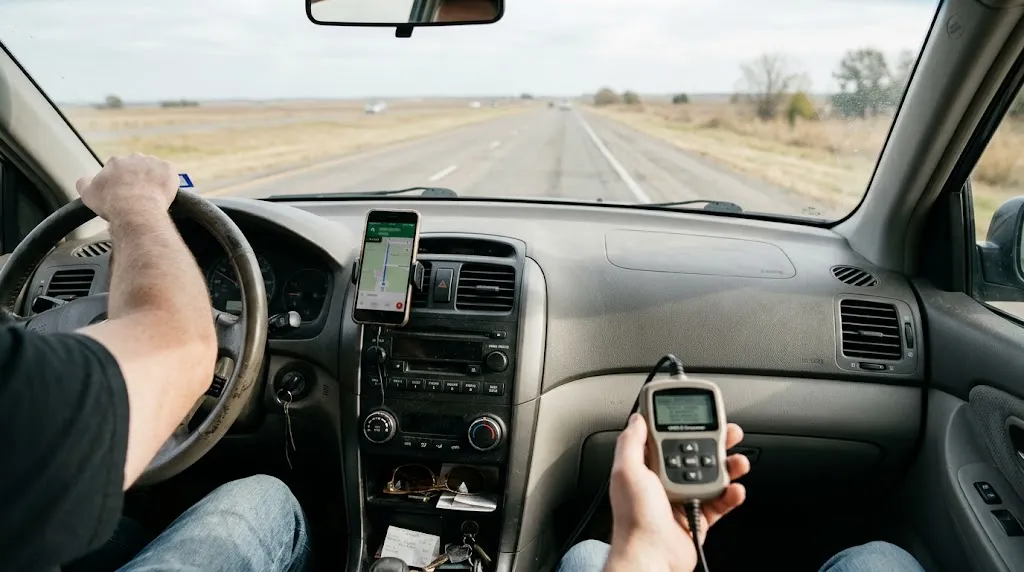
Compare like with like at steady speed, rather than chasing a number during acceleration, on a straight, safe road.
- Connect the scanner or app and open live data, so PID 0D is visible alongside other values.
- Drive at a steady speed and note OBD2, dashboard, and GPS speed together.
- Repeat at a second steady speed, since a percentage error grows with speed.
- If OBD2 and GPS agree but the dashboard reads higher, that points to display calibration, not an OBD2 fault.
- If OBD2 speed is out of step with both, or it drops out and jumps, check sensor, tyre-size, and connection issues before replacing parts.
For opening live data, see how to use an OBD2 scanner, and for the route data takes to the tool, see how CAN bus carries OBD2 data. A slow connection can make a correct vehicle value look unreliable on screen.
Warning
Do not use a phone or scanner as your only speed reference while driving, and do not adjust settings or compare readings while you need to watch the road. Make comparisons as a passenger, or stop safely first.
What OBD2 Speed Cannot Tell You
OBD2 speed has clear limits. It does not measure true ground speed independently of the wheels, so it cannot correct itself for a tyre-size change, wind, slope, or wheelspin.
It also does not, on its own, prove how far you have travelled. Distance, average speed, and timing are derived values, and they inherit every error in the speed stream and every gap in sampling. Decimal places in a trip log are not the same as accuracy.
Finally, a single speed reading does not diagnose a fault by itself. It needs context from other live data, fault codes, and physical checks.
Related Product
OBD2 Scanner With Live Data
A scanner that shows live PID 0D makes it easy to watch vehicle speed alongside RPM and other live data during a steady-speed check.
As an Amazon Associate, we earn from qualifying purchases.
Frequently Asked Questions
Can OBD2 calculate speed without GPS?
Yes. Generic OBD2 speed comes from the vehicle, not from satellites. The vehicle calculates it from wheel or transmission rotation, and OBD2 reports it as PID 0D. GPS is a separate method, and it is not needed for an OBD2 speed reading.
Is OBD2 speed more accurate than the dashboard?
Often it is closer to the vehicle-calculated value, because many dashboards are calibrated to read slightly high. That does not make OBD2 speed perfect. It still depends on the factory tyre calibration and on healthy speed sensors.
Why does my OBD2 speed differ from GPS speed?
OBD2 follows wheel rotation, while GPS follows position change over time. Tyre-size changes affect OBD2 but not GPS, while tunnels and sharp speed changes affect GPS more. At a steady speed in open sky, the two should usually be close.
Can OBD2 calculate distance travelled?
Not directly through PID 0D alone. A scanner or app can estimate distance by adding speed multiplied by time over many samples. That estimate depends on speed calibration and sampling rate, and differs from separate distance PIDs for distance since codes were cleared or while the warning light was on.
Does changing tyre size affect OBD2 speed?
Yes, if the overall tyre diameter changes and the vehicle is not recalibrated. Larger tyres make the reported speed read low, because each revolution covers more ground than the stored calibration expects. Smaller tyres make it read high, for the opposite reason.
Why does my scanner show 0 km/h while the car is moving?
Check the connection and the live-data selection first, then consider a speed-sensor or wiring fault. A stuck or missing PID 0D value, especially alongside wheel-speed or ABS-related symptoms, points to the sensor signal or the link to the tool rather than to OBD2 as a concept.
Conclusion
OBD2 can give you vehicle speed, but the calculation is not done by the diagnostic port itself. Your car works speed out from rotation and a stored tyre size, OBD2 reports it as PID 0D in km/h, and a scanner or app can then build distance, average speed, and timing figures from that stream. That chain explains why OBD2, dashboard, and GPS readings can differ, and why tyre changes and sensor faults matter. Check speed at a steady pace, compare it with a second source, and treat derived trip figures as estimates unless the sampling and calibration behind them are sound.

I’m Alex Rahman, a car enthusiast and automotive writer focused on practical solutions, car tools, and real-world driving advice. I share simple and honest content to help everyday drivers make better decisions.
