Would an OBD-II Device Drain the Battery If Used 24/7?
Quick Answer
Yes, an OBD-II device can drain your car battery when plugged in 24/7, especially while the engine is off. Most scanners consume some electricity, even when you’re not using them. Devices with automatic sleep modes generally present a lower risk, but an adapter that stays active or keeps vehicle computers awake can cause trouble. For a safer long-term setup, check the manufacturer’s OBD-II power-saving settings.
What determines the battery drain risk?
- Sleep mode: Automatic low-power operation can significantly reduce electrical consumption.
- Current draw: An adapter using 50 mA continuously consumes 1.2 Ah every 24 hours.
- Parking duration: Leaving the vehicle unused for several days increases the risk.
- Battery condition: Older or partially discharged batteries have less reserve capacity.
- Vehicle electronics: Some adapters can prevent vehicle control modules from sleeping.
Best practical approach
- Choose a scanner with verified low-power sleep behavior.
- Unplug ordinary diagnostic scanners when they’re not needed.
- Monitor battery voltage and investigate unusual overnight losses.
If you’ve left an OBD-II scanner plugged into your car overnight, you’ve probably wondered whether it’s slowly draining the battery. It’s a reasonable concern, particularly if you don’t drive every day.
I like to separate the problem into two questions: how much power the adapter uses and whether it keeps the car awake. Both matter, and I’ll show you how to evaluate them.
What Is an OBD-II Device, and Does It Use Battery Power?
An OBD-II device is a diagnostic tool that connects to your vehicle’s onboard computer system. It can read trouble codes, display engine sensor information, and help identify certain vehicle problems.
Most vehicles have a standardized diagnostic connector beneath the dashboard. This connector supplies electrical power to compatible diagnostic equipment.
How the OBD-II port receives electricity
On a standard 16-pin OBD-II connector, pin 16 provides battery-positive power. Pins 4 and 5 provide ground connections for the diagnostic interface.
Many vehicles keep pin 16 powered after the ignition turns off. However, the exact power behavior depends on the vehicle and its electrical design.
That means a plugged-in adapter may continue using electricity after you’ve parked.
Common types of OBD-II devices
- Bluetooth adapters: Connect diagnostic apps to your smartphone and may remain powered while parked.
- Wi-Fi scanners: Create wireless connections and can consume power when their electronics remain active.
- Handheld code readers: Usually serve short diagnostic sessions and are easy to disconnect afterward.
- GPS tracking devices: May collect and transmit location data while the vehicle is parked.
- Performance monitors: Display or record vehicle operating data and may run continuously.
These devices don’t all behave alike. Their standby power management makes a meaningful difference.
How Much Battery Power Does an OBD-II Scanner Use?
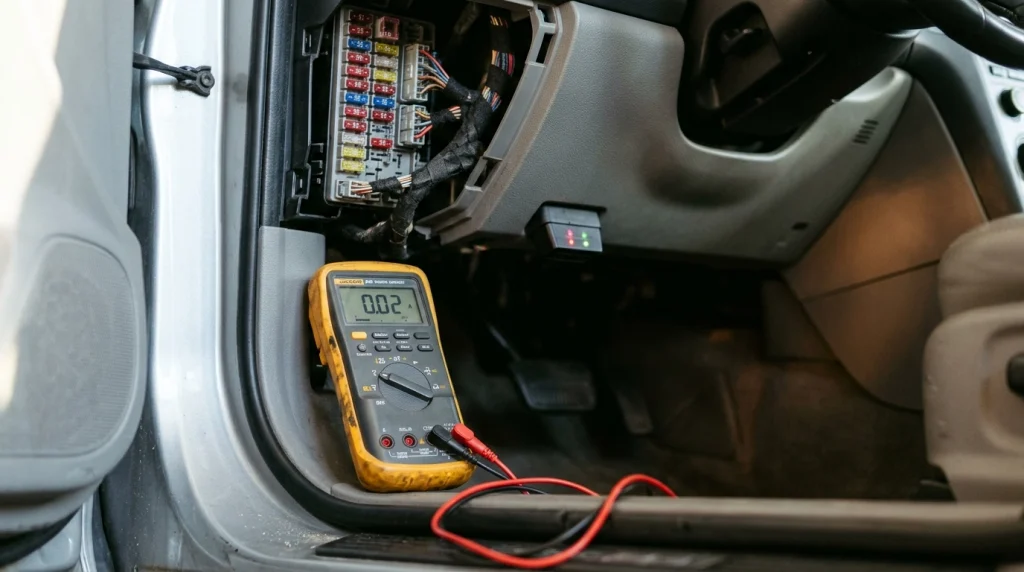
OBD-II scanner power consumption varies by model, connection type, firmware, and operating state. A device using 2 mA in sleep mode places far less demand on the battery than one drawing 60 mA continuously.
The important measurement is current draw, expressed in milliamps (mA). For reference, 1,000 mA equals one amp.
OBD-II device battery consumption comparison
The table below demonstrates how constant electrical loads accumulate. These are mathematical examples, not tested readings for every scanner.
| Operating condition | Current draw | 24-hour use | 7-day use |
|---|---|---|---|
| Very low-power sleep | 2 mA | 0.048 Ah | 0.336 Ah |
| Low-power standby | 5 mA | 0.12 Ah | 0.84 Ah |
| Moderate continuous load | 25 mA | 0.60 Ah | 4.20 Ah |
| Higher continuous load | 50 mA | 1.20 Ah | 8.40 Ah |
| Heavy continuous load | 100 mA | 2.40 Ah | 16.80 Ah |
Real-world manufacturer example
The OBDLink MX+ manufacturer specifies approximately 62 mA operating current and 2 mA in BatterySaver low-power mode. Those figures help explain why effective sleep behavior matters.
At 2 mA, seven days of continuous standby equals about 0.34 Ah. At 62 mA, the same period would consume about 10.42 Ah.
You can compare these specifications through the OBDLink product information and its published technical documentation.
Can an OBD-II Scanner Drain a Car Battery Overnight?
Yes, but an overnight no-start usually involves more than a small, properly sleeping adapter. Battery condition, existing electrical loads, and vehicle module activity all affect the outcome.
A healthy, charged starter battery normally tolerates a small additional overnight load better than a weak battery. However, you shouldn’t assume every scanner enters standby correctly.
A practical overnight calculation
Imagine a scanner continuously drawing 50 mA for 12 hours. The additional battery consumption would be 0.6 Ah.
Now imagine an adapter keeping vehicle electronics awake and producing an extra 500 mA total load. Over 12 hours, that would consume 6 Ah.
That’s ten times the previous example. The second situation deserves immediate attention.
Why a vehicle that sits parked is more vulnerable
When the engine is off, the alternator isn’t replenishing the 12-volt battery. Every electrical load consumes stored energy.
The battery must also power normal standby systems, including security equipment and computer memory. Your scanner adds to those existing demands.
- One night: A sleeping adapter usually adds little consumption, assuming the battery is healthy.
- Several days: Continuous loads become more significant, especially after short trips.
- One week: An active adapter can consume several amp-hours without recharging.
- Several weeks: Even modest standby loads deserve attention during extended storage.
Cold weather can further reduce available starting performance. An aging battery may also lose capacity long before it fails completely.
Why Do Some OBD-II Devices Cause More Battery Drain?
The biggest concern isn’t always the scanner’s own electrical consumption. Some devices can interfere with the vehicle’s normal shutdown process.
1. The scanner never enters sleep mode
Some inexpensive adapters continue operating after the ignition is switched off. Their Bluetooth, Wi-Fi, or processing circuits may remain active.
Without automatic sleep, the device may draw current continuously until disconnected.
2. The adapter keeps vehicle computers awake
Modern cars contain several electronic control units, or ECUs. These computers communicate through networks such as the Controller Area Network (CAN).
After parking, many modules eventually reduce activity to conserve electricity. A scanner that repeatedly requests information may interfere with that process on certain vehicles.
This can create a larger battery drain than the adapter’s own specifications suggest. It also makes troubleshooting more complicated.
3. A connected app keeps requesting data
Some applications continuously poll sensors while a wireless connection remains active. Depending on the adapter, that activity can delay entry into low-power mode.
Closing the application or disconnecting Bluetooth may help. However, this only works when the adapter’s firmware responds appropriately.
4. The battery already has limited capacity
A partially charged or deteriorating battery has less available energy. Consequently, even a modest additional load can contribute to starting problems.
Check battery health before blaming the diagnostic tool.
5. Other accessories create additional loads
Dashcams, trackers, alarms, and aftermarket electronics may draw electricity while parked. Multiple small loads can become significant together.
Professional technicians call unwanted or excessive parked-vehicle consumption parasitic draw. The Snap-on parasitic draw diagnostic guide explains why measuring current after vehicle modules sleep is important.
Is It Safe to Leave an OBD-II Bluetooth Adapter Plugged In All the Time?
It can be safe when the adapter is properly designed, compatible with the vehicle, and confirmed to enter low-power mode. However, no device should be considered universally safe without checking its behavior.
I would pay particular attention to power-management specifications rather than assuming that Bluetooth connectivity guarantees low consumption.
What makes a scanner suitable for continuous use?
- Automatic sleep: The adapter reduces electrical consumption during inactivity.
- Low standby current: Manufacturer documentation provides measurable current specifications.
- Reliable wake-up: The scanner resumes normal operation when needed.
- Vehicle compatibility: The device supports the intended car and diagnostic protocol.
- Firmware support: The manufacturer provides updates and troubleshooting information.
- Secure connectivity: Pairing controls help reduce unauthorized wireless access.
Does an OBD-II sleep mode eliminate battery drain?
No. A sleep mode reduces consumption but doesn’t necessarily eliminate it.
For example, a device drawing 2 mA still uses some electricity. The amount is small compared with a continuously active scanner, but it isn’t zero.
Sleep mode also doesn’t guarantee the car’s computers have entered their own standby states. Both the adapter and vehicle need to behave correctly.
How Can You Check Whether Your OBD-II Device Is Draining the Battery?
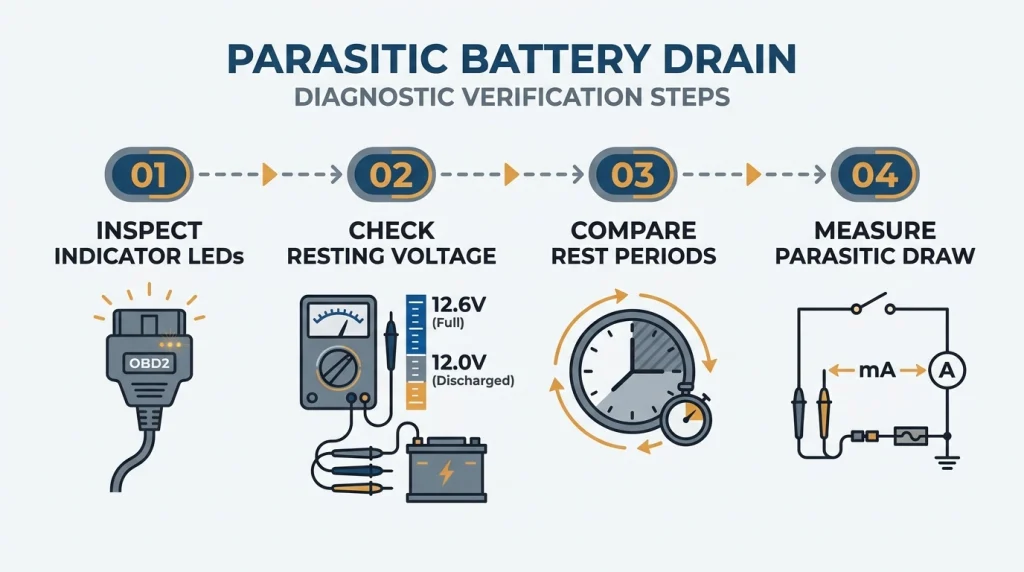
The most reliable approach combines observation, battery testing, and a proper parked-current measurement. Don’t rely on an illuminated adapter LED alone.
Step 1: Inspect the adapter’s operating behavior
Start by reading its manual and identifying the expected sleep indication. Some manufacturers use a briefly flashing LED to indicate low-power operation.
For example, OBDLink documents different LED patterns for active and sleeping adapters. Check your model’s instructions before interpreting them.
Step 2: Check the battery’s resting voltage
Use a digital multimeter at the battery terminals after the vehicle has rested. Avoid measuring immediately after charging or driving because surface charge can distort the reading.
For a typical rested, healthy 12-volt lead-acid battery near room temperature, these readings offer a rough reference:
- About 12.6–12.8 volts: Commonly indicates a near-full charge.
- About 12.4 volts: Suggests a partially discharged battery.
- About 12.2 volts: Suggests further discharge and deserves investigation.
- About 12.0 volts or below: Indicates substantial discharge in many conventional lead-acid batteries.
These are approximate state-of-charge indicators, not a battery health test. AGM, lithium, temperature, and vehicle-specific battery management can change the interpretation.
Step 3: Compare parked behavior with and without the scanner
Begin with a fully charged battery and similar parking conditions. Compare readings after equivalent rest periods with the adapter connected and disconnected.
Repeat the comparison if results are unclear. Temperature, background modules, and unrelated accessories can affect voltage.
Step 4: Measure parasitic current correctly
A professional parked-current test offers stronger evidence than voltage alone. The technician measures electrical current after allowing the vehicle’s modules to enter standby.
- Confirm the battery is charged and in serviceable condition.
- Switch off the vehicle and remove the key or move the key fob away.
- Allow sufficient time for all relevant modules to sleep, following vehicle service information.
- Measure total parked current using an appropriate low-current measurement setup.
- Repeat the measurement with the OBD-II adapter disconnected.
- Compare the stabilized readings to identify the adapter’s contribution.
Safety tip: Don’t disconnect battery terminals or insert a regular multimeter in series without understanding the procedure. Incorrect setup can damage the meter, interrupt vehicle modules, or cause electrical problems.
For a safer approach, ask a qualified technician to use suitable diagnostic equipment. The correct waiting period and acceptable standby current vary by vehicle.
How Do You Prevent an OBD-II Device From Draining Your Battery?
The simplest preventive measure is unplugging a scanner when you’re finished. If you need continuous monitoring, use a device built for unattended operation.
Choose a scanner with documented power saving
Look for a manufacturer that publishes operating and standby current values. Marketing terms such as “low power” mean less without actual specifications.
Also confirm that the device’s sleep settings work with your vehicle and chosen application.
Disable unnecessary continuous polling
Review the settings in your diagnostic app. Constant live-data requests may prevent an adapter from becoming idle.
For monitoring apps, configure data collection only when needed. Don’t assume closing the phone screen stops background communication.
Protect the battery during long-term parking
When storing a vehicle, remove unnecessary electrical accessories. A compatible battery maintainer may be useful if the manufacturer recommends one.
Never assume an occasional short engine idle session fully recharges a depleted battery. A proper charging strategy is more reliable.
Keep the battery and charging system healthy
- Test battery condition if starting becomes noticeably slower.
- Check for loose or corroded battery connections.
- Investigate charging-system faults instead of repeatedly jump-starting.
- Confirm aftermarket accessories aren’t creating excessive standby loads.
- Have persistent overnight discharge professionally diagnosed.
A scanner may reveal a battery problem without being the original cause. Testing prevents unnecessary replacement of perfectly functional equipment.
Can Leaving an OBD-II Scanner Plugged In Damage Your Car?
A compatible, properly functioning scanner generally shouldn’t damage vehicle electronics merely because it’s connected. However, poorly designed equipment can introduce electrical, communication, or security concerns.
Battery discharge is the most obvious risk, but it isn’t the only consideration.
Potential problems to watch for
- Unwanted network activity: A faulty adapter may interfere with normal vehicle module sleep.
- Unexpected battery discharge: Excessive standby consumption can leave insufficient power for starting.
- Connector interference: A bulky device can obstruct the driver’s footwell or become dislodged.
- Wireless security: Weak pairing protection may expose diagnostic access to unauthorized devices.
- Diagnostic communication errors: Incompatible accessories can sometimes produce unreliable connections.
Remove any adapter that becomes unusually hot, smells abnormal, or causes unexpected vehicle behavior. Have the problem inspected before reconnecting it.
OBD-II Scanner vs. GPS Tracker: Which Uses More Battery?
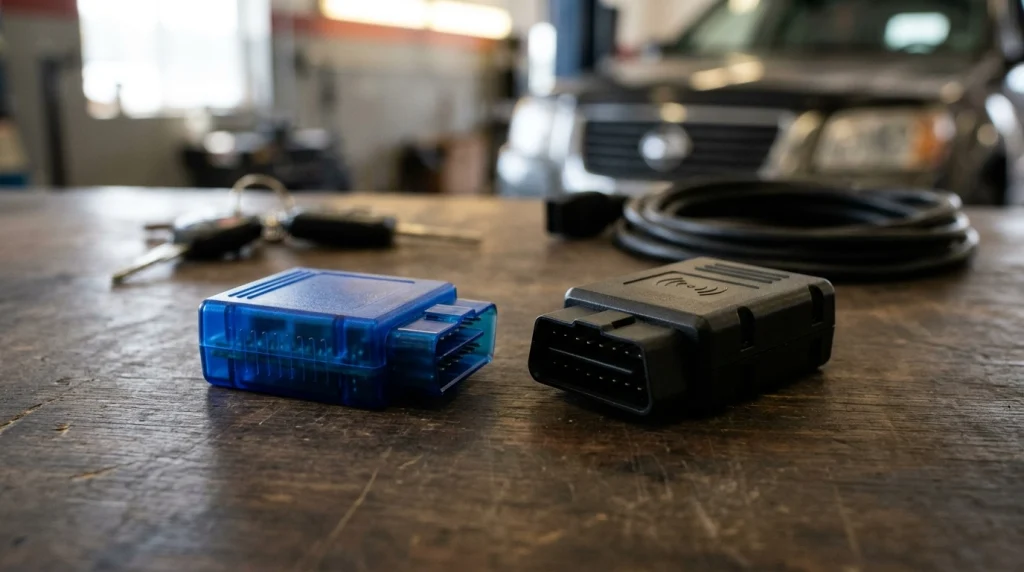
Neither category always uses more electricity. Actual consumption depends on hardware, network activity, sleep modes, and reporting frequency.
A basic diagnostic adapter might sleep for most of the day. A cellular tracker may periodically wake to report location information.
| Feature | Bluetooth OBD-II scanner | OBD-II GPS tracker |
|---|---|---|
| Primary function | Vehicle diagnostics | Location and movement tracking |
| Typical communication | Local Bluetooth connection | GPS reception and often cellular data |
| Standby behavior | Model-dependent sleep mode | Model-dependent reporting and sleep |
| Battery risk | Higher if active or polling continuously | Higher with frequent reporting or poor standby control |
| Best precaution | Verify adapter sleep current | Verify parked-current specifications |
For either device type, use manufacturer data rather than assumptions about the product category.
When Should You Unplug Your OBD-II Device?
Unplugging is the lowest-risk choice whenever continuous monitoring isn’t necessary. It removes the scanner’s own electrical load and eliminates its ability to communicate with vehicle modules.
I recommend treating everyday code readers differently from dedicated monitoring devices. A diagnostic tool used occasionally doesn’t need to occupy the port all week.
Situations where unplugging makes sense
- You’re leaving the vehicle parked for an extended period.
- The adapter has no documented automatic sleep function.
- Your battery is weak or frequently becomes discharged.
- You notice unusual warning lights or electronic behavior.
- The device continues communicating after the ignition is off.
- You no longer need live engine data or continuous monitoring.
When leaving the adapter connected may be reasonable
Continuous installation can make sense for supported trip logging, monitoring, or fleet applications. In these situations, verified sleep behavior is essential.
Check the adapter’s manufacturer recommendations and the vehicle’s electrical specifications. Periodically monitor battery health, especially if the car regularly sits unused.
Recommended OBD-II Scanners for Different Needs
If you’re selecting a scanner, I would prioritize documented power management, reliable compatibility, and your actual diagnostic needs. These three options serve different purposes.
The ratings below are editorial suitability assessments, not verified customer review averages. Product specifications should always be checked before purchase.
🏆 Best for long-term connection
OBDLink MX+ Bluetooth OBD-II Scanner
★★★★☆ 4.5/5 editorial
The OBDLink MX+ supports iOS, Android, and Windows, with a manufacturer-rated 2 mA low-power mode. I favor its documented BatterySaver behavior for drivers who need regular diagnostics, provided vehicle compatibility and sleep operation are confirmed.
🚗 Best for BMW coding
OBDLink CX Bluetooth Adapter
★★★★☆ 4/5 editorial
The OBDLink CX uses Bluetooth Low Energy and is optimized for BimmerCode applications. I would consider it for compatible BMW diagnostics and coding, while still checking sleep behavior and application compatibility.
💰 Best for occasional diagnostics
ANCEL AD310 Handheld OBD-II Scanner
★★★★☆ 4/5 editorial
The ANCEL AD310 is a wired handheld diagnostic code reader for basic OBD-II troubleshooting. I like the simplicity of plugging it in only when needed, then disconnecting it after diagnosis.
Buying tip: Always check model-year compatibility and supported functions. An inexpensive basic scanner may be sufficient for engine codes, while advanced vehicle diagnostics may require specialized equipment.
Frequently Asked Questions About OBD-II Battery Drain
Does an OBD-II scanner use power when the car is off?
Yes, many OBD-II scanners receive power even when the ignition is off because the diagnostic port commonly supplies constant battery voltage. Actual consumption depends on the adapter’s operating state. A scanner with automatic sleep may use very little electricity, while an active device can drain more power.
How long can you leave an OBD-II scanner plugged in?
There is no universal time limit. A compatible scanner with effective low-power operation may remain connected for extended periods, while a continuously active adapter could contribute to battery discharge within days. Battery condition, other electrical loads, and parking duration determine the practical risk.
Will a Bluetooth OBD-II scanner drain the battery overnight?
A properly sleeping Bluetooth adapter usually adds a small overnight load. However, devices that remain active or keep vehicle computers awake can increase consumption. If your car struggles to start after parking, test battery health and compare the vehicle’s standby current with the scanner connected and disconnected.
Can an OBD-II scanner prevent a car from going to sleep?
Yes. Some adapters continue requesting diagnostic data after the engine shuts off, potentially keeping vehicle control modules active. This behavior depends on the device, software, and vehicle architecture. A suitable sleep mode should reduce the risk, but proper vehicle-level testing provides stronger confirmation.
Should I unplug my OBD-II scanner every night?
Not necessarily. If your adapter has verified low-power operation and your vehicle battery is healthy, daily removal may be unnecessary. However, unplugging is sensible when you don’t need continuous monitoring, especially with older batteries, unknown adapters, or vehicles parked for long periods.
Final Verdict: Can an OBD-II Device Drain Your Battery 24/7?
Yes, an OBD-II device can contribute to battery drain when it remains connected around the clock. The practical risk depends on standby current, battery condition, and whether vehicle electronics shut down normally.
A properly designed low-power adapter generally presents less risk than a scanner that stays active. But no sleep-mode claim replaces testing when a vehicle has unexplained battery discharge.
For occasional diagnostics, unplug the scanner after use. For continuous monitoring, choose equipment with published standby specifications and verify that it works correctly with your vehicle.
My recommendation: Before buying a scanner for 24/7 use, check its sleep-mode specifications and your car’s compatibility. A little research now can help prevent an inconvenient no-start later.

I’m Alex Rahman, a car enthusiast and automotive writer focused on practical solutions, car tools, and real-world driving advice. I share simple and honest content to help everyday drivers make better decisions.
