What Is the ELM327 Bluetooth Pairing Code? Try 1234 First
Quick Answer
The ELM327 Bluetooth pairing code is usually 1234. If that fails, try 0000 next, then 1111 or 6789. Your adapter’s own manual or listing overrides this order, and some Bluetooth Low Energy adapters ask for no code at all.
If your phone asks for a code while you connect an ELM327 adapter, that prompt is normally the last step before the phone and adapter can talk. It is not a password you set, and it is not tied to your car. This guide explains what the code is, which values to try first, where your adapter’s own code may be listed, and what to check when the usual codes fail.
What the Pairing Code Actually Is
The pairing code, also called a PIN or passkey, is a short code stored in the adapter’s Bluetooth module. When you pair a Classic Bluetooth adapter, your phone asks for it to confirm it is connecting to the intended device. With no screen or keyboard on the adapter, the maker sets the code in advance.
That distinction matters. The ELM327 itself is the interface chip that translates vehicle diagnostic signals for an app. The Bluetooth module is a separate part of the adapter, and it is the module that holds the pairing code. The ELM Electronics application note on ELM327 and Bluetooth describes using the ELM327 with separate Bluetooth modules, which is why pairing details can differ between similar adapters.
Because many low-cost adapters reuse the same simple defaults, no single code works for every unit. The code is also not your vehicle’s security PIN, radio code, app password, Wi-Fi password, or fault code, and no vehicle information is needed to complete this step.
The Codes to Try, in Order
Start with the code in your adapter’s manual, box, or seller listing. If you cannot find one, work through the defaults below one at a time, waiting for the phone to accept or reject each attempt.
| Try this | When it is most likely |
|---|---|
| 1234 | First choice for most generic ELM327 Bluetooth adapters. |
| 0000 | Common alternative, especially on some older or differently programmed adapters. |
| 1111 | Reported on some adapters when the first two codes fail. |
| 6789 | Reported on some clone and brand-specific adapters. |
| 12345 | Only a last fallback in some setup guides; far less common. |
That order is a practical starting point, not a guarantee. One widely circulated ELM327 Bluetooth manual lists the default PIN as usually 1234 or 0000, matching the pattern in other adapter manuals. If your seller documentation names a different code, use that one first.
Tip
Pair in your phone’s Bluetooth settings first, not only inside the diagnostic app. For a Classic adapter, the system pairing step is where the code is normally entered.
How to Pair an ELM327 Adapter Step by Step
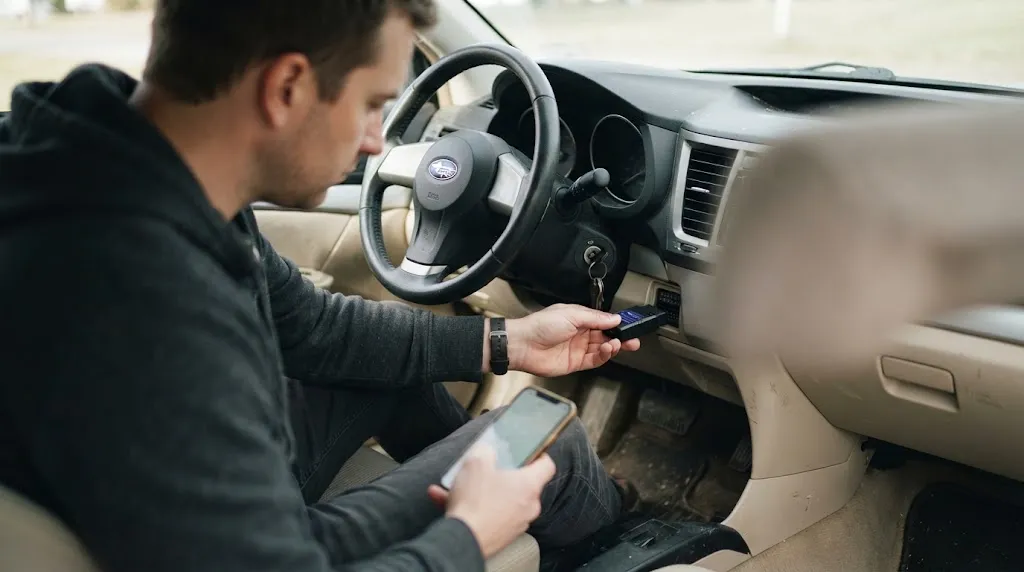
Menu names vary by phone, but the sequence below covers the usual Classic Bluetooth setup. Keep the adapter plugged in and powered throughout.
- Plug the adapter in securely. Use the 16-pin diagnostic port, usually under the dashboard on the driver’s side, and switch the ignition on so it powers up.
- Open your phone’s Bluetooth settings. Turn Bluetooth on, scan, and look for names such as OBDII, ELM327, V-LINK, or a brand name.
- Select the adapter. If several similar names appear, pick the one that appeared after you plugged it in.
- Enter 1234 when prompted. If it is rejected, forget the device, then try 0000, and work down the list above.
- Open the diagnostic app. In its connection settings, choose the paired device. Pairing alone does not start a scan.
Bluetooth pairing itself does not need mobile data or Wi-Fi. The phone and adapter form a short-range local link, and the app reads vehicle data over that link. A guide to whether Bluetooth OBD2 works without internet can help if you are unsure whether a missing signal is a connectivity problem or a pairing problem.
Where to Find Your Adapter’s Own Code
When the common codes fail, do not guess endlessly. Check the sources for your exact unit first: the quick-start card or manual in the box, a sticker on the adapter or packaging, the seller’s product page, and the brand support page for that model.
Search using the adapter’s exact name or model, plus Bluetooth PIN, rather than searching for ELM327 in general. A generic search will return the same 1234 and 0000 answers you have already tried. If the listing gives no code, the adapter may pair through an app as a Bluetooth Low Energy design, or the seller may not have documented it. Be cautious with codes in unrelated forum posts: clones can share a shell while using different Bluetooth modules.
Why the Usual Code Sometimes Fails
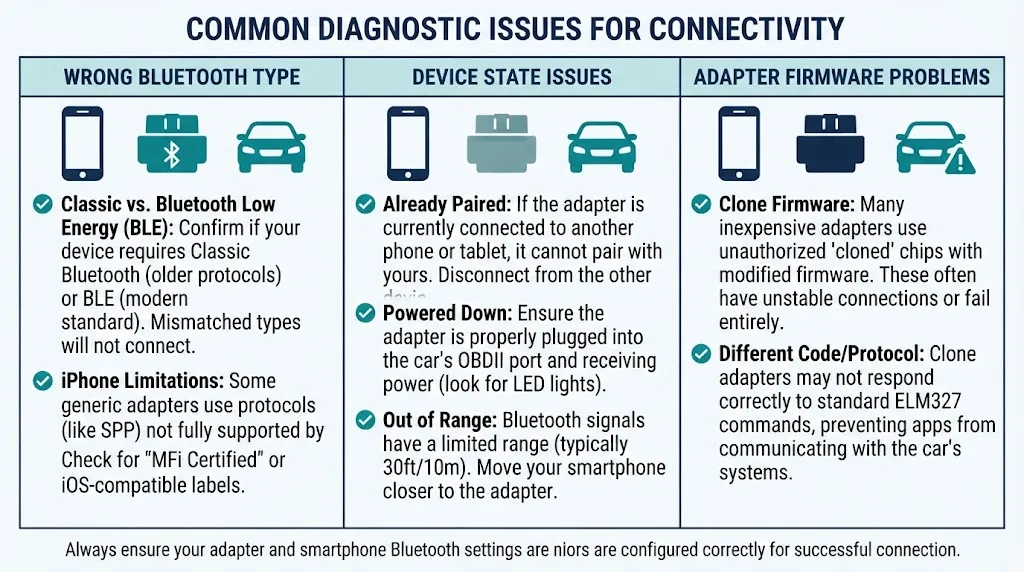
A rejected code does not always mean you typed the wrong number. Several different problems can look identical at the pairing prompt.
The adapter is not the Bluetooth type you expect
Classic Bluetooth and Bluetooth Low Energy (BLE) adapters behave differently. A Classic adapter normally asks for a PIN in system Bluetooth settings, while a BLE adapter often connects through the diagnostic app and may ask for no PIN. If no PIN prompt appears, or the adapter never appears in system Bluetooth settings, check whether the maker describes it as a BLE model and follow its app-based setup.
This also affects iPhone use. Many Classic Bluetooth ELM327 adapters are made for Android and Windows, and the manual linked above explicitly says its model is not compatible with iOS. That is a compatibility limit, not a wrong PIN, and a Classic adapter may fail on an iPhone no matter which code you enter.
The adapter is already paired, powered down, or out of range
Some adapters accept only one Bluetooth connection at a time. If the adapter is still paired to another phone, tablet, or head unit, a new phone may fail before the code is checked. Forget the adapter on the old device, or turn that device’s Bluetooth off, then try again. Also confirm the adapter is still powered: a loose plug or an ignition that has switched off can interrupt pairing.
If pairing still fails, a broader guide to a Bluetooth OBD2 scanner not pairing can help separate a code problem from a power, range, or app-selection problem. Do not assume the code is wrong until the adapter is powered, visible, and free from another active connection.
The unit is a clone with different firmware
ELM327 adapters vary widely in chip authenticity and firmware. Some clones use a Bluetooth module programmed with a less common code, but that alone does not prove the adapter is faulty. The more useful check is whether it behaves consistently after pairing: it should appear reliably, stay connected during a short scan, and return live data. Our guide on how to identify a genuine ELM327 explains checks beyond the label, including command support and on-car behaviour.
Can You Change the ELM327 Bluetooth Pairing Code?
For most consumer adapters, the practical answer is no. The code is set in the Bluetooth module’s firmware, and there is no normal menu, app setting, or ELM327 AT command that changes it on an ordinary sealed adapter.
Some individual Bluetooth modules can be reprogrammed by an advanced user who opens the adapter and sends module-specific commands through a serial connection. That route is module-dependent, can fail, and can damage the adapter, and it is not a standard ELM327 feature. For most readers, replacing a poorly documented adapter with one that states its code and Bluetooth type clearly is safer and faster.
If you use a reprogrammable module, keep a written record of the new code. A forgotten changed code creates the same problem as an undocumented factory code, except that the original manual will no longer help.
What a Well-Known Default Code Means for Security
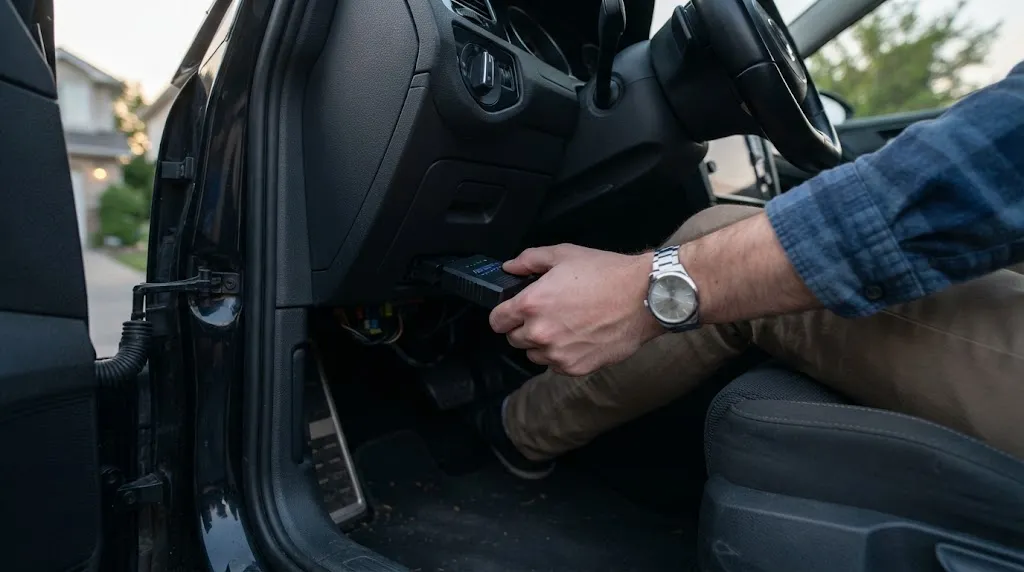
A code as widely known as 1234 is a convenience, not strong security. Anyone nearby who can see the adapter in Bluetooth settings could try the same defaults. That risk is limited because the adapter must be plugged in and powered, and Bluetooth range is short, but it is still a reason not to leave an adapter plugged in permanently. Unplug it when you are not using it: that removes the pairing window and stops it drawing power while the car is parked.
Warning
Do not enter a code from an unverified source into a different prompt, such as an app account, vehicle security screen, or payment screen. The ELM327 code belongs only in the Bluetooth pairing prompt for that adapter.
Pairing is only the first link in the chain. If the phone pairs but the app shows no data, the next question is whether the adapter itself is working, not whether the code was right. A separate guide to testing an ELM327 adapter covers that check, and the comparison of Bluetooth versus Wi-Fi OBD2 explains when Wi-Fi may suit a setup better.
Related Product
Bluetooth ELM327 OBD2 Adapter
If your current adapter has no documented code or the wrong Bluetooth type for your phone, a replacement with a clearly stated code and Bluetooth type can save repeated attempts.
As an Amazon Associate, we earn from qualifying purchases.
Frequently Asked Questions
What is the default ELM327 Bluetooth pairing code?
Try 1234 first. If that is rejected, try 0000. Those are the two defaults most commonly listed in ELM327 adapter manuals, and your adapter’s own documentation should override them if it names a different code.
Is the pairing code the same for every ELM327 adapter?
No. Most generic adapters use 1234 or 0000, but some use 1111, 6789, or a seller-specific code. BLE adapters may also pair through an app without a PIN prompt, so the absence of a code does not always mean a code is missing.
Why does my iPhone not ask for an ELM327 pairing code?
Many Classic Bluetooth ELM327 adapters are designed for Android and Windows and do not pair with iPhones in the same way. If no PIN prompt appears and the adapter does not connect, check whether it is a Classic model. A BLE adapter is usually needed for iPhone use.
What should I do if 1234 and 0000 both fail?
Forget the adapter in Bluetooth settings, confirm it is powered and not connected to another device, then try 1111 and 6789. After that, check the manual, packaging, or seller page for your exact model before trying further codes.
Can I reset the Bluetooth pairing code to 1234?
There is no standard reset for most sealed consumer adapters. Forgetting the device on your phone clears the phone’s pairing record, but it does not change the code stored in the adapter. Reprogramming is possible only on certain modules and carries a risk of damaging the adapter.
Does pairing an ELM327 adapter need the internet?
No. Bluetooth pairing is a local link between the phone and the adapter, so it does not need mobile data or Wi-Fi. You may still need internet to download the diagnostic app or to look up a code, but the pairing step itself does not use it.
Conclusion
For most ELM327 Bluetooth adapters, the answer is simple: try 1234, then 0000. The useful detail is knowing when that simple answer does not apply. Check your adapter’s documentation, confirm whether it uses Classic Bluetooth or BLE, make sure it is powered and not already connected elsewhere, and unplug it when you finish. With those checks, a failed pairing prompt becomes a short diagnosis rather than a long guessing game.

I’m Alex Rahman, a car enthusiast and automotive writer focused on practical solutions, car tools, and real-world driving advice. I share simple and honest content to help everyday drivers make better decisions.
